lock YAMAHA FX SHO 2009 User Guide
[x] Cancel search | Manufacturer: YAMAHA, Model Year: 2009, Model line: FX SHO, Model: YAMAHA FX SHO 2009Pages: 108, PDF Size: 8.04 MB
Page 43 of 108
Features and functions
36
unlock mode is selected and the engine can
be started.
TIP:
The beeper sounds two times for the normal
mode or three times for the low-RPM mode.
(See the items in “Selecting the operation
mode” for operation mode information.)
If neither the start switch nor the remote con-
trol transmitter is operated within 25 seconds
after the unlock button is pressed to select the
unlock mode, the multifunction information
center will turn off and enter a standby state.
If the multifunction information center is in the
standby state, start the engine to return the
display and the indicator lights to their state
before the center turned off.
EJU36781Selecting the operation mode
There are two operation modes in the unlock
mode of the Yamaha Security System: the
normal mode and the low-RPM mode. The
normal mode and low-RPM mode can only be
selected when the engine is stopped in the
unlock mode. Press the unlock button on the
remote control transmitter for more than 4
seconds to switch between the normal mode
and the low-RPM mode.
Normal mode
The watercraft can be ridden normally in this
mode.
If the beeper sounds two times, the normal
mode is activated.Low-RPM mode
Maximum engine speed (r/min) in this mode is
limited to approximately 70% of the maximum
engine speed in the normal mode.
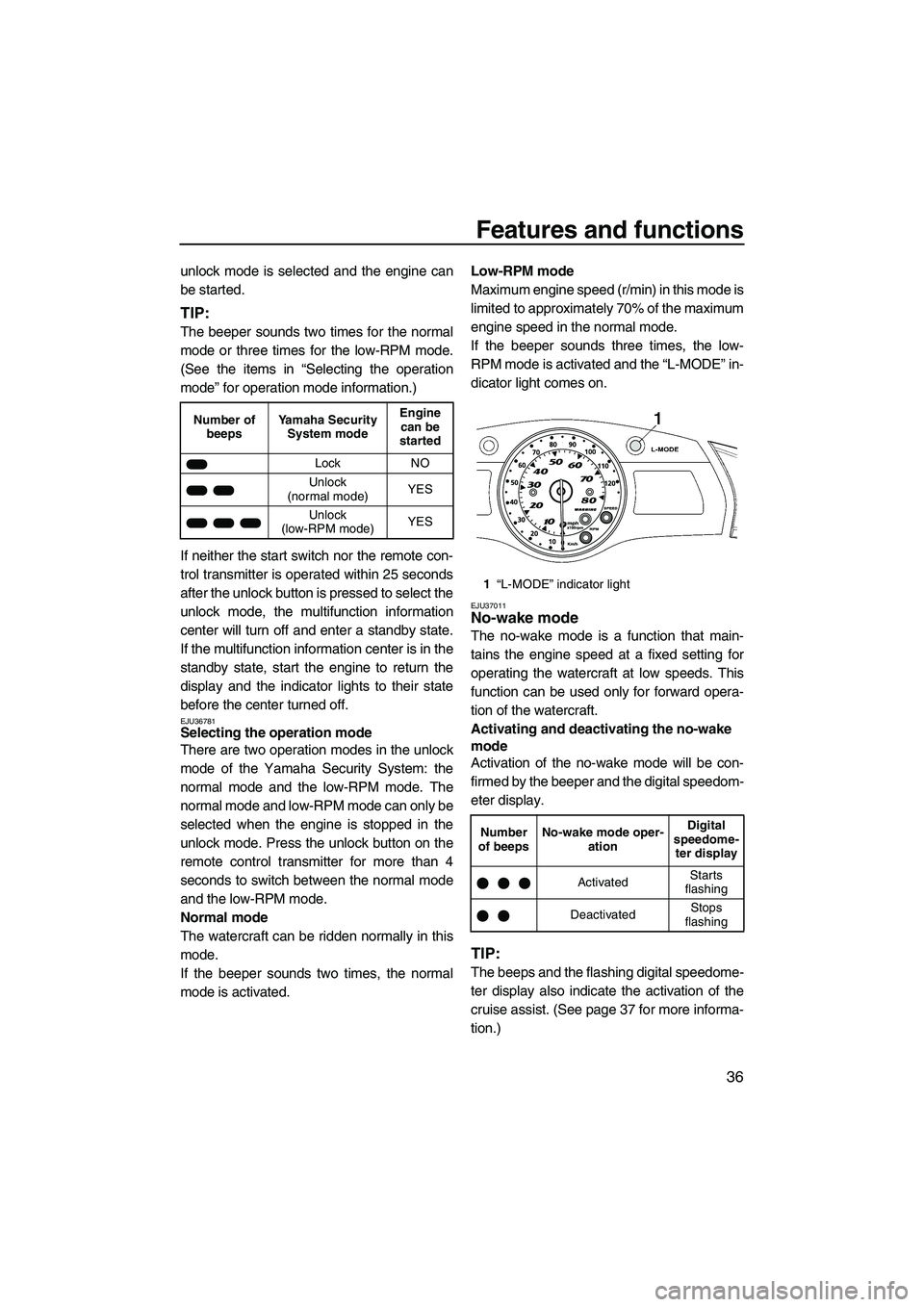
If the beeper sounds three times, the low-
RPM mode is activated and the “L-MODE” in-
dicator light comes on.
EJU37011No-wake mode
The no-wake mode is a function that main-
tains the engine speed at a fixed setting for
operating the watercraft at low speeds. This
function can be used only for forward opera-
tion of the watercraft.
Activating and deactivating the no-wake
mode
Activation of the no-wake mode will be con-
firmed by the beeper and the digital speedom-
eter display.
TIP:
The beeps and the flashing digital speedome-
ter display also indicate the activation of the
cruise assist. (See page 37 for more informa-
tion.)
Number of
beepsYamaha Security
System modeEngine
can be
started
Lock NO
Unlock
(normal mode)YES
Unlock
(low-RPM mode)YES
1“L-MODE” indicator light
Number
of beepsNo-wake mode oper-
ationDigital
speedome-
ter display
ActivatedStarts
flashing
DeactivatedStops
flashing
UF1W71E0.book Page 36 Tuesday, June 24, 2008 11:46 AM
Page 47 of 108
Features and functions
40
ponents for help and convenience in operat-
ing the watercraft.
When the multifunction information center
starts operating, the analog speedometer/ta-
chometer makes one sweep, all displays light
up for 2 seconds, and then the meter starts to
operate normally.
The multifunction information center will con-
tinue to operate for 25 seconds after the en-
gine stops.EJU34930Analog speedometer/tachometer and indi-
cator lights
This watercraft is equipped with the following
meter and indicator lights.
EJU36791Analog speedometer/tachometer
The analog speedometer/tachometer can be
used as a speedometer or a tachometer.
To switch between the speedometer and the
tachometer functions, push the “Speed/RPM”
button for at least 1 second when the multi-
function information center is operating.
The “SPEED” indicator light comes on when
the analog speedometer is selected. The
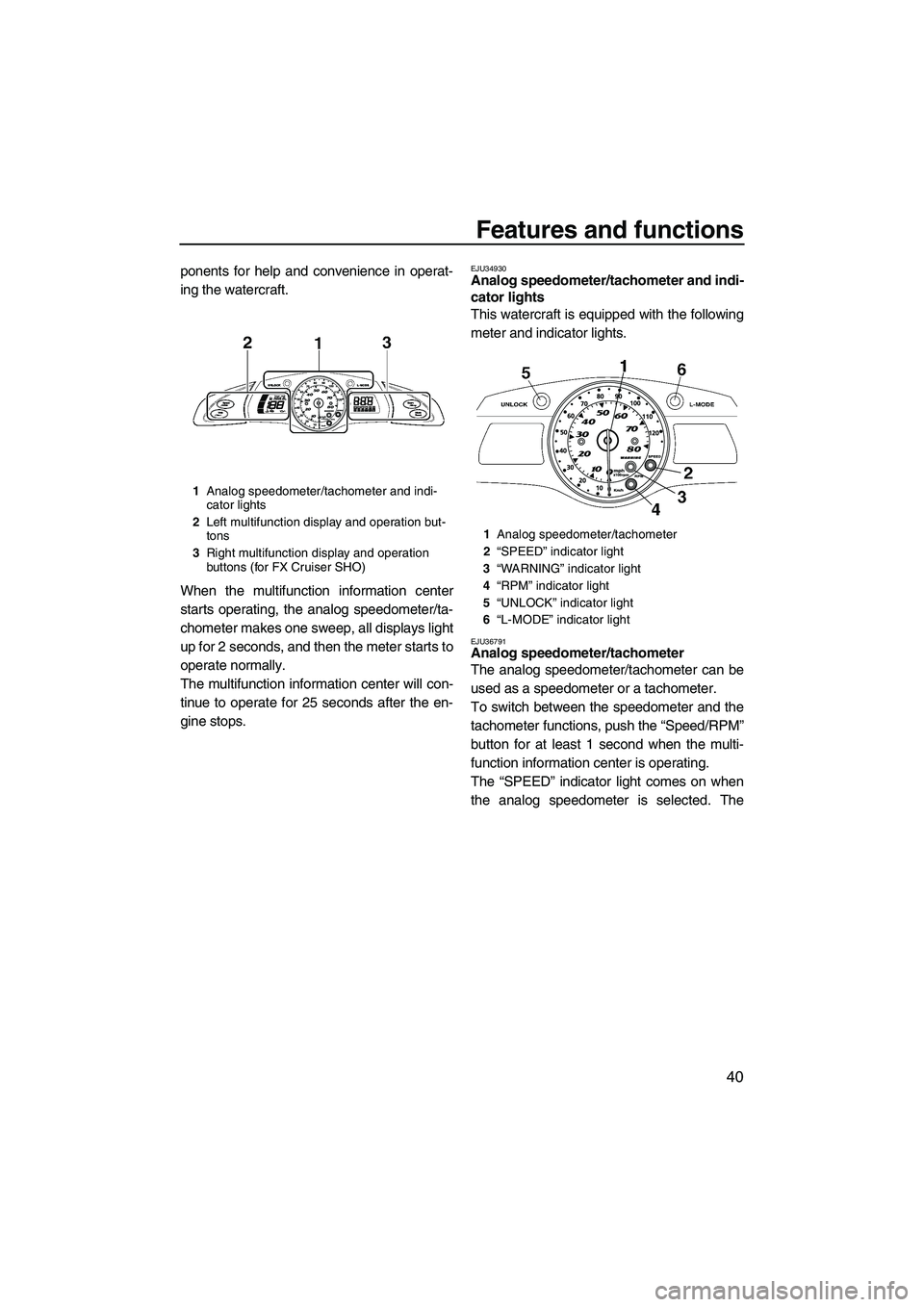
1Analog speedometer/tachometer and indi-
cator lights
2Left multifunction display and operation but-
tons
3Right multifunction display and operation
buttons (for FX Cruiser SHO)
1Analog speedometer/tachometer
2“SPEED” indicator light
3“WARNING” indicator light
4“RPM” indicator light
5“UNLOCK” indicator light
6“L-MODE” indicator light
UF1W71E0.book Page 40 Tuesday, June 24, 2008 11:46 AM
Page 49 of 108
Features and functions
42
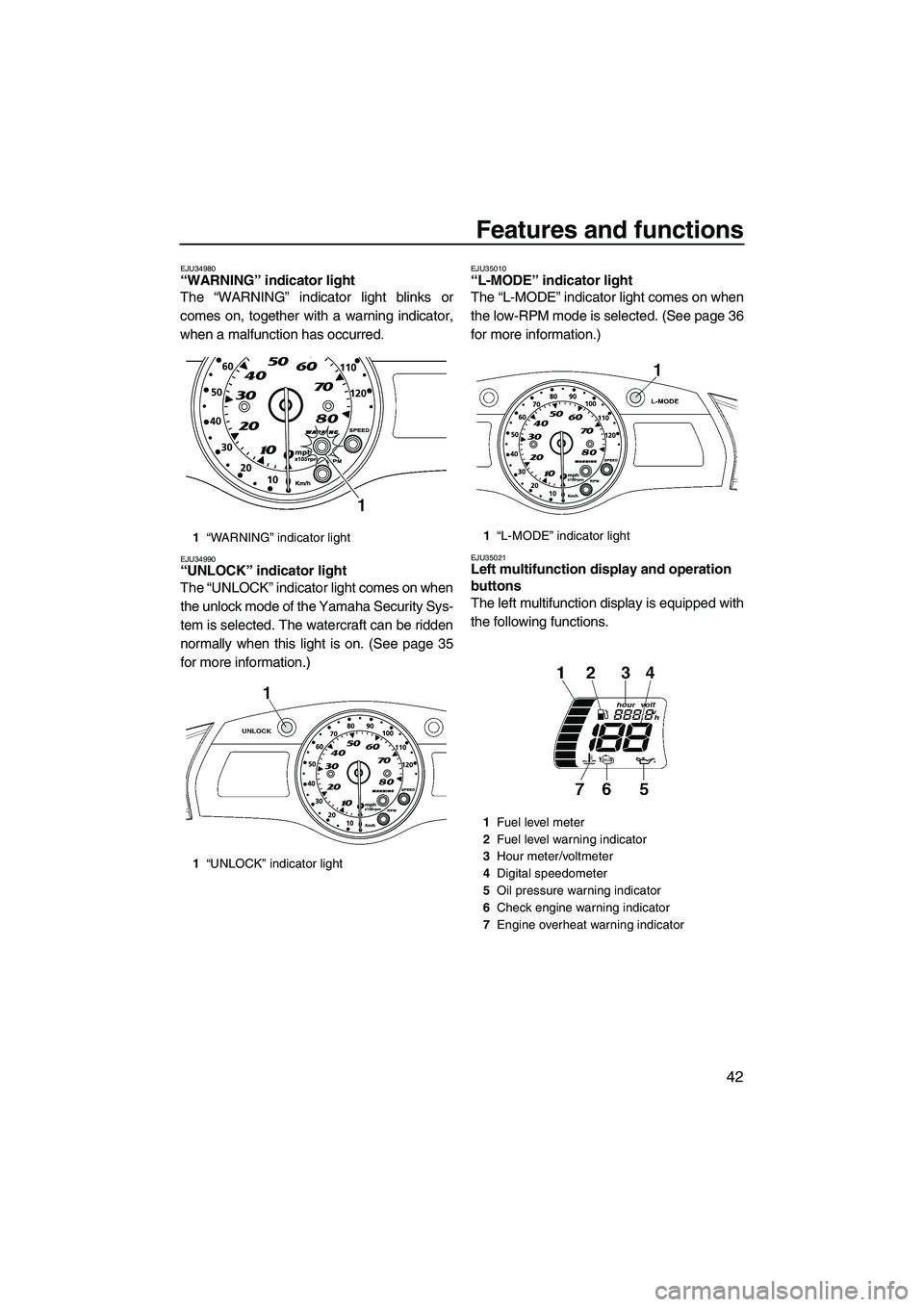
EJU34980“WARNING” indicator light
The “WARNING” indicator light blinks or
comes on, together with a warning indicator,
when a malfunction has occurred.
EJU34990“UNLOCK” indicator light
The “UNLOCK” indicator light comes on when
the unlock mode of the Yamaha Security Sys-
tem is selected. The watercraft can be ridden
normally when this light is on. (See page 35
for more information.)
EJU35010“L-MODE” indicator light
The “L-MODE” indicator light comes on when
the low-RPM mode is selected. (See page 36
for more information.)
EJU35021Left multifunction display and operation
buttons
The left multifunction display is equipped with
the following functions.
1“WARNING” indicator light
1“UNLOCK” indicator light1“L-MODE” indicator light
1Fuel level meter
2Fuel level warning indicator
3Hour meter/voltmeter
4Digital speedometer
5Oil pressure warning indicator
6Check engine warning indicator
7Engine overheat warning indicator
UF1W71E0.book Page 42 Tuesday, June 24, 2008 11:46 AM
Page 57 of 108
Features and functions
50
To close the front storage compartment, push
down on the center of the hood until it latches
securely.
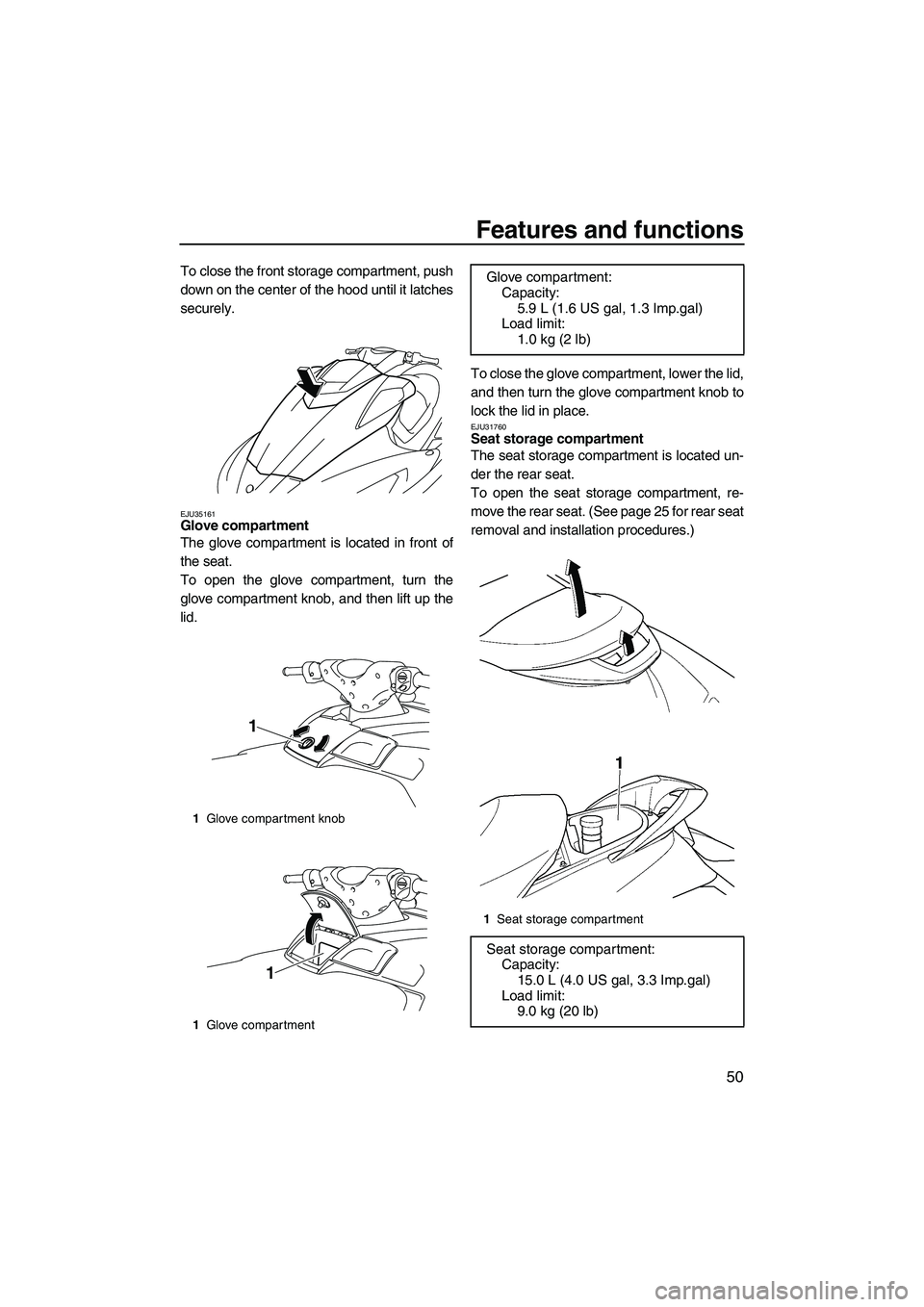
EJU35161Glove compartment
The glove compartment is located in front of
the seat.
To open the glove compartment, turn the
glove compartment knob, and then lift up the
lid.To close the glove compartment, lower the lid,
and then turn the glove compartment knob to
lock the lid in place.
EJU31760Seat storage compartment
The seat storage compartment is located un-
der the rear seat.
To open the seat storage compartment, re-
move the rear seat. (See page 25 for rear seat
removal and installation procedures.)
1Glove compartment knob
1Glove compartment
1
1
Glove compartment:
Capacity:
5.9 L (1.6 US gal, 1.3 Imp.gal)
Load limit:
1.0 kg (2 lb)
1Seat storage compartment
Seat storage compartment:
Capacity:
15.0 L (4.0 US gal, 3.3 Imp.gal)
Load limit:
9.0 kg (20 lb)
UF1W71E0.book Page 50 Tuesday, June 24, 2008 11:46 AM
Page 58 of 108
Features and functions
51
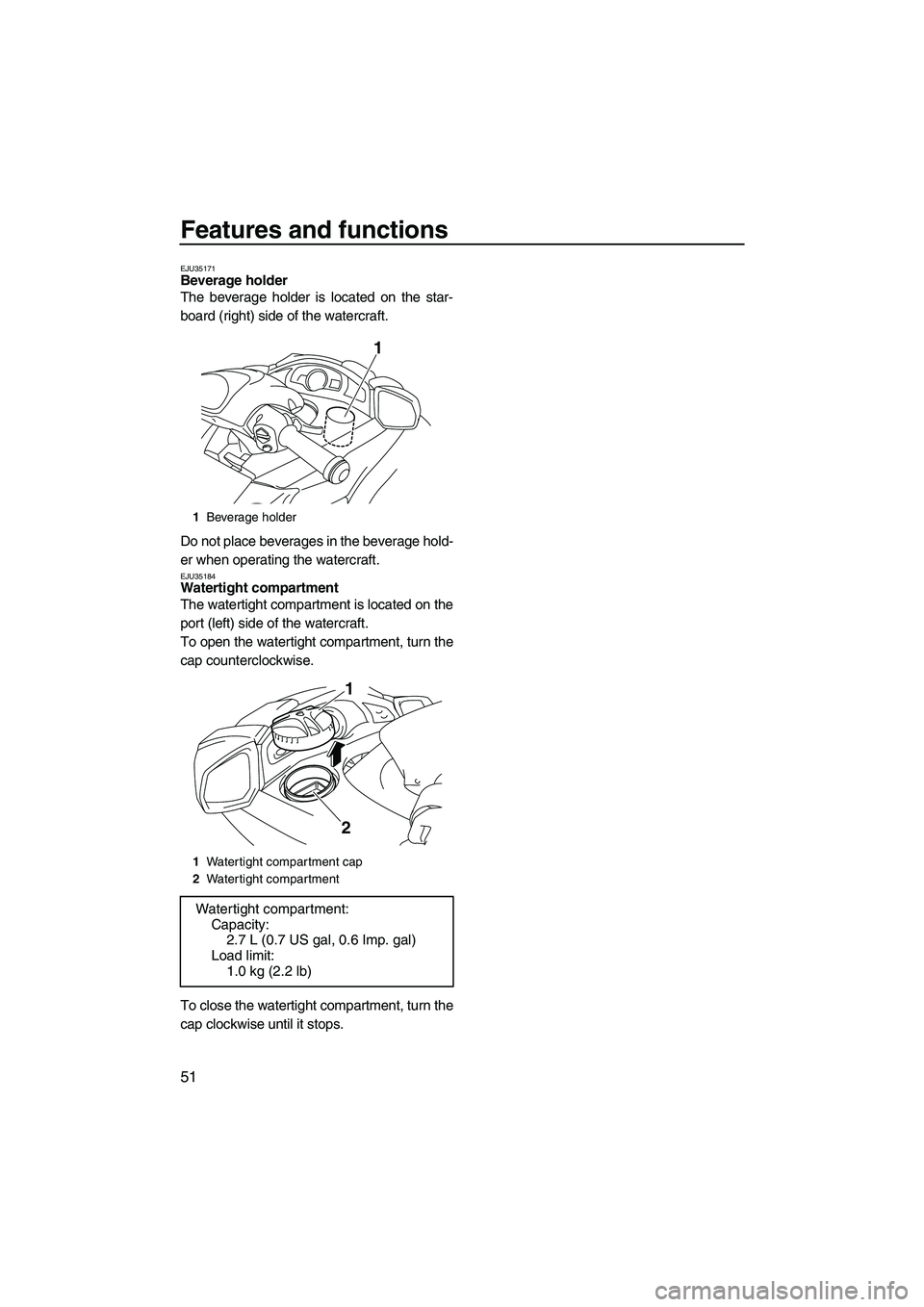
EJU35171Beverage holder
The beverage holder is located on the star-
board (right) side of the watercraft.
Do not place beverages in the beverage hold-
er when operating the watercraft.
EJU35184Watertight compartment
The watertight compartment is located on the
port (left) side of the watercraft.
To open the watertight compartment, turn the
cap counterclockwise.
To close the watertight compartment, turn the
cap clockwise until it stops.
1Beverage holder
1Watertight compartment cap
2Watertight compartment
Watertight compartment:
Capacity:
2.7 L (0.7 US gal, 0.6 Imp. gal)
Load limit:
1.0 kg (2.2 lb)
1
1
2
UF1W71E0.book Page 51 Tuesday, June 24, 2008 11:46 AM
Page 61 of 108
Operation
54
EJU31980
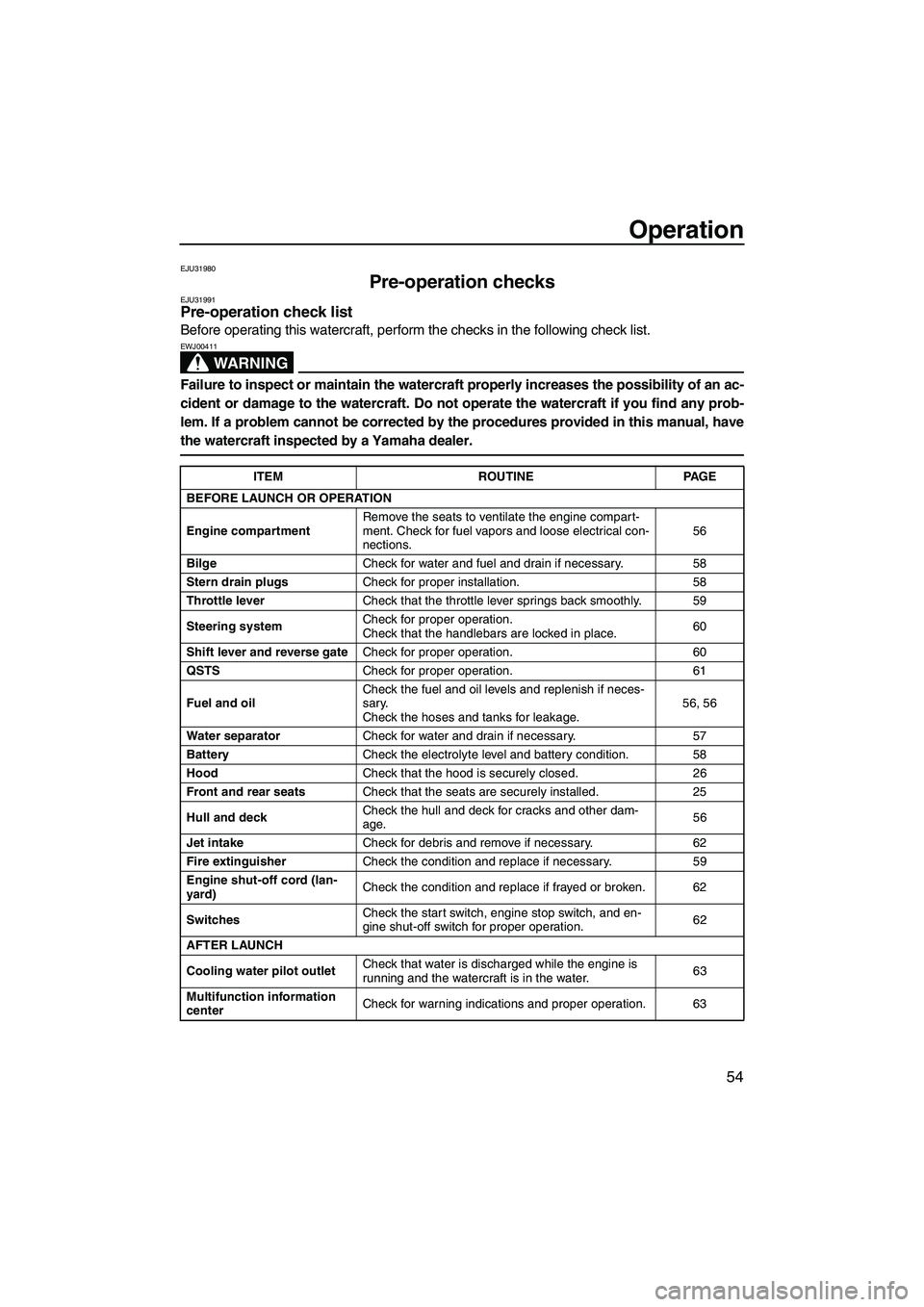
Pre-operation checks EJU31991Pre-operation check list
Before operating this watercraft, perform the checks in the following check list.
WARNING
EWJ00411
Failure to inspect or maintain the watercraft properly increases the possibility of an ac-
cident or damage to the watercraft. Do not operate the watercraft if you find any prob-
lem. If a problem cannot be corrected by the procedures provided in this manual, have
the watercraft inspected by a Yamaha dealer.
ITEM ROUTINE PAGE
BEFORE LAUNCH OR OPERATION
Engine compartmentRemove the seats to ventilate the engine compart-
ment. Check for fuel vapors and loose electrical con-
nections.56
BilgeCheck for water and fuel and drain if necessary. 58
Stern drain plugsCheck for proper installation. 58
Throttle leverCheck that the throttle lever springs back smoothly. 59
Steering systemCheck for proper operation.
Check that the handlebars are locked in place.60
Shift lever and reverse gateCheck for proper operation. 60
QSTSCheck for proper operation. 61
Fuel and oilCheck the fuel and oil levels and replenish if neces-
sary.
Check the hoses and tanks for leakage.56, 56
Water separatorCheck for water and drain if necessary. 57
BatteryCheck the electrolyte level and battery condition. 58
HoodCheck that the hood is securely closed. 26
Front and rear seatsCheck that the seats are securely installed. 25
Hull and deckCheck the hull and deck for cracks and other dam-
age.56
Jet intakeCheck for debris and remove if necessary. 62
Fire extinguisherCheck the condition and replace if necessary. 59
Engine shut-off cord (lan-
yard)Check the condition and replace if frayed or broken. 62
SwitchesCheck the start switch, engine stop switch, and en-
gine shut-off switch for proper operation.62
AFTER LAUNCH
Cooling water pilot outletCheck that water is discharged while the engine is
running and the watercraft is in the water.63
Multifunction information
centerCheck for warning indications and proper operation. 63
UF1W71E0.book Page 54 Tuesday, June 24, 2008 11:46 AM
Page 66 of 108
Operation
59
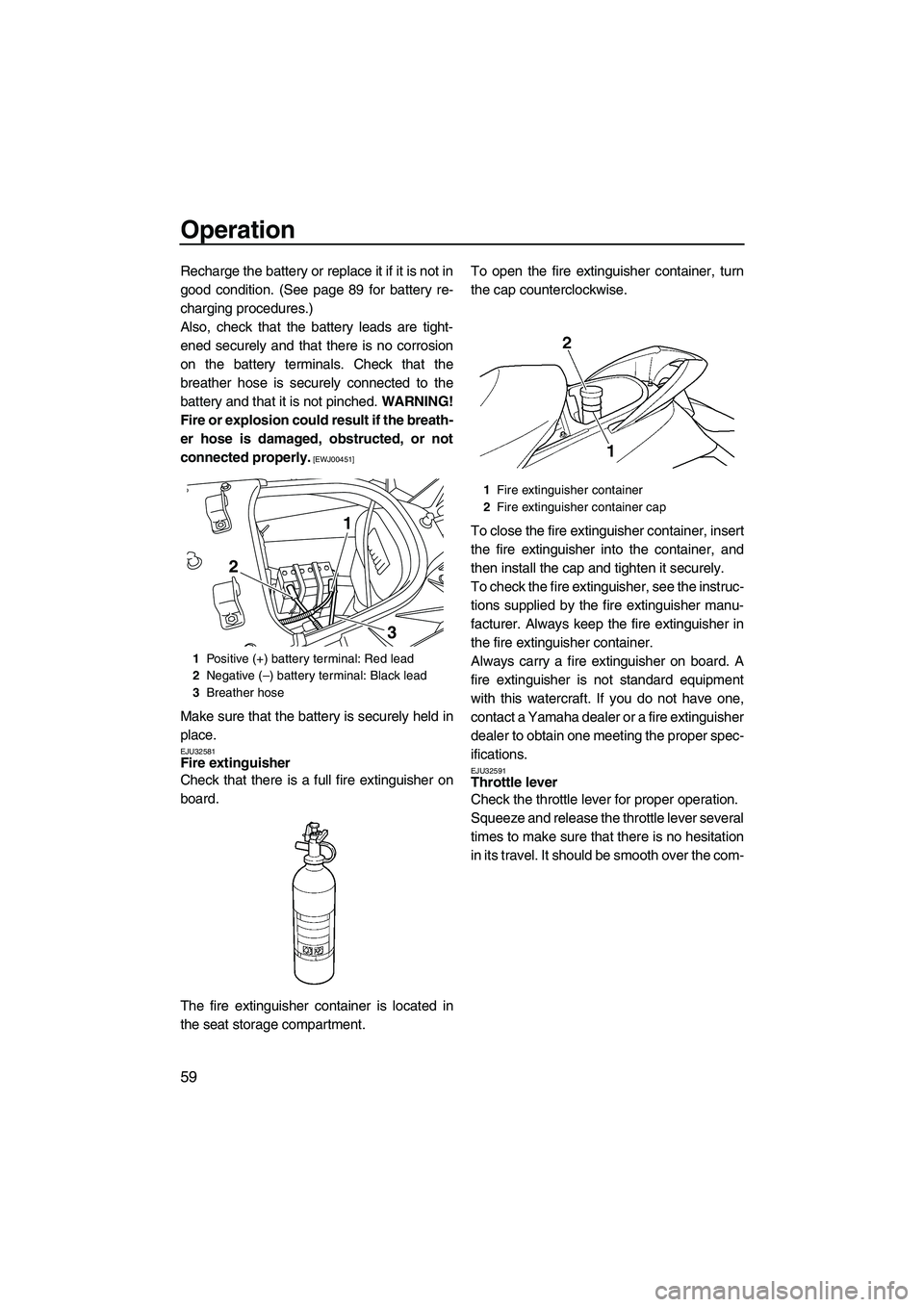
Recharge the battery or replace it if it is not in
good condition. (See page 89 for battery re-
charging procedures.)
Also, check that the battery leads are tight-
ened securely and that there is no corrosion
on the battery terminals. Check that the
breather hose is securely connected to the
battery and that it is not pinched. WARNING!
Fire or explosion could result if the breath-
er hose is damaged, obstructed, or not
connected properly.
[EWJ00451]
Make sure that the battery is securely held in
place.
EJU32581Fire extinguisher
Check that there is a full fire extinguisher on
board.
The fire extinguisher container is located in
the seat storage compartment.To open the fire extinguisher container, turn
the cap counterclockwise.
To close the fire extinguisher container, insert
the fire extinguisher into the container, and
then install the cap and tighten it securely.
To check the fire extinguisher, see the instruc-
tions supplied by the fire extinguisher manu-
facturer. Always keep the fire extinguisher in
the fire extinguisher container.
Always carry a fire extinguisher on board. A
fire extinguisher is not standard equipment
with this watercraft. If you do not have one,
contact a Yamaha dealer or a fire extinguisher
dealer to obtain one meeting the proper spec-
ifications.EJU32591Throttle lever
Check the throttle lever for proper operation.
Squeeze and release the throttle lever several
times to make sure that there is no hesitation
in its travel. It should be smooth over the com-
1Positive (+) battery terminal: Red lead
2Negative (–) battery terminal: Black lead
3Breather hose
3
1
2
1Fire extinguisher container
2Fire extinguisher container cap
UF1W71E0.book Page 59 Tuesday, June 24, 2008 11:46 AM
Page 67 of 108
Operation
60
plete range and spring back to the idle posi-
tion when released.
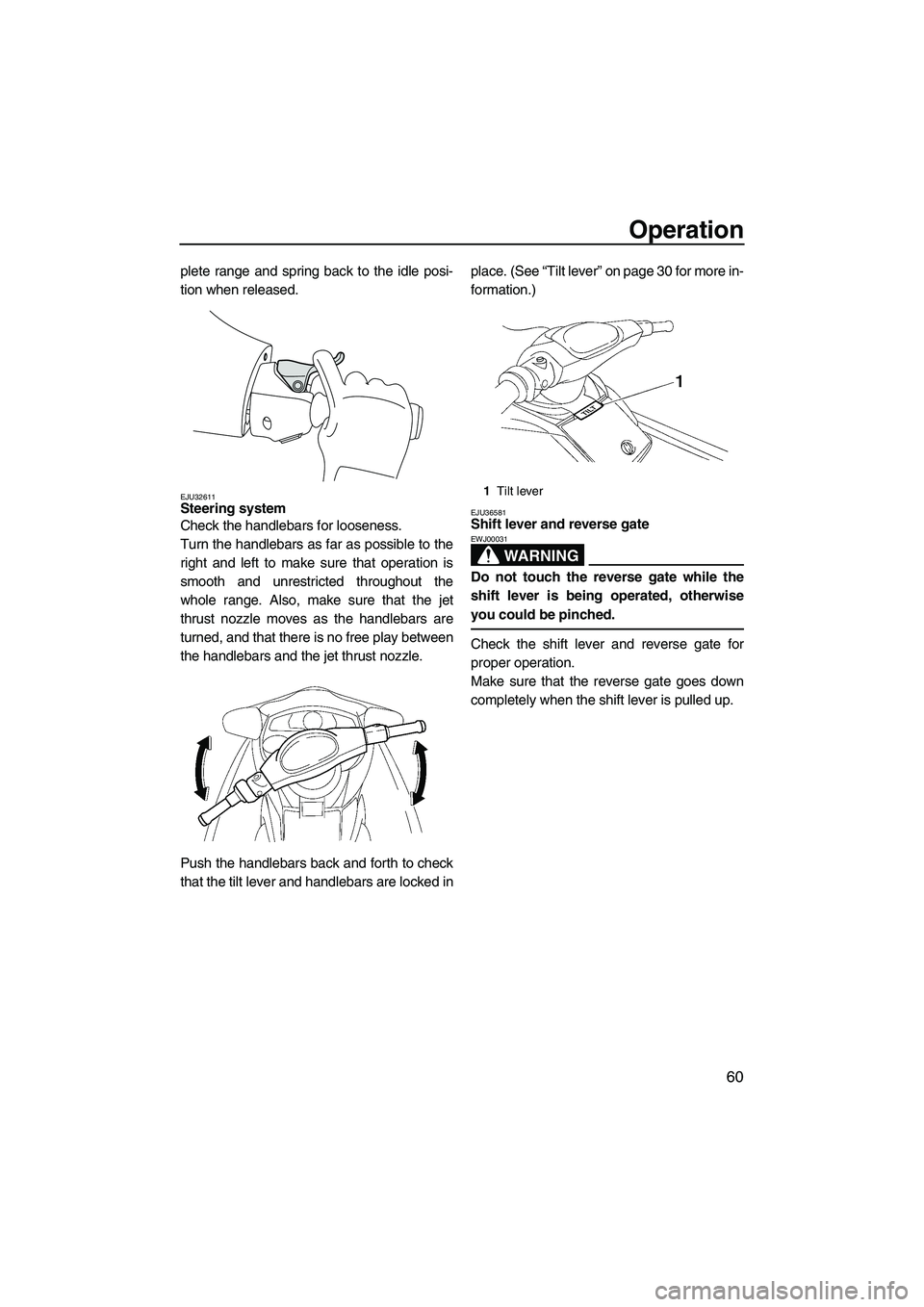
EJU32611Steering system
Check the handlebars for looseness.
Turn the handlebars as far as possible to the
right and left to make sure that operation is
smooth and unrestricted throughout the
whole range. Also, make sure that the jet
thrust nozzle moves as the handlebars are
turned, and that there is no free play between
the handlebars and the jet thrust nozzle.
Push the handlebars back and forth to check
that the tilt lever and handlebars are locked inplace. (See “Tilt lever” on page 30 for more in-
formation.)EJU36581Shift lever and reverse gate
WARNING
EWJ00031
Do not touch the reverse gate while the
shift lever is being operated, otherwise
you could be pinched.
Check the shift lever and reverse gate for
proper operation.
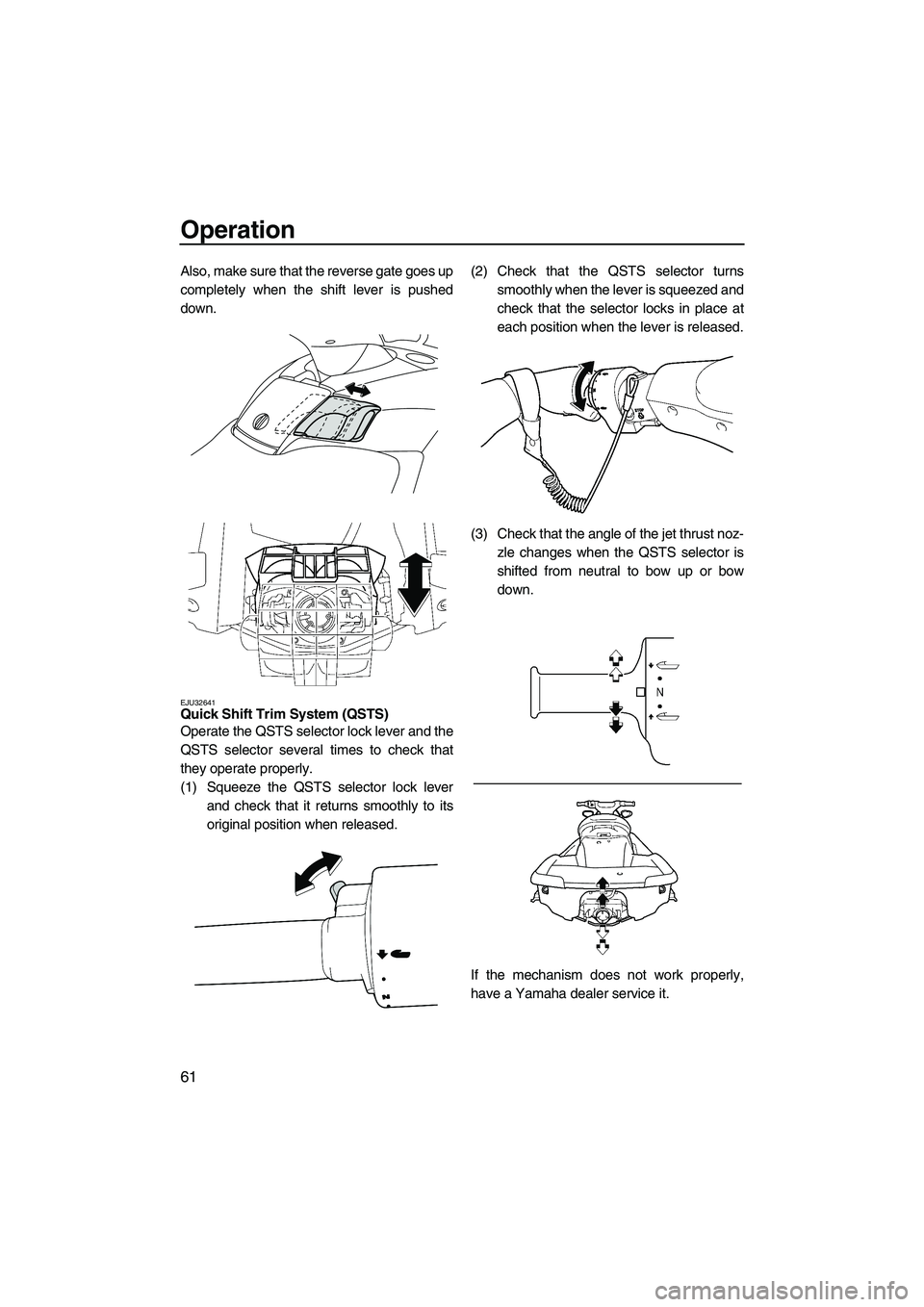
Make sure that the reverse gate goes down
completely when the shift lever is pulled up.
1Tilt lever
UF1W71E0.book Page 60 Tuesday, June 24, 2008 11:46 AM
Page 68 of 108
Operation
61
Also, make sure that the reverse gate goes up
completely when the shift lever is pushed
down.
EJU32641Quick Shift Trim System (QSTS)
Operate the QSTS selector lock lever and the
QSTS selector several times to check that
they operate properly.
(1) Squeeze the QSTS selector lock lever
and check that it returns smoothly to its
original position when released.(2) Check that the QSTS selector turns
smoothly when the lever is squeezed and
check that the selector locks in place at
each position when the lever is released.
(3) Check that the angle of the jet thrust noz-
zle changes when the QSTS selector is
shifted from neutral to bow up or bow
down.
If the mechanism does not work properly,
have a Yamaha dealer service it.
UF1W71E0.book Page 61 Tuesday, June 24, 2008 11:46 AM
Page 71 of 108
Operation
64
EJU32742
Operation
WARNING
EWJ00510
Before operating your watercraft, become
familiar with all of the controls. Consult a
Yamaha dealer about any control or func-
tion that you do not fully understand. Fail-
ure to understand how the controls work
could cause an accident or prevent you
from avoiding an accident.
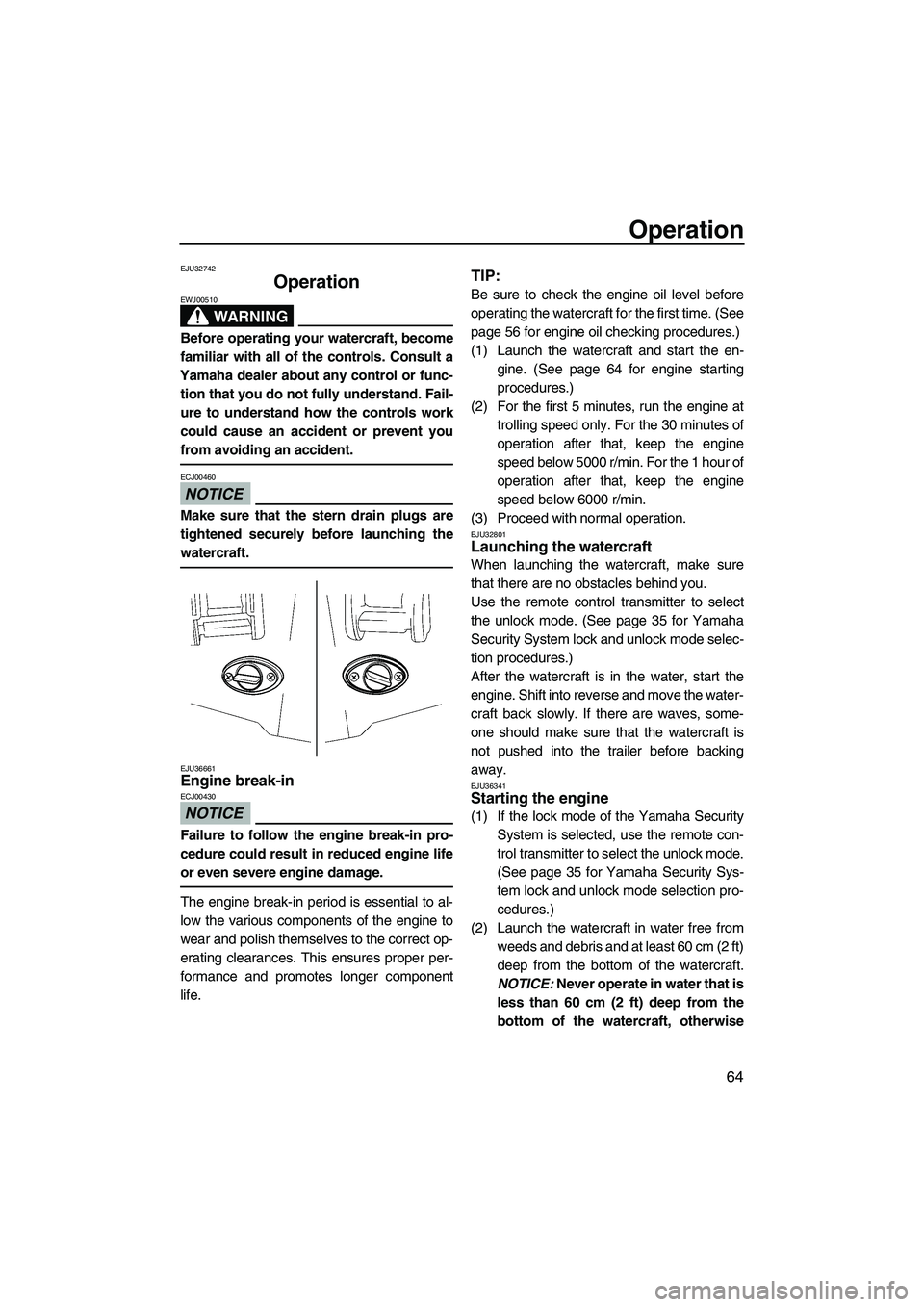
NOTICE
ECJ00460
Make sure that the stern drain plugs are
tightened securely before launching the
watercraft.
EJU36661Engine break-in
NOTICE
ECJ00430
Failure to follow the engine break-in pro-
cedure could result in reduced engine life
or even severe engine damage.
The engine break-in period is essential to al-
low the various components of the engine to
wear and polish themselves to the correct op-
erating clearances. This ensures proper per-
formance and promotes longer component
life.
TIP:
Be sure to check the engine oil level before
operating the watercraft for the first time. (See
page 56 for engine oil checking procedures.)
(1) Launch the watercraft and start the en-
gine. (See page 64 for engine starting
procedures.)
(2) For the first 5 minutes, run the engine at
trolling speed only. For the 30 minutes of
operation after that, keep the engine
speed below 5000 r/min. For the 1 hour of
operation after that, keep the engine
speed below 6000 r/min.
(3) Proceed with normal operation.
EJU32801Launching the watercraft
When launching the watercraft, make sure
that there are no obstacles behind you.
Use the remote control transmitter to select
the unlock mode. (See page 35 for Yamaha
Security System lock and unlock mode selec-
tion procedures.)
After the watercraft is in the water, start the
engine. Shift into reverse and move the water-
craft back slowly. If there are waves, some-
one should make sure that the watercraft is
not pushed into the trailer before backing
away.
EJU36341Starting the engine
(1) If the lock mode of the Yamaha Security
System is selected, use the remote con-
trol transmitter to select the unlock mode.
(See page 35 for Yamaha Security Sys-
tem lock and unlock mode selection pro-
cedures.)
(2) Launch the watercraft in water free from
weeds and debris and at least 60 cm (2 ft)
deep from the bottom of the watercraft.
NOTICE: Never operate in water that is
less than 60 cm (2 ft) deep from the
bottom of the watercraft, otherwise
UF1W71E0.book Page 64 Tuesday, June 24, 2008 11:46 AM