fuel YAMAHA MT-03 2020 Owners Manual
[x] Cancel search | Manufacturer: YAMAHA, Model Year: 2020, Model line: MT-03, Model: YAMAHA MT-03 2020Pages: 94, PDF Size: 6.88 MB
Page 5 of 94
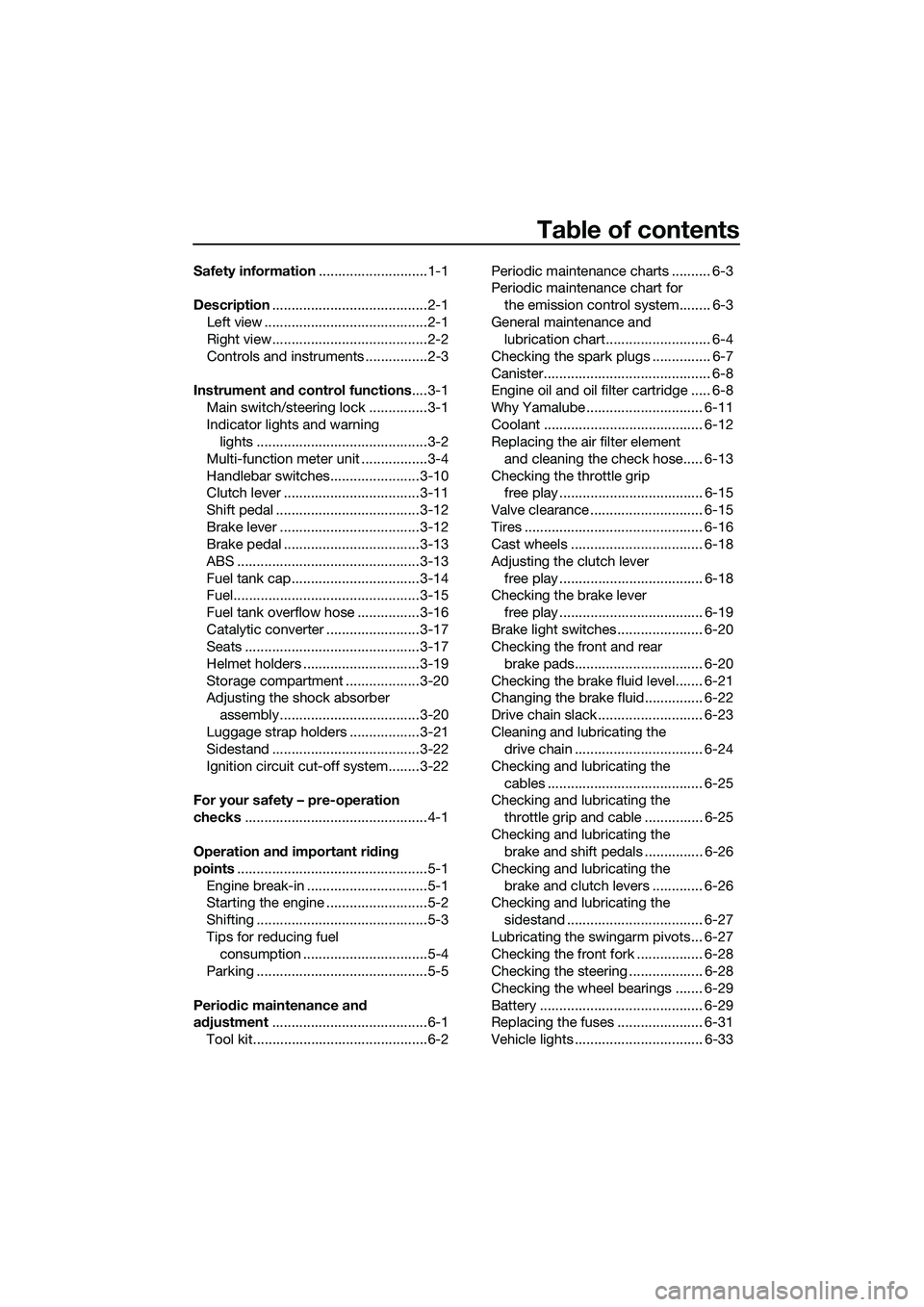
Table of contents
Safety information............................1-1
Description........................................2-1
Left view ..........................................2-1
Right view........................................2-2
Controls and instruments ................2-3
Instrument and control functions....3-1
Main switch/steering lock ...............3-1
Indicator lights and warning
lights ............................................3-2
Multi-function meter unit .................3-4
Handlebar switches.......................3-10
Clutch lever ...................................3-11
Shift pedal .....................................3-12
Brake lever ....................................3-12
Brake pedal ...................................3-13
ABS ...............................................3-13
Fuel tank cap.................................3-14
Fuel................................................3-15
Fuel tank overflow hose ................3-16
Catalytic converter ........................3-17
Seats .............................................3-17
Helmet holders ..............................3-19
Storage compartment ...................3-20
Adjusting the shock absorber
assembly....................................3-20
Luggage strap holders ..................3-21
Sidestand ......................................3-22
Ignition circuit cut-off system........3-22
For your safety – pre-operation
checks...............................................4-1
Operation and important riding
points.................................................5-1
Engine break-in ...............................5-1
Starting the engine ..........................5-2
Shifting ............................................5-3
Tips for reducing fuel
consumption ................................5-4
Parking ............................................5-5
Periodic maintenance and
adjustment........................................6-1
Tool kit.............................................6-2Periodic maintenance charts .......... 6-3
Periodic maintenance chart for
the emission control system........ 6-3
General maintenance and
lubrication chart........................... 6-4
Checking the spark plugs ............... 6-7
Canister........................................... 6-8
Engine oil and oil filter cartridge ..... 6-8
Why Yamalube .............................. 6-11
Coolant ......................................... 6-12
Replacing the air filter element
and cleaning the check hose..... 6-13
Checking the throttle grip
free play ..................................... 6-15
Valve clearance ............................. 6-15
Tires .............................................. 6-16
Cast wheels .................................. 6-18
Adjusting the clutch lever
free play ..................................... 6-18
Checking the brake lever
free play ..................................... 6-19
Brake light switches ...................... 6-20
Checking the front and rear
brake pads................................. 6-20
Checking the brake fluid level....... 6-21
Changing the brake fluid............... 6-22
Drive chain slack ........................... 6-23
Cleaning and lubricating the
drive chain ................................. 6-24
Checking and lubricating the
cables ........................................ 6-25
Checking and lubricating the
throttle grip and cable ............... 6-25
Checking and lubricating the
brake and shift pedals ............... 6-26
Checking and lubricating the
brake and clutch levers ............. 6-26
Checking and lubricating the
sidestand ................................... 6-27
Lubricating the swingarm pivots... 6-27
Checking the front fork ................. 6-28
Checking the steering ................... 6-28
Checking the wheel bearings ....... 6-29
Battery .......................................... 6-29
Replacing the fuses ...................... 6-31
Vehicle lights ................................. 6-33
UB6WE0E0.book Page 1 Friday, March 27, 2020 11:37 AM
Page 11 of 94
Safety information
1-5
1 operator and may limit control
ability, therefore, such accesso-
ries are not recommended.
Use caution when adding electri-
cal accessories. If electrical ac-
cessories exceed the capacity of
the motorcycle’s electrical sys-
tem, an electric failure could re-
sult, which could cause a
dangerous loss of lights or engine
power.
Aftermarket Tires and Rims
The tires and rims that came with your
motorcycle were designed to match
the performance capabilities and to
provide the best combination of han-
dling, braking, and comfort. Other
tires, rims, sizes, and combinations
may not be appropriate. See page 6-16
for tire specifications and for informa-
tion on servicing and replacing your
tires.
Transporting the Motorcycle
Be sure to observe following instruc-
tions before transporting the motorcy-
cle in another vehicle.
Remove all loose items from the
motorcycle.
Check that the fuel cock (if
equipped) is in the off position and
that there are no fuel leaks.
Shift the transmission into gear
(for models with a manual trans-
mission).
Secure the motorcycle with tie-
downs or suitable straps that are
attached to solid parts of the mo-
torcycle, such as the frame or up-
per front fork triple clamp (and not,
for example, to rubber-mountedhandlebars or turn signals, or
parts that could break). Choose
the location for the straps carefully
so the straps will not rub against
painted surfaces during transport.
The suspension should be com-
pressed somewhat by the tie-
downs, if possible, so that the mo-
torcycle will not bounce exces-
sively during transport.
UB6WE0E0.book Page 5 Friday, March 27, 2020 11:37 AM
Page 13 of 94

Description
2-2
2
EAU63391
Right view
12
10 9 8 7 6345
1. Fuse box (page 6-31)
2. Battery (page 6-29)
3. Fuel tank cap (page 3-14)
4. Auxiliary light
5. Headlight (page 6-33)
6. Engine oil filler cap (page 6-8)
7. Engine oil level check window (page 6-8)
8. Brake pedal (page 3-13)
9. Rear brake light switch (page 6-20)
10.Rear brake fluid reservoir (page 6-21)
UB6WE0E0.book Page 2 Friday, March 27, 2020 11:37 AM
Page 18 of 94

Instrument and control functions
3-4
3
EAU87090
Multi-function meter unit
The multi-function meter unit is also
equipped with a shift timing indicator
light control mode.
WARNING
EWA12423
Be sure to stop the vehicle before
making any setting changes to the
multi-function meter unit. Changing
settings while riding can distract the
operator and increase the risk of an
accident.
EAU87140Switching the display units
The display units can be switched be-
tween kilometers and miles. To switch
the display units, push the “SELECT”
button until the display units change.
EAU86831Speedometer
The speedometer shows the vehicle’s
traveling speed.
EAU87170Tachometer
The tachometer allows the rider to
monitor the engine speed and keep it
within the ideal power range.
NOTICE
ECA10032
Do not operate the engine in the ta-
chometer red zone.
Red zone: 12500 r/min and above
EAU86841Fuel meter
The fuel meter indicates the amount of
fuel in the fuel tank. The display seg-
ments of the fuel meter disappear from
1. “RESET” button
2. “SELECT” button
3. Clock
4. Coolant temperature meter
5. Transmission gear display
6. Tachometer
7. Speedometer
8. Shift indicator light “ ”
9. Fuel meter
10.Multi-function display
MPH
MPG mile
321 458910
67
1. Tachometer
2. Tachometer red zone
1. Fuel meter
MPH
MPG mile
12
MPH
MPG mile
1
UB6WE0E0.book Page 4 Friday, March 27, 2020 11:37 AM
Page 19 of 94

Instrument and control functions
3-5
3 “F” (full) towards “E” (empty) as the fuel
level decreases. When approximately
3.0 L (0.79 US gal, 0.66 Imp.gal) of fuel
remains, the last segment starts flash-
ing. Refuel as soon as possible.
TIP
If a problem is detected in the electrical
circuit, the fuel level segments will flash
repeatedly. If this occurs, have a
Yamaha dealer check the vehicle.
EAU87290Clock
The clock uses a 12-hour time system.
To set the clock
1. Push both the “SELECT” button
and “RESET” button until the hour
digits start flashing.
2. Use the “RESET” button to set the
hours.
3. Push the “SELECT” button and
the minute digits start flashing.
4. Use the “RESET” button to set the
minutes.
5. Push the “SELECT” button to con-
firm the settings.
EAU87350Coolant temperature meter
This meter shows the temperature of
the coolant, and thereby the condition
of the engine. The segments come on
from “C” (cold) to “H” (hot) as the en-
gine temperature increases. If the hot
segment flashes, stop the engine as
soon as possible, and let the engine
cool. (See page 6-37.)
EAU87400Transmission gear display
This display shows the selected gear.
The neutral position is indicated by
“ ” and by the neutral indicator light.1. Clock
MPH
MPG mile
1
1. Coolant temperature meter
1. Neutral indicator light Ž
2. Transmission gear display
MPH
MPG mile
1
MPH
MPG mile
12
UB6WE0E0.book Page 5 Friday, March 27, 2020 11:37 AM
Page 20 of 94

Instrument and control functions
3-6
3
EAU87580Multi-function display
The multi-function display is equipped
with the following:
an odometer (ODO)
two tripmeters (TRIP 1 and TRIP 2)
a fuel reserve tripmeter (TRIP F)
an oil change tripmeter (OIL TRIP)
an oil change indicator
an instantaneous fuel consump-
tion display (km/L, L/100 km, or
MPG)
an average fuel consumption dis-
play (AVE_ _._ km/L, AVE_ _._
L/100 km, or AVE_ _._ MPG)
Push the “SELECT” button to change
the display in the following order:
ODO → TRIP 1 → TRIP 2 → TRIP F →
km/L, L/100 km or MPG → AVE_ _._
km/L, AVE_ _._ L/100 km or AVE_ _._
MPG → OIL TRIP → ODO
TIP
The fuel reserve tripmeter appears only
when you are low on fuel.
EAU86890Odometer
The odometer shows the total distance
traveled by the vehicle.
TIP
The odometer will lock at 999999 and
cannot be reset.
EAU88050Tripmeters
The tripmeters show the distance trav-
eled since they were last reset.
To reset a tripmeter, change the dis-
play to the tripmeter you want to reset,
and then push the “RESET” button un-
til it is reset.
TIP
The tripmeters will reset and continue
counting after 9999.9 is reached.
EAU87600Fuel reserve tripmeter
If the last segment of the fuel meter
starts flashing, the display automati-
cally changes to the fuel reserve trip-
meter “TRIP F” and starts counting the
distance traveled from that point.
To reset the fuel reserve tripmeter,
push the “RESET” button until it is re-
set.
TIP
If you do not reset the fuel reserve trip-
meter manually, it will reset automati-
cally and disappear from the display
after refueling and traveling 5 km (3 mi).
1. Multi-function display
MPH
MPG mile
1
UB6WE0E0.book Page 6 Friday, March 27, 2020 11:37 AM
Page 21 of 94

Instrument and control functions
3-7
3
EAU87680Oil change tripmeter
This tripmeter shows the distance trav-
eled since the last engine oil change.
The oil change indicator “OIL” will flash
at the initial 1000 km (600 mi), the next
4000 km (2500 mi), and then every
5000 km (3000 mi) thereafter.
To reset the oil change tripmeter and
oil change indicator, select the oil
change tripmeter, and then push the
“RESET” button until “OIL” and the
tripmeter start flashing. While “OIL”
and the tripmeter are flashing, push the
“RESET” button until the tripmeter is
reset.
TIP
When the engine oil has been
changed, the oil change tripmeter and
the oil change indicator must be reset.
Otherwise, the oil change indicator will
not come on at the correct time.
EAU87771Instantaneous fuel consumption
display
This display shows the fuel consump-
tion under the current riding condi-
tions. It can be set to either “km/L” or
“L/100 km”, or “MPG” when using
miles. To switch the fuel consumption
measurement units, push the “SE-
LECT” button until the measurement
units change.
“km/L”: the distance that can be
traveled on 1.0 L of fuel.
“L/100 km”: the amount of fuel
necessary to travel 100 km.
“MPG”: the distance that can be
traveled on 1.0 Imp.gal of fuel.
TIP
When traveling under 10 km/h (6 mi/h),
1.
2. Oil change tripmeter
MPH
21
1. Instantaneous fuel consumption display
MPH
1
UB6WE0E0.book Page 7 Friday, March 27, 2020 11:37 AM
Page 22 of 94

Instrument and control functions
3-8
3
EAU87860Average fuel consumption display
This display shows the average fuel
consumption since it was last reset.
The average fuel consumption display
can be set to either “AVE_ _._ km/L” or
“AVE_ _._ L/100 km”, or “AVE_ _._
MPG” when using miles. To switch the
fuel consumption measurement units,
push the “SELECT” button until the
measurement units change.
“AVE_ _._ km/L”: the average dis-
tance that can be traveled on 1.0 L
of fuel.
“AVE_ _._ L/100 km”: the average
amount of fuel necessary to travel
100 km.
“AVE_ _._ MPG”: the average dis-
tance that can be traveled on 1.0
Imp.gal of fuel.
TIP
To reset the display, push the
“RESET” button until it resets.
After resetting, “_ _._” is shown
until the vehicle has traveled some
distance.
EAU87960Shift indicator light control mode
This mode cycles through 4 control
functions in the order listed below.
Shift indicator light on / flash / off
Shift indicator light on r/min
Shift indicator light off r/min
Shift indicator light brightness
To set the shift indicator light on / flash
/ off
1. Turn the vehicle off.
2. Push and hold the “SELECT” but-
ton.
3. Turn the vehicle on, and then re-
lease the “SELECT” button after 5
seconds.
4. Push the “RESET” button to select
one of the following flashing pat-
tern settings:
On setting: the shift indicator
light will come on when the
set engine speed is reached.
This setting is selected when
the shift indicator light stays
on.
Flash setting: the shift indica-
tor light will flash when the set
engine speed is reached. This
1. Average fuel consumption display
MPH
1
1. Shift indicator light Ž
2. Brightness level display
MPH
1
2
UB6WE0E0.book Page 8 Friday, March 27, 2020 11:37 AM
Page 28 of 94
Instrument and control functions
3-14
3This ABS has a test mode which
allows the owner to experience
the pulsation at the brake lever or
brake pedal when the ABS is op-
erating. However, special tools are
required, so please consult your
Yamaha dealer.
NOTICE
ECA20100
Be careful not to damage the wheel
sensor or wheel sensor rotor; other-
wise, improper performance of the
ABS will result.
EAU13076
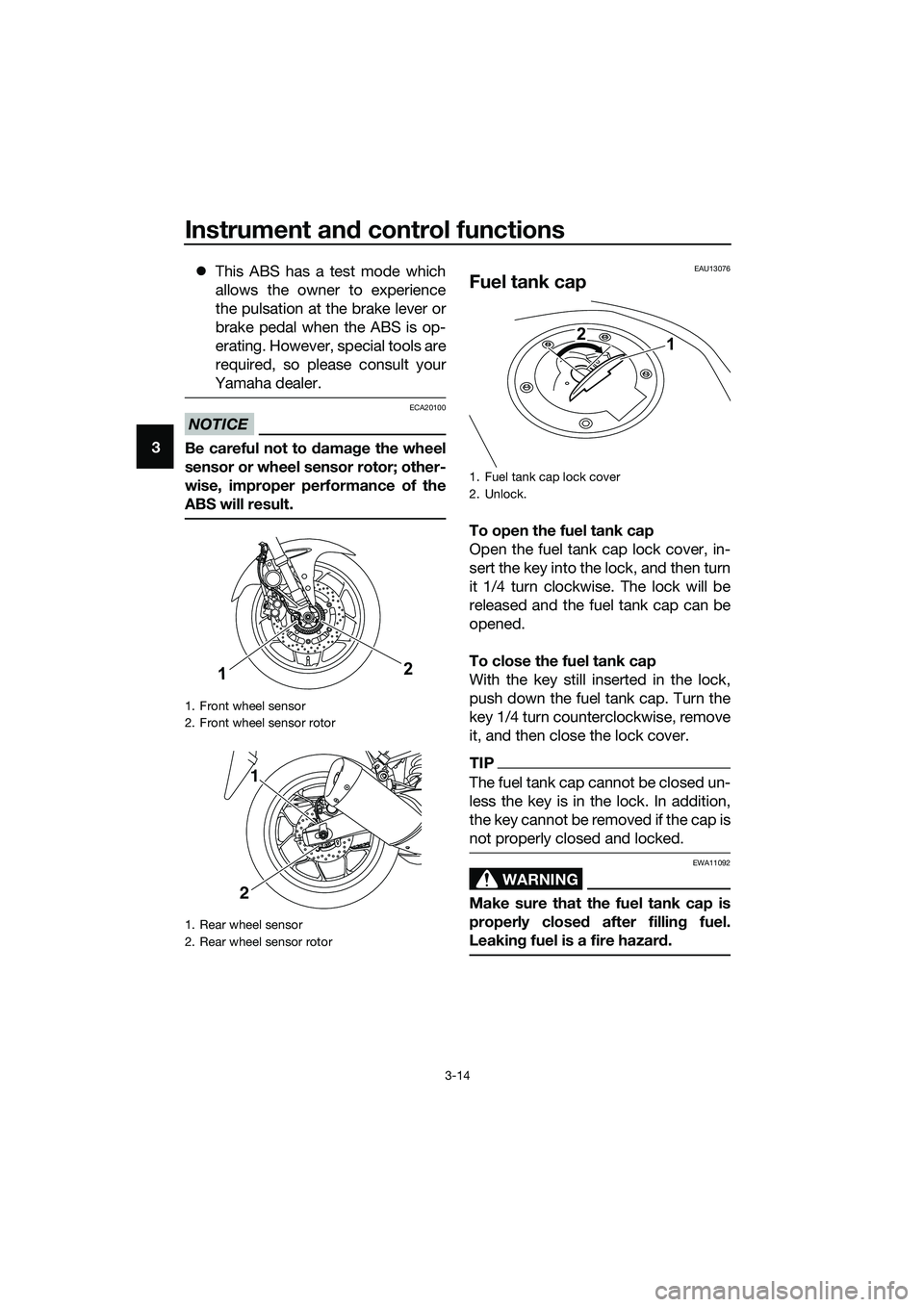
Fuel tank cap
To open the fuel tank cap
Open the fuel tank cap lock cover, in-
sert the key into the lock, and then turn
it 1/4 turn clockwise. The lock will be
released and the fuel tank cap can be
opened.
To close the fuel tank cap
With the key still inserted in the lock,
push down the fuel tank cap. Turn the
key 1/4 turn counterclockwise, remove
it, and then close the lock cover.
TIP
The fuel tank cap cannot be closed un-
less the key is in the lock. In addition,
the key cannot be removed if the cap is
not properly closed and locked.
WARNING
EWA11092
Make sure that the fuel tank cap is
properly closed after filling fuel.
Leaking fuel is a fire hazard.
1. Front wheel sensor
2. Front wheel sensor rotor
1. Rear wheel sensor
2. Rear wheel sensor rotor
12
1
2
1. Fuel tank cap lock cover
2. Unlock.
1 2
UB6WE0E0.book Page 14 Friday, March 27, 2020 11:37 AM
Page 29 of 94
Instrument and control functions
3-15
3
EAU13222
Fuel
Make sure there is sufficient gasoline in
the tank.
WARNING
EWA10882
Gasoline and gasoline vapors are
extremely flammable. To avoid fires
and explosions and to reduce the
risk of injury when refueling, follow
these instructions.
1. Before refueling, turn off the en-
gine and be sure that no one is sit-
ting on the vehicle. Never refuel
while smoking, or while in the vi-
cinity of sparks, open flames, or
other sources of ignition such as
the pilot lights of water heaters
and clothes dryers.
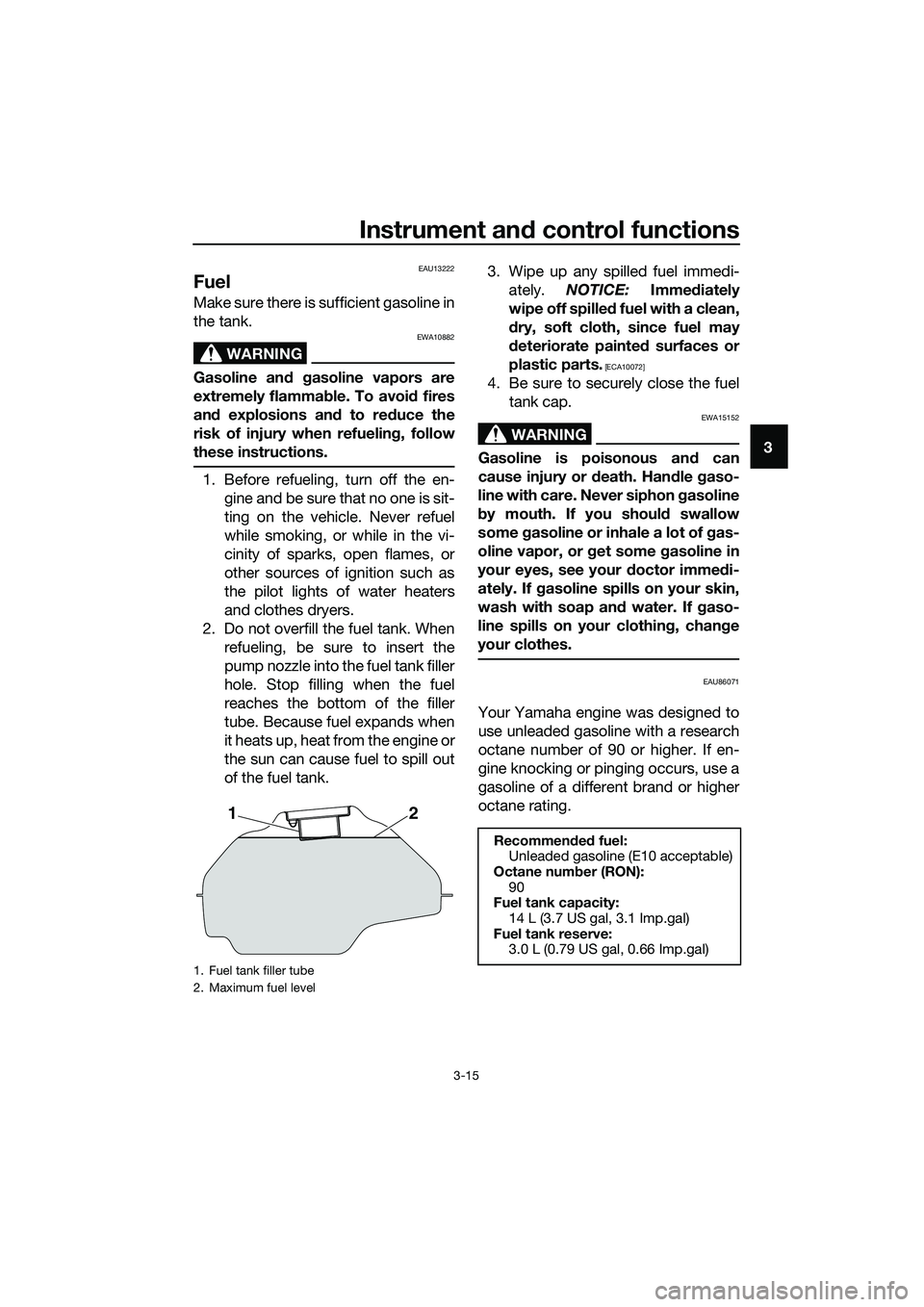
2. Do not overfill the fuel tank. When
refueling, be sure to insert the
pump nozzle into the fuel tank filler
hole. Stop filling when the fuel
reaches the bottom of the filler
tube. Because fuel expands when
it heats up, heat from the engine or
the sun can cause fuel to spill out
of the fuel tank.3. Wipe up any spilled fuel immedi-
ately. NOTICE: Immediately
wipe off spilled fuel with a clean,
dry, soft cloth, since fuel may
deteriorate painted surfaces or
plastic parts.
[ECA10072]
4. Be sure to securely close the fuel
tank cap.
WARNING
EWA15152
Gasoline is poisonous and can
cause injury or death. Handle gaso-
line with care. Never siphon gasoline
by mouth. If you should swallow
some gasoline or inhale a lot of gas-
oline vapor, or get some gasoline in
your eyes, see your doctor immedi-
ately. If gasoline spills on your skin,
wash with soap and water. If gaso-
line spills on your clothing, change
your clothes.
EAU86071
Your Yamaha engine was designed to
use unleaded gasoline with a research
octane number of 90 or higher. If en-
gine knocking or pinging occurs, use a
gasoline of a different brand or higher
octane rating.
1. Fuel tank filler tube
2. Maximum fuel level
21
Recommended fuel:
Unleaded gasoline (E10 acceptable)
Octane number (RON):
90
Fuel tank capacity:
14 L (3.7 US gal, 3.1 Imp.gal)
Fuel tank reserve:
3.0 L (0.79 US gal, 0.66 Imp.gal)
UB6WE0E0.book Page 15 Friday, March 27, 2020 11:37 AM