sport mode YAMAHA XT1200Z 2017 Owners Manual
[x] Cancel search | Manufacturer: YAMAHA, Model Year: 2017, Model line: XT1200Z, Model: YAMAHA XT1200Z 2017Pages: 120, PDF Size: 3.32 MB
Page 11 of 120

Safety information
1-5
1
operator and may limit control
ability, therefore, such accesso-
ries are not recommended.
Use caution when adding electri-
cal accessories. If electrical ac-
cessories exceed the capacity of
the motorcycle’s electrical sys-
tem, an electric failure could re-
sult, which could cause a
dangerous loss of lights or engine
power.
Aftermarket Tires an d Rims
The tires and rims that came with your
motorcycle were designed to match
the performance capabilities and to
provide the best combination of han-
dling, braking, and comfort. Other
tires, rims, sizes, and combinations
may not be appropriate. Refer to page
6-19 for tire specifications and more in-
formation on replacing your tires.
Transportin g the Motorcycle
Be sure to observe following instruc-
tions before transporting the motorcy-
cle in another vehicle. Remove all loose items from the
motorcycle.
Check that the fuel cock (if
equipped) is in the “OFF” position
and that there are no fuel leaks.
Point the front wheel straight
ahead on the trailer or in the truck
bed, and choke it in a rail to pre-
vent movement.
Shift the transmission in gear (for
models with a manual transmis-
sion).
Secure the motorcycle with tie-
downs or suitable straps that are
attached to solid parts of the mo- torcycle, such as the frame or up-
per front fork triple clamp (and not,
for example, to rubber-mounted
handlebars or turn signals, or
parts that could break). Choose
the location for the straps carefully
so the straps will not rub against
painted surfaces during transport.
The suspension should be com-
pressed somewhat by the tie-
downs, if possible, so that the mo-
torcycle will not bounce exces-
sively during transport.
UBP8E0E0.book Page 5 Thursday, December 8, 2016 7:25 PM
Page 25 of 120
Instrument and control functions
3-11
3
TIP
If a problem is detected in the fuel me-
ter circuit, all display segments of the
fuel meter will start flashing. If this oc-
curs, have a Yamaha dealer check the
vehicle.
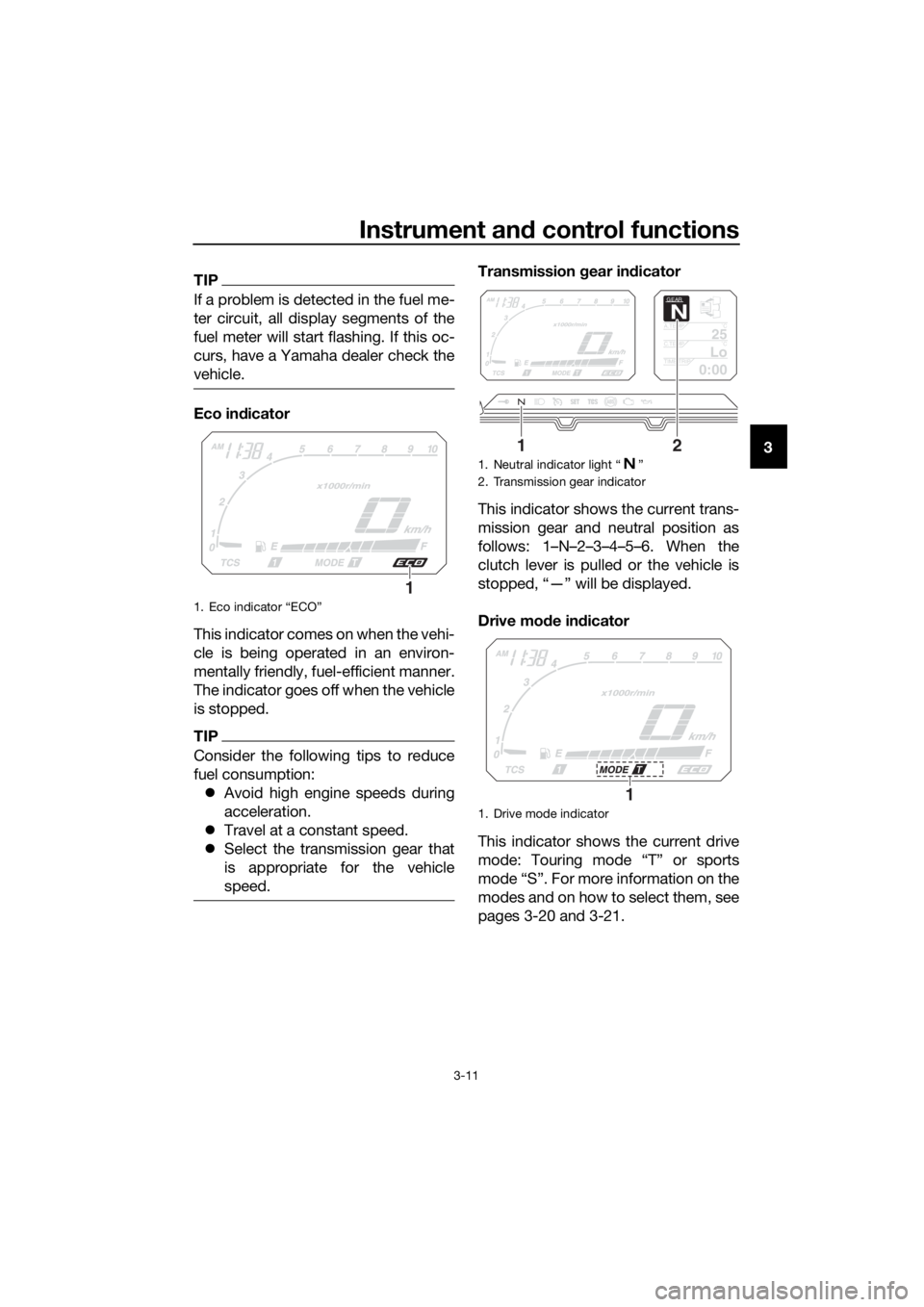
Eco in dicator
This indicator comes on when the vehi-
cle is being operated in an environ-
mentally friendly, fuel-efficient manner.
The indicator goes off when the vehicle
is stopped.
TIP
Consider the following tips to reduce
fuel consumption: Avoid high engine speeds during
acceleration.
Travel at a constant speed.
Select the transmission gear that
is appropriate for the vehicle
speed.
Transmission gear in dicator
This indicator shows the current trans-
mission gear and neutral position as
follows: 1–N–2–3–4–5–6. When the
clutch lever is pulled or the vehicle is
stopped, “—” will be displayed.
Drive mo de in dicator
This indicator shows the current drive
mode: Touring mode “T” or sports
mode “S”. For more information on the
modes and on how to select them, see
pages 3-20 and 3-21.
1. Eco indicator “ECO”
1
1. Neutral indicator light “ ”
2. Transmission gear indicator
1. Drive mode indicator
GEAR
N
25A.TEMP ˚C
LoC.TEMP˚C
0:00TIME TRIP
12
1
UBP8E0E0.book Page 11 Thursday, December 8, 2016 7:25 PM
Page 34 of 120
Instrument and control functions
3-20
3
EAU49433
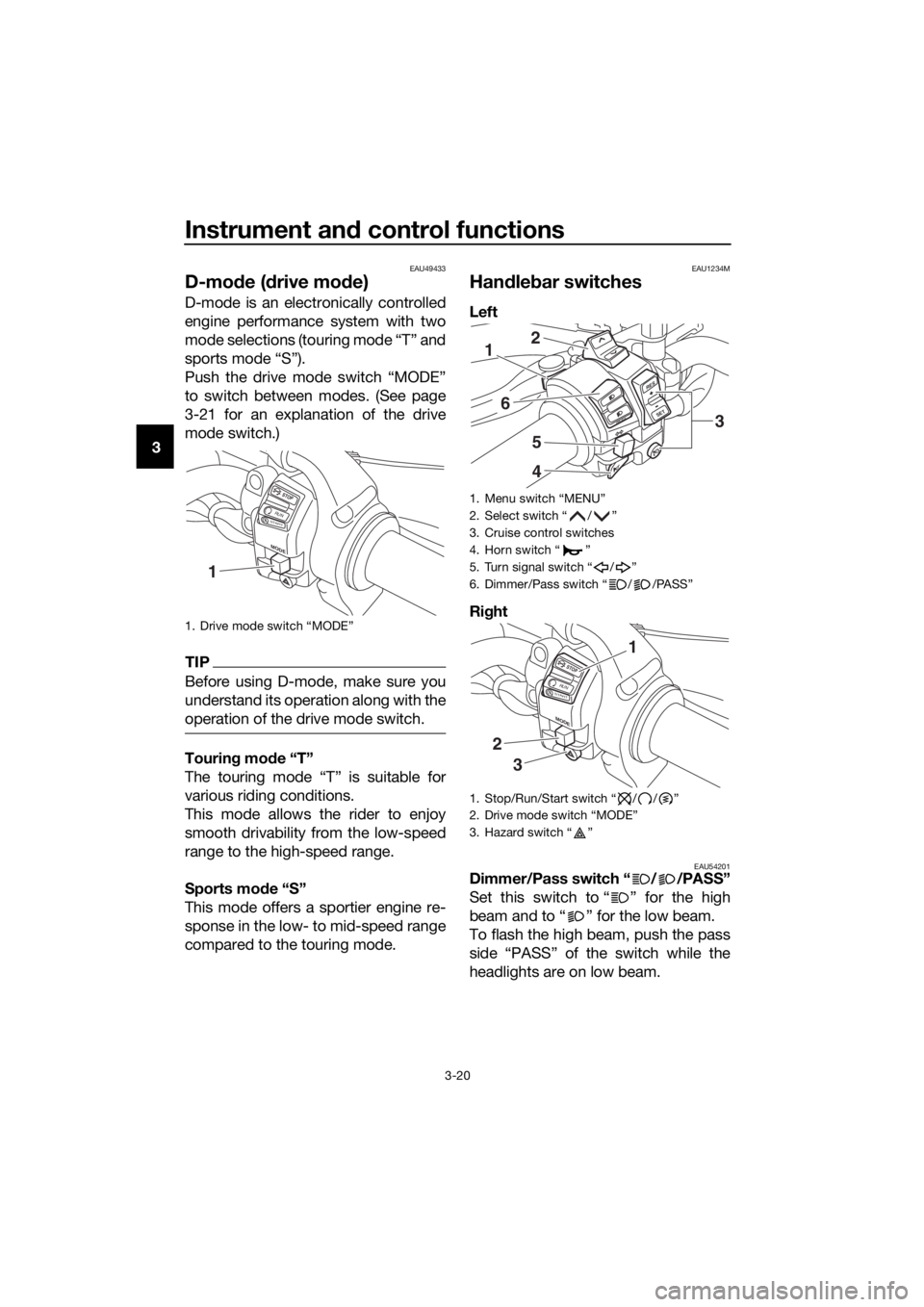
D-mo de ( drive mo de)
D-mode is an electronically controlled
engine performance system with two
mode selections (touring mode “T” and
sports mode “S”).
Push the drive mode switch “MODE”
to switch between modes. (See page
3-21 for an explanation of the drive
mode switch.)
TIP
Before using D-mode, make sure you
understand its operation along with the
operation of the drive mode switch.
Tourin g mo de “T”
The touring mode “T” is suitable for
various riding conditions.
This mode allows the rider to enjoy
smooth drivability from the low-speed
range to the high-speed range.
Sports mo de “S”
This mode offers a sportier engine re-
sponse in the low- to mid-speed range
compared to the touring mode.
EAU1234M
Han dle bar switches
Left
Ri ght
EAU54201Dimmer/Pass switch “ / /PASS”
Set this switch to “ ” for the high
beam and to “ ” for the low beam.
To flash the high beam, push the pass
side “PASS” of the switch while the
headlights are on low beam.
1. Drive mode switch “MODE”
MODE
STOP
RUNSTAR
T
1
1. Menu switch “MENU”
2. Select switch “ / ”
3. Cruise control switches
4. Horn switch “ ”
5. Turn signal switch “ / ”
6. Dimmer/Pass switch “ / /PASS”
1. Stop/Run/Start switch “ / / ”
2. Drive mode switch “MODE”
3. Hazard switch “ ”
RES
SETPA SS
1
6
5
4
2
3
MODE
STOP
RUNSTART
3
2
1
UBP8E0E0.book Page 20 Thursday, December 8, 2016 7:25 PM
Page 35 of 120
Instrument and control functions
3-21
3
EAU12461Turn si gnal switch “ / ”
To signal a right-hand turn, push this
switch to “ ”. To signal a left-hand
turn, push this switch to “ ”. When
released, the switch returns to the cen-
ter position. To cancel the turn signal
lights, push the switch in after it has re-
turned to the center position.
EAU12501Horn switch “ ”
Press this switch to sound the horn.
EAU54212Stop/Run/Start switch “ / / ”
To crank the engine with the starter,
set this switch to “ ”, and then push
the switch down towards “ ”. See
page 5-2 for starting instructions prior
to starting the engine.
Set this switch to “ ” to stop the en-
gine in case of an emergency, such as
when the vehicle overturns or when the
throttle cable is stuck.
EAU12735Hazar d switch “ ”
With the key in the “ON” or “ ” posi-
tion, use this switch to turn on the haz-
ard lights (simultaneous flashing of all
turn signal lights).
The hazard lights are used in case of an
emergency or to warn other drivers
when your vehicle is stopped where it
might be a traffic hazard.
NOTICE
ECA10062
Do not use the hazar d lig hts for an
exten ded len gth of time with the en-
g ine not runnin g, otherwise the bat-
tery may dischar ge.
EAU12781Cruise control switches
See page 3-6 for an explanation of the
cruise control system.
EAU59011Menu switch “MENU”
This switch is used to perform selec-
tions in the setting mode display of the
multi-function meter unit.
See Multi-function meter unit on page
3-9 for detailed information.
EAU59001Select switch “ / ”
This switch is used to perform selec-
tions in the information display and
setting mode display of the multi-func-
tion meter unit.
See Multi-function meter unit on page
3-9 for detailed information.
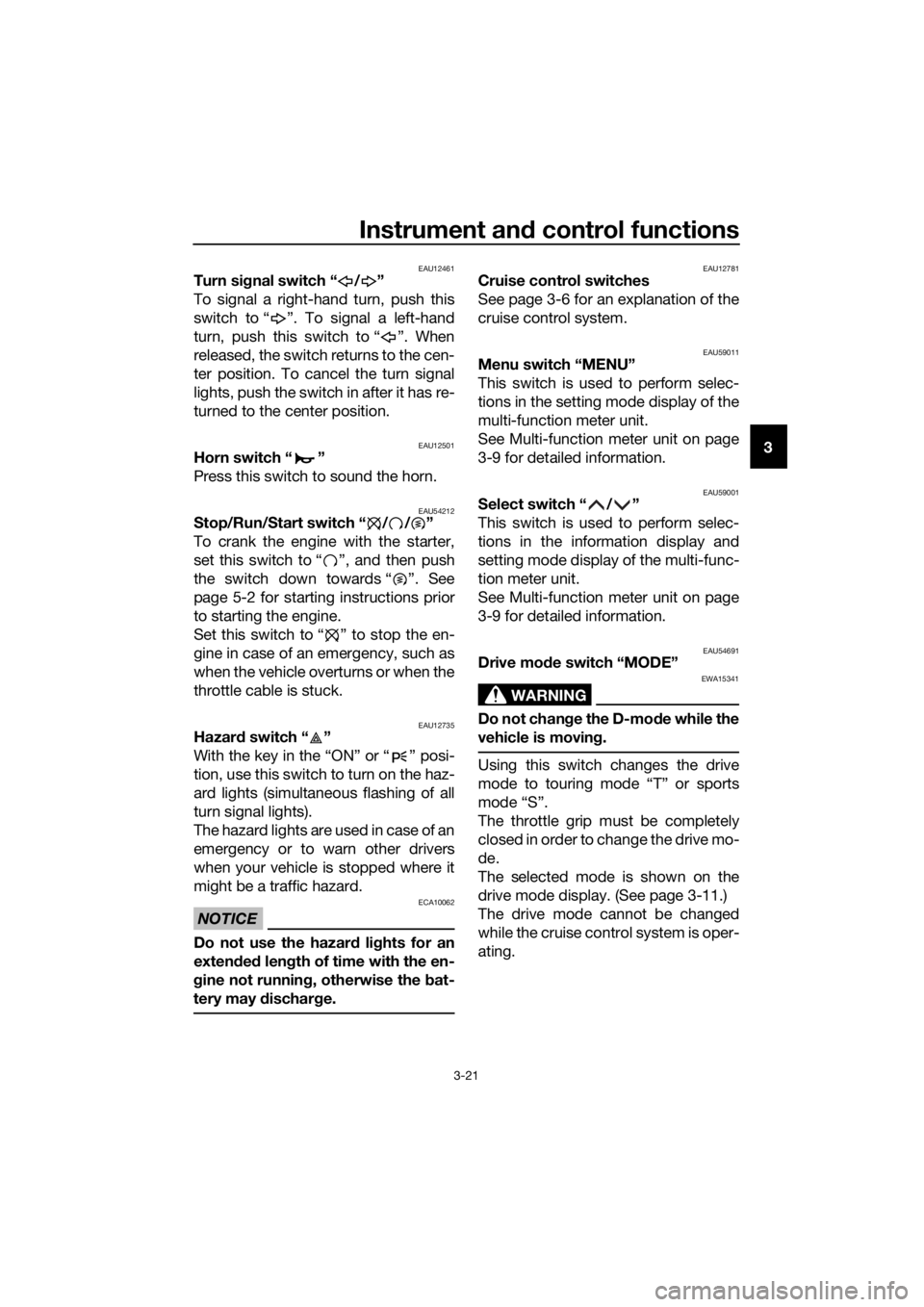
EAU54691Drive mo de switch “MODE”
WARNING
EWA15341
Do not chan ge the D-mod e while the
vehicle is movin g.
Using this switch changes the drive
mode to touring mode “T” or sports
mode “S”.
The throttle grip must be completely
closed in order to change the drive mo-
de.
The selected mode is shown on the
drive mode display. (See page 3-11.)
The drive mode cannot be changed
while the cruise control system is oper-
ating.
UBP8E0E0.book Page 21 Thursday, December 8, 2016 7:25 PM
Page 40 of 120
Instrument and control functions
3-26
3 The traction control system indicator
light flashes when traction control has
engaged. You may notice slight chang-
es in engine and exhaust sounds when
the system has engaged.
When the vehicle is turned on, the trac-
tion control system is turned on and
set to “TCS 1”. The traction control
system modes are as follows.
“TCS 1”
: Default mode
“TCS 2” : Sporty mode
This mode decreases traction control
system assist, allowing the rear wheel
to spin more freely than “TCS 1”.
“TCS OFF” : The traction control sys-
tem is turned off. The system may also
be automatically disabled in some rid-
ing conditions.
TIP
Use the mode “TCS OFF” to help free
the rear wheel if the motorcycle gets
stuck in mud, sand, or other soft sur-
faces.
NOTICE
ECA16801
Use only the specifie d tires. (See
pa ge 6-19.) Usin g different sized
tires will prevent the traction control
system from controllin g tire rotation
accurately.
Settin g the traction control system
WARNING
EWA15441
Be sure to stop the vehicle before
makin g any settin g chan ges to the
traction control system. Chan gin g
settin gs while ri din g can d istract the
operator an d increase the risk of an
acci dent.
The traction control system mode can
be changed only when the vehicle is
stopped.
Push the “TCS” button to change
between modes “1” and “2”.
Push the button for two seconds
to select “TCS OFF” and turn the
traction control system off. Push
the button again to return to the
previously selected mode.
Resetting
The traction control system will disable
in the following conditions: excessive rear wheel spinning
the front or rear wheel comes off
the ground while riding
either wheel is rotated with the key
turned to “ON” (such as when per-
forming maintenance)
If the traction control system has been
disabled, both the traction control sys-
tem indicator light and the engine trou-
ble warning light come on.
Should this occur, try restting the sys-
tem as follows. 1. Stop the vehicle and turn the key to “OFF”.
2. Wait a few seconds and then turn the key back to “ON”.
3. The traction control system indi- cator light should turn off and the
system be enabled.
TIP
If the traction control system indicator
light remains on after resetting, the mo-
torcycle may still be ridden. However,
have a Yamaha dealer check the vehi-
cle as soon as possible.
UBP8E0E0.book Page 26 Thursday, December 8, 2016 7:25 PM