light YAMAHA YFM350R 2013 Owner's Manual
[x] Cancel search | Manufacturer: YAMAHA, Model Year: 2013, Model line: YFM350R, Model: YAMAHA YFM350R 2013Pages: 140, PDF Size: 2.95 MB
Page 90 of 140
8-9
8
EBU23213Checking the spark plug The spark plug is an important engine component,
which is easy to check. Since heat and deposits
will cause any spark plug to slowly erode, the spark
plug should be removed and checked in accor-
dance with the periodic maintenance and lubrica-
tion chart. In addition, the condition of the spark
plug can reveal the condition of the engine.
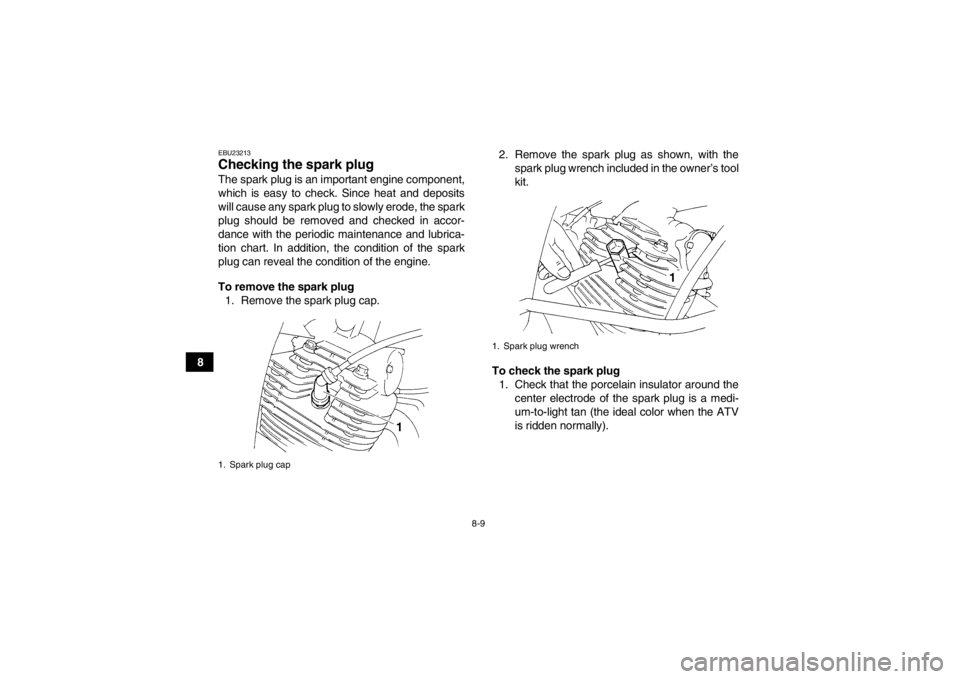
To remove the spark plug1. Remove the spark plug cap. 2. Remove the spark plug as shown, with the
spark plug wrench included in the owner’s tool
kit.
To check the spark plug 1. Check that the porcelain insulator around the center electrode of the spark plug is a medi-
um-to-light tan (the ideal color when the ATV
is ridden normally).1. Spark plug cap
1. Spark plug wrench
U1BS63E0.book Page 9 Tuesday, March 13, 2012 11:43 AM
Page 100 of 140
8-19
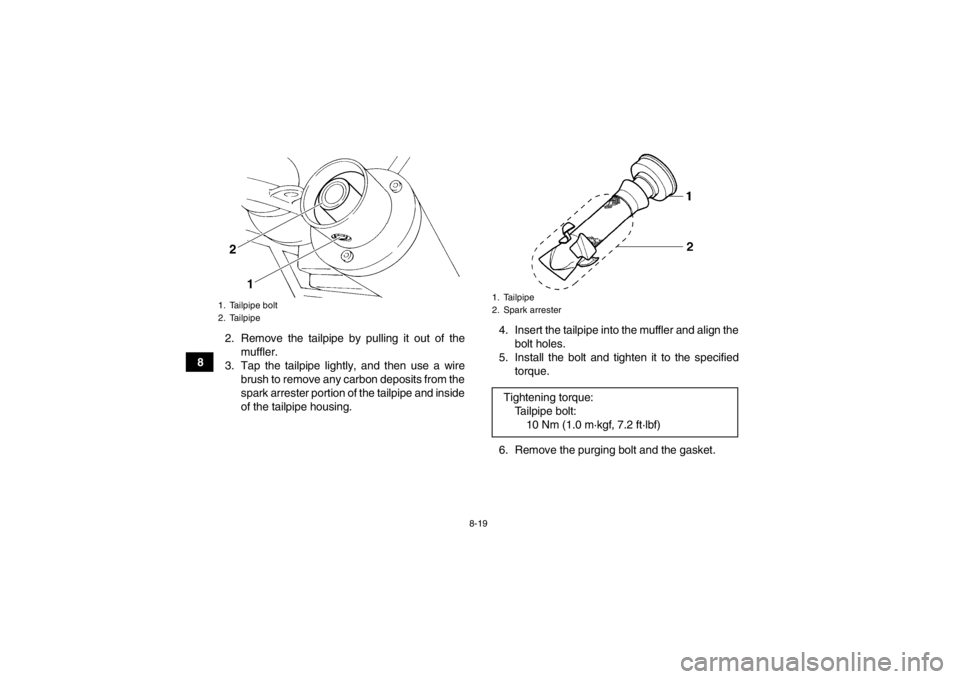
82. Remove the tailpipe by pulling it out of the
muffler.
3. Tap the tailpipe lightly, and then use a wire brush to remove any carbon deposits from the
spark arrester portion of the tailpipe and inside
of the tailpipe housing. 4. Insert the tailpipe into the muffler and align the
bolt holes.
5. Install the bolt and tighten it to the specified torque.
6. Remove the purging bolt and the gasket.
1. Tailpipe bolt
2. Tailpipe
1
2
1. Tailpipe
2. Spark arresterTightening torque: Tailpipe bolt:10 Nm (1.0 m·kgf, 7.2 ft·lbf)
U1BS63E0.book Page 19 Tuesday, March 13, 2012 11:43 AM
Page 109 of 140
![YAMAHA YFM350R 2013 Owners Manual 8-28
8
hold the adjusting bolt with a wrench so
that it does not turn together with the lock-
nut.
[ECB00521]
WARNING
EWB02090Operating with improperly serviced or adjust-
ed brakes could cause the b](/img/51/53698/w960_53698-108.png "YAMAHA YFM350R 2013 Owners Manual 8-28
8
hold the adjusting bolt with a wrench so
that it does not turn together with the lock-
nut.
[ECB00521]
WARNING
EWB02090Operating with improperly serviced or adjust-
ed brakes could cause the b")
8-28
8
hold the adjusting bolt with a wrench so
that it does not turn together with the lock-
nut.
[ECB00521]
WARNING
EWB02090Operating with improperly serviced or adjust-
ed brakes could cause the brakes to malfunc-
tion, resulting in reduced braking
performance. This could increase the chance
of a collision or accident. After adjusting the
parking brake free play, block the rear of the
ATV off the ground and spin the rear wheels.
Check to make sure there is no brake drag. If
brake drag is noticed, perform the adjustment
again.EBU24743Brake light switches The brake light, which is activated by the brake
pedal and brake lever, should come on just before
braking takes effect. The brake light switch for the brake pedal can be
adjusted as follows, but the front brake light switch
should be adjusted by a Yamaha dealer.
Turn the rear brake light switch adjusting nut while
holding the brake light switch in place. To make the
brake light come on earlier, turn the adjusting nut
in direction (a). To make the brake light come on
later, turn the adjusting nut in direction (b).
EBU30120Adjusting the clutch lever free play The clutch lever free play must be checked and, if
necessary, adjusted at the intervals specified in the
periodic maintenance and lubrication chart.
Tightening torque:
Locknut (rear brake caliper):16 Nm (1.6 m·kgf, 12 ft·lbf)1. Rear brake light switch
2. Rear brake light switch adjusting nut
U1BS63E0.book Page 28 Tuesday, March 13, 2012 11:43 AM
Page 122 of 140
8-41
82. Remove the blown fuse, and then install a
new fuse of the specified amperage.
WARNING! Always use a fuse of the spec-
ified rating, and never use a substitute ob-
ject in place of the proper fuse. An
improper fuse or a substitute object can
cause damage to the electrical system,
which could lead to a fire.
[EWB02172]
3. Turn the key to “ON” and turn on the electricalcircuits to check if the devices operate.
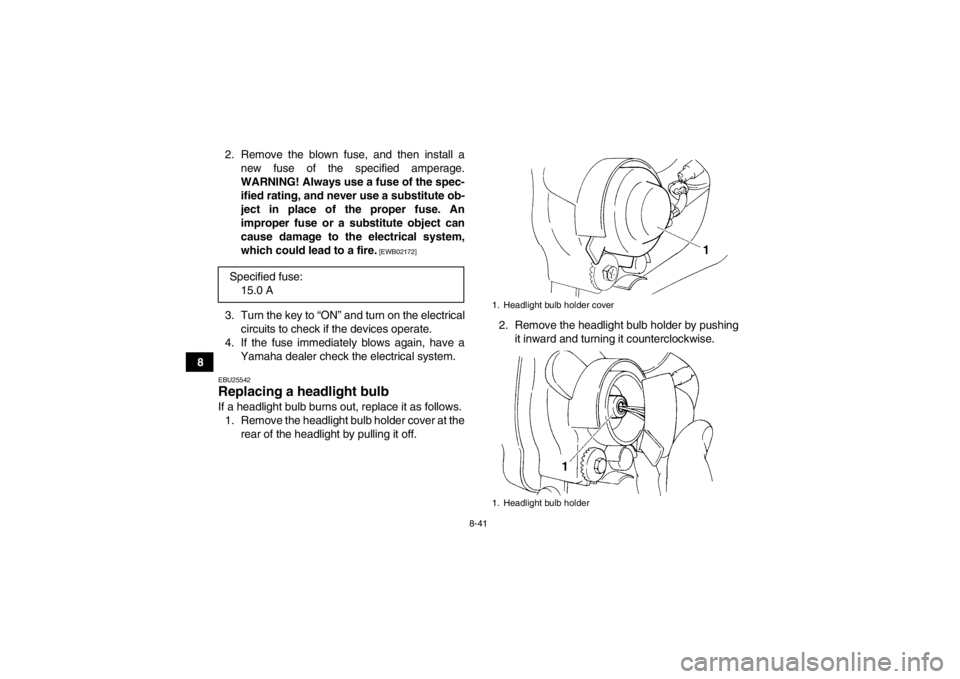
4. If the fuse immediately blows again, have a Yamaha dealer check the electrical system.EBU25542Replacing a headlight bulb If a headlight bulb burns out, replace it as follows.1. Remove the headlight bulb holder cover at the rear of the headlight by pulling it off. 2. Remove the headlight bulb holder by pushing
it inward and turning it counterclockwise.
Specified fuse:
15.0 A
1. Headlight bulb holder cover
1. Headlight bulb holder
U1BS63E0.book Page 41 Tuesday, March 13, 2012 11:43 AM
Page 123 of 140
8-42
8
3. Remove the burnt-out bulb from the headlight
unit by pulling it out.
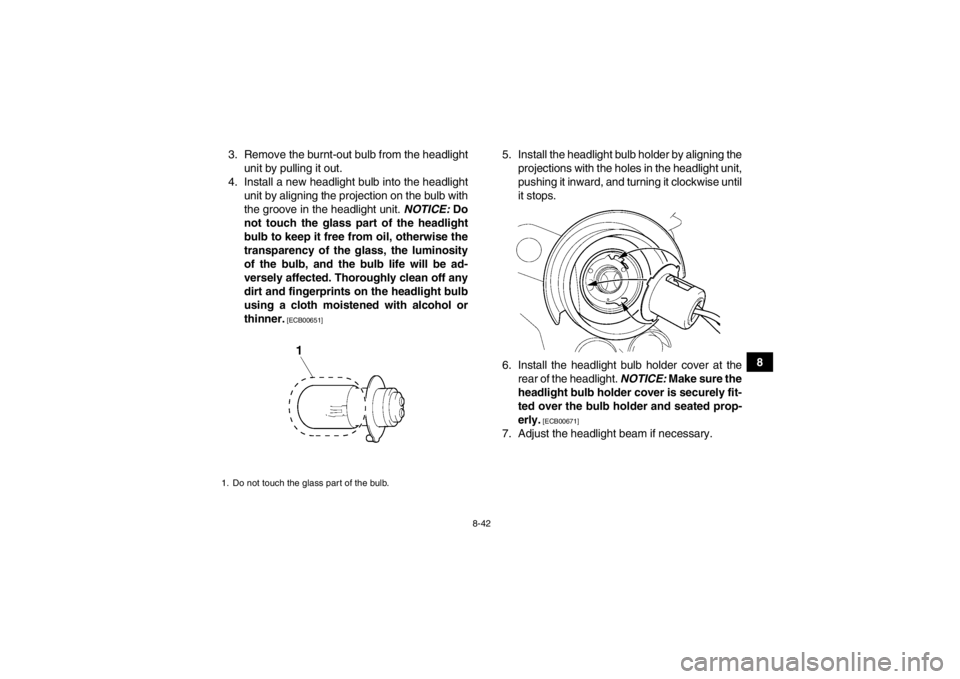
4. Install a new headlight bulb into the headlight unit by aligning the projection on the bulb with
the groove in the headlight unit. NOTICE: Do
not touch the glass part of the headlight
bulb to keep it free from oil, otherwise the
transparency of the glass, the luminosity
of the bulb, and the bulb life will be ad-
versely affected. Thoroughly clean off any
dirt and fingerprints on the headlight bulb
using a cloth moistened with alcohol or
thinner.
[ECB00651]
5. Install the headlight bulb holder by aligning the projections with the holes in the headlight unit,
pushing it inward, and turning it clockwise until
it stops.
6. Install the headlight bulb holder cover at the rear of the headlight. NOTICE: Make sure the
headlight bulb holder cover is securely fit-
ted over the bulb holder and seated prop-
erly.
[ECB00671]
7. Adjust the headlight beam if necessary.
1. Do not touch the glass part of the bulb.U1BS63E0.book Page 42 Tuesday, March 13, 2012 11:43 AM
Page 124 of 140
8-43
8
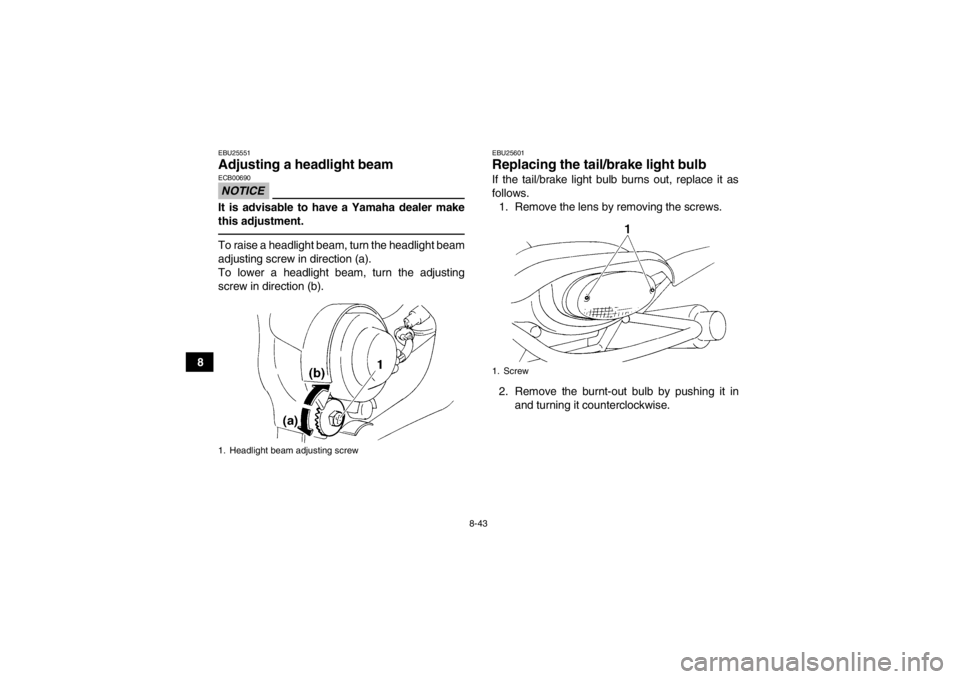
EBU25551Adjusting a headlight beam NOTICEECB00690It is advisable to have a Yamaha dealer make
this adjustment.To raise a headlight beam, turn the headlight beam
adjusting screw in direction (a).
To lower a headlight beam, turn the adjusting
screw in direction (b).
EBU25601Replacing the tail/brake light bulb If the tail/brake light bulb burns out, replace it as
follows.1. Remove the lens by removing the screws.
2. Remove the burnt-out bulb by pushing it in and turning it counterclockwise.
1. Headlight beam adjusting screw
1. Screw
U1BS63E0.book Page 43 Tuesday, March 13, 2012 11:43 AM
Page 125 of 140
8-44
8
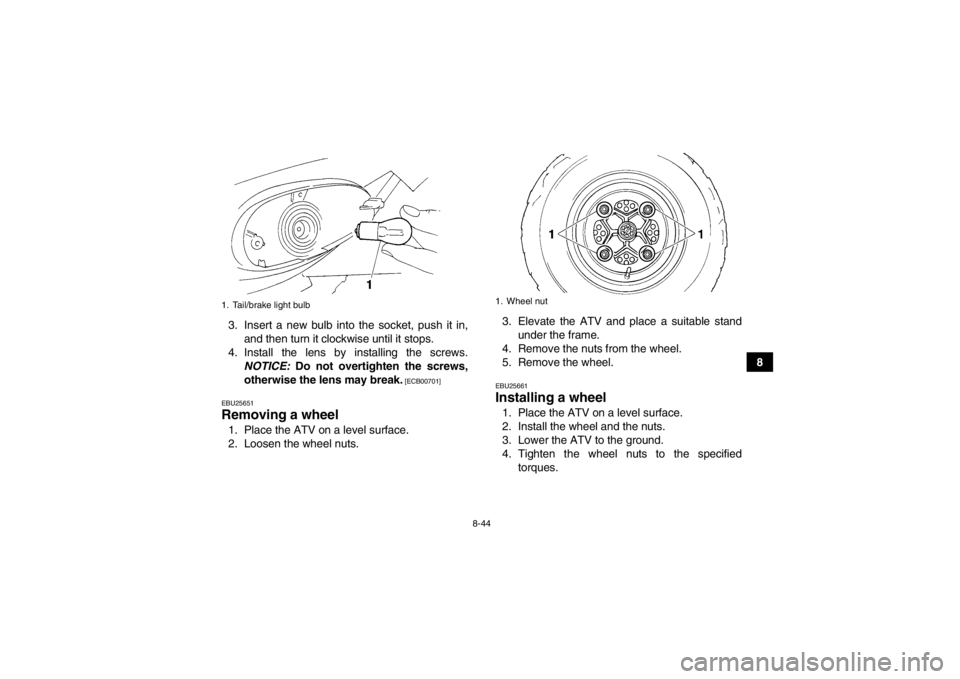
3. Insert a new bulb into the socket, push it in,
and then turn it clockwise until it stops.
4. Install the lens by installing the screws. NOTICE: Do not overtighten the screws,
otherwise the lens may break.
[ECB00701]
EBU25651
Removing a wheel 1. Place the ATV on a level surface.
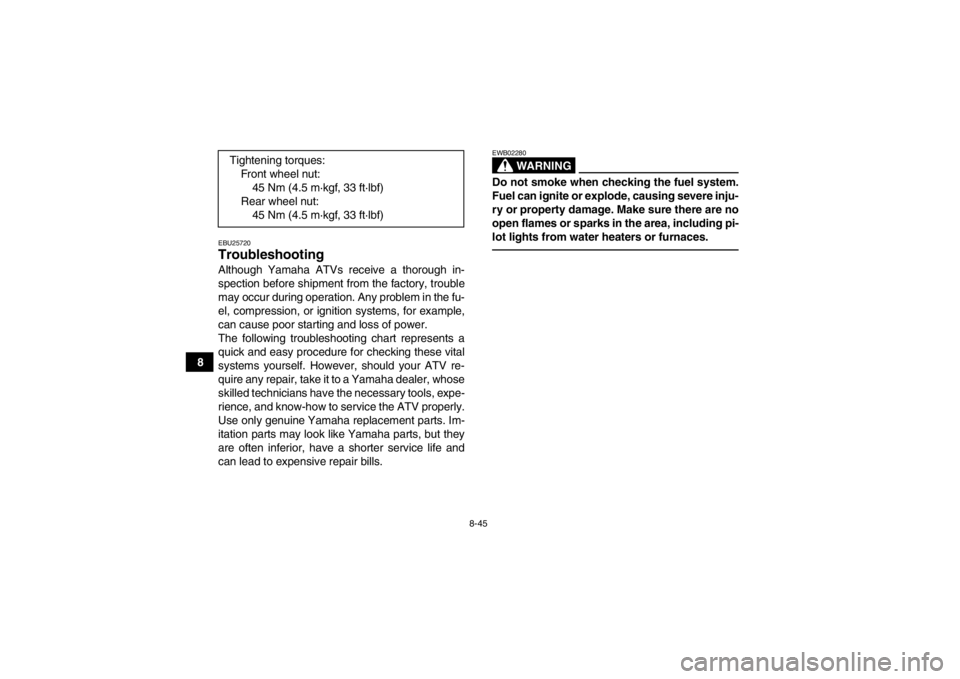
2. Loosen the wheel nuts. 3. Elevate the ATV and place a suitable stand
under the frame.
4. Remove the nuts from the wheel.
5. Remove the wheel.
EBU25661Installing a wheel 1. Place the ATV on a level surface.
2. Install the wheel and the nuts.
3. Lower the ATV to the ground.
4. Tighten the wheel nuts to the specified torques.
1. Tail/brake light bulb
1. Wheel nut
U1BS63E0.book Page 44 Tuesday, March 13, 2012 11:43 AM
Page 126 of 140
8-45
8
EBU25720Troubleshooting Although Yamaha ATVs receive a thorough in-
spection before shipment from the factory, trouble
may occur during operation. Any problem in the fu-
el, compression, or ignition systems, for example,
can cause poor starting and loss of power.
The following troubleshooting chart represents a
quick and easy procedure for checking these vital
systems yourself. However, should your ATV re-
quire any repair, take it to a Yamaha dealer, whose
skilled technicians have the necessary tools, expe-
rience, and know-how to service the ATV properly.
Use only genuine Yamaha replacement parts. Im-
itation parts may look like Yamaha parts, but they
are often inferior, have a shorter service life and
can lead to expensive repair bills.
WARNING
EWB02280Do not smoke when checking the fuel system.
Fuel can ignite or explode, causing severe inju-
ry or property damage. Make sure there are no
open flames or sparks in the area, including pi-
lot lights from water heaters or furnaces.
Tightening torques:Front wheel nut:45 Nm (4.5 m·kgf, 33 ft·lbf)
Rear wheel nut: 45 Nm (4.5 m·kgf, 33 ft·lbf)
U1BS63E0.book Page 45 Tuesday, March 13, 2012 11:43 AM
Page 134 of 140

10-4
10
Rim size:9 x 8.0ATFront brake:Type:
Disc brake
Operation: Right hand operation
Specified brake fluid: DOT 4Rear brake:Type:Disc brake
Operation: Right foot operation
Specified brake fluid:
DOT 4Front suspension:Type:Double wishbone
Spring/shock absorber type:
Coil spring/oil damper
Wheel travel: 200 mm (7.9 in)Rear suspension:Type:
Swingarm (link suspension)
Spring/shock absorber type: Coil spring/gas-oil damper
Wheel travel: 210 mm (8.3 in)
Electrical system:Ignition system:DC CDI
Charging system:
AC magnetoBattery:Model:YTZ10S
Voltage, capacity:
12 V, 8.6 AhHeadlight:Bulb type:Krypton bulbBulb voltage, wattage × quantity:Headlight:
12 V, 30.0/30.0 W × 2
Tail/brake light: 12 V, 5.0/21.0 W × 1
Neutral indicator light:
12 V, 1.7 W × 1
Reverse indicator light: 12 V, 1.7 W × 1Fuse:Fuse:
15.0 A
U1BS63E0.book Page 4 Tuesday, March 13, 2012 11:43 AM
Page 138 of 140

INDEX
AAccessories and loading ................................................ 6-8
Air filter element, cleaning ............................................ 8-15BBattery .......................................................................... 8-38
Brake and clutch levers, checking and lubricating ....... 8-33
Brake and shift pedals, checking and lubricating ......... 8-34
Brake fluid, changing .................................................... 8-25
Brake fluid level, checking ............................................ 8-24
Brake lever ..................................................................... 4-5
Brake lever free play, checking the front ...................... 8-26
Brake light switches ..................................................... 8-28
Brake pads, checking the front and rear ...................... 8-23
Brake pedal .................................................................... 4-5
Brake pedal height, checking ....................................... 8-26
Brakes .......................................................................... 8-23
Brakes, front and rear .................................................... 5-3CCables, checking and lubricating ................................. 8-32
Carburetor, adjusting .................................................... 8-20
Chassis fasteners ........................................................... 5-6
Cleaning ......................................................................... 9-1
Clutch lever .................................................................... 4-4
Clutch lever free play, adjusting ................................... 8-28DDrive chain ..................................................................... 5-4
Drive chain, lubricating ................................................. 8-32
Drive chain slack .......................................................... 8-30 Drive select lever ............................................................ 4-7
Drive select lever and driving in reverse ........................ 6-3
EEngine break-in .............................................................. 6-6
Engine, cold start ........................................................... 6-1
Engine idling speed ...................................................... 8-21
Engine oil ....................................................................... 5-3
Engine oil and oil filter element .................................... 8-11
Engine, starting a warm ................................................. 6-3
Engine stop switch ......................................................... 4-2FFuel ......................................................................... 4-8, 5-3
Fuel cock ...................................................................... 4-10
Fuel tank cap .................................................................. 4-8
Fuse, replacing ............................................................. 8-40HHandlebar switches ........................................................ 4-2
Headlight beam, adjusting ............................................ 8-43
Headlight bulb, replacing .............................................. 8-41IIdentification numbers .................................................. 11-1
Indicator lights ................................................................ 4-2
Instruments, lights and switches .................................... 5-6LLabel locations ............................................................... 1-1
Light switch .................................................................... 4-3MMain switch .................................................................... 4-1
U1BS63E0.book Page 1 Tuesday, March 13, 2012 11:43 AM