display YAMAHA YZF-R1 2014 User Guide
[x] Cancel search | Manufacturer: YAMAHA, Model Year: 2014, Model line: YZF-R1, Model: YAMAHA YZF-R1 2014Pages: 114, PDF Size: 2.87 MB
Page 31 of 114

INSTRUMENT AND CONTROL FUNCTIONS
3-16
3
3. Turn the key to “ON”, and then re-
lease the “SELECT” button after
five seconds. The display bright-
ness function is selected.
4. Push the “SELECT” button to switch the functions in the order
below.a. Display brightness: This function allows you to ad-
just the brightness of the dis-
plays and tachometer to suit
the outside lighting conditions.
b. Shift timing indicator light ac- tivity:
This function allows you to
choose whether or not the indi-
cator light should be activated
and whether it should flash or
stay on when activated.
c. Shift timing indicator light acti- vation:
This function allows you to se-
lect the engine speed at which
the indicator light is activated.
d. Shift timing indicator light de- activation: This function allows you to se-
lect the engine speed at which
the indicator light is deactivat-
ed.
e. Shift timing indicator light brightness:
This function allows you to ad-
just the brightness of the indi-
cator light to suit your
preference.
TIPThe display shows the current setting
for each function, except the shift tim-
ing indicator light activity function.To adjust the brightness of the multi-function meter displays and tachome-ter1. Turn the key to “OFF”.
2. Push and hold the “SELECT” but- ton.
3. Turn the key to “ON”, and then re- lease the “SELECT” button after
five seconds.
4. Push the “RESET” button to select the desired brightness level. 5. Push the “SELECT” button to con-
firm the selected brightness level.
The control mode changes to the
shift timing indicator light activity
function.
To set the shift timing indicator light ac-
tivity function1. Push the “RESET” button to select one of the following indicator light
activity settings: The indicator light stays on
when activated. (This setting
is selected when the indicator
light stays on.)
The indicator light flashes
when activated. (This setting
is selected when the indicator
light flashes four times per
second.)
The indicator light is deacti-
vated; in other words, it does
not come on or flash. (This
setting is selected when the
indicator light flashes once
every two seconds.)
U2SGE0E0.book Page 16 Wednesday, June 12, 2013 1:15 PM
Page 32 of 114
INSTRUMENT AND CONTROL FUNCTIONS
3-17
32. Push the “SELECT” button to con-
firm the selected indicator light ac-
tivity. The control mode changes
to the shift timing indicator light
activation function.
To set the shift timing indicator light ac-
tivation functionTIPThe shift timing indicator light activa-
tion function can be set between 7000
r/min and 15000 r/min. From 7000
r/min to 12000 r/min, the indicator light
can be set in increments of 500 r/min.
From 12000 r/min to 15000 r/min, the
indicator light can be set in increments
of 200 r/min.1. Push the “RESET” button to select the desired engine speed for acti-
vating the indicator light.
2. Push the “SELECT” button to con- firm the selected engine speed.
The control mode changes to the
shift timing indicator light deacti-
vation function. To set the shift timing indicator light
deactivation functionTIP
The shift timing indicator light de-
activation function can be set be-
tween 7000 r/min and 15000
r/min. From 7000 r/min to 12000
r/min, the indicator light can be set
in increments of 500 r/min. From
12000 r/min to 15000 r/min, the in-
dicator light can be set in incre-
ments of 200 r/min.
Be sure to set the deactivation
function to a higher engine speed
than for the activation function,
otherwise the shift timing indicator
light remains deactivated.1. Push the “RESET” button to select
the desired engine speed for de-
activating the indicator light.
2. Push the “SELECT” button to con- firm the selected engine speed.
The control mode changes to the
shift timing indicator light bright-
ness function. To adjust the shift timing indicator light
brightness1. Push the “RESET” button to select
the desired indicator light bright-
ness level.
2. Push the “SELECT” button to con- firm the selected indicator light
brightness level. The display re-
turns to the odometer or tripmeter
mode.
U2SGE0E0.book Page 17 Wednesday, June 12, 2013 1:15 PM
Page 35 of 114
INSTRUMENT AND CONTROL FUNCTIONS
3-20
3
The hazard lights are used in case of an
emergency or to warn other drivers
when your vehicle is stopped where it
might be a traffic hazard.
NOTICE
ECA10062
Do not use the hazar
d lig hts for an
exten ded len gth of time with the en-
g ine not running , otherwise the bat-
tery may d ischarge.
EAU47495
Drive mo de switch “MODE”
WARNING
EWA15341
Do not chan ge the D-mo de while the
vehicle is movin g.Using this switch changes the drive
mode to “STD”, “A”, or “B” in the fol-
lowing order:
STD → A → B → STD
The throttle grip must be completely
closed in order to change the drive
mode. (See page 3-18 for an explana-
tion of each drive mode.)
TIP The mode is set to “STD” by de-
fault. The “STD” mode resets
when the key is turned to “OFF”.
The selected mode is shown on
the drive mode display. (See page
3-13.)
EAU12821
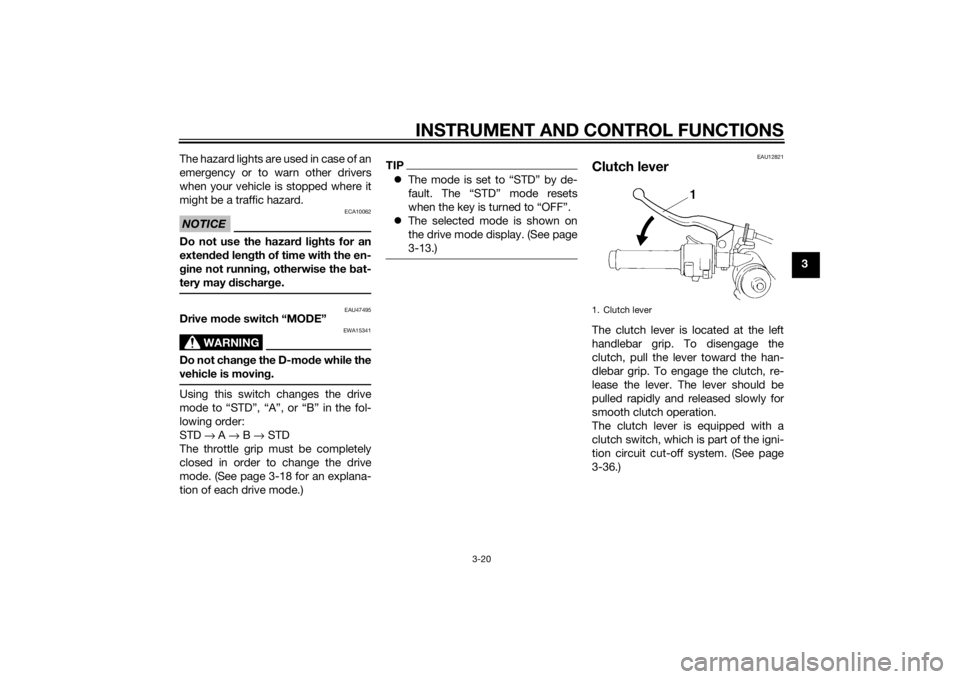
Clutch leverThe clutch lever is located at the left
handlebar grip. To disengage the
clutch, pull the lever toward the han-
dlebar grip. To engage the clutch, re-
lease the lever. The lever should be
pulled rapidly and released slowly for
smooth clutch operation.
The clutch lever is equipped with a
clutch switch, which is part of the igni-
tion circuit cut-off system. (See page
3-36.)1. Clutch lever
U2SGE0E0.book Page 20 Wednesday, June 12, 2013 1:15 PM
Page 37 of 114
INSTRUMENT AND CONTROL FUNCTIONS
3-22
3
EAU12942
Brake pedalThe brake pedal is on the right side of
the motorcycle. To apply the rear
brake, press down on the brake pedal.
EAU51862
Traction control systemThe traction control system helps
maintain traction when accelerating. If
sensors detect that the rear wheel is
starting to slip (uncontrolled spinning),
the traction control system assists by
regulating engine power as needed un-
til traction is restored. The traction con-
trol system indicator/warning light
flashes to let the rider know that trac-
tion control has engaged.
WARNING
EWA15432
The traction control system is not a
substitute for ri din g appropriately
for the con ditions. Traction control
cannot prevent loss of traction d ue
to excessive spee d when enterin g
turns, when acceleratin g har d at a
sharp lean an gle, or while brakin g,
an d cannot prevent front wheel slip-
pin g. As with any motorcycle, ap-
proach surfaces that may be
slippery with caution an d avoi d es-
pecially slippery surfaces.
TIP The traction control may engage
when the vehicle travels over a
bump.
The rider may notice slight chang-
es in engine and exhaust sounds
when the traction control system
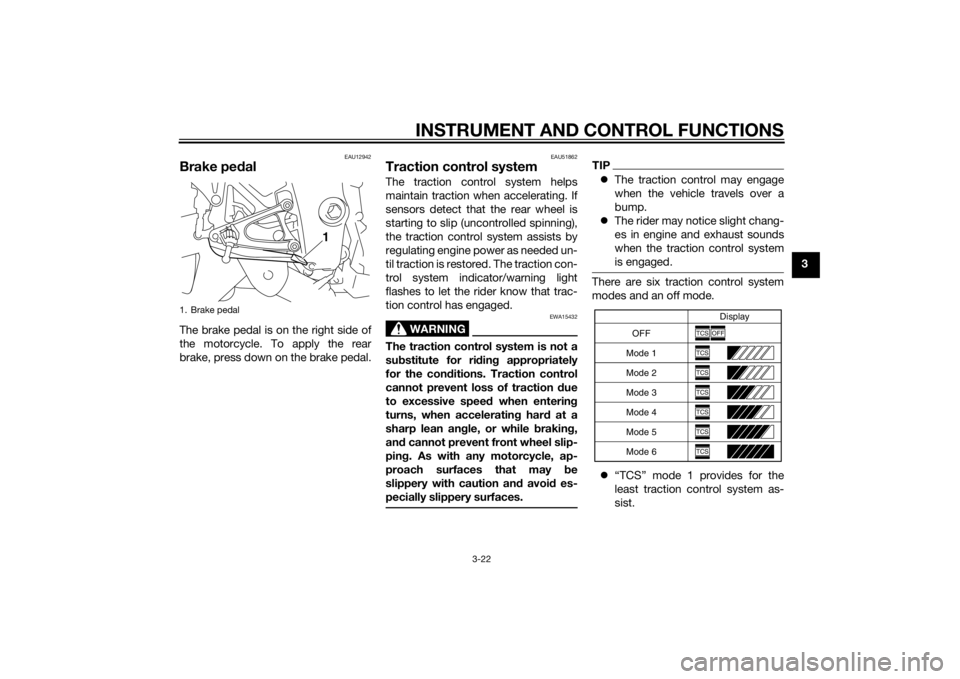
is engaged.There are six traction control system
modes and an off mode.
“TCS” mode 1 provides for the
least traction control system as-
sist.
1. Brake pedal
1
OFF Display
Mode 1
Mode 2
Mode 3
Mode 4
Mode 5
Mode 6
TCS
OFF
TCSTCSTCSTCSTCSTCS
U2SGE0E0.book Page 22 Wednesday, June 12, 2013 1:15 PM
Page 38 of 114
INSTRUMENT AND CONTROL FUNCTIONS
3-23
3
“TCS” modes 2 through 6 provide
for more traction control system
assist. Mode 6 provides the most
traction control system assist.
“TCS OFF” mode turns the trac-
tion control system off. The sys-
tem may also be automatically
disabled in some riding conditions
(see “Resetting” on page 3-23).
When the key is turned to “ON”, the
traction control system is enabled and
the last mode selected displays in the
multi-function meter.
All traction control system modes can
be selected when the key is in the “ON”
position. Modes 1 through 6 can also
be selected when the vehicle is mov-
ing, however the throttle grip must be
completely closed. The traction control
system cannot be turned on or off
while the vehicle is moving.
NOTICE
ECA16801
Use only the specified tires. (See
pa ge 6-18.) Usin g different size d
tires will prevent the traction control
system from controllin g tire rotation
accurately.
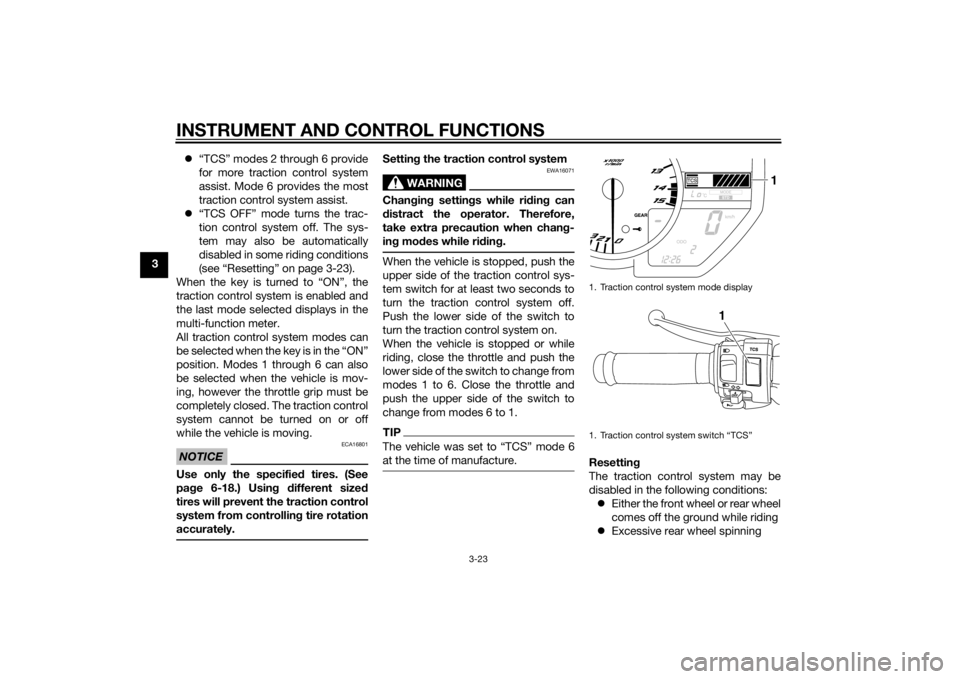
Setting the traction control system
WARNING
EWA16071
Changin g settin gs while ri din g can
d istract the operator. Therefore,
take extra precaution when chan g-
in g mo des while rid ing.When the vehicle is stopped, push the
upper side of the traction control sys-
tem switch for at least two seconds to
turn the traction control system off.
Push the lower side of the switch to
turn the traction control system on.
When the vehicle is stopped or while
riding, close the throttle and push the
lower side of the switch to change from
modes 1 to 6. Close the throttle and
push the upper side of the switch to
change from modes 6 to 1.TIPThe vehicle was set to “TCS” mode 6
at the time of manufacture.
Resettin g
The traction control system may be
disabled in the following conditions: Either the front wheel or rear wheel
comes off the ground while riding
Excessive rear wheel spinning1. Traction control system mode display
1. Traction control system switch “TCS”
1
1
U2SGE0E0.book Page 23 Wednesday, June 12, 2013 1:15 PM
Page 56 of 114
OPERATION AND IMPORTANT RIDING POINTS
5-1
5
EAU15952
Read the Owner’s Manual carefully to
become familiar with all controls. If
there is a control or function you do not
understand, ask your Yamaha dealer.
WARNING
EWA10272
Failure to familiarize yourself with
the controls can lead to loss of con-
trol, which coul d cause an acci dent
or injury.
EAU48711
TIPThis model is equipped with: a lean angle sensor to stop the en-
gine in case of a turnover. In this
case, the multi-function display in-
dicates error code 30, but this is
not a malfunction. Turn the key to
“OFF” and then to “ON” to clear
the error code. Failing to do so will
prevent the engine from starting
even though the engine will crank
when pushing the start switch.
an engine auto-stop system. The
engine stops automatically if left
idling for 20 minutes. If the engine
stops, simply push the start
switch to restart the engine.
EAU51881
Startin g the en gineIn order for the ignition circuit cut-off
system to enable starting, one of the
following conditions must be met:
The transmission is in the neutral
position.
The transmission is in gear with
the clutch lever pulled and the
sidestand up.
See page 3-36 for more informa-
tion.
1. Turn the key to “ON” and make sure that the engine stop switch is
set to “ ”.
The following warning lights and
indicator lights should come on for
a few seconds, then go off. Oil level warning light
Fuel level warning light
Coolant temperature warning
light
Shift timing indicator light
Engine trouble warning light
Traction control system indi-
cator/warning light
Immobilizer system indicator
light
U2SGE0E0.book Page 1 Wednesday, June 12, 2013 1:15 PM