reset YAMAHA YZF-R1 2018 User Guide
[x] Cancel search | Manufacturer: YAMAHA, Model Year: 2018, Model line: YZF-R1, Model: YAMAHA YZF-R1 2018Pages: 130, PDF Size: 10.29 MB
Page 43 of 130
Instrument and control functions
4-21
1
2
345
6
7
8
9
10
11
12
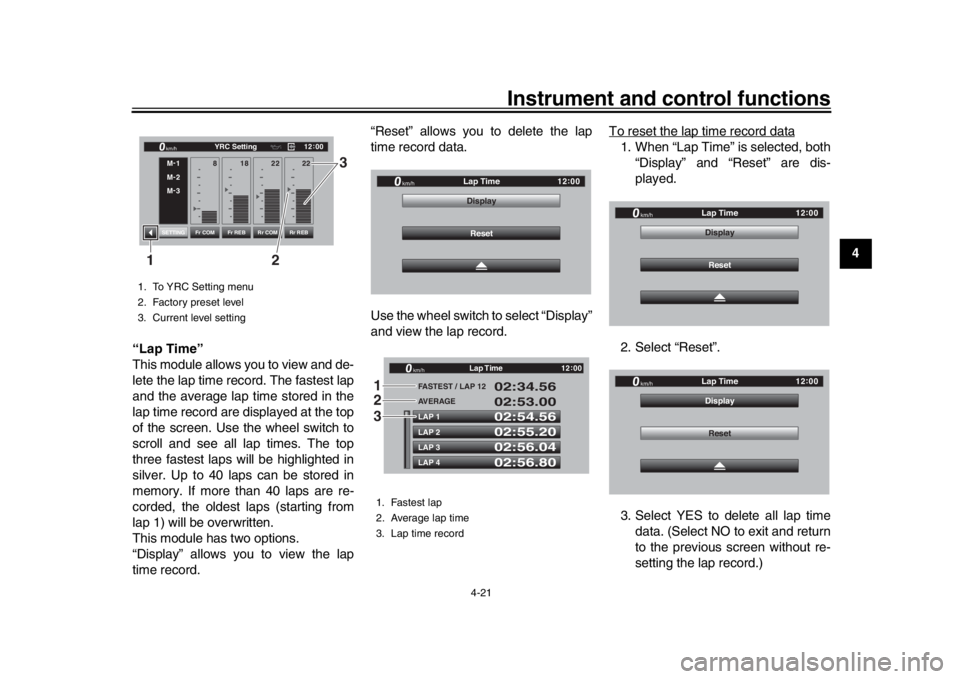
“Lap Time”
This module allows you to view and de-
lete the lap time record. The fastest lap
and the average lap time stored in the
lap time record are displayed at the top
of the screen. Use the wheel switch to
scroll and see all lap times. The top
three fastest laps will be highlighted in
silver. Up to 40 laps can be stored in
memory. If more than 40 laps are re-
corded, the oldest laps (starting from
lap 1) will be overwritten.
This module has two options.
“Display” allows you to view the lap
time record. “Reset” allows you to delete the lap
time record data.
Use the wheel switch to select “Display”
and view the lap record.
To reset the lap time record data
1. When “Lap Time” is selected, both
“Display” and “Reset” are dis-
played.
2. Select “Reset”.
3. Select YES to delete all lap time data. (Select NO to exit and return
to the previous screen without re-
setting the lap record.)
1. To YRC Setting menu
2. Factory preset level
3. Current level setting
12 :
00
YRC Setting
km/hM -
1
M -
2
M -
3
Fr COM Rr COM
Fr REB Rr REB
SETTING
18
8 22 22
2 3
1
1. Fastest lap
2. Average lap time
3. Lap time record
km/h
12
:
00
Reset
Display
Lap Time
LAP 1LAP 2LAP 3LAP 4 FA
STEST / LAP 12
02:54.56
02:55.20
02:56.04
02:56.80 02:34.56
02:53.00
AVERAGE
Lap Time
km/h
GP GPS
12:
00
123
km/h
12 :
00
Reset
Display
Lap Time
km/h
12
:
00
Reset
Display
Lap Time
BX4-9-E1_1.book 21 ページ 2018年4月27日 金曜日 午後4時3分
Page 44 of 130
Instrument and control functions
4-22
1
2
34
5
6
7
8
9
10
11
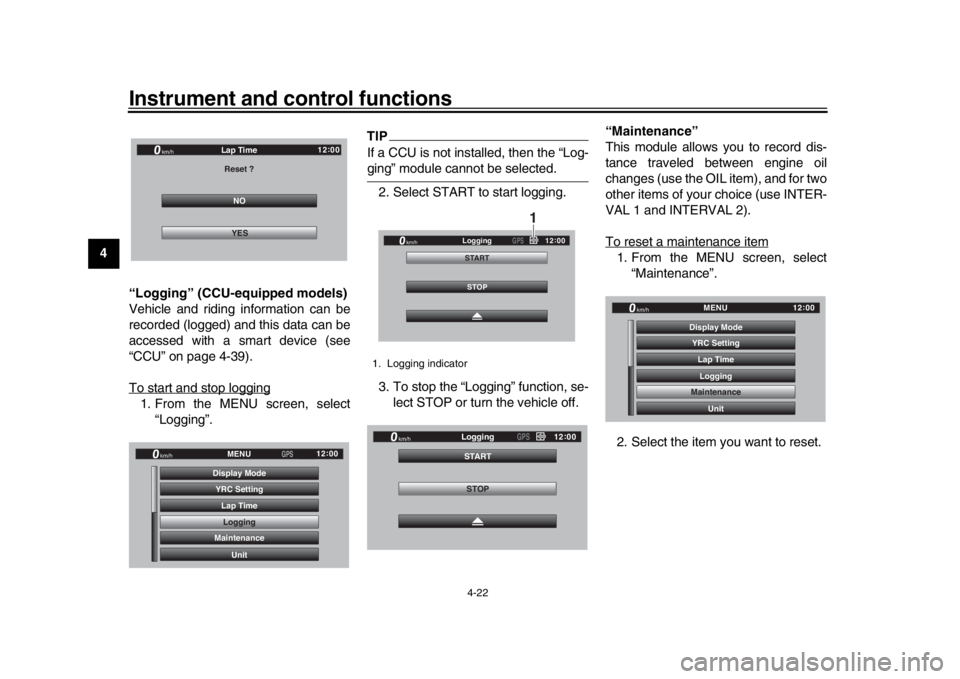
12 “Logging” (CCU-equipped models)
Vehicle and riding information can be
recorded (logged) and this data can be
accessed with a smart device (see
“CCU” on page 4-39).
To start and stop logging
1. From the MENU screen, select
“Logging”.
TIPIf a CCU is not installed, then the “Log-ging” module cannot be selected.
2. Select START to start logging.
3. To stop the “Logging” function, se- lect STOP or turn the vehicle off. “Maintenance”
This module allows you to record dis-
tance traveled between engine oil
changes (use the OIL item), and for two
other items of your choice (use INTER-
VAL 1 and INTERVAL 2).
To reset a maintenance item
1. From the MENU screen, select
“Maintenance”.
2. Select the item you want to reset.
NO
Reset ?Lap Time
YES
km/h
GPGPS
12:
00
YRC Setting
Lap TimeLogging
Maintenance
Unit
Display ModeMENU
km/h
GPS
12
:
00
1. Logging indicator
STOP
STARTLogging
km/h
12
:
00
GPS
1
STOP
STARTLogging
km/h
12
:
00
GPS
YRC Setting
Lap TimeLogging
Maintenance
Unit
Display ModeMENU
km/h
GPS
12
:
00
BX4-9-E1_1.book 22 ページ 2018年4月27日 金曜日 午後4時3分
Page 52 of 130
Instrument and control functions
4-30
1
2
34
5
6
7
8
9
10
11
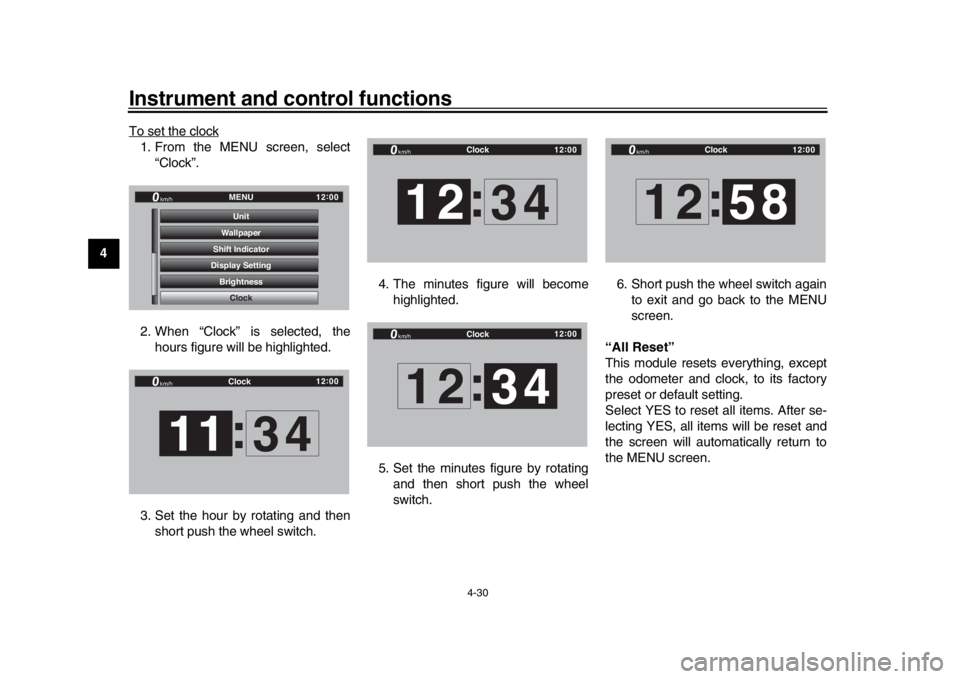
12 To set the clock
1. From the MENU screen, select
“Clock”.
2. When “Clock” is selected, the hours figure will be highlighted.
3. Set the hour by rotating and then short push the wheel switch. 4. The minutes figure will become
highlighted.
5. Set the minutes figure by rotating and then short push the wheel
switch. 6. Short push the wheel switch again
to exit and go back to the MENU
screen.
“All Reset”
This module resets everything, except
the odometer and clock, to its factory
preset or default setting.
Select YES to reset all items. After se-
lecting YES, all items will be reset and
the screen will automatically return to
the MENU screen.
GPGPS
Shift Indicator Wallpaper
Display Setting Brightness MENU
Unit
Clock
km/h
12 :
00
Clock
km/h
12 :
00
11 :
34
Clock
km/h
12 :
00
12 :
34
Clock
km/h
12 :
00
12 34
:
Clock
km/h
12 :
00
12 :
58
BX4-9-E1_1.book 30 ページ 2018年4月27日 金曜日 午後4時3分