lock Acura ILX 2019 Owner's Manual
[x] Cancel search | Manufacturer: ACURA, Model Year: 2019, Model line: ILX, Model: Acura ILX 2019Pages: 621, PDF Size: 34.8 MB
Page 499 of 621
uuParking Your Vehicle uCross Traffic Monitor*
498
Driving
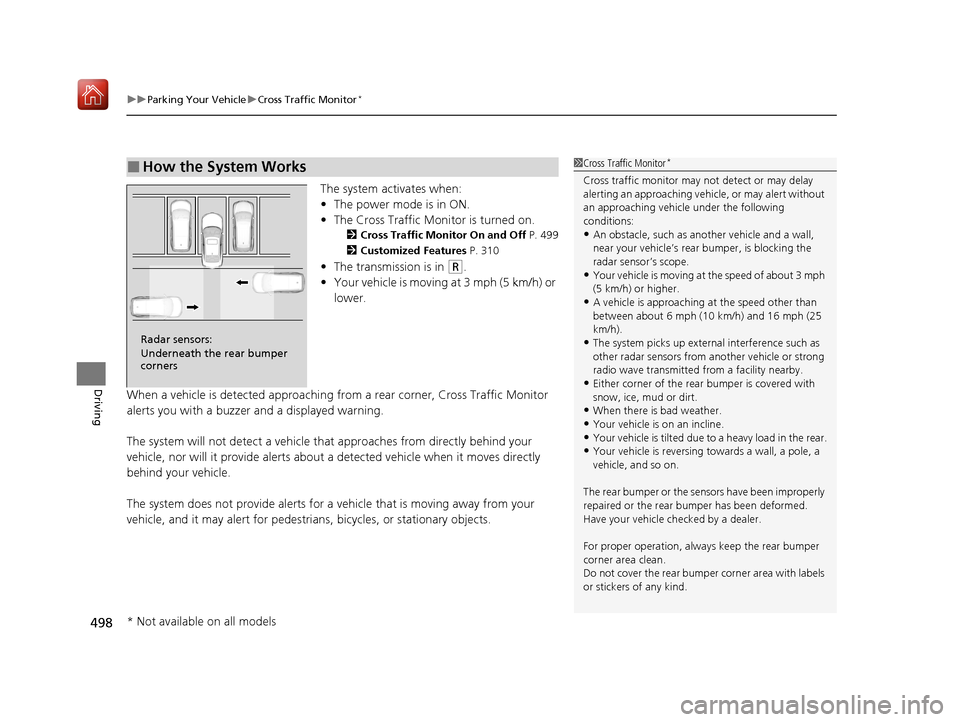
The system activates when:
• The power mode is in ON.
• The Cross Traffic Monitor is turned on.
2 Cross Traffic Monitor On and Off P. 499
2 Customized Features P. 310
•The transmission is in (R.
• Your vehicle is moving at 3 mph (5 km/h) or
lower.
When a vehicle is detected approaching from a rear corner, Cross Traffic Monitor
alerts you with a buzzer and a displayed warning.
The system will not detect a vehicle that approaches from directly behind your
vehicle, nor will it provide alerts about a detected vehicle when it moves directly
behind your vehicle.
The system does not provide alerts for a vehicle that is moving away from your
vehicle, and it may alert for pedestri ans, bicycles, or stationary objects.
■How the System Works1Cross Traffic Monitor*
Cross traffic monitor may not detect or may delay
alerting an approaching vehi cle, or may alert without
an approaching vehicle under the following
conditions:
•An obstacle, such as a nother vehicle and a wall,
near your vehicle’s rear bumper, is blocking the
radar sensor’s scope.
•Your vehicle is moving at the speed of about 3 mph
(5 km/h) or higher.
•A vehicle is approaching at the speed other than
between about 6 mph (10 km/h) and 16 mph (25
km/h).
•The system picks up external interference such as
other radar sensors from an other vehicle or strong
radio wave transmitted fr om a facility nearby.
•Either corner of the rear bumper is covered with
snow, ice, mud or dirt.
•When there is bad weather.
•Your vehicle is on an incline.
•Your vehicle is tilt ed due to a heavy load in the rear.•Your vehicle is reversing towards a wall, a pole, a
vehicle, and so on.
The rear bumper or the sens ors have been improperly
repaired or the rear bum per has been deformed.
Have your vehicle checked by a dealer.
For proper operation, always keep the rear bumper
corner area clean.
Do not cover the rear bumper corner area with labels
or stickers of any kind.
Radar sensors:
Underneath the rear bumper
corners
* Not available on all models
19 ACURA ILX-31TX66610.book 498 ページ 2020年4月17日 金曜日 午前8時52分
Page 521 of 621
uuMaintenance Under the Hood uChanging the Engine Oil and Oil Filter
520
Maintenance
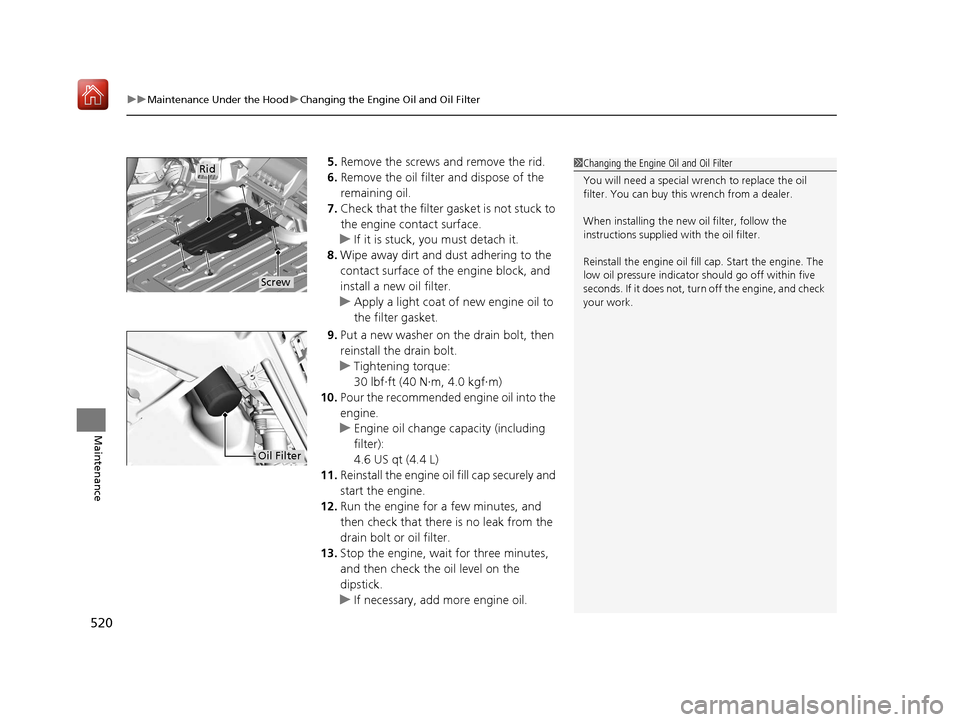
5. Remove the screws and remove the rid.
6. Remove the oil filter and dispose of the
remaining oil.
7. Check that the filter ga sket is not stuck to
the engine contact surface.
u If it is stuck, you must detach it.
8. Wipe away dirt and dust adhering to the
contact surface of the engine block, and
install a new oil filter.
u Apply a light coat of new engine oil to
the filter gasket.
9. Put a new washer on the drain bolt, then
reinstall the drain bolt.
u Tightening torque:
30 lbf∙ft (40 N∙m, 4.0 kgf∙m)
10. Pour the recommended engine oil into the
engine.
u Engine oil change capacity (including
filter):
4.6 US qt (4.4 L)
11. Reinstall the engine oi l fill cap securely and
start the engine.
12. Run the engine for a few minutes, and
then check that ther e is no leak from the
drain bolt or oil filter.
13. Stop the engine, wait for three minutes,
and then check the oil level on the
dipstick.
u If necessary, add more engine oil.1Changing the Engine Oil and Oil Filter
You will need a special wrench to replace the oil
filter. You can buy this wrench from a dealer.
When installing the new oil filter, follow the
instructions supplied with the oil filter.
Reinstall the engine oil fill cap. Start the engine. The
low oil pressure indicator should go off within five
seconds. If it does not, turn off the engine, and check
your work.
Screw
Rid
Oil Filter
19 ACURA ILX-31TX66610.book 520 ページ 2020年4月17日 金曜日 午前8時52分
Page 523 of 621
uuMaintenance Under the Hood uEngine Coolant
522
Maintenance
1. Make sure the engine and radiator are
cool.
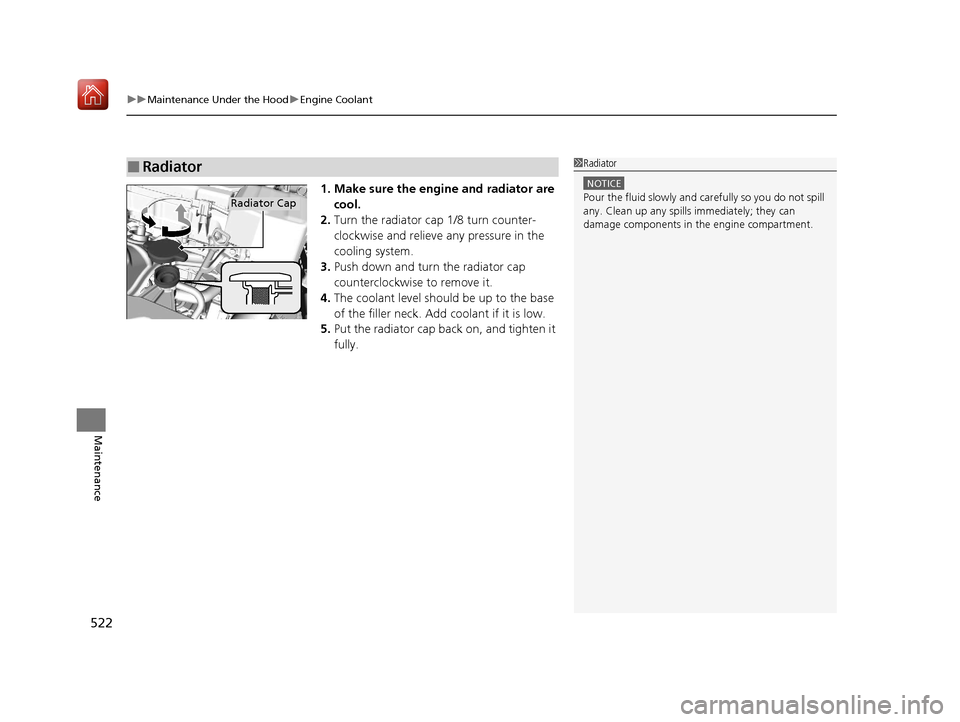
2. Turn the radiator cap 1/8 turn counter-
clockwise and relieve any pressure in the
cooling system.
3. Push down and turn the radiator cap
counterclockwise to remove it.
4. The coolant level should be up to the base
of the filler neck. Add coolant if it is low.
5. Put the radiator cap back on, and tighten it
fully.
■Radiator1Radiator
NOTICE
Pour the fluid slowly and ca refully so you do not spill
any. Clean up any spills immediately; they can
damage components in the engine compartment.Radiator Cap
19 ACURA ILX-31TX66610.book 522 ページ 2020年4月17日 金曜日 午前8時52分
Page 528 of 621
527
uuReplacing Light Bulbs uRear Turn Signal Light Bulbs
Maintenance
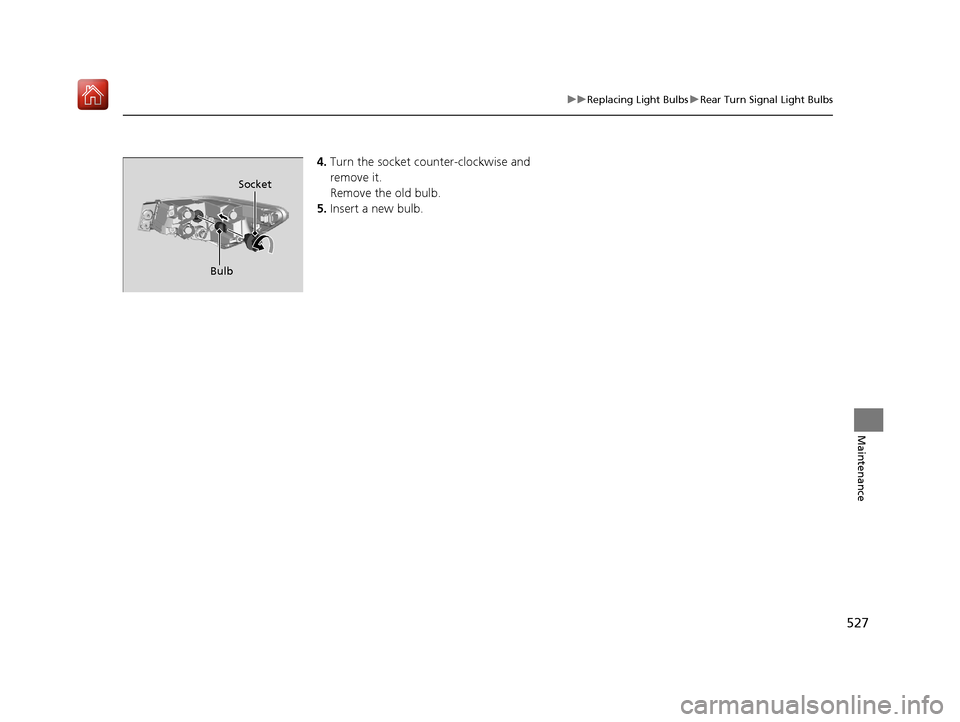
4. Turn the socket counter-clockwise and
remove it.
Remove the old bulb.
5. Insert a new bulb.
Socket
Bulb
19 ACURA ILX-31TX66610.book 527 ページ 2020年4月17日 金曜日 午前8時52分
Page 529 of 621
528
uuReplacing Light Bulbs uBack-Up Light Bulbs
Maintenance
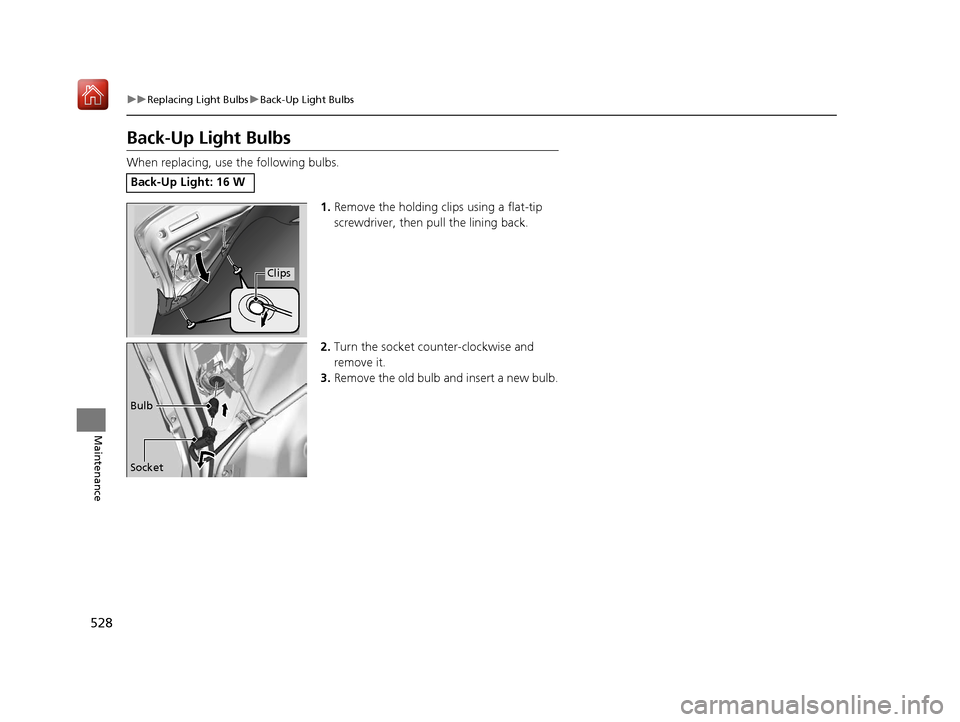
Back-Up Light Bulbs
When replacing, use the following bulbs.
1.Remove the holding clips using a flat-tip
screwdriver, then pull the lining back.
2. Turn the socket counter-clockwise and
remove it.
3. Remove the old bulb and insert a new bulb.
Back-Up Light: 16 W
Clips
Socket Bulb
19 ACURA ILX-31TX66610.book 528 ページ 2020年4月17日 金曜日 午前8時52分
Page 531 of 621
530
Maintenance
Checking and Maintaining Wiper Blades
Checking Wiper Blades
If the wiper blade rubber has deteriorated, it will leave streaks and the hard surfaces
of the blade may scratch the window glass.
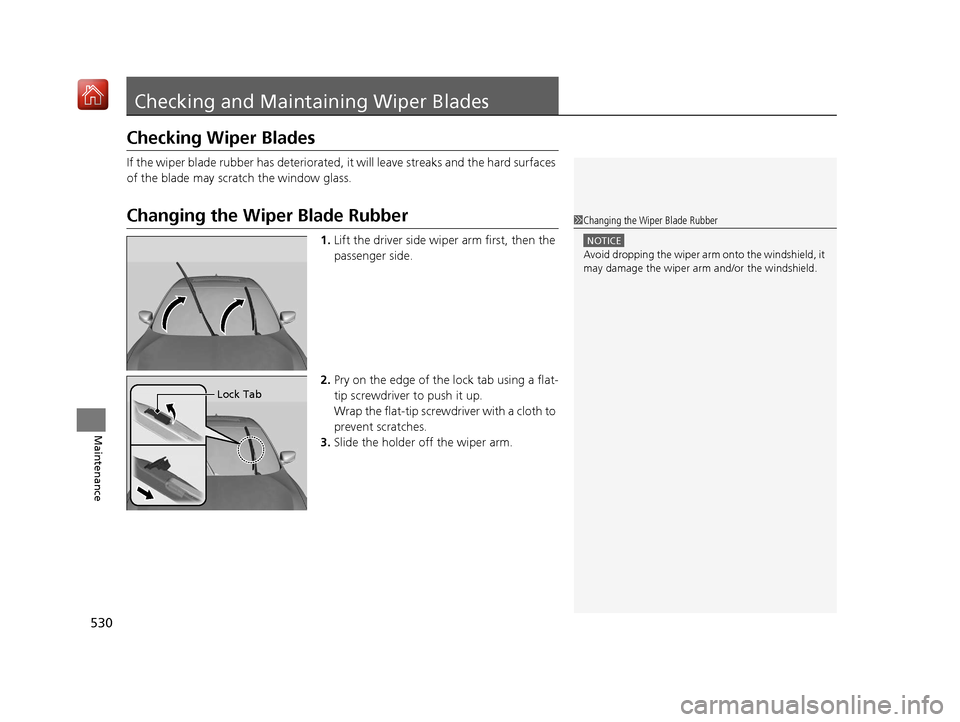
Changing the Wiper Blade Rubber
1. Lift the driver side wiper arm first, then the
passenger side.
2. Pry on the edge of the lock tab using a flat-
tip screwdriver to push it up.
Wrap the flat-tip screwdriver with a cloth to
prevent scratches.
3. Slide the holder off the wiper arm.
1Changing the Wiper Blade Rubber
NOTICE
Avoid dropping the wiper arm onto the windshield, it
may damage the wiper arm and/or the windshield.
Lock Tab
19 ACURA ILX-31TX66610.book 530 ページ 2020年4月17日 金曜日 午前8時52分
Page 532 of 621
531
uuChecking and Maintaining Wiper Blades uChanging the Wiper Blade Rubber
Maintenance
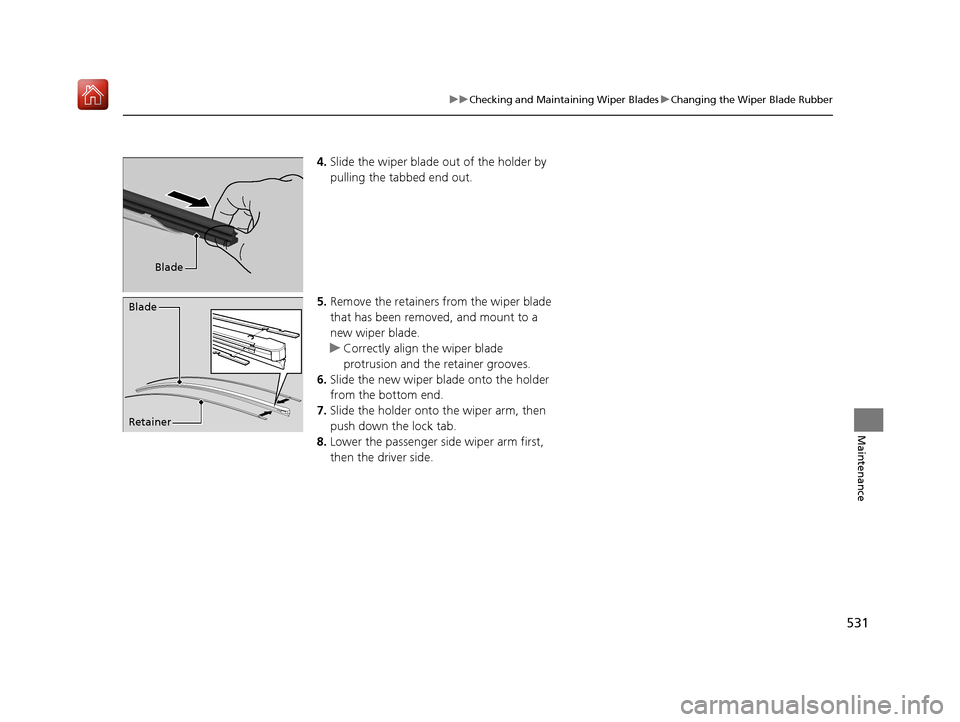
4. Slide the wiper blade out of the holder by
pulling the tabbed end out.
5. Remove the retainers from the wiper blade
that has been removed, and mount to a
new wiper blade.
u Correctly align the wiper blade
protrusion and the retainer grooves.
6. Slide the new wiper bl ade onto the holder
from the bottom end.
7. Slide the holder onto the wiper arm, then
push down the lock tab.
8. Lower the passenger side wiper arm first,
then the driver side.
Blade
Retainer Blade
19 ACURA ILX-31TX66610.book 531 ページ 2020年4月17日 金曜日 午前8時52分
Page 542 of 621
541
Maintenance
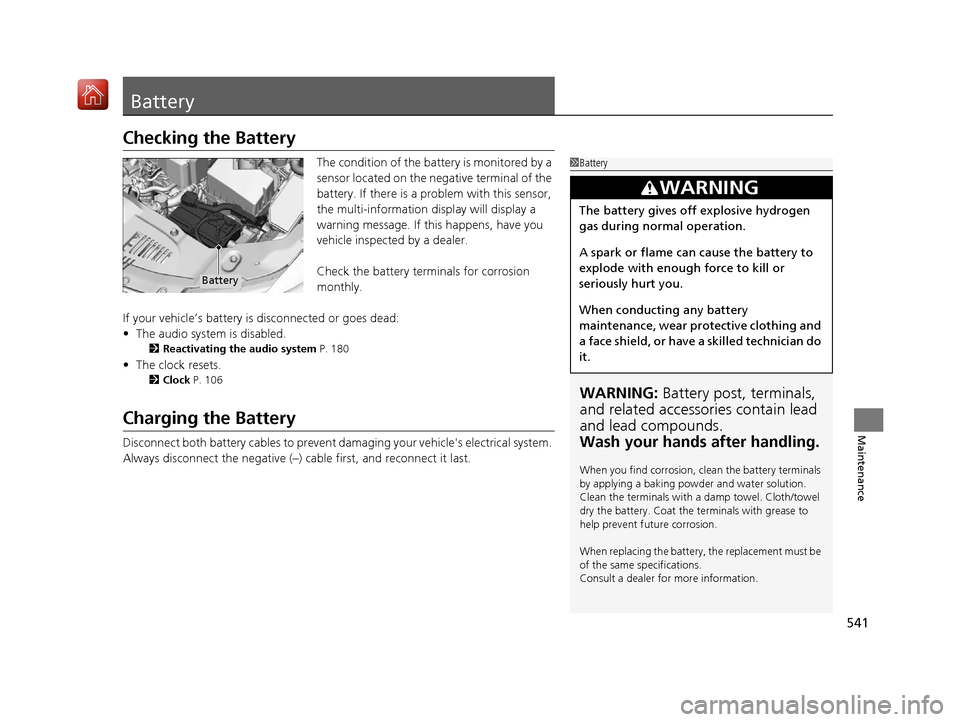
Battery
Checking the Battery
The condition of the battery is monitored by a
sensor located on the negative terminal of the
battery. If there is a problem with this sensor,
the multi-information display will display a
warning message. If this happens, have you
vehicle inspected by a dealer.
Check the battery terminals for corrosion
monthly.
If your vehicle’s battery is disconnected or goes dead:
• The audio system is disabled.
2 Reactivating the audio system P. 180
•The clock resets.
2 Clock P. 106
Charging the Battery
Disconnect both battery cables to prevent damaging your vehicle's electrical system.
Always disconnect the negative (–) cable first, and reconnect it last.
1Battery
WARNING: Battery post, terminals,
and related accessories contain lead
and lead compounds.
Wash your hands after handling.
When you find corrosion, cl ean the battery terminals
by applying a baking powder and water solution.
Clean the terminals with a damp towel. Cloth/towel
dry the battery. Coat the terminals with grease to
help prevent future corrosion.
When replacing the battery, the replacement must be
of the same specifications.
Consult a dealer for more information.
3WARNING
The battery gives off explosive hydrogen
gas during normal operation.
A spark or flame can cause the battery to
explode with enough force to kill or
seriously hurt you.
When conducting any battery
maintenance, wear prot ective clothing and
a face shield, or have a skilled technician do
it.
Battery
19 ACURA ILX-31TX66610.book 541 ページ 2020年4月17日 金曜日 午前8時52分
Page 547 of 621
uuCleaning uInterior Care
546
Maintenance
Wipe using a glass cleaner.
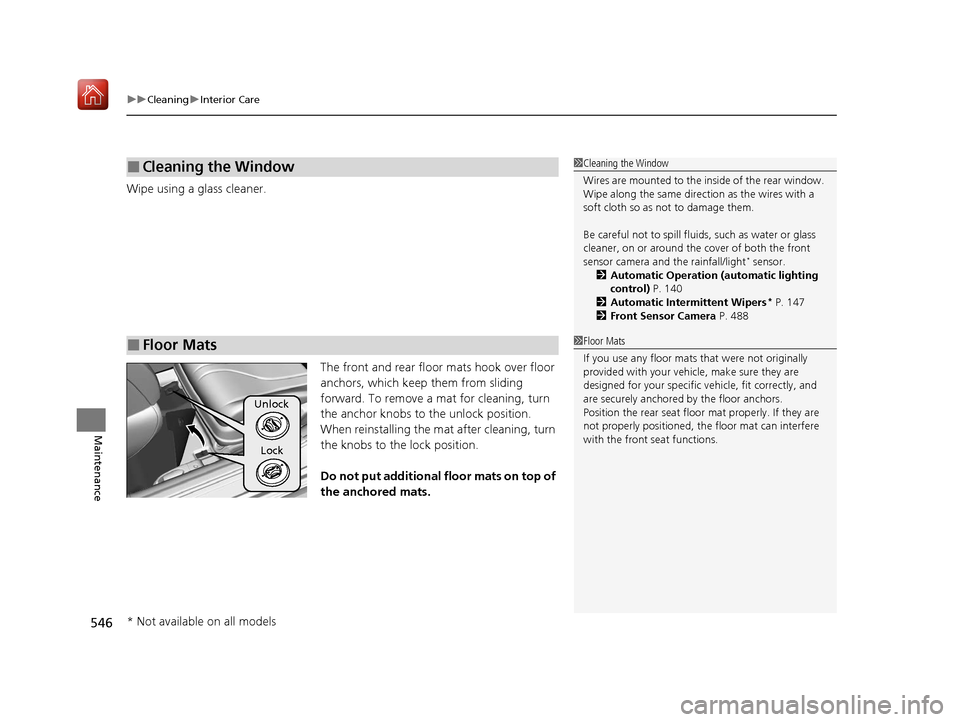
The front and rear floor mats hook over floor
anchors, which keep them from sliding
forward. To remove a mat for cleaning, turn
the anchor knobs to the unlock position.
When reinstalling the mat after cleaning, turn
the knobs to the lock position.
Do not put additional floor mats on top of
the anchored mats.
■Cleaning the Window
■Floor Mats
1 Cleaning the Window
Wires are mounted to the in side of the rear window.
Wipe along the same direct ion as the wires with a
soft cloth so as not to damage them.
Be careful not to spill flui ds, such as water or glass
cleaner, on or around the co ver of both the front
sensor camera and the rainfall/light
* sensor.
2 Automatic Operation (automatic lighting
control) P. 140
2 Automatic Intermittent Wipers
* P. 147
2 Front Sensor Camera P. 488
1Floor Mats
If you use any floor mats that were not originally
provided with your vehicle, make sure they are
designed for your specific ve hicle, fit correctly, and
are securely anchored by the floor anchors.
Position the rear seat floor mat properly. If they are
not properly positioned, th e floor mat can interfere
with the front seat functions.
Unlock
Lock
* Not available on all models
19 ACURA ILX-31TX66610.book 546 ページ 2020年4月17日 金曜日 午前8時52分
Page 556 of 621
555Continued
Handling the Unexpected
If a Tire Goes Flat
Temporarily Repairing a Flat Tire
If the tire has a large cut or is otherwise severely damaged, you will need to have the
vehicle towed. If the tire only has a small puncture, from a nail for instance, you can
use the temporary tire repair kit so that you can drive to the nearest service station
for a more permanent repair.
If a tire goes flat while driving, grasp the steering wheel firmly, and brake gradually
to reduce speed. Then stop in a safe place.
1. Park the vehicle on a firm, level, and n on-slippery surface and apply the parking
brake.
2. Move the shift lever to
(P.
3. Turn on the hazard warning lights an d set the power mode to VEHICLE OFF
(LOCK).
1 Temporarily Repairing a Flat Tire
The kit should not be used in the following situations.
Instead, contact a dealer or roadside assistance to
have the vehicle towed.
•The tire sealant has expired.
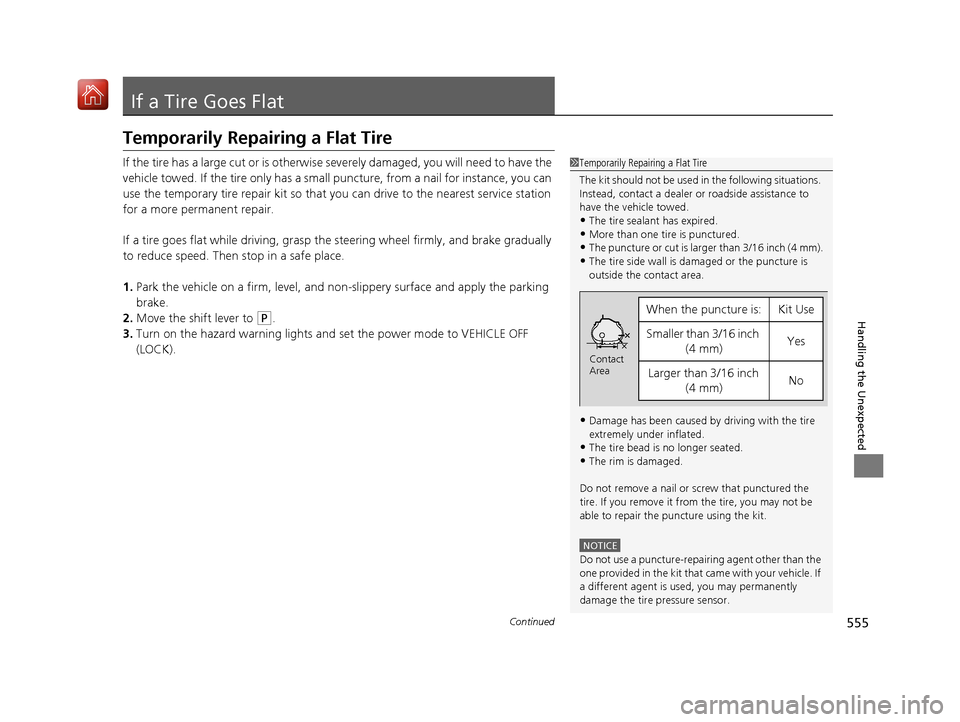
•More than one tire is punctured.•The puncture or cut is larger than 3/16 inch (4 mm).
•The tire side wall is da maged or the puncture is
outside the contact area.
•Damage has been caused by driving with the tire
extremely under inflated.
•The tire bead is no longer seated.
•The rim is damaged.
Do not remove a nail or screw that punctured the
tire. If you remove it from the tire, you may not be
able to repair the puncture using the kit.
NOTICE
Do not use a puncture-repairing agent other than the
one provided in the kit that came with your vehicle. If
a different agent is used, you may permanently
damage the tire pressure sensor.
When the puncture isYKit Use
Smaller than 3/16 inch (4 mm)Yes
Larger than 3/16 inch (4 mm)No
Contact
Area
19 ACURA ILX-31TX66610.book 555 ページ 2020年4月17日 金曜日 午前8時52分