warning lights ACURA ILX 2022 User Guide
[x] Cancel search | Manufacturer: ACURA, Model Year: 2022, Model line: ILX, Model: ACURA ILX 2022Pages: 632, PDF Size: 20.56 MB
Page 596 of 632

594
Handling the Unexpected
Overheating
How to Handle Overheating
Overheating symptoms are as follows:
•The temperature gauge needle is at th e mark or the engine suddenly loses
power.
• The Engine Temperature Too Hot. message appears on the multi-information
display.
• Steam or spray comes out of the engine compartment.
■First thing to do
1. Immediately park the vehicle in a safe place.
2. Turn off all accessories and turn on the hazard warning lights.
u No steam or spray present: Keep the engine running and open the hood.
u Steam or spray is present: Turn off the engine and wait until it subsides.
Then, open the hood.
1 How to Handle Overheating
NOTICE
Continuing to drive with the temperature gauge
needle at the mark may damage the engine.
Continuing to drive with the Engine Temperature
Too Hot. message on the multi- information display
may damage the engine.
3WARNING
Steam and spray from an overheated
engine can seri ously scald you.
Do not open the hood if steam is coming
out.
H
H
22 ACURA ILX-31TX66900.book 594 ページ 2021年4月26日 月曜日 午前11時27分
Page 598 of 632

596
Handling the Unexpected
Indicator, Coming On/Blinking
If the Low Oil Pressure Indicator Comes On
■Reasons for the indicator to come on
Comes on when the engine oil pressure is low.
■What to do as soon as the indicator comes on
1. Immediately park the vehicle on level ground in a safe place.
2. If necessary, turn the ha zard warning lights on.
■What to do after parking the vehicle
1. Stop the engine and let it sit for approximately one minute.
2. Open the hood and check the oil level.
u Add oil as necessary.
2 Oil Check P. 527
3.Start the engine and check th e low oil pressure indicator.
u The indicator goes off: Start driving again.
u The indicator does not go off within 10 seconds: Immediately stop
the engine and contact a dealer for repairs.
If the Charging System Indicator Comes On
■Reasons for the indicator to come on
Comes on when there is a prob lem with the charging system.
■What to do when the indicator comes on
Turn off the climate con trol system, rear defogger, and other electrical
systems, and immediately contact a dealer for repairs.
1 If the Low Oil Pressure Indicator Comes On
NOTICE
Running the engine with low oil pressure can cause
serious mechanical damage almost immediatelyM
1If the Charging System Indicator Comes On
If you need to stop temporarily, do not turn off the
engine. Restarting the engi ne may rapidly discharge
the battery.
22 ACURA ILX-31TX66900.book 596 ページ 2021年4月26日 月曜日 午前11時27分
Page 626 of 632
624
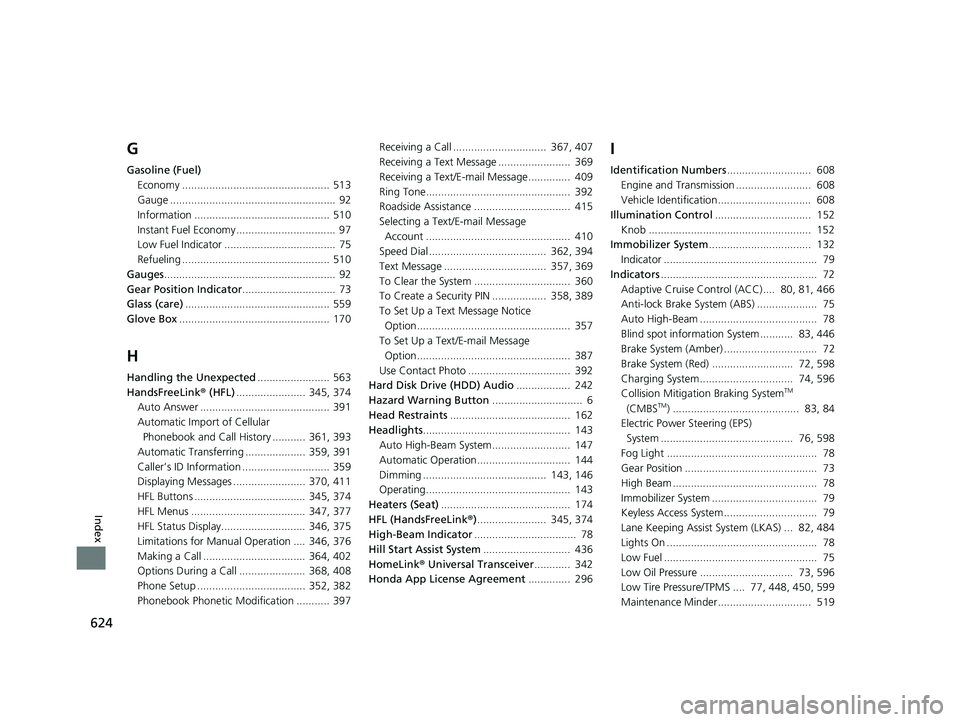
Index
G
Gasoline (Fuel)Economy ................................................. 513
Gauge ....................................................... 92
Information ............................................. 510
Instant Fuel Economy ................................. 97
Low Fuel Indicator ..................................... 75
Refueling ................................................. 510
Gauges ......................................................... 92
Gear Position Indicator ............................... 73
Glass (care) ................................................ 559
Glove Box .................................................. 170
H
Handling the Unexpected ........................ 563
HandsFreeLink® (HFL)....................... 345, 374
Auto Answer ........................................... 391
Automatic Import of Cellular
Phonebook and Call History ........... 361, 393
Automatic Transferring .................... 359, 391
Caller’s ID Information ............................. 359
Displaying Messages ........................ 370, 411
HFL Buttons ..................................... 345, 374
HFL Menus ...................................... 347, 377
HFL Status Display............................ 346, 375
Limitations for Manual Operation .... 346, 376
Making a Call .................................. 364, 402
Options During a Call ...................... 368, 408
Phone Setup .................................... 352, 382
Phonebook Phonetic M odification ........... 397 Receiving a Call ............................... 367, 407
Receiving a Text Message ........................ 369
Receiving a Text/E-mail Message.............. 409
Ring Tone................................................ 392
Roadside Assistance ................................ 415
Selecting a Text/E-mail Message
Account ................................................ 410
Speed Dial ....................................... 362, 394
Text Message .................................. 357, 369
To Clear the System ................................ 360
To Create a Security PIN .................. 358, 389
To Set Up a Text Message Notice Option................................................... 357
To Set Up a Text/E-mail Message
Option................................................... 387
Use Contact Photo .................................. 392
Hard Disk Drive (HDD) Audio .................. 242
Hazard Warning Button .............................. 6
Head Restraints ........................................ 162
Headlights ................................................. 143
Auto High-Beam System.......................... 147
Automatic Operation............................... 144
Dimming ......................................... 143, 146
Operating................................................ 143
Heaters (Seat) ........................................... 174
HFL (HandsFreeLink ®)....................... 345, 374
High-Beam Indicator .................................. 78
Hill Start Assist System ............................. 436
HomeLink ® Universal Transceiver ............ 342
Honda App License Agreement .............. 296
I
Identification Numbers............................ 608
Engine and Transmission ......................... 608
Vehicle Identification............................... 608
Illumination Control ................................ 152
Knob ...................................................... 152
Immobilizer System .................................. 132
Indicator ................................................... 79
Indicators .................................................... 72
Adaptive Cruise Control (ACC).... 80, 81, 466
Anti-lock Brake System (ABS) .................... 75
Auto High-Beam ....................................... 78
Blind spot information System ........... 83, 446
Brake System (Amber) ............................... 72
Brake System (Red) ........................... 72, 598
Charging System............................... 74, 596
Collision Mitigati on Braking System
TM
(CMBSTM) .......................................... 83, 84
Electric Power Steering (EPS)
System ............................................ 76, 598
Fog Light .................................................. 78
Gear Position ............................................ 73
High Beam ................................................ 78
Immobilizer System ................................... 79
Keyless Access System............................... 79
Lane Keeping Assist System (LKAS) ... 82, 484
Lights On .................................................. 78
Low Fuel ................................................... 75
Low Oil Pressure ............................... 73, 596
Low Tire Pressure/TPMS .... 77, 448, 450, 599
Maintenance Minder............................... 519
22 ACURA ILX-31TX66900.book 624 ページ 2021年4月26日 月曜日 午前11時27分