lights Acura Integra 2000 Sedan User Guide
[x] Cancel search | Manufacturer: ACURA, Model Year: 2000, Model line: Integra, Model: Acura Integra 2000Pages: 273, PDF Size: 4.4 MB
Page 74 of 273

Key
s an d Lock s
LOC K (0 ) — You can insert or
remove the key only in this position.
To switch from ACCESSORY to LOCK, you must push the key in
slightly as you turn it. If your car has
an automatic transmission, the shift
lever must also be in Park. The anti-
theft lock will lock the steering
column when you remove the key. If the front wheels are turned, the
anti-theft lock may sometimes make
it difficult to turn the key from
LOCK to ACCESSORY. Firmly turn
the steering wheel to the left or to
the right as you turn the key. ACCESSOR
Y (I ) — In this position,
you can operate the audio system and the cigarette lighter.
O N (II ) — This is the normal key
position when driving. All features
and accessories on the car are usable. Several of the lights on the instru-
ment panel come on as a test when
you turn the ignition switch from ACCESSORY to ON. STAR
T (III ) — Use this position
only to start the engine. The switch
returns to ON (II) when you let go of
the key.
The engine will not start if the Immobilizer System does not
recognize the key's coding (see page 69).
You will hear a reminder beeper if
you leave the key in the ignition switch in the LOCK (0) or
ACCESSORY (I) position and open
the driver's door. Remove the key to
turn off the beeper.
Instrument s an d Control s
Removing the key from the
ignition switch while driving
locks the steering. This can cause you to lose control.
Remove the key from the
ignition switch only when
parked.
Page 78 of 273

Key
s an d Locks , Sea t Adjustment s
Glov e Bo x
Open the glove bohx by pulling the
bottom of the handle. Close it with a
firm push. Lock or unlock the glove
box with the master key. The glove box light comes on only
when the instrument panel lights are
on.
Sea
t Adjustment s
See pages 12 — 13 for important safety
information and warnings about how to properly position seats and seat-backs.
Adjust the seat before you start
driving.
To adjust the seat forward and
backward, pull up on the lever under the seat cushion's front edge. Move
the seat to the desired position and
release the lever. Try to move the seat to make sure it is locked in
position.
Instrument s an d Control s
CONTINUED
An open glove box can cause
serious injury to your passenger
in a crash, even if the
passenger is wearing the seat
belt.
Always keep the glove box
closed while driving.
Page 84 of 273

Mirror
s
Keep the inside and outside mirrors
clean and adjusted for best visibility.
Be sure to adjust the mirrors before
you start driving. The inside mirror has day and night
positions. The night position reduces
glare from headlights behind you. Flip the tab on the bottom edge of
the mirror to select the day or night
position.
Adjusting the Power Mirrors
Adjust the outside mirrors with the adjustment switch on the driver's
door:
1. Turn the ignition switch ON (II).
2. Move the selector switch to L (driver s side) or R (passenger's
side).
CONTINUED
Instrument s an d Control s
SELECTO
R SWITC H
TA B
Page 93 of 273

Heatin
g an d Coolin g
Proper use of the Heating and
Cooling system can make the
interior dry and comfortable, and
keep the windows clear for best
visibility.
Wha t Eac h Contro l Doe s
Fa n Contro l Leve r
Sliding this lever to the right
increases the fan's speed, which
increases air flow.
Temperature Contro l Leve r
Sliding this lever to the right
increases the temperature of the air
flow.
Ai r Conditionin g (A/C ) Butto n
This button turns the air condi-
tioning ON and OFF. The indicator
in the button lights when the A/C is
on.
Recirculatio
n Butto n
This button controls the source of
the air going into the system. When
the indicator in this button is lit, air
from the car's interior is sent through the system again (Recircula-
tion mode). When the indicator is off, air is brought in from outside the car
(Fresh Air mode).
Comfor t an d Convenienc e Feature s
MOD
E BUTTON S
RECIRCULATIO N
BUTTO N
AI
R CONDITIONIN G
BUTTO N
FA N CONTRO L
LEVE R
TEMPERATUR
E
CONTRO L LEVE R
Page 128 of 273
Accessorie
s an d Modification s
Modifying your car, or installing some non-Acura accessories, can
make your car unsafe. Before you
make any modifications or add any
accessories, be sure to read the following information.
Accessorie s
Your dealer has Genuine Acura
accessories that allow you to
personalize your car. These accessories have been designed and
approved for your car, and are
covered by warranty.
Non-Acura accessories are usually
designed for universal applications.
Although aftermarket accessories
may fit on your car, they may not
meet factory specifications, and
could adversely affect your car's
handling and stability. (See
"Modifications" on the page 126 for
additional information.) When properly installed, cellular
phones, alarms, two-way radios, and
low-powered audio systems should not interfere with your car's
computer-controlled systems, such
as the SRS and anti-lock brake
system.
However, if electronic accessories
are improperly installed, or exceed your car's electrical system capacity,
they can interfere with the operation of your car, or even cause the
airbags to deploy.
Before installing any accessory:
Make sure the accessory does not
obscure any lights, or interfere
with proper car operation or
performance. Be sure electronic accessories do
not overload electrical circuits (see page 236 ). Have the installer contact your
Acura dealer for assistance before
installing any electronic accessory.
If possible, have your dealer inspect
the final installation.
Before Drivin g
Improper accessories or
modifications can affect your
car's handling, stability and performance, and cause a
crash in which you can be hurt
or killed.
Follow all instructions in this
owner's manual regarding
accessories and modifications.
Page 135 of 273

Preparin
g to Driv e
You should do the following checks and adjustments every day before
you drive your car.
1. Make sure all windows, mirrors, and outside lights are clean and
unobstructed. Remove frost, snow,
or ice.
2. Check that the hood and trunk are fully closed.
3. Visually check the tires. If a tire looks low, use a gauge to check its
pressure.
4. Check that any items you may be carrying with you inside are stored
properly or fastened down
securely.
5. Check the adjustment of the seat
(see page 75 ).
6. Check the adjustment of the inside and outside mirrors (see
page 81 ).
7. Check the adjustment of the steering wheel (see page 65 ).
8. Make sure the doors are securely
closed and locked.
9. Fasten your seat belt. Check that
your passengers have fastened
their seat belts (see page 15 ). 10.Turn the ignition switch ON (II).
Check the indicator lights in the
instrument panel.
11.Start the engine (see page 133 ).
12.Check the gauges and indicator lights in the instrument panel (see
page 53 ).
Drivin g
Page 143 of 273
Parkin
g
Always use the parking brake when
you park your car. The indicator on
the instrument panel shows that the
parking brake is not fully released; it does not indicate that the parking brake is firmly set. Make sure the
parking brake is set firmly or your
car may roll if it is parked on an
incline.
If your car has an automatic
transmission, set the parking brake
before you put the transmission in
Park. This keeps the car from
moving and putting pressure on the
parking mechanism in the transmission — making it easier to
move the shift lever out of Park
when you want to drive away. If the car is facing uphill, turn the
front wheels away from the curb. If
you have a manual transmission, put it in first gear.
If the car is facing downhill, turn the
front wheels toward the curb. If you
have a manual transmission, put it in
reverse gear.
Make sure the parking brake is fully released before driving away.Driving with the parking brake
partially set can overheat or damage the rear brakes. Parkin
g Tip s
Make sure the moonroof and the windows are closed. Turn off the lights.
Place any packages, valuables, etc.,
in the trunk or take them with you.
Lock the doors. Never park over dry leaves, tall
grass, or other flammable
materials. The three way catalytic
converter gets very hot, and could cause these materials to catch on
fire.
Drivin g
Page 144 of 273

Th
e Brakin g Syste m
Your Acura is equipped with disc brakes at all four wheels. A power
assist helps reduce the effort needed
on the brake pedal.
Put your foot on the brake pedal only
when you intend to brake. Resting
your foot on the pedal keeps the
brakes applied lightly, causing them
to build up heat. Heat build-up can reduce how well your brakes work. Italso keeps your brake lights on all
the time, confusing drivers behind
you.
Constant application of the brakes
when going down a long hill builds
up heat and reduces their effective-
ness. Use the engine to assist the
brakes by downshifting to a lower
gear and taking your foot off the
accelerator pedal.
Check your brakes after driving
through deep water. Apply the
brakes moderately to see if they feel
normal. If not, apply them gently and
frequently until they do. Since a
longer distance is needed to stop with wet brakes, be extra cautious
and alert in your driving. Brak
e Wea r Indicator s
All four brakes have audible brake
wear indicators.
When the brake pads need replacing, you will hear a distinctive metallic"screeching" sound when you apply
the brakes. If you do not have the
brake pads replaced, they will begin screeching all the time.
Your brakes may sometimes squeal or squeak when you apply them
lightly. Do not confuse this with the
brake wear indicators. They make a
very audible "screeching."
Driving
Page 148 of 273
Drivin
g in Ba d Weathe r
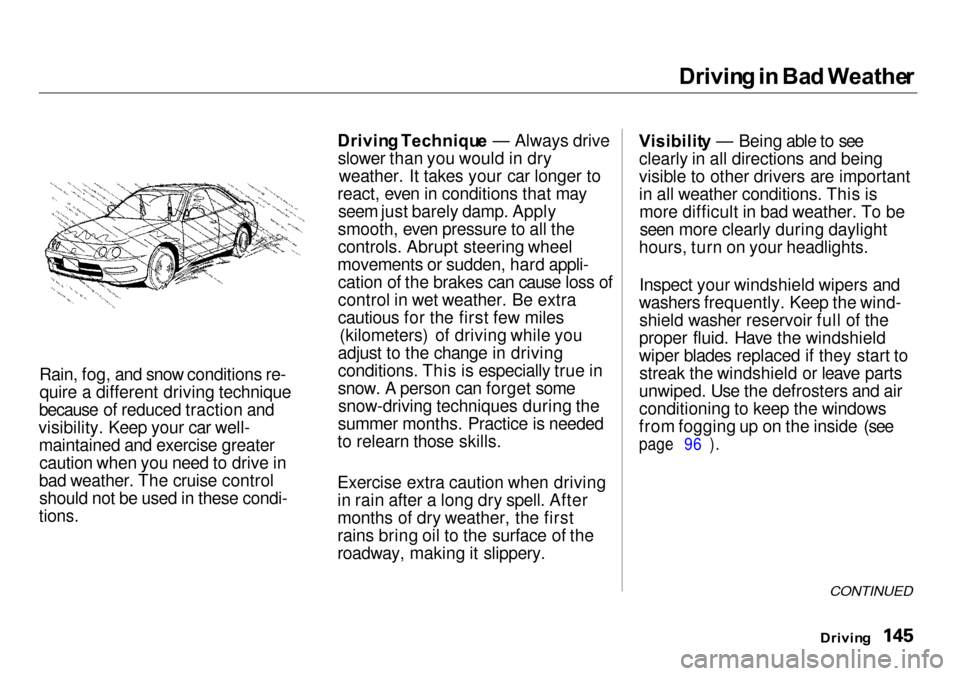
Rain, fog, and snow conditions re- quire a different driving technique
because of reduced traction and
visibility. Keep your car well- maintained and exercise greatercaution when you need to drive in
bad weather. The cruise control should not be used in these condi-
tions.
Drivin
g Techniqu e — Always drive
slower than you would in dry weather. It takes your car longer to
react, even in conditions that may seem just barely damp. Apply
smooth, even pressure to all the
controls. Abrupt steering wheel
movements or sudden, hard appli- cation of the brakes can cause loss of
control in wet weather. Be extra
cautious for the first few miles (kilometers) of driving while you
adjust to the change in driving
conditions. This is especially true in
snow. A person can forget some snow-driving techniques during the
summer months. Practice is needed
to relearn those skills.
Exercise extra caution when driving
in rain after a long dry spell. After
months of dry weather, the first
rains bring oil to the surface of the
roadway, making it slippery. Visibilit
y — Being able to see
clearly in all directions and being
visible to other drivers are important
in all weather conditions. This is more difficult in bad weather. To beseen more clearly during daylight
hours, turn on your headlights.
Inspect your windshield wipers and
washers frequently. Keep the wind- shield washer reservoir full of the
proper fluid. Have the windshield
wiper blades replaced if they start to streak the windshield or leave parts
unwiped. Use the defrosters and air
conditioning to keep the windows
from fogging up on the inside (see
page 96 ).
CONTINUED
Drivin g
Page 152 of 273

Towin
g a Traile r
Safety Chain
Always use a safety chain. Make
sure that it is secured to both the trailer and hitch, and that it crosses
under the tongue so it can catch the
trailer if it becomes unhitched. Leave enough slack to allow the
trailer to turn corners easily, but do not let the chain drag on the ground.
Trailer Brakes
Acura recommends that any trailer having a total weight of 1,000 lbs (450 kg) or more be equipped with
its own electric or surge-type brakes.
If you choose electric brakes, be sure they are electronically actuated.
Do not attempt to tap into your
vehicle's hydraulic system. No matter how successful it may seem,
any attempt to attach trailer brakes
to your vehicle's hydraulic system
will lower braking effectiveness and
create a potential hazard.
Trailer Lights
Your vehicle has a trailer lighting connector located behind the leftside panel in the cargo area. Refer to
the drawing above for the wiring
color code and purpose of each pin.
If you use a converter, you can get
the connector and pins that mate
with the connector in your vehicle
from your Acura dealer. Since lighting and wiring vary with
trailer type and brand, you should also have a qualified technician
install a suitable connector between
the vehicle and the trailer.
CONTINUED
Drivin g
GROUN
D
(BLACK )
BACK-U
P LIGH T
(GREEN/BLACK )LEF
T TUR N SIGNA L
(GREEN/BLUE )
RIGH T TUR N SIGNA L
(GREEN/YELLOW )BRAK
E LIGH T
(GREEN/WHITE )TAILLIGH
T
(RED/BLACK )