lights Acura Integra 2000 Sedan Owner's Manual
[x] Cancel search | Manufacturer: ACURA, Model Year: 2000, Model line: Integra, Model: Acura Integra 2000Pages: 273, PDF Size: 4.4 MB
Page 6 of 273
You
r Ca r a t a Glanc e
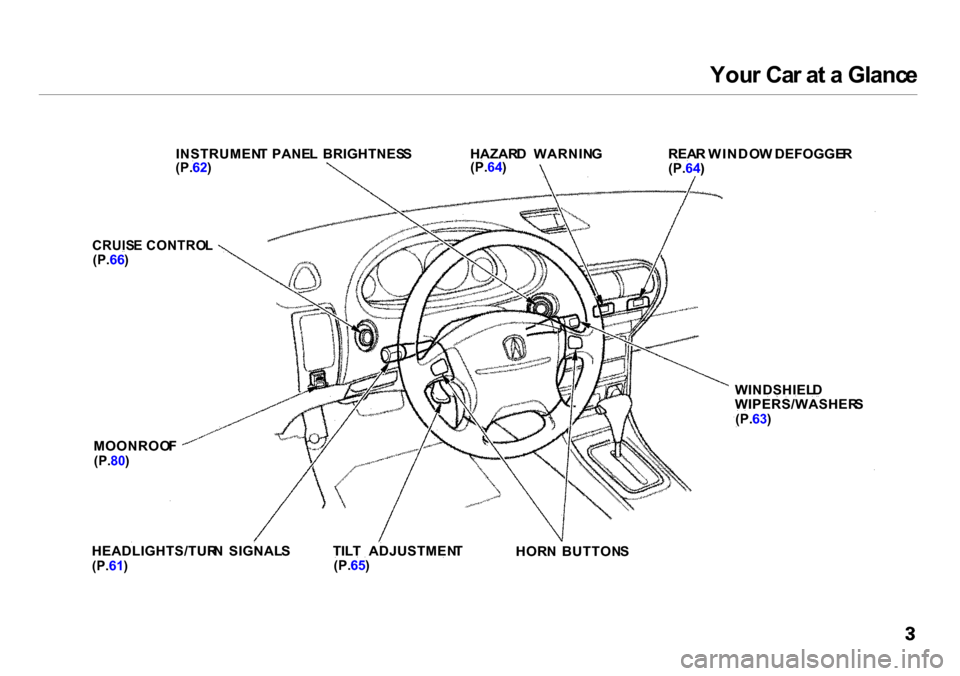
INSTRUMEN T PANE L BRIGHTNES S
(P. 62)
HAZAR
D WARNIN G
(P. 64)
REA
R WINDO W DEFOGGE R
(P. 64)
CRUIS E CONTRO L
(P. 66)
MOONROO F
(P. 80)
WINDSHIEL
D
WIPERS/WASHER S
(P. 63)
HEADLIGHTS/TUR N SIGNAL S
(P. 61)
TIL
T ADJUSTMEN T
(P. 65)
HOR
N BUTTON S
Page 54 of 273

Instrument
s an d Control s
This section gives information about the controls and displays that
contribute to the daily operation of
your Acura. All the essential controls
are within easy reach.
Control Locations............................ 52
Indicator Lights................................ 53
Gauges.............................................. 57
Speedometer................................ 57
Tachometer.................................. 57
Odometer...................................... 57
Trip Meter.................................... 57
Fuel Gauge................................... 58
Temperature Gauge....................
58
Maintenance Require
d
Indicator.................................... 59
Controls Near the Steering
Wheel........................................ 60
Headlights.................................... 61
Instrument Panel Brightness.....
62
Turn S
ignals.................................
62
Windshield Wipers.
..................... 63
Windshield Washers..................
. 63
Hazard Warning...........................
64
Rear Windo
w Defogger.............. 64
Steering Wheel Adjustment....... 65
Steering Wheel Controls................ 66
Cruise Control.............................. 66
Keys and Locks................................ 69
Keys............................................... 69
Immobilizer System..................... 69
Ignition Switch............................. 70
Power Door Locks....................... 72
Childproof Door Locks............... 73
Trunk............................................ 73
Glove Box..................................... 75
Seat Adjustments............................. 75
Driver's Seat Height
Adjustment............................... 76
Driver's Lumbar Support............ 76
Head Restraints........................... 77
Folding Rear Seat............................ 77
Power Windows............................... 79
Moonroof.......................................... 80
Mirrors.............................................. 81
Adjusting the Power Mirrors..... 81
Parking Brake.................................. 82
Digital Clock..................................... 83
Beverage Holder.............................. 84 Console Compartment.................... 85
Cigarette Lighter............................. 85
Ashtrays............................................ 86
Interior Lights.................................. 87
Instrument s an d Control s
Page 57 of 273

Indicato
r Light s
Sea t Bel t Reminde r Ligh t
This indicator lights when you turn
the ignition switch ON (II). It is a
reminder to you and your passengers
to protect yourselves by fastening the seat belts. A beeper also sounds
if you have not fastened your seat
belt.
If you do not fasten your seat belt,
the beeper will stop after a few seconds but the light stays on until
you do. Both the light and the beeper
stay off if you fasten your seat belt
before turning on the ignition. Chargin
g Syste m
Indicato r
If this light comes on when the
engine is running, the battery is not
being charged. For complete
information, see page 232 .
Low Oi l Pressur e
Indicato r
The engine can be severely damaged
if this light flashes or stays on when the engine is running. For complete
information, see page 231.
Parkin
g Brak e an d
Brak e Syste m Indicato r
This light has two functions:
1. It lights as a reminder that you have not released the parking
brake. Driving with the parking
brake applied can damage thebrakes and tires, and cause the
Anti-lock brake system to turn off (see page 142).
2. If it remains lit after you release the parking brake while the engine
is running, or comes on while
driving, it can indicate a problem
in the brake system. For complete
information, see page 234.
Instrument s an d Control s
BRAK
E
Page 58 of 273

Indicato
r Light s
Supplementa l Restrain t
Syste m Indicato r
This indicator lights when you turn
the ignition switch ON (II). If it comes on at any other time, it
indicates a problem in the supplemental restraint system. For
complete information, see page 45.
Anti-lock Brak e Syste m
(ABS ) Indicato r
This light normally comes on for a
few seconds when you turn the ignition switch ON (II), and when
the ignition switch is turned to START (III). If this light comes on at
any other time, there is a problem in the ABS. If this happens, take the
car to your dealer to have it checked.
With the light on, your car still has normal braking ability but no anti-
lock. For complete information, see
page 144.
Lo
w Fue l Indicato r
This light comes on as a reminder
that you must refuel soon. Immobilize r Syste m
Indicato r
This indicator comes on for a few
seconds when you turn the ignition
switch ON (II). It will then go off if
you have inserted a properly-coded
ignition key. If it is not a properly-
coded key, the indicator will blink
and the engine will not start (see
page 69 ).
This indicator also blinks several
times when you turn the ignition switch from ON (II) to ACCESSORY
(I) or LOCK (0).
Malfunctio
n Indicato r
Lam p
See page 233.
Trunk-ope n Indicato r
This light comes on if the trunk lid is
not closed tightly.
Door-ope n Indicato r
This light comes on if a door is not
closed tightly.
Instrument s an d Control s
S
R
S
A
B S
Page 59 of 273
Indicato
r Light s
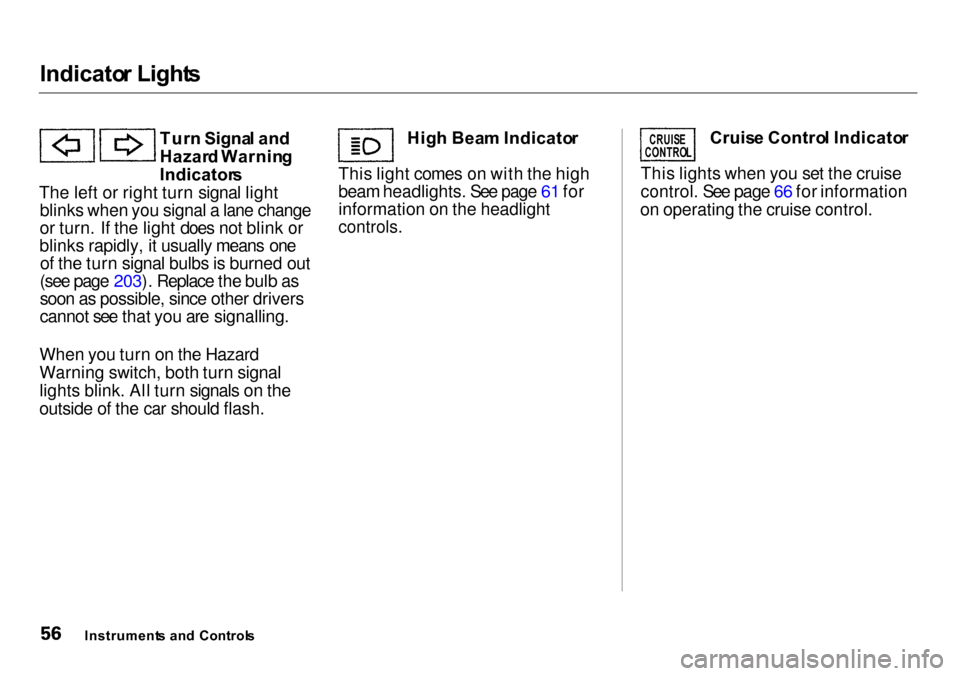
Tur n Signa l an d
Hazar d Warnin g
Indicator s
The left or right turn signal light blinks when you signal a lane change
or turn. If the light does not blink or
blinks rapidly, it usually means one of the turn signal bulbs is burned out
(see page 203). Replace the bulb as
soon as possible, since other drivers
cannot see that you are signalling.
When you turn on the Hazard
Warning switch, both turn signal
lights blink. All turn signals on the
outside of the car should flash. Hig
h Bea m Indicato r
This light comes on with the high
beam headlights. See page 61 for
information on the headlight
controls.
Cruis
e Contro l Indicato r
This lights when you set the cruise
control. See page 66 for information
on operating the cruise control.
Instrument s an d Control s
CRUIS
E
CONTRO L
Page 63 of 273

Control
s Nea r th e Steerin g Whee l
The two levers on the steering
column contain controls for driving
features you use most often. The left
lever controls the turn signals,
headlights, and high beams. The right lever controls the windshield
washers and wipers.
The controls on the dashboard to the right of the steering column are for
the instrument panel brightness,
hazard warning lights and rear
window defogger.
The moonroof switch and cruise
control switch are to the left of thesteering column.
The tilt adjustment lever on the
underside of the steering column allows you to tilt the steering wheel.
Instrument s an d Control s
WINDSHIEL
D
WIPERS/WASHER S
HOR
N
BUTTON S
TIL T ADJUSTMEN T
HEADLIGHTS /
TUR N SIGNAL S
MOONROO
F
HAZAR
D WARNIN G
REA
R WINDO W
DEFOGGE R
INSTRUMEN
T PANE L
BRIGHTNES S
CRUIS
E
CONTRO L
Page 64 of 273

Control
s Nea r th e Steerin g Whee l
Headlight s
The rotating switch on the left lever
controls the lights. Turning this switch to the position turns
on the parking lights, taillights,
instrument panel lights, side-marker
lights, and rear license plate lights. Turning the switch to the
position turns on the headlights. If you leave the lights on with the
ignition switch in ACCESSORY (I)
or LOCK (0), you will hear a
reminder chime when you open the driver's door.
To change between low beams and high beams, pull the turn signal lever
until you hear a click, then let go.
The blue high beam indicator will
light (see page 56). To flash the high beams, pull the
turn signal lever back lightly, then
release it. The high beams will come
on and go off.
The high beams will stay on for as long as you hold the lever back, no
matter what position the headlight
switch is in.
CONTINUED
Instrument s an d Control s
Page 65 of 273

Control
s Nea r th e Steerin g Whee l
Instrument Panel Brightness
The knob on the dashboard to the
right of the steering column controls
the brightness of the instrument
panel lights. Turn the knob to adjust
the brightness. Tur
n Signal s
Signal a turn or lane change with this
lever. Push down on the lever to
signal a left turn, and up to signal a right turn. If you push it up or down
all the way, the turn signal continues
to blink even when you release the lever. It shuts off automatically as
you complete the turn. To signal a lane change, push lightly
on the turn signal lever in the proper
direction and hold it. The lever will
return to the center position as soon as you release it.
Instrument s an d Control s
TUR
N SIGNA L LEVE R
Page 67 of 273

Control
s Nea r th e Steerin g Whee l
Hazar d Warnin g
Push the red button under the center
air vent to turn on the hazard warn-
ing lights (four-way flashers). This
causes all four outside turn signals
and both indicators in the instrument
panel to flash. Use the hazard
warning lights if you need to park in a dangerous area near heavy traffic,
or if your car is disabled. Rea
r Windo w Defogge r
The rear window defogger will clear fog, frost, and thin ice from the
window. Push the defogger button to
turn it on and off. The light in the button lights to show the defogger ison. If you do not turn it off, the
defogger will shut itself off after
about 25 minutes. It also shuts off
when you turn off the ignition. You have to turn it on again when you
restart the car. Make sure the rear window is clear
and you have good visibility before
starting to drive.
The defogger wires on the inside of the rear window can be accidentallydamaged. When cleaning the glass,
always wipe side to side.
Instrument s an d Control s
Page 68 of 273

Control
s Nea r th e Steerin g Whee l
Steerin g Whee l Adjustmen t
See page 18 for important safety
information about how to properly
position the steering wheel.
Make any steering wheel adjustment
before you start driving.
To adjust the steering wheel upwardor downward:
1. Push the lever under the steering column all the way down.
2. Move the steering wheel to the desired position, making sure the
wheel points toward your chest,
not toward your face. Make sure
you can see the instrument panel
gauges and the indicator lights. 3. Push the lever up to lock the
steering wheel in that position.
4. Make sure you have securely locked the steering wheel in place
by trying to move it up and down.
Instrument s an d Control s
Adjusting the steering wheel
position while driving may
cause you to lose control of the
car and be seriously injured in a
crash.
Adjust the steering wheel only
when the car is stopped.