instrument panel ACURA INTEGRA 2024 Repair Manual
[x] Cancel search | Manufacturer: ACURA, Model Year: 2024, Model line: INTEGRA, Model: ACURA INTEGRA 2024Pages: 766, PDF Size: 28.39 MB
Page 142 of 766

140
uuGauges and Displays uDriver Information Interface (Right Side Area)
Instrument Panel
*1:Default SettingSetup Group Customizabl
e FeaturesDescription Selectable Settings
Maintenance
reset—
Resets the Maintenance MinderTM display
when you have performed the
maintenance service.
(Selects Reset Items)
Default all—
Cancels customized changes you have
made or restores them to their default
setting.
Cancel /Set
24 ACURA INTEGRA-313S56100.book 140 ページ 2023年2月13日 月曜日 午後2時41分
Page 143 of 766
141
uuGauges and Displays uDriver Information Interface (Right Side Area)
Continued
Instrument Panel
■Example of customization settings
The steps for changing the “Trip A” reset timing setting to When fully refueled
are shown below. The default setting for “Trip A” reset timing is Manually reset .
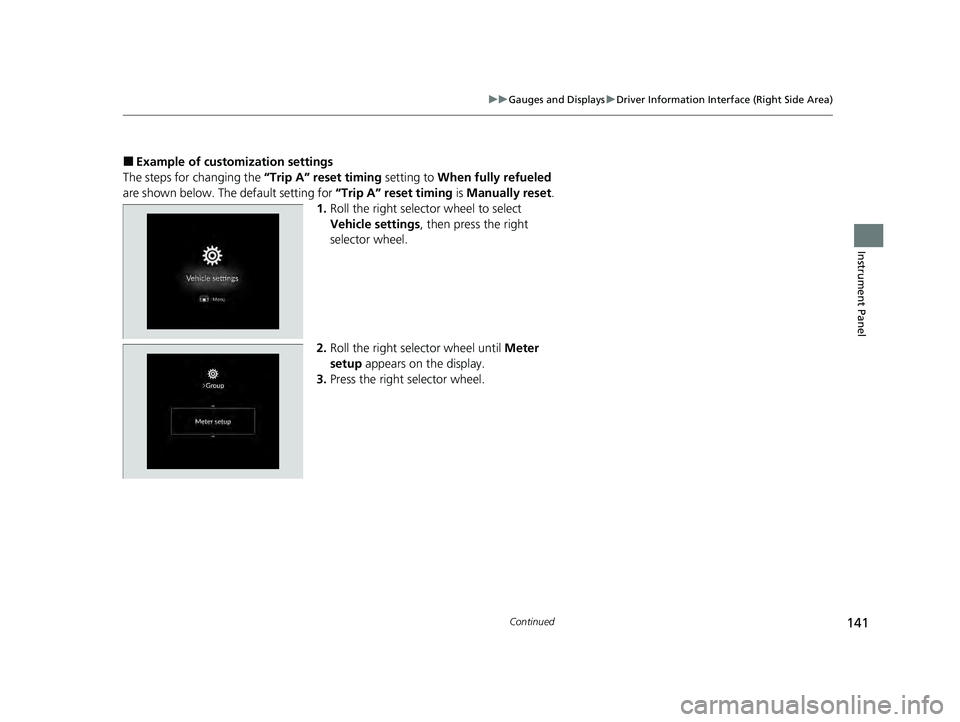
1. Roll the right selector wheel to select
Vehicle settings , then press the right
selector wheel.
2. Roll the right selector wheel until Meter
setup appears on the display.
3. Press the right selector wheel.
24 ACURA INTEGRA-313S56100.book 141 ページ 2023年2月13日 月曜日 午後2時41分
Page 144 of 766
142
uuGauges and Displays uDriver Information Interface (Right Side Area)
Instrument Panel
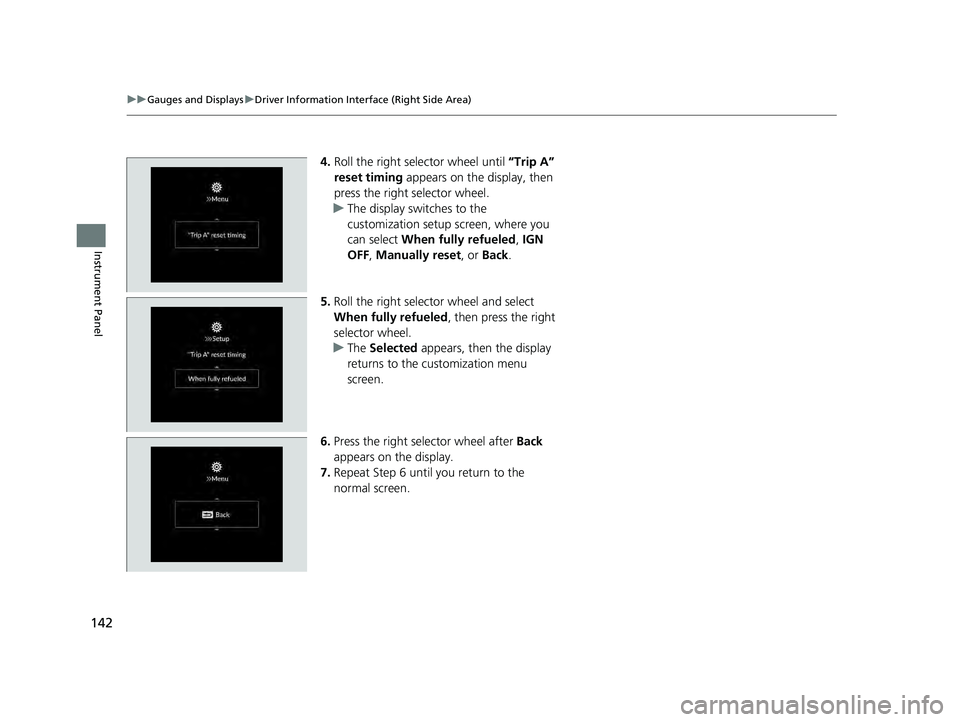
4. Roll the right selector wheel until “Trip A”
reset timing appears on the display, then
press the right selector wheel.
u The display switches to the
customization setup screen, where you
can select When fully refueled , IGN
OFF , Manually reset , or Back.
5. Roll the right selector wheel and select
When fully refueled , then press the right
selector wheel.
u The Selected appears, then the display
returns to the customization menu
screen.
6. Press the right selector wheel after Back
appears on the display.
7. Repeat Step 6 until you return to the
normal screen.
24 ACURA INTEGRA-313S56100.book 142 ページ 2023年2月13日 月曜日 午後2時41分
Page 145 of 766
143
uuGauges and Displays uHead-Up Display*
Continued
Instrument Panel
Head-Up Display*
Shows the current mode for ACC with Low Speed Follow*, LKAS, and Traffic Jam
Assist*; compass or turn-by-turn directions; and vehicle speed. You can choose
which item to be displayed using the driver information interface. They are displayed
when the power mode is in ON. The display also shows the following
messages.
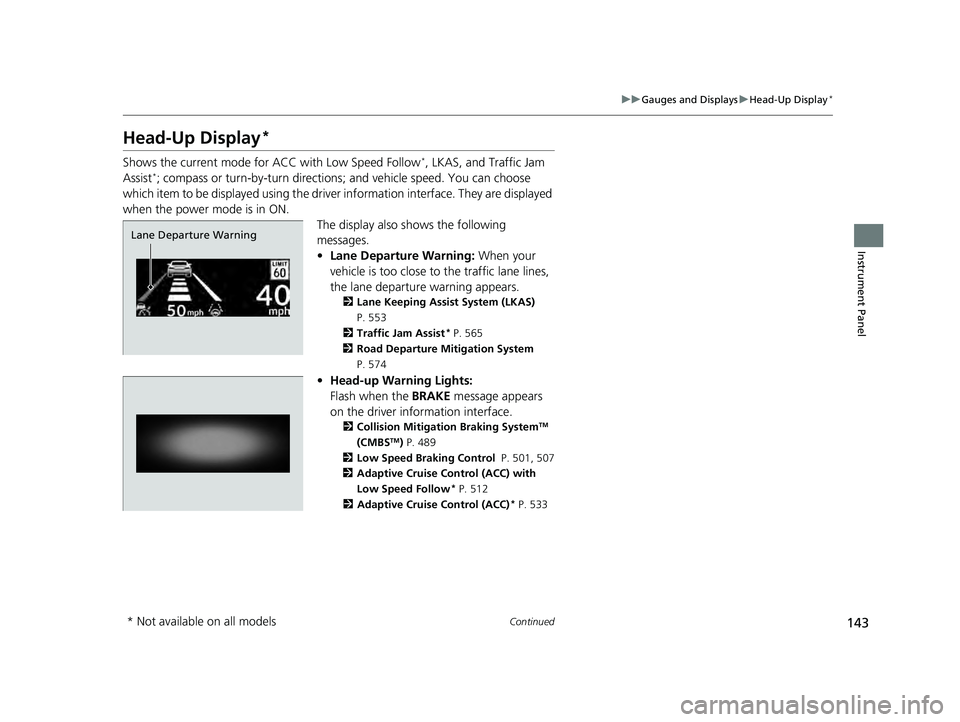
•Lane Departure Warning: When your
vehicle is too close to the traffic lane lines,
the lane departure warning appears.
2 Lane Keeping Assist System (LKAS)
P. 553
2 Traffic Jam Assist
* P. 565
2 Road Departure Mitigation System
P. 574
• Head-up Warning Lights:
Flash when the BRAKE message appears
on the driver information interface.
2 Collision Mitigation Braking SystemTM
(CMBSTM) P. 489
2 Low Speed Braking Control P. 501, 507
2 Adaptive Cruise Control (ACC) with
Low Speed Follow
* P. 512
2 Adaptive Cruise Control (ACC)* P. 533
Lane Departure Warning
* Not available on all models
24 ACURA INTEGRA-313S56100.book 143 ページ 2023年2月13日 月曜日 午後2時41分
Page 146 of 766
uuGauges and Displays uHead-Up Display*
144
Instrument Panel
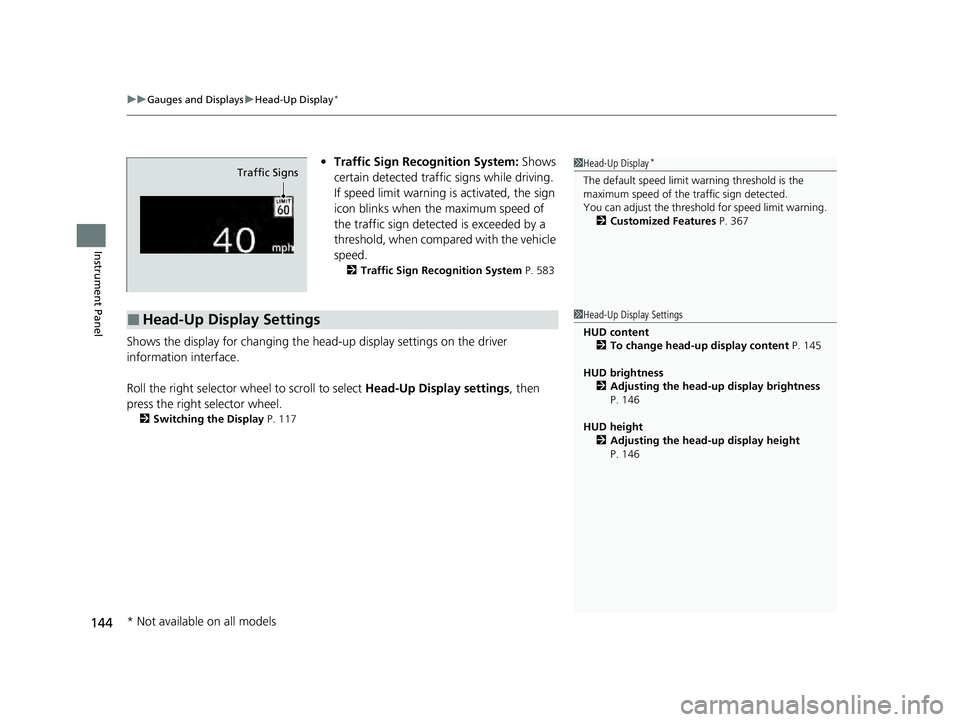
• Traffic Sign Recognition System: Shows
certain detected traffic signs while driving.
If speed limit warning is activated, the sign
icon blinks when th e maximum speed of
the traffic sign detect ed is exceeded by a
threshold, when compar ed with the vehicle
speed.
2 Traffic Sign Recognition System P. 583
Shows the display for changing the head-up display settings on the driver
information interface.
Roll the right selector wheel to scroll to select Head-Up Display settings, then
press the right selector wheel.
2 Switching the Display P. 117
1Head-Up Display*
The default speed limit wa rning threshold is the
maximum speed of the traffic sign detected.
You can adjust the threshol d for speed limit warning.
2 Customized Features P. 367Traffic Signs
■Head-Up Display Settings1Head-Up Display Settings
HUD content
2 To change head-up display content P. 145
HUD brightness 2 Adjusting the head-up display brightness
P. 146
HUD height 2 Adjusting the head-up display height
P. 146
* Not available on all models
24 ACURA INTEGRA-313S56100.book 144 ページ 2023年2月13日 月曜日 午後2時41分
Page 147 of 766
145
uuGauges and Displays uHead-Up Display*
Continued
Instrument Panel
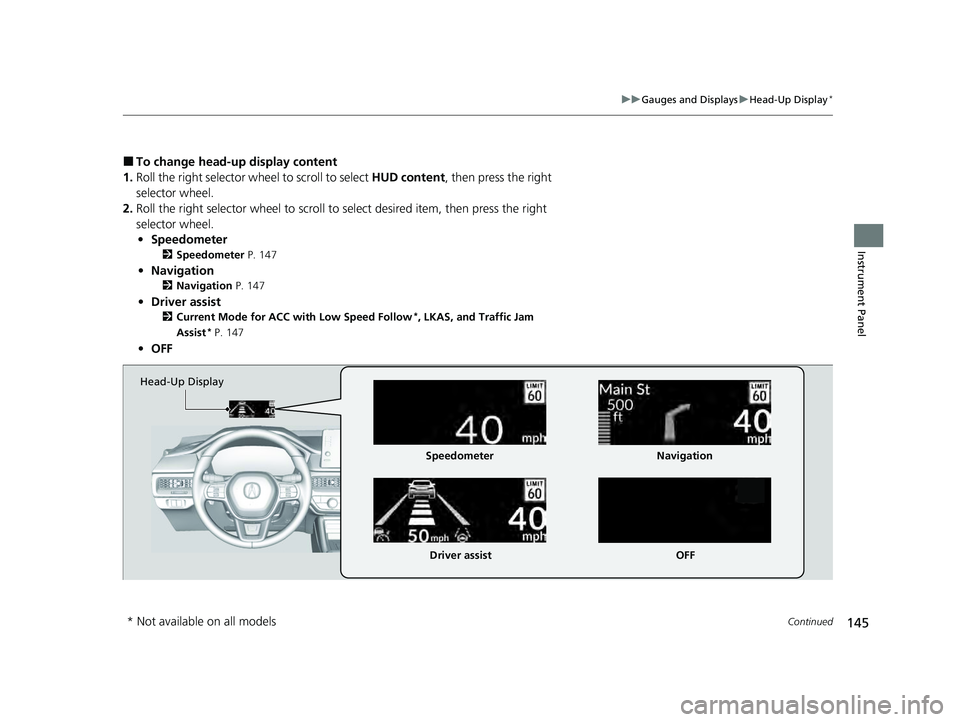
■To change head-up display content
1. Roll the right selector wheel to scroll to select HUD content, then press the right
selector wheel.
2. Roll the right selector wheel to scroll to select desired item, then press the right
selector wheel. • Speedometer
2 Speedometer P. 147
•Navigation
2 Navigation P. 147
•Driver assist
2 Current Mode for ACC with Low Speed Follow*, LKAS, and Traffic Jam
Assist* P. 147
• OFF
Head-Up Display
Speedometer
Driver assist Navigation
OFF
* Not available on all models
24 ACURA INTEGRA-313S56100.book 145 ページ 2023年2月13日 月曜日 午後2時41分
Page 148 of 766
uuGauges and Displays uHead-Up Display*
146
Instrument Panel
■Adjusting the head-up display brightness
Roll the right selector wheel to scroll to select HUD brightness, then press the right
selector wheel.
Brighten: Roll the right selector wheel up.
Dim : Roll the right selector wheel down.
Press the right selector wheel to exit.
■Adjusting the head-up display height
Roll the right selector wheel to scroll to select HUD height, then press the right
selector wheel.
Raise the head-up display : Roll the right selector wheel up.
Lower the head-up display : Roll the right selector wheel down.
Press the right selector wheel to exit.1 Adjusting the head-up display height
When you unlock and open the driver’s door with a
remote transmitter or keyless access system, the
head-up display adjusts auto matically to one of the
two preset positions.
24 ACURA INTEGRA-313S56100.book 146 ページ 2023年2月13日 月曜日 午後2時41分
Page 149 of 766
147
uuGauges and Displays uHead-Up Display*
Instrument Panel
Shows your driving speed in mph or km/h.
Shows the current mode for ACC with Low Speed Follow
I, LKAS, and Traffic Jam
AssistIM
2 Adaptive Cruise Control (ACC) with Low Speed Follow* P. 512
2 Adaptive Cruise Control (ACC)* P. 533
2 Lane Keeping Assist System (LKAS) P. 553
2 Traffic Jam Assist
* P. 565
■Compass
Shows the compass screen.
■Turn-by-Turn Directions
When driving guidance is provided by the Android Auto or Apple CarPlay, turn-by-
turn directions to your destination appear.
2 Android AutoTM P. 333
2 Apple CarPlay P. 326
■Speedometer
■Current Mode for ACC with Low Speed Follow*, LKAS, and
Traffic Jam Assist*
■Navigation
1 Speedometer
Switch between mph and km/h by using the driver
information interface or the customized features on
the audio/information screen.
2 Speed/Distance Units P. 131
2 Customized Features P. 367
1Navigation
You can select whether the turn-by-turn display
comes on during the route guidance.
2 Customized Features P. 367
Turn-by-turn directions may not be available for all
apps.
* Not available on all models
24 ACURA INTEGRA-313S56100.book 147 ページ 2023年2月13日 月曜日 午後2時41分
Page 176 of 766
uuSecurity System uSecurity System Alarm
174
Controls
■When the security sy stem alarm activates
The horn sounds intermittently, and some exterior lights flash.
■To deactivate the security system alarm
Unlock the vehicle using the key, remote trans mitter, or keyless access system, or set
the power mode to ON. The system, along with the horn and flashing lights, is
deactivated.
■Setting the security system alarm
The security system alarm automatically sets when the following conditions have
been met:
• The power mode is set to VEHICLE OFF.
• The hood is closed.
• All doors and hatch are locked from outs ide with the remote transmitter or
keyless access system.
■When the security system alarm sets
The security system alarm indicator in the instrument panel blinks and the blinking
interval changes after about 15 seconds.
■To cancel the security system alarm
The security system alarm is canceled when the vehicle is unlocked using the remote
transmitter or keyless access system, or wh en the power mode is set to ON. The
security system alarm indicator goes off at the same time.
1 Security System Alarm
Do not set the security system alarm when someone
is in the vehicle or a window is open. The system can
accidentally activate when:
•Unlocking the door with the lock tab.•Opening the hood with the hood release.
•Taking the transmission out of ( P.
If the battery goes dead after you have set the
security system alarm, the security alarm may go off
once the battery is re charged or replaced.
If this occurs, deactivate the security system alarm by
unlocking a door using the ke y, remote transmitter or
keyless access system.
Continuously variable transmission models
24 ACURA INTEGRA-313S56100.book 174 ページ 2023年2月13日 月曜日 午後2時41分
Page 184 of 766
uuOperating the Switches Around the Steering Wheel uENGINE START/STOP Button
182
Controls
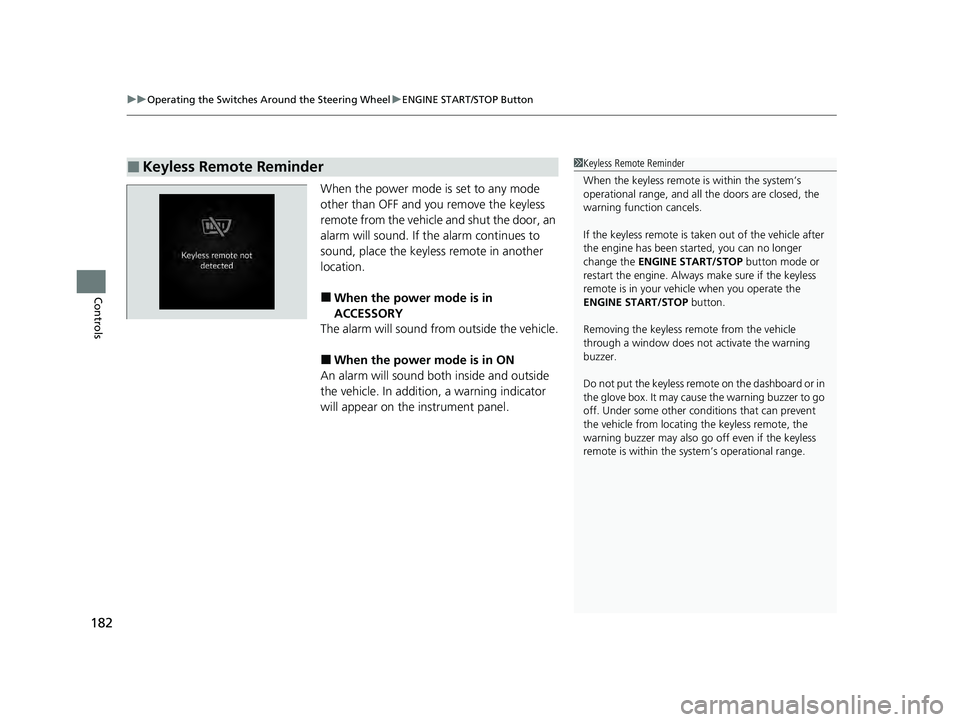
When the power mode is set to any mode
other than OFF and yo u remove the keyless
remote from the vehicle and shut the door, an
alarm will sound. If th e alarm continues to
sound, place the keyless remote in another
location.
■When the power mode is in
ACCESSORY
The alarm will sound from outside the vehicle.
■When the power mode is in ON
An alarm will sound both inside and outside
the vehicle. In addition, a warning indicator
will appear on the instrument panel.
■Keyless Remote Reminder1 Keyless Remote Reminder
When the keyless remote is within the system’s
operational range, and all the doors are closed, the
warning function cancels.
If the keyless remote is taken out of the vehicle after
the engine has been st arted, you can no longer
change the ENGINE START/STOP button mode or
restart the engine. Always make sure if the keyless
remote is in your vehi cle when you operate the
ENGINE START/STOP button.
Removing the keyless remote from the vehicle
through a window does not activate the warning
buzzer.
Do not put the keyless remo te on the dashboard or in
the glove box. It may cause the warning buzzer to go
off. Under some other cond itions that can prevent
the vehicle from locating the keyless remote, the
warning buzzer may also go off even if the keyless
remote is within the system’s operational range.
24 ACURA INTEGRA-313S56100.book 182 ページ 2023年2月13日 月曜日 午後2時41分