dead battery Acura MDX 2009 Owner's Manual
[x] Cancel search | Manufacturer: ACURA, Model Year: 2009, Model line: MDX, Model: Acura MDX 2009Pages: 489, PDF Size: 11.91 MB
Page 5 of 489

2009 MDX Online Reference Owner's Manual
Contents
Owner's Identification Form
Introduction
.............................................................................................................................\
............................. i
A Few Words About Safety ......................................................................\
........................................................ iii
Important Handling Information ........................................................................\
............................................ iv
Your Vehicle at a Glance (main controls) ....................................................\
................................................ 3
Driver and Passenger Safety (seat belts, SRS, and child protection) ......................\
.............................. 5
Instruments and Controls
(indicators, gauges, multi-information display, dashboard, and steering column)
..... 61
Features
(
climate control,audio,rear entertainment,steering wheel,security,cruise \
control,and other convenience items
)
......... 169
Before Driving
(fuel, vehicle break- in, and cargo loading) ................\
..................................................... 321
Driving
(engine and transmission operation) .........................................\
....................................................... 337
Maintenance
(minder, fluid checking, minor services, and vehicle storage)........................................... 381
Taking Care of the Unexpected
(flat tire, dead battery, overheating, and fuses) ............................... 423
Technical Information
(vehicle specifications, tires, and emissions controls) ....................................... 449
Warranty and C
lient Relations (U. S. and Canada only) (warranty and contact information) .......... 465
Index ........................................................................\
....................................................... ................\
........................ I
Service Information Summary
( fluid capacities and tire pressures)
\
\
1 00X31-STX-6200
Page 129 of 489

When you remove the key from the
ignition switch, the steering wheel
automatically moves fully in and up.
To change the‘‘AUTO TILT &
TELESCOPE STEERING WHEEL ’’
setting, see page99.
The steering wheel then returns to
its original position when you insert
the key back in the ignition switch.
Steering wheel movement is also
controlled by the driving position
memory system (see page157). If your vehicle's battery is
disconnected or goes dead, or the
fuse for the power tilt and telescopic
steering wheel is removed, the
power tilt and telescopic steering
wheel system needs to be reset when
you reconnect the battery or install
the fuse.
Insert the key into the ignition
switch, and remove it. The steering
wheel automatically moves fully in
and up to let you know the system is
reset.
Steering Wheel Adjustments
125
Inst rument s and Cont rols
08/06/06 16:58:07 09 ACURA MDX MMC North America Owner's M 50 31STX620 enu
2009 MDX
Page 137 of 489

Auto-ReverseThe power tailgate has an auto-
reverse feature. If it meets resistance
while opening or closing, it will beep
three times and reverse direction.
However, the tailgate may not
reverse immediately. Always make
sure passengers and objects are clear
of the tailgate before opening or
closing it.
Closing a power tailgate while
anyone is in the path of the
tailgate can cause serious
injury.
Make sure everyone is clear
before closing the power
tailgate.Also check that passengers,
especially children, do not have their
hands on the edge of the tailgate or
on the tailgate sill. The auto reverse
feature stops working when the
tailgate is about to latch so the motor
can pull the tailgate shut.
If your vehicle's battery is
disconnected, goes dead, or the fuse
is removed while the tailgate is fully
open, the power tailgate needs to be
reset. After connecting the battery or
installing the fuse, close the tailgate
fully by hand.
The power tailgate may not open or
close under the these conditions:
●The vehicle is parked on a steep
hill.●When the vehicle is swayed in a
strong wind.
●When the tailgate or the roof is
covered with snow or ice.
Do not install any accessories on the
tailgate. It may cause the tailgate not
to function properly. If there is snow
or ice on the tailgate, make sure to
remove it before you operate the
tailgate.
If you push the tailgate release
button inside the handle while the
tailgate is opening or closing, it will
stop moving. You need to open or
close it the rest of the way manually.
The tailgate has sensors on both
sides. Be careful not to damage
them. If the sensors are damaged,
the power tailgate does not function
properly.
CONTINUED
Tailgate
133
Inst rument s and Cont rols
08/06/06 16:58:07 09 ACURA MDX MMC North America Owner's M 50 31STX620 enu
2009 MDX
Page 154 of 489

To close either front window fully,
pull back the window switch firmly to
the second detent, then release it.
The window automatically goes all
the way up. To stop the window from
going all the way up, push down on
the window switch briefly.
When you push the MAIN switch in,
the switch is off, and the passengers'
windows cannot be raised or
lowered. To cancel this feature, push
on the switch again to get it to pop
out. Keep the MAIN switch pushed
in when you have children in the
vehicle so they do not injure
themselves by operating the
windows unintentionally.AUTO REVERSE
-If either front
window senses any obstacle while it
is closing automatically, it will
reverse direction and then stop. To
close the window, remove the
obstacle, then use the window switch
again.
Auto reverse stops sensing when the
window is almost closed. You should
always check that all passengers and
objects are away from the window
before closing it. If your vehicle's battery is
disconnected or goes dead, or the
driver's window fuse is removed, the
AUTO function may be disabled. If
the AUTO function is disabled, the
power window system will need to be
reset after reconnecting the battery
or installing the fuse.
1. Start the engine. Push down and
hold the driver's window switch
until the window is fully open.
2. Pull and hold the driver's window switch to close the window
completely, then hold the switch
for about 2 seconds.
If the power windows do not operate
properly after resetting, have your
vehicle checked by your dealer.Power Windows15008/06/06 16:58:07 09 ACURA MDX MMC North America Owner's M 50 31STX620 enu
2009 MDX
Page 187 of 489

Preset-Each preset button can
store one frequency on AM and two
frequencies on FM.
1. Select the desired band, AM or FM. FM1 and FM2 let you store
two frequencies with each preset
button.
2. Use the tune, seek, or scan function to tune the radio to a
desired station.
3. Pick a preset button, and hold it until you hear a beep.
4. Repeat steps 1 through 3 to store a total of six stations on AM and
twelve stations on FM. AUTO SELECT
-If you are
traveling far from home and can no
longer receive your preset stations,
you can use the auto select feature to
find stations in the local area.
Press the A.SEL button. ‘‘A.SEL ’’
flashes in the display, and the system
goes into scan mode for several
seconds. It stores the frequencies of
six AM and twelve FM stations in the
preset buttons.
You will see a ‘‘0’’ displayed after
pressing a preset button if auto select
cannot find a strong station for that
preset button.
If you do not like the stations auto
select has stored, you can store other
frequencies on the preset buttons as
previously described.
To turn off auto select,
press the A.SEL
(auto select) button. This restores
the presets you originally set.
The presets may be lost if your
vehicle's battery goes dead, is
disconnected, or the radio fuse is
removed.
For information on AM/FM radio
frequencies and reception, see page
205.
CONTINUED
Playing the AM/FM Radio (Models without navigation system)
183
Feat ures
08/06/06 16:58:07 09 ACURA MDX MMC North America Owner's M 50 31STX620 enu
2009 MDX
Page 191 of 489

SCAN-The SCAN function gives
you a sampling of all channels while
in the channel mode. In the category
mode, only the stations within that
category are scanned. To activate
scan, press the SCAN button. The
system plays each channel in
numerical order for a few seconds,
then selects the next channel. When
you hear a channel you want to
continue listening to, press the
button again.
Preset -You can store up to 12
preset channels using the six preset
buttons. Each button stores one
channel from the XM1 band and one
channel from the XM2 band.
To store a channel:
1. Press the XM button. Either XM1 or XM2 will show in the display. 2. Use the TUNE knob, the
CATEGORY buttons, or the SCAN
buttons to tune to a desired
channel.
In category mode, only channels
within that category can be selected.
In channel mode, all channels can be
selected.
3. Pick the preset button you want for that channel. Press and hold the
button until you hear a beep.
4. Repeat steps 2 and 3 to store the first six channels.
5. Press the XM button again. The other XM band will show. Store
the next six channels using steps 2
and 3.
Once a channel is stored, simply
press and release the proper preset
button to tune to it. The presets may be lost if your
vehicle's battery goes dead, is
disconnected, or the radio fuse is
removed.
XM Radio Display Messages
‘‘LOADING
’’- XM is loading the
audio or program information.
‘‘OFF AIR ’’- The channel
currently selected is no longer
broadcasting.
‘‘UPDATING ’’- The encryption
code is being updated. Wait until the
encryption code is fully updated.
Channels 0 and 1 should still work
normally.
CONTINUED
Playing the XM
®Satellite Radio (Models without navigation system)
187
Feat ures
08/06/06 16:58:07 09 ACURA MDX MMC North America Owner's M 50 31STX620 enu
2009 MDX
Page 239 of 489

Your vehicle's audio system may
disable itself if it is disconnected
from electrical power for any reason.
To make it work again, you must
enter a specific five-digit code with
the preset buttons. Because there are
hundreds of number combinations
possible from the five digits, making
the system work without knowing
the exact code is nearly impossible.
You should have received a card that
lists your audio system code number
and serial number. It is best to store
this card in a safe place at home. In
addition, you should write the audio
system's serial number in this
owner's manual.
If you lose the card, you must obtain
the code number from your dealer.
To do this, you will need the audio
system's serial number.If your vehicle's battery is
disconnected or goes dead, or the
radio fuse is removed, the audio
system will disable itself. If this
happens, you will see
‘‘
’’in
the audio display the next time you
turn on the system. Use the preset
buttons to enter the five-digit code.
The code is located on the radio code
card included in your owner's
manual kit. When it is entered
correctly, the radio will start playing.
If you make a mistake entering the
code, do not start over; complete the
five-digit sequence, then enter the
correct code. You have 10 tries to
enter the correct code. If you are
unsuccessful in 10 attempts, you
must then leave the system on for 1
hour before trying again. The system will retain your AM and
FM presets even if power is
disconnected.
Radio Theft Protection
235
Feat ures
08/06/06 16:58:07 09 ACURA MDX MMC North America Owner's M 50 31STX620 enu
2009 MDX
Page 441 of 489

If this indicator comes on
while driving, it means one
of the engine's emissions control
systems may have a problem. Even
though you may feel no difference in
your vehicle's performance, it can
reduce your fuel economy and cause
increased emissions. Continued
operation may cause serious damage.
If you have recently refueled your
vehicle, the indicator coming on
could be due to a loose or missing
fuel fill cap. Tighten the cap until it
clicks at least once. Tightening the
cap will not turn the indicator off
immediately; it can take several days
of normal driving. If the indicator comes on repeatedly,
even though it may turn off as you
continue driving, have your vehicle
checked by the dealer as soon as
possible.
If you keep driving with the malfunction
indicator lamp on, you can damage
your vehicle's emissions controls and
engine. Those repairs may not be
covered by your vehicle's warranties.
You will also see a
‘‘CHECK
EMISSION SYSTEM ’’message on
the multi-information display (see
page81). Readiness Code
Your vehicle has certain
‘‘readiness
codes ’’that are part of the on-board
diagnostics for the emissions
systems. In some states, part of the
emissions testing is to make sure
these codes are set. If they are not
set, the test cannot be completed.
If the battery in your vehicle has
been disconnected or gone dead,
these codes may be erased. It takes
several days of driving under various
conditions to set the codes again.
To check if they are set, turn the
ignition switch to the ON (II)
position, without starting the engine.
The malfunction indicator lamp will
come on for 20 seconds. If it then
goes off, the readiness codes are set.
If it blinks five times, the readiness
codes are not set. If possible, do not
take your vehicle for an emissions
test until the readiness codes are set.
Refer to Emissions Testing for
more information (see page463).
Malfunction Indicator Lamp
437
T aking Care of t he Unexpect ed
08/06/06 16:58:07 09 ACURA MDX MMC North America Owner's M 50 31STX620 enu
2009 MDX
Page 467 of 489

Testing of Readiness Codes
If you take your vehicle for an
emissions test shortly after the
battery has been disconnected or
gone dead, it may not pass the test.
This is because of certain‘‘readiness
codes ’’that must be set in the on-
board diagnostics for the emissions
systems. These codes are erased
when the battery is disconnected,
and set again only after several days
of driving under a variety of
conditions. If the testing facility determines that
the readiness codes are not set, you
will be requested to return at a later
date to complete the test. If you must
get the vehicle retested within the
next two or three days, you can
condition the vehicle for retesting by
doing the following.
1. Make sure the gas tank is nearly,
but not completely, full (around
3/4).
2. Make sure the vehicle has been parked with the engine off for 6
hours or more.
3. Make sure the ambient temperature is between 40° and
95°F (4° and 35°C). 4. Without touching the accelerator
pedal, start the engine, and let it
idle for 20 seconds.
5. Keep the vehicle in Park. Increase the engine speed to 2,000 rpm, and
hold it there until the temperature
gauge rises to at least 1/4 of the
scale (about 3 minutes).
6. Without touching the accelerator pedal, let the engine idle for 20
seconds.
CONTINUED
Emissions Testing
463
T echnical Inf ormat ion
08/06/06 16:58:07 09 ACURA MDX MMC North America Owner's M 50 31STX620 enu
2009 MDX
Page 477 of 489
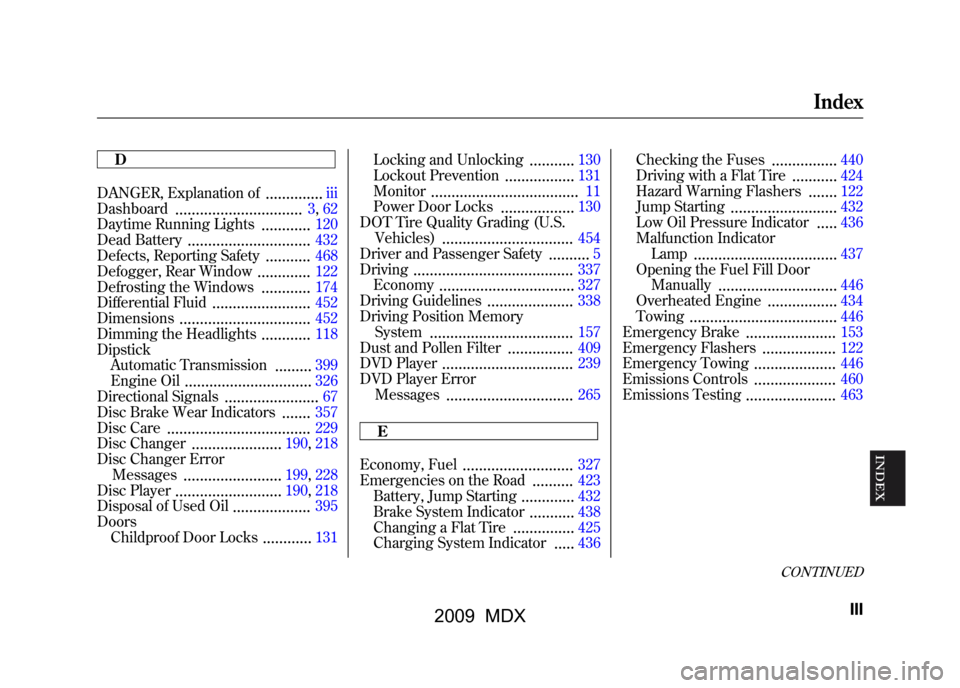
D
DANGER, Explanation of
..............
iii
Dashboard
...............................
3, 62
Daytime Running Lights
............
120
Dead Battery
..............................
432
Defects, Reporting Safety
...........
468
Defogger, Rear Window
.............
122
Defrosting the Windows
............
174
Differential Fluid
........................
452
Dimensions
................................
452
Dimming the Headlights
............
118
Dipstick Automatic Transmission
.........
399
Engine Oil
...............................
326
Directional Signals
.......................
67
Disc Brake Wear Indicators
.......
357
Disc Care
........ ...........................
229
Disc Changer
......................
190, 218
Disc Changer Error Messages
........................
199, 228
Disc Player
..........................
190, 218
Disposal of Used Oil
...................
395
Doors Childproof Door Locks
............
131 Locking and Unlocking
...........
130
Lockout Prevention
.................
131
Monitor
................ ....................
11
Power Door Locks
..................
130
DOT Tire Quality Grading (U.S. Vehicles)
................................
454
Driver and Passenger Safety
..........
5
Driving
.......................................
337
Economy
.................................
327
Driving Guidelines
.....................
338
Driving Position Memory System
...................................
157
Dust and Pollen Filter
................
409
DVD Player
................................
239
DVD Player Error Messages
...............................
265
E
Economy, Fuel
...........................
327
Emergencies on the Road
..........
423
Battery, Jump Starting
.............
432
Brake System Indicator
...........
438
Changing a Flat Tire
...............
425
Charging System Indicator
.....
436 Checking the Fuses
................
440
Driving with a Flat Tire
...........
424
Hazard Warning Flashers
.......
122
Jump Starting
..........................
432
Low Oil Pressure Indicator
.....
436
Malfunction Indicator Lamp
...................................
437
Opening the Fuel Fill Door Manually
.............................
446
Overheated Engine
.................
434
Towing
....................................
446
Emergency Brake
......................
153
Emergency Flashers
..................
122
Emergency Towing
....................
446
Emissions Controls
....................
460
Emissions Testing
......................
463
CONTINUED
Index
III
INDEX
08/06/06 16:58:07 09 ACURA MDX MMC North America Owner's M 50 31STX620 enu
2009 MDX