rear diff Acura MDX 2011 Owner's Manual
[x] Cancel search | Manufacturer: ACURA, Model Year: 2011, Model line: MDX, Model: Acura MDX 2011Pages: 609, PDF Size: 12.7 MB
Page 50 of 609
In any of these situations, we
strongly recommend that you install
the child seat directly behind the
front passenger's seat, move the seat
as far forward as needed, and leave it
unoccupied. Or, you may wish to get
a smaller rear-facing child seat.
Placing a rear-facing child seat
in the front seat can result in
serious injury or death during a
crash.
Always place a rear-facing child
seat in the back seat, not the
front.Protecting Small Children
Child Seat TypeMany states, Canadian provinces and
territories allow a child one year of age
or older who also meets the minimum
size and weight requirements to
transition from a rear-facing child seat
to a forward facing seat. Know the
requirements where you are driving
and follow the child seat instructions.
Many experts recommend use of a
rear-facing seat up to age two, if the
child's height and weight are
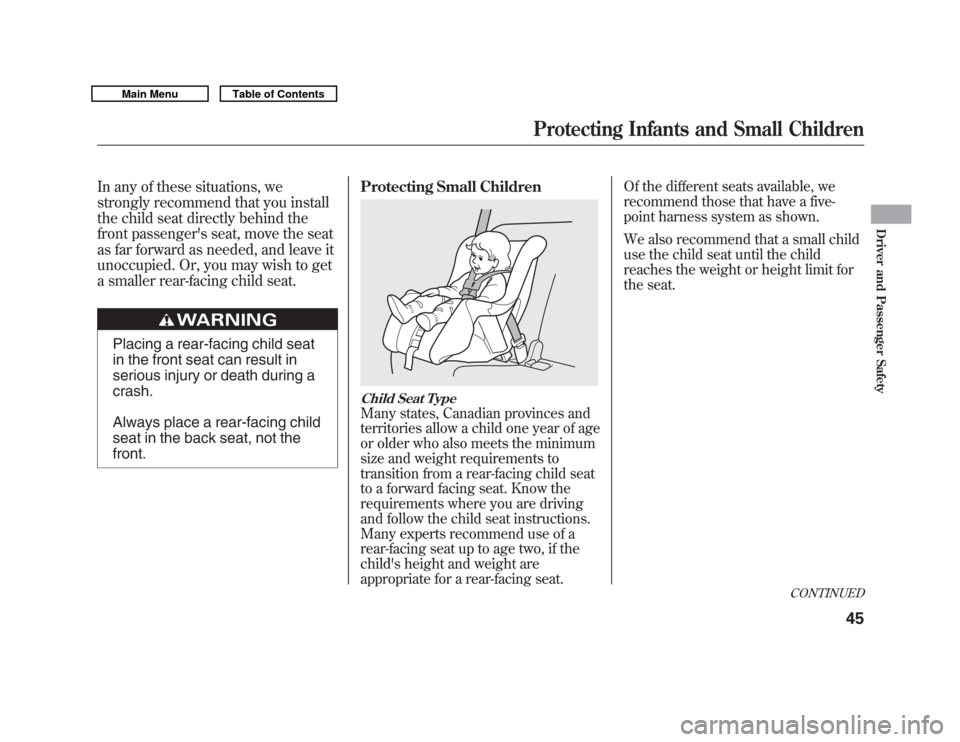
appropriate for a rear-facing seat. Of the different seats available, we
recommend those that have a five-
point harness system as shown.
We also recommend that a small child
use the child seat until the child
reaches the weight or height limit for
the seat.
CONTINUED
Protecting Infants and Small Children
45
Driver and Passenger Safety
10/06/29 11:59:04 11 ACURA MDX MMC North America Owner's M 50 31STX640 enu
Page 53 of 609

After selecting a proper child seat
and a good place to install the seat,
there are three main steps in
installing the seat:1.
Properly secure the child seat to the vehicle.
All child seats must be
secured to the vehicle with the lap
part of a lap/shoulder belt or with
the LATCH (Lower Anchors and
Tethers for CHildren) system. A
child whose seat is not properly
secured to the vehicle can be
endangered in a crash.
2.
Make sure the child seat is firmly secured.
After installing a child
seat, push and pull the seat
forward and from side-to-side to
verify that it is secure. A child seat secured with a seat belt
should be installed as firmly as
possible. However, it does not need
to be
‘‘rock solid. ’’Some side-to-side
movement can be expected and
should not reduce the child seat's
effectiveness.
If the child seat is not secure, try
installing it in a different seating
position, or use a different style of
child seat that can be firmly secured.
3.
Secure the child in the child seat.Make sure the child is properly
strapped in the child seat
according to the child seat maker's
instructions. A child who is not
properly secured in a child seat
can be seriously injured in a crash. The following pages provide
guidelines on how to properly install
a child seat. A forward-facing child
seat is used in all examples, but the
instructions are the same for a rear-
facing child seat.
Installing a Child Seat4810/06/29 11:59:04 11 ACURA MDX MMC North America Owner's M 50 31STX640 enu
Page 193 of 609

Push AUTO or
. The selected
temperatures appear in the display.
When the indicator in the DUAL
button is off, you can adjust both
sides to the same temperature by
adjusting the driver's temperature
control buttons.
To set the driver's side temperature
to a different value than the
passenger's side, press the DUAL
button, then press either of the
driver's temperature control button
(▲ or▼ ). To set the passenger's side
to a different value than the driver's
side, press either of the front
passenger's temperature control
button (▲ or▼ ). You can adjust the
passenger's side without pressing
the DUAL button first. When the indicator in the REAR
button is off, the temperature of the
rear passenger compartment is
synchronized to the driver's side set
temperature. You will see AUTO
SYNC on the system display of the
rear control panel.
To set the temperature of the rear
passenger compartment to a different
value than the driver's side, press the
REAR button, then press either
temperature control buttons on the
back of the center console. The word
‘‘
SYNC ’’in the display goes out. You
can also adjust the rear temperature
without pressing the REAR button
first. Pressing either button causes
the indicator of the REAR button to
turn on.
When you set each temperature to its
lower limit or its upper limit, it will be
displayed as ‘‘
’’or ‘‘
’’.
Climate Control System18810/06/29 11:59:04 11 ACURA MDX MMC North America Owner's M 50 31STX640 enu
Page 312 of 609
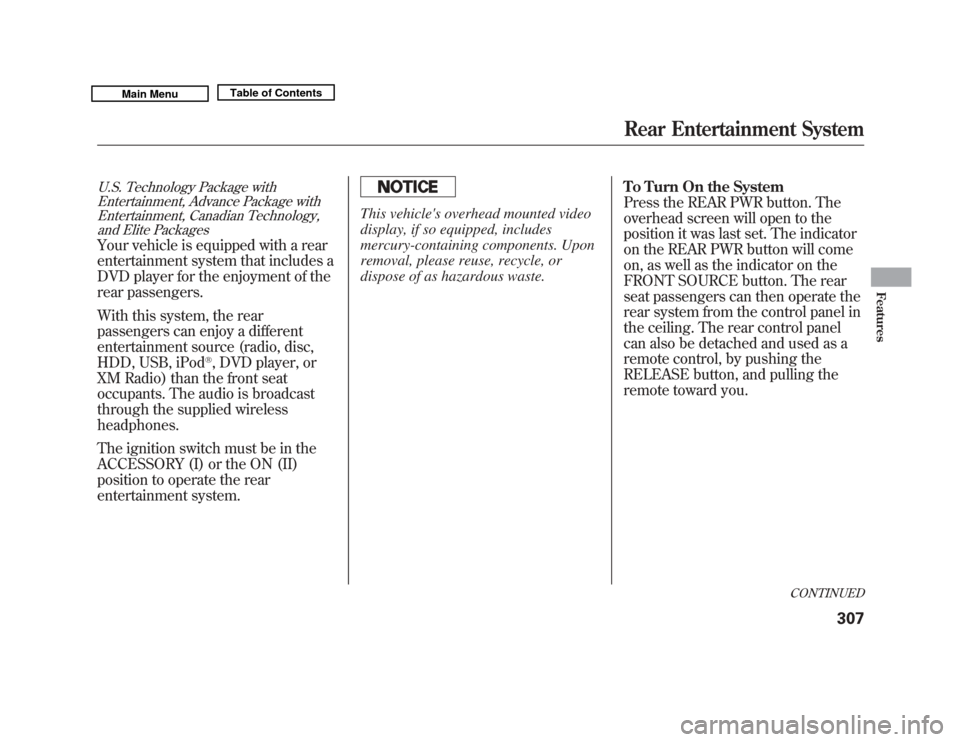
U.S. Technology Package withEntertainment, Advance Package withEntertainment, Canadian Technology,
and Elite PackagesYour vehicle is equipped with a rear
entertainment system that includes a
DVD player for the enjoyment of the
rear passengers.
With this system, the rear
passengers can enjoy a different
entertainment source (radio, disc,
HDD, USB, iPod
®, DVD player, or
XM Radio) than the front seat
occupants. The audio is broadcast
through the supplied wireless
headphones.
The ignition switch must be in the
ACCESSORY (I) or the ON (II)
position to operate the rear
entertainment system.
This vehicle's overhead mounted video
display, if so equipped, includes
mercury-containing components. Upon
removal, please reuse, recycle, or
dispose of as hazardous waste. To Turn On the System
Press the REAR PWR button. The
overhead screen will open to the
position it was last set. The indicator
on the REAR PWR button will come
on, as well as the indicator on the
FRONT SOURCE button. The rear
seat passengers can then operate the
rear system from the control panel in
the ceiling. The rear control panel
can also be detached and used as a
remote control, by pushing the
RELEASE button, and pulling the
remote toward you.
CONTINUED
Rear Entertainment System
307
Features
10/06/29 11:59:04 11 ACURA MDX MMC North America Owner's M 50 31STX640 enu
Page 313 of 609
Pressing the REAR CTRL OFF
button disables rear control. The
indicator in the button comes on and
your passengers can no longer
operate the system with the rear
control panel. When the button is
pressed, the‘‘CTRL OFF ’’message
appears in the overhead screen to let
your passengers know that the
control panel is disabled.
The rear system selects the source it
was last set to. If that source has
been removed (the DVD has been
ejected from the player, for example),
you will see ‘‘No Disc’’ in the display.
You should select another source or
insert a DVD. Rear Speakers
When you turn on the system, the
rear speakers are automatically
turned off if the rear system selects a
different entertainment source than
the front system. You will see the
Rear Speakers Off icon both in the
audio display and the overhead
screen. The sound for the rear
system is sent to the wireless
headphones.
If you want to turn the rear speakers
on again, press and hold the REAR
PWR button until the Rear Speakers
Off icon goes off.
NOTE:
The rear speakers are
connected to the front system, so
they will always play the source that
the front system is set to.Rear Entertainment System30810/06/29 11:59:04 11 ACURA MDX MMC North America Owner's M 50 31STX640 enu
Page 315 of 609
To Select Rear Entertainment
from the Front Control Panel
To operate the rear entertainment
system from the front panel, press
the REAR SOURCE button. You will
hear two beeps and the indicator in
the button comes on to show that the
control panel is enabled.
If you do not operate the rear
entertainment system from the front
panel within 10 seconds, the
indicator goes off and the FRONT
SOURCE indicator comes on
automatically.
Radio controls for the front
entertainment system can also be
used to operate the rear
entertainment system.Operating the DVD Player from
the Front Control Panel
The DVD player in your rear
entertainment system can play DVD
video discs, audio CDs, MP3/WMA
discs, and DTS CDs.
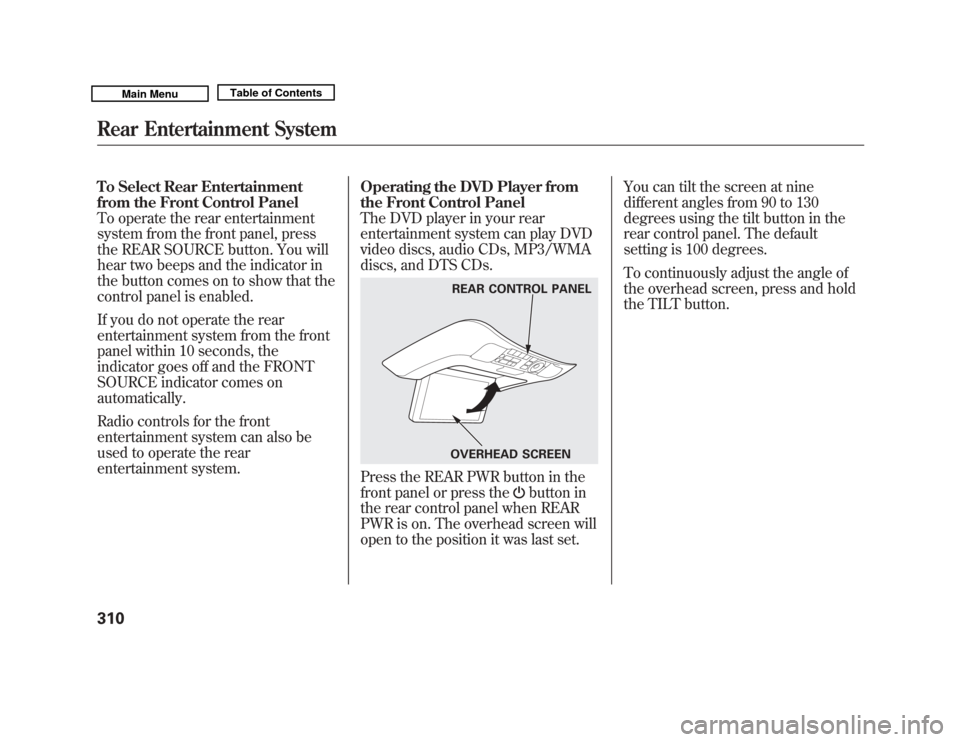
Press the REAR PWR button in the
front panel or press the
button in
the rear control panel when REAR
PWR is on. The overhead screen will
open to the position it was last set. You can tilt the screen at nine
different angles from 90 to 130
degrees using the tilt button in the
rear control panel. The default
setting is 100 degrees.
To continuously adjust the angle of
the overhead screen, press and hold
the TILT button.
REAR CONTROL PANEL
OVERHEAD SCREEN
Rear Entertainment System31010/06/29 11:59:04 11 ACURA MDX MMC North America Owner's M 50 31STX640 enu
Page 319 of 609
To Play a Disc, HDD, USB, or
iPod
®from the Rear Control Panel
Press the MENU button to display
the Audio Menu on the overhead
screen. Use the interface dial to
highlight REPEAT, RANDOM, or
SCAN on the screen. You can enter
the highlighted function by pressing
the ENTER button. These functions
have the same features as those of
the front audio system.
When TITLE/SCROLL button is
pressed, the title scrolls. When it's
pushed again, scrolling stops. To Play a DVD from the Rear
Control Panel
The video screen is for use by rear
seat passengers only. The driver and
front seat passenger should not try to
view the screen while driving.
Press the REAR PWR button in the
front panel or press the
button in
the rear control panel when REAR
PWR is on. The overhead screen will
open to the position it was last set.
You can tilt the screen at nine
different angles from 90 to 130
degrees using the tilt button in the
rear control panel. The default
setting is 100 degrees.
Press the
button when you want
to pause the DVD. Press this button
again to go back to PLAY.
Press thebutton to skip to the
beginning of the next chapter. Press
the
button to return to the
beginning of the current chapter. Press the
button again quickly to
go to the previous chapter.
To move rapidly within a chapter,
press and hold the
or
button.
The system will continue to move
through the chapter. Press the
button to move forward, or thebutton to move backward. Release
the button when the system reaches
the point you want.
To select the menu on the DVD,
press the MENU button. Use the
interface dial to turn to the desired
menu selection, then press the
ENTER button to enter your
selection.
Rear Entertainment System31410/06/29 11:59:04 11 ACURA MDX MMC North America Owner's M 50 31STX640 enu
Page 331 of 609

Audio LanguageYou can select the dubbed language
before playing DVDs.
Select‘‘Audio Language ’’by pressing
the
or
button.
Follow the same instructions you
used to set the menu language. Subtitle Language
You can select the subtitle language
before playing DVDs.
Select
‘‘Subtitle Language ’’by
pressing the
or
button.
Follow the same instructions you
used to set the menu language. Dynamic Range
‘‘
Dynamic Range ’’reduces the
differences between the loud and
quiet sound levels throughout the
disc. When this is on, the louder
sounds are lowered, and quieter
sounds are increased.
Rear Entertainment System32610/06/29 11:59:04 11 ACURA MDX MMC North America Owner's M 50 31STX640 enu
Page 339 of 609

DVD Player Error Messages
The chart on the right explains the
error messages you may see in the
display while playing a disc.
If you see an error message in the
display while playing a disc, press
the eject button. After ejecting the
disc, check it for damage or
deformation. If there is no damage,
insert the disc again.
The audio system will try to play the
disc. If there is still a problem, the
error message will reappear. Press
the eject button, and pull out the
disc.
Insert a different disc. If the new disc
plays, there is a problem with the
first disc. If the error message cycle
repeats and you cannot clear it, take
your vehicle to a dealer.Error Message Cause Solution
DISC ERROR
FOCUS Error Press the disc eject button, and remove the disc.
Check for an error indication. Insert the disc again.
If the code does not disappear or the disc cannot be
removed, consult your dealer.
MECH ERROR Mechanical Error Press the disc eject button, and remove the disc.
Check for an error indication. Insert the disc again.
If the code does not disappear or the disc cannot be
removed, consult your dealer.
HEAT ERROR High Temperature Will disappear when the temperature returns to
normal.
REGION ERR Invalid region code The disc is not playable in this unit. Eject the disc,
and insert a disc compatible with this system.
PARENT ERR Invalid parental
control level Reinsert the disc, and increase the parental control
level (see page 328).
Rear Entertainment System33410/06/29 11:59:04 11 ACURA MDX MMC North America Owner's M 50 31STX640 enu
Page 420 of 609

If the engine has just been started, it
may take a short time for the system
to display the rearview.
The camera display brightness is
adjusted automatically by sensors. If
you use the camera display
continuously at high temperatures,
the image will gradually dim.
The rearview mirror will be hot when
you use the camera display for an
extended period of time.
If a bright light (such as sunlight) is
reflected on the mirror, the image
may be difficult to see.
Rearview Camera Guide Line
The camera display has parking
guide lines that indicate distance
from your vehicle.
1st Line 20in (0.5m)
2nd Line 39in (1m)
3rd Line 79in (2m)
4th Line 118in (3m)
NOTE●
The rearview camera has a unique
lens that makes objects appear
closer than they actually are.
●
The rearview camera display has a
limited coverage, and the size and
position of objects may appear
different than they actually are.
Make sure to check the
surrounding area carefully.
To turn off the guide lines, press and
hold the power button for more than
3 seconds. The guide lines appear
every time you shift to reverse, even
if you turned them off the last time.
SCREEN DISPLAY
ACTUAL DISTANCE 1st line2nd line
4th line 3rd line
Rearview Mirror with Rearview Camera Display
415
Features
10/06/29 11:59:04 11 ACURA MDX MMC North America Owner's M 50 31STX640 enu