ignition Acura MDX 2012 Service Manual
[x] Cancel search | Manufacturer: ACURA, Model Year: 2012, Model line: MDX, Model: Acura MDX 2012Pages: 621, PDF Size: 11.15 MB
Page 171 of 621

You can open and close the
moonroof for up to 10 minutes after
you turn off the ignition switch.
Opening either front door cancels
this function.If you try to open the moonroof in
below-freezing temperatures, or when it
is covered with snow or ice, you can
damage the moonroof panel or its
motor.Parking Brake
To apply the parking brake, push the
pedal down with your foot. To
release it, pull the release handle
fully. The parking brake indicator on
the instrument panel should go out
when the parking brake is fully
released (see page 69).
You will also see a‘‘RELEASE
PARKING BRAKE’’message on the
multi-information display (see page
87).
Driving the vehicle with the parking
brake applied can damage the rear
brakes and axles. A beeper will sound if
the vehicle is driven with the parking
brake on.
RELEASE HANDLE
PARKING BRAKE PEDAL
Moonroof, Parking Brake164
Page 173 of 621
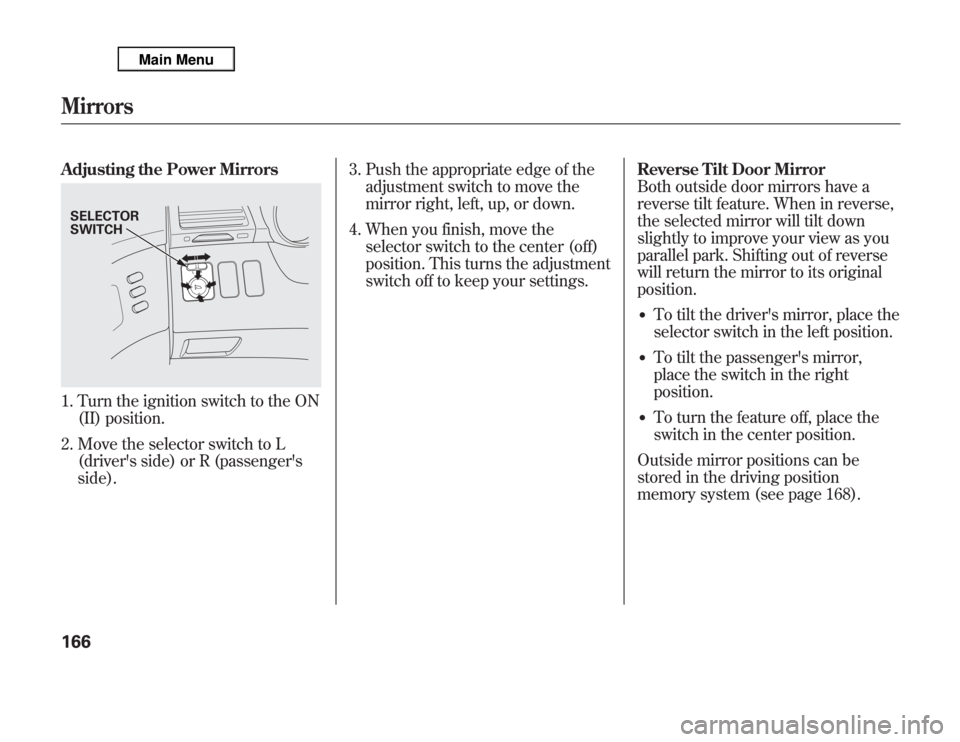
Adjusting the Power Mirrors1. Turn the ignition switch to the ON
(II) position.
2. Move the selector switch to L
(driver's side) or R (passenger's
side).3. Push the appropriate edge of the
adjustment switch to move the
mirror right, left, up, or down.
4. When you finish, move the
selector switch to the center (off)
position. This turns the adjustment
switch off to keep your settings.Reverse Tilt Door Mirror
Both outside door mirrors have a
reverse tilt feature. When in reverse,
the selected mirror will tilt down
slightly to improve your view as you
parallel park. Shifting out of reverse
will return the mirror to its original
position.
●
To tilt the driver's mirror, place the
selector switch in the left position.
●
To tilt the passenger's mirror,
place the switch in the right
position.
●
To turn the feature off, place the
switch in the center position.
Outside mirror positions can be
stored in the driving position
memory system (see page 168).
SELECTOR
SWITCHMirrors166
Page 174 of 621

Heated MirrorsThe outside mirrors are heated to
remove fog and frost. With the
ignition switch in the ON (II)
position, turn on the heaters by
pressing the button. The indicator in
the button comes on as a reminder.
Press the button again to turn the
heaters off. Pressing this button also
turns the rear window defogger on
and off.
This heated mirror function has a
timer (see page 132).If the outside temperature is below
41°F (5°C), the heated mirror
function will come on automatically
for 10 minutes when you turn the
ignition switch to the ON (II)
position.Folding Door Mirrors
Canadian Elite Package modelDoor mirrors can be folded by the
folding button next to the selector
switch, which enables you to park
your vehicle in a limited parking
space easily. Make sure you fold out
the mirrors before you start driving.
With the ignition switch in the ON
(II) position, press the folding button
to fold up both outside mirrors
simultaneously. To fold out, press
the button again.
HEATED MIRROR BUTTON
FOLDING BUTTON
CONTINUEDMirrors
167
Instruments and Controls
Page 175 of 621

Never drive your vehicle with the
outside mirrors folded.Driving Position Memory System
Your vehicle has a memory feature
for the steering wheel, driver's seat,
and outside mirror positions.
Seat, except for power lumbar,
steering wheel and outside mirror
positions can be stored in separate
memories. You select a memorized
position by pushing the appropriate
button or using the appropriate
remote transmitter (Driver 1 or
Driver 2). For more information see
page 148.Storing a Driving Position in
Memory
Store a driving position only when
the vehicle is parked.
1. Turn the ignition switch to the ON
(II) position. You cannot add a new
driving position to the memory
unless the ignition switch is in the
ON (II) position. You can recall a
memorized position with the
ignition switch in any position.
2. Adjust the seat to a comfortable
position (see page 149).
Adjust the steering wheel to a
comfortable position (see page
134).
Adjust the outside mirrors for best
visibility (see page 166).Mirrors, Driving Position Memory System168
Page 178 of 621
Door (Door activated position):●
The individual map lights in the
front, second and third row come
on when any door is opened, when
the remote transmitter is used to
unlock the doors (see page 145).
When the doors are closed, each
light can be turned on and off by
pushing the map light button (
).
After all doors are closed tightly, the
lights dim slightly, then fade out in
about 30 seconds.
To change the‘‘INTERIOR LIGHT
DIMMING TIME’’setting, see page
111.
ON position:●
All the individual map lights come
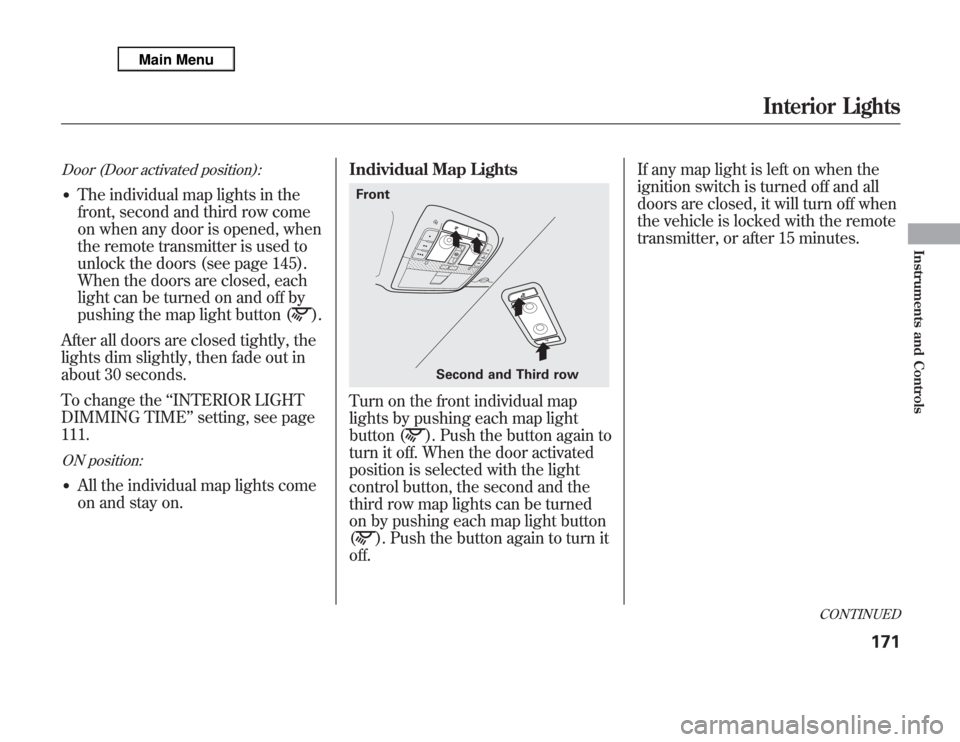
on and stay on.Individual Map Lights
Turn on the front individual map
lights by pushing each map light
button (
). Push the button again to
turn it off. When the door activated
position is selected with the light
control button, the second and the
third row map lights can be turned
on by pushing each map light button
(
). Push the button again to turn it
off.If any map light is left on when the
ignition switch is turned off and all
doors are closed, it will turn off when
the vehicle is locked with the remote
transmitter, or after 15 minutes.
Second and Third row Front
CONTINUED
Interior Lights
171
Instruments and Controls
Page 179 of 621

Courtesy LightsThe courtesy lights between the
front map lights come on when the
parking lights are turned on. To
adjust its brightness, press either of
the instrument panel brightness
control buttons (+or-) with the
ignition switch in the ON (II)
position.Tailgate Lights
The lights in the tailgate have an on-
off switch to control if the lights
come on when the tailgate is opened.
The tailgate lights do not come on
when any other doors are opened.Individual Interior Lights
The courtesy lights in all four doors
come on when you open any door.
The light around the ignition switch
comes on when any door is opened.
After you close the door, the ignition
switch light stays on for about 30
seconds regardless of the interior
light dimming time setting (see page
111).
COURTESY LIGHT
Interior Lights172
Page 184 of 621
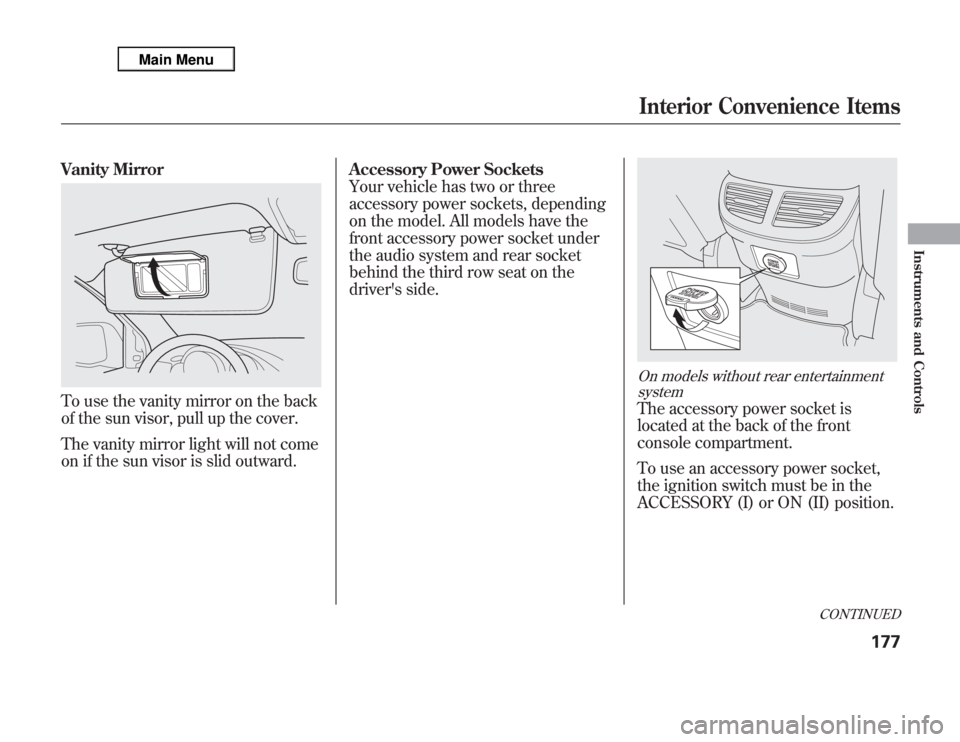
Vanity MirrorTo use the vanity mirror on the back
of the sun visor, pull up the cover.
The vanity mirror light will not come
on if the sun visor is slid outward.Accessory Power Sockets
Your vehicle has two or three
accessory power sockets, depending
on the model. All models have the
front accessory power socket under
the audio system and rear socket
behind the third row seat on the
driver's side.
On models without rear entertainment
systemThe accessory power socket is
located at the back of the front
console compartment.
To use an accessory power socket,
the ignition switch must be in the
ACCESSORY (I) or ON (II) position.
CONTINUED
Interior Convenience Items
177
Instruments and Controls
Page 185 of 621
Each socket is intended to supply
power for 12 volt DC accessories that
are rated 120 watts or less (10 amps).
None of the sockets will power an
automotive type cigarette lighter
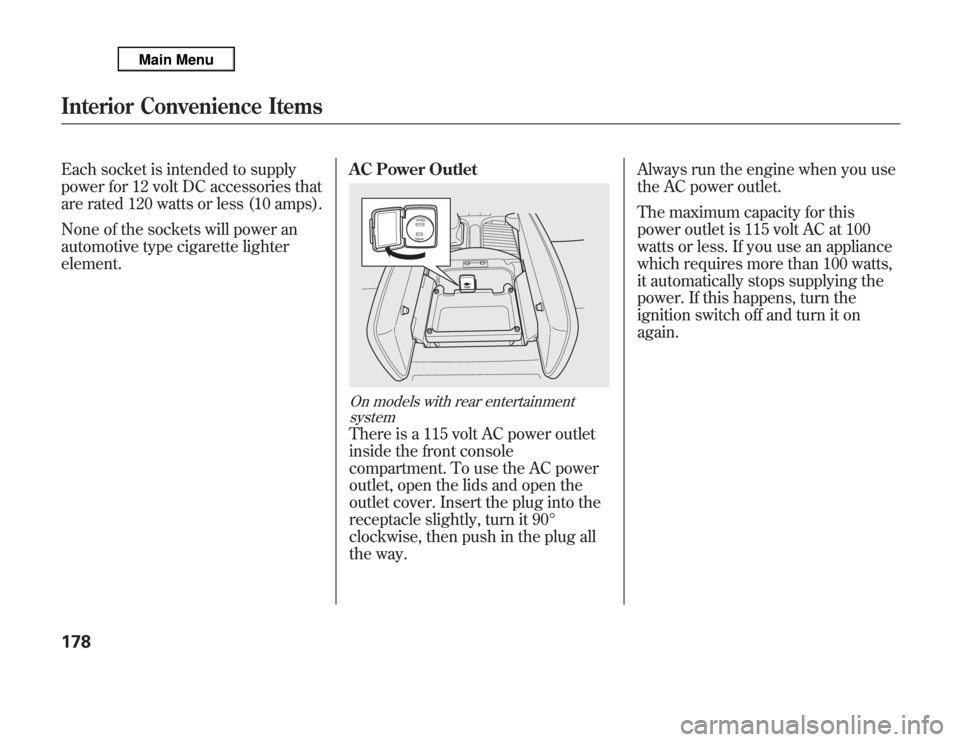
element.AC Power Outlet
On models with rear entertainment
systemThere is a 115 volt AC power outlet
inside the front console
compartment. To use the AC power
outlet, open the lids and open the
outlet cover. Insert the plug into the
receptacle slightly, turn it 90°
clockwise, then push in the plug all
the way.Always run the engine when you use
the AC power outlet.
The maximum capacity for this
power outlet is 115 volt AC at 100
watts or less. If you use an appliance
which requires more than 100 watts,
it automatically stops supplying the
power. If this happens, turn the
ignition switch off and turn it on
again.
Interior Convenience Items178
Page 190 of 621
Personalization Setting
When you unlock the doors with
your remote, the driver's ID (Driver
1 or Driver 2) is detected, and the
climate control settings are turned to
the respective mode automatically
when the ignition is turned to the ON
(II) position.
Voice Control SystemOn models with navigation systemThe climate control system can also
be operated by voice control. See the
navigation system manual for
complete details.Using Automatic Climate Control
The automatic climate control system
in your vehicle picks the proper
combination of air conditioning,
heating, and ventilation to maintain
the interior temperature you select,
and to remove moisture from the air
and make the interior dry. The
system also adjusts the fan speed and
airflow levels.
1. Press the Auto button on the front
control panel.
2. Set the desired temperature with
the temperature control buttons.
You will see AUTO in the system's
display.
3. You can set the driver's side
temperature, the passenger's side
temperature, and the temperature
of the rear passenger compartment
separately.The system automatically selects the
proper mix of conditioned and/or
heated air that will, as quickly as
possible, raise or lower the interior
temperature to your preference.
Temperature ControlThe driver's side temperature, the
passenger's side temperature and the
rear passenger compartment
temperature can be set separately.
Press the▲button of the
appropriate temperature control to
increase the temperature of airflow.
Press the▼button to decrease it.
Each set temperature is shown in the
display. The rear temperature is
shown in the display on the back of
the center console.
CONTINUED
Climate Control System
183
Features
Page 201 of 621
To Play the Radio
The ignition switch must be in the
ACCESSORY (I) or ON (II) position.
Turn the system on by pushing the
VOL/
knob or the AM or FM
button. Adjust the volume by turning
the VOL/
knob.
The band and frequency that the
radio was last tuned to are displayed.
To change bands, press the AM or
FM button. On the FM band, ST will
be displayed if the station is
broadcasting in stereo. Stereo
reproduction in AM is not available.To Select a Station
You can use any of five methods to
find radio stations on the selected
band: tune, skip(seek), scan, the
preset buttons, and auto select.
TUNE-Use the TUNE knob to
tune the radio to a desired frequency.
Turn the knob right to tune to a
higher frequency, or left to tune to a
lower frequency.
SKIP(SEEK)-The skip(seek)
function searches up and down from
the current frequency to find a
station with a strong signal. To
activate it, press and hold the
or
side of the button, then release it.SCAN-The scan function samples
all stations with strong signals on the
selected band. To activate it, press
the SCAN button, then release it.
You will see SCAN in the display.
When the system finds a strong
signal, it will stop and play that
station for about 10 seconds.
If you do nothing, the system will
scan for the next strong station and
play it for 10 seconds. When it plays
a station that you want to listen to,
press the SCAN button again.
Playing the AM/FM Radio (Models without navigation system)194