lock Acura MDX 2014 Owner's Guide
[x] Cancel search | Manufacturer: ACURA, Model Year: 2014, Model line: MDX, Model: Acura MDX 2014Pages: 500, PDF Size: 11.72 MB
Page 63 of 500
uuChild SafetyuSafety of Infants and Small Children
62Safe Driving
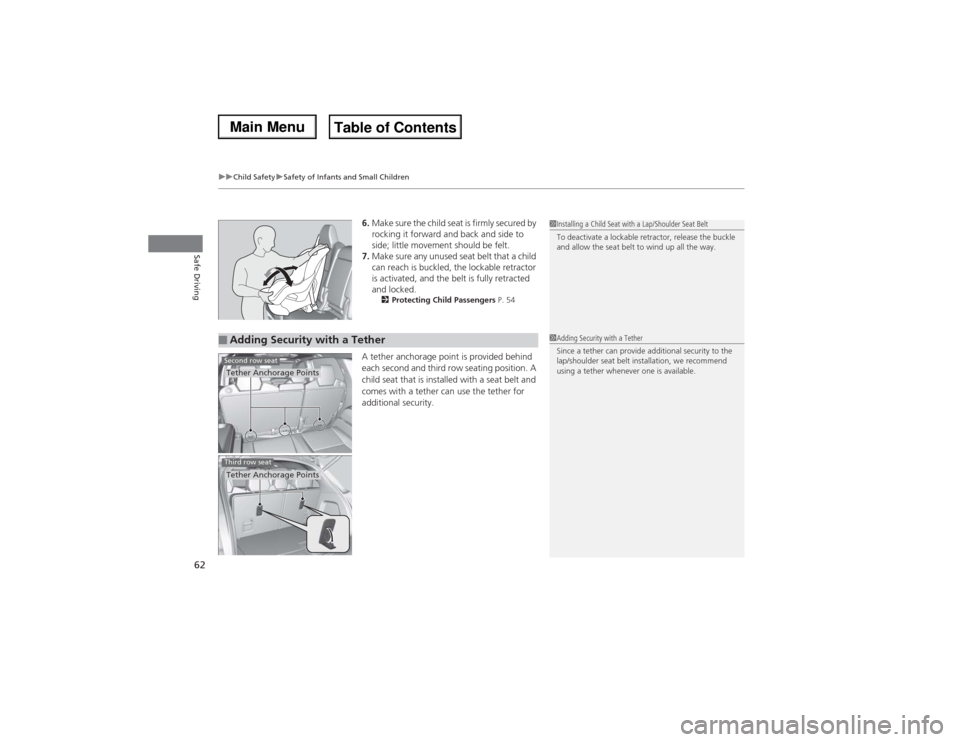
6.Make sure the child seat is firmly secured by
rocking it forward and back and side to
side; little movement should be felt.
7.Make sure any unused seat belt that a child
can reach is buckled, the lockable retractor
is activated, and the belt is fully retracted
and locked.
2Protecting Child Passengers P. 54
A tether anchorage point is provided behind
each second and third row seating position. A
child seat that is installed with a seat belt and
comes with a tether can use the tether for
additional security.
1Installing a Child Seat with a Lap/Shoulder Seat Belt
To deactivate a lockable retractor, release the buckle
and allow the seat belt to wind up all the way.
■Adding Security with a TetherTether Anchorage PointsSecond row seat
1Adding Security with a Tether
Since a tether can provide additional security to the
lap/shoulder seat belt installation, we recommend
using a tether whenever one is available.
Tether Anchorage PointsThird row seat
Page 75 of 500

74
uuIndicatorsu
Instrument Panel
Indicator
Name
On/Blinking
Explanation
Message
Anti-lock Brake
System (ABS)
Indicator
●Comes on for a few seconds when
you set the power mode to ON,
then goes off.●If it comes on at any other time,
there is a problem with the ABS.
●Stays on constantly - Have your vehicle
checked by a dealer. With this indicator on,
your vehicle still has normal braking ability
but no anti-lock function.
2Anti-lock Brake System (ABS) P. 369
Supplemental
Restraint System
Indicator
●Comes on for a few seconds when
you set the power mode to ON,
then goes off.●Comes on if a problem with any of
the following is detected:
-Supplemental restraint system
-Side airbag system
-Side curtain airbag system
-Seat belt tensioner
●Stays on constantly or does not come
on at all - Have your vehicle checked by a
dealer.
Page 78 of 500
77
uuIndicatorsu
Continued
Instrument Panel
Indicator
Name
On/Blinking
Explanation
Message
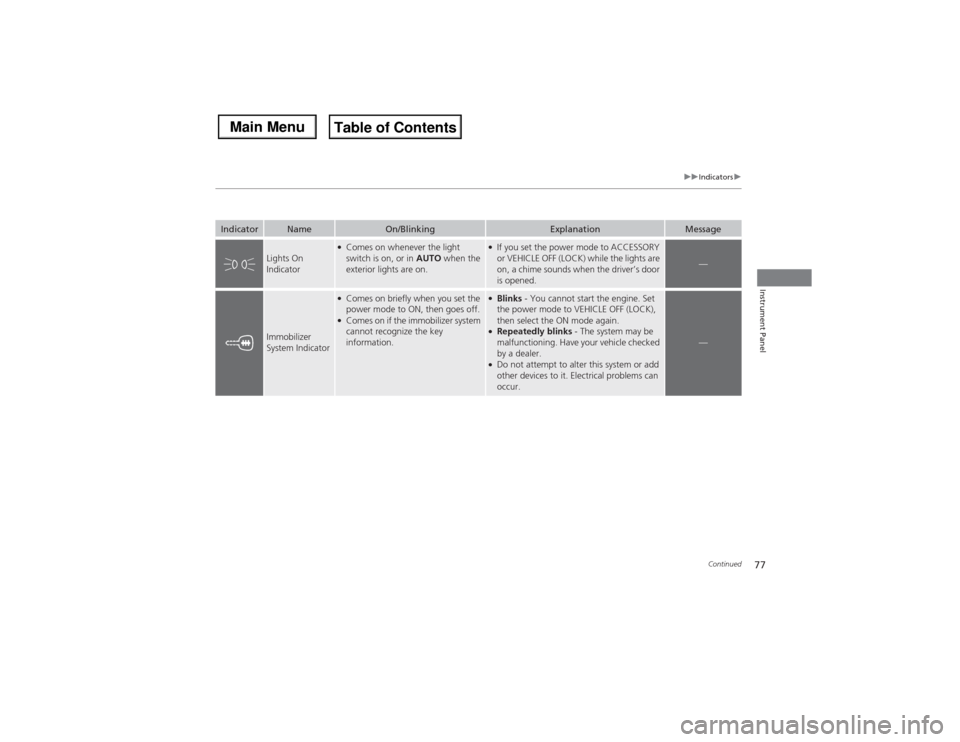
Lights On
Indicator
●Comes on whenever the light
switch is on, or in AUTO when the
exterior lights are on.
●If you set the power mode to ACCESSORY
or VEHICLE OFF (LOCK) while the lights are
on, a chime sounds when the driver’s door
is opened.
—
Immobilizer
System Indicator
●Comes on briefly when you set the
power mode to ON, then goes off.●Comes on if the immobilizer system
cannot recognize the key
information.
●Blinks - You cannot start the engine. Set
the power mode to VEHICLE OFF (LOCK),
then select the ON mode again.●Repeatedly blinks - The system may be
malfunctioning. Have your vehicle checked
by a dealer.●Do not attempt to alter this system or add
other devices to it. Electrical problems can
occur.
—
Page 81 of 500

80
uuIndicatorsu
Instrument Panel
Indicator
Name
On/Blinking
Explanation
Message
Forward
Collision
Warning (FCW)
Indicator
*
●Comes on for a few seconds when
you set the power mode to ON,
then goes off.●Comes on when you have
customized FCW to turn off.●Comes on if there is a problem with
the FCW system.
●Stays on constantly without FCW off -
Have your vehicle checked by a dealer.
●Comes on when the FCW system
shuts itself off.
●Stays on - The temperature inside the
FCW system is too high. The system
activates when the temperature inside the
system cools down.
2Automatic shutoff P. 348
●Stays on - The area around the camera is
blocked by dirt, mud, etc. Stop your vehicle
in a safe place, and wipe it off with a soft
cloth.●Have your vehicle checked by a dealer if the
indicator and message come back on after
you cleaned the area around the camera.
2Automatic shutoff P. 348
* Not available on all models
Page 82 of 500
81
uuIndicatorsu
Continued
Instrument Panel
*1:Models without LKAS
*2:Models with LKASIndicator
Name
On/Blinking
Explanation
Message
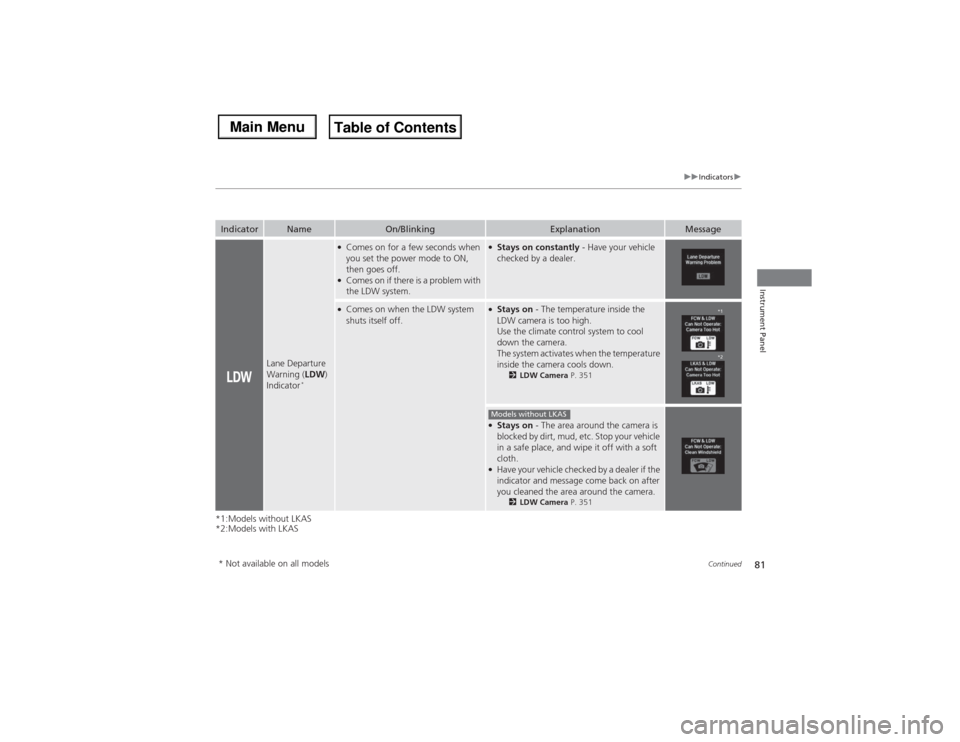
Lane Departure
Warning (LDW)
Indicator
*
●Comes on for a few seconds when
you set the power mode to ON,
then goes off.●Comes on if there is a problem with
the LDW system.
●Stays on constantly - Have your vehicle
checked by a dealer.
●Comes on when the LDW system
shuts itself off.
●Stays on - The temperature inside the
LDW camera is too high.
Use the climate control system to cool
down the camera.
The system activates when the temperature
inside the camera cools down.
2LDW Camera P. 351
●Stays on - The area around the camera is
blocked by dirt, mud, etc. Stop your vehicle
in a safe place, and wipe it off with a soft
cloth.●Have your vehicle checked by a dealer if the
indicator and message come back on after
you cleaned the area around the camera.
2LDW Camera P. 351
*1
*2
Models without LKAS
* Not available on all models
Page 88 of 500

87
uuIndicatorsuMulti-Information Display (MID) Warning and Information Messages
Continued
Instrument Panel
Message
Condition
Explanation
●Appears if there is a problem with the starting system.
●Hold the ENGINE START/STOP button up to 15
seconds to start the engine.
2Starting the Engine P. 322
Have your vehicle checked by a dealer.
●Appears when you set the power mode to ACCESSORY
or ON.
2Starting the Engine P. 322
●Appears when the steering wheel is locked.
●Move the steering wheel left and right after pressing the
ENGINE START/STOP button.
U.S.Canada
Page 89 of 500
88
uuIndicatorsuMulti-Information Display (MID) Warning and Information Messages
Instrument Panel
Message
Condition
Explanation
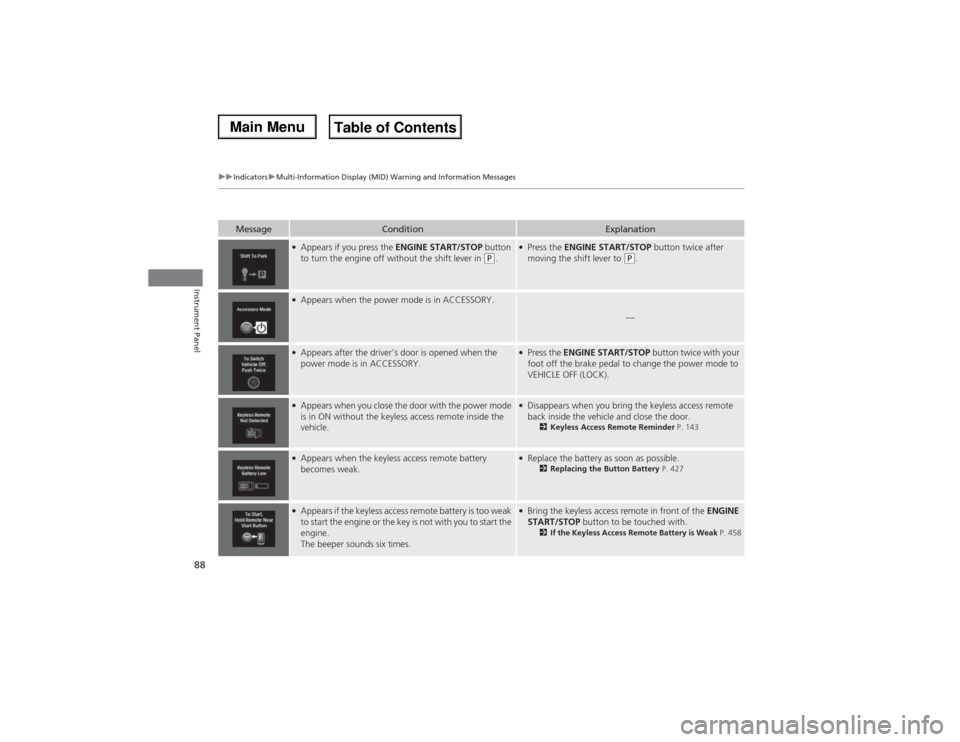
●Appears if you press the ENGINE START/STOP button
to turn the engine off without the shift lever in
(P.
●Press the ENGINE START/STOP button twice after
moving the shift lever to
(P.
●Appears when the power mode is in ACCESSORY.
—
●Appears after the driver’s door is opened when the
power mode is in ACCESSORY.
●Press the ENGINE START/STOP button twice with your
foot off the brake pedal to change the power mode to
VEHICLE OFF (LOCK).
●Appears when you close the door with the power mode
is in ON without the keyless access remote inside the
vehicle.
●Disappears when you bring the keyless access remote
back inside the vehicle and close the door.
2Keyless Access Remote Reminder P. 143
●Appears when the keyless access remote battery
becomes weak.
●Replace the battery as soon as possible.
2Replacing the Button Battery P. 427
●Appears if the keyless access remote battery is too weak
to start the engine or the key is not with you to start the
engine.
The beeper sounds six times.
●Bring the keyless access remote in front of the ENGINE
START/STOP button to be touched with.
2If the Keyless Access Remote Battery is Weak P. 458
Page 96 of 500

95
uuIndicatorsuMulti-Information Display (MID) Warning and Information Messages
Continued
Instrument Panel
Message
Condition
Explanation
●Appears when you unlock and open the driver’s door
while the engine is running by two-way keyless access
remote.
2Remote Engine Start with Vehicle Feedback
* P. 324
Models with two-way keyless access remote* Not available on all models
Page 105 of 500

uuGauges and Multi-Information Display (MID)uMID
104Instrument Panel
Use the MID to customize certain features.■How to customize
Select the Vehicle Settings screen by rolling the multi-function steering-wheel
controls while the power mode is in ON, and the vehicle is at a complete stop. Push
the multi-function steering-wheel controls.■Customized Features
1Customized Features
To customize other features, roll the multi-function
steering-wheel controls.
2List of customizable options P. 107
2Example of customization settings P. 111
Customization is possible when you see the driver’s
ID (Driver 1 or Driver 2) on the screen.
The driver’s ID indicates which remote transmitter
you have used to unlock the driver’s door. The
customized settings are recalled every time you
unlock the driver’s door with that remote.
Shift to
(P before you attempt to change any
customized setting.
Multi-function Steering-
wheel Controls
Roll: Changes the
customize menus and
items.
Push: Enter the selected
item. MID: Goes to Vehicle Settings.
Page 106 of 500
105
uuGauges and Multi-Information Display (MID)uMID
Continued
Instrument Panel
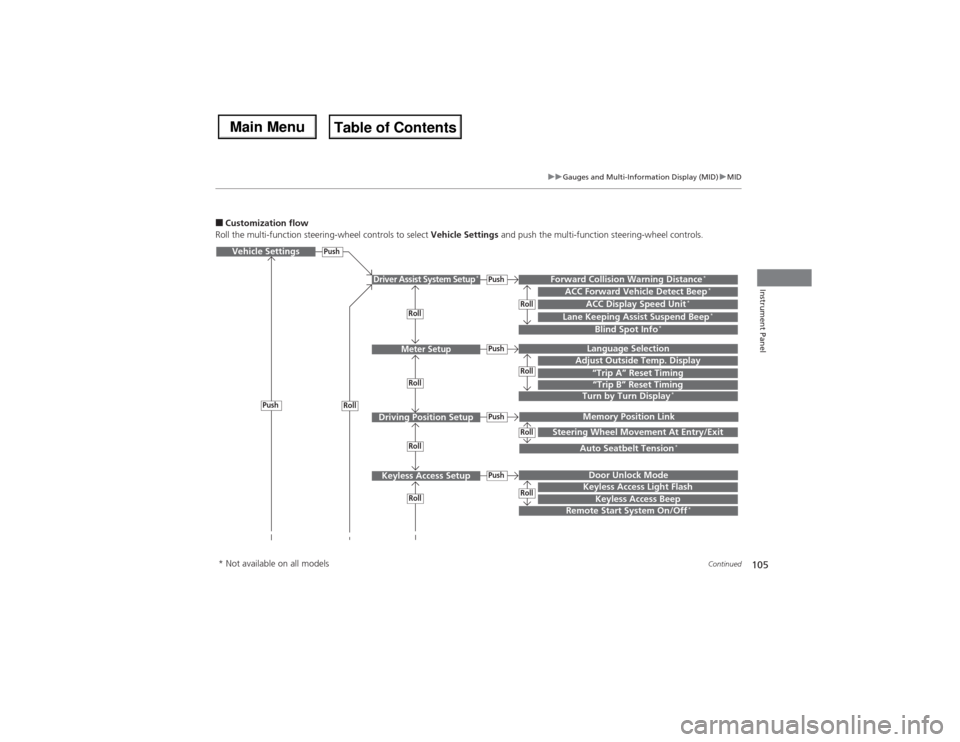
■Customization flow
Roll the multi-function steering-wheel controls to select Vehicle Settings and push the multi-function steering-wheel controls.Vehicle Settings
“Trip A” Reset TimingLanguage SelectionAdjust Outside Temp. DisplayMemory Position LinkDoor Unlock ModeKeyless Access Beep
Driver Assist System Setup
*
Meter Setup
Driving Position SetupKeyless Access Setup
“Trip B” Reset TimingTurn by Turn Display
*
Forward Collision Warning Distance
*
ACC Forward Vehicle Detect Beep
*
ACC Display Speed Unit
*
Roll
Push
Push
PushPushPush
Roll
Lane Keeping Assist Suspend Beep
*
Blind Spot Info
*
Steering Wheel Movement At Entry/Exit
Auto Seatbelt Tension
*
Roll
Roll
Remote Start System On/Off
*
Roll
Push
Keyless Access Light Flash
RollRollRollRoll
* Not available on all models