audio Acura MDX 2015 Navigation Manual
[x] Cancel search | Manufacturer: ACURA, Model Year: 2015, Model line: MDX, Model: Acura MDX 2015Pages: 341, PDF Size: 9.42 MB
Page 199 of 341
198
Playing a USB Flash DriveSelecting USB Mode
Audio
Selecting USB Mode
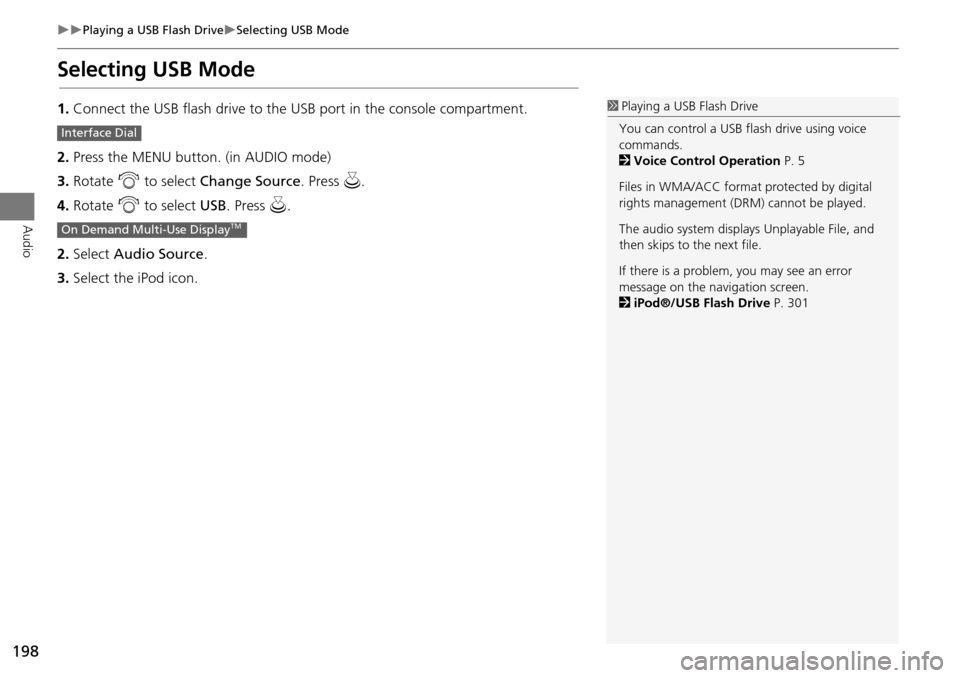
1.Connect the USB flash drive to the USB port in the console compartment.
2. Press the MENU button. (in AUDIO mode)
3. Rotate i to select Change Source . Press u.
4. Rotate i to select USB. Press u .
2. Select Audio Source .
3. Select the iPod icon.1Playing a USB Flash Drive
You can control a USB flash drive using voice
commands.
2 Voice Control Operation P. 5
Files in WMA/ACC format protected by digital
rights management (DRM) cannot be played.
The audio system displays Unplayable File, and
then skips to the next file.
If there is a problem, you may see an error
message on the navigation screen.
2 iPod®/USB Flash Drive P. 301
Interface Dial
On Demand Multi-Use DisplayTM
Page 200 of 341

199
Playing a USB Flash DriveAudio Screen Control
Audio
Audio Screen Control
Control the audio system through the navigation screen and On Demand Multi-Use
DisplayTM.1.Rotate i or press u to display
the song list. .
2. Rotate i, move w or y to
select a song from the list. Press
u .
Press MENU button to display
the menu items
2 Audio Menu P. 153
1.Select b to skip to the next folder,
and n to skip to the beginning of
the previous folder.
2. Select c or x to change files.
Select and hold to move rapidly
within a file.
Select More to display the menu
item.
2 Audio Menu P. 153
Interface Dial
On Demand Multi-Use DisplayTM
Page 201 of 341

200
Playing a USB Flash DriveAudio Menu
Audio
Audio Menu
HMENU button (in USB mode)
Rotate i to select an item. Press u .
The following item s are available:
• Scan:
Scan Folders: Provides 10-second sampling of the first file in each of the main
folders.
Scan Tracks: Provides 10-second sampling of all files in the current folder.
• Random/Repeat:
Repeat Folder: Repeats all files in the current folder.
Repeat Track: Repeats the current file.
Random in Folder: Plays all files in the current folder in random order.
Random All Tracks: Plays all files in random order.
• Change Source: Changes the audio source mode.
2
Selecting Disc Mode P. 162
• Music Search: Selects a file from the Music Search list.
2
How to Select a File from the Music Search List P. 202
Interface Dial
Page 202 of 341

201
Playing a USB Flash DriveAudio Menu
Audio
1.Select More.
2. Select a setting item.
The following items are available:
• Sound Settings: Displays the sound preferences screen.
2
Adjusting the Sound P. 149
• Random/Repeat:
Repeat Folder: Repeats all files in the current folder.
Repeat Track: Repeats the current file.
Random in Folder: Plays all files in the current folder in random order.
Random All Tracks: Plays all files in random order.
• Scan:
Scan Folders: Provides 10-second sampling of the first file in each of the main
folders.
Scan Tracks: Provides 10-second sampling of all files in the current folder.
• Screen Settings: Displays the screen preferences screen.
2
Changing the Screen Settings P. 86
On Demand Multi-Use DisplayTM
Page 203 of 341

202
Playing a USB Flash DriveAudio Menu
Audio
HMENU button (in USB mode) Music Search
1.Move w or y to select a search
category. Press u.
2. Rotate i to select a file from the
Music Search list. Press u.
■How to Select a File from the Music Search List
Page 204 of 341

203
Audio
Playing Bluetooth ® Audio
Your audio system allows you to listen to music from your Bluetooth®-compatible
phone.
This function is available when the phone is paired and connected to the vehicle’s
Bluetooth ® HandsFreeLink® (HFL) system.
2
Bluetooth® HandsFreeLink® P. 208
Selecting Bluetooth ® Audio Mode
1.Make sure that your phone is on, paired, and linked to HFL.
2 Phone Settings P. 228
2.Press the MENU button. (in AUDIO mode)
3. Rotate i to select Change Source . Press u.
4. Rotate i to select Bluetooth Audio . Press u.
2. Select Audio Source .
3. Select the Bluetooth icon.
Interface Dial
On Demand Multi-Use DisplayTM
1Playing Bluetooth ® Audio
Not all Bluetooth®-enabled phones with
streaming audio capabiliti es are compatible with
the system.
For a list of compat ible phones, visit
www.acura.com / handsfreelink, or
call 1-888-528-7876.
State or local laws may prohibit the operation of
handheld electronic devi ces while operating a
vehicle.
If more than one phone is paired to the HFL
system, there will be a delay before the system
begins to play.
You can control Bluetooth® Audio using
voicecommands.
2 Voice Control Operation P. 5
Page 205 of 341

204
Playing Bluetooth ® AudioAudio Screen Control
Audio
Audio Screen Control
Control the audio system through the navigation screen and On Demand Multi-Use
DisplayTM.
1.Press MENU button. (in BT mode) .
2. Rotate i select an item. Press
u .
The following item s are available:
• Play: Plays a song.
• Pause: Pauses a song.
• Change Source: Changes the audio source mode.
2
Selecting Disc Mode P. 162
• Music Search: Selects a song from the Music Search list.
1Audio Screen Control
To play the audio files, you may need to operate
your phone. If so, follow the phone maker’s
operating instructions.
The pause function and Music Search may not be
available on some phones.
Switching to another mode pauses the music
playing from your phone. This function may not
be available on some phones.
Interface Dial
Page 206 of 341

205
Playing Bluetooth ® AudioAudio Screen Control
Audio
1.Select b or n to change folders.
2. Select c or x to change files.
Select More to display the menu
items, then select a setting item.
The following items are available:
• Sound Settings: Displays the sound preferences screen.
2
Adjusting the Sound P. 149
• Screen Settings: Displays the screen preferences screen.
2
Changing the Screen Settings P. 86
On Demand Multi-Use DisplayTM
Page 208 of 341
207
Bluetooth® HandsFreeLink®
This section describes how to operate Bluetooth® HandsFreeLink®. You
can place and receive phone calls using your vehicle’s audio system without handling your cell phone.
Bluetooth® HandsFreeLink®................208
Using HFL .............................................208
Pairing a Phone .....................................210
Importing Phonebook Data ...................216
Setting Up Speed Dialing ......................217
Phonebook Phonetic Modification .........223
Phone Settings ......................................228
Making a Call .......................................233
Receiving a Call .....................................238
Text Message/E-mail .............................240
Setting a Text Message/E-mail ...............240
Selecting a Mail Account.......................242
Receiving a Text Message/E-mail ...........243
Displaying Messages .............................244 Roadside Assistance* ........................... 248
HFL Menus ........................................... 249
Page 209 of 341
208
Bluetooth® HandsFreeLink®
Bluetooth® HandsFreeLink®
Bluetooth® HandsFreeLink® (HFL) allows you to place and receive phone calls using
your vehicle’s navigation system, without handling your cell phone.
Using HFL
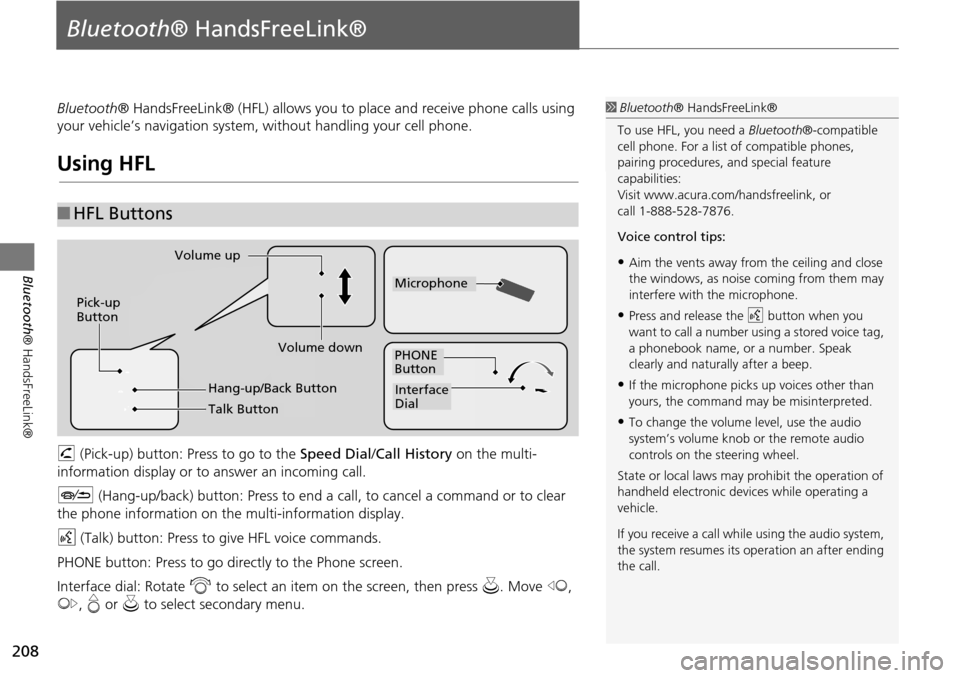
h (Pick-up) button: Press to go to the Speed Dial/ Call History on the multi-
information display or to answer an incoming call.
J (Hang-up/back) button: Press to end a call, to cancel a command or to clear
the phone information on th e multi-information display.
d (Talk) button: Press to give HFL voice commands.
PHONE button: Press to go dire ctly to the Phone screen.
Interface dial: Rotate i to select an item on the screen, then press u. Move w,
y , e or u to select secondary menu.
■HFL Buttons
1 Bluetooth ® HandsFreeLink®
To use HFL, you need a Bluetooth®-compatible
cell phone. For a list of compatible phones,
pairing procedures, and special feature
capabilities:
Visit www.acura.com/ handsfreelink, or
call 1-888-528-7876.
Voice control tips:
•Aim the vents away from the ceiling and close
the windows, as noise coming from them may
interfere with the microphone.
•Press and release the d button when you
want to call a number using a stored voice tag,
a phonebook name, or a number. Speak
clearly and naturally after a beep.
•If the microphone picks up voices other than
yours, the command may be misinterpreted.
•To change the volume level, use the audio
system’s volume knob or the remote audio
controls on the steering wheel.
State or local laws may prohibit the operation of
handheld electronic devices while operating a
vehicle.
If you receive a call whil e using the audio system,
the system resumes its operation an after ending
the call.
Volume down
Volume up
Pick-up
Button
PHONE
Button
Interface
Dial
Microphone
Hang-up/Back Button
Talk Button