rear Acura MDX 2016 Service Manual
[x] Cancel search | Manufacturer: ACURA, Model Year: 2016, Model line: MDX, Model: Acura MDX 2016Pages: 557, PDF Size: 31.09 MB
Page 181 of 557
180
uuAdjusting the Seats uAdjusting the Seat Positions
Controls
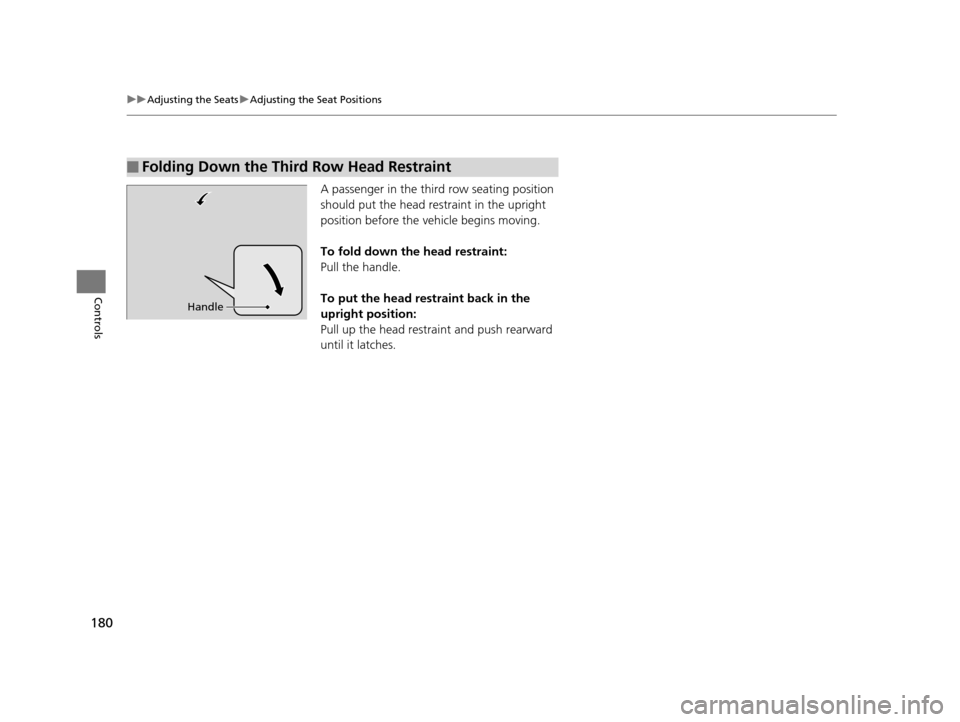
A passenger in the thir d row seating position
should put the head restraint in the upright
position before the vehicle begins moving.
To fold down the head restraint:
Pull the handle.
To put the head restraint back in the
upright position:
Pull up the head restra int and push rearward
until it latches.
■Folding Down the Third Row Head Restraint
Handle
16 ACURA MDX-31TZ56200.book 180 ページ 2015年3月4日 水曜日 午後2時59分
Page 183 of 557

182
uuAdjusting the Seats uRear Seats
Controls
Rear Seats
Pressing the button on the seat-back, or seat
cushion tilts the second row outer seat's seat-
back forward. u The whole seat slides forward.
Pulling up on the strap also tilts the seat-back
forward.
■Third Row Seat Access1 Third Row Seat Access
The button is disabled wh en the vehicle is moving.
When you enter the third row seat, be careful not to
trip over the second row seat belt.
Strap
16 ACURA MDX-31TZ56200.book 182 ページ 2015年3月4日 水曜日 午後2時59分
Page 184 of 557

Continued183
uuAdjusting the Seats uRear Seats
Controls
Separately fold down the left and right ha lves of the second row seat to make room
for cargo.
1. Store the center seat belt first. Insert the la tch plate into the slot on the side of the
anchor buckle.
2. Retract the seat belt into the holder on the ceiling.
2 Seat Belt with Detachable Anchor P. 38
3.Lower the center head restraint to its lo west position. Put the armrest back into
the seat-back.
4.Pull up on the seat-back angle adjustment
lever.
To return the seat to th e original position, pull
up the seat-back in the upright position.
■Folding Down the Second Row Seat1 Folding Down the Second Row Seat
Make sure that the folded seat-back does not press
against the front passenger seat, as this can cause the
weight sensors in the front passenger seat to work
improperly. 2 Passenger Airbag Off Indicator P. 54
The front seats must be far enough forward so they
do not interfere with the second row seats as they
fold down.
To lock the seat-back upri ght, push it backwards until
it locks.
Make sure the seat-back, head restraints and seat
cushion are securely latche d back into place before
driving. Also, make sure all rear shoulder belts are
positioned in front of the seat-back, and the center
shoulder belt is re-posit ioned in the holding slot.
Lever
16 ACURA MDX-31TZ56200.book 183 ページ 2015年3月4日 水曜日 午後2時59分
Page 185 of 557

uuAdjusting the Seats uRear Seats
184
Controls
Separately fold down the left and right halv es of the third row seat to make room
for cargo.
■To fold down the seat 1.Pull the handle on the seat-back fully.
u The head restraint tilts downward.
2. Push the seat-back forward while pulling
the handle.
■To return the seat to the original position
1. Pull the seat-back up with the handle pulled.
2. Push the head restraint up to its original position.
■Folding Down the Third Row Seat1Folding Down the Third Row Seat
Make sure all items in the cargo area or items
extending to the third row seats are properly
secured. Loose items can fly forward if you have
to brake hard.
Handle
1To return the seat to the original position
Make sure the seat-back and head restraints are
securely latched back in to place before driving.
16 ACURA MDX-31TZ56200.book 184 ページ 2015年3月4日 水曜日 午後2時59分
Page 186 of 557

185
uuAdjusting the Seats uArmrest
Controls
Armrest
The console lid can be used as an armrest.
To adjust:
Slide the armrest to a desired position.
Pull down the armrest in the center seat-back.
■Using the Front Seat Armrest
■Using the Rear Seat Armrest
16 ACURA MDX-31TZ56200.book 185 ページ 2015年3月4日 水曜日 午後2時59分
Page 190 of 557

189
uuInterior Lights/Interior Convenience Items uInterior Convenience Items
Continued
Controls
Pull the passenger’s side handle to open the
console compartment.
Pull the driver’s side handle to open the utility
tray in the console lid.
■Console Tray
Slide or lift the tray when you use the console
compartment. u To lift this tray, slide it rearward, then
pull it up.
■Console Compartment
16 ACURA MDX-31TZ56200.book 189 ページ 2015年3月4日 水曜日 午後2時59分
Page 192 of 557

Continued191
uuInterior Lights/Interior Convenience Items uInterior Convenience Items
Controls
■Front seat beverage holders
Are located in the console between the front
seats.
■Door side beverage holders
Are located on the both of front and rear door
side pockets.
■Beverage Holders1 Beverage Holders
NOTICE
Spilled liquids damage the upholstery, carpeting, and
electrical components in the interior.
Be careful when you are us ing the beverage holders.
Hot liquid can scald you.
Front:
Rear:
16 ACURA MDX-31TZ56200.book 191 ページ 2015年3月4日 水曜日 午後2時59分
Page 193 of 557

192
uuInterior Lights/Interior Convenience Items uInterior Convenience Items
Controls
■Second row seat beverage holders
Fold the armrest down to use the rear seat
beverage holders.
■Third row seat beverage holders
16 ACURA MDX-31TZ56200.book 192 ページ 2015年3月4日 水曜日 午後2時59分
Page 196 of 557

Continued195
uuInterior Lights/Interior Convenience Items uInterior Convenience Items
Controls
There is a coat hook on the rear grab handle
of both sides. Pull it down to use it.
The tie-down anchors on the cargo area floor
can be used to install a net for securing items.
■Coat Hooks1Coat Hooks
The coat hooks are not desi gned for large or heavy
items.
■Tie-down Anchors
Anchor
Anchor
16 ACURA MDX-31TZ56200.book 195 ページ 2015年3月4日 水曜日 午後2時59分
Page 205 of 557
uuClimate Control System uUsing Automatic Climate Control
204
Controls
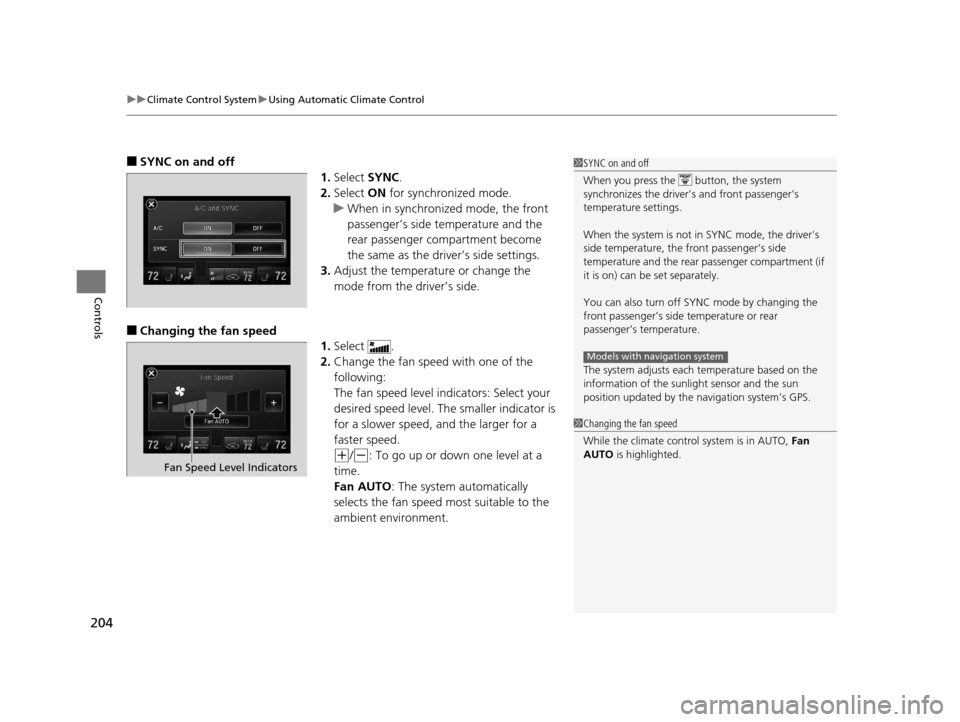
■SYNC on and off
1.Select SYNC.
2. Select ON for synchronized mode.
u When in synchronized mode, the front
passenger’s side temperature and the
rear passenger compartment become
the same as the driver’s side settings.
3. Adjust the temperature or change the
mode from the driver’s side.
■Changing the fan speed
1.Select .
2. Change the fan speed with one of the
following:
The fan speed level indicators: Select your
desired speed level. The smaller indicator is
for a slower speed, an d the larger for a
faster speed.
(+/(-: To go up or down one level at a
time.
Fan AUTO: The system automatically
selects the fan speed most suitable to the
ambient environment.
1 SYNC on and off
When you press the button, the system
synchronizes the driver's and front passenger's
temperature settings.
When the system is not in SYNC mode, the driver's
side temperature, the front passenger’s side
temperature and the rear passenger compartment (if
it is on) can be set separately.
You can also turn off SYNC mode by changing the
front passenger’s side temperature or rear
passenger’s temperature.
The system adjusts each temperature based on the
information of the sunli ght sensor and the sun
position updated by the na vigation system’s GPS.
Models with navigation system
1Changing the fan speed
While the climate control system is in AUTO, Fan
AUTO is highlighted.
Fan Speed Level Indicators
16 ACURA MDX-31TZ56200.book 204 ページ 2015年3月4日 水曜日 午後2時59分