vent Acura MDX 2019 User Guide
[x] Cancel search | Manufacturer: ACURA, Model Year: 2019, Model line: MDX, Model: Acura MDX 2019Pages: 701, PDF Size: 38.75 MB
Page 49 of 701
48
uuAirbags uDriver’s Knee Airbag
Safe Driving
Driver’s Knee Airbag
The driver’s knee SRS airbag inflates in a moderate-to-severe frontal collision to help
keep the driver in the proper position and to help maximize the benefit provided by
the vehicle’s other safety features.
SRS (Supplemental Restraint System) indica tes that the airbag is designed to
supplement seat belts, not replace them. Seat belts are the occupant’s primary
restraint system.
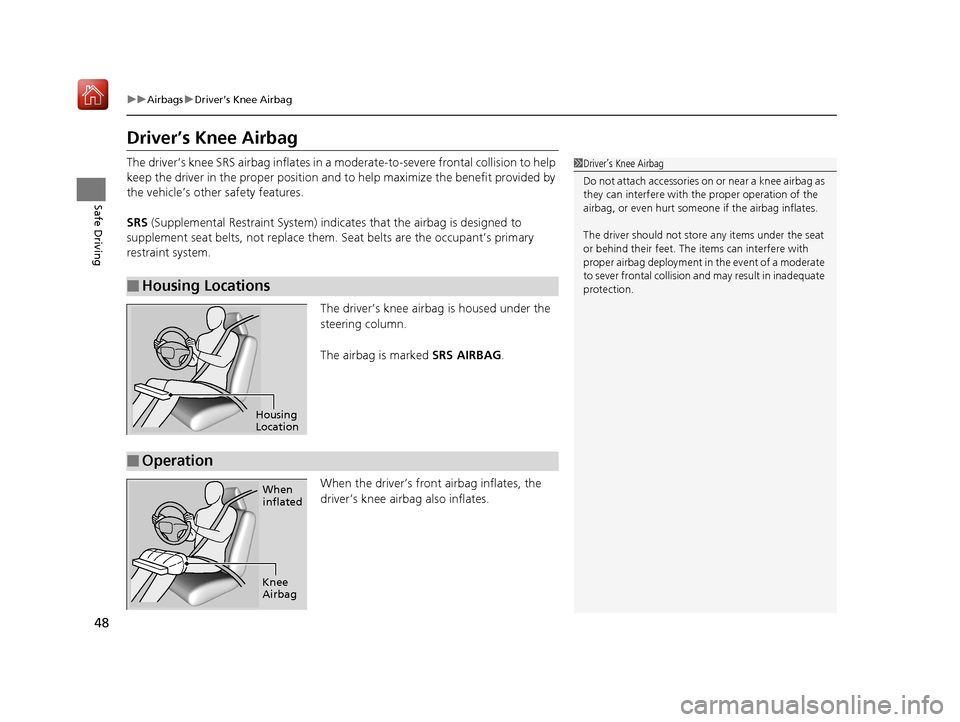
The driver’s knee airbag is housed under the
steering column.
The airbag is marked SRS AIRBAG.
When the driver’s front airbag inflates, the
driver’s knee airbag also inflates.
■Housing Locations
1 Driver’s Knee Airbag
Do not attach accessories on or near a knee airbag as
they can interfere with the proper operation of the
airbag, or even hurt someone if the airbag inflates.
The driver should not stor e any items under the seat
or behind their feet. The items can interfere with
proper airbag deployment in the event of a moderate
to sever frontal collision a nd may result in inadequate
protection.
Housing
Location
■Operation
When
inflated
Knee
Airbag
19 ACURA MDX-31TZ56510.book 48 ページ 2018年12月11日 火曜日 午後4時47分
Page 51 of 701
50
uuAirbags uSide Airbags
Safe Driving
Side Airbags
The side airbags help protect the torso and pelvis of the driver or a front passenger
during a moderate-to-severe side impact.
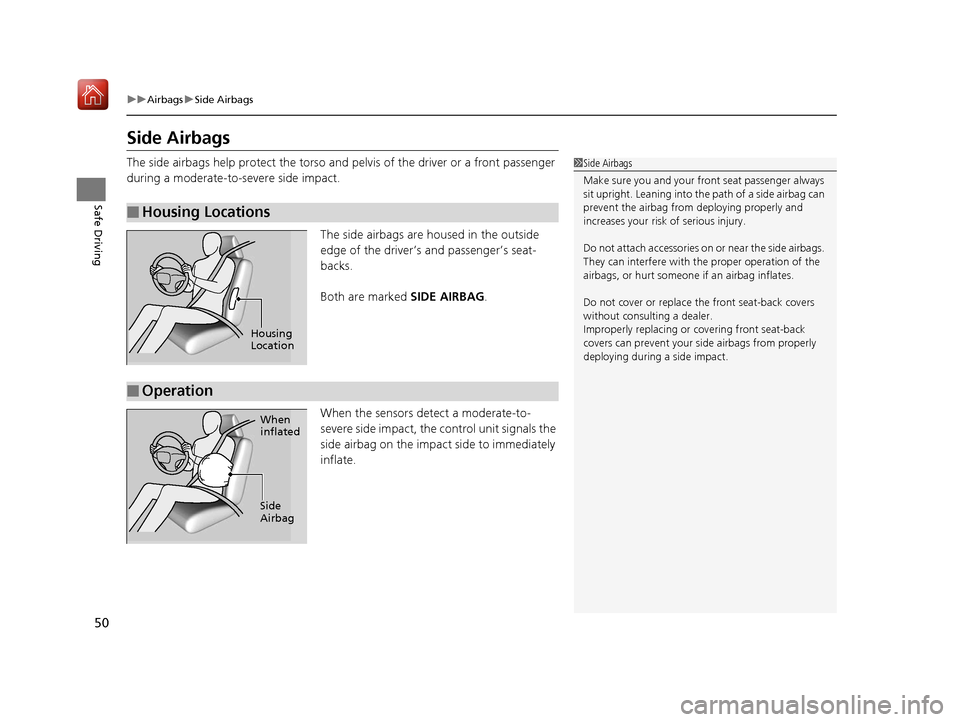
The side airbags are housed in the outside
edge of the driver’s and passenger’s seat-
backs.
Both are marked SIDE AIRBAG.
When the sensors detect a moderate-to-
severe side impact, the control unit signals the
side airbag on the impact side to immediately
inflate.
■Housing Locations
1 Side Airbags
Make sure you and your front seat passenger always
sit upright. Leaning into the path of a side airbag can
prevent the airbag from deploying properly and
increases your risk of serious injury.
Do not attach accessories on or near the side airbags.
They can interfere with the proper operation of the
airbags, or hurt someone if an airbag inflates.
Do not cover or replace the front seat-back covers
without consulting a dealer.
Improperly replac ing or covering front seat-back
covers can prevent your si de airbags from properly
deploying during a side impact.
Housing
Location
■Operation
When
inflated
Side
Airbag
19 ACURA MDX-31TZ56510.book 50 ページ 2018年12月11日 火曜日 午後4時47分
Page 58 of 701
57
uuChild Safety uProtecting Child Passengers
Safe Driving
• Any child who is too small to wear a seat belt correctly must be restrained in an
approved child seat that is properly secured to the vehicle using either the seat
belt or the lower anchors of the LATCH system.
• Never hold a child on your lap because it is impossible to protect them in the
event of a collision.
• Never put a seat belt over yourself and a child. During a crash, the belt would
likely press deep into the child and cause serious or fatal injuries.
• Never let two children use the same seat belt. Both children could be very
seriously injured in a crash.
• Do not allow children to operate the doors, windows or seat adjustments.
• Do not leave children in the vehicle unatte nded, especially in hot weather when
the inside of the vehicle can get hot enough to kill them. They could also activate
vehicle controls causing it to move unexpectedly.1 Protecting Child Passengers
To deactivate a lockable retractor, release the buckle
and allow the seat belt to wind up all the way.
To remind you of the pa ssenger’s front airbag
hazards and child safety, your vehicle has warning
labels on the dashboard (U.S. models) and on the
front visors. Please read and follow the instructions
on these labels. 2 Safety Labels P. 75
3WARNING
Allowing a child to play with a seat belt or
wrap one around their neck can result in
serious injury or death.
Instruct children not to play with any seat
belt and make sure any unused seat belt a
child can reach is buckled, fully retracted,
and locked.
19 ACURA MDX-31TZ56510.book 57 ページ 2018年12月11日 火曜日 午後4時47分
Page 59 of 701

58
uuChild Safety uSafety of Infants and Small Children
Safe Driving
Safety of Infants and Small Children
An infant must be properly restrained in a rear-facing, reclining child seat until the
infant reaches the seat manufacturer’s weig ht or height limit for the seat, and the
infant is at least one year old.
■Positioning a rear-facing child seat
Child seats must be placed and secured in a
rear seating position.
When properly installed, a rear-facing child seat may prevent the driver or a front
passenger from moving their seat all the way back, or from locking their seat-back
in the desired position. Make sure that th ere is no contact between the child seat
and the seat in front of it.
It can also interfere with pr oper operation of the passenger’s advanced front airbag
system.
2 Airbags P. 41
If this occurs, we recommend that you install the child seat directly behind the front
passenger’s seat, move the seat as far fo rward as needed, and leave it unoccupied.
Or, you may wish to get a sm aller rear-facing child seat.
■Protecting Infants1Protecting Infants
Many experts recommend us e of a rear-facing seat
for a child up to two years old if the child’s height and
weight are appropriate for a rear-facing seat.
Rear-facing child seats should never be installed in a
forward-facing position.
Always refer to the child seat manufacturer’s
instructions before installation.
Do not allow a front seat to rest against a child seat
installed in a rear seating position:
The weight sensor in the fr ont seat may not correctly
detect the actual weight of the occupant.
3WARNING
Placing a rear-facing child seat in the front
seat can result in serious injury or death
during a crash.
Always place a rear-fac ing child seat in the
rear seat, not the front.
19 ACURA MDX-31TZ56510.book 58 ページ 2018年12月11日 火曜日 午後4時47分
Page 80 of 701
79
uuIndicators u
Continued
Instrument Panel
IndicatorNameOn/BlinkingExplanationMessage
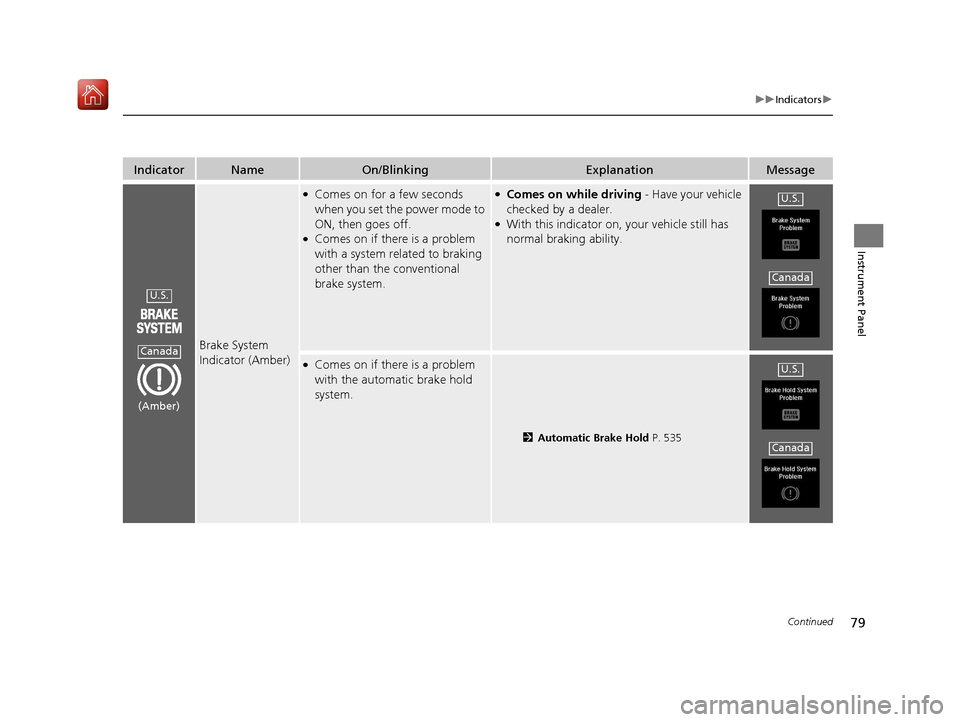
Brake System
Indicator (Amber)
●Comes on for a few seconds
when you set the power mode to
ON, then goes off.
●Comes on if there is a problem
with a system related to braking
other than the conventional
brake system.
●Comes on while driving - Have your vehicle
checked by a dealer.
●With this indicator on, your vehicle still has
normal braking ability.
●Comes on if there is a problem
with the automatic brake hold
system.
2 Automatic Brake Hold P. 535
U.S.
Canada
(Amber)
U.S.
Canada
U.S.
Canada
19 ACURA MDX-31TZ56510.book 79 ページ 2018年12月11日 火曜日 午後4時47分
Page 96 of 701
95
uuIndicators u
Continued
Instrument Panel
IndicatorNameOn/BlinkingExplanationMessage
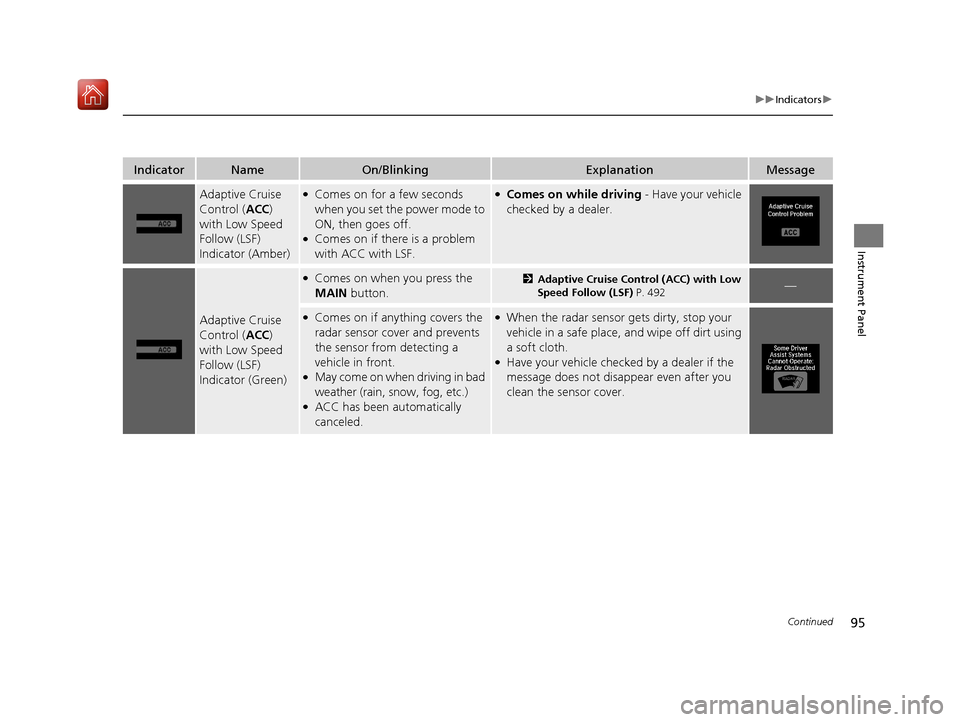
Adaptive Cruise
Control (ACC)
with Low Speed
Follow (LSF)
Indicator (Amber)●Comes on for a few seconds
when you set the power mode to
ON, then goes off.
●Comes on if there is a problem
with ACC with LSF.
●Comes on while driving - Have your vehicle
checked by a dealer.
Adaptive Cruise
Control ( ACC)
with Low Speed
Follow (LSF)
Indicator (Green)
●Comes on when you press the
MAIN button.2Adaptive Cruise Control (ACC) with Low
Speed Follow (LSF) P. 492—
●Comes on if anything covers the
radar sensor cover and prevents
the sensor from detecting a
vehicle in front.
●May come on when driving in bad
weather (rain, s now, fog, etc.)
●ACC has been automatically
canceled.
●When the radar sensor gets dirty, stop your
vehicle in a safe place, and wipe off dirt using
a soft cloth.
●Have your vehicle checke d by a dealer if the
message does not disappear even after you
clean the sensor cover.
19 ACURA MDX-31TZ56510.book 95 ページ 2018年12月11日 火曜日 午後4時47分
Page 109 of 701
108
uuIndicators uMulti-Information Display (MID) Warning and Information Messages
Instrument Panel
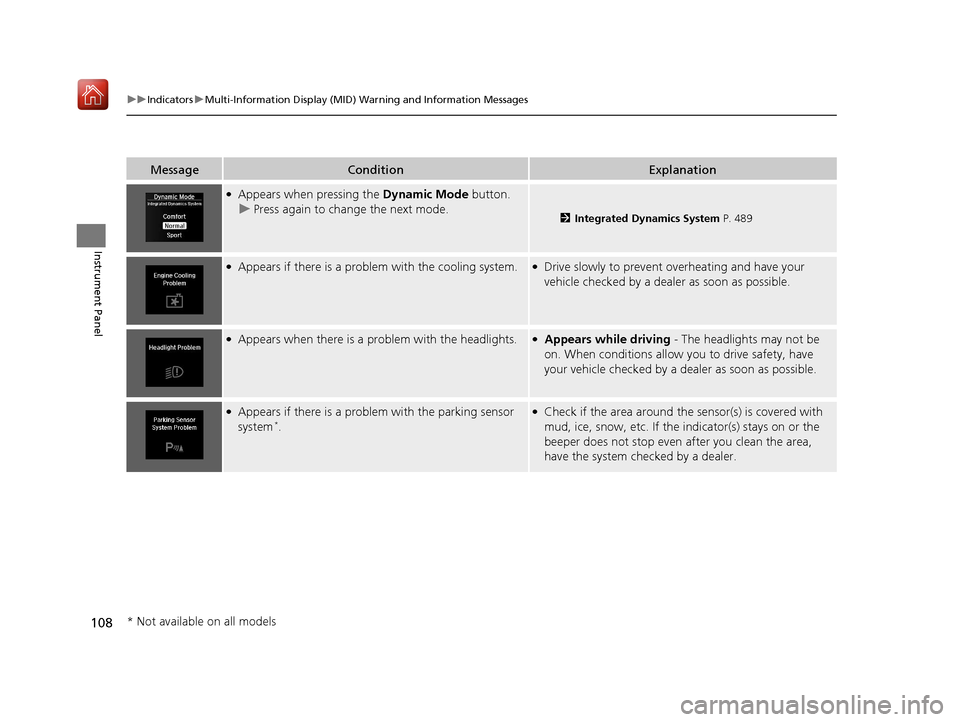
MessageConditionExplanation
●Appears when pressing the Dynamic Mode button.
u Press again to change the next mode.
2 Integrated Dynamics System P. 489
●Appears if there is a problem with the cooling system.●Drive slowly to prevent overheating and have your
vehicle checked by a dealer as soon as possible.
●Appears when there is a problem with the headlights.●Appears while driving - The headlights may not be
on. When conditions allow you to drive safety, have
your vehicle checked by a d ealer as soon as possible.
●Appears if there is a problem with the parking sensor
system*.
●Check if the area around the sensor(s) is covered with
mud, ice, snow, etc. If the indicator(s) stays on or the
beeper does not stop even after you clean the area,
have the system checked by a dealer.
* Not available on all models
19 ACURA MDX-31TZ56510.book 108 ページ 2018年12月11日 火曜日 午後4時47分
Page 112 of 701
111
uuIndicators uMulti-Information Display (MID) Warning and Information Messages
Continued
Instrument Panel
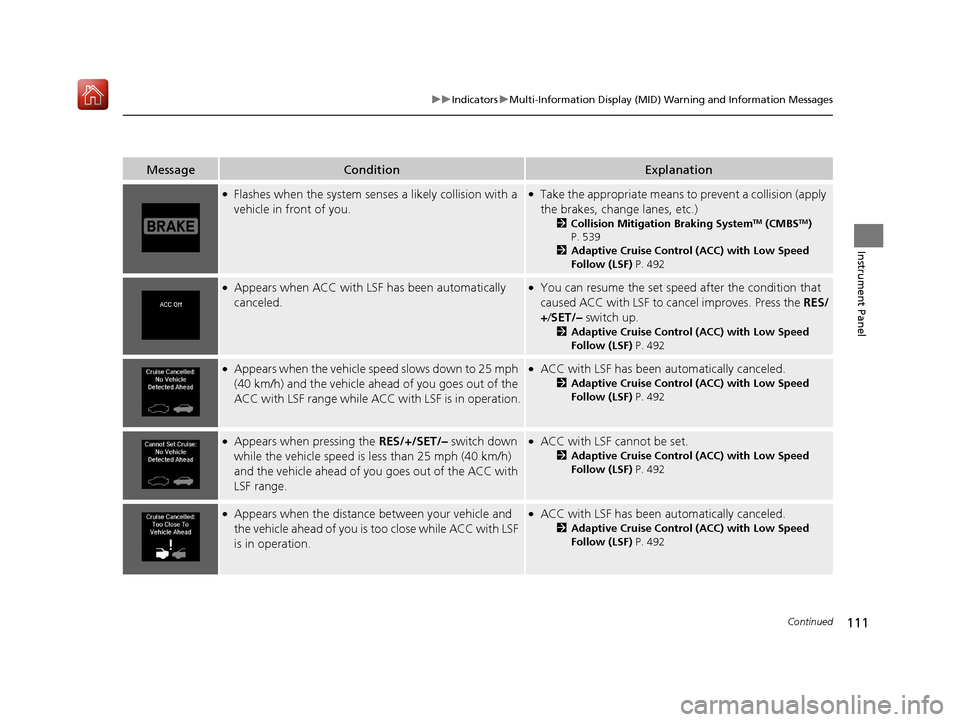
MessageConditionExplanation
●Flashes when the system sens es a likely collision with a
vehicle in front of you.●Take the appropriate means to prevent a collision (apply
the brakes, change lanes, etc.)
2 Collision Mitigation Braking SystemTM (CMBSTM)
P. 539
2 Adaptive Cruise Control (ACC) with Low Speed
Follow (LSF) P. 492
●Appears when ACC with LSF has been automatically
canceled.●You can resume the set speed after the condition that
caused ACC with LSF to cancel improves. Press the RES/
+/ SET/– switch up.
2Adaptive Cruise Control (ACC) with Low Speed
Follow (LSF) P. 492
●Appears when the vehicle speed slows down to 25 mph
(40 km/h) and the vehicle ahead of you goes out of the
ACC with LSF range while ACC with LSF is in operation.●ACC with LSF has been automatically canceled.
2Adaptive Cruise Control (ACC) with Low Speed
Follow (LSF) P. 492
●Appears when pressing the RES/+/SET/– switch down
while the vehicle speed is le ss than 25 mph (40 km/h)
and the vehicle ahead of yo u goes out of the ACC with
LSF range.●ACC with LSF cannot be set.
2 Adaptive Cruise Control (ACC) with Low Speed
Follow (LSF) P. 492
●Appears when the distance between your vehicle and
the vehicle ahead of you is too close while ACC with LSF
is in operation.●ACC with LSF has been automatically canceled.
2 Adaptive Cruise Control (ACC) with Low Speed
Follow (LSF) P. 492
19 ACURA MDX-31TZ56510.book 111 ページ 2018年12月11日 火曜日 午後4時47分
Page 140 of 701
139Continued
Controls
Locking and Unlocking the Doors
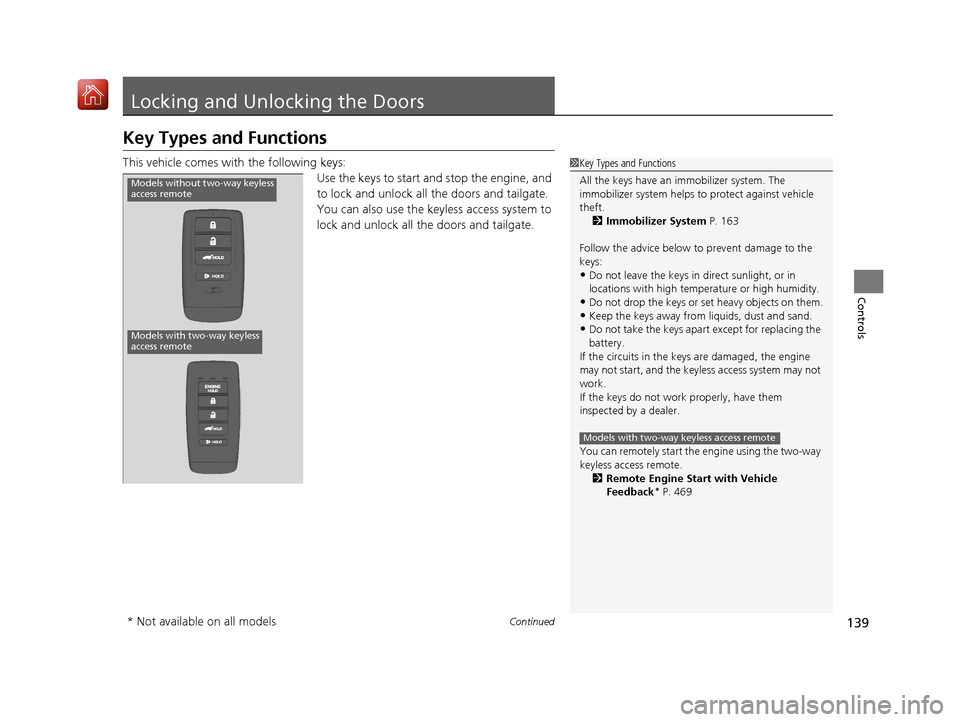
Key Types and Functions
This vehicle comes with the following keys:
Use the keys to start and stop the engine, and
to lock and unlock all the doors and tailgate.
You can also use the keyless access system to
lock and unlock all the doors and tailgate.1Key Types and Functions
All the keys have an immobilizer system. The
immobilizer system helps to protect against vehicle
theft. 2 Immobilizer System P. 163
Follow the advice below to prevent damage to the
keys:
•Do not leave the keys in direct sunlight, or in
locations with high temperature or high humidity.
•Do not drop the keys or set heavy objects on them.•Keep the keys away from liquids, dust and sand.
•Do not take the keys apart except for replacing the
battery.
If the circuits in the keys are damaged, the engine
may not start, and the keyless access system may not
work.
If the keys do not work properly, have them
inspected by a dealer.
You can remotely start the engine using the two-way
keyless access remote. 2 Remote Engine Start with Vehicle
Feedback
* P. 469
Models with two-way keyless access remote
Models with two-way keyless
access remote
Models without two-way keyless
access remote
* Not available on all models
19 ACURA MDX-31TZ56510.book 139 ページ 2018年12月11日 火曜日 午後4時47分
Page 150 of 701

Continued149
uuLocking and Unlocking the Doors uLocking/Unlocking the Doors from the Outside
Controls
If you do not have the key on you, or if for some reason you cannot lock a door using
the key, you can lock the door without it.
■Locking the front doors
Push the lock tab forward
a or push the
master door lock switch in the lock direction
b, and close the door.
■Locking the rear doors
Push the lock tab forward and close the door.
■Lockout prevention system
The doors and tailgate cannot be locked when the keyless access remote is inside
the vehicle.
■Locking a Door Without Using a Key1 Locking a Door Without Using a Key
When you lock the driver’s door, all the other doors
and tailgate lock at the same time.
Before locking a door, make sure that the key is not
inside the vehicle.
19 ACURA MDX-31TZ56510.book 149 ページ 2018年12月11日 火曜日 午後4時47分