transmission Acura MDX 2020 Repair Manual
[x] Cancel search | Manufacturer: ACURA, Model Year: 2020, Model line: MDX, Model: Acura MDX 2020Pages: 701, PDF Size: 38.91 MB
Page 636 of 701
635
uuIf a Tire Goes Flat uTemporarily Repairing a Flat Tire
Continued
Handling the Unexpected
Temporarily Repairing a Flat Tire
If the tire has a large cut or is otherwise severely damaged, you will need to have the
vehicle towed. If the tire only has a small puncture, from a nail for instance, you can
use the temporary tire repair kit so that you can drive to the nearest service station
for a more permanent repair.
If a tire goes flat while driving, grasp the steering wheel firmly, and brake gradually
to reduce speed. Then stop in a safe place.
1. Park the vehicle on a firm, level, and n on-slippery surface and apply the parking
brake.
2. Put the transmission into
(P.
3. Turn on the hazard warning lights an d set the power mode to VEHICLE OFF
(LOCK).
Models with temporary tire repair kit
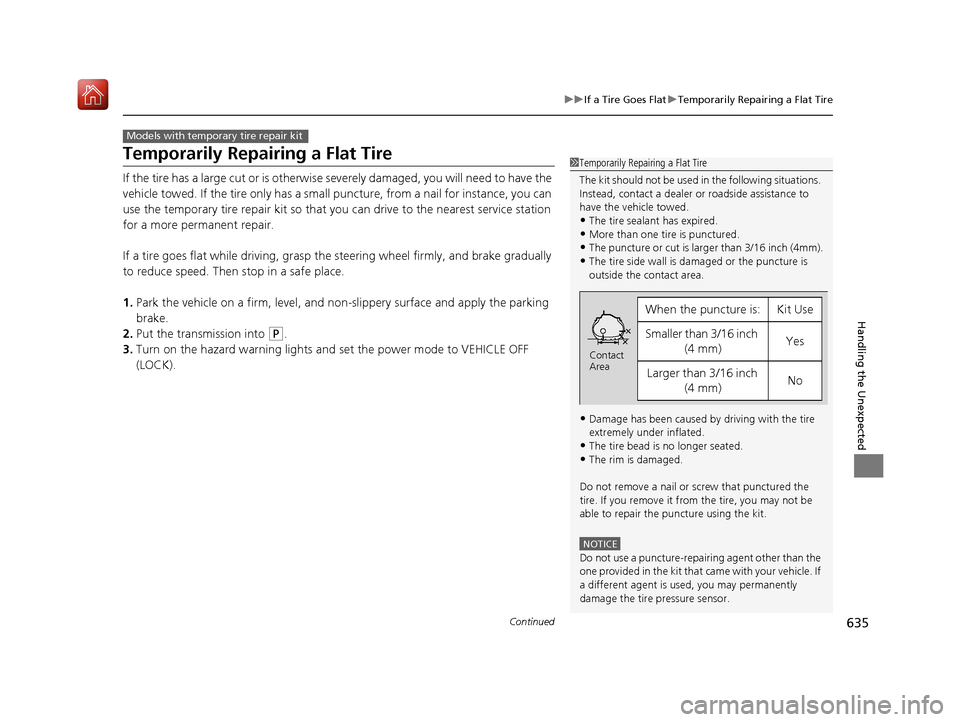
1 Temporarily Repairing a Flat Tire
The kit should not be used in the following situations.
Instead, contact a dealer or roadside assistance to
have the vehicle towed.
•The tire sealant has expired.
•More than one tire is punctured.•The puncture or cut is larger than 3/16 inch (4mm).
•The tire side wall is da maged or the puncture is
outside the contact area.
•Damage has been caused by driving with the tire
extremely under inflated.
•The tire bead is no longer seated.
•The rim is damaged.
Do not remove a nail or screw that punctured the
tire. If you remove it from the tire, you may not be
able to repair the puncture using the kit.
NOTICE
Do not use a puncture-repairing agent other than the
one provided in the kit that came with your vehicle. If
a different agent is used, you may permanently
damage the tire pressure sensor.
When the puncture is:Kit Use
Smaller than 3/16 inch (4 mm)Yes
Larger than 3/16 inch (4 mm)No
Contact
Area
20 ACURA MDX-31TZ56600.book 635 ページ 2019年4月24日 水曜日 午後5時44分
Page 652 of 701
651
uuEngine Does Not Start uEmergency Engine Stop
Handling the Unexpected
Emergency Engine Stop
The ENGINE START/STOP button may be used to stop the engine due to an
emergency situation even while driving. If you must stop the engine, do either of the
following operations:
• Press and hold the ENGINE START/STOP button about for two seconds.
• Firmly press the ENGINE START/STOP button three times.
The steering wheel will not lock. However, because turning off the engine disables
the power assist the engine provides to the steering and braking systems, it will
require significantly more physical effort an d time to steer and slow the vehicle. Use
both feet on the brake pedal to slow down the vehicle and stop immediately in a
safe place.
The transmission automa tically changes to
(P after the vehicle comes to a complete
stop. Then, the power mode changes to VEHICLE OFF.
The transmission automatically changes to P after the vehicle comes to a complete
stop. Then press the ENGINE START/STOP button twice without depressing the
brake pedal to change the mode to VEHICLE OFF.
1 Emergency Engine Stop
Do not press the ENGINE START/STOP button while
driving unless it is absolute ly necessary for the engine
to be turned off.
If you press the ENGINE START/STOP button while
driving, the beeper sounds.
U.S. models
Canadian models
20 ACURA MDX-31TZ56600.book 651 ページ 2019年4月24日 水曜日 午後5時44分
Page 659 of 701
658
uuIndicator, Coming On/Blinking uIf the Brake System Indicator (Red) Comes On
Handling the Unexpected
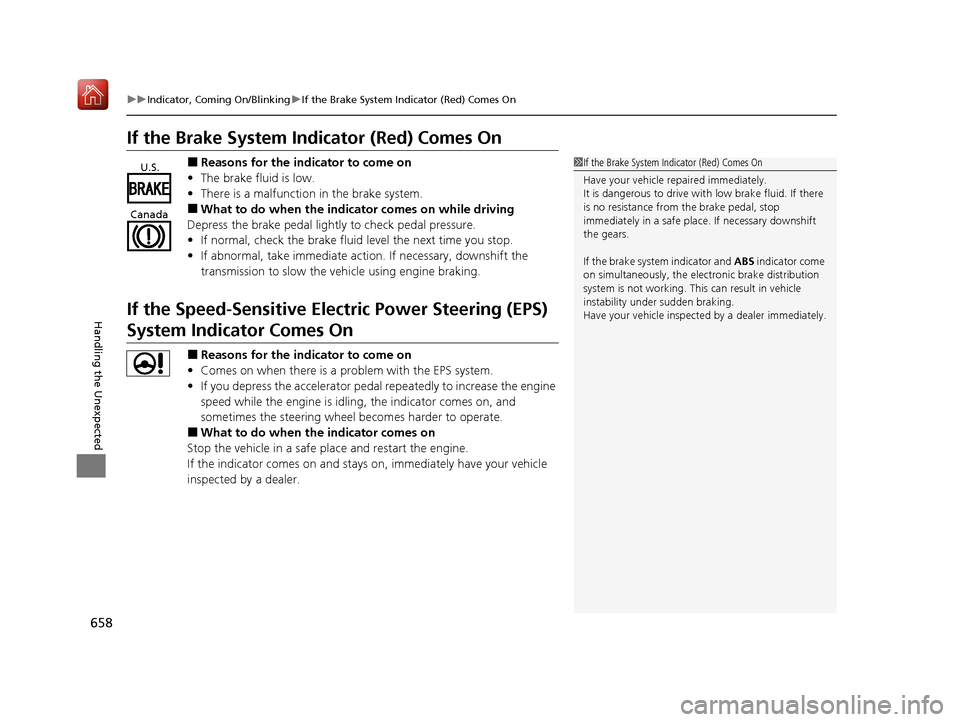
If the Brake System Indicator (Red) Comes On
■Reasons for the indicator to come on
• The brake fluid is low.
• There is a malfunction in the brake system.
■What to do when the indicator comes on while driving
Depress the brake pedal lightly to check pedal pressure.
• If normal, check the brake fluid level the next time you stop.
• If abnormal, take immediate action . If necessary, downshift the
transmission to slow the vehicle using engine braking.
If the Speed-Sensitive Electric Power Steering (EPS)
System Indicator Comes On
■Reasons for the indicator to come on
• Comes on when there is a problem with the EPS system.
• If you depress the accelerator pedal repeatedly to increase the engine
speed while the engine is idling, the indicator comes on, and
sometimes the steering wheel becomes harder to operate.
■What to do when the indicator comes on
Stop the vehicle in a safe place and restart the engine.
If the indicator comes on and stays on, immediately have your vehicle
inspected by a dealer.
1 If the Brake System Indicator (Red) Comes On
Have your vehicle re paired immediately.
It is dangerous to drive with low brake fluid. If there
is no resistance from the brake pedal, stop
immediately in a safe plac e. If necessary downshift
the gears.
If the brake system indicator and ABS indicator come
on simultaneously, the elec tronic brake distribution
system is not working. Th is can result in vehicle
instability under sudden braking.
Have your vehicle inspecte d by a dealer immediately.U.S.
Canada
20 ACURA MDX-31TZ56600.book 658 ページ 2019年4月24日 水曜日 午後5時44分
Page 660 of 701
659
uuIndicator, Comin g On/BlinkinguIf the Electric Parking Brake System Indicator Comes On
Handling the Unexpected
If the Electric Parking Brake System Indicator Comes
On
■Reasons for the indicator to come on
Comes on when there is a proble m with the electric parking brake
system.
■What to do when th e indicator comes on
Avoid using the parking brake and immediately get your vehicle
inspected at a dealer.
■What to do when the electric parking brake indicator comes on
or blinks at the same time
Release the parking brake.
2 Parking Brake P. 529
•If the electric parking brake indicato r remains on or blinks even after
releasing the parking brake, immedi ately stop the vehicle in a safe
place, and call a dealer.
u To prevent your vehicle from moving, put the transmission into
(P.
• If only the electric parking brake indicator goes off, immediately get
your vehicle inspected at a dealer.
1 If the Electric Parking Brake System Indicator Comes On
If you apply the parking brake, it may not release.
If the electric parking bra ke indicator also turns on,
the parking brake is still applied.
When the electric parking br ake indicator blinks at
the same time as the electric parking brake system
indicator, the system must be checked. The parking
brake may not operate under these conditions.
20 ACURA MDX-31TZ56600.book 659 ページ 2019年4月24日 水曜日 午後5時44分
Page 662 of 701
661
uuIndicator, Coming On/Blinking uIf the Transmission System Indicator Blinks along with the Warning Message
Handling the Unexpected
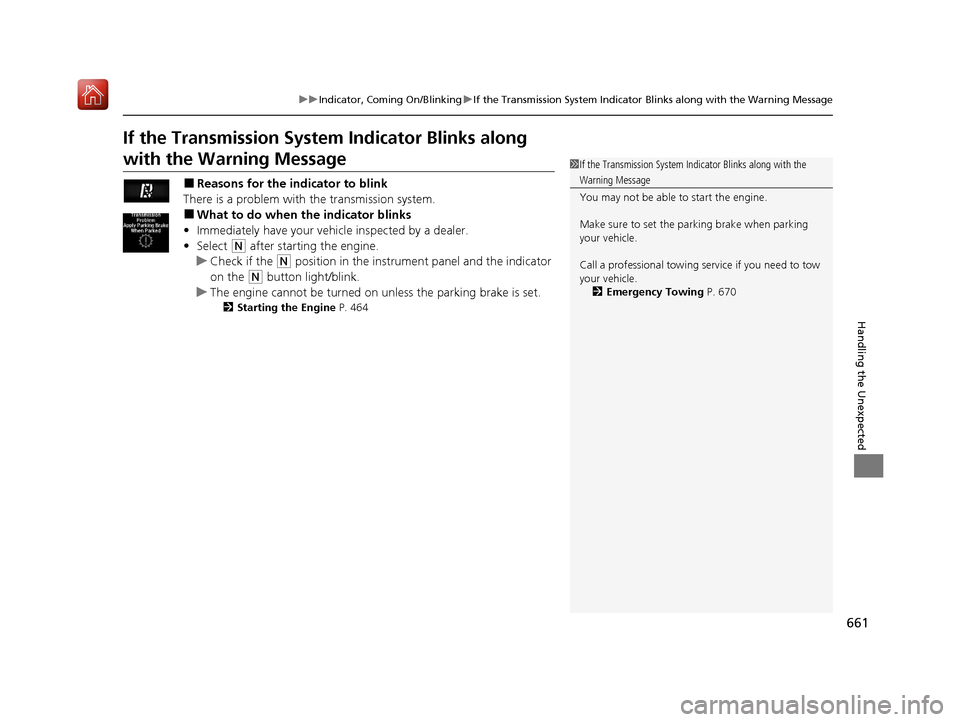
If the Transmission System Indicator Blinks along
with the Warning Message
■Reasons for the indicator to blink
There is a problem with the transmission system.
■What to do when the indicator blinks
• Immediately have your vehicle inspected by a dealer.
• Select
(N after starting the engine.
u Check if the
(N position in the instrume nt panel and the indicator
on the
(N button light/blink.
u The engine cannot be turned on unless the parking brake is set.
2 Starting the Engine P. 464
1If the Transmission System In dicator Blinks along with the
Warning Message
You may not be able to start the engine.
Make sure to set the pa rking brake when parking
your vehicle.
Call a professional towing service if you need to tow
your vehicle. 2 Emergency Towing P. 670
20 ACURA MDX-31TZ56600.book 661 ページ 2019年4月24日 水曜日 午後5時44分
Page 671 of 701
670
Handling the Unexpected
Emergency Towing
Call a professional towing service if you need to tow your vehicle.
■Flat bed equipment
The operator loads your vehicle on the back of a truck.
This is the best way to transport your vehicle.
■Wheel lift equipment
The tow truck uses two pivoti ng arms that go under the front tires and lift them off
the ground. The rear tires remain on the ground. This is an acceptable way to
tow your vehicle.
1 Emergency Towing
NOTICE
Trying to lift or tow your vehicle by the bumpers will
cause serious damage. The bumpers are not designed
to support the vehicle’s weight.
NOTICE
Improper towing such as towing behind a
motorhome or other motor vehicle can damage the
transmission.
Never tow your vehicle with just a rope or chain.
It is very dangerous since ropes or chains may shift
from side to side or break.
All models
2WD models
20 ACURA MDX-31TZ56600.book 670 ページ 2019年4月24日 水曜日 午後5時44分
Page 676 of 701
675
Information
This chapter includes your vehicle’s specifications, locations of identification numbers, and other
information required by regulation.
Specifications.................................... 676
Identification Numbers Vehicle Identification Number (VIN), Engine Number, and Transmission
Number ......................................... 678
Devices that Emit Radio Waves ....... 679
Reporting Safety Defects ................. 680Emissions Testing
Testing of Readiness Codes.............. 681
Warranty Coverages ........................ 683
Authorized Manuals ......................... 685
Client Service Information ............... 686
20 ACURA MDX-31TZ56600.book 675 ページ 2019年4月24日 水曜日 午後5時44分
Page 679 of 701

678
Information
Identification Numbers
Vehicle Identification Number (VIN), Engine Number,
and Transmission Number
Your vehicle has a 17-digit vehicle identification number (V IN) used to register your
vehicle for warranty purposes, and for licensing and insuring your vehicle.
The locations of your vehicle’s VIN, en gine number, and transmission number are
shown as follows.
1 Vehicle Identification Number (VIN), Engine Number, and
Transmission Number
The interior vehicle identification number (VIN) is
located under the cover.
Cover
Vehicle Identification Number
Engine Number
Certification Label/Vehicle Identification Number
Automatic Transmission
Number
20 ACURA MDX-31TZ56600.book 678 ページ 2019年4月24日 水曜日 午後5時44分
Page 687 of 701

686
Information
Client Service Information
Acura dealership personnel are trained professionals who should be able to deal
with any problems you may encounter with your vehicle. If, however, you are faced
with a problem that they cannot resolve to your satisfaction, contact Acura Client
Relations/Services.
U.S. Owners
American Honda Motor Co., Inc.
Acura Client Relations
Mail Stop 100-5E-8F
1919 Torrance Blvd.
Torrance, CA 90501-2746
Tel: 1 (800) 382-2238 Canadian Owners
Honda Canada Inc.
Acura Client Services
180 Honda Boulevard
Markham, ON
L6C 0H9
Tel: 1-888-9-ACURA-9
Fax: 1-877-939-0909
E-mail: [email protected]
In Puerto Rico and the U.S. Virgin
Islands
Bella International
P.O. Box 190816
San Juan, PR 00919-0816
Tel: 1 (787) 620-75461 Client Service Information
When you call or write, pl ease give us the following
information:
•Vehicle Identification Number
2Vehicle Identification Number (VIN),
Engine Number, and Transmission
Number P. 678
•Date of purchase•Odometer reading of your vehicle
•Your name, address, and telephone number
•A detailed description of the problem•Name of the dealer who sold the vehicle to you
20 ACURA MDX-31TZ56600.book 686 ページ 2019年4月24日 水曜日 午後5時44分
Page 691 of 701
Index
690
Index
Index
A
AAC.................................................... 268, 293
ABS (Anti-lock Brake System) ................... 535
AC Power Outlet ....................................... 214
Accessories and Modifications ................. 623
Accessory Power Sockets .......................... 213
AcuraLink .................................................. 435
Adaptive Cruise Control (ACC) with Low
Speed Follow ........................................... 489
Indicator .................................................... 95
Additives
Coolant ................................................... 589
Washer .................................................... 592
Adjusting
Armrest ................................................... 204
Front Seats .............................................. 191
Head Restraints........................ 198, 200, 201
Headlights ............................................... 593
Mirrors .................................................... 188
Rear Seats................................................ 203
Steering Wheel ........................................ 187
Temperature ............................................ 122
Agile Handling Assist ................................ 520
Air Conditioning System (Climate Control System) .................................................... 219
Changing the Mode ................................ 222
Defrosting the Windshield and Windows ............................................... 225
Dust and Pollen Filter ............................... 617
Rear Climate Control System ................... 226
Sensors .................................................... 230 Synchronized Mode................................. 223
Using Automatic Climate Control ............ 219
Air Pressure ....................................... 603, 677
Airbags ........................................................ 41
Advanced Airbags ..................................... 47
After a Collision ........................................ 45
Airbag Care............................................... 55
Driver’s Knee Airbag.................................. 48
Event Data Recorder .................................... 0
Front Airbags (SRS) .................................... 44
Indicator.............................................. 53, 86
Passenger Front Airbag Off Indicator ......... 54
Sensors ..................................................... 41
Side Airbags .............................................. 50
Side Curtain Airbags.................................. 52
AM/FM Radio ............................................ 254
Android Auto ........................................... 303
Anti-lock Brake System (ABS) .................. 535
Indicator.................................................... 86
Apple CarPlay ........................................... 299
Armrest ..................................................... 204
Audio Remote Controls ........................... 237
Audio System ............................................ 232
Adjusting the Sound................................ 249
Auxiliary Input Jack.................................. 236
Error Messages ........................................ 308
General Information ................................ 316
HDD ........................................................ 271
iPhone............................................. 291, 318
iPod ........................................................ 284
MP3/WMA/AAC .............................. 268, 293 Pandora
®.............................................. 291
Reactivating ............................................ 236
Recommended CDs ................................ 317
Recommended Devices ........................... 318
Remote Controls ..................................... 237
Security Code ......................................... 236
Theft Protection ...................................... 236
USB Flash Drives...................................... 318
USB Port ................................................. 233
Authorized Manuals ................................ 685
Auto Door Locking/Unlocking ................ 154
Customize ...................................... 132, 374
Auto High-Beam ...................................... 176
Indicator ................................................... 86
Auto Idle Stop .......................................... 480
OFF Button ............................................. 481
Auto Idle Stop Indicator (Green) .............. 92
Auto Idle Stop System Indicator (Amber) ..................................................... 92
Automatic Brake Hold ............................. 533
Indicator ................................................. 533
Automatic Brake Hold System
Indicator ................................................. 533
Automatic Folding Door Mirror .............. 190
Aut omatic Intermittent W
ipers .............. 180
Automatic Lighting .................................. 173
Automatic Transmission .......................... 471
Creeping................................................. 471
Fluid ....................................................... 591
Kickdown ............................................... 471
Operating the Shift Button ...................... 474
20 ACURA MDX-31TZ56600.book 690 ページ 2019年4月24日 水曜日 午後5時44分