button Acura NSX 2017 Owners Manual
[x] Cancel search | Manufacturer: ACURA, Model Year: 2017, Model line: NSX, Model: Acura NSX 2017Pages: 473, PDF Size: 16.01 MB
Page 318 of 473

Continued317
uuWhen Driving uShifting
Driving
■When opening the driver’s door
If you open the driver’s door under the following conditions, the gear position
automatically changes to
(P.
• The vehicle is in stationary with the power mode in ON, or moving at 1 mph (2
km/h) or slower.
• The transmission is in other than
(P.
• You have unfastened the driver side seat belt.
u If you manually change the gear position from
(P with the brake pedal
depressed, the gear position will automatically return to
(P once you release
the brake pedal.
■When turning off the power mode
If you turn the power system off while the vehicle is stationary, and the transmission
is in other than
(P, the gear position automatically changes to (P.
■If you want to keep the transmission in (N position (car wash mode)
With the engine running:
1. Press and hold the brake pedal.
2. Press
(N. Within two seconds press and hold (N for two seconds.
3. Within five seconds press the ENGINE START/STOP button.
u This puts the vehicle in car wash mode which must be used when your vehicle
is pulled through a conveyor type automatic car wash where you or an
attendant do not remain in the vehicle.
u The gear position remains in
(N with the power mode in ACCESSORY for 15
minutes, then, it auto matically changes to
(P and the power mode changes to
OFF.
Manually changing to
(P cancels ACCESSORY mode. The (P indicator comes on
and the power mode changes to OFF.
1 When opening the driver’s door
While the system is designed to automatically change
the gear position to
(P under the described
conditions, in the interest of safety you should always
select
( P before opening the driver's door.
Make sure to park the vehicle in a safe place.
2 When Stopped P. 351
If you want to drive the ve hicle after the gear position
has automatically changed to
( P under the described
conditions, close the door, fasten the seat belt,
depress the brake pedal, then change the gear
position.
If you leave the vehicle, turn off the power system
and lock the doors.
17 NSX-31T6N6000.book 317 ページ 2016年4月22日 金曜日 午後3時44分
Page 321 of 473
320
uuWhen Driving uShifting
Driving
■When the transmission is in M (Manual) mode:
The vehicle will go into the sequential mode, and the gear position indicator goes off
and only the gear selection indicator is displayed.
You can cancel this mode by pressing the button, pulling the
(+ paddle shifter
for a few seconds or changing IDS mode to QUIET. When the sequential mode is
canceled, the display is chan ged from only the gear selectio n indicator to both of the
gear position indicator and the gear selection indicator.
The transmission automatically shifts up fr om 1st to 2nd and does not automatically
shift up between 2nd and 9th gear.D/M
17 NSX-31T6N6000.book 320 ページ 2016年4月22日 金曜日 午後3時44分
Page 322 of 473
![Acura NSX 2017 Owners Manual 321
uuWhen Driving uShifting
Continued
Driving
Transmission Control Mode
[Displayed on Instrument Panel] (Y = Yes/N= No)Auto ModeD-Paddle ModeManual Mode
Activation Method Initial Startup Use Shift](/img/32/9760/w960_9760-321.png "Acura NSX 2017 Owners Manual 321
uuWhen Driving uShifting
Continued
Driving
Transmission Control Mode
[Displayed on Instrument Panel] (Y = Yes/N= No)Auto ModeD-Paddle ModeManual Mode
Activation Method Initial Startup Use Shift")
321
uuWhen Driving uShifting
Continued
Driving
Transmission Control Mode
[Displayed on Instrument Panel] (Y = Yes/N= No)Auto ModeD-Paddle ModeManual Mode
Activation Method Initial Startup Use Shift Paddle While in EV
or Auto Mode Press Button
Automatically Upshift Y
NN
Automatically Downshift Y
NN
Kickdown Shift beyond click Y Y
N
Deceleration Downshift Y Y Y
Automatic Upshift at Redline Y Y
N
Transmission Control Mode
[Displayed on Instrument Panel] (Y = Yes/N= No)D-Paddle ModeManual Mode
Activation Method Use Shift Paddle While in EV
or Auto Mode Press Button
To return to Auto Mode Automatically after
cruising Y
N
Pull & hold
(+ Shift
paddle for a few seconds YY
Vehicle come to complete stop Y
N
IDS mode change to other mode YReturn to Auto mode only
when QUIET mode is
selected.
D/M
D/M
17 NSX-31T6N6000.book 321 ページ 2016年4月22日 金曜日 午後3時44分
Page 331 of 473
330
uuWhen Driving uCruise Control
Driving
Cruise Control
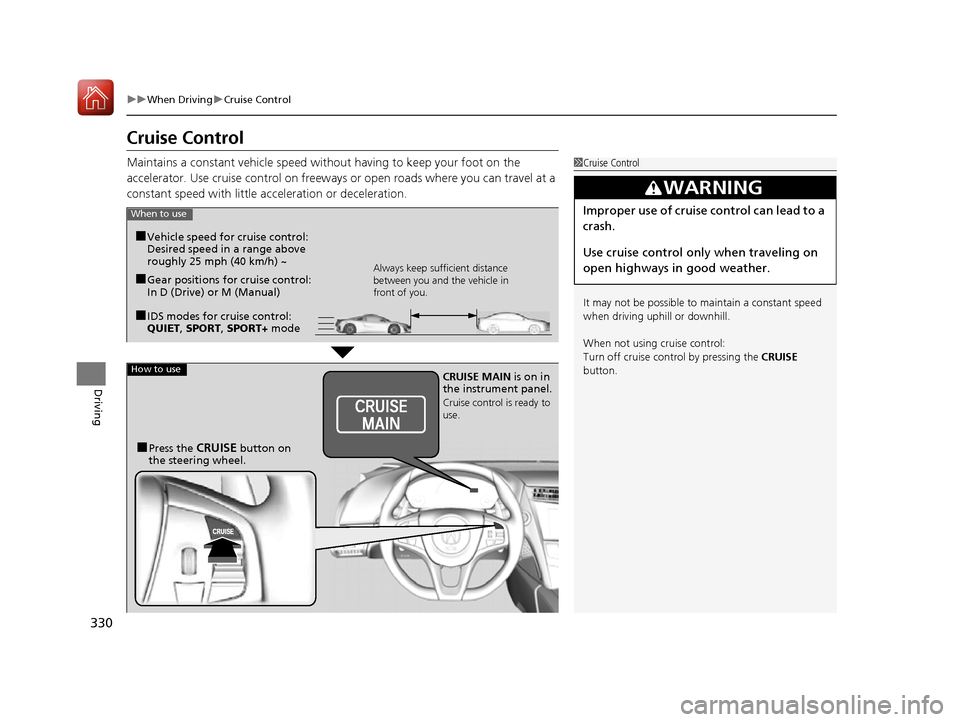
Maintains a constant vehicle speed without having to keep your foot on the
accelerator. Use cruise control on freeways or open roads where you can travel at a
constant speed with little acceleration or deceleration.1Cruise Control
It may not be possible to maintain a constant speed
when driving uphill or downhill.
When not using cruise control:
Turn off cruise control by pressing the CRUISE
button.
3WARNING
Improper use of cruise control can lead to a
crash.
Use cruise control only when traveling on
open highways in good weather.When to use
■Gear positions for cruise control:
In D (Drive) or M (Manual)Always keep sufficient distance
between you and the vehicle in
front of you.
■Vehicle speed for cruise control:
Desired speed in a range above
roughly 25 mph (40 km/h) ~
■IDS modes for cruise control:
QUIET , SPORT , SPORT+ mode
How to useCRUISE MAIN is on in
the instrument panel.
Cruise control is ready to
use.
■Press the CRUISE button on
the steering wheel.
17 NSX-31T6N6000.book 330 ページ 2016年4月22日 金曜日 午後3時44分
Page 333 of 473
uuWhen Driving uCruise Control
332
Driving
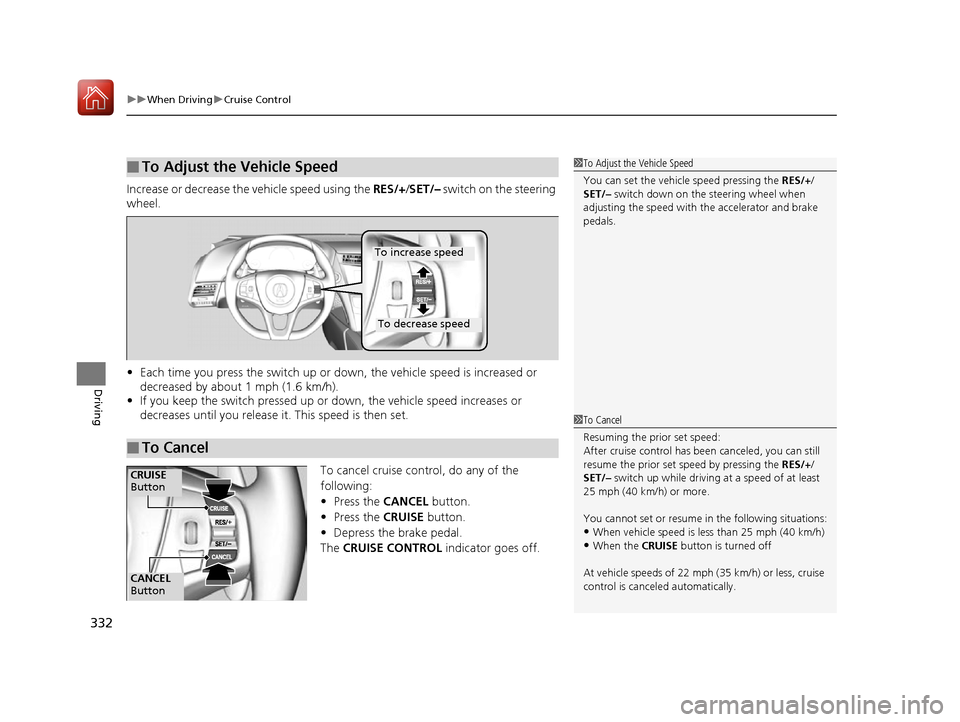
Increase or decrease the vehicle speed using the RES/+/SET/– switch on the steering
wheel.
• Each time you press the switch up or do wn, the vehicle speed is increased or
decreased by about 1 mph (1.6 km/h).
• If you keep the switch pressed up or down, the vehicle speed increases or
decreases until you release it . This speed is then set.
To cancel cruise control, do any of the
following:
•Press the CANCEL button.
• Press the CRUISE button.
• Depress the brake pedal.
The CRUISE CONTROL indicator goes off.
■To Adjust the Vehicle Speed1To Adjust the Vehicle Speed
You can set the vehicle speed pressing the RES/+/
SET/– switch down on the steering wheel when
adjusting the speed with the accelerator and brake
pedals.
■To Cancel
To decrease speed
To increase speed
1 To Cancel
Resuming the prior set speed:
After cruise control has be en canceled, you can still
resume the prior set speed by pressing the RES/+/
SET/– switch up while driving at a speed of at least
25 mph (40 km/h) or more.
You cannot set or resume in the following situations:
•When vehicle speed is less than 25 mph (40 km/h)•When the CRUISE button is turned off
At vehicle speeds of 22 m ph (35 km/h) or less, cruise
control is canceled automatically.
CANCEL
Button
CRUISE
Button
17 NSX-31T6N6000.book 332 ページ 2016年4月22日 金曜日 午後3時44分
Page 335 of 473
uuWhen Driving uVehicle Stability Assist (VSA® ), aka Electronic Stability Control (ESC), System
334
Driving
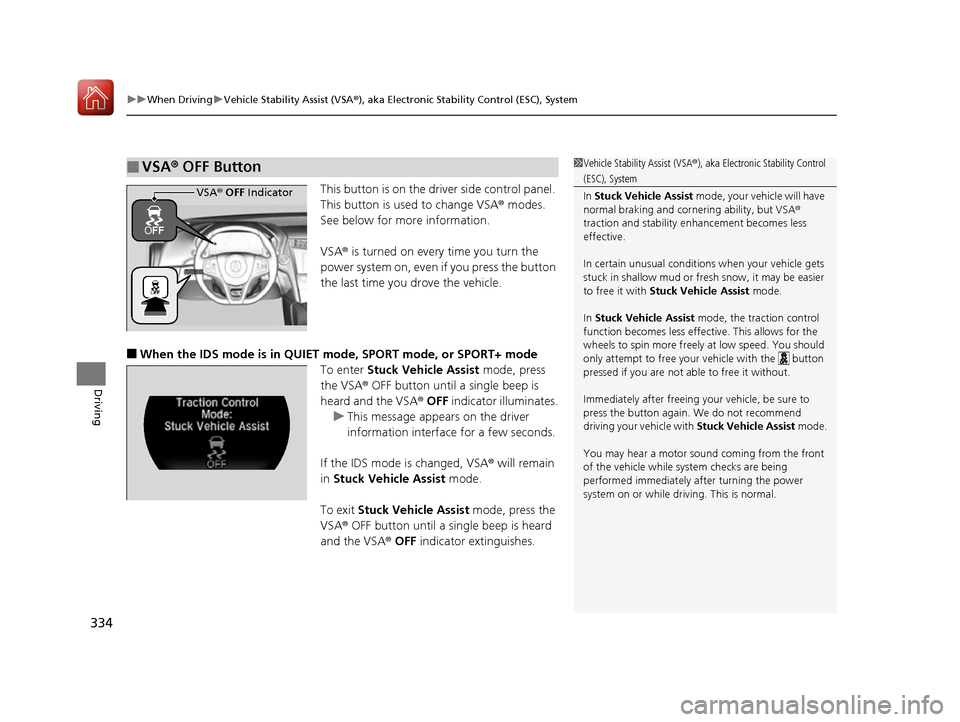
This button is on the driver side control panel.
This button is used to change VSA ® modes.
See below for more information.
VSA ® is turned on every time you turn the
power system on, even if you press the button
the last time you drove the vehicle.
■When the IDS mode is in QUIET mode, SPORT mode, or SPORT+ mode
To enter Stuck Vehicle Assist mode, press
the VSA® OFF button until a single beep is
heard and the VSA ® OFF indicator illuminates.
u This message appears on the driver
information interface for a few seconds.
If the IDS mode is changed, VSA ® will remain
in Stuck Vehicle Assist mode.
To exit Stuck Vehicle Assist mode, press the
VSA ® OFF button until a single beep is heard
and the VSA ® OFF indicator extinguishes.
■VSA ® OFF Button1 Vehicle Stability Assist (VSA ®), aka Electronic Stability Control
(ESC), System
In Stuck Vehicle Assist mode, your vehicle will have
normal braking and corn ering ability, but VSA®
traction and stability enhancement becomes less
effective.
In certain unusual conditions when your vehicle gets
stuck in shallow mud or fr esh snow, it may be easier
to free it with Stuck Vehicle Assist mode.
In Stuck Vehicle Assist mode, the traction control
function becomes less effective. This allows for the
wheels to spin more freely at low speed. You should
only attempt to free your vehicle with the button
pressed if you are not able to free it without.
Immediately after freeing your vehicle, be sure to
press the button again. We do not recommend
driving your vehicle with Stuck Vehicle Assist mode.
You may hear a motor sound coming from the front
of the vehicle while system checks are being
performed immediately after turning the power
system on or while driving. This is normal.
VSA ® OFF Indicator
17 NSX-31T6N6000.book 334 ページ 2016年4月22日 金曜日 午後3時44分
Page 336 of 473
Continued335
uuWhen Driving uVehicle Stability Assist (VSA ®), aka Electronic Stability Control (ESC), System
Driving
■When the IDS mode is in TRACK mode
When you set the IDS mode to TRACK, the VSA ® system switches to Track mode
and the VSA ® OFF indicator comes on. The VSA ® features do not stop, but the
thresholds for them to activate become hi gher. Additional care should be used while
driving in TRACK mode, and TRACK mode should only be used while driving on
closed circuits.
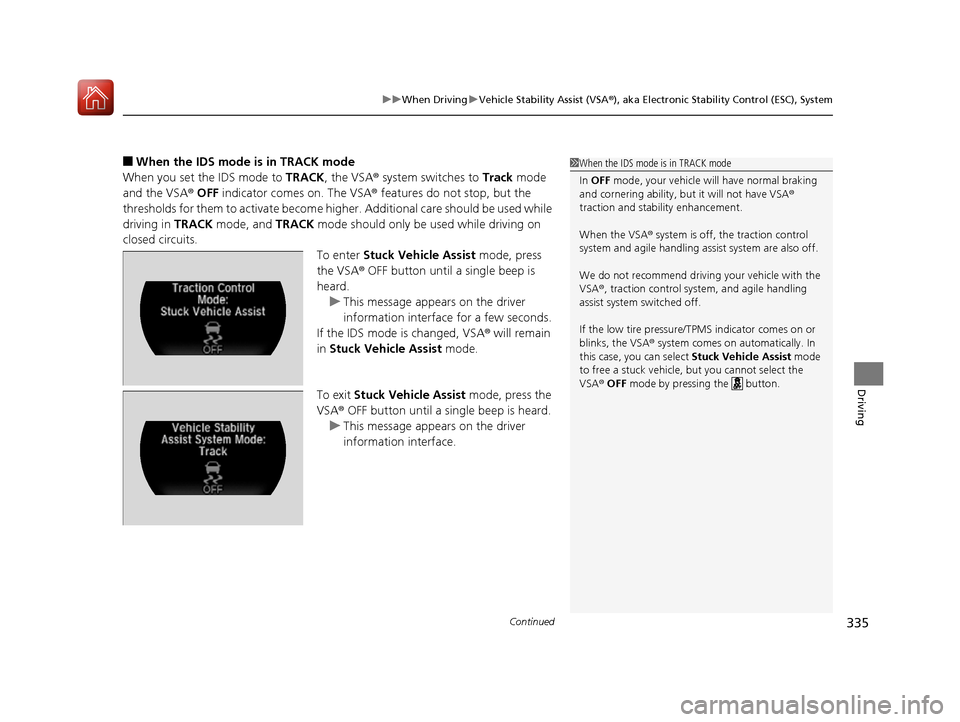
To enter Stuck Vehicle Assist mode, press
the VSA® OFF button until a single beep is
heard.
u This message appears on the driver
information interface for a few seconds.
If the IDS mode is changed, VSA ® will remain
in Stuck Vehicle Assist mode.
To exit Stuck Vehicle Assist mode, press the
VSA ® OFF button until a single beep is heard.
u This message appears on the driver
information interface.1When the IDS mode is in TRACK mode
In OFF mode, your vehicle wi ll have normal braking
and cornering ability, bu t it will not have VSA®
traction and stability enhancement.
When the VSA ® system is off, the traction control
system and agile handling assist system are also off.
We do not recommend driving your vehicle with the
VSA ®, traction control syst em, and agile handling
assist system switched off.
If the low tire pressure/TPMS indicator comes on or
blinks, the VSA® system comes on automatically. In
this case, you can select Stuck Vehicle Assist mode
to free a stuck vehicle, but you cannot select the
VSA ® OFF mode by pressing the button.
17 NSX-31T6N6000.book 335 ページ 2016年4月22日 金曜日 午後3時44分
Page 337 of 473
336
uuWhen Driving uVehicle Stability Assist (VSA® ), aka Electronic Stability Control (ESC), System
Driving
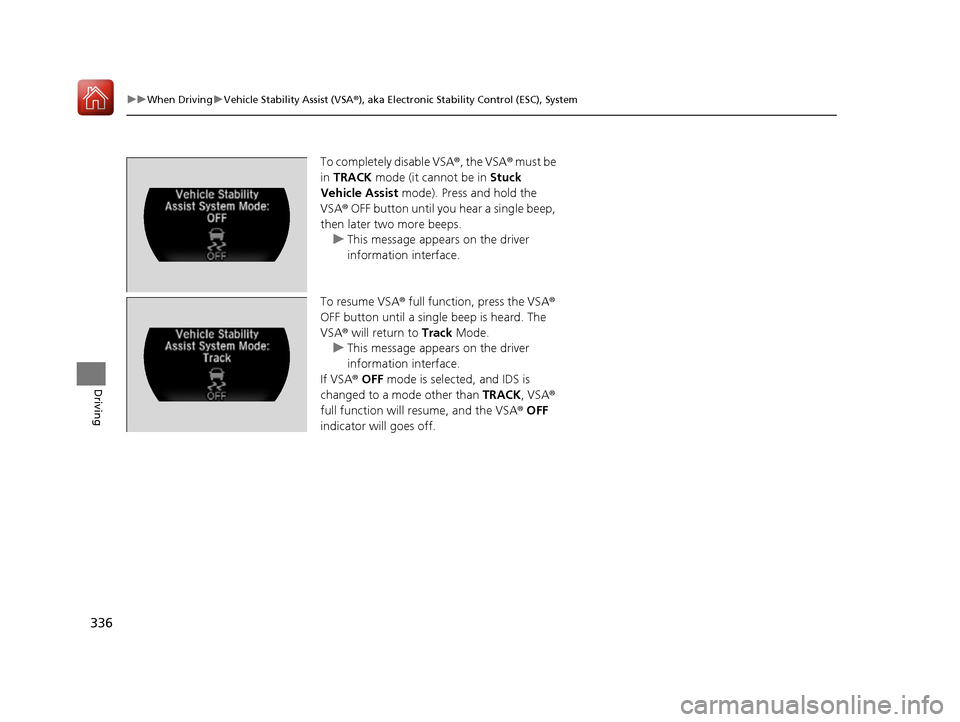
To completely disable VSA®, the VSA® must be
in TRACK mode (it cannot be in Stuck
Vehicle Assist mode). Press and hold the
VSA ® OFF button until you hear a single beep,
then later two more beeps. u This message appears on the driver
information interface.
To resume VSA® full function, press the VSA ®
OFF button until a single beep is heard. The
VSA ® will return to Track Mode.
u This message appears on the driver
information interface.
If VSA ® OFF mode is selected, and IDS is
changed to a mode other than TRACK, VSA®
full function will resume, and the VSA ® OFF
indicator will goes off.
17 NSX-31T6N6000.book 336 ページ 2016年4月22日 金曜日 午後3時44分
Page 348 of 473

Continued347
uuBraking uBrake System
Driving
Keeps the brake applied after releasing the brake pedal until the accelerator pedal is
pressed. You can use this system while the vehicle is temporarily stopped, such as
when you stop at a traffic light.
■Automatic Brake Hold1 Automatic Brake Hold
3WARNING
Activating the automatic brake hold system
on steep hills or slippery roads may still
allow the vehicle to move if you remove
your foot from the brake pedal.
If a vehicle unexpectedly moves, it may
cause a crash resulting in serious injury or
death.
Never activate the automatic brake hold
system or rely on it to keep a vehicle from
moving when stopped on a steep hill or
slippery roads.
3WARNING
Using the automatic brake hold system to
park the vehicle may re sult in the vehicle
unexpectedly moving.
If a vehicle moves unexpectedly, it may
cause a crash, resulting in serious injury or
death.
Never leave the vehicle when braking is
temporarily kept by automatic brake hold
and always park the vehicle by putting the
transmission in
( P and applying the parking
brake.
■Turning on the system
Fasten your seat belt
properly, then start the
power system. Press the
automatic brake hold
button.
●The automatic brake
hold system indicator
comes on. The system
is turned on.
■Activating the system
Depress the brake pedal
to come to a complete
stop. The transmission
must be in or
( N.●The automatic brake
hold indicator comes
on. Braking is kept for
up to 10 minutes.
●Release the brake
pedal after the
automatic brake hold
indicator comes on.
D/M
■Canceling the system
Depress the accelerator
pedal while the
transmission is in
or
( R. The system is
canceled and the vehicle
starts to move.
●The automatic brake
hold indicator goes
off. The system
continues to be on.
D/M
Accelerator PedalBrake PedalAutomatic Brake
Hold Button
Goes
OffOn On
On
On
On
U.S.
Canada
17 NSX-31T6N6000.book 347 ページ 2016年4月22日 金曜日 午後3時44分
Page 349 of 473
uuBraking uBrake System
348
Driving
■The system automatically cancels when:
• You depress the brake pedal and change to
(P or (R.
• You engage the parking brake.
Under the following conditions, the system automatically cancels, and the parking
brake is applied:
• Braking is kept for more than 10 minutes.
• The driver’s seat belt is unfastened.
• The power system is turned off.
• Brake Hold System Problem appears on the driver information interface.
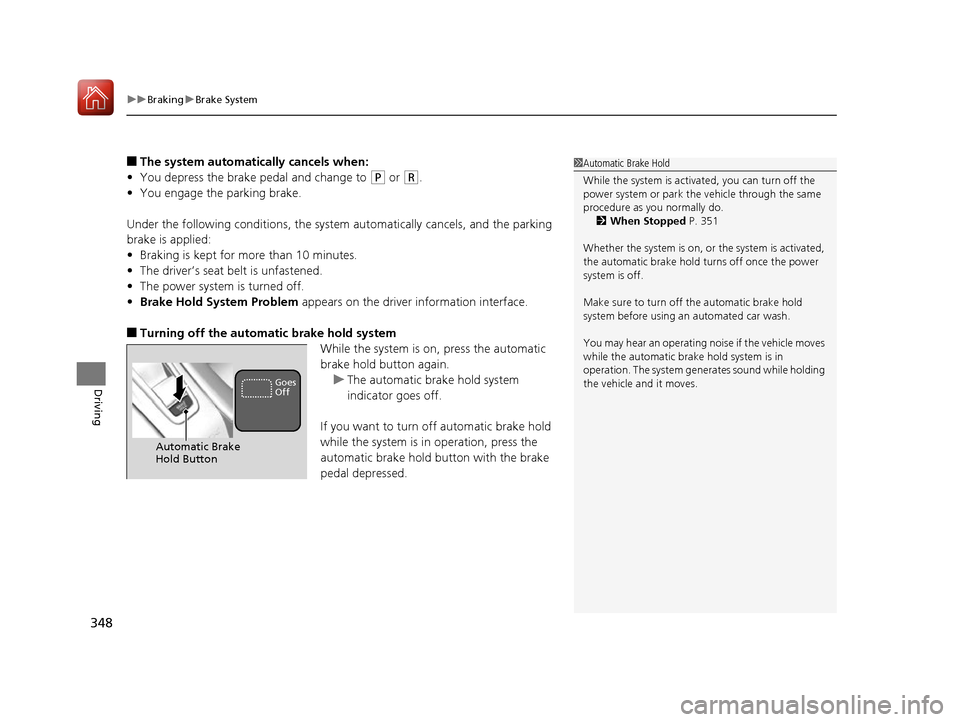
■Turning off the automatic brake hold system
While the system is on, press the automatic
brake hold button again.u The automatic brake hold system
indicator goes off.
If you want to turn off automatic brake hold
while the system is in operation, press the
automatic brake hold button with the brake
pedal depressed.
1 Automatic Brake Hold
While the system is activated, you can turn off the
power system or park th e vehicle through the same
procedure as you normally do. 2 When Stopped P. 351
Whether the system is on, or the system is activated,
the automatic brake hold turns off once the power
system is off.
Make sure to turn off the automatic brake hold
system before using an automated car wash.
You may hear an operating noi se if the vehicle moves
while the automatic brake hold system is in
operation. The system generates sound while holding
the vehicle and it moves.
Automatic Brake
Hold Button
Goes
Off
17 NSX-31T6N6000.book 348 ページ 2016年4月22日 金曜日 午後3時44分