ignition ACURA RDX 2010 Owner's Guide
[x] Cancel search | Manufacturer: ACURA, Model Year: 2010, Model line: RDX, Model: ACURA RDX 2010Pages: 514, PDF Size: 30.21 MB
Page 131 of 514
When the vehicle speed reaches
about 9 mph (about 15 km/h) or
more, all the doors lock
automatically.
You can change the‘‘AUTO DOOR
LOCK ’’setting on the multi-
information display (see page 103).
When you shift to P after driving, the
driver's door unlocks.
You can change the ‘‘AUTO DOOR
UNLOCK ’’setting on the multi-
information display (see page 111).To lock any passenger's door when
getting out of the vehicle, pull
backward on the lock tab and close
the door. To lock the driver's door,
remove the key from the ignition
switch and pull backward on the lock
tab. Then close the door.
Lockout PreventionWith the driver's door open and the
key in the ignition, both master door
lock switches are disabled. They are
not disabled if the driver's door is
closed. Pushing the switch down on
the open front passenger's door will
lock all doors and the tailgate. Childproof Door Locks
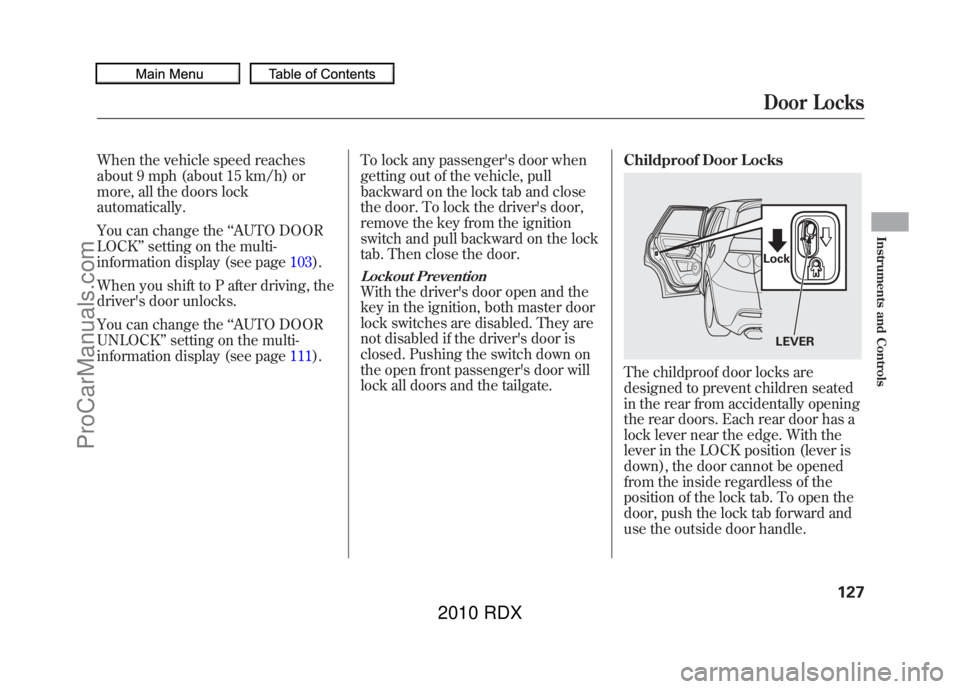
The childproof door locks are
designed to prevent children seated
in the rear from accidentally opening
the rear doors. Each rear door has a
lock lever near the edge. With the
lever in the LOCK position (lever is
down), the door cannot be opened
from the inside regardless of the
position of the lock tab. To open the
door, push the lock tab forward and
use the outside door handle.
LEVER
LockDoor Locks
127
Instruments and Controls
09/07/07 15:02:04 10 ACURA RDX MMC North America Owner's M 50 31STK630 enu
ProCarManuals.com
2010 RDX
Page 134 of 514
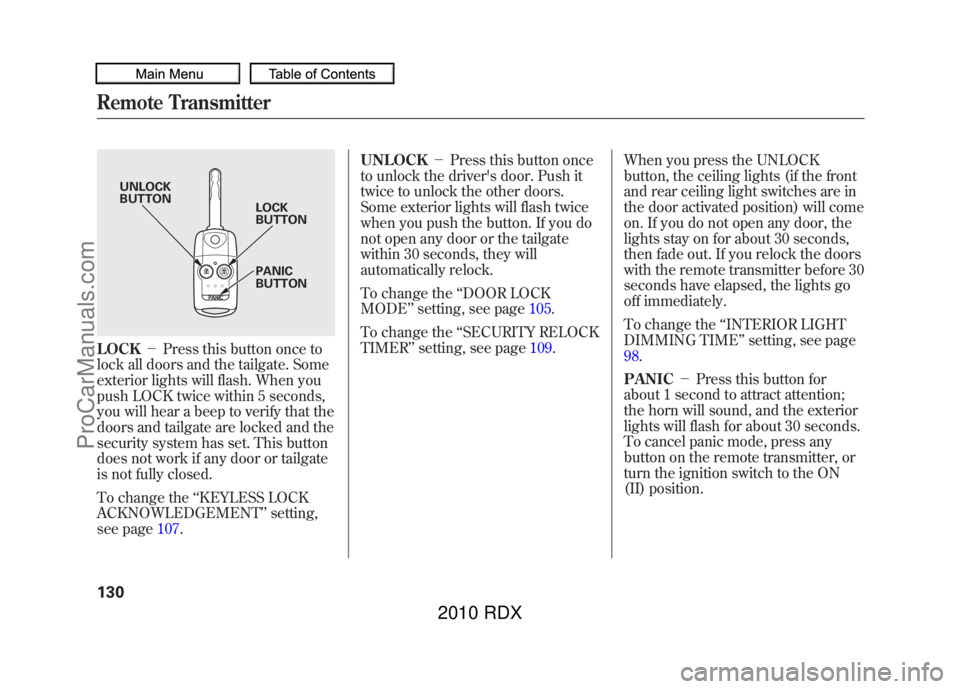
LOCK-Press this button once to
lock all doors and the tailgate. Some
exterior lights will flash. When you
push LOCK twice within 5 seconds,
you will hear a beep to verify that the
doors and tailgate are locked and the
security system has set. This button
does not work if any door or tailgate
is not fully closed.
To change the ‘‘KEYLESS LOCK
ACKNOWLEDGEMENT ’’setting,
see page 107. UNLOCK
-Press this button once
to unlock the driver's door. Push it
twice to unlock the other doors.
Some exterior lights will flash twice
when you push the button. If you do
not open any door or the tailgate
within 30 seconds, they will
automatically relock.
To change the ‘‘DOOR LOCK
MODE ’’setting, see page 105.
To change the ‘‘SECURITY RELOCK
TIMER ’’setting, see page 109.When you press the UNLOCK
button, the ceiling lights (if the front
and rear ceiling light switches are in
the door activated position) will come
on. If you do not open any door, the
lights stay on for about 30 seconds,
then fade out. If you relock the doors
with the remote transmitter before 30
seconds have elapsed, the lights go
off immediately.
To change the
‘‘INTERIOR LIGHT
DIMMING TIME’’ setting, see page
98.
PANIC -Press this button for
about 1 second to attract attention;
the horn will sound, and the exterior
lights will flash for about 30 seconds.
To cancel panic mode, press any
button on the remote transmitter, or
turn the ignition switch to the ON
(II) position.
UNLOCK
BUTTON LOCK
BUTTON
PANIC
BUTTON
Remote Transmitter13009/07/07 15:02:04 10 ACURA RDX MMC North America Owner's M 50 31STK630 enu
ProCarManuals.com
2010 RDX
Page 138 of 514
Front Seat Power AdjustmentsSee pages13-14for important safety
information and warnings about how to
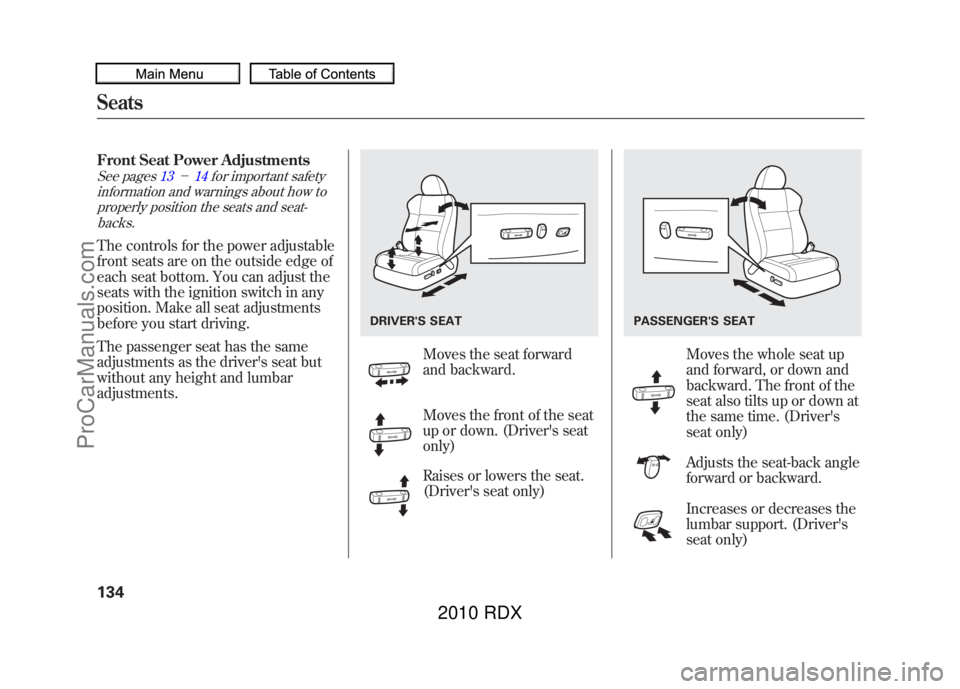
properly position the seats and seat-backs.The controls for the power adjustable
front seats are on the outside edge of
each seat bottom. You can adjust the
seats with the ignition switch in any
position. Make all seat adjustments
before you start driving.
The passenger seat has the same
adjustments as the driver's seat but
without any height and lumbar
adjustments.
Moves the seat forward
and backward.
Moves the front of the seat
up or down. (Driver's seat
only)
Raises or lowers the seat.
(Driver's seat only)
Moves the whole seat up
and forward, or down and
backward. The front of the
seat also tilts up or down at
the same time. (Driver's
seat only)
Adjusts the seat-back angle
forward or backward.
Increases or decreases the
lumbar support. (Driver's
seat only)
DRIVER'S SEAT
PASSENGER'S SEAT
Seats13409/07/07 15:02:04 10 ACURA RDX MMC North America Owner's M 50 31STK630 enu
ProCarManuals.com
2010 RDX
Page 145 of 514
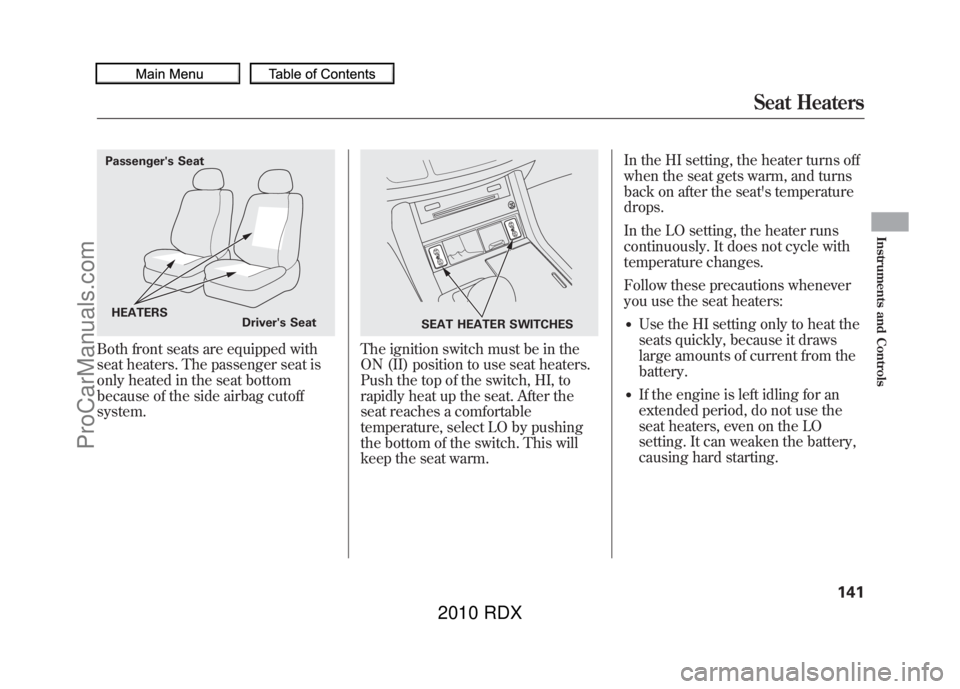
Both front seats are equipped with
seat heaters. The passenger seat is
only heated in the seat bottom
because of the side airbag cutoff
system.
The ignition switch must be in the
ON (II) position to use seat heaters.
Push the top of the switch, HI, to
rapidly heat up the seat. After the
seat reaches a comfortable
temperature, select LO by pushing
the bottom of the switch. This will
keep the seat warm.In the HI setting, the heater turns off
when the seat gets warm, and turns
back on after the seat's temperature
drops.
In the LO setting, the heater runs
continuously. It does not cycle with
temperature changes.
Follow these precautions whenever
you use the seat heaters:
●Use the HI setting only to heat the
seats quickly, because it draws
large amounts of current from the
battery.●If the engine is left idling for an
extended period, do not use the
seat heaters, even on the LO
setting. It can weaken the battery,
causing hard starting.
Passenger's Seat
HEATERS Driver's Seat
SEAT HEATER SWITCHES
Seat Heaters
141
Instruments and Controls
09/07/07 15:02:04 10 ACURA RDX MMC North America Owner's M 50 31STK630 enu
ProCarManuals.com
2010 RDX
Page 146 of 514
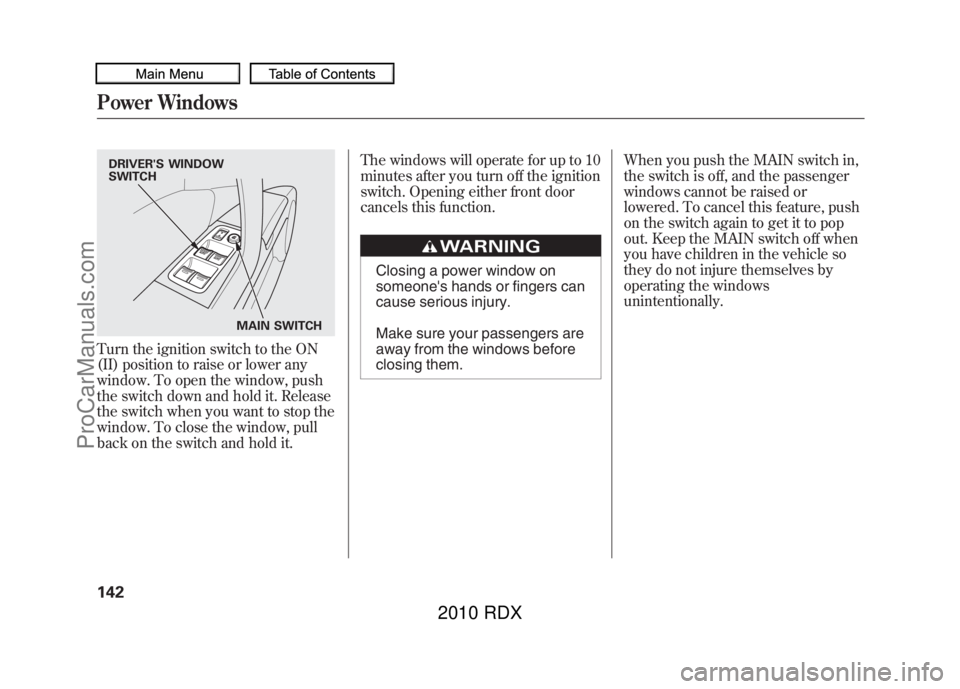
Turn the ignition switch to the ON
(II) position to raise or lower any
window. To open the window, push
the switch down and hold it. Release
the switch when you want to stop the
window. To close the window, pull
back on the switch and hold it.The windows will operate for up to 10
minutes after you turn off the ignition
switch. Opening either front door
cancels this function.
Closing a power window on
someone's hands or fingers can
cause serious injury.
Make sure your passengers are
away from the windows before
closing them.
When you push the MAIN switch in,
the switch is off, and the passenger
windows cannot be raised or
lowered. To cancel this feature, push
on the switch again to get it to pop
out. Keep the MAIN switch off when
you have children in the vehicle so
they do not injure themselves by
operating the windows
unintentionally.
DRIVER'S WINDOW
SWITCH
MAIN SWITCHPower Windows14209/07/07 15:02:04 10 ACURA RDX MMC North America Owner's M 50 31STK630 enu
ProCarManuals.com
2010 RDX
Page 148 of 514
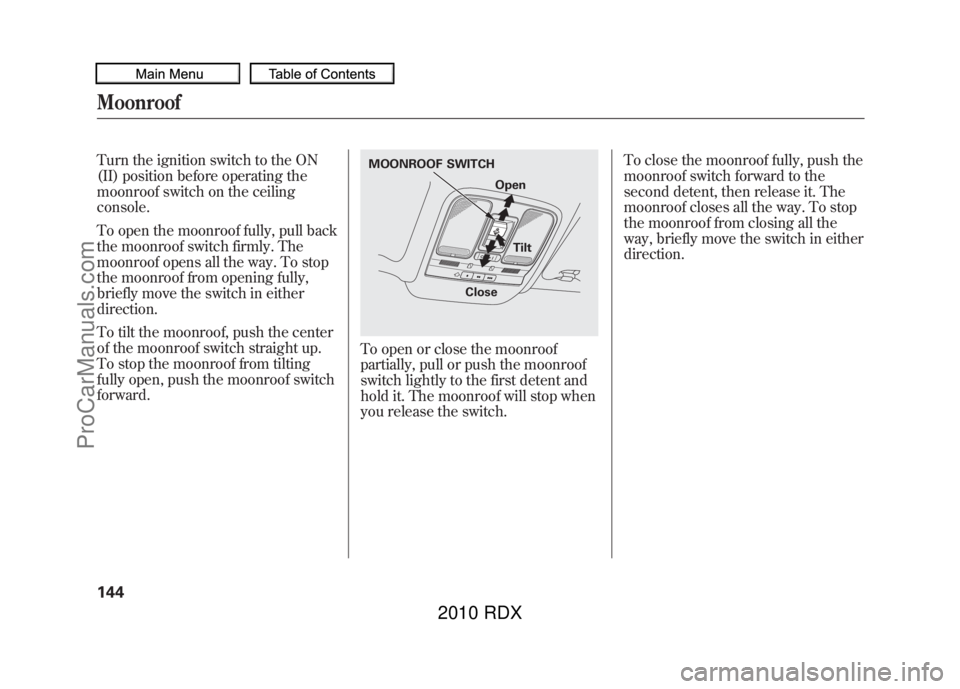
Turn the ignition switch to the ON
(II) position before operating the
moonroof switch on the ceiling
console.
To open the moonroof fully, pull back
the moonroof switch firmly. The
moonroof opens all the way. To stop
the moonroof from opening fully,
briefly move the switch in either
direction.
To tilt the moonroof, push the center
of the moonroof switch straight up.
To stop the moonroof from tilting
fully open, push the moonroof switch
forward.
To open or close the moonroof
partially, pull or push the moonroof
switch lightly to the first detent and
hold it. The moonroof will stop when
you release the switch.To close the moonroof fully, push the
moonroof switch forward to the
second detent, then release it. The
moonroof closes all the way. To stop
the moonroof from closing all the
way, briefly move the switch in either
direction.MOONROOF SWITCH
Open
Tilt
Close
Moonroof14409/07/07 15:02:04 10 ACURA RDX MMC North America Owner's M 50 31STK630 enu
ProCarManuals.com
2010 RDX
Page 149 of 514
Opening or closing the
moonroof on someone's hands
or fingers can cause serious
injury.
Make sure all hands and fingers
are clear of the moonroof
before opening or closing it.The moonroof has a key-off delay.
You can open and close the
moonroof for up to 10 minutes after
you turn off the ignition switch. The
key-off delay cancels as soon as you
open either front door. You must
then turn the ignition switch to the
ON (II) position for the moonroof to
operate.
If you try to open the moonroof in
below-freezing temperatures, or when it
is covered with snow or ice, you can
damage the moonroof panel or motor. Auto Reverse
If the moonroof runs into any
obstacle while it is closing
automatically, it will reverse
direction, and then stop. To close the
moonroof, remove the obstacle, then
use the moonroof switch again.
Auto reverse stops sensing when the
moonroof is almost closed. You
should always check that all
passengers and objects are away
from the moonroof before closing it.
Moonroof
145
Instruments and Controls
09/07/07 15:02:04 10 ACURA RDX MMC North America Owner's M 50 31STK630 enu
ProCarManuals.com
2010 RDX
Page 150 of 514

Keep the inside and outside mirrors
clean and adjusted for best visibility.
Be sure to adjust the mirrors before
you start driving.The inside mirror can automatically
darken to reduce glare. To turn on
this feature, press the button on the
bottom of the mirror. The AUTO
indicator comes on as a reminder.
When it is on, the mirror darkens
when it senses the headlights of a
vehicle behind you, then returns to
normal visibility when the lights are
gone. Press the button again to turn
off this feature.
There is also a sensor on the back of the
mirror. Items hung on the mirror may
block this sensor and affect its
performance.On models without navigation systemWhen you shift to reverse with the
ignition switch in the ON (II) position,
the rear view is shown on the left side
of the inside mirror. For more
information, see page
348.
Adjusting the Power Mirrors1. Turn the ignition switch to the ON
(II) position.
2. Move the selector switch to L (driver's side) or R (passenger's
side).
INDICATOR SENSOR
AUTO BUTTON
SELECTOR SWITCH
Mirrors14609/07/07 15:02:04 10 ACURA RDX MMC North America Owner's M 50 31STK630 enu
ProCarManuals.com
2010 RDX
Page 151 of 514
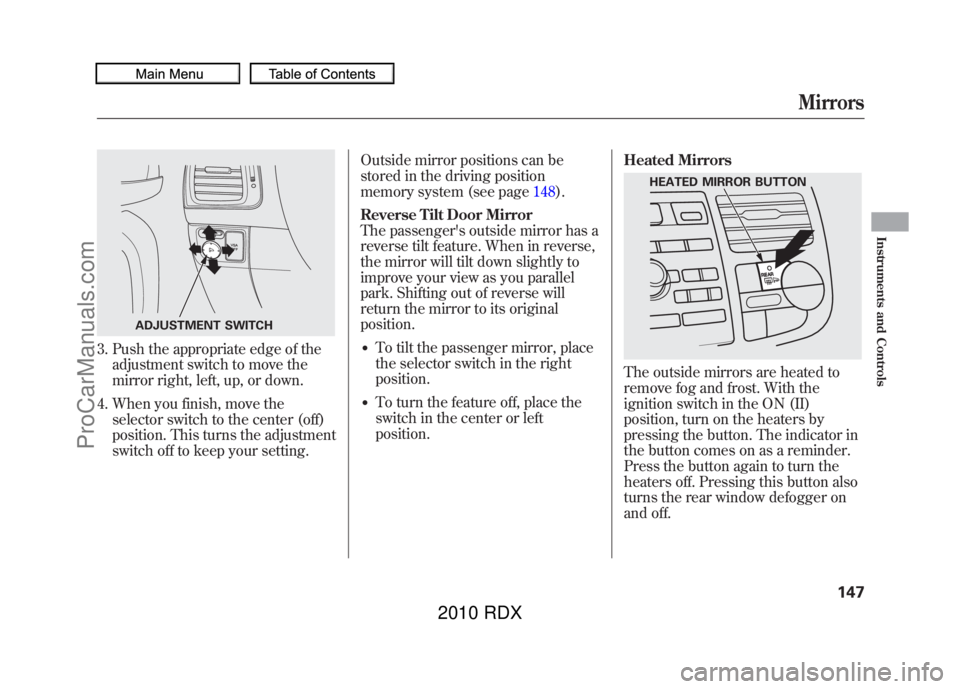
3. Push the appropriate edge of theadjustment switch to move the
mirror right, left, up, or down.
4. When you finish, move the selector switch to the center (off)
position. This turns the adjustment
switch off to keep your setting. Outside mirror positions can be
stored in the driving position
memory system (see page
148).
Reverse Tilt Door Mirror
The passenger's outside mirror has a
reverse tilt feature. When in reverse,
the mirror will tilt down slightly to
improve your view as you parallel
park. Shifting out of reverse will
return the mirror to its original
position.
●To tilt the passenger mirror, place
the selector switch in the right
position.●To turn the feature off, place the
switch in the center or left
position. Heated Mirrors
The outside mirrors are heated to
remove fog and frost. With the
ignition switch in the ON (II)
position, turn on the heaters by
pressing the button. The indicator in
the button comes on as a reminder.
Press the button again to turn the
heaters off. Pressing this button also
turns the rear window defogger on
and off.
ADJUSTMENT SWITCH
HEATED MIRROR BUTTON
Mirrors
147
Instruments and Controls
09/07/07 15:02:04 10 ACURA RDX MMC North America Owner's M 50 31STK630 enu
ProCarManuals.com
2010 RDX
Page 152 of 514
Your vehicle has a memory feature
for the driver's seat and outside
mirror positions.
Seat, except for power lumbar, and
outside mirror positions, can be
stored in separate memories. You
select a memorized position by
pushing the appropriate button or
using the appropriate remote
transmitter (Memory 1 or Memory
2).Storing a Driving Position in
Memory
Store a driving position only when
the vehicle is parked.
1. Turn the ignition switch to the ON
(II) position. You cannot add a new
driving position to the memory
unless the ignition switch is in the
ON (II) position. You can recall a
memorized position with the
ignition switch in any position.
2. Adjust the seat to a comfortable position (see page 134).
Adjust the outside mirrors for best
visibility (see page 146).
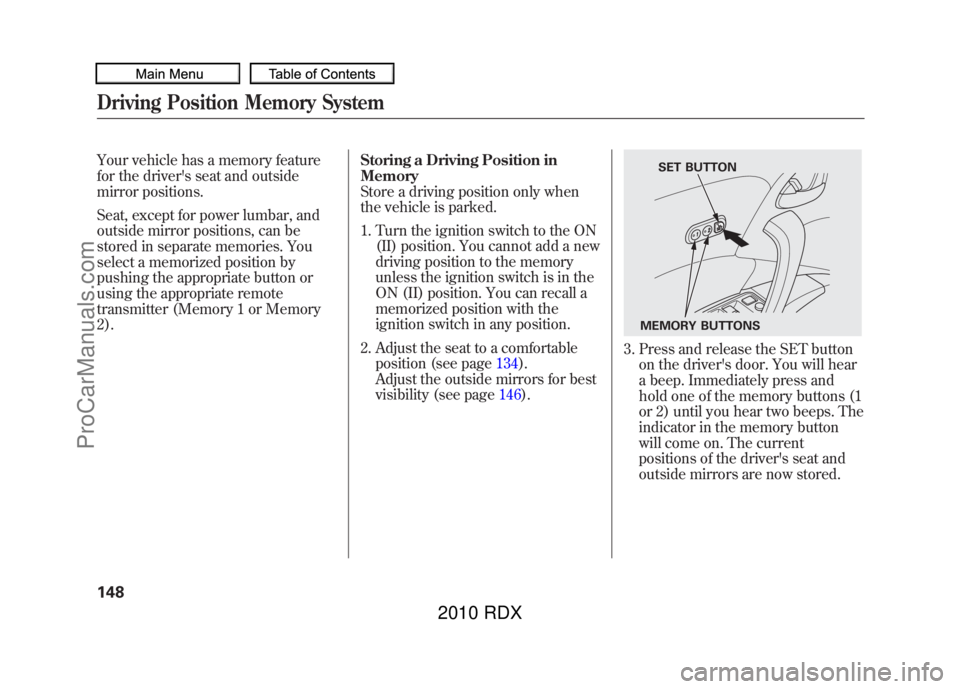
3. Press and release the SET button
on the driver's door. You will hear
a beep. Immediately press and
hold one of the memory buttons (1
or 2) until you hear two beeps. The
indicator in the memory button
will come on. The current
positions of the driver's seat and
outside mirrors are now stored.
SET BUTTON
MEMORY BUTTONS
Driving Position Memory System14809/07/07 15:02:04 10 ACURA RDX MMC North America Owner's M 50 31STK630 enu
ProCarManuals.com
2010 RDX