jack Acura RDX 2011 Owner's Manual
[x] Cancel search | Manufacturer: ACURA, Model Year: 2011, Model line: RDX, Model: Acura RDX 2011Pages: 517, PDF Size: 27.89 MB
Page 9 of 517
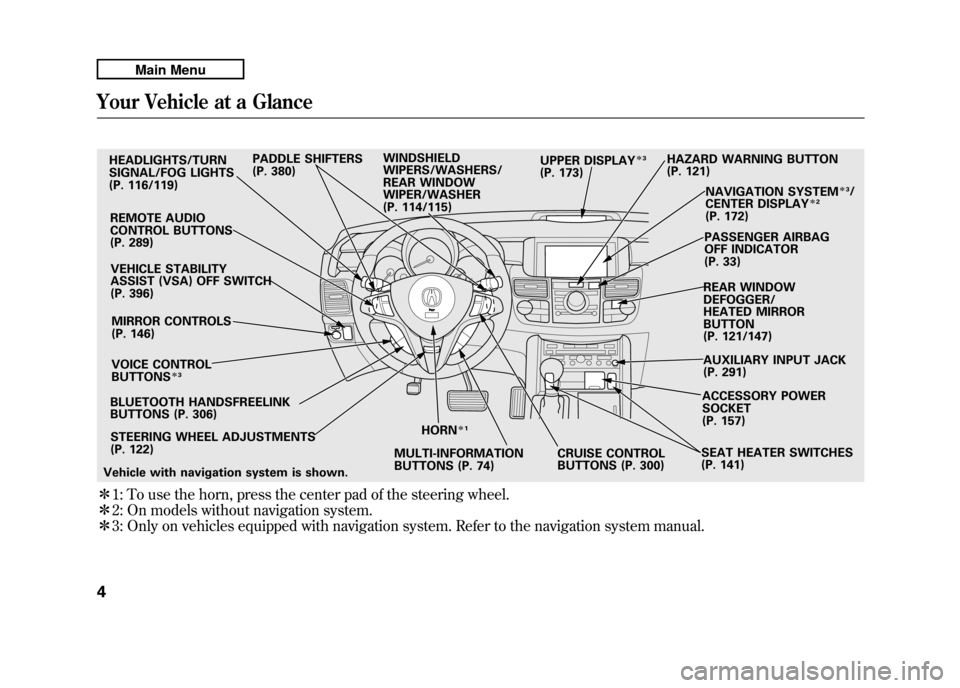
ꭧ1: To use the horn, press the center pad of the steering wheel.
ꭧ 2: On models without navigation system.
ꭧ 3: Only on vehicles equipped with navigation system. Refer to the navigation system manual.HEADLIGHTS/TURN
SIGNAL/FOG LIGHTS
(P. 116/119)
REMOTE AUDIO
CONTROL BUTTONS
(P. 289)VEHICLE STABILITY
ASSIST (VSA) OFF SWITCH
(P. 396)
MIRROR CONTROLS
(P. 146)
VOICE CONTROL
BUTTONS
ꭧ 3
BLUETOOTH HANDSFREELINK
BUTTONS (P. 306)
STEERING WHEEL ADJUSTMENTS
(P. 122) HORN
ꭧ
1
MULTI-INFORMATION
BUTTONS (P. 74) CRUISE CONTROL
BUTTONS (P. 300)SEAT HEATER SWITCHES
(P. 141)ACCESSORY POWER
SOCKET
(P. 157)
AUXILIARY INPUT JACK
(P. 291) REAR WINDOW
DEFOGGER/
HEATED MIRROR
BUTTON
(P. 121/147)PASSENGER AIRBAG
OFF INDICATOR
(P. 33)
NAVIGATION SYSTEM
ꭧ
3/
CENTER DISPLAY
ꭧ 2
(P. 172)
HAZARD WARNING BUTTON
(P. 121)
PADDLE SHIFTERS
(P. 380) WINDSHIELD
WIPERS/WASHERS/
REAR WINDOW
WIPER/WASHER
(P. 114/115) UPPER DISPLAY
ꭧ
3
(P. 173)
Vehicle with navigation system is shown.
Your Vehicle at a Glance410/06/08 17:42:32 11 ACURA RDX MMC North America Owner's M 50 31STK640 enu
Page 118 of 517
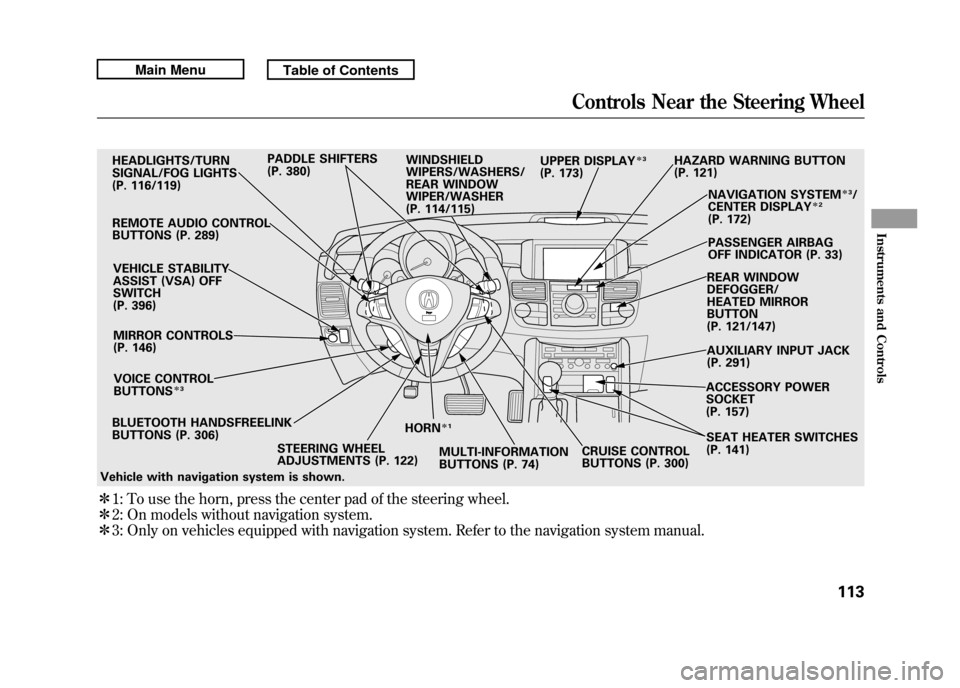
ꭧ1: To use the horn, press the center pad of the steering wheel.
ꭧ 2: On models without navigation system.
ꭧ 3: Only on vehicles equipped with navigation system. Refer to the navigation system manual.BLUETOOTH HANDSFREELINK
BUTTONS (P. 306) HORN
ꭧ
1
STEERING WHEEL
ADJUSTMENTS (P. 122) MULTI-INFORMATION
BUTTONS (P. 74)CRUISE CONTROL
BUTTONS (P. 300)SEAT HEATER SWITCHES
(P. 141)
HEADLIGHTS/TURN
SIGNAL/FOG LIGHTS
(P. 116/119)
REMOTE AUDIO CONTROL
BUTTONS (P. 289) VEHICLE STABILITY
ASSIST (VSA) OFF
SWITCH
(P. 396)MIRROR CONTROLS
(P. 146)
VOICE CONTROL
BUTTONS
ꭧ 3
HAZARD WARNING BUTTON
(P. 121)
PADDLE SHIFTERS
(P. 380)
WINDSHIELD
WIPERS/WASHERS/
REAR WINDOW
WIPER/WASHER
(P. 114/115) NAVIGATION SYSTEM
ꭧ
3/
CENTER DISPLAY
ꭧ 2
(P. 172)
PASSENGER AIRBAG
OFF INDICATOR (P. 33)
REAR WINDOW
DEFOGGER/
HEATED MIRROR
BUTTON
(P. 121/147)
AUXILIARY INPUT JACK
(P. 291)
ACCESSORY POWER
SOCKET
(P. 157)
UPPER DISPLAY
ꭧ
3
(P. 173)
Vehicle with navigation system is shown.
Controls Near the Steering Wheel
113
Instruments and Controls
10/06/08 17:42:32 11 ACURA RDX MMC North America Owner's M 50 31STK640 enu
Page 159 of 517
CARGO AREA COVERBEVERAGE HOLDERS in
REAR SEAT ARMREST CENTER CONSOLE ACCESSORY POWER SOCKETSGLOVE BOX
CENTER
POCKET
SUN VISOR/VANITY
MIRROR
BEVERAGE
HOLDERS
FRONT DOOR
POCKET
DOOR LINING
POCKETS
COAT HOOK
AUXILIARY
INPUT JACK
USB ADAPTER CABLEInterior Convenience Items15410/06/08 17:42:32 11 ACURA RDX MMC North America Owner's M 50 31STK640 enu
Page 168 of 517

The climate control system in your vehicle
provides a comfortable driving
environment in all weather conditions.
The standard audio system has many
features. This section describes those
features and how to use them.
Your vehicle has an anti-theft audio system
that requires a code number to enable it.
The security system helps to discourage
vandalism and theft of your vehicle.On models with navigation systemThe climate control system and the audiosystem have a voice control feature. Referto the navigation system manual for more
information.Climate Control System
....................
164
Dual Temperature Control
.............
169
Climate Control Sensors
................
171
Audio System
..................................
172
Playing the FM/AM Radio (Models without navigation system)
........
174
To Play the Radio
.........................
174
Adjusting the Sound
.....................
177
Playing the XM
®Radio (Models
without navigation system)
............
179
Playing Discs (Models without navigation system)
.......................
185 Disc Changer Error Messages
(Models without navigationsystem)
..................................
195
Playing an iPod
®(Models without
navigation system)
.......................
197
iPod
®Error Messages (Models
without navigation system)
............
203
Playing a USB Flash Memory Device (Models without navigationsystem)
..................................
204
USB Flash Memory Device Error Messages (Models without
navigation system)
...................
211
Bluetooth
®Audio System (Models
without navigation system)
............
212
Audio System (Models with navigation system)
..................................
216
Interface Dial
..............................
216
Playing the FM/AM Radio (Models
with navigation system)
.............
217
Adjusting the Sound
.....................
224
Playing the XM
®Radio (Models with
navigation system)
.......................
228
Playing Discs (Models with navigation system)
......................................
239
Disc Changer Error Messages
(Models with navigationsystem)
..................................
255 Protecting Your Discs
.......................
257
Playing an iPod
®(Models with
navigation system)
.......................
260
iPod
®Error Messages (Models with
navigation system)
.......................
269
Playing a USB Flash Memory Device (Models with navigation
system)
..................................
270
USB Flash Memory Device Error Messages (Models with navigation
system)
..................................
279
Bluetooth
®Audio System (Models with
navigation system)
.......................
280
FM/AM Radio Reception
..................
287
Remote Audio Controls
.....................
289
Auxiliary Input Jack
..........................
291
Radio Theft Protection
......................
292
Setting the Clock
.............................
293
Security System
...............................
294
Compass
........................................
295
Compass Operation
....................
295
Cruise Control
.................................
300
HomeLink
®Universal Transceiver
......
303
Bluetooth
®HandsFreeLink
®..............
306
AcuraLink
®(U.S. models only)
...........
332
Rearview Mirror with Rearview
Camera Display
...........................
348
Features
163
Features
10/06/08 17:42:32 11 ACURA RDX MMC North America Owner's M 50 31STK640 enu
Page 192 of 517
Your audio system has an in-dash CD
changer that holds up to six CDs,
providing several hours of
continuous entertainment. You
operate this CD changer with the
same controls used for the radio.
To load CDs or operate the CD
changer, the ignition switch must be
in the ACCESSORY (I) or ON (II)
position.
The disc changer can play these disc
formats:●CD (CD-DA)●CD-R/RW
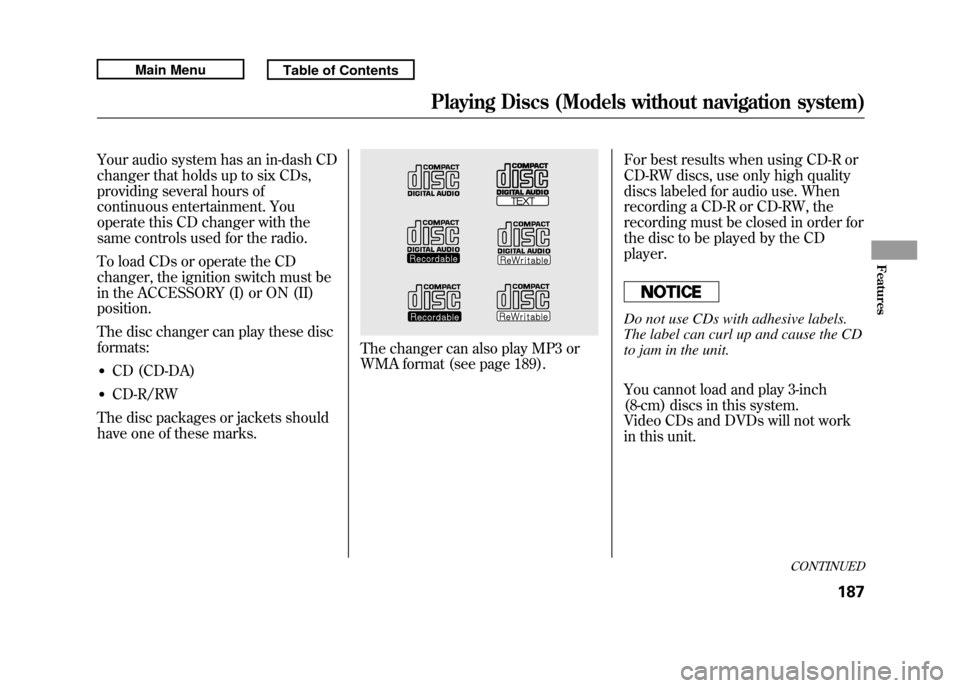
The disc packages or jackets should
have one of these marks.
The changer can also play MP3 or
WMA format (see page 189). For best results when using CD-R or
CD-RW discs, use only high quality
discs labeled for audio use. When
recording a CD-R or CD-RW, the
recording must be closed in order for
the disc to be played by the CD
player.
Do not use CDs with adhesive labels.
The label can curl up and cause the CD
to jam in the unit.
You cannot load and play 3-inch
(8-cm) discs in this system.
Video CDs and DVDs will not work
in this unit.
CONTINUED
Playing Discs (Models without navigation system)
187
Features
10/06/08 17:42:32 11 ACURA RDX MMC North America Owner's M 50 31STK640 enu
Page 218 of 517
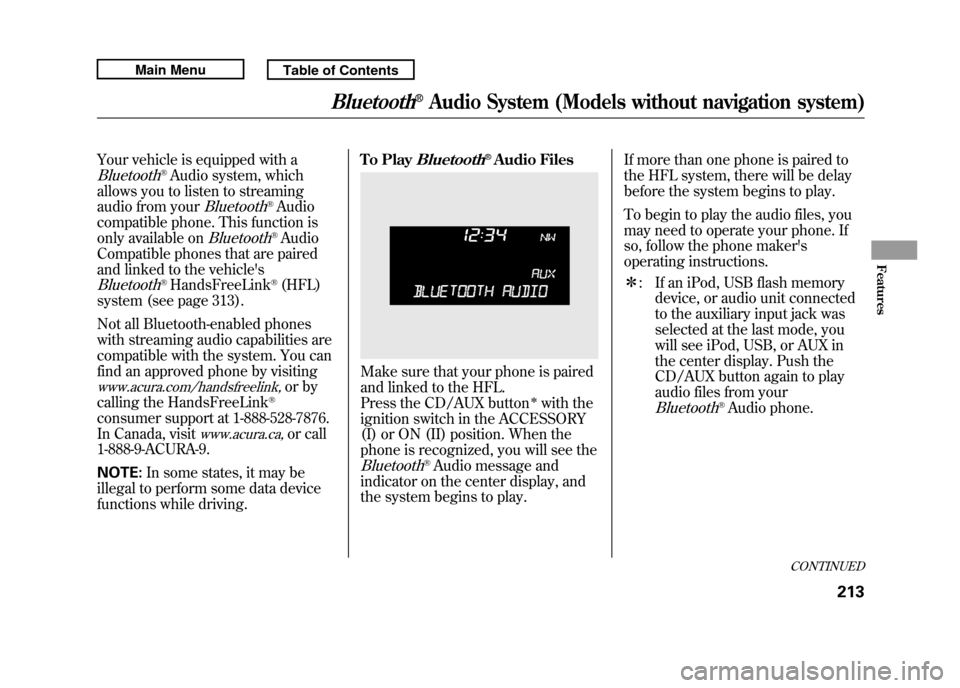
Your vehicle is equipped with aBluetooth
®Audio system, which
allows you to listen to streaming
audio from your
Bluetooth
®Audio
compatible phone. This function is
only available on
Bluetooth
®Audio
Compatible phones that are paired
and linked to the vehicle's
Bluetooth
®HandsFreeLink
®(HFL)
system (see page 313).
Not all Bluetooth-enabled phones
with streaming audio capabilities are
compatible with the system. You can
find an approved phone by visiting
www.acura.com/handsfreelink,
or by
calling the HandsFreeLink
®
consumer support at 1-888-528-7876.
In Canada, visit
www.acura.ca,
or call
1-888-9-ACURA-9.
NOTE: In some states, it may be
illegal to perform some data device
functions while driving. To Play
Bluetooth
®Audio Files
Make sure that your phone is paired
and linked to the HFL.
Press the CD/AUX button
ꭧwith the
ignition switch in the ACCESSORY
(I) or ON (II) position. When the
phone is recognized, you will see the
Bluetooth
®Audio message and
indicator on the center display, and
the system begins to play. If more than one phone is paired to
the HFL system, there will be delay
before the system begins to play.
To begin to play the audio files, you
may need to operate your phone. If
so, follow the phone maker's
operating instructions.
ꭧ
: If an iPod, USB flash memory
device, or audio unit connected
to the auxiliary input jack was
selected at the last mode, you
will see iPod, USB, or AUX in
the center display. Push the
CD/AUX button again to play
audio files from your
Bluetooth
®Audio phone.
CONTINUED
Bluetooth
®Audio System (Models without navigation system)
213
Features
10/06/08 17:42:32 11 ACURA RDX MMC North America Owner's M 50 31STK640 enu
Page 220 of 517

To turn off the Bluetooth
®Audio
mode
Select any other audio mode by
pressing a button: FM, AM,
or
CD/AUX (if a disc is loaded), on the
audio control panel or press the
mode button on the steering wheel
repeatedly to select another audio
mode. If iPod or USB flash memory
device is connected to the USB
adapter cable or audio unit is
connected to AUX jack, pressing the
CD/AUX button also changes a
mode.
Switching to another mode pauses
the music playing from your phone.
As required by the FCC:
This device complies with Part 15 of theFCC rules. Operation is subject to the
following two conditions: (1) This devicemay not cause harmful interference, and(2) this device must accept any
interference received, includinginterference that may cause undesiredoperation.
Changes or modifications not expresslyapproved by the party responsible for
compliance could void the user'sauthority to operate the equipment.
This device complies with IndustryCanada Standard RSS-210.
Operation is subject to the following twoconditions: (1) this device may not causeinterference, and (2) this device must
accept any interference that may causeundesired operation of the device.
Bluetooth
®Audio System (Models without navigation system)
215
Features
10/06/08 17:42:32 11 ACURA RDX MMC North America Owner's M 50 31STK640 enu
Page 246 of 517
Your vehicle's audio system has an
in-dash disc changer with the same
controls used for the radio. To
operate the disc changer, the ignition
switch must be in the ACCESSORY
(I) or the ON (II) position.
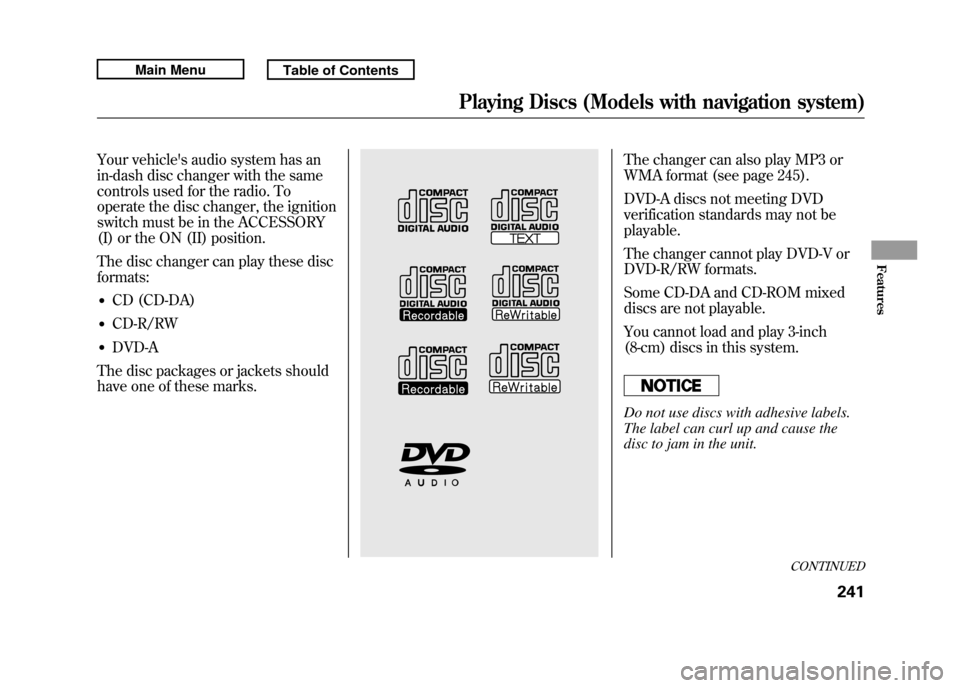
The disc changer can play these disc
formats:●CD (CD-DA)●CD-R/RW●DVD-A
The disc packages or jackets should
have one of these marks.
The changer can also play MP3 or
WMA format (see page 245).
DVD-A discs not meeting DVD
verification standards may not be
playable.
The changer cannot play DVD-V or
DVD-R/RW formats.
Some CD-DA and CD-ROM mixed
discs are not playable.
You cannot load and play 3-inch
(8-cm) discs in this system.Do not use discs with adhesive labels.
The label can curl up and cause the
disc to jam in the unit.
CONTINUED
Playing Discs (Models with navigation system)
241
Features
10/06/08 17:42:32 11 ACURA RDX MMC North America Owner's M 50 31STK640 enu
Page 288 of 517

Once a device is linked, the name of
the device will appear on the screen.
Pressing the DISP/MODE button
switches the audio control display
between the
Bluetooth
®Audio and
the device name.
If more than one phone is paired to
the HFL system, there will be a delay
before the system begins to play.
To play the audio files, you may need
to operate your phone. If so, follow
the phone maker's operating
instructions.
ꭧ : If an iPod, USB flash memory
device or audio unit connected
to the auxiliary input jack was
selected at the last mode, you
will see iPod, USB or AUX in
the upper display and the audio
control display (if selected).
Push the DISC/AUX button
again to play audio files from
your
Bluetooth
®Audio phone. In the following conditions, the
display shows
‘‘NO CONNECT ’’
message.
●The phone is not linked to HFL.●The phone is not turned on.●The phone is not in the vehicle.●Another HFL compatible phone,
which is not compatible forBluetooth
®Audio, is already
connected. If your
Bluetooth
®Audio compatible
phone does not operate as described,
make sure it is an Acura approved
phone. To find out if your phone is
approved, go to
www.acura.com/
handsfreelink
(in Canada,
www.acura.
ca
), or call the HandsFreeLink
®
consumer support at (888) 528-7876.Voice Control SystemYou can select the AUX mode by
using the navigation system voice
control buttons, but cannot operate
the play mode functions.
CONTINUED
Bluetooth
®Audio System (Models with navigation system)
283
Features
10/06/08 17:42:32 11 ACURA RDX MMC North America Owner's M 50 31STK640 enu
Page 290 of 517
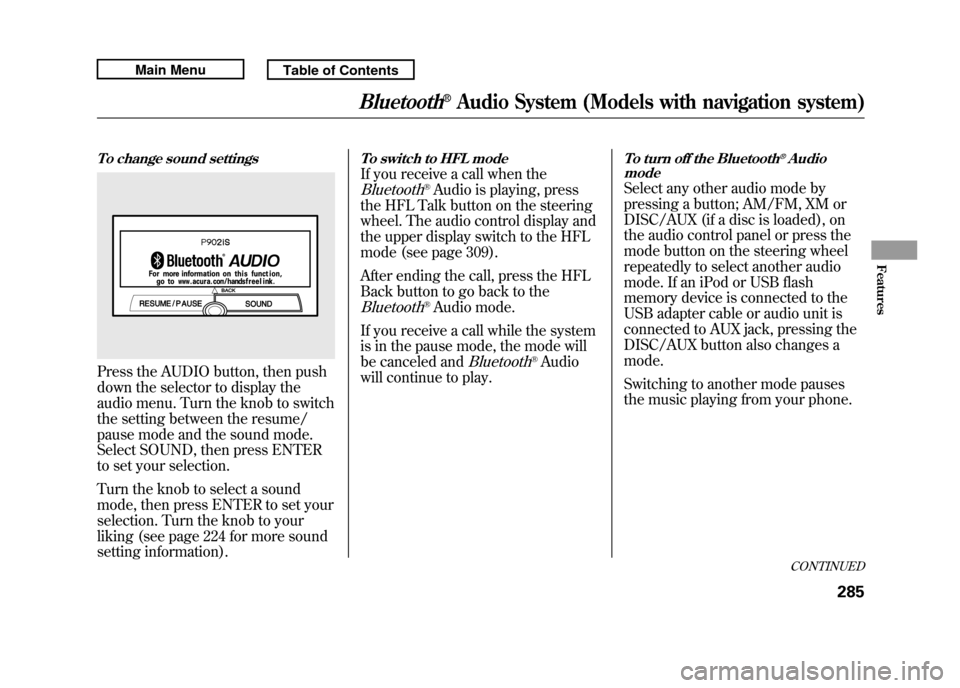
To change sound settingsPress the AUDIO button, then push
down the selector to display the
audio menu. Turn the knob to switch
the setting between the resume/
pause mode and the sound mode.
Select SOUND, then press ENTER
to set your selection.
Turn the knob to select a sound
mode, then press ENTER to set your
selection. Turn the knob to your
liking (see page 224 for more sound
setting information).
To switch to HFL modeIf you receive a call when theBluetooth
®Audio is playing, press
the HFL Talk button on the steering
wheel. The audio control display and
the upper display switch to the HFL
mode (see page 309).
After ending the call, press the HFL
Back button to go back to the
Bluetooth
®Audio mode.
If you receive a call while the system
is in the pause mode, the mode will
be canceled and
Bluetooth
®Audio
will continue to play.
To turn off the Bluetooth
®Audio
mode
Select any other audio mode by
pressing a button; AM/FM, XM or
DISC/AUX (if a disc is loaded), on
the audio control panel or press the
mode button on the steering wheel
repeatedly to select another audio
mode. If an iPod or USB flash
memory device is connected to the
USB adapter cable or audio unit is
connected to AUX jack, pressing the
DISC/AUX button also changes a
mode.
Switching to another mode pauses
the music playing from your phone.
CONTINUED
Bluetooth
®Audio System (Models with navigation system)
285
Features
10/06/08 17:42:32 11 ACURA RDX MMC North America Owner's M 50 31STK640 enu