ECO mode Acura RDX 2012 Repair Manual
[x] Cancel search | Manufacturer: ACURA, Model Year: 2012, Model line: RDX, Model: Acura RDX 2012Pages: 518, PDF Size: 26.43 MB
Page 284 of 518

FOLDER SCAN-This function
samples the first file in each folder in
the order they are stored. To activate
the folder scan feature, push the
selector to the right repeatedly. You
will see FOLDER SCAN on the
screen. You will also see SCAN on
the upper display and the folder
number blinking. You will get a 10
second sampling of the first file in
each folder. Push the selector
repeatedly to get out of the scan
mode. The system plays the last file
sampled.
You can also select the folder scan
feature with the SCAN button on the
control panel. Press and release the
SCAN button repeatedly.
Press and hold the SCAN button to
get out of the folder scan mode and
play the last file sampled. To Stop Playing a USB Flash
Memory Device
To play the radio, press the AM/FM
or
button. Press the DISC/
AUX button to switch to the disc
mode (if a disc is loaded). Press the
DISC/AUX button to switch the
audio mode between the USB mode
and
Bluetooth
®Audio.
If you reconnect the same USB flash
memory device, the system will
begin playing where it left off.
USB Flash Memory Device Error
Messages
For information, see page 279.
Disconnecting a USB Flash Memory DeviceYou can disconnect the USB flash
memory device at any time even if
the USB mode is selected on the
audio system. Always follow the USB
flash memory device's instructions
when you remove it.
When you disconnect the USB flash
memory device while it is playing,
the upper display and the audio
control display (if selected) show NO
DATA.
Playing a USB Flash Memory Device (Models with navigation system)27811/06/16 17:42:51 12 ACURA RDX MMC North America Owner's M 50 31STK650 enu
Page 285 of 518

If you see an error message on the
upper display while playing a USB
flash memory device, find the
solution in the chart to the right. If
you cannot clear the error message,
take your vehicle to your dealer.Error Message
Cause Solution
USB ERRORUSB ROM error There is a problem with the USB adapter
unit.
BAD USB DEVICE
PLEASE CHECK OWNERS
MANUAL Abnormal power
source Appears when the overcurrent protection
feature of the system stops supplying
power to USB because an incompatible
device is connected. Disconnect the
device. Then, turn the audio system off,
and turn it on again. Do not reconnect the
device that caused the error.
UNPLAYABLE FILE Use of unsupported
files Appears when the files in the USB flash
memory device are DRM or an
unsupported format. This error message
appears for a few seconds, then plays the
next song.
USB
NO SONG No files in USB flash
memory device Appears when the USB flash memory
device is empty or there are no MP3,
WMA, or AAC files in the USB flash
memory device. Save some MP3, WMA,
or AAC files in the USB flash memory
device.
UNSUPPORTED Use of unsupported
USB flash memory
device Appears when an unsupported device is
connected. See page 272 for information
on USB flash memory devices. If it appears
when the supported device is connected,
reconnect the device.
USB Flash Memory Device Error Messages (Models with navigation system)
279
Features
11/06/16 17:42:51 12 ACURA RDX MMC North America Owner's M 50 31STK650 enu
Page 288 of 518
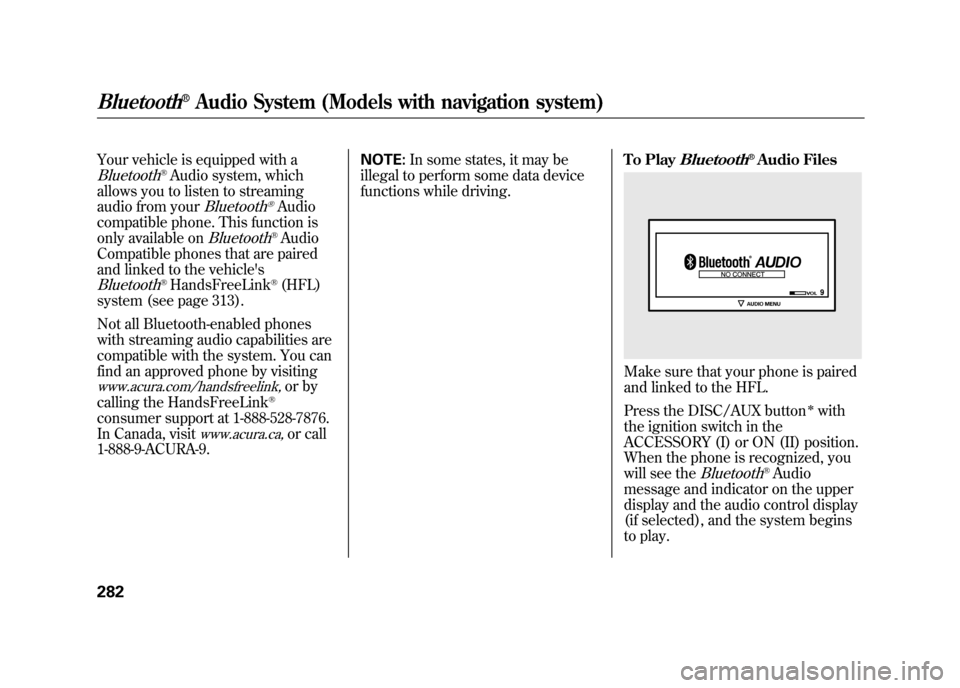
Your vehicle is equipped with aBluetooth
®Audio system, which
allows you to listen to streaming
audio from your
Bluetooth
®Audio
compatible phone. This function is
only available on
Bluetooth
®Audio
Compatible phones that are paired
and linked to the vehicle's
Bluetooth
®HandsFreeLink
®(HFL)
system (see page 313).
Not all Bluetooth-enabled phones
with streaming audio capabilities are
compatible with the system. You can
find an approved phone by visiting
www.acura.com/handsfreelink,
or by
calling the HandsFreeLink
®
consumer support at 1-888-528-7876.
In Canada, visit
www.acura.ca,
or call
1-888-9-ACURA-9. NOTE:
In some states, it may be
illegal to perform some data device
functions while driving. To Play
Bluetooth
®Audio Files
Make sure that your phone is paired
and linked to the HFL.
Press the DISC/AUX button
ᤳwith
the ignition switch in the
ACCESSORY (I) or ON (II) position.
When the phone is recognized, you
will see the
Bluetooth
®Audio
message and indicator on the upper
display and the audio control display
(if selected), and the system begins
to play.
Bluetooth
®Audio System (Models with navigation system)
28211/06/16 17:42:51 12 ACURA RDX MMC North America Owner's M 50 31STK650 enu
Page 298 of 518

If you make a mistake entering the
code, do not start over; complete the
five-digit sequence, then enter the
correct code. You have ten tries to
enter the correct code. If you are
unsuccessful in ten attempts, you
must then leave the system on for
one hour before trying again.
The system will retain your AM and
FM presets even if power is
disconnected.NOTE:
If you have a My Acura account, you
can retrieve the anti-theft code
online.
US ownersWe recommend that you register the
security code at My Acura (myacura.
com). If you lose the Anti-theft
Identification Card before registering
the code at My Acura, you must
obtain the code from your dealer or
https://radio-navicode.acura.com/.
To do this, you will need the audio
system
’s serial number. If you do not
have the serial number with you, ask
your dealer or go to https://radio-
navicode.acura.com/ for information
on how to retrieve it.
Canadian ownersIf you lose the Anti-theft
Identification Card, you must obtain
the code from your dealer. To do
this, you will need the audio system ’s
serial number. If you do not have the
serial number with you, ask your
dealer how to retrieve it.On models with
navigation system
You need to enter a separate code for
the navigation system to reactivate.
The Anti-theft Card also lists the
navigation system ’s security code
and serial number. Follow the same
procedure to retrieve the serial
number and obtain the code, and
read the navigation system manual
for details.
Radio Theft Protection29211/06/16 17:42:51 12 ACURA RDX MMC North America Owner's M 50 31STK650 enu
Page 302 of 518
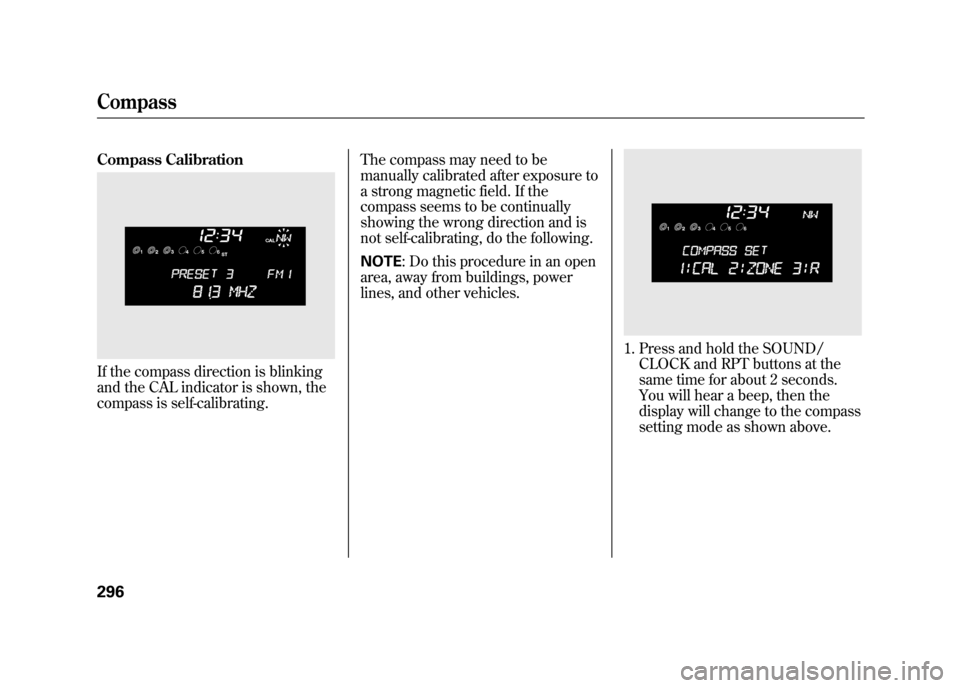
Compass CalibrationIf the compass direction is blinking
and the CAL indicator is shown, the
compass is self-calibrating.The compass may need to be
manually calibrated after exposure to
a strong magnetic field. If the
compass seems to be continually
showing the wrong direction and is
not self-calibrating, do the following.
NOTE
: Do this procedure in an open
area, away from buildings, power
lines, and other vehicles.
1. Press and hold the SOUND/ CLOCK and RPT buttons at the
same time for about 2 seconds.
You will hear a beep, then the
display will change to the compass
setting mode as shown above.
Compass29611/06/16 17:42:51 12 ACURA RDX MMC North America Owner's M 50 31STK650 enu
Page 304 of 518
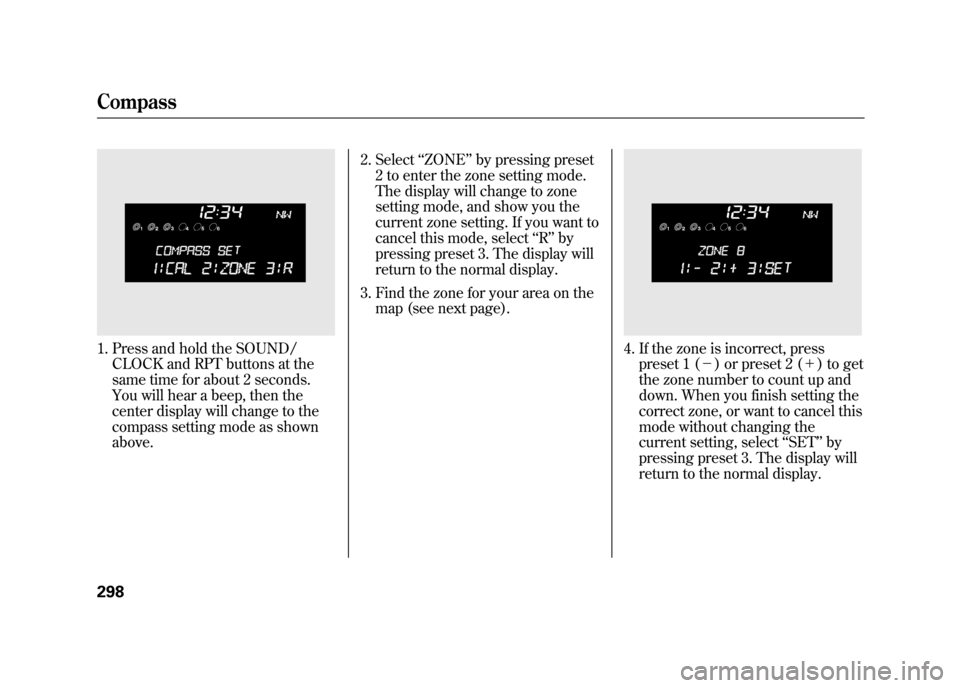
1. Press and hold the SOUND/CLOCK and RPT buttons at the
same time for about 2 seconds.
You will hear a beep, then the
center display will change to the
compass setting mode as shown
above. 2. Select
‘‘ZONE ’’by pressing preset
2 to enter the zone setting mode.
The display will change to zone
setting mode, and show you the
current zone setting. If you want to
cancel this mode, select ‘‘R ’’ by
pressing preset 3. The display will
return to the normal display.
3. Find the zone for your area on the map (see next page).
4. If the zone is incorrect, presspreset 1 (- ) or preset 2 (+ ) to get
the zone number to count up and
down. When you finish setting the
correct zone, or want to cancel this
mode without changing the
current setting, select ‘‘SET ’’by
pressing preset 3. The display will
return to the normal display.
Compass29811/06/16 17:42:51 12 ACURA RDX MMC North America Owner's M 50 31STK650 enu
Page 351 of 518

Diagnostic Info
When an indicator comes on or a
message is displayed on the Multi-
Information Display (MID),
AcuraLink can provide information
about the cause of the indicator or
message and the recommended
action to address it. This helps you
handle the problem as it occurs,
preventing or limiting costly repairs.
The AcuraLink system cannot
determine some mechanical
problems (such as squeaks or
rattles) that are not triggered by the
diagnostic indicator monitors.
A diagnostic message is generated if
any of the instrument panel
indicators stay on when they should
go off. For more information on the
instrument panel indicators, see page
63.
When an instrument panel indicator
comes on or a message is displayed
on the MID, AcuraLink immediately
notifies you with the message,
‘‘Check more information. ’’If you do
not want the information right away,
select the Check Later option. If you
want the information now, select the
Check Now option. (If the navigation
screen is not active, you must select
OK from the navigation disclaimer
screen before you can check the
information.) Depending on the severity of the
problem, the message will let you
know if you should see your dealer
immediately or if you can wait a
while.
CONTINUED
AcuraLink
®(U.S. models only)
345
Features
11/06/16 17:42:51 12 ACURA RDX MMC North America Owner's M 50 31STK650 enu
Page 366 of 518

Improving Fuel EconomyVehicle MaintenanceA properly maintained vehicle
maximizes fuel economy. Poor
maintenance can significantly reduce
fuel economy. Always maintain your
vehicle according to the maintenance
messages displayed on the
information display (seeOwner's
Maintenance Checks on page 417).
For example:●Use the required engine oil (see
page 420).●Maintain proper tire inflation -
An underinflated tire increases
‘‘ rolling resistance, ’’which reduces
fuel economy.●Avoid carrying excess weight in
your vehicle -It puts a heavier
load on the engine, increasing fuel
consumption.
●Keep your vehicle clean -In
particular, a build-up of snow or
mud on your vehicle's underside
adds weight and rolling resistance.
Frequent cleaning helps your fuel
economy.
Drive Efficiently●Drive moderately -Rapid
acceleration, abrupt cornering, and
hard braking increase fuel
consumption.●Observe the speed limit -
Aerodynamic drag has a big effect
on fuel economy at speeds above
45 mph (75 km/h). Reduce your
speed and you reduce the drag.
Trailers, car top carriers, roof
racks and bike racks are also big
contributors to increased drag.
Fuel Economy36011/06/16 17:42:51 12 ACURA RDX MMC North America Owner's M 50 31STK650 enu
Page 380 of 518

Your vehicle's starting system has an
auto control mode. When you turn
the ignition switch to the START (III)
position, this feature keeps the
engine's starter motor running until
the engine starts. Follow these
instructions to start the engine:1. Apply the parking brake.
2. In cold weather, turn off all electrical accessories to reduce the
drain on the battery.
3. Make sure the shift lever is in Park. Press on the brake pedal. 4. Without touching the accelerator
pedal, turn the ignition switch to
the START (III) position, then
release the ignition switch. You do
not need to hold the ignition
switch in the START (III) position
to start the engine. The starter
motor can run for up to 9 seconds
to guarantee starting when the
outside temperature is very low.
If you hold the ignition switch in
the START (III) position for more
than 7 seconds, the starter motor,
depending on the outside
temperature, runs for up to 25
seconds until the engine starts.
If the engine does not start, wait at
least 10 seconds before trying
again.
The immobilizer system protects your
vehicle from theft. If an improperly
coded key (or other device) is used, the
engine's fuel system is disabled. For
more information, see page 124.The engine is harder to start in cold
weather. Also, the thinner air found at
altitudes above 8,000 feet (2,400
meters) adds to this problem.
Starting the Engine37411/06/16 17:42:51 12 ACURA RDX MMC North America Owner's M 50 31STK650 enu
Page 381 of 518

Your vehicle has an electric vacuum
pump located in the engine
compartment. When you drive in
cold weather or thinner air at high
altitude, the electric vacuum pump
operates more frequently after the
engine is started.
When the electric vacuum pump is in
operation, it makes some mechanical
noises come from the engine
compartment. This is normal.Check Starter System Message
If there is a problem with the starter
system, you will see a
‘‘CHECK
STARTER SYSTEM ’’message on the
multi-information display when the
ignition switch is turned to the ON
(II) position. You will also see this
message when the auto control mode
of the starter system has a problem.
If this message is on, the ignition
switch has to be held in the START
(III) position manually until the
engine starts. The ignition switch can
be held in that position up to 15
seconds.
Even though you may be able to start
the engine manually without the auto
control mode of the starter system,
have your dealer inspect your
vehicle.
U.S.
Canada
Starting the Engine
375
Driving
11/06/16 17:42:51 12 ACURA RDX MMC North America Owner's M 50 31STK650 enu