trans Acura RDX 2018 User Guide
[x] Cancel search | Manufacturer: ACURA, Model Year: 2018, Model line: RDX, Model: Acura RDX 2018Pages: 453, PDF Size: 20.13 MB
Page 109 of 453
uuGauges and Multi-Information Display uMulti-Information Display
108
Instrument Panel
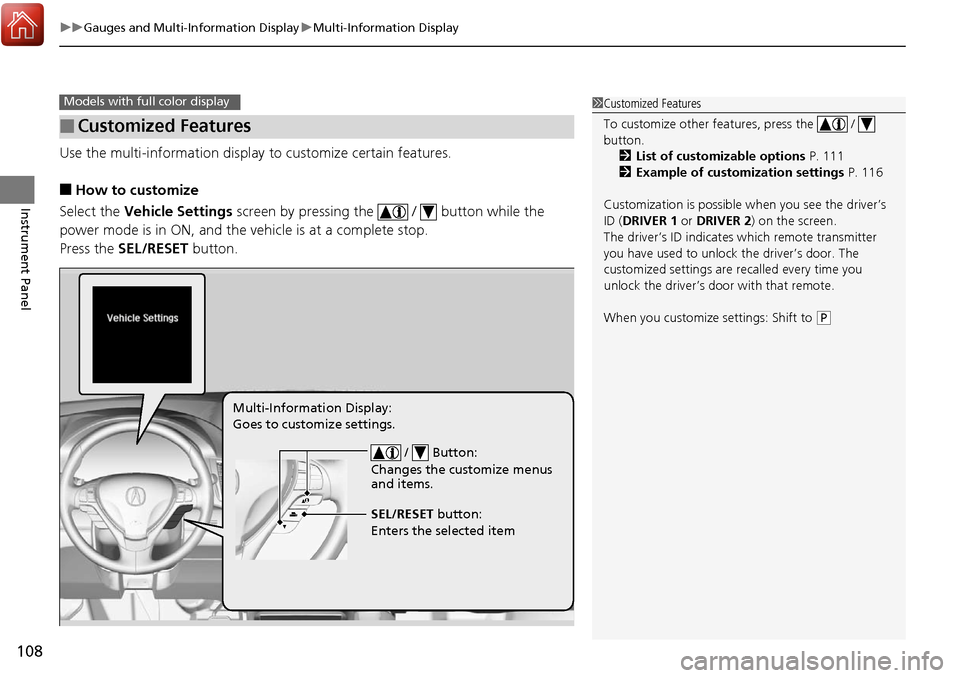
Use the multi-information display to customize certain features.
■How to customize
Select the Vehicle Settings screen by pressing the / button while the
power mode is in ON, and the vehicle is at a complete stop.
Press the SEL/RESET button.
■Customized Features
Models with full color display1Customized Features
To customize other features, press the /
button.
2 List of customizable options P. 111
2 Example of customization settings P. 116
Customization is possible when you see the driver’s
ID ( DRIVER 1 or DRIVER 2) on the screen.
The driver’s ID indicates which remote transmitter
you have used to unlock the driver’s door. The
customized settings are recalled every time you
unlock the driver’s door with that remote.
When you customize settings: Shift to
( P
/ Button:
Changes the customize menus
and items.
Multi-Information Display:
Goes to customize settings.
SEL/RESET button:
Enters the selected item
Page 125 of 453
124
uuLocking and Unlocking the Doors uLow Keyless Access Remote Signal Strength
Controls
Low Keyless Access Remo te Signal Strength
The vehicle transmits radio waves to loca te the keyless access remote when locking/
unlocking the doors, opening the ta ilgate, or to start the engine.
In the following cases, locking/unlocking the doors or opening the tailgate or
starting the engine may be inhibited or operation may be unstable:
• Strong radio waves are being tra nsmitted by nearby equipment.
• You are carrying the keyless access remote together with telecommunications
equipment, laptop computers, cell phones, or wireless devices.
• A metallic object is touching or co vering the keyless access remote.1Low Keyless Access Remote Signal Strength
Communication between the keyless access remote
and the vehicle consumes the keyless access remote’s
battery.
The keyless access remote battery lasts about two
years. This changes by how often you use the remote.
The battery is consumed whenever the keyless access
remote is receivi ng strong radio wave s. Avoid placing
it near electrical appliances such as televisions and
personal computers.
Page 126 of 453
125
uuLocking and Unlocking the Doors uLocking/Unlocking the Doors from the Outside
Continued
Controls
Locking/Unlocking the Doors from the Outside
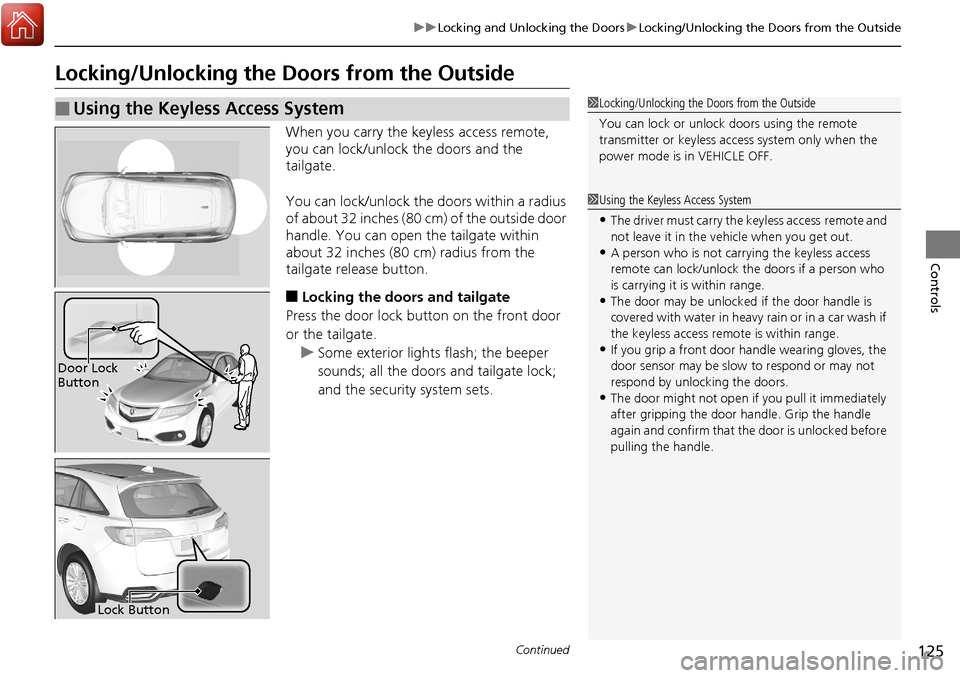
When you carry the keyless access remote,
you can lock/unlock the doors and the
tailgate.
You can lock/unlock the doors within a radius
of about 32 inches (80 cm) of the outside door
handle. You can open the tailgate within
about 32 inches (80 cm) radius from the
tailgate release button.
■Locking the doors and tailgate
Press the door lock button on the front door
or the tailgate.
u Some exterior lights flash; the beeper
sounds; all the doors and tailgate lock;
and the security system sets.
■Using the Keyless Access System1Locking/Unlocking the Doors from the Outside
You can lock or unlock doors using the remote
transmitter or keyless access system only when the
power mode is in VEHICLE OFF.
1Using the Keyless Access System
•The driver must carry the keyless access remote and
not leave it in the ve hicle when you get out.
•A person who is not carryi ng the keyless access
remote can lock/unlock the doors if a person who
is carrying it is within range.
•The door may be unlocked if the door handle is
covered with water in heavy rain or in a car wash if
the keyless access remote is within range.
•If you grip a front door handle wearing gloves, the
door sensor may be slow to respond or may not
respond by unlocking the doors.
•The door might not open if you pull it immediately
after gripping the door handle. Grip the handle
again and confirm that th e door is unlocked before
pulling the handle.
Door Lock
Button
Lock Button
Page 128 of 453
Continued127
uuLocking and Unlocking the Doors uLocking/Unlocking the Doors from the Outside
Controls
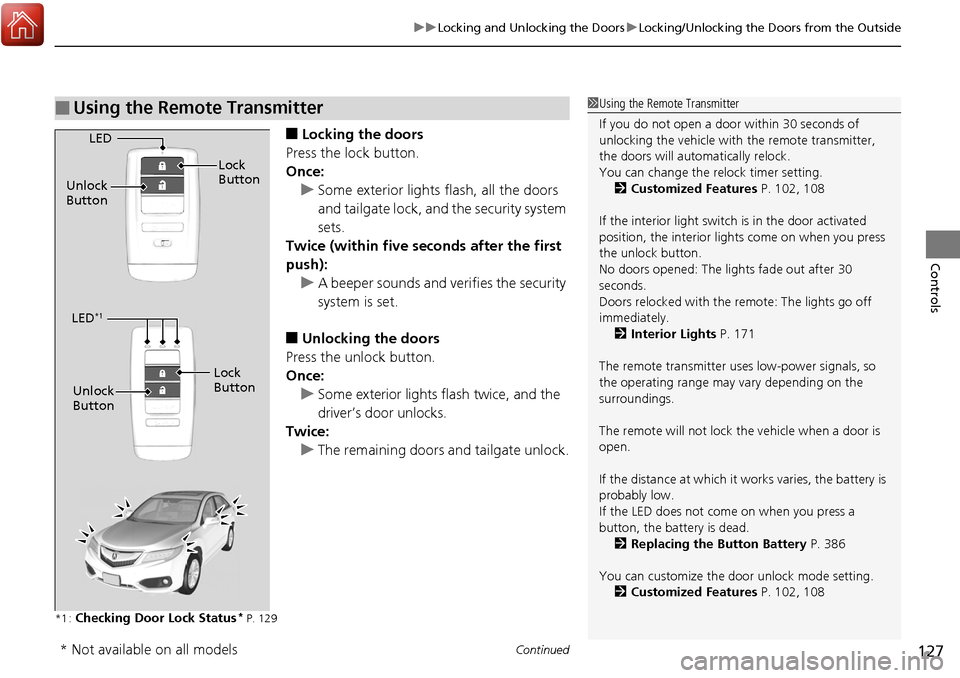
■Locking the doors
Press the lock button.
Once: u Some exterior lights flash, all the doors
and tailgate lock, and the security system
sets.
Twice (within five se conds after the first
push):
u A beeper sounds and verifies the security
system is set.
■Unlocking the doors
Press the unlock button.
Once: u Some exterior lights flash twice, and the
driver’s door unlocks.
Twice:
u The remaining doors and tailgate unlock.
*1 :Checking Door Lock Status* P. 129
■Using the Remote Transmitter1Using the Remote Transmitter
If you do not open a door within 30 seconds of
unlocking the vehicle with the remote transmitter,
the doors will auto matically relock.
You can change the relock timer setting. 2 Customized Features P. 102, 108
If the interior light switch is in the door activated
position, the interior light s come on when you press
the unlock button.
No doors opened: The li ghts fade out after 30
seconds.
Doors relocked with the remote: The lights go off
immediately. 2 Interior Lights P. 171
The remote transmitter us es low-power signals, so
the operating range may vary depending on the
surroundings.
The remote will not lock th e vehicle when a door is
open.
If the distance at which it works varies, the battery is
probably low.
If the LED does not come on when you press a
button, the battery is dead. 2 Replacing the Button Battery P. 386
You can customize the door unlock mode setting. 2 Customized Features P. 102, 108
LED
Unlock
Button Lock
Button
LED*1
Unlock
Button
Lock
Button
* Not available on all models
Page 130 of 453
129
uuLocking and Unlocking the Doors uLocking/Unlocking the Doors from the Outside
Controls
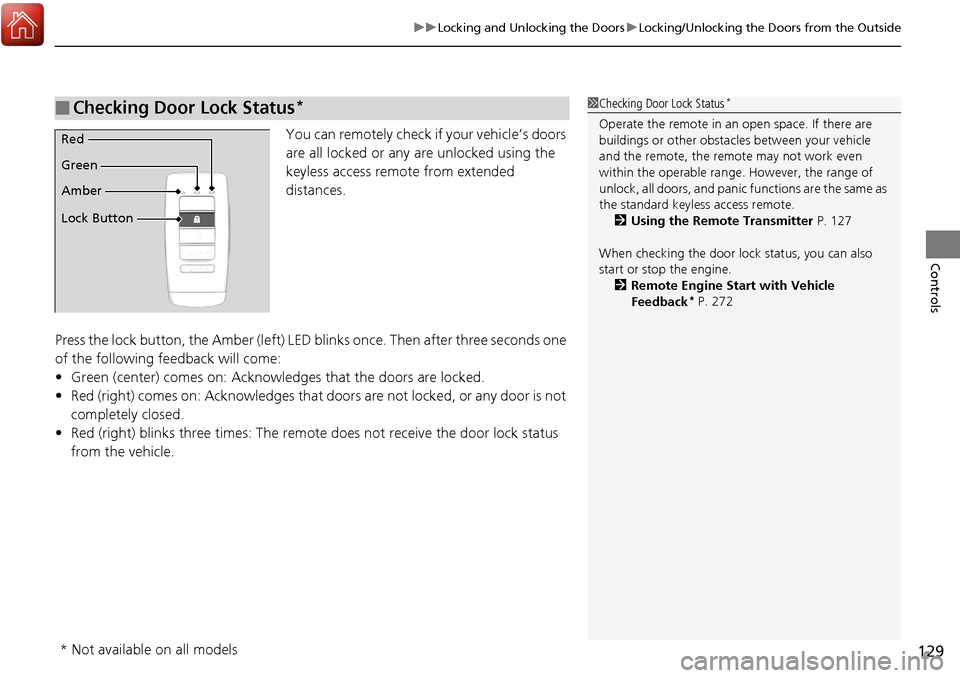
You can remotely check if your vehicle’s doors
are all locked or any are unlocked using the
keyless access remote from extended
distances.
Press the lock button, the Amber (left) LED blinks once. Then after three seconds one
of the following feedback will come:
• Green (center) comes on: Acknowle dges that the doors are locked.
• Red (right) comes on: Acknowledges that doors are not locked, or any door is not
completely closed.
• Red (right) blinks three times: The remote does not receive the door lock status
from the vehicle.
■Checking Door Lock Status*1 Checking Door Lock Status*
Operate the remote in an open space. If there are
buildings or other obstacl es between your vehicle
and the remote, the remote may not work even
within the operable range. However, the range of
unlock, all doors, and panic functions are the same as
the standard keyless access remote. 2 Using the Remote Transmitter P. 127
When checking the door lock status, you can also
start or stop the engine. 2 Remote Engine Start with Vehicle
Feedback
* P. 272
Red
Green
Amber
Lock Button
* Not available on all models
Page 135 of 453
134
uuOpening and Closing the Tailgate uUsing the Tailgate Release Button
Controls
Using the Tailgate Release Button
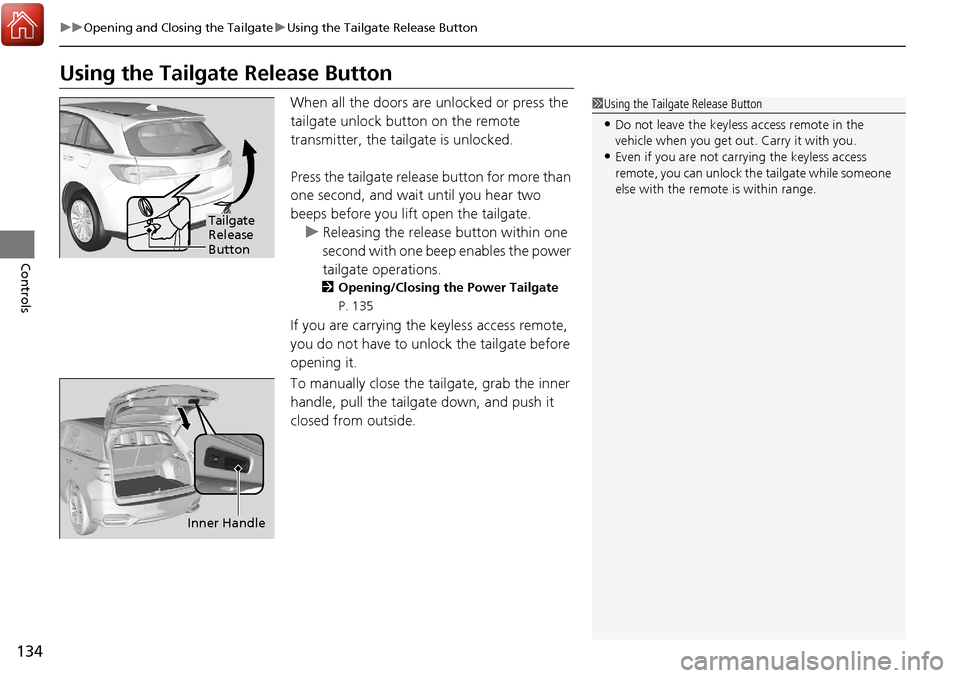
When all the doors are unlocked or press the
tailgate unlock button on the remote
transmitter, the tailgate is unlocked.
Press the tailgate release button for more than
one second, and wait until you hear two
beeps before you lift open the tailgate. u Releasing the release button within one
second with one beep enables the power
tailgate operations.
2 Opening/Closing the Power Tailgate
P. 135
If you are carrying the keyless access remote,
you do not have to unlock the tailgate before
opening it.
To manually close the tailgate, grab the inner
handle, pull the tailgate down, and push it
closed from outside.
1 Using the Tailgate Release Button
•Do not leave the keyless access remote in the
vehicle when you get out . Carry it with you.
•Even if you are not carrying the keyless access
remote, you can unlock the tailgate while someone
else with the remote is within range.
Tailgate
Release
Button
Inner Handle
Page 136 of 453
135
uuOpening and Closing the Tailgate uOpening/Closing the Power Tailgate
Continued
Controls
Opening/Closing the Power Tailgate
The power tailgate can be operated by pr essing the power tailgate button on the
remote transmitter, pressing the power tailgate switch on the dashboard, or
pressing the button on the tailgate.
■The power tailgate can be opened when:
• The tailgate is fully closed.
• The shift lever is in
(P.
■The power tailgate ca n be closed when:
• The tailgate is fully open.
• The shift lever is in
(P.
1Opening/Closing the Power Tailgate
NOTICE
Do not push or pull on the power tailgate when it is
being automatically opened or closed.
Forcibly opening or closing the power tailgate while
in operation can deform the tailgate frame.
When operating the power tailgate, make sure there
is enough space around your ve hicle. People near the
tailgate may be se riously hurt if the tailgate hits or
closes on their heads. Be especially cautious if
children are around.
The power tailgate may not open or close under the
following conditions:
•You start the engine while the tailgate is automatically
opening or closing.
•The vehicle is park ed on a steep hill.
•The vehicle is swayed in a strong wind.
•The tailgate or the roof is covered with snow or ice.
If you close the power tail gate when all the doors are
locked, the power tailgate locks automatically.
3WARNING
Closing a power tailga te while anyone is
in the path of the tailgate can cause
serious injury.
Make sure everyone is clear before
closing the power tailgate.
Page 137 of 453
uuOpening and Closing the Tailgate uOpening/Closing the Power Tailgate
136
Controls
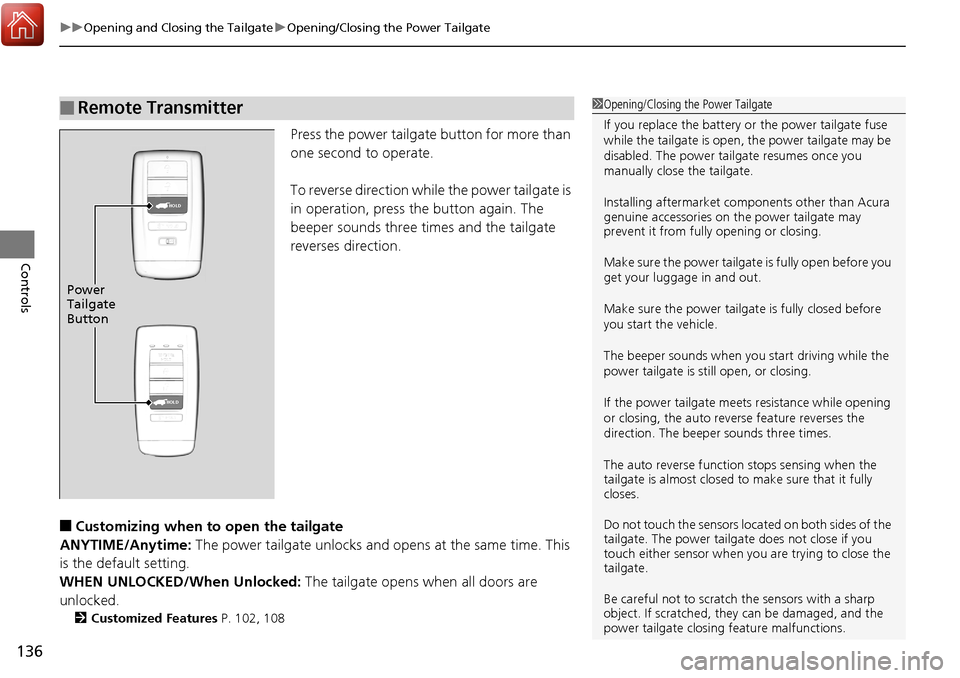
Press the power tailgate button for more than
one second to operate.
To reverse direction while the power tailgate is
in operation, press the button again. The
beeper sounds three times and the tailgate
reverses direction.
■Customizing when to open the tailgate
ANYTIME/Anytime: The power tailgate unlocks and opens at the same time. This
is the default setting.
WHEN UNLOCKED/When Unlocked: The tailgate opens when all doors are
unlocked.
2 Customized Features P. 102, 108
■Remote Transmitter1Opening/Closing the Power Tailgate
If you replace the battery or the power tailgate fuse
while the tailgate is open, the power tailgate may be
disabled. The power tail gate resumes once you
manually close the tailgate.
Installing aftermarket com ponents other than Acura
genuine accessories on the power tailgate may
prevent it from fully opening or closing.
Make sure the power tailgate is fully open before you
get your luggage in and out.
Make sure the power tailgate is fully closed before
you start the vehicle.
The beeper sounds when you start driving while the
power tailgate is still open, or closing.
If the power tailgate meet s resistance while opening
or closing, the auto reverse feature reverses the
direction. The beeper sounds three times.
The auto reverse function stops sensing when the
tailgate is almost closed to make sure that it fully
closes.
Do not touch the sensors located on both sides of the
tailgate. The power tailga te does not close if you
touch either sensor when you are trying to close the
tailgate.
Be careful not to scratch the sensors with a sharp
object. If scratched, they can be damaged, and the
power tailgate closing feature malfunctions.
HOLD
HOLD
Power
Tailgate
Button
Page 140 of 453
139Continued
Controls
Security System
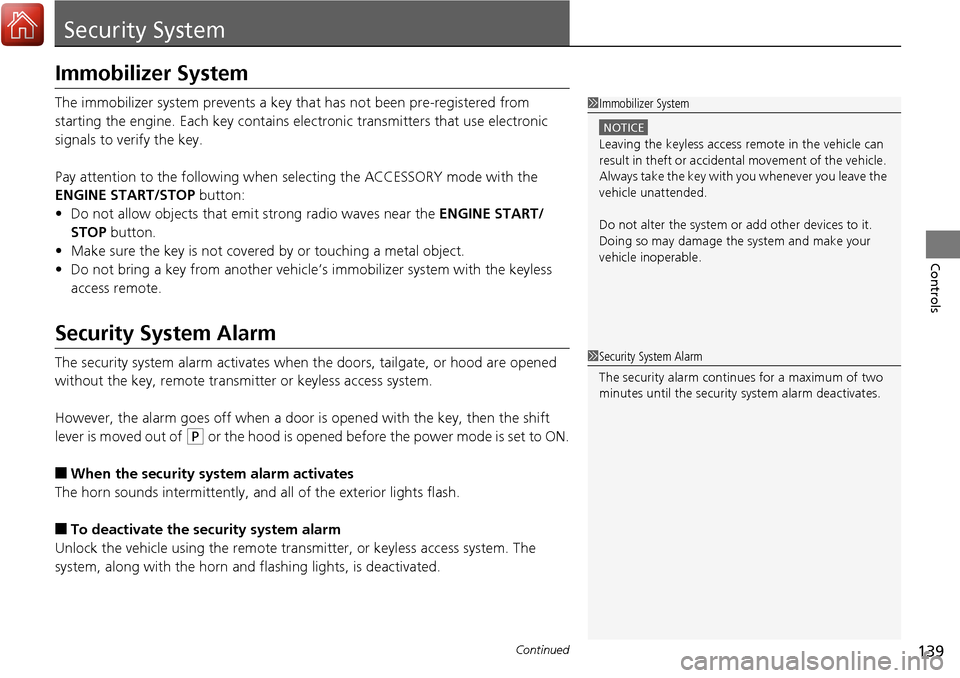
Immobilizer System
The immobilizer system prevents a key that has not been pre-registered from
starting the engine. Each key contains electronic transmitters that use electronic
signals to verify the key.
Pay attention to the following when selecting the ACCESSORY mode with the
ENGINE START/STOP button:
• Do not allow objects that emit strong radio waves near the ENGINE START/
STOP button.
• Make sure the key is not covered by or touching a metal object.
• Do not bring a key from another vehicle’s immobilizer system with the keyless
access remote.
Security System Alarm
The security system alarm activates when the doors, tailgate, or hood are opened
without the key, remote transmitt er or keyless access system.
However, the alarm goes off when a door is opened with the key, then the shift
lever is moved out of
( P or the hood is opened before the power mode is set to ON.
■When the security system alarm activates
The horn sounds intermittently, an d all of the exterior lights flash.
■To deactivate the security system alarm
Unlock the vehicle using the remote tra nsmitter, or keyless access system. The
system, along with the horn and flashing lights, is deactivated.
1 Immobilizer System
NOTICE
Leaving the keyless access re mote in the vehicle can
result in theft or accidental movement of the vehicle.
Always take the key with you whenever you leave the
vehicle unattended.
Do not alter the system or add other devices to it.
Doing so may damage the system and make your
vehicle inoperable.
1 Security System Alarm
The security alarm continues for a maximum of two
minutes until the security system alarm deactivates.
Page 141 of 453
uuSecurity System uSecurity System Alarm
140
Controls
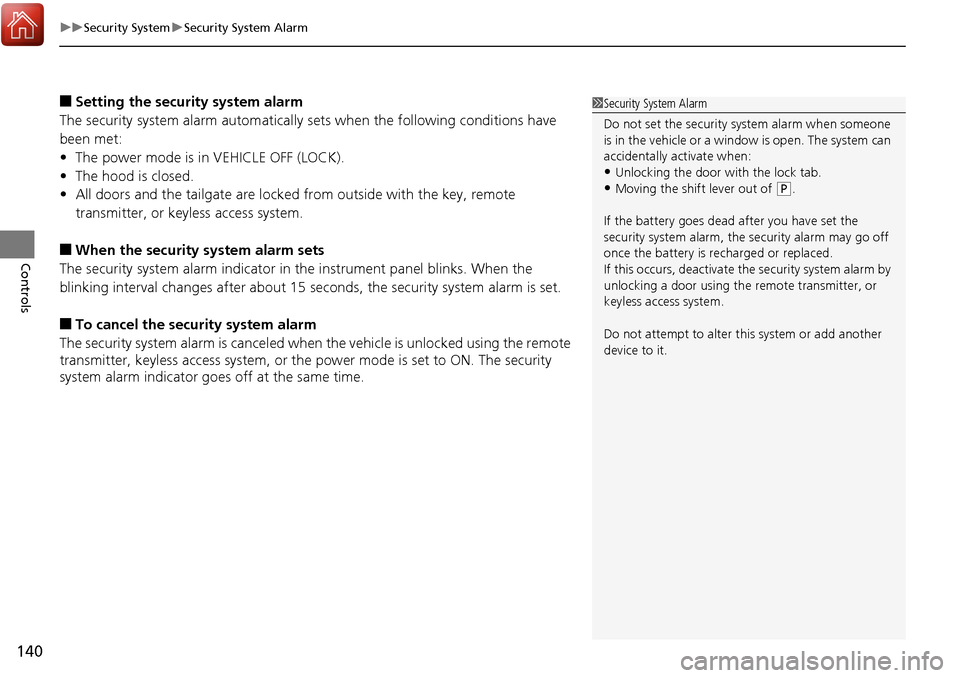
■Setting the security system alarm
The security system alarm automatically sets when the following conditions have
been met:
• The power mode is in VEHICLE OFF (LOCK).
• The hood is closed.
• All doors and the tailgate are locked from outside with the key, remote
transmitter, or keyless access system.
■When the security system alarm sets
The security system alarm indicator in the instrument panel blinks. When the
blinking interval changes after about 15 se conds, the security system alarm is set.
■To cancel the security system alarm
The security system alarm is canceled when the vehicle is unlocked using the remote
transmitter, keyless ac cess system, or the power mode is set to ON. The security
system alarm indicator goe s off at the same time.
1Security System Alarm
Do not set the security system alarm when someone
is in the vehicle or a window is open. The system can
accidentally activate when:
•Unlocking the door with the lock tab.•Moving the shift lever out of ( P.
If the battery goes dead after you have set the
security system alarm, the security alarm may go off
once the battery is re charged or replaced.
If this occurs, deactivate the security system alarm by
unlocking a door using the remote transmitter, or
keyless access system.
Do not attempt to alter th is system or add another
device to it.