audio Acura RDX 2019 Owner's Manual
[x] Cancel search | Manufacturer: ACURA, Model Year: 2019, Model line: RDX, Model: Acura RDX 2019Pages: 649, PDF Size: 33 MB
Page 427 of 649
426
uuWhen Driving uIntegrated Dynamics System
Driving
Integrated Dynamics System
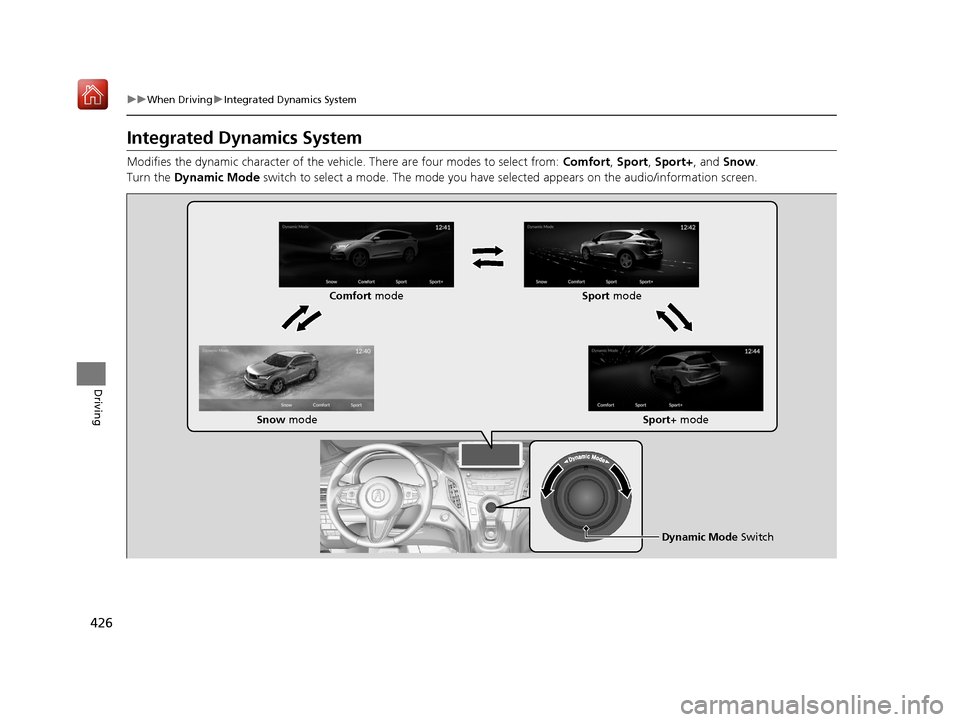
Modifies the dynamic character of the vehicl e. There are four modes to select from: Comfort, Sport, Sport+, and Snow .
Turn the Dynamic Mode switch to select a mode. The mode you have selected appears on the audio/information screen.
Dynamic Mode Switch
Comfort
mode Sport mode
Snow mode Sport+ mode
19 ACURA RDX-31TJB6000.book 426 ページ 2018年4月26日 木曜日 午後4時51分
Page 440 of 649
Continued439
uuWhen Driving uBlind spot information System*
Driving
■When the system detects a vehicle
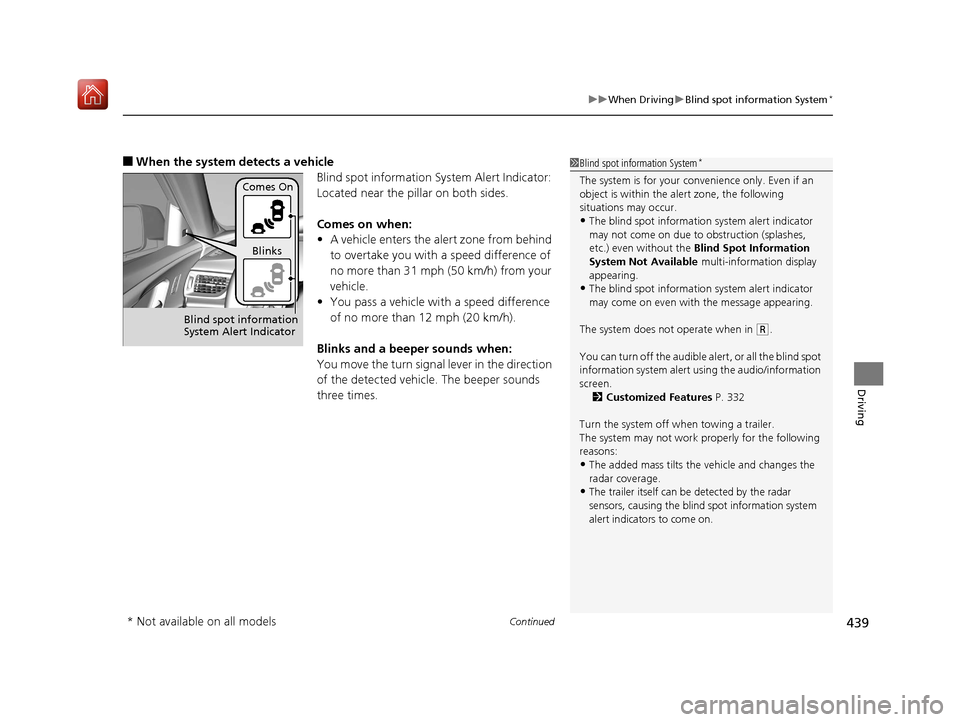
Blind spot information System Alert Indicator:
Located near the pillar on both sides.
Comes on when:
•A vehicle enters the alert zone from behind
to overtake you with a speed difference of
no more than 31 mph (50 km/h) from your
vehicle.
• You pass a vehicle with a speed difference
of no more than 12 mph (20 km/h).
Blinks and a beeper sounds when:
You move the turn signal lever in the direction
of the detected vehicle. The beeper sounds
three times.1 Blind spot information System*
The system is for your convenience only. Even if an
object is within the alert zone, the following
situations may occur.
•The blind spot informatio n system alert indicator
may not come on due to obstruction (splashes,
etc.) even without the Blind Spot Information
System Not Available multi-information display
appearing.
•The blind spot informatio n system alert indicator
may come on even with the message appearing.
The system does not operate when in
( R.
You can turn off the audible al ert, or all the blind spot
information system alert using the audio/information
screen. 2 Customized Features P. 332
Turn the system off when towing a trailer.
The system may not work properly for the following
reasons:
•The added mass tilts the vehicle and changes the
radar coverage.
•The trailer itself can be detected by the radar
sensors, causing the blind spot information system
alert indicators to come on.
Comes On
Blinks
Blind spot information
System Alert Indicator
* Not available on all models
19 ACURA RDX-31TJB6000.book 439 ページ 2018年4月26日 木曜日 午後4時51分
Page 448 of 649
Continued447
uuAcuraWatchTMuCollision Mitigation Braking SystemTM (CMBSTM)
Driving
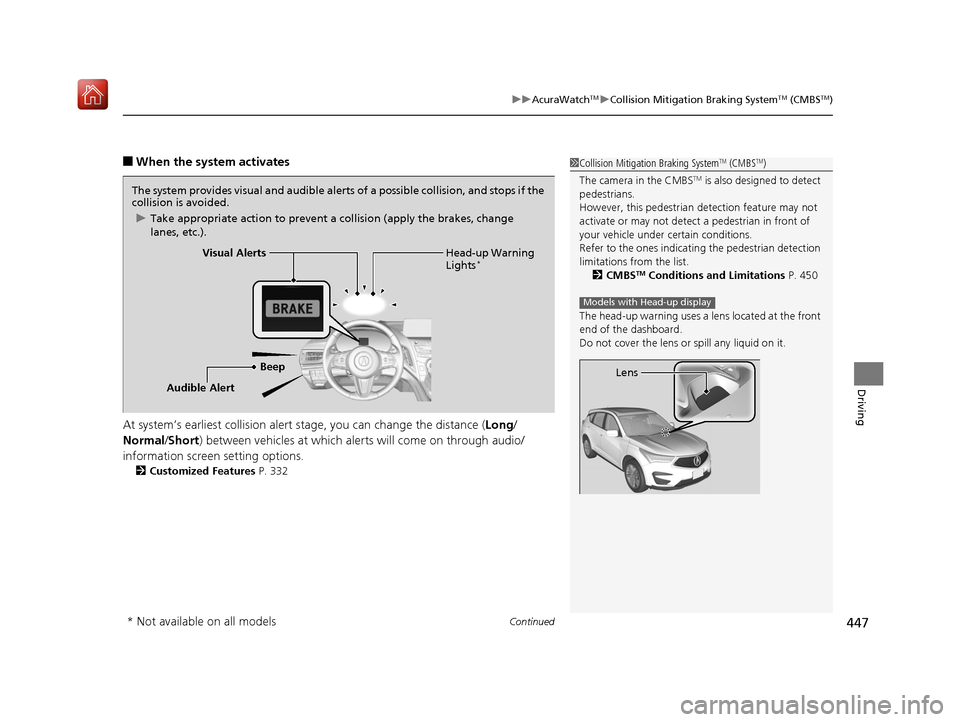
■When the system activates
At system’s earliest collision alert st age, you can change the distance (Long/
Normal /Short ) between vehicles at which alerts will come on through audio/
information screen setting options.
2 Customized Features P. 332
1Collision Mitigation Braking SystemTM (CMBSTM)
The camera in the CMBS
TM is also designed to detect
pedestrians.
However, this pedestrian detection feature may not
activate or may not detect a pedestrian in front of
your vehicle under certain conditions.
Refer to the ones indicating the pedestrian detection
limitations from the list. 2 CMBS
TM Conditions and Limitations P. 450
The head-up warning uses a lens located at the front
end of the dashboard.
Do not cover the lens or spill any liquid on it.
Models with Head-up display
Lens
The system provides visual and audible alerts of a possible collision, and stops if the
collision is avoided.
u Take appropriate action to prevent a collision (apply the brakes, change
lanes, etc.).
Beep Head-up Warning
Lights
*Visual Alerts
Audible Alert
* Not available on all models
19 ACURA RDX-31TJB6000.book 447 ページ 2018年4月26日 木曜日 午後4時51分
Page 458 of 649
Continued457
uuAcuraWatchTMuAdaptive Cruise Control (ACC) with Low Speed Follow (LSF)
Driving
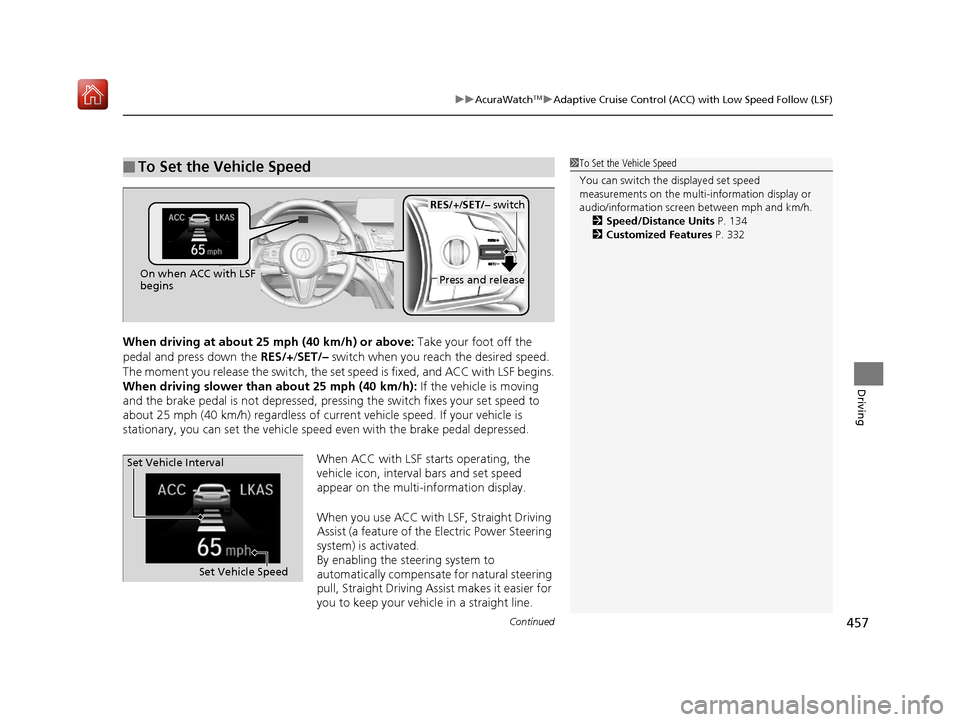
When driving at about 25 mph (40 km/h) or above: Take your foot off the
pedal and press down the RES/+/SET/– switch when you reach the desired speed.
The moment you release the switch, the set speed is fixed, and ACC with LSF begins.
When driving slower than about 25 mph (40 km/h): If the vehicle is moving
and the brake pedal is not depressed, pressing the switch fixes your set speed to
about 25 mph (40 km/h) regardless of current vehicle speed. If your vehicle is
stationary, you can set the vehicle speed even with the brake pedal depressed.
When ACC with LSF starts operating, the
vehicle icon, interval bars and set speed
appear on the multi-information display.
When you use ACC with LSF, Straight Driving
Assist (a feature of the Electric Power Steering
system) is activated.
By enabling the steering system to
automatically compensate for natural steering
pull, Straight Driving Assist makes it easier for
you to keep your vehicle in a straight line.
■To Set the Vehicle Speed1To Set the Vehicle Speed
You can switch the displayed set speed
measurements on the multi- information display or
audio/information screen between mph and km/h. 2 Speed/Distance Units P. 134
2 Customized Features P. 332
On when ACC with LSF
beginsPress and release
RES/+/SET/– switch
Set Vehicle Speed
Set Vehicle Interval
19 ACURA RDX-31TJB6000.book 457 ページ 2018年4月26日 木曜日 午後4時51分
Page 482 of 649
Continued481
uuAcuraWatchTMuRoad Departure Mitigation (RDM) System
Driving
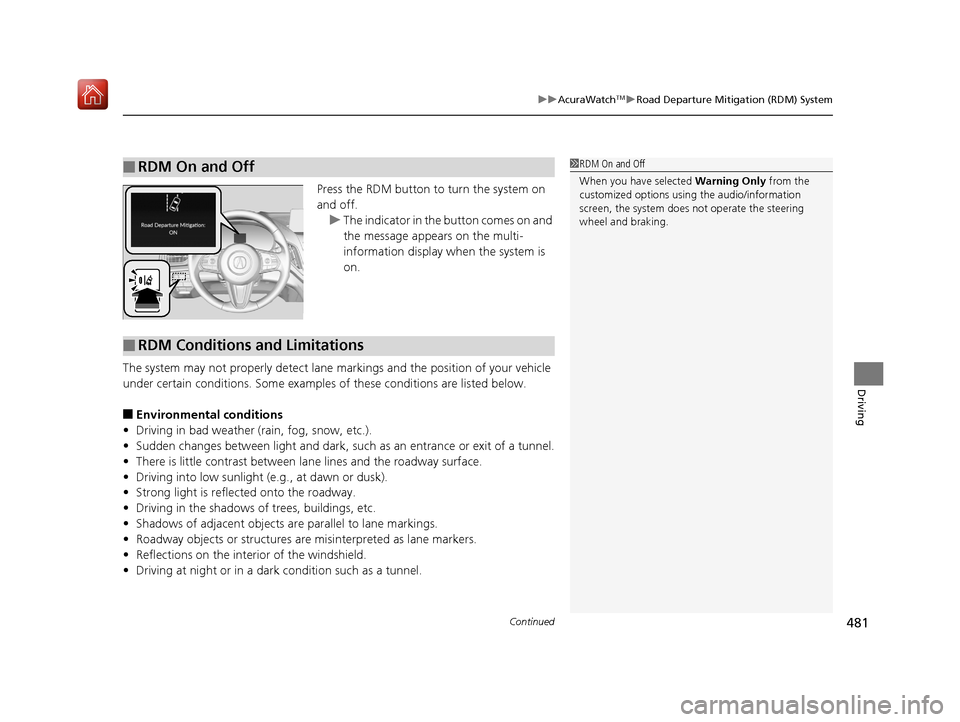
Press the RDM button to turn the system on
and off.
u The indicator in the button comes on and
the message appears on the multi-
information display when the system is
on.
The system may not properly detect lane ma rkings and the position of your vehicle
under certain conditions. Some examples of these conditions are listed below.
■Environmental conditions
• Driving in bad weather (rain, fog, snow, etc.).
• Sudden changes between light and dark, such as an entrance or exit of a tunnel.
• There is little contrast between lane lines and the roadway surface.
• Driving into low sunlight (e.g., at dawn or dusk).
• Strong light is reflec ted onto the roadway.
• Driving in the shadows of trees, buildings, etc.
• Shadows of adjacent objects are parallel to lane markings.
• Roadway objects or structures are misinterpreted as lane markers.
• Reflections on the interi or of the windshield.
• Driving at night or in a dark condition such as a tunnel.
■RDM On and Off1RDM On and Off
When you have selected Warning Only from the
customized options using the audio/information
screen, the system does not operate the steering
wheel and braking.
■RDM Conditions and Limitations
19 ACURA RDX-31TJB6000.book 481 ページ 2018年4月26日 木曜日 午後4時51分
Page 498 of 649

497
uuParking Your Vehicle uParking Sensor System*
Continued
Driving
Parking Sensor System*
The corner and center sensors monitor obst acles near your vehicle, and the beeper
and audio/information screen let you know the approximate distance between your
vehicle and the obstacle.
■The sensor location and range
1 Parking Sensor System*
Even when the system is on, always confirm if there is
no obstacle near your ve hicle before parking.
The system may not work properly when:
•The sensors are covered with snow, ice, mud or
dirt.
•The vehicle is on uneven su rface, such as grass,
bumps, or a hill.
•The vehicle has been out in hot or cold weather.•The system is affected by devices that emit
ultrasonic waves.
•Driving in bad weather.
The system may not sense:
•Thin or low objects.•Sonic-absorptive materials, such as snow, cotton,
or sponge.
•Objects directly under the bumper.
Do not put any accessories on or around the sensors.Forward
Front: 24 in (60 cm) or less
Rear: 28 in (70 cm) or less
Front Corner Sensors
Rear Corner Sensors
Rear Center Sensors
Forward
Front: 30 in (75 cm) or less
Rear: 43 in (110 cm) or lessFront Center Sensors
Backward
Front: 26 in (65 cm) or less
Rear: 30 in (75 cm) or less Backward
Front: 32 in (80 cm) or less
Rear: 45 in (115 cm) or less
* Not available on all models
19 ACURA RDX-31TJB6000.book 497 ページ 2018年4月26日 木曜日 午後4時51分
Page 500 of 649

499
uuParking Your Vehicle uParking Sensor System*
Continued
Driving
■When the distance between your vehicle and obstacles becomes shorter
*1: At this stage, only the center sensors detect obstacles.
Direction
Length of the intermittent beepDistance between the Bumper and Obstacle
IndicatorAudio/information
screen
Corner SensorsCenter Sensors
Forward
Moderate—Front: About 30-24 in (75-60 cm)
Rear: About 43-28 in (110-70 cm)Blinks in
Yellow*1
ShortFront: About 24-18 in (60-45 cm) Rear: About 28-18 in (70-45 cm)Front: About 24-18 in (60-45 cm)Rear: About 28-18 in (70-45 cm)Blinks in Amber
Very shortAbout 18-14 in (45-35 cm)About 18-14 in (45-35 cm)
ContinuousAbout 14 in (35 cm) or lessAbout 14 in (35 cm) or lessBlinks in Red
Backward
Moderate—Front: About 32-26 in (80-65 cm)
Rear: About 45-30 in (115-75 cm)Blinks in
Yellow*1
ShortFront: About 26-20 in (65-50 cm) Rear: About 30-20 in (75-50 cm)Front: About 26-20 in (65-50 cm)Rear: About 30-20 in (75-50 cm)Blinks in Amber
Very shortAbout 20-16 in (50-40 cm)About 20-16 in (50-40 cm)
ContinuousAbout 16 in (40 cm) or lessAbout 16 in (40 cm) or lessBlinks in Red
Indicators light where
the sensor detects an
obstacle
19 ACURA RDX-31TJB6000.book 499 ページ 2018年4月26日 木曜日 午後4時51分
Page 504 of 649
Continued503
uuParking Your Vehicle uCross Traffic Monitor*
Driving
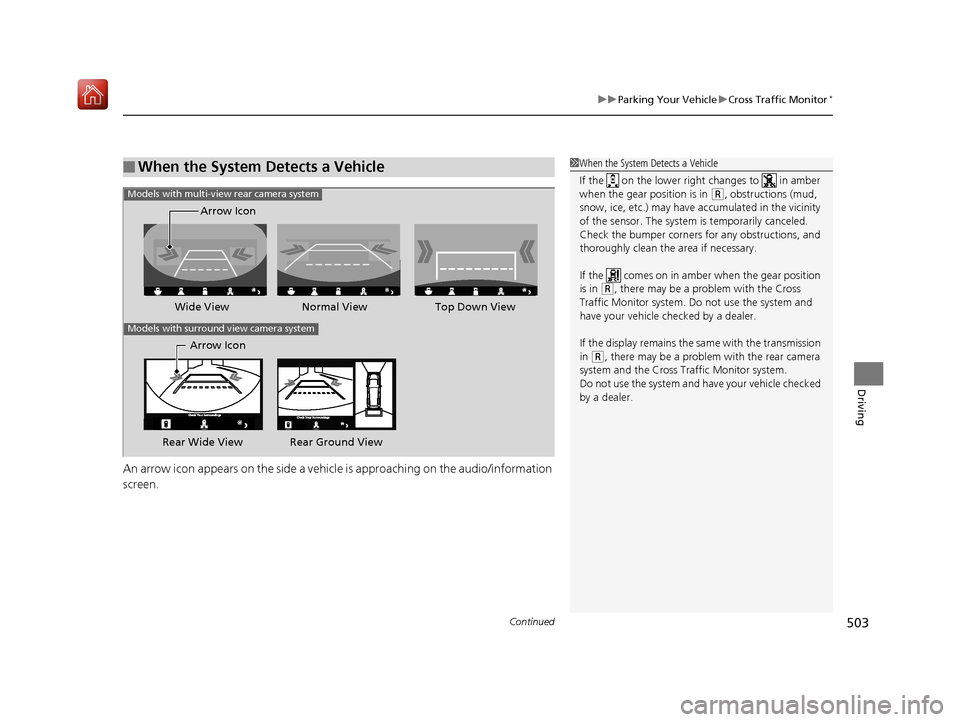
An arrow icon appears on the side a vehicle is approaching on the audio/information
screen.
■When the System Detects a Vehicle1 When the System Detects a Vehicle
If the on the lower right changes to in amber
when the gear position is in
( R, obstructions (mud,
snow, ice, etc.) may have ac cumulated in the vicinity
of the sensor. The system is temporarily canceled.
Check the bumper corners for any obstructions, and
thoroughly clean the area if necessary.
If the comes on in ambe r when the gear position
is in
( R, there may be a problem with the Cross
Traffic Monitor system. Do not use the system and
have your vehicle ch ecked by a dealer.
If the display remains the same with the transmission
in
( R, there may be a problem with the rear camera
system and the Cross Traffic Monitor system.
Do not use the system and have your vehicle checked
by a dealer.
Wide View Normal View
Arrow IconTop Down View
Models with multi-view rear camera system
Models with surround view camera system
Arrow Icon
Rear Wide View Rear Ground View
19 ACURA RDX-31TJB6000.book 503 ページ 2018年4月26日 木曜日 午後4時51分
Page 505 of 649
504
uuParking Your Vehicle uCross Traffic Monitor*
Driving
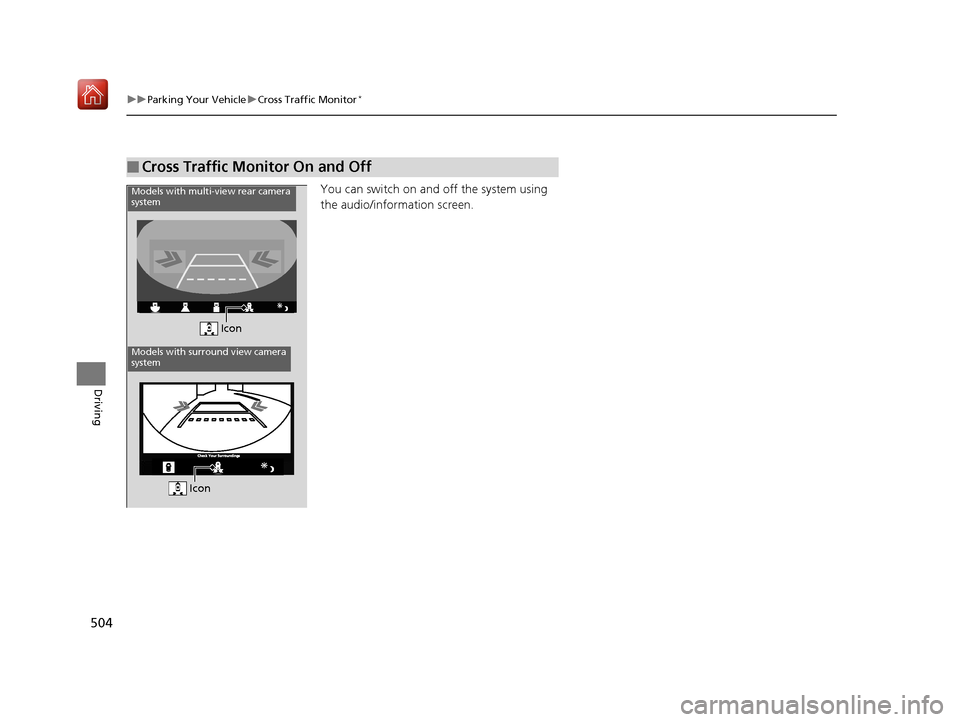
You can switch on and off the system using
the audio/information screen.
■Cross Traffic Monitor On and Off
Icon
Models with multi-view rear camera
system
Models with surround view camera
system
Icon
19 ACURA RDX-31TJB6000.book 504 ページ 2018年4月26日 木曜日 午後4時51分
Page 506 of 649
505Continued
Driving
Multi-View Rear Camera
About Your Multi-View Rear Camera
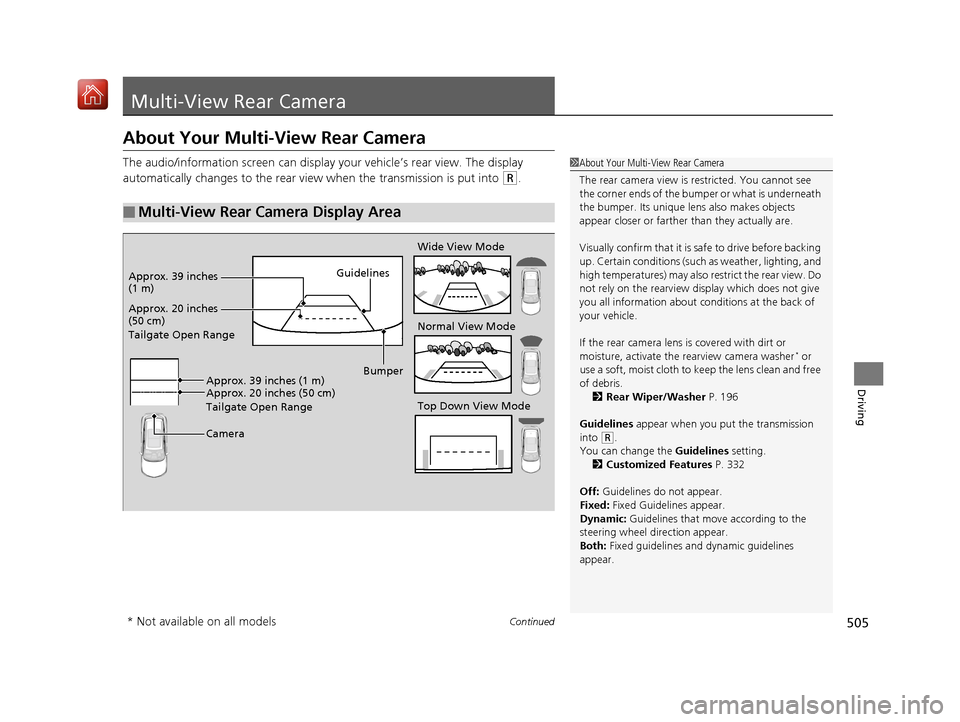
The audio/information screen can display your vehicle’s rear view. The display
automatically changes to the rear view when the transmission is put into
(R.
■Multi-View Rear Camera Display Area
1About Your Multi-View Rear Camera
The rear camera view is restricted. You cannot see
the corner ends of the bum per or what is underneath
the bumper. Its unique le ns also makes objects
appear closer or farther than they actually are.
Visually confirm that it is safe to drive before backing
up. Certain conditions (such as weather, lighting, and
high temperatures) may also re strict the rear view. Do
not rely on the rearview display which does not give
you all information about conditions at the back of
your vehicle.
If the rear camera lens is covered with dirt or
moisture, activate the rearview camera washer
* or
use a soft, moist cloth to keep the lens clean and free
of debris. 2 Rear Wiper/Washer P. 196
Guidelines appear when you put the transmission
into
( R.
You can change the Guidelines setting. 2 Customized Features P. 332
Off: Guidelines do not appear.
Fixed: Fixed Guidelines appear.
Dynamic: Guidelines that move according to the
steering wheel direction appear.
Both: Fixed guidelines and dynamic guidelines
appear.
Guidelines
Bumper
Camera
Approx. 20 inches
(50 cm)
Tailgate Open Range Approx. 39 inches
(1 m)
Wide View Mode
Normal View Mode
Top Down View Mode
Approx. 20 inches (50 cm)
Tailgate Open Range Approx. 39 inches (1 m)
* Not available on all models
19 ACURA RDX-31TJB6000.book 505 ページ 2018年4月26日 木曜日 午後4時51分