parking Acura RDX 2019 User Guide
[x] Cancel search | Manufacturer: ACURA, Model Year: 2019, Model line: RDX, Model: Acura RDX 2019Pages: 649, PDF Size: 33 MB
Page 82 of 649
81
uuIndicators u
Continued
Instrument Panel
IndicatorNameOn/BlinkingExplanationMessage
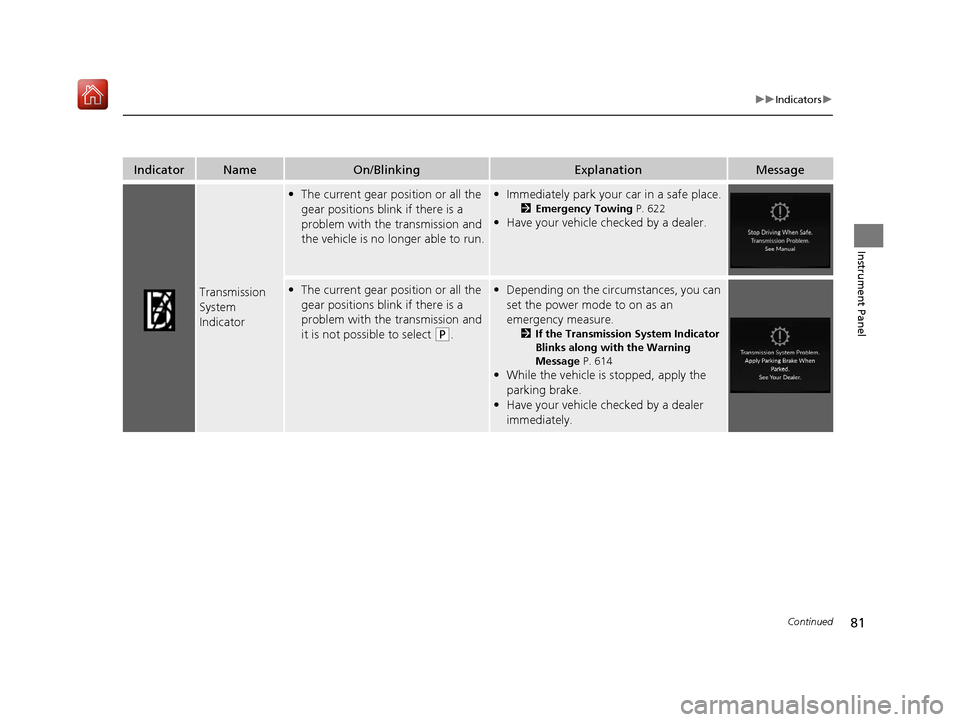
Transmission
System
Indicator
•The current gear position or all the
gear positions blink if there is a
problem with the transmission and
the vehicle is no longer able to run.•Immediately park your car in a safe place.
2 Emergency Towing P. 622
•Have your vehicle checked by a dealer.
•The current gear position or all the
gear positions blink if there is a
problem with the transmission and
it is not possible to select
(P.
•Depending on the circumstances, you can
set the power mode to on as an
emergency measure.
2 If the Transmission System Indicator
Blinks along with the Warning
Message P. 614
•While the vehicle is stopped, apply the
parking brake.
• Have your vehicle checked by a dealer
immediately.
19 ACURA RDX-31TJB6000.book 81 ページ 2018年4月26日 木曜日 午後4時51分
Page 98 of 649
97
uuIndicators uMulti-Information Display Warning and Information Messages
Continued
Instrument Panel
Multi-Information Display Warn ing and Information Messages
The following messages appear only on the multi-information display. Roll the right selector wheel to see the message again with the
system message indicator on.
2 Switching the Display P. 129
MessageConditionExplanation
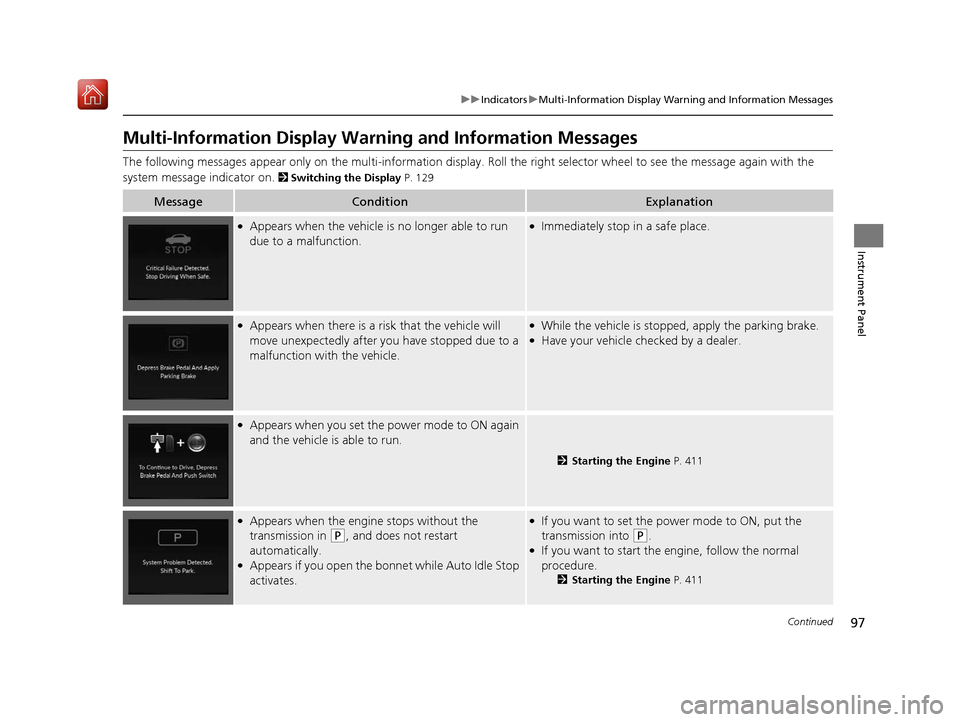
●Appears when the vehicle is no longer able to run
due to a malfunction.●Immediately stop in a safe place.
●Appears when there is a ri sk that the vehicle will
move unexpectedly after you have stopped due to a
malfunction with the vehicle.●While the vehicle is stoppe d, apply the parking brake.●Have your vehicle checked by a dealer.
●Appears when you set the power mode to ON again
and the vehicle is able to run.
2Starting the Engine P. 411
●Appears when the engine stops without the
transmission in
(P, and does not restart
automatically.
●Appears if you open the bonnet while Auto Idle Stop
activates.
●If you want to set the power mode to ON, put the
transmission into
(P.●If you want to start the engine, follow the normal
procedure.
2 Starting the Engine P. 411
19 ACURA RDX-31TJB6000.book 97 ページ 2018年4月26日 木曜日 午後4時51分
Page 104 of 649
103
uuIndicators uMulti-Information Display Warning and Information Messages
Continued
Instrument Panel
MessageConditionExplanation
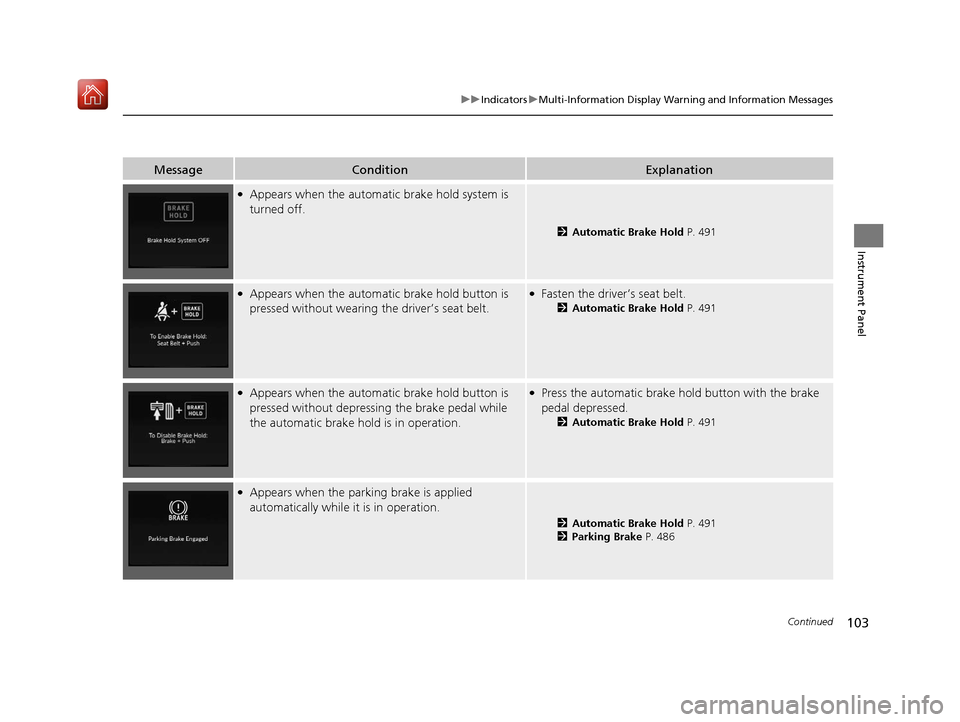
●Appears when the automatic brake hold system is
turned off.
2 Automatic Brake Hold P. 491
●Appears when the automatic brake hold button is
pressed without wearing the driver’s seat belt.●Fasten the driver’s seat belt.
2Automatic Brake Hold P. 491
●Appears when the automatic brake hold button is
pressed without depressing the brake pedal while
the automatic brake hold is in operation.●Press the automatic brake hold button with the brake
pedal depressed.
2 Automatic Brake Hold P. 491
●Appears when the parking brake is applied
automatically while it is in operation.
2Automatic Brake Hold P. 491
2 Parking Brake P. 486
19 ACURA RDX-31TJB6000.book 103 ページ 2018年4月26日 木曜日 午後4時51分
Page 105 of 649
104
uuIndicators uMulti-Information Display Warn ing and Information Messages
Instrument Panel
MessageConditionExplanation
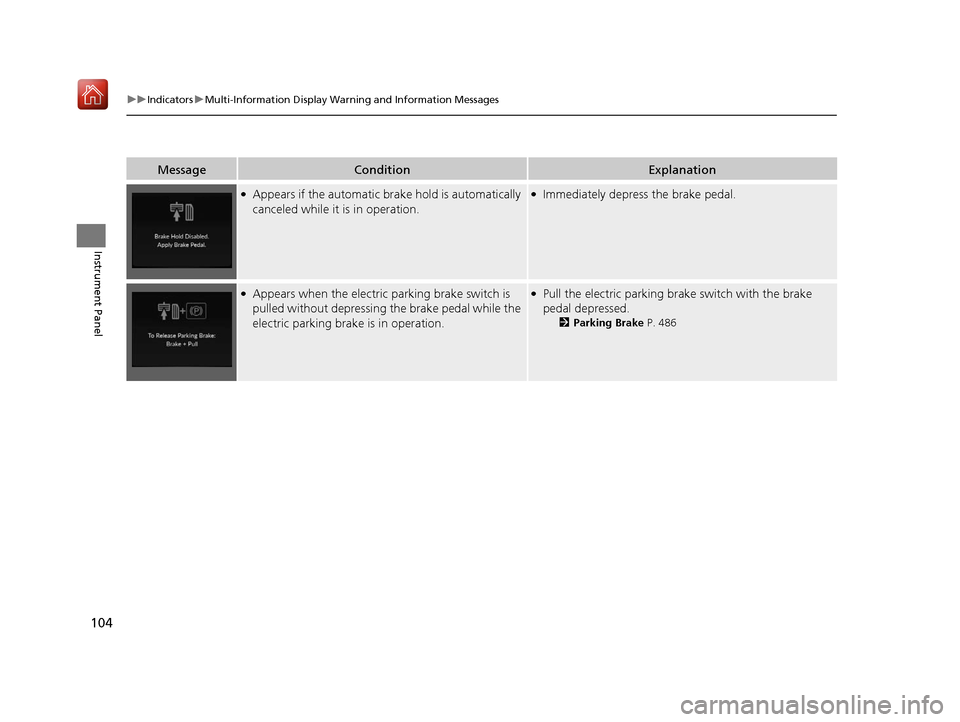
●Appears if the automatic brake hold is automatically
canceled while it is in operation.●Immediately depress the brake pedal.
●Appears when the electric parking brake switch is
pulled without depressing the brake pedal while the
electric parking brake is in operation.●Pull the electric parking brake switch with the brake
pedal depressed.
2 Parking Brake P. 486
19 ACURA RDX-31TJB6000.book 104 ページ 2018年4月26日 木曜日 午後4時51分
Page 109 of 649
108
uuIndicators uMulti-Information Display Warn ing and Information Messages
Instrument Panel
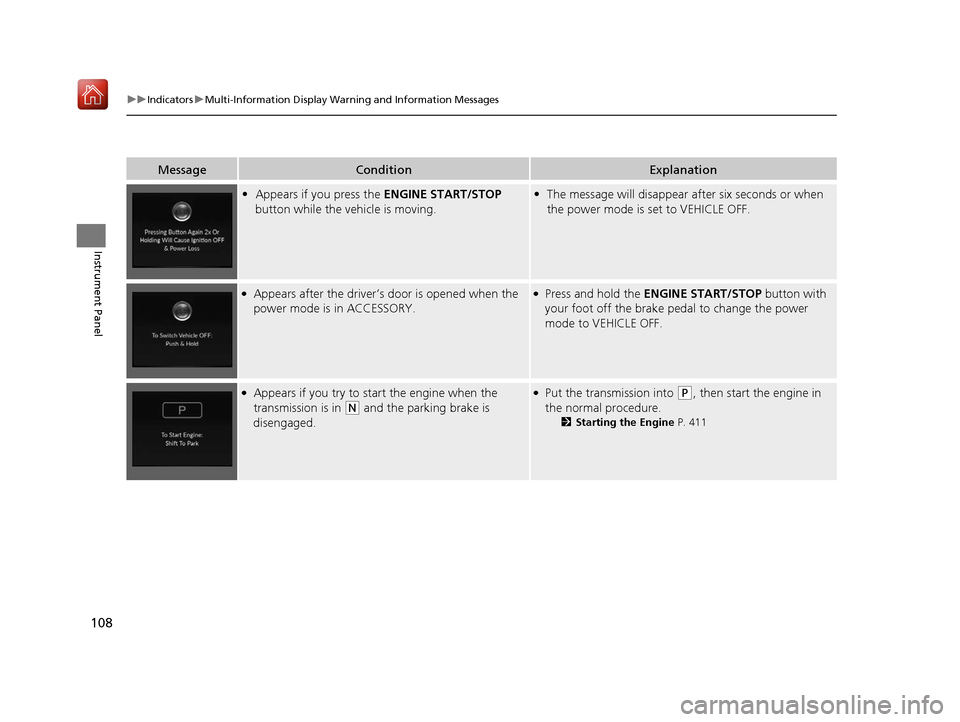
MessageConditionExplanation
•Appears if you press the ENGINE START/STOP
button while the vehicle is moving.• The message will disappear after six seconds or when
the power mode is set to VEHICLE OFF.
●Appears after the driver’s door is opened when the
power mode is in ACCESSORY.●Press and hold the ENGINE START/STOP button with
your foot off the brake pedal to change the power
mode to VEHICLE OFF.
●Appears if you try to start the engine when the
transmission is in
(N and the parking brake is
disengaged.
●Put the transmission into (P, then start the engine in
the normal procedure.
2 Starting the Engine P. 411
19 ACURA RDX-31TJB6000.book 108 ページ 2018年4月26日 木曜日 午後4時51分
Page 113 of 649
112
uuIndicators uMulti-Information Display Warn ing and Information Messages
Instrument Panel
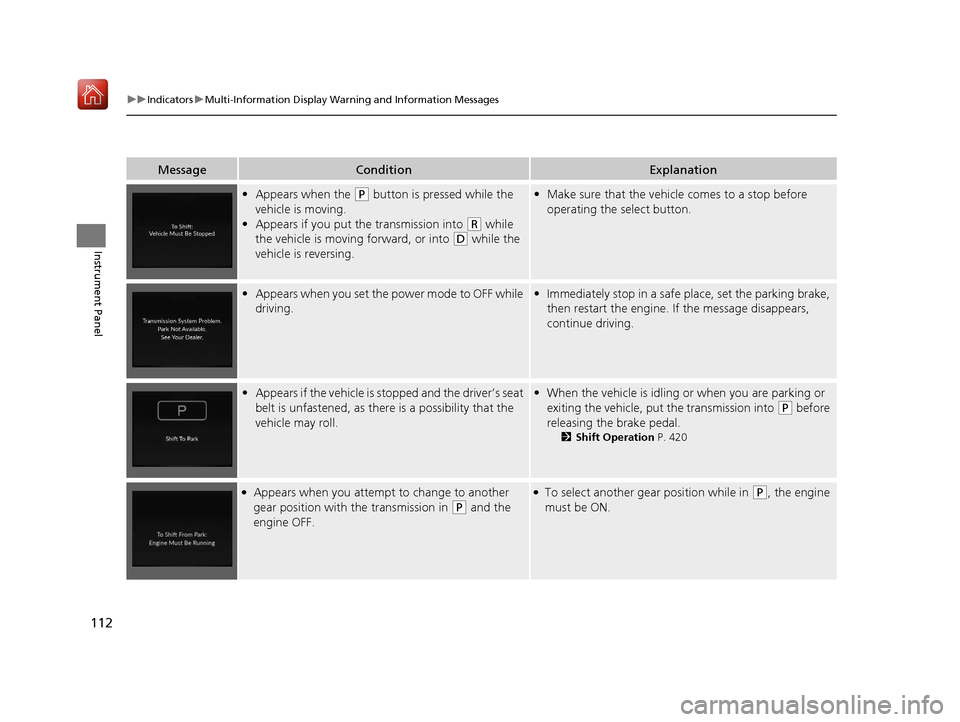
MessageConditionExplanation
•Appears when the (P button is pressed while the
vehicle is moving.
• Appears if you put the transmission into
(R while
the vehicle is moving forward, or into
(D while the
vehicle is reversing.
• Make sure that the vehicl e comes to a stop before
operating the select button.
• Appears when you set the power mode to OFF while
driving.•Immediately stop in a safe place, set the parking brake,
then restart the engine. If the message disappears,
continue driving.
•Appears if the vehicle is stopped and the driver’s seat
belt is unfastened, as ther e is a possibility that the
vehicle may roll.• When the vehicle is idling or when you are parking or
exiting the vehicle, put the transmission into
(P before
releasing the brake pedal.
2 Shift Operation P. 420
●Appears when you attempt to change to another
gear position with the transmission in
(P and the
engine OFF.
●To select another gear position while in (P, the engine
must be ON.
19 ACURA RDX-31TJB6000.book 112 ページ 2018年4月26日 木曜日 午後4時51分
Page 118 of 649
117
uuIndicators uMulti-Information Display Warning and Information Messages
Continued
Instrument Panel
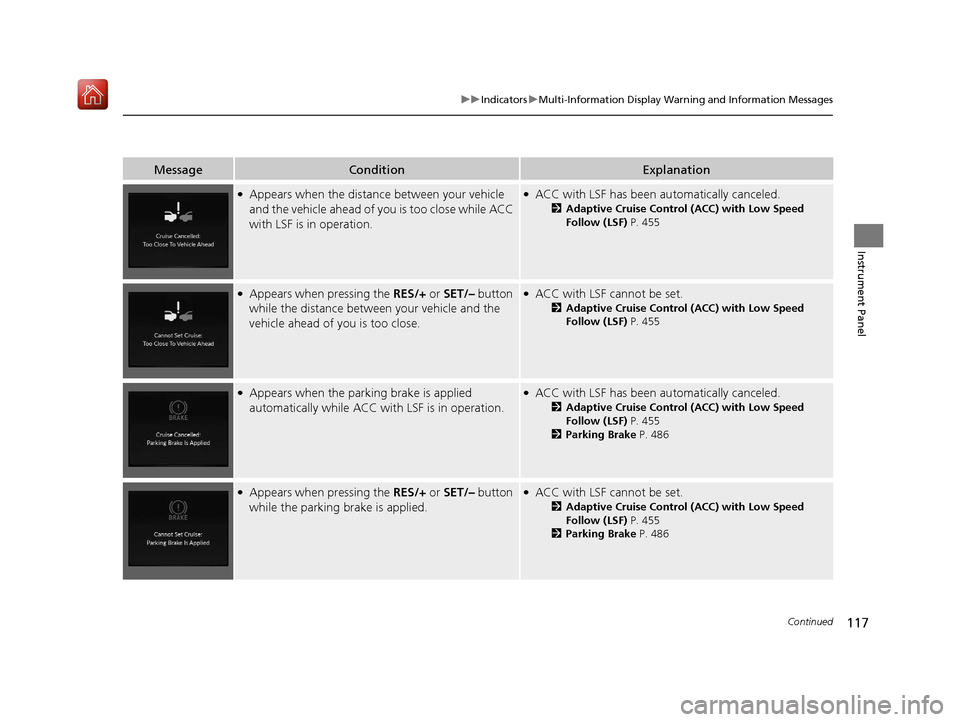
MessageConditionExplanation
●Appears when the distance between your vehicle
and the vehicle ahead of you is too close while ACC
with LSF is in operation.●ACC with LSF has been au tomatically canceled.
2Adaptive Cruise Control (ACC) with Low Speed
Follow (LSF) P. 455
●Appears when pressing the RES/+ or SET/– button
while the distance between your vehicle and the
vehicle ahead of you is too close.●ACC with LSF cannot be set.
2 Adaptive Cruise Control (ACC) with Low Speed
Follow (LSF) P. 455
●Appears when the park ing brake is applied
automatically while ACC with LSF is in operation.●ACC with LSF has been automatically canceled.
2Adaptive Cruise Control (ACC) with Low Speed
Follow (LSF) P. 455
2 Parking Brake P. 486
●Appears when pressing the RES/+ or SET/– button
while the parking brake is applied.●ACC with LSF cannot be set.
2 Adaptive Cruise Control (ACC) with Low Speed
Follow (LSF) P. 455
2 Parking Brake P. 486
19 ACURA RDX-31TJB6000.book 117 ページ 2018年4月26日 木曜日 午後4時51分
Page 126 of 649

125
uuIndicators uMulti-Information Display Warning and Information Messages
Instrument Panel
MessageConditionExplanation
• Appears if there is a proble m with the parking sensor
system.• Check if the area around the sensor(s) is covered with
mud, ice, snow, etc. If the indicator(s) stays on or the
beeper does not stop even after you clean the area,
have the system checked by a dealer.
• Appears if there are obstacles around the sensors.•Check for obstacles near your vehicle to make sure it is
safe to park.
Models with parking sensor system
19 ACURA RDX-31TJB6000.book 125 ページ 2018年4月26日 木曜日 午後4時51分
Page 187 of 649
186
uuOperating the Switches Around the Steering Wheel uLight Switches
Controls
Light Switches
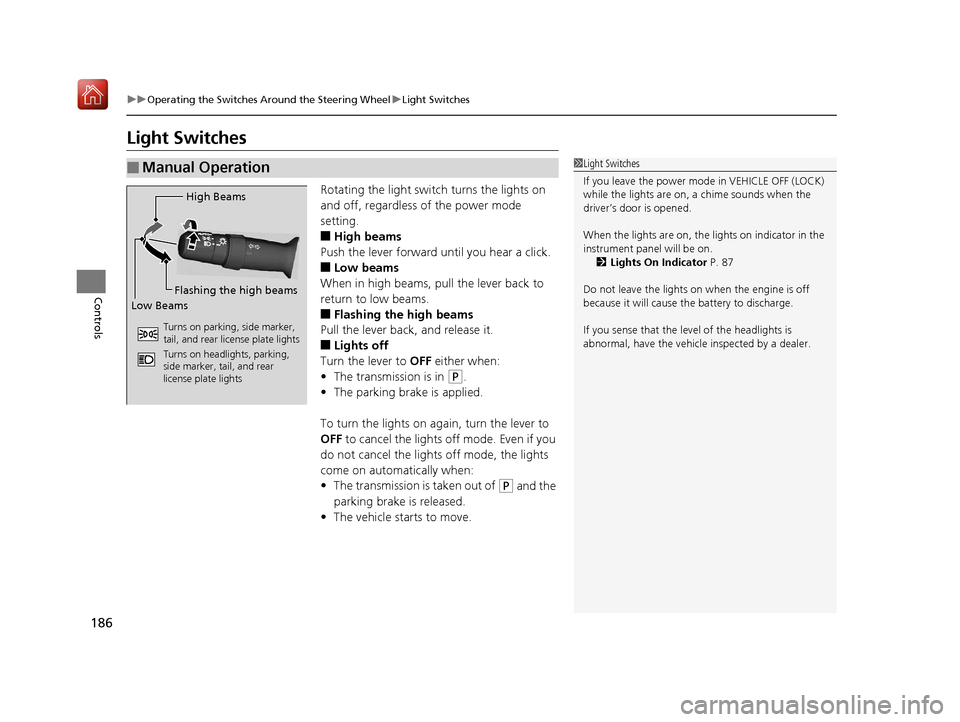
Rotating the light switch turns the lights on
and off, regardless of the power mode
setting.
■High beams
Push the lever forward until you hear a click.
■Low beams
When in high beams, pull the lever back to
return to low beams.
■Flashing the high beams
Pull the lever back, and release it.
■Lights off
Turn the lever to OFF either when:
• The transmission is in
(P.
• The parking brake is applied.
To turn the lights on ag ain, turn the lever to
OFF to cancel the lights off mode. Even if you
do not cancel the lights off mode, the lights
come on automatically when:
• The transmission is taken out of
(P and the
parking brake is released.
• The vehicle starts to move.
■Manual Operation1Light Switches
If you leave the power mode in VEHICLE OFF (LOCK)
while the lights are on, a chime sounds when the
driver’s door is opened.
When the lights are on, the lights on indicator in the
instrument pane l will be on.
2 Lights On Indicator P. 87
Do not leave the lights on when the engine is off
because it will cause the battery to discharge.
If you sense that the le vel of the headlights is
abnormal, have the vehicl e inspected by a dealer.
High Beams
Flashing the high beams
Low Beams
Turns on parking, side marker,
tail, and rear license plate lights
Turns on headlights, parking,
side marker, tail, and rear
license plate lights
19 ACURA RDX-31TJB6000.book 186 ページ 2018年4月26日 木曜日 午後4時51分
Page 188 of 649
Continued187
uuOperating the Switches Around the Steering Wheel uLight Switches
Controls
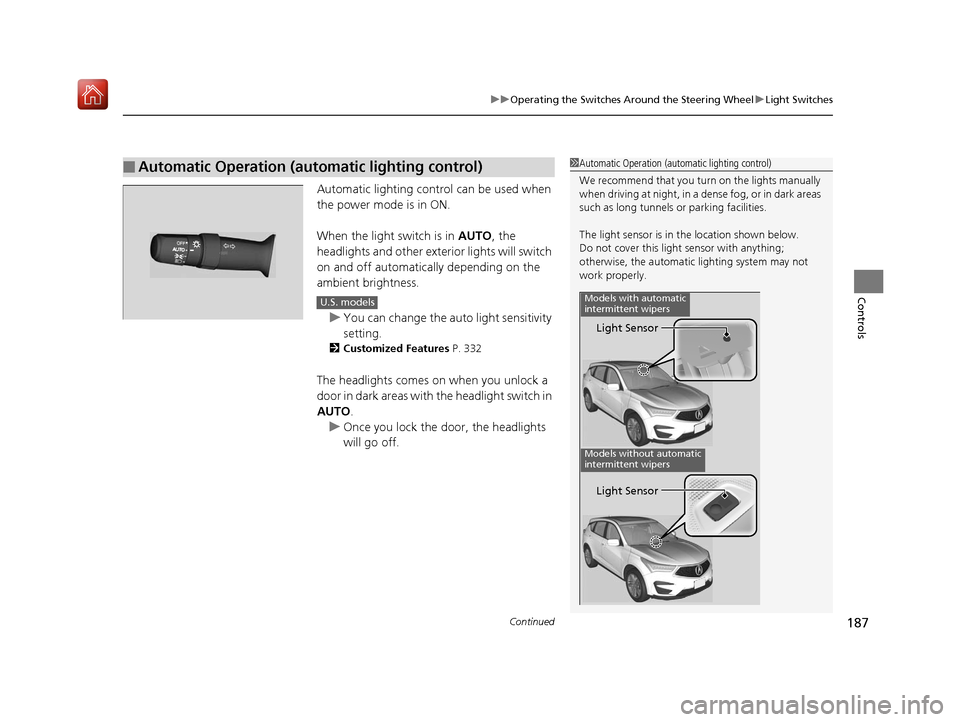
Automatic lighting control can be used when
the power mode is in ON.
When the light switch is in AUTO, the
headlights and other exterior lights will switch
on and off automatically depending on the
ambient brightness.
u You can change the auto light sensitivity
setting.
2 Customized Features P. 332
The headlights comes on when you unlock a
door in dark areas with the headlight switch in
AUTO .
u Once you lock the door, the headlights
will go off.
■Automatic Operation (automatic lighting control)1 Automatic Operation (aut omatic lighting control)
We recommend that you tu rn on the lights manually
when driving at night, in a dense fog, or in dark areas
such as long tunnels or parking facilities.
The light sensor is in the location shown below.
Do not cover this light sensor with anything;
otherwise, the automatic lighting system may not
work properly.
Light Sensor
Models with automatic
intermittent wipers
Models without automatic
intermittent wipers
Light Sensor
U.S. models
19 ACURA RDX-31TJB6000.book 187 ページ 2018年4月26日 木曜日 午後4時51分