wheel Acura RDX 2019 Owner's Guide
[x] Cancel search | Manufacturer: ACURA, Model Year: 2019, Model line: RDX, Model: Acura RDX 2019Pages: 649, PDF Size: 33 MB
Page 134 of 649

Continued133
uuGauges and Displays uMulti-Information Display
Instrument Panel
2 Indicators P. 74
■Oil Life
Shows the remaining oil life and Maintenance
Minder
TM.
2 Maintenance MinderTM P. 525
■Warning1Warning
If there are multiple warnings, you can move the right
selector wheel to the right or left to see other
warnings.
(Example)
■Maintenance
19 ACURA RDX-31TJB6000.book 133 ページ 2018年4月26日 木曜日 午後4時51分
Page 135 of 649
uuGauges and Displays uMulti-Information Display
134
Instrument Panel
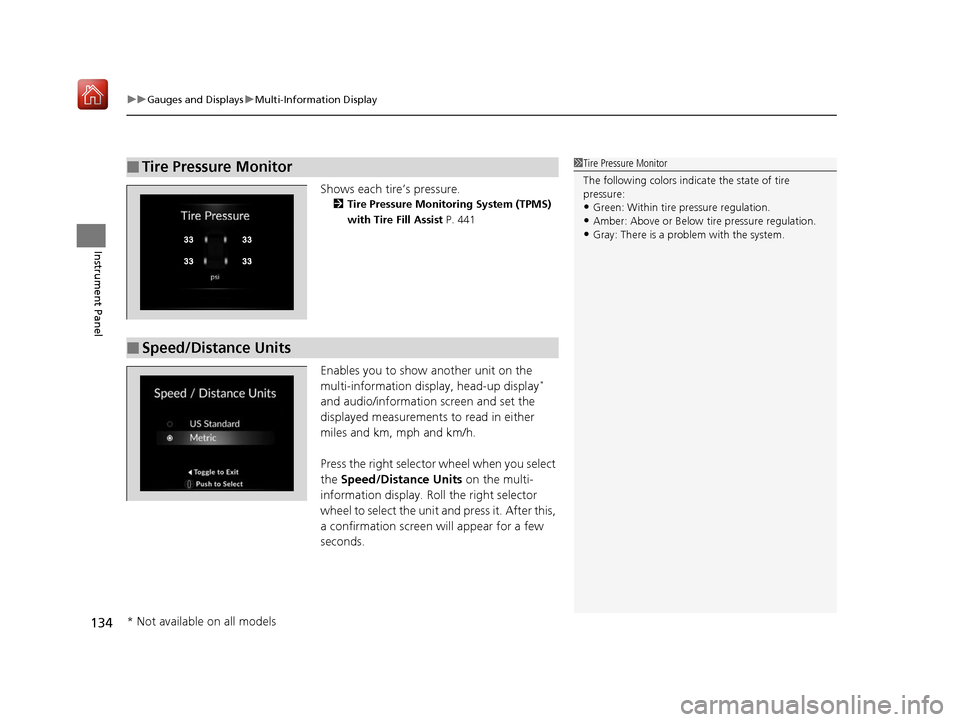
Shows each tire’s pressure.
2 Tire Pressure Monitoring System (TPMS)
with Tire Fill Assist P. 441
Enables you to show another unit on the
multi-information display, head-up display*
and audio/information screen and set the
displayed measurements to read in either
miles and km, mph and km/h.
Press the right selector wheel when you select
the Speed/Distance Units on the multi-
information display. Roll the right selector
wheel to select the unit and press it. After this,
a confirmation screen will appear for a few
seconds.
■Tire Pressure Monitor1 Tire Pressure Monitor
The following colors indicate the state of tire
pressure:
•Green: Within tire pressure regulation.
•Amber: Above or Below ti re pressure regulation.•Gray: There is a problem with the system.
■Speed/Distance Units
* Not available on all models
19 ACURA RDX-31TJB6000.book 134 ページ 2018年4月26日 木曜日 午後4時51分
Page 136 of 649

135
uuGauges and Displays uMulti-Information Display
Continued
Instrument Panel
Press the right selector wheel when you select
the Sport Gauge Settings on the multi-
information display.
Roll the right selector wheel to select the
setting and press it.
■Turbo Meter
When the turbo charger is producing boost,
this meter shows the boost pressure.
■Sport Gauge Settings
19 ACURA RDX-31TJB6000.book 135 ページ 2018年4月26日 木曜日 午後4時51分
Page 138 of 649
137
uuGauges and Displays uMulti-Information Display
Instrument Panel
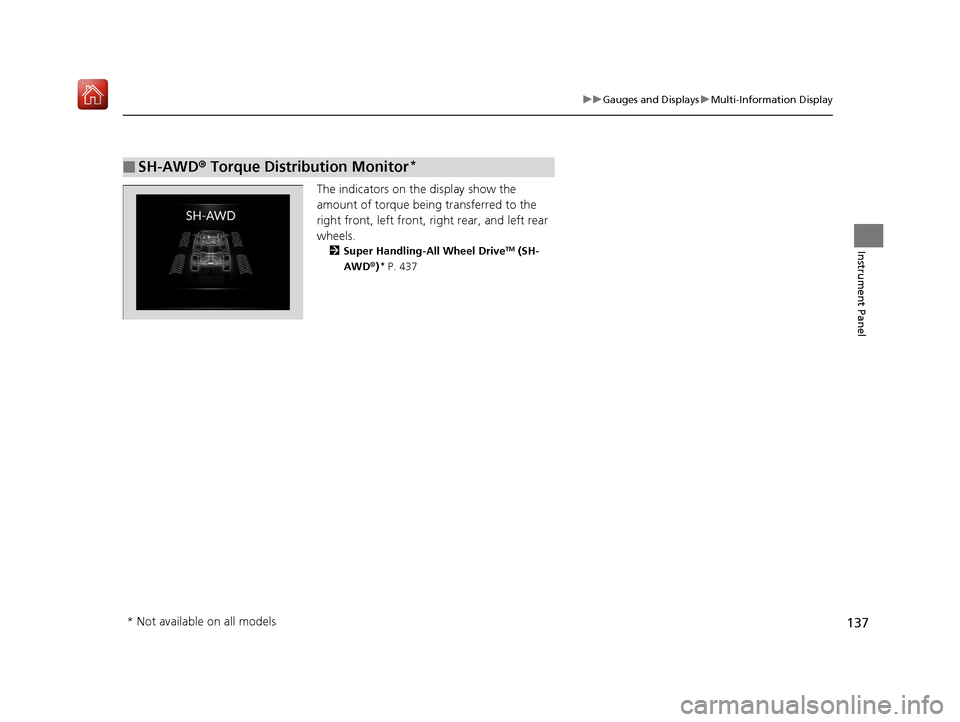
The indicators on the display show the
amount of torque being transferred to the
right front, left front, right rear, and left rear
wheels.
2 Super Handling-All Wheel DriveTM (SH-
AWD ®)* P. 437
■SH-AWD ® Torque Distribution Monitor*
* Not available on all models
19 ACURA RDX-31TJB6000.book 137 ページ 2018年4月26日 木曜日 午後4時51分
Page 139 of 649
138
uuGauges and Displays uHead-Up Display*
Instrument Panel
Head-Up Display*
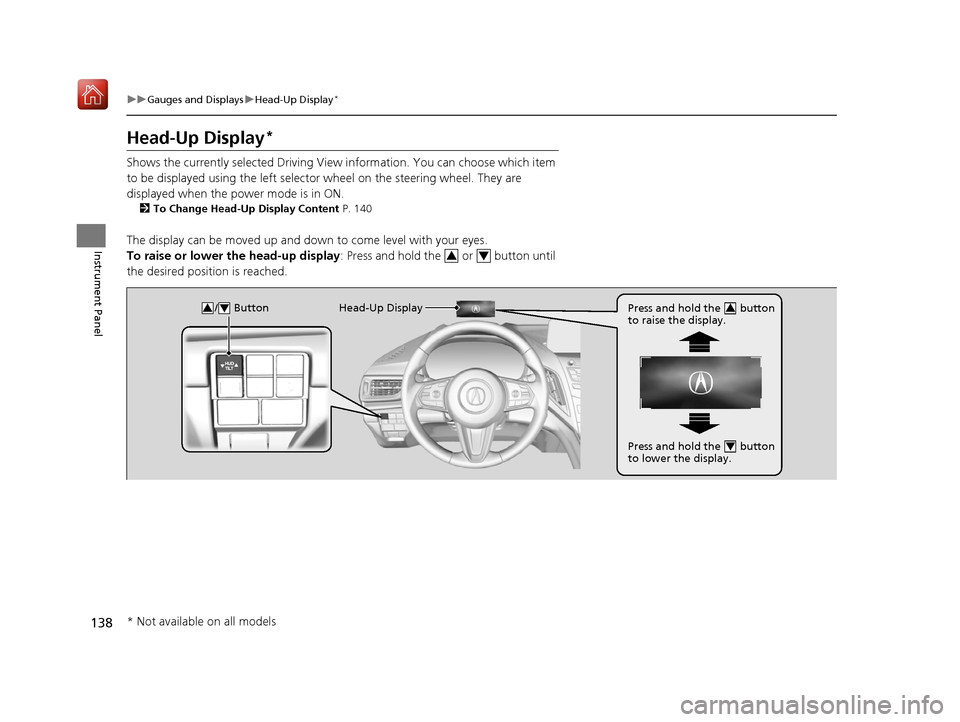
Shows the currently selected Driving View information. You can choose which item
to be displayed using the left selector wheel on the steering wheel. They are
displayed when the power mode is in ON.
2 To Change Head-Up Display Content P. 140
The display can be moved up and down to come level with your eyes.
To raise or lower the head-up display : Press and hold the or button until
the desired position is reached.
34
/ Button34Head-Up Display Press and hold the button
to raise the display.3
Press and hold the button
to lower the display.4
* Not available on all models
19 ACURA RDX-31TJB6000.book 138 ページ 2018年4月26日 木曜日 午後4時51分
Page 141 of 649
140
uuGauges and Displays uHead-Up Display*
Instrument Panel
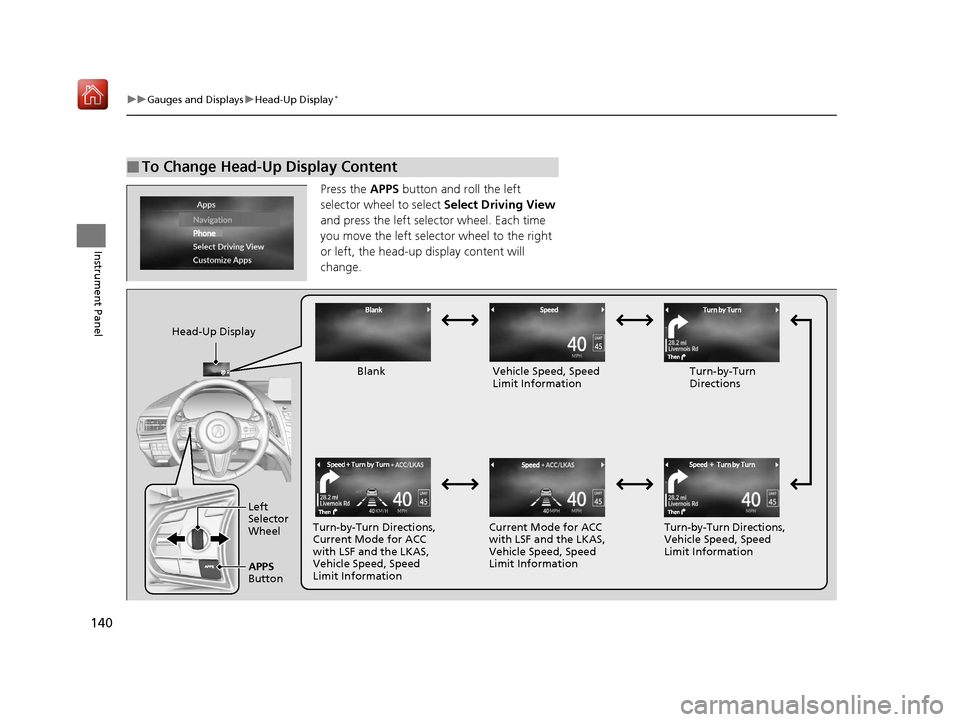
Press the APPS button and roll the left
selector wheel to select Select Driving View
and press the left selector wheel. Each time
you move the left selector wheel to the right
or left, the head-up display content will
change.
■To Change Head-Up Display Content
Head-Up Display
Blank Vehicle Speed, Speed Limit Information Turn-by-Turn
Directions
Turn-by-Turn Directions,
Current Mode for ACC
with LSF and the LKAS,
Vehicle Speed, Speed
Limit Information Current Mode for ACC
with LSF and the LKAS,
Vehicle Speed, Speed
Limit Information
Turn-by-Turn Directions,
Vehicle Speed, Speed
Limit Information
Left
Selector
Wheel
APPS
Button
19 ACURA RDX-31TJB6000.book 140 ページ 2018年4月26日 木曜日 午後4時51分
Page 144 of 649
143
Controls
This chapter explains how to operate the various controls necessary for driving.
Clock.................................................. 144
Locking and Unlocking the Doors
Key Types and Functions .................. 146
Low Keyless Access Remote Signal Strength ......................................... 149
Locking/Unlocking the Doors from the Outside .......................................... 150
Locking/Unlocking the Doors from the
Inside ............................................. 159
Childproof Door Locks ..................... 161
Auto Door Locking/Unlocking .......... 162
Opening and Closing the Tailgate ... 163
Security System Immobilizer System .......................... 173 Security System Alarm...................... 173
Opening and Closing the Windows ... 176
Panoramic Roof ................................. 179
Operating the Switches Around the Steering Wheel
ENGINE START/STOP Button............. 182
Turn Signals ..................................... 185
Light Switches.................................. 186
Adaptive Front Lighting System (AFS)*.. 189Fog Lights*...................................... 190
Daytime Running Lights ................... 190
Auto High-Beam .............................. 191
Wipers and Washers ........................ 194
Brightness Control ........................... 198
Rear Defogger/Heated Door Mirror Button ........................................ 200
Heated Windshield Button ............... 200
Driving Position Memory System ...... 201
Adjusting the Steering Wheel .......... 203
Adjusting the Mirrors Interior Rearview Mirror ................... 204
Power Door Mirrors ......................... 205
Adjusting the Seats .......................... 207
Interior Lights/Interior Convenience Items ................................................ 219
Climate Control System Using Automatic Climate Control .... 230
Automatic Climate Control Sensors ... 235
* Not available on all models
19 ACURA RDX-31TJB6000.book 143 ページ 2018年4月26日 木曜日 午後4時51分
Page 183 of 649
182
Controls
Operating the Switches Around the Steering Wheel
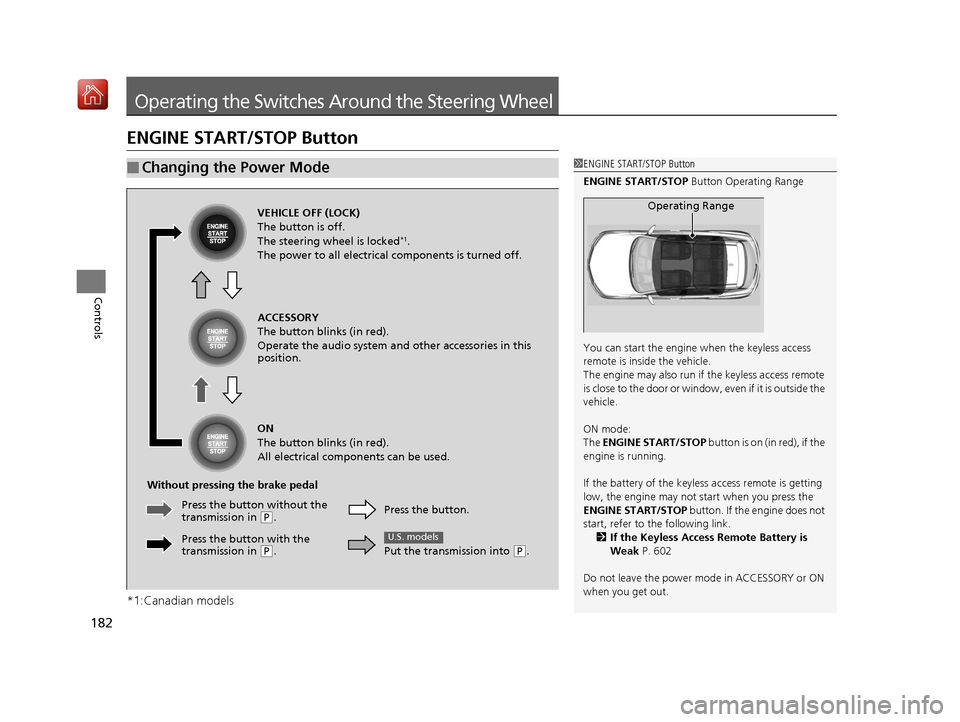
ENGINE START/STOP Button
*1:Canadian models
■Changing the Power Mode1ENGINE START/STOP Button
ENGINE START/STOP Button Operating Range
You can start the engine when the keyless access
remote is inside the vehicle.
The engine may also run if the keyless access remote
is close to the door or window, even if it is outside the
vehicle.
ON mode:
The ENGINE START/STOP button is on (in red), if the
engine is running.
If the battery of the keyless access remote is getting
low, the engine may not start when you press the
ENGINE START/STOP button. If the engine does not
start, refer to the following link. 2 If the Keyless Access Remote Battery is
Weak P. 602
Do not leave the power mode in ACCESSORY or ON
when you get out.
Operating RangeVEHICLE OFF (LOCK)
The button is off.
The steering wheel is locked
*1.
The power to all electrical components is turned off.
ACCESSORY
The button blinks (in red).
Operate the audio system and other accessories in this
position.
ON
The button blinks (in red).
All electrical components can be used.
Without pressing the brake pedal Press the button.
Put the transmission into
(P.
U.S. models
Press the butto n without the
transmission in ( P.
Press the button with the
transmission in
( P.
19 ACURA RDX-31TJB6000.book 182 ページ 2018年4月26日 木曜日 午後4時51分
Page 184 of 649
183
uuOperating the Switches Around the Steering Wheel uENGINE START/STOP Button
Continued
Controls
If you leave the vehicle for 30 to 60 minutes with the transmission in (P and the
power mode in ACCESSORY, the vehicle automa tically goes into the mode similar to
VEHICLE OFF (LOCK) to avoid draining the battery.
When in this mode:
The steering wheel does not lock.
You cannot lock or unlock doors with the remote transmitter or the keyless access
system.
Press the ENGINE START/STOP button twice to switch the mode to VEHICLE OFF
(LOCK).
If you open the driver’s door when the power mode is set to ACCESSORY, a warning
beep sounds.
■Automatic Power Off
■Power Mode Reminder
Canadian models
19 ACURA RDX-31TJB6000.book 183 ページ 2018年4月26日 木曜日 午後4時51分
Page 185 of 649
uuOperating the Switches Around the Steering Wheel uENGINE START/STOP Button
184
Controls
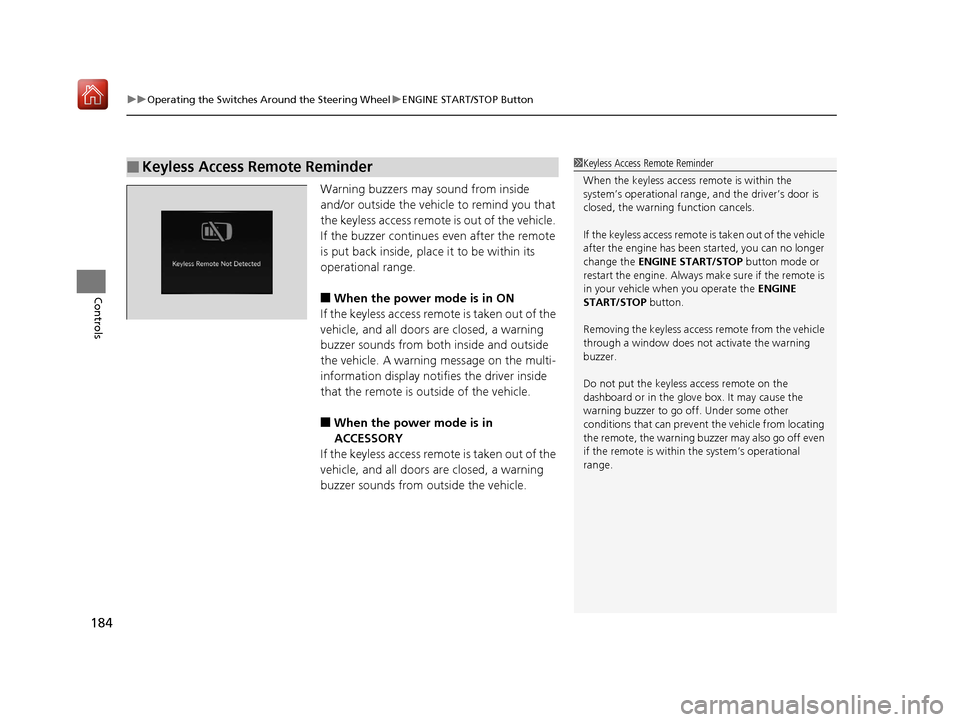
Warning buzzers may sound from inside
and/or outside the vehicle to remind you that
the keyless access remote is out of the vehicle.
If the buzzer continues even after the remote
is put back inside, place it to be within its
operational range.
■When the power mode is in ON
If the keyless access remo te is taken out of the
vehicle, and all doors are closed, a warning
buzzer sounds from both inside and outside
the vehicle. A warning message on the multi-
information display notifies the driver inside
that the remote is outside of the vehicle.
■When the power mode is in
ACCESSORY
If the keyless access remo te is taken out of the
vehicle, and all doors are closed, a warning
buzzer sounds from outside the vehicle.
■Keyless Access Remote Reminder1 Keyless Access Remote Reminder
When the keyless access remote is within the
system’s operational range, and the driver’s door is
closed, the warni ng function cancels.
If the keyless access remote is taken out of the vehicle
after the engine has been started, you can no longer
change the ENGINE START/STOP button mode or
restart the engine. Always make sure if the remote is
in your vehicle when you operate the ENGINE
START/STOP button.
Removing the keyless access remote from the vehicle
through a window does not activate the warning
buzzer.
Do not put the keyless access remote on the
dashboard or in the glove box. It may cause the
warning buzzer to go of f. Under some other
conditions that can prevent the vehicle from locating
the remote, the warning buzzer may also go off even
if the remote is within the system’s operational
range.
19 ACURA RDX-31TJB6000.book 184 ページ 2018年4月26日 木曜日 午後4時51分