touchpad Acura RDX 2019 Owner's Guide
[x] Cancel search | Manufacturer: ACURA, Model Year: 2019, Model line: RDX, Model: Acura RDX 2019Pages: 649, PDF Size: 33 MB
Page 296 of 649
Continued295
uuAudio System Basic Operation uPlaying a USB Flash Drive
Features
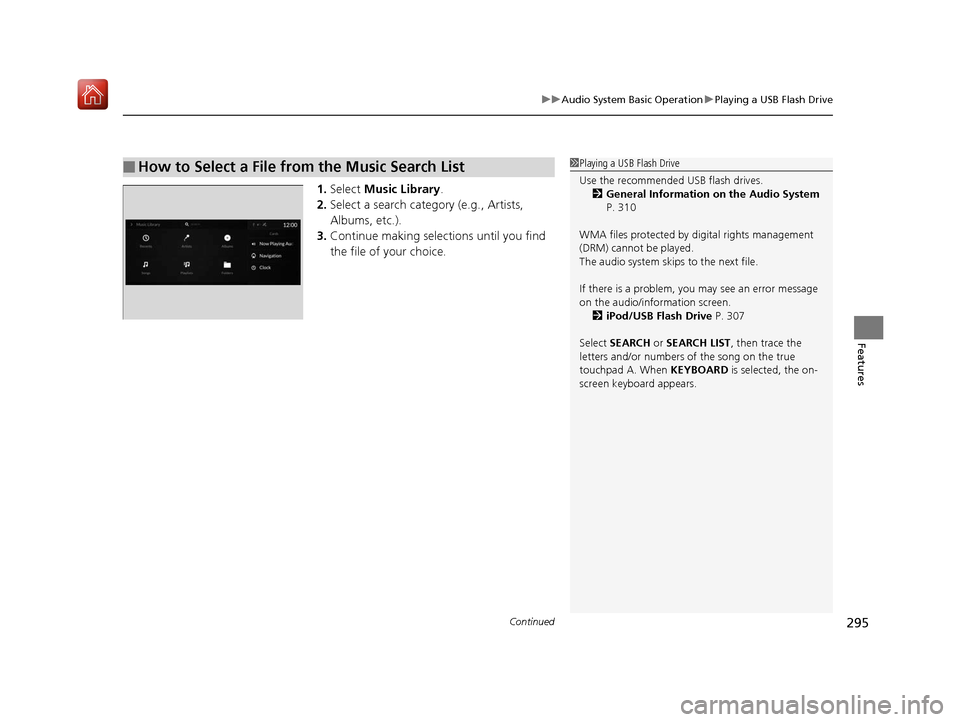
1. Select Music Library .
2. Select a search catego ry (e.g., Artists,
Albums, etc.).
3. Continue making selections until you find
the file of your choice.
■How to Select a File from the Music Search List1Playing a USB Flash Drive
Use the recommended USB flash drives.
2 General Information on the Audio System
P. 310
WMA files protected by di gital rights management
(DRM) cannot be played.
The audio system skips to the next file.
If there is a problem, you may see an error message
on the audio/information screen. 2 iPod/USB Flash Drive P. 307
Select SEARCH or SEARCH LIST, then trace the
letters and/or numbers of the song on the true
touchpad A. When KEYBOARD is selected, the on-
screen keyboard appears.
19 ACURA RDX-31TJB6000.book 295 ページ 2018年4月26日 木曜日 午後4時51分
Page 303 of 649
302
uuAudio System Basic Operation uSiri ® Eyes Free
Features
Siri ® Eyes Free
You can talk to Siri using to press and hold the (Talk) button on the steering
wheel when your iPhone is paired to the Bluetooth® HandsFreeLink ® (HFL) system.
2Phone Setup P. 364
■Using Siri Eyes Free
1Siri ® Eyes Free
Siri is a trademark of Apple Inc.
Check Apple Inc. website for features available for
Siri.
While driving we recomme nd only using Siri through
the button on the steering wheel (Siri Eyes Free).
1Using Siri Eyes Free
Some commands work only on specific phone
features or apps.
Press the (back) button on the true touchpad or
APPS button on the steering whee l to deactivate siri.
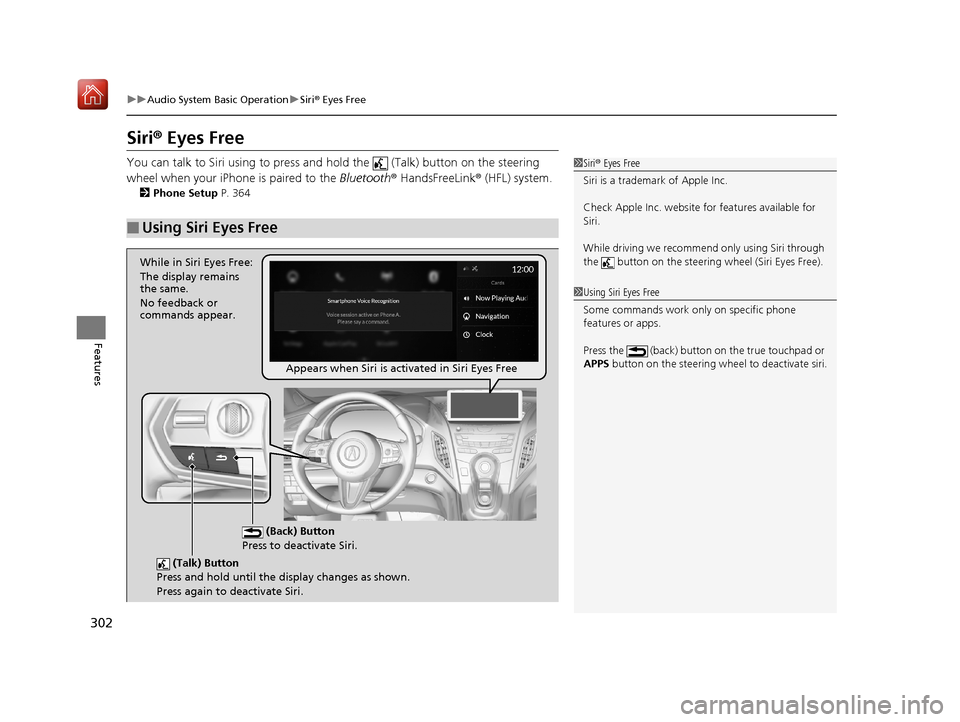
(Talk) Button
Press and hold until the display changes as shown.
Press again to deactivate Siri.
(Back) Button
Press to deactivate Siri.
While in Siri Eyes Free:
The display remains
the same.
No feedback or
commands appear.
Appears when Siri is activated in Siri Eyes Free
19 ACURA RDX-31TJB6000.book 302 ページ 2018年4月26日 木曜日 午後4時51分
Page 334 of 649
333
uuCustomized Features u
Continued
Features
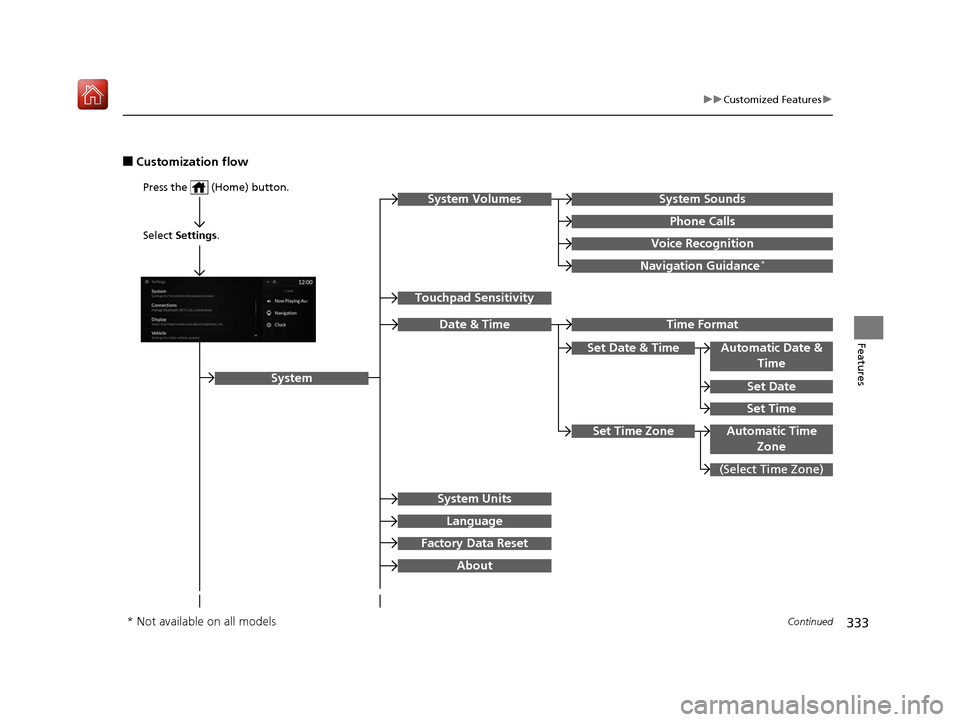
■Customization flow
Press the (Home) button.
Select Settings.
Touchpad Sensitivity
System
System SoundsSystem Volumes
Phone Calls
Voice Recognition
Navigation Guidance*
Date & Time
System Units
Factory Data Reset
Language
Time Format
Set Date & Time
Set Time
Set Date
Automatic Date &
Time
About
(Select Time Zone)
Automatic Time ZoneSet Time Zone
* Not available on all models
19 ACURA RDX-31TJB6000.book 333 ページ 2018年4月26日 木曜日 午後4時51分
Page 340 of 649
339
uuCustomized Features u
Continued
Features
■List of customizable options
*1:Default Setting Setup Group Customizable Features
Description Selectable Settings
System
System
Volumes
System SoundsChanges the system sounds volume.—
Phone CallsChanges the phone call volume.—
Voice RecognitionChanges the voice recognition volume.—
Navigation Guidance*Changes the navigation guidance
volume.—
Touchpad SensitivitySets the sensitivity of the true
touchpad.High/Low*1
Date & Time
Time FormatSelects the digital clock display from
12H to 24H.12 Hour*1/24 Hour
Set Date &
Time
Automatic
Date & TimeSelects On to have the GPS
automatically adjust the clock. Select
Off to cancel this function.
On*1/Off
Set DateAdjusts date.
2 Adjusting the Clock P. 144—
Set TimeAdjusts clock.
2Adjusting the Clock P. 144—
* Not available on all models
19 ACURA RDX-31TJB6000.book 339 ページ 2018年4月26日 木曜日 午後4時51分
Page 371 of 649
370
uuBluetooth ® HandsFreeLink ®u HFL Menus
Features
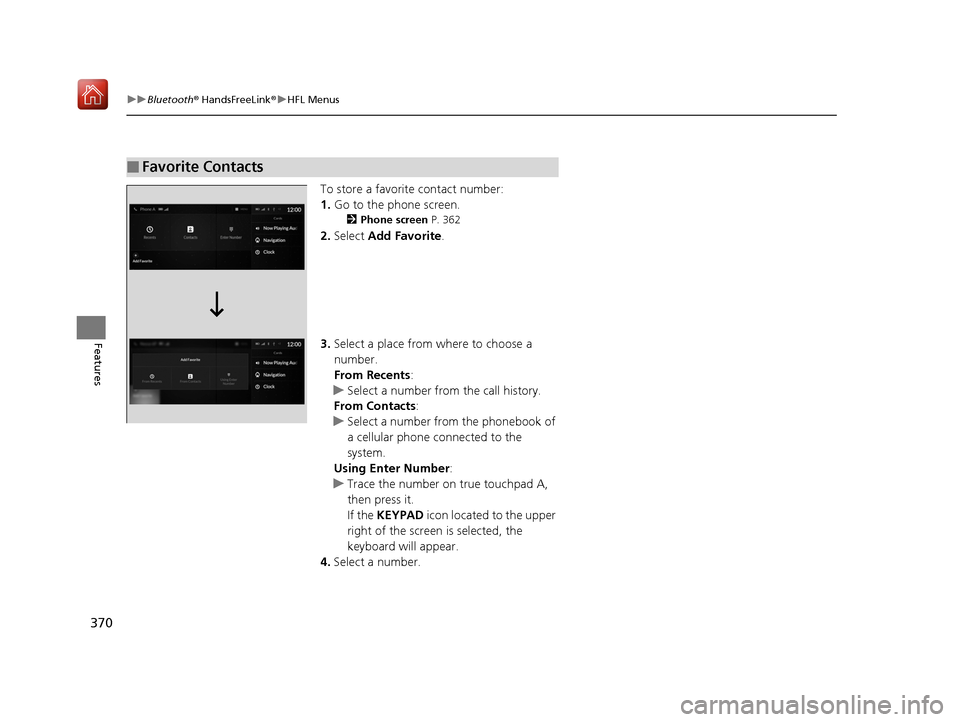
To store a favorite contact number:
1. Go to the phone screen.
2 Phone screen P. 362
2.Select Add Favorite .
3. Select a place from where to choose a
number.
From Recents:
u Select a number from the call history.
From Contacts:
u Select a number from the phonebook of
a cellular phone connected to the
system.
Using Enter Number :
u Trace the number on true touchpad A,
then press it.
If the KEYPAD icon located to the upper
right of the screen is selected, the
keyboard will appear.
4. Select a number.
■Favorite Contacts
19 ACURA RDX-31TJB6000.book 370 ページ 2018年4月26日 木曜日 午後4時51分
Page 372 of 649
Continued371
uuBluetooth ® HandsFreeLink ®u HFL Menus
Features
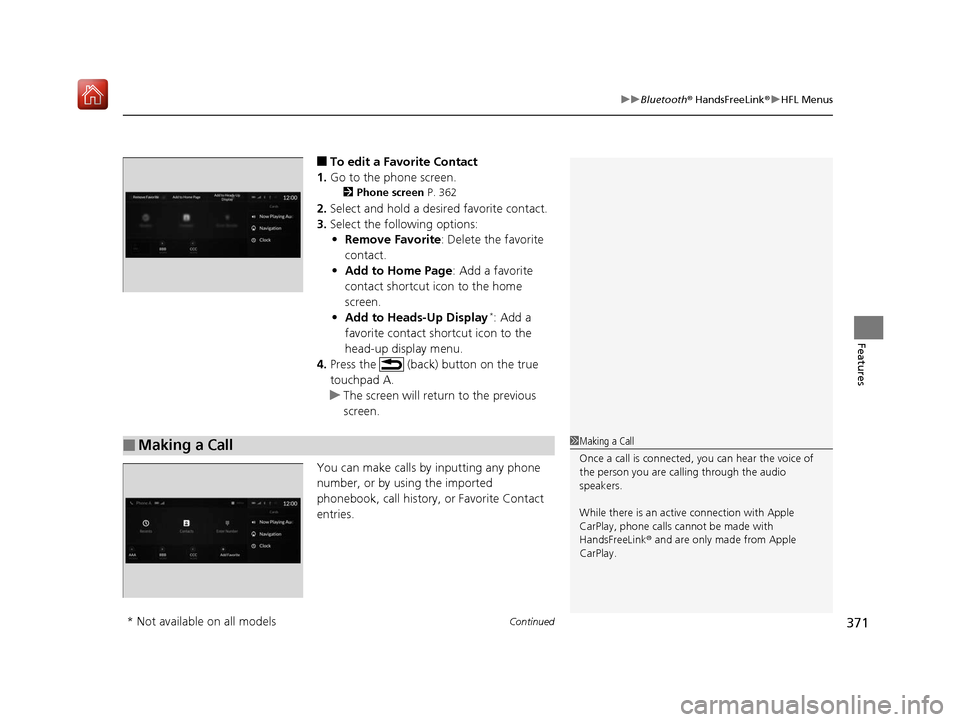
■To edit a Favorite Contact
1. Go to the phone screen.
2 Phone screen P. 362
2.Select and hold a desired favorite contact.
3. Select the following options:
• Remove Favorite : Delete the favorite
contact.
• Add to Home Page : Add a favorite
contact shortcut icon to the home
screen.
• Add to Heads-Up Display
*: Add a
favorite contact shortcut icon to the
head-up display menu.
4. Press the (back) button on the true
touchpad A.
u The screen will return to the previous
screen.
You can make calls by inputting any phone
number, or by using the imported
phonebook, call history, or Favorite Contact
entries.
■Making a Call1 Making a Call
Once a call is connected, you can hear the voice of
the person you are call ing through the audio
speakers.
While there is an active connection with Apple
CarPlay, phone calls ca nnot be made with
HandsFreeLink ® and are only made from Apple
CarPlay.
* Not available on all models
19 ACURA RDX-31TJB6000.book 371 ページ 2018年4月26日 木曜日 午後4時51分
Page 373 of 649
uuBluetooth ® HandsFreeLink ®u HFL Menus
372
Features
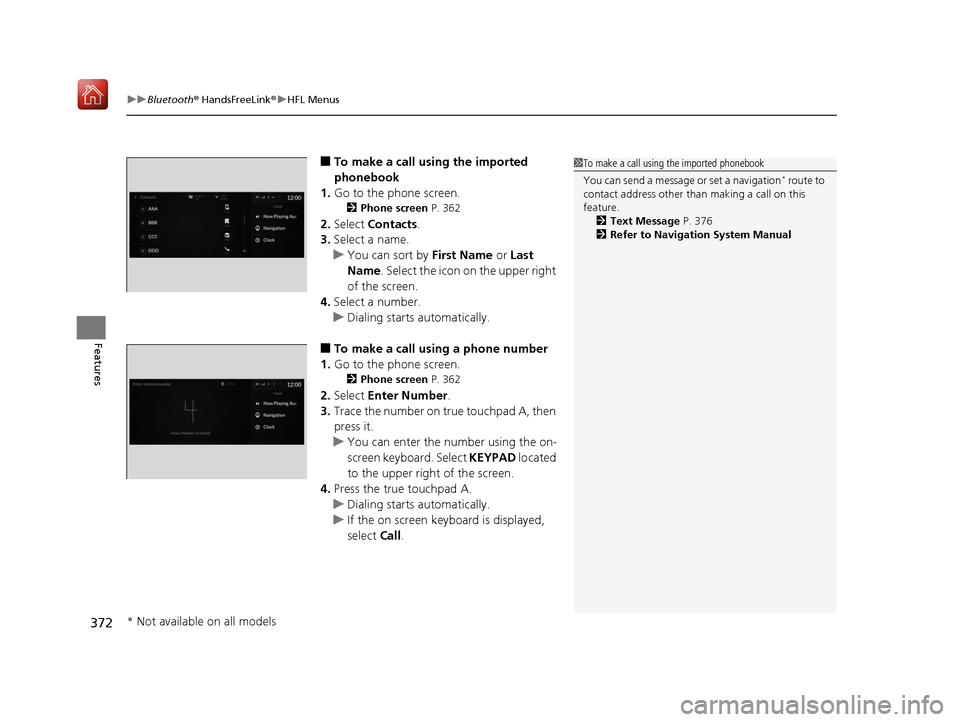
■To make a call using the imported
phonebook
1. Go to the phone screen.
2 Phone screen P. 362
2.Select Contacts .
3. Select a name.
u You can sort by First Name or Last
Name. Select the icon on the upper right
of the screen.
4. Select a number.
u Dialing starts automatically.
■To make a call using a phone number
1. Go to the phone screen.
2 Phone screen P. 362
2.Select Enter Number .
3. Trace the number on true touchpad A, then
press it.
u You can enter the number using the on-
screen keyboard. Select KEYPAD located
to the upper right of the screen.
4. Press the true touchpad A.
u Dialing starts automatically.
u If the on screen keyboard is displayed,
select Call.
1To make a call using the imported phonebook
You can send a message or set a navigation
* route to
contact address other than making a call on this
feature. 2 Text Message P. 376
2 Refer to Navigation System Manual
* Not available on all models
19 ACURA RDX-31TJB6000.book 372 ページ 2018年4月26日 木曜日 午後4時51分
Page 378 of 649
377
uuBluetooth ® HandsFreeLink ®u Text Message
Continued
Features
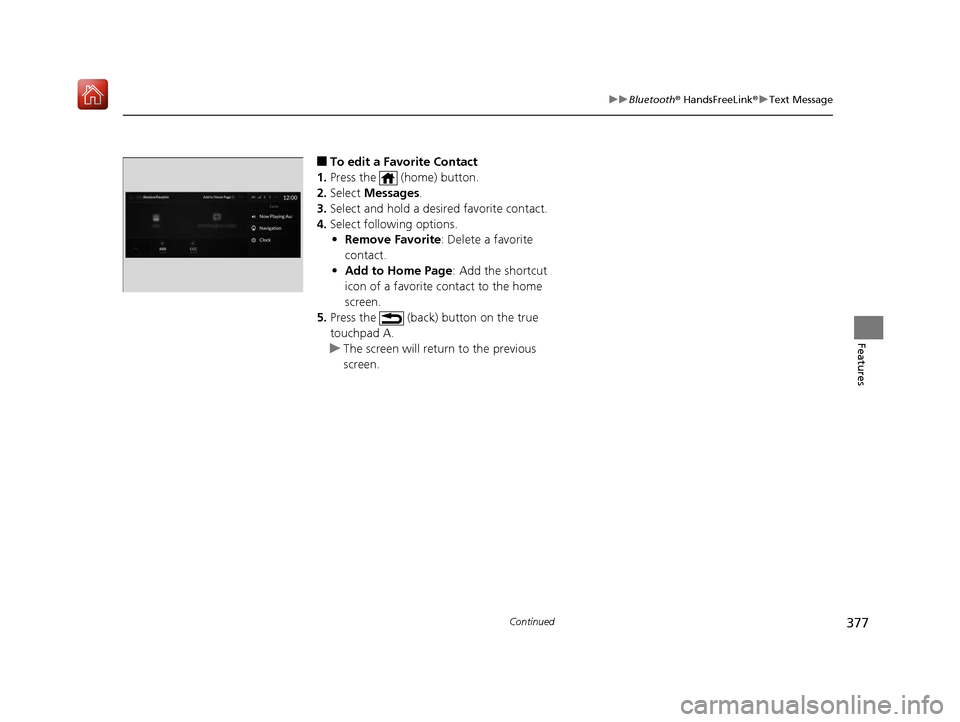
■To edit a Favorite Contact
1. Press the (home) button.
2. Select Messages.
3. Select and hold a desired favorite contact.
4. Select following options.
• Remove Favorite : Delete a favorite
contact.
• Add to Home Page : Add the shortcut
icon of a favorite contact to the home
screen.
5. Press the (back) button on the true
touchpad A.
u The screen will return to the previous
screen.
19 ACURA RDX-31TJB6000.book 377 ページ 2018年4月26日 木曜日 午後4時51分
Page 384 of 649
Continued383
uuBluetooth ® HandsFreeLink ®u Text Message
Features
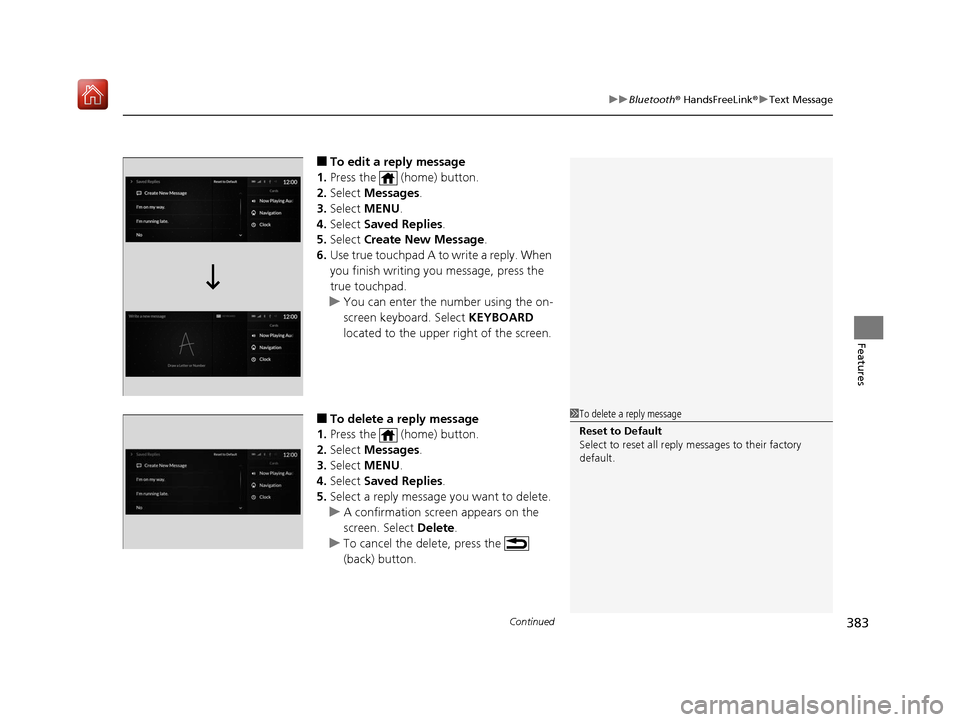
■To edit a reply message
1. Press the (home) button.
2. Select Messages.
3. Select MENU .
4. Select Saved Replies .
5. Select Create New Message .
6. Use true touchpad A to write a reply. When
you finish writing you message, press the
true touchpad.
u You can enter the number using the on-
screen keyboard. Select KEYBOARD
located to the upper right of the screen.
■To delete a reply message
1. Press the (home) button.
2. Select Messages.
3. Select MENU .
4. Select Saved Replies .
5. Select a reply message you want to delete.
u A confirmation screen appears on the
screen. Select Delete.
u To cancel the delete, press the
(back) button.1To delete a reply message
Reset to Default
Select to reset all reply messages to their factory
default.
19 ACURA RDX-31TJB6000.book 383 ページ 2018年4月26日 木曜日 午後4時51分
Page 391 of 649
uuAcuraLink ®u
390
Features
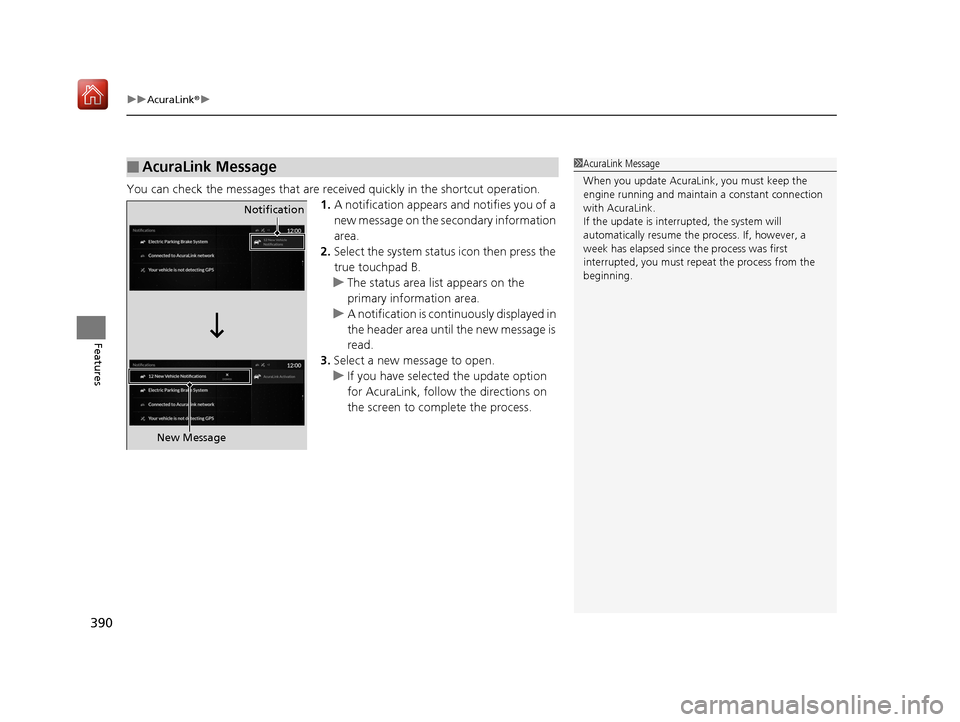
You can check the messages that are rece ived quickly in the shortcut operation.
1. A notification appears and notifies you of a
new message on the secondary information
area.
2. Select the system status icon then press the
true touchpad B.
u The status area list appears on the
primary information area.
u A notification is continuously displayed in
the header area until the new message is
read.
3. Select a new message to open.
u If you have selected the update option
for AcuraLink, follow the directions on
the screen to complete the process.
■AcuraLink Message1AcuraLink Message
When you update AcuraLink, you must keep the
engine running and maintain a constant connection
with AcuraLink.
If the update is interr upted, the system will
automatically resume the process. If, however, a
week has elapsed since the process was first
interrupted, you must repeat the process from the
beginning.
Notification
New Message
19 ACURA RDX-31TJB6000.book 390 ページ 2018年4月26日 木曜日 午後4時51分