eco Acura RDX 2019 Workshop Manual
[x] Cancel search | Manufacturer: ACURA, Model Year: 2019, Model line: RDX, Model: Acura RDX 2019Pages: 649, PDF Size: 33 MB
Page 124 of 649
123
uuIndicators uMulti-Information Display Warning and Information Messages
Continued
Instrument Panel
MessageConditionExplanation
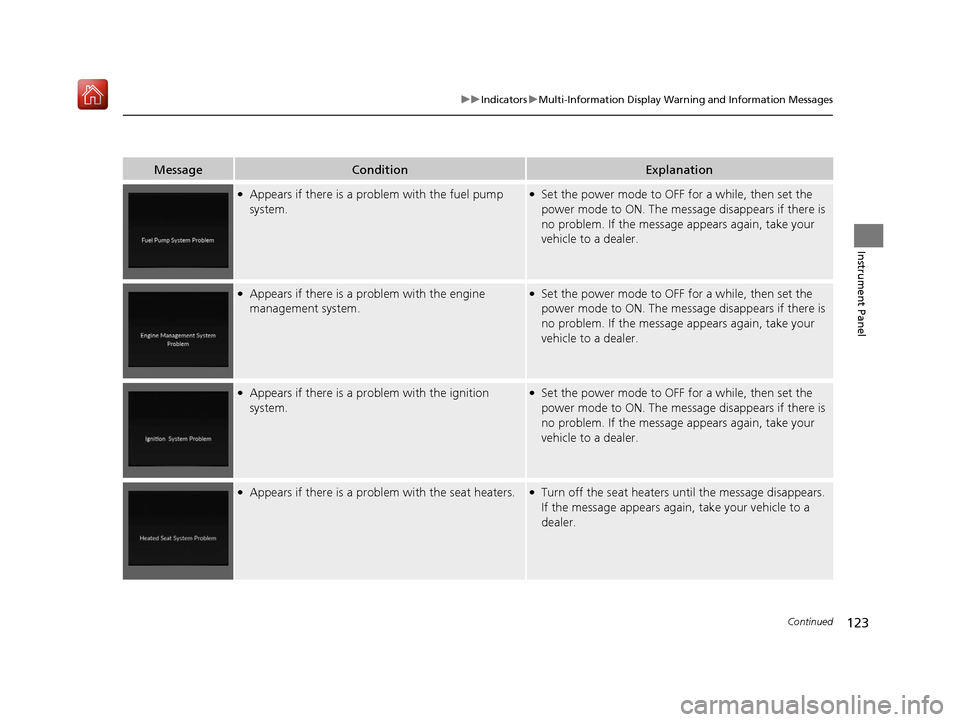
●Appears if there is a problem with the fuel pump
system.●Set the power mode to OFF for a while, then set the
power mode to ON. The message disappears if there is
no problem. If the message appears again, take your
vehicle to a dealer.
●Appears if there is a problem with the engine
management system.●Set the power mode to OFF for a while, then set the
power mode to ON. The message disappears if there is
no problem. If the message appears again, take your
vehicle to a dealer.
●Appears if there is a pr oblem with the ignition
system.●Set the power mode to OFF for a while, then set the
power mode to ON. The message disappears if there is
no problem. If the message appears again, take your
vehicle to a dealer.
●Appears if there is a problem with the seat heaters.●Turn off the seat heaters un til the message disappears.
If the message appears again, take your vehicle to a
dealer.
19 ACURA RDX-31TJB6000.book 123 ページ 2018年4月26日 木曜日 午後4時51分
Page 125 of 649
124
uuIndicators uMulti-Information Display Warn ing and Information Messages
Instrument Panel
MessageConditionExplanation
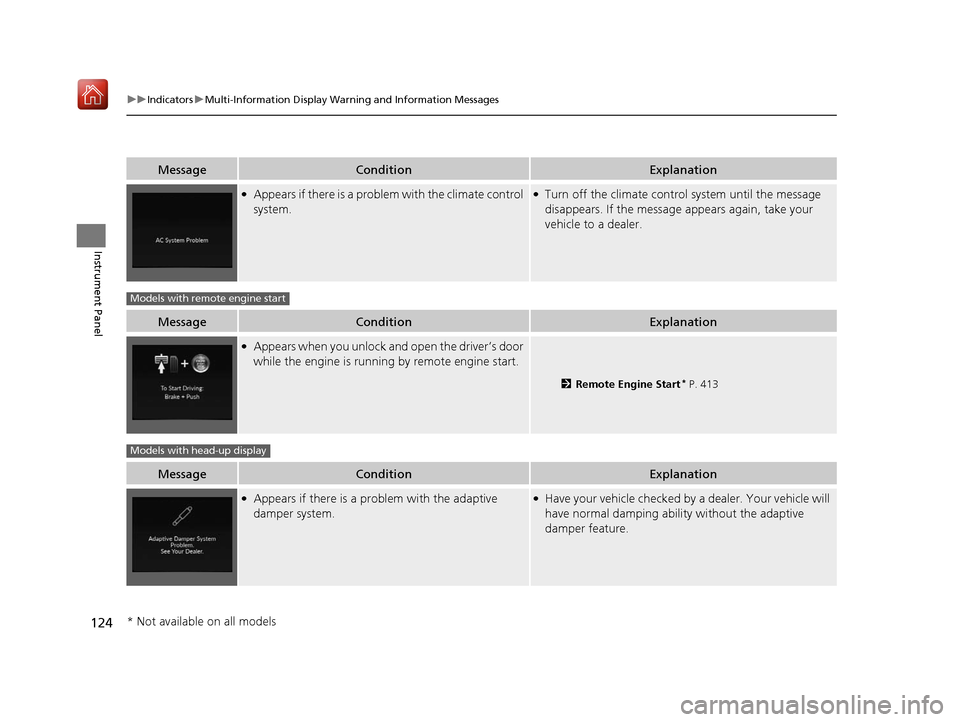
●Appears if there is a problem with the climate control
system.●Turn off the climate control system until the message
disappears. If the message appears again, take your
vehicle to a dealer.
MessageConditionExplanation
●Appears when you unlock an d open the driver’s door
while the engine is running by remote engine start.
2 Remote Engine Start* P. 413
MessageConditionExplanation
●Appears if there is a pr oblem with the adaptive
damper system.●Have your vehicle checked by a dealer. Your vehicle will
have normal damping ability without the adaptive
damper feature.
Models with remote engine start
Models with head-up display
* Not available on all models
19 ACURA RDX-31TJB6000.book 124 ページ 2018年4月26日 木曜日 午後4時51分
Page 126 of 649

125
uuIndicators uMulti-Information Display Warning and Information Messages
Instrument Panel
MessageConditionExplanation
• Appears if there is a proble m with the parking sensor
system.• Check if the area around the sensor(s) is covered with
mud, ice, snow, etc. If the indicator(s) stays on or the
beeper does not stop even after you clean the area,
have the system checked by a dealer.
• Appears if there are obstacles around the sensors.•Check for obstacles near your vehicle to make sure it is
safe to park.
Models with parking sensor system
19 ACURA RDX-31TJB6000.book 125 ページ 2018年4月26日 木曜日 午後4時51分
Page 131 of 649
130
uuGauges and Displays uMulti-Information Display
Instrument Panel
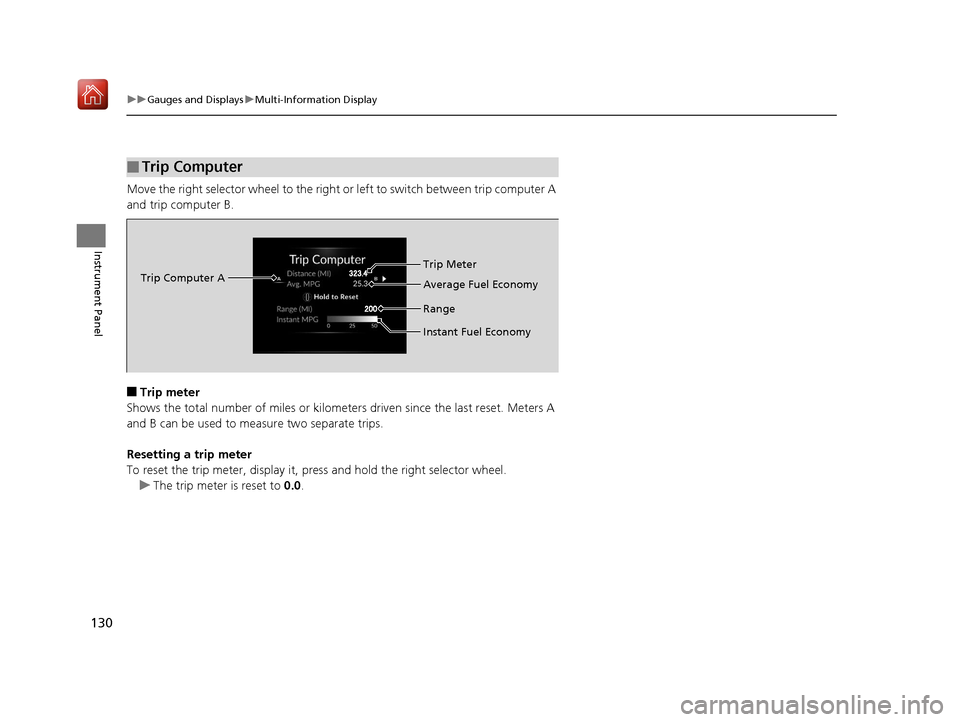
Move the right selector wheel to the right or left to switch between trip computer A
and trip computer B.
■Trip meter
Shows the total number of miles or kilomete rs driven since the last reset. Meters A
and B can be used to measure two separate trips.
Resetting a trip meter
To reset the trip meter, display it, pr ess and hold the right selector wheel.
u The trip meter is reset to 0.0.
■Trip Computer
Trip Computer A Trip Meter
Range Average Fuel Economy
Instant Fuel Economy
19 ACURA RDX-31TJB6000.book 130 ページ 2018年4月26日 木曜日 午後4時51分
Page 132 of 649
Continued131
uuGauges and Displays uMulti-Information Display
Instrument Panel
■Average fuel economy (Avg. Fuel)
Shows the estimated average fuel economy of each trip meter in mpg or l/100 km.
The display is updated at set intervals. Wh en a trip meter is reset, the average fuel
economy is also reset.
■Instant fuel economy
Shows the instant fuel economy as a bar graph in mpg or l/100 km.
■Range
Shows the estimated distance you can trave l on the remaining fuel. This estimated
distance is based on the vehicle’s current fuel economy.
1 Average fuel economy (Avg. Fuel)
You can change when the average fuel economy is
reset.
2 Customized Features P. 332
19 ACURA RDX-31TJB6000.book 131 ページ 2018年4月26日 木曜日 午後4時51分
Page 135 of 649
uuGauges and Displays uMulti-Information Display
134
Instrument Panel
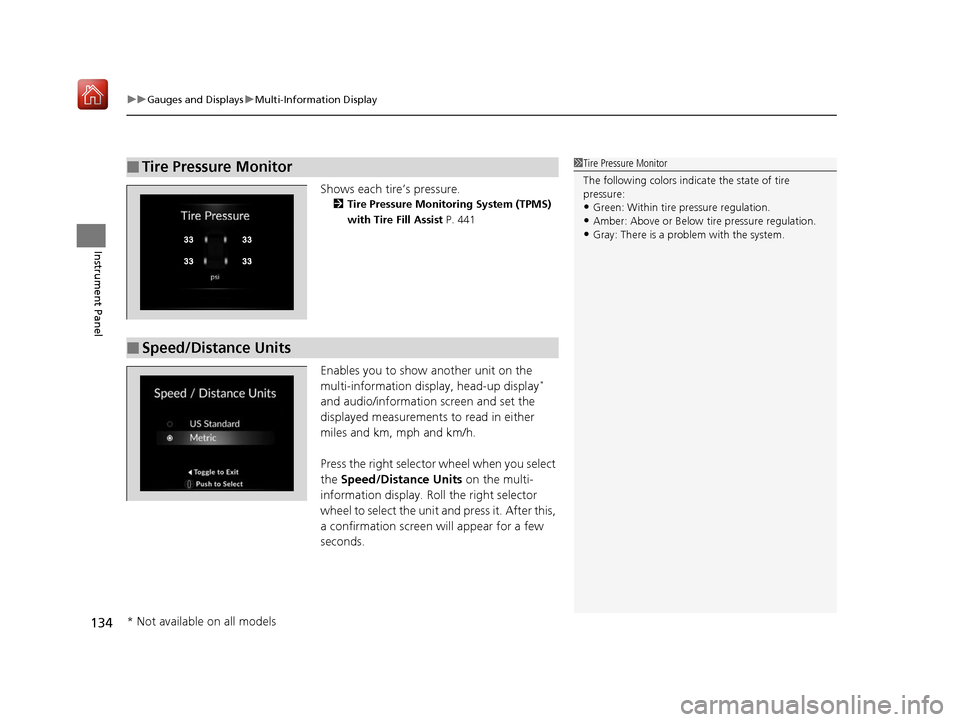
Shows each tire’s pressure.
2 Tire Pressure Monitoring System (TPMS)
with Tire Fill Assist P. 441
Enables you to show another unit on the
multi-information display, head-up display*
and audio/information screen and set the
displayed measurements to read in either
miles and km, mph and km/h.
Press the right selector wheel when you select
the Speed/Distance Units on the multi-
information display. Roll the right selector
wheel to select the unit and press it. After this,
a confirmation screen will appear for a few
seconds.
■Tire Pressure Monitor1 Tire Pressure Monitor
The following colors indicate the state of tire
pressure:
•Green: Within tire pressure regulation.
•Amber: Above or Below ti re pressure regulation.•Gray: There is a problem with the system.
■Speed/Distance Units
* Not available on all models
19 ACURA RDX-31TJB6000.book 134 ページ 2018年4月26日 木曜日 午後4時51分
Page 137 of 649

uuGauges and Displays uMulti-Information Display
136
Instrument Panel
■G-meter
A red circle moves around to indicate wh ere your vehicle is currently receiving a
fictitious force while driving.1 G-meter
The meter does not display a fictitious force larger
than 1.2 G.
If there is a problem with the VSA® system, the G-
meter will not track the fictitious force acting on the
vehicle.
When decelerated while moving forward
When accelerated while reversing
When accelerated wh ile moving forward
When decelerated while reversing
Real-time fictitious
force (red)
When steering
to the right
When steering
to the left
Fictitious forces of the past
three seconds (white)
19 ACURA RDX-31TJB6000.book 136 ページ 2018年4月26日 木曜日 午後4時51分
Page 148 of 649
147
uuLocking and Unlocking the Doors uKey Types and Functions
Continued
Controls
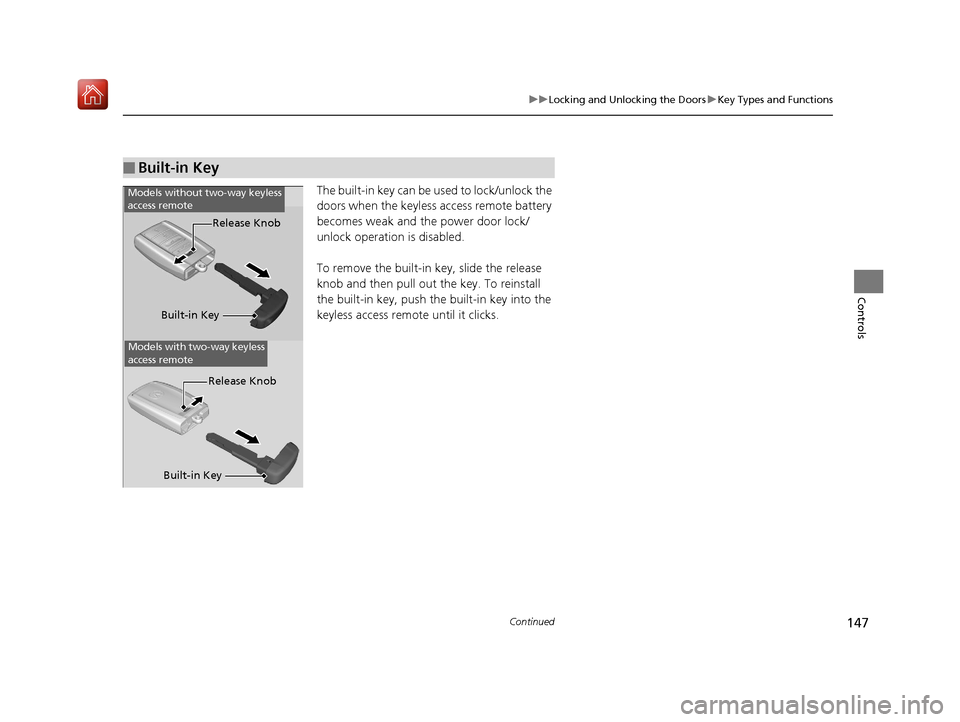
The built-in key can be us ed to lock/unlock the
doors when the keyless access remote battery
becomes weak and the power door lock/
unlock operation is disabled.
To remove the built-in key, slide the release
knob and then pull out the key. To reinstall
the built-in key, push th e built-in key into the
keyless access remote until it clicks.
■Built-in Key
Models without two-way keyless
access remote
Models with two-way keyless
access remote
Built-in Key Release Knob
Built-in Key Release Knob
19 ACURA RDX-31TJB6000.book 147 ページ 2018年4月26日 木曜日 午後4時51分
Page 150 of 649
149
uuLocking and Unlocking the Doors uLow Keyless Access Remote Signal Strength
Controls
Low Keyless Access Re mote Signal Strength
The vehicle transmits radio waves to locate the keyless access remote when locking/
unlocking the doors and tailgate, fuel fill door or to start the engine.
In the following cases, locking/unlocking the doors and tailgate, or starting the
engine may be inhibited or operation may be unstable:
• Strong radio waves are being transmitted by nearby equipment.
• You are carrying the keyless access re mote together with telecommunications
equipment, laptop computers, ce ll phones, or wireless devices.
• A metallic object is touching or covering the keyless access remote.1Low Keyless Access Remote Signal Strength
Communication between the keyless access remote
and the vehicle consumes the keyless access remote’s
battery.
Battery life is about two years, but this varies
depending on regularity of use.
The battery is consumed whenever the keyless access
remote is receivi ng strong radio wave s. Avoid placing
it near electrical appliances such as televisions and
personal computers.
19 ACURA RDX-31TJB6000.book 149 ページ 2018年4月26日 木曜日 午後4時51分
Page 151 of 649
150
uuLocking and Unlocking the Doors uLocking/Unlocking the Doors from the Outside
Controls
Locking/Unlocking the Doors from the Outside
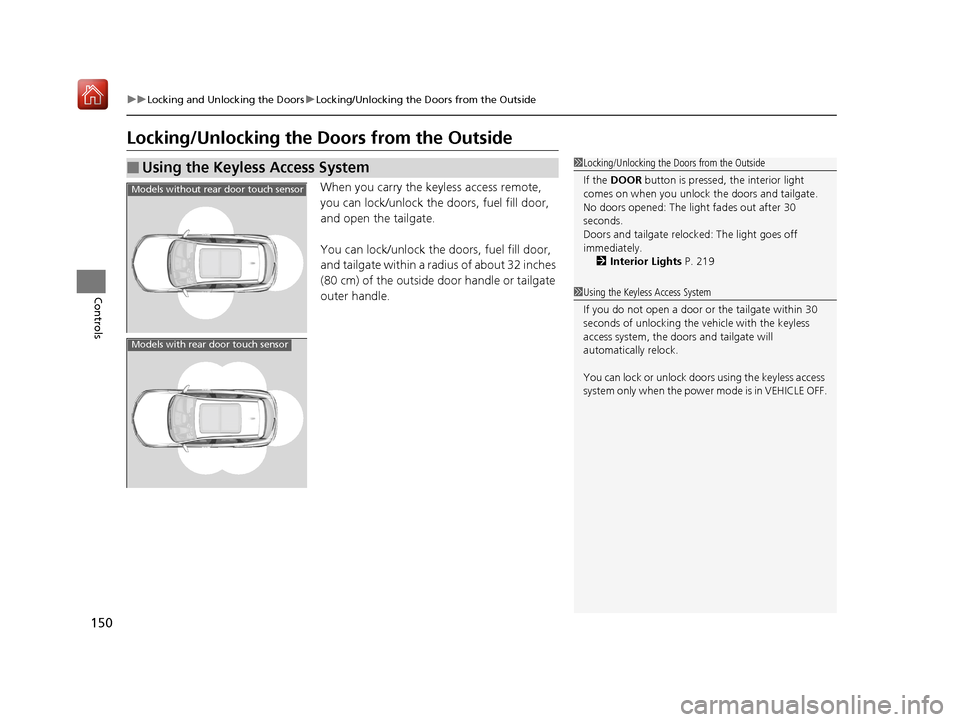
When you carry the keyless access remote,
you can lock/unlock the doors, fuel fill door,
and open the tailgate.
You can lock/unlock the doors, fuel fill door,
and tailgate within a radius of about 32 inches
(80 cm) of the outside door handle or tailgate
outer handle.
■Using the Keyless Access System1 Locking/Unlocking the Doors from the Outside
If the DOOR button is pressed, the interior light
comes on when you unlock the doors and tailgate.
No doors opened: The li ght fades out after 30
seconds.
Doors and tailgate relo cked: The light goes off
immediately.
2 Interior Lights P. 219
1Using the Keyless Access System
If you do not open a door or the tailgate within 30
seconds of unlocking the vehicle with the keyless
access system, the doors and tailgate will
automatically relock.
You can lock or unlock doors using the keyless access
system only when the power mode is in VEHICLE OFF.
Models without rear door touch sensor
Models with rear door touch sensor
19 ACURA RDX-31TJB6000.book 150 ページ 2018年4月26日 木曜日 午後4時51分