audio Acura RDX 2019 Manual Online
[x] Cancel search | Manufacturer: ACURA, Model Year: 2019, Model line: RDX, Model: Acura RDX 2019Pages: 649, PDF Size: 33 MB
Page 298 of 649
297
uuAudio System Basic Operation uPlaying Bluetooth ® Audio
Continued
Features
Playing Bluetooth ® Audio
Your audio system allows you to listen to music from your Bluetooth-compatible
phone.
This function is available when the phone is paired an d connected to the vehicle’s
Bluetooth ® HandsFreeLink ® (HFL) system.
2Phone Setup P. 364
1Playing Bluetooth ® Audio
Not all Bluetooth-enable d phones with streaming
audio capabilities are compat ible with the system. For
a list of compatible phones:
•U.S.: Visit www.handsfreelink.com/Acura or call 1-
888-528-7876.
•Canada: For more info rmation on smartphone
compatibility, call 1-888-528-7876.
It may be illegal to pe rform some data device
functions while driving.
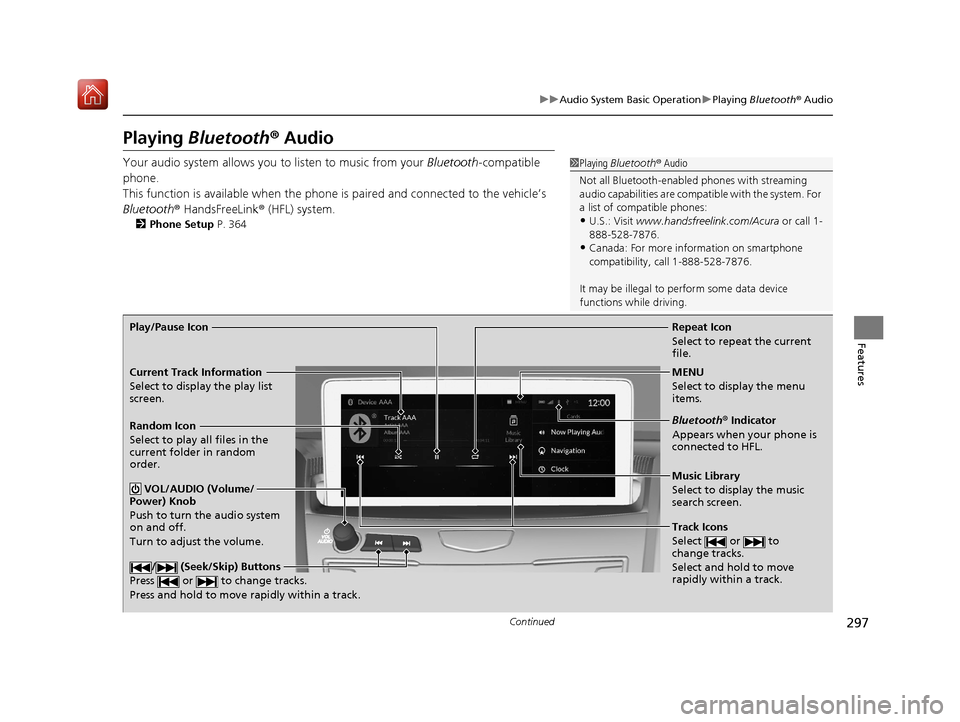
Repeat Icon
Select to repeat the current
file.
Music Library
Select to display the music
search screen.
Track Icons
Select or to
change tracks.
Select and hold to move
rapidly within a track.
Random Icon
Select to play all files in the
current folder in random
order.
VOL/AUDIO (Volume/
Power) Knob
Push to turn the audio system
on and off.
Turn to adjust the volume.
/ (Seek/Skip) Buttons
Press or to change tracks.
Press and hold to move rapidly within a track.
Play/Pause Icon
MENU
Select to display the menu
items.
Bluetooth® Indicator
Appears when your phone is
connected to HFL.
Current Track Information
Select to display the play list
screen.
19 ACURA RDX-31TJB6000.book 297 ページ 2018年4月26日 木曜日 午後4時51分
Page 299 of 649
uuAudio System Basic Operation uPlaying Bluetooth ® Audio
298
Features
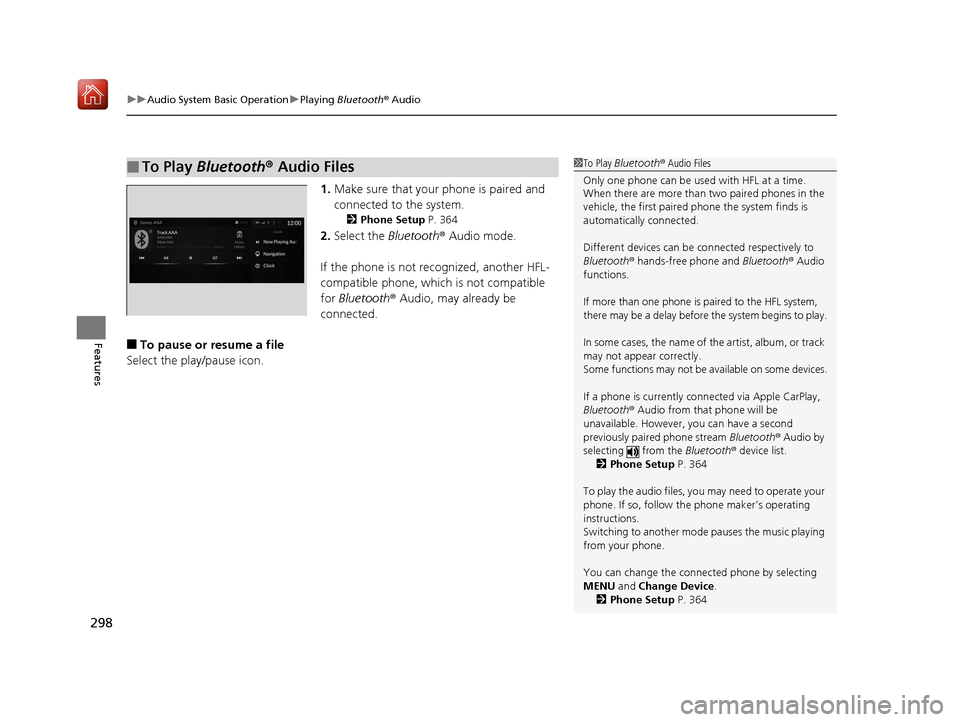
1. Make sure that your phone is paired and
connected to the system.
2 Phone Setup P. 364
2.Select the Bluetooth® Audio mode.
If the phone is not recognized, another HFL-
compatible phone, which is not compatible
for Bluetooth ® Audio, may already be
connected.
■To pause or resume a file
Select the play/pause icon.
■To Play Bluetooth® Audio Files1To Play Bluetooth ® Audio Files
Only one phone can be used with HFL at a time.
When there are more than two paired phones in the
vehicle, the first paired phone the system finds is
automatically connected.
Different devices can be co nnected respectively to
Bluetooth ® hands-free phone and Bluetooth® Audio
functions.
If more than one phone is paired to the HFL system,
there may be a delay before the system begins to play.
In some cases, the name of the artist, album, or track
may not appear correctly.
Some functions may not be available on some devices.
If a phone is currently connected via Apple CarPlay,
Bluetooth ® Audio from that phone will be
unavailable. However, you can have a second
previously paired phone stream Bluetooth® Audio by
selecting from the Bluetooth® device list.
2 Phone Setup P. 364
To play the audio files, y ou may need to operate your
phone. If so, follow the phone maker’s operating
instructions.
Switching to another mode pauses the music playing
from your phone.
You can change the connected phone by selecting
MENU and Change Device.
2 Phone Setup P. 364
19 ACURA RDX-31TJB6000.book 298 ページ 2018年4月26日 木曜日 午後4時51分
Page 300 of 649
299
uuAudio System Basic Operation uPlaying Bluetooth ® Audio
Features
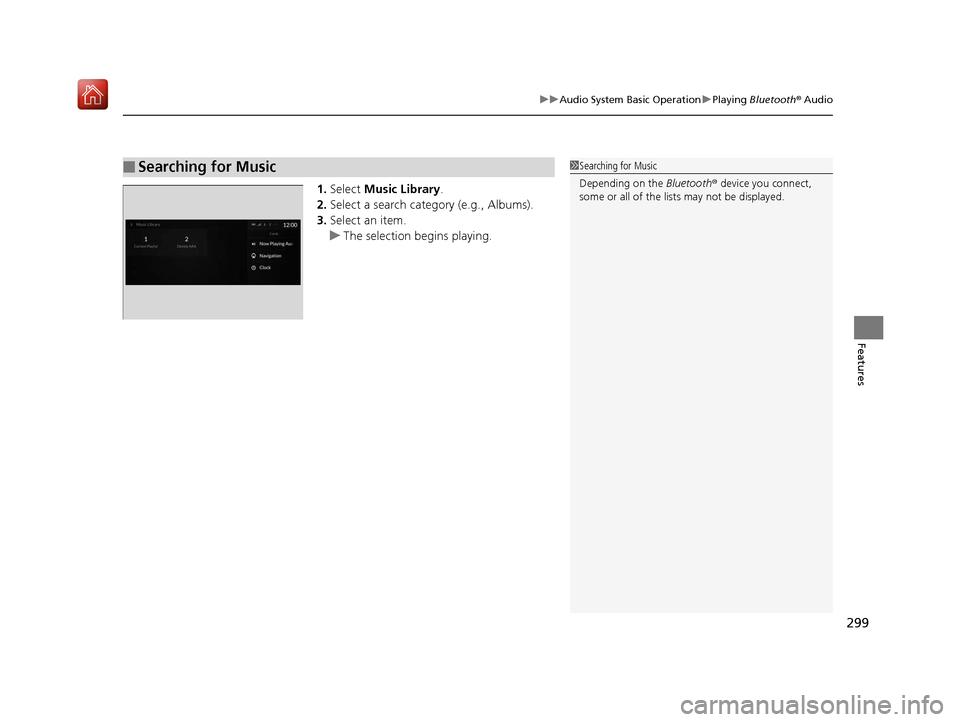
1. Select Music Library .
2. Select a search catego ry (e.g., Albums).
3. Select an item.
u The selection begins playing.
■Searching for Music1Searching for Music
Depending on the Bluetooth® device you connect,
some or all of the list s may not be displayed.
19 ACURA RDX-31TJB6000.book 299 ページ 2018年4月26日 木曜日 午後4時51分
Page 301 of 649
300
uuAudio System Basic Operation uWi-Fi Connection
Features
Wi-Fi Connection
You can connect the audio system to the Internet using Wi-Fi on the audio/
information screen. If your phone has wire less hotspot capabilities, the system can
be tethered to the phone. Use the following steps to setup.
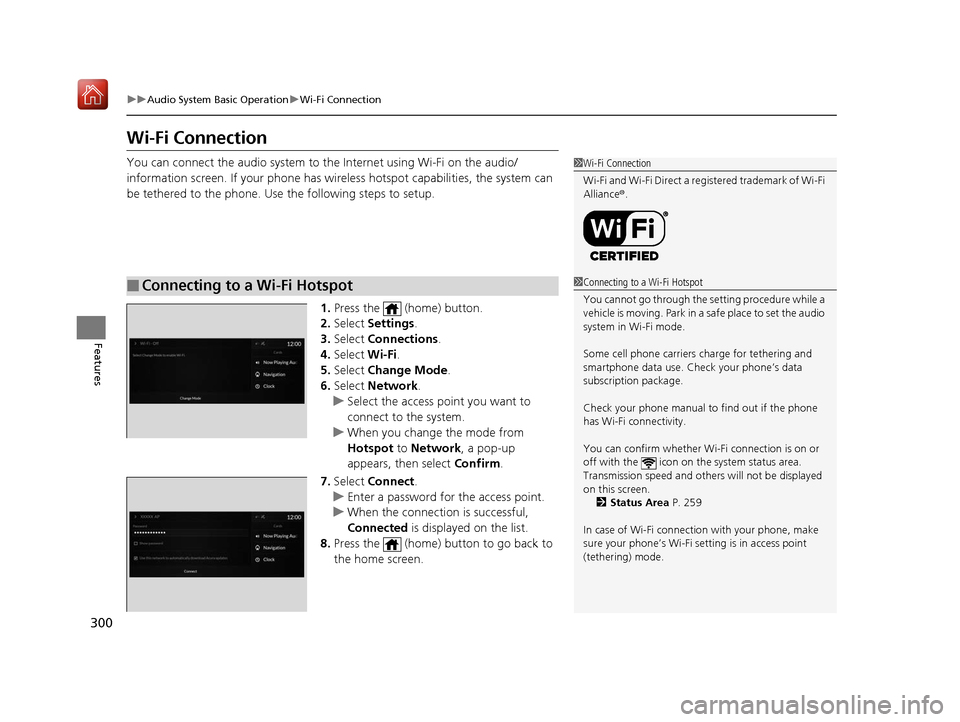
1.Press the (home) button.
2. Select Settings .
3. Select Connections.
4. Select Wi-Fi.
5. Select Change Mode .
6. Select Network.
u Select the access point you want to
connect to the system.
u When you change the mode from
Hotspot to Network, a pop-up
appears, then select Confirm.
7. Select Connect .
u Enter a password for the access point.
u When the connection is successful,
Connected is displayed on the list.
8. Press the (home) button to go back to
the home screen.
■Connecting to a Wi-Fi Hotspot
1Wi-Fi Connection
Wi-Fi and Wi-Fi Direct a registered trademark of Wi-Fi
Alliance® .
1Connecting to a Wi-Fi Hotspot
You cannot go through the setting procedure while a
vehicle is moving. Park in a safe place to set the audio
system in Wi-Fi mode.
Some cell phone carriers charge for tethering and
smartphone data use. Check your phone’s data
subscription package.
Check your phone manual to find out if the phone
has Wi-Fi connectivity.
You can confirm whether Wi -Fi connection is on or
off with the icon on the system status area.
Transmission speed and others will not be displayed
on this screen. 2 Status Area P. 259
In case of Wi-Fi connect ion with your phone, make
sure your phone’s Wi-Fi se tting is in access point
(tethering) mode.
19 ACURA RDX-31TJB6000.book 300 ページ 2018年4月26日 木曜日 午後4時51分
Page 302 of 649
301
uuAudio System Basic Operation uWi-Fi Connection
Features
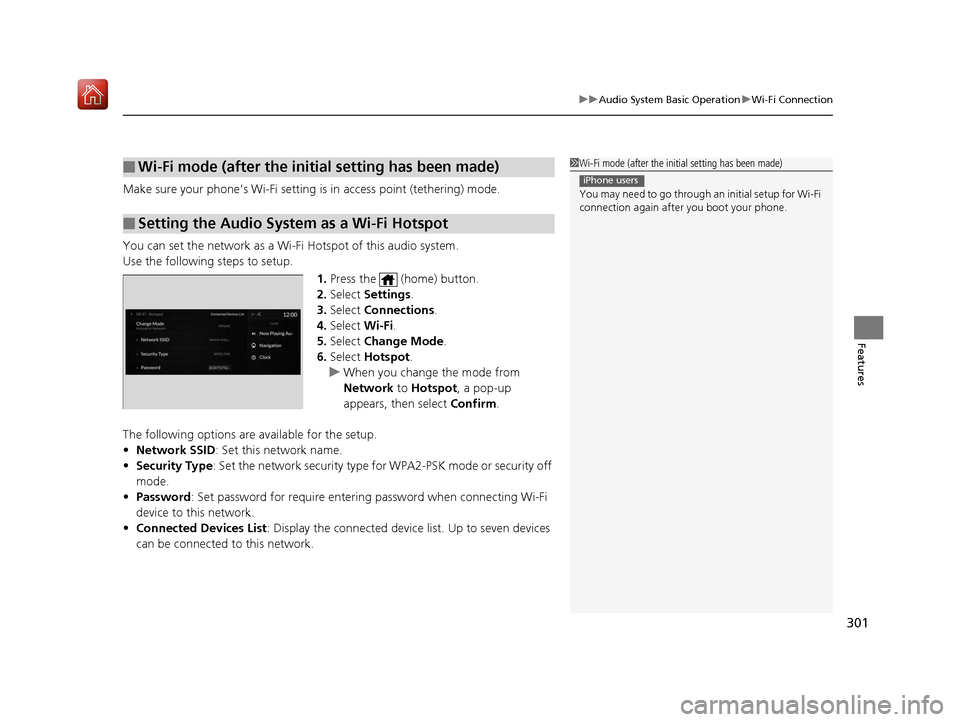
Make sure your phone’s Wi-Fi setting is in access point (tethering) mode.
You can set the network as a Wi-F i Hotspot of this audio system.
Use the following steps to setup.
1.Press the (home) button.
2. Select Settings .
3. Select Connections .
4. Select Wi-Fi.
5. Select Change Mode .
6. Select Hotspot .
u When you change the mode from
Network to Hotspot, a pop-up
appears, then select Confirm.
The following options are available for the setup.
• Network SSID : Set this network name.
• Security Type: Set the network security type fo r WPA2-PSK mode or security off
mode.
• Password : Set password for require entering password when connecting Wi-Fi
device to this network.
• Connected Devices List : Display the connected device list. Up to seven devices
can be connected to this network.
■Wi-Fi mode (after the init ial setting has been made)
■Setting the Audio System as a Wi-Fi Hotspot
1Wi-Fi mode (after the initial setting has been made)
You may need to go through an initial setup for Wi-Fi
connection again afte r you boot your phone.
iPhone users
19 ACURA RDX-31TJB6000.book 301 ページ 2018年4月26日 木曜日 午後4時51分
Page 303 of 649
302
uuAudio System Basic Operation uSiri ® Eyes Free
Features
Siri ® Eyes Free
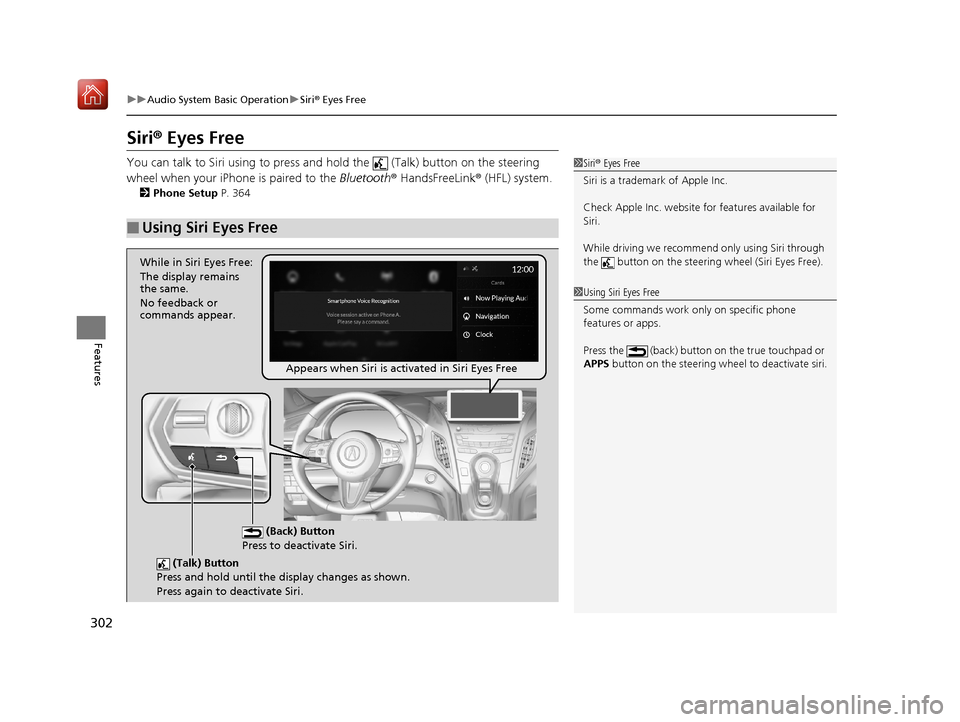
You can talk to Siri using to press and hold the (Talk) button on the steering
wheel when your iPhone is paired to the Bluetooth® HandsFreeLink ® (HFL) system.
2Phone Setup P. 364
■Using Siri Eyes Free
1Siri ® Eyes Free
Siri is a trademark of Apple Inc.
Check Apple Inc. website for features available for
Siri.
While driving we recomme nd only using Siri through
the button on the steering wheel (Siri Eyes Free).
1Using Siri Eyes Free
Some commands work only on specific phone
features or apps.
Press the (back) button on the true touchpad or
APPS button on the steering whee l to deactivate siri.
(Talk) Button
Press and hold until the display changes as shown.
Press again to deactivate Siri.
(Back) Button
Press to deactivate Siri.
While in Siri Eyes Free:
The display remains
the same.
No feedback or
commands appear.
Appears when Siri is activated in Siri Eyes Free
19 ACURA RDX-31TJB6000.book 302 ページ 2018年4月26日 木曜日 午後4時51分
Page 304 of 649
303
uuAudio System Basic Operation uApple CarPlayTM
Continued
Features
Apple CarPlayTM
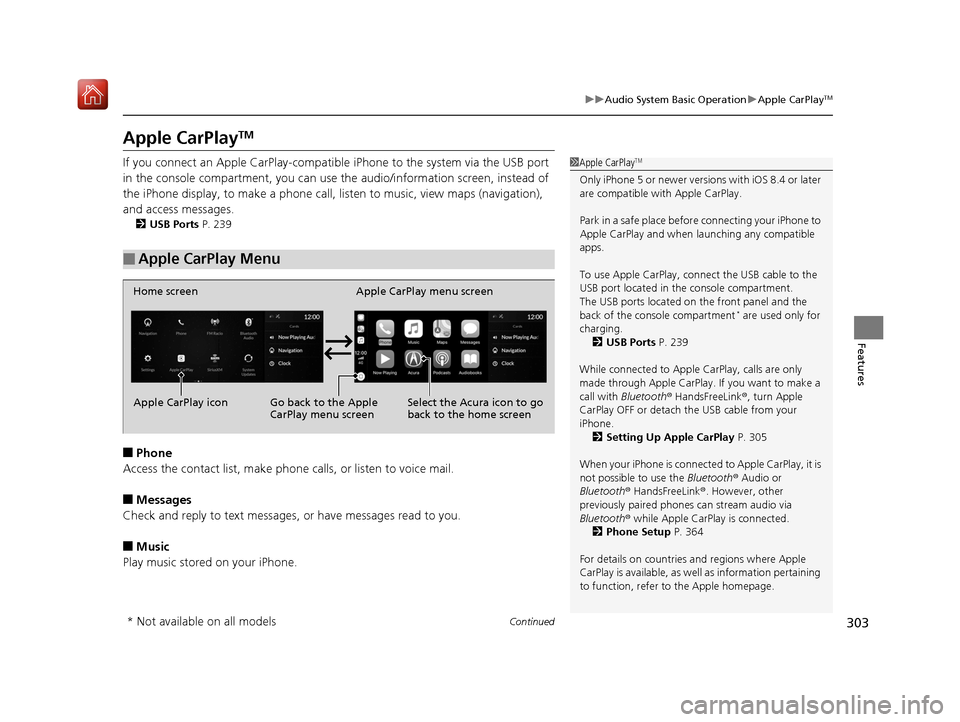
If you connect an Apple CarPlay-compatib le iPhone to the system via the USB port
in the console compartment, you can use the audio/information screen, instead of
the iPhone display, to make a phone call, li sten to music, view maps (navigation),
and access messages.
2 USB Ports P. 239
■Phone
Access the contact list, make phone ca lls, or listen to voice mail.
■Messages
Check and reply to text messages, or have messages read to you.
■Music
Play music stored on your iPhone.
■Apple CarPlay Menu
1 Apple CarPlayTM
Only iPhone 5 or newer versi ons with iOS 8.4 or later
are compatible with Apple CarPlay.
Park in a safe place before connecting your iPhone to
Apple CarPlay and when launching any compatible
apps.
To use Apple CarPlay, connect the USB cable to the
USB port located in the console compartment.
The USB ports located on the front panel and the
back of the console compartment
* are used only for
charging. 2 USB Ports P. 239
While connected to Apple CarPlay, calls are only
made through Apple CarPlay. If you want to make a
call with Bluetooth ® HandsFreeLink ®, turn Apple
CarPlay OFF or detach th e USB cable from your
iPhone.
2 Setting Up Apple CarPlay P. 305
When your iPhone is connected to Apple CarPlay, it is
not possible to use the Bluetooth® Audio or
Bluetooth ® HandsFreeLink ®. However, other
previously paired phones can stream audio via
Bluetooth ® while Apple CarPlay is connected.
2 Phone Setup P. 364
For details on c ountries and regions where Apple
CarPlay is available, as well as information pertaining
to function, refer to the Apple homepage.
Home screen
Apple CarPlay icon Apple CarPlay menu screen
Go back to the Apple
CarPlay menu screen
Select the Acura icon to go
back to the home screen
* Not available on all models
19 ACURA RDX-31TJB6000.book 303 ページ 2018年4月26日 木曜日 午後4時51分
Page 305 of 649
uuAudio System Basic Operation uApple CarPlayTM
304
Features
■Maps
Display Apple Maps and use the navigation function just as you would on your
iPhone.
Only one navigation system (pre-installed navigation or Apple CarPlay) can give
directions at a time. When you are using one system, directions to any prior
destination set on the other system will be canceled, and the system you are
currently using will direct you to your destination.1 Apple CarPlayTM
Apple CarPlay Operating Requirements &
Limitations
Apple CarPlay requi res a compatible iPhone with an
active cellular connecti on and data plan. Your
carrier’s rate plans will apply.
Changes in operating system s, hardware, software,
and other technology integral to providing Apple
CarPlay functionality, as well as new or revised
governmental regulations, may result in a decrease or
cessation of Apple CarPlay functionality and services.
Honda cannot and does not pr ovide any warranty or
guarantee of future Appl e CarPlay performance or
functionality.
It is possible to use 3r d party apps if they are
compatible with Apple CarPlay. Refer to the Apple
homepage for information on compatible apps.
Models with navigation system
19 ACURA RDX-31TJB6000.book 304 ページ 2018年4月26日 木曜日 午後4時51分
Page 306 of 649
Continued305
uuAudio System Basic Operation uApple CarPlayTM
Features
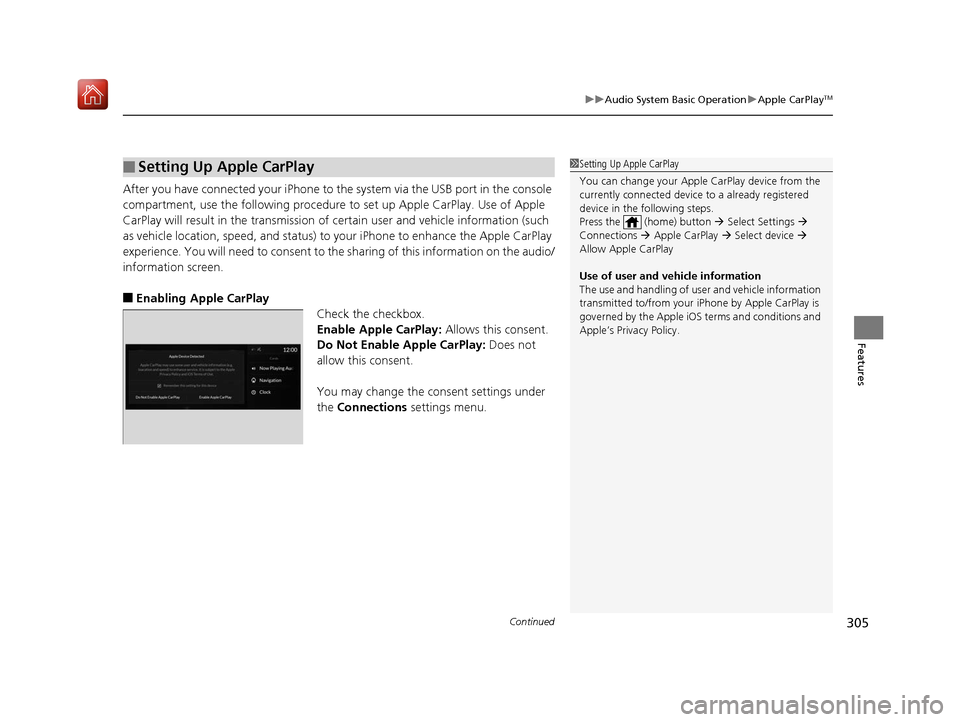
After you have connected your iPhone to the system via the USB port in the console
compartment, use the follow ing procedure to set up Apple CarPlay. Use of Apple
CarPlay will result in the transmission of certain user and vehicle information (such
as vehicle location, speed, an d status) to your iPhone to enhance the Apple CarPlay
experience. You will n eed to consent to the sharing of this information on the audio/
information screen.
■Enabling Apple CarPlay Check the checkbox.
Enable Apple CarPlay: Allows this consent.
Do Not Enable Apple CarPlay: Does not
allow this consent.
You may change the consent settings under
the Connections settings menu.
■Setting Up Apple CarPlay1Setting Up Apple CarPlay
You can change your Appl e CarPlay device from the
currently connected device to a already registered
device in the following steps.
Press the (home) button Select Settings
Connections Apple CarPlay Select device
Allow Apple CarPlay
Use of user and vehicle information
The use and handling of user and vehicle information
transmitted to/from your iP hone by Apple CarPlay is
governed by the Apple iOS terms and conditions and
Apple’s Privacy Policy.
19 ACURA RDX-31TJB6000.book 305 ページ 2018年4月26日 木曜日 午後4時51分
Page 307 of 649
uuAudio System Basic Operation uApple CarPlayTM
306
Features
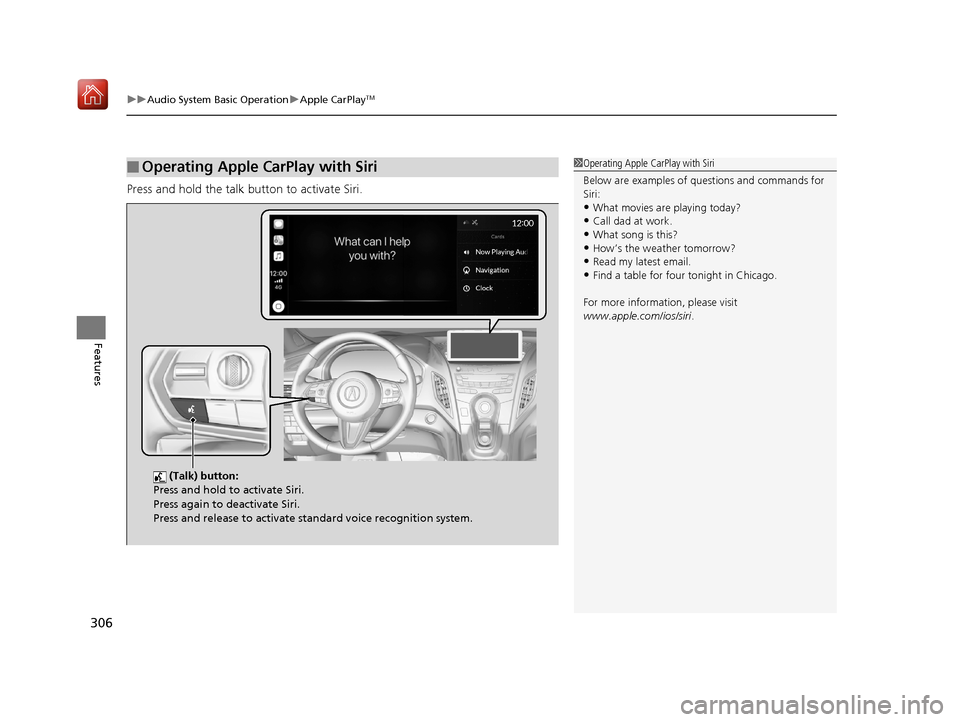
Press and hold the talk button to activate Siri.
■Operating Apple CarPlay with Siri1Operating Apple CarPlay with Siri
Below are examples of questions and commands for
Siri:
•What movies are playing today?
•Call dad at work.
•What song is this?•How’s the weather tomorrow?
•Read my latest email.
•Find a table for four tonight in Chicago.
For more information, please visit
www.apple.com/ios/siri .
(Talk) button:
Press and hold to activate Siri.
Press again to deactivate Siri.
Press and release to activate st andard voice recognition system.
19 ACURA RDX-31TJB6000.book 306 ページ 2018年4月26日 木曜日 午後4時51分