Park Acura RDX 2020 Owner's Guide
[x] Cancel search | Manufacturer: ACURA, Model Year: 2020, Model line: RDX, Model: Acura RDX 2020Pages: 657, PDF Size: 33.2 MB
Page 165 of 657
uuOpening and Closing the Tailgate uPrecautions for Openi ng/Closing the Tailgate
164
Controls
The power tailgate can be operated by pressing the power tailgate button on the
remote transmitter, pressing the power tailg ate button on the driver’s door, pressing
the outer handle on the tailgate, or by using a forward and back kicking motion
under the center of the rear bumper for hands free access
*.
The power tailgate can be opened/c losed when the transmission is in
(P.
1Precautions for Opening/Closing the Tailgate
NOTICE
Do not push or pull on the power tailgate when it is
being automatically opened or closed.
Forcibly opening or closing the power tailgate while
in operation can deform the tailgate frame.
When operating the power tailgate, make sure there
is enough space around your ve hicle. People near the
tailgate may be se riously hurt if the tailgate hits or
closes on their heads. Be especially cautious if
children are around.
The power tailgate may not open or close under the
following conditions:
•You start the engine while the tailgate is
automatically openi ng or closing.
•The vehicle is parked on a steep hill.•The vehicle is swayed in a strong wind.
•The tailgate or the roof is covered with snow or ice.
* Not available on all models
20 ACURA RDX-31TJB6111.book 164 ページ 2020年2月11日 火曜日 午後2時6分
Page 187 of 657
186
uuOperating the Switches Around the Steering Wheel uLight Switches
Controls
Light Switches
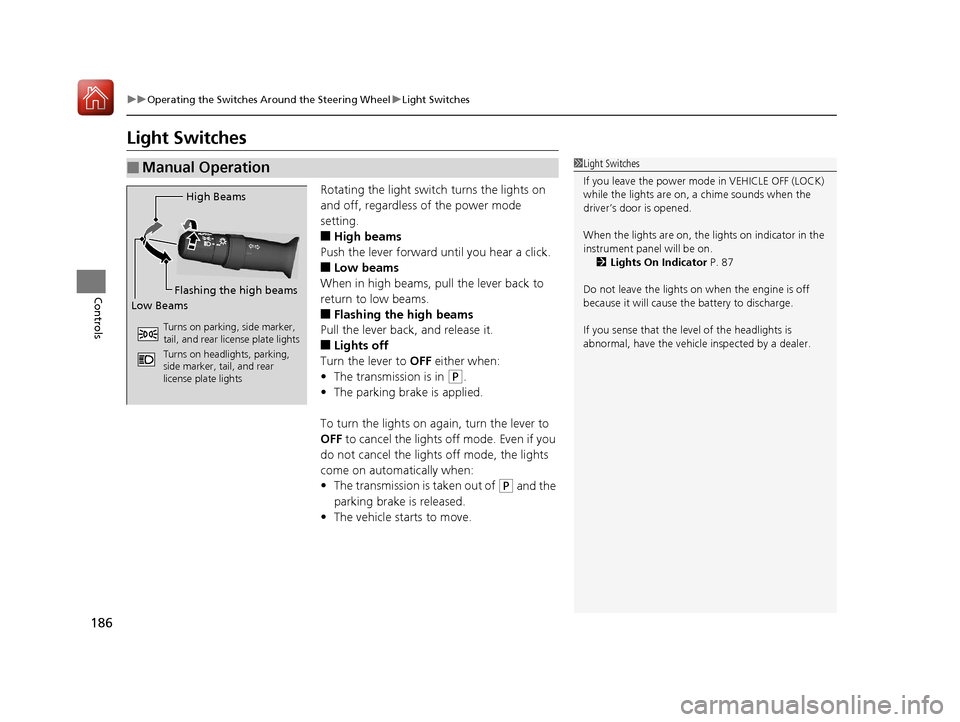
Rotating the light switch turns the lights on
and off, regardless of the power mode
setting.
■High beams
Push the lever forward until you hear a click.
■Low beams
When in high beams, pull the lever back to
return to low beams.
■Flashing the high beams
Pull the lever back, and release it.
■Lights off
Turn the lever to OFF either when:
• The transmission is in
(P.
• The parking brake is applied.
To turn the lights on again, turn the lever to
OFF to cancel the lights off mode. Even if you
do not cancel the lights off mode, the lights
come on automatically when:
• The transmission is taken out of
(P and the
parking brake is released.
• The vehicle starts to move.
■Manual Operation1Light Switches
If you leave the power mode in VEHICLE OFF (LOCK)
while the lights are on, a chime sounds when the
driver’s door is opened.
When the lights are on, the lights on indicator in the
instrument pane l will be on.
2 Lights On Indicator P. 87
Do not leave the lights on when the engine is off
because it will cause the battery to discharge.
If you sense that the le vel of the headlights is
abnormal, have the vehicl e inspected by a dealer.
High Beams
Flashing the high beams
Low Beams
Turns on parking, side marker,
tail, and rear license plate lights
Turns on headlights, parking,
side marker, tail, and rear
license plate lights
20 ACURA RDX-31TJB6111.book 186 ページ 2020年2月11日 火曜日 午後2時6分
Page 188 of 657
Continued187
uuOperating the Switches Around the Steering Wheel uLight Switches
Controls
Automatic lighting control can be used when
the power mode is in ON.
When the light switch is in AUTO, the
headlights and other exterior lights will switch
on and off automatically depending on the
ambient brightness.
u You can change the auto light sensitivity
setting.
2 Customized Features P. 335
The headlights comes on when you unlock a
door in dark areas with the headlight switch in
AUTO.
u Once you lock the door, the headlights
will go off.
■Automatic Operation (automatic lighting control)1Automatic Operation (aut omatic lighting control)
We recommend that you tu rn on the lights manually
when driving at night, in a dense fog, or in dark areas
such as long tunnels or parking facilities.
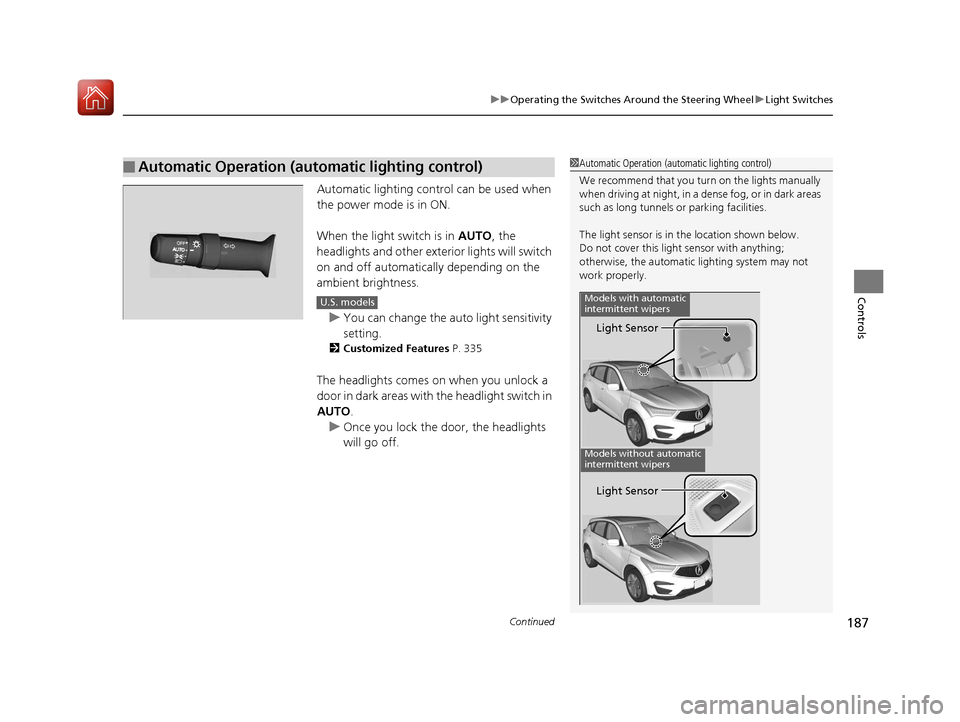
The light sensor is in the location shown below.
Do not cover this light sensor with anything;
otherwise, the automatic lighting system may not
work properly.
Light Sensor
Models with automatic
intermittent wipers
Models without automatic
intermittent wipers
Light Sensor
U.S. models
20 ACURA RDX-31TJB6111.book 187 ページ 2020年2月11日 火曜日 午後2時6分
Page 191 of 657
190
uuOperating the Switches Around the Steering Wheel uFog Lights*
Controls
Fog Lights*
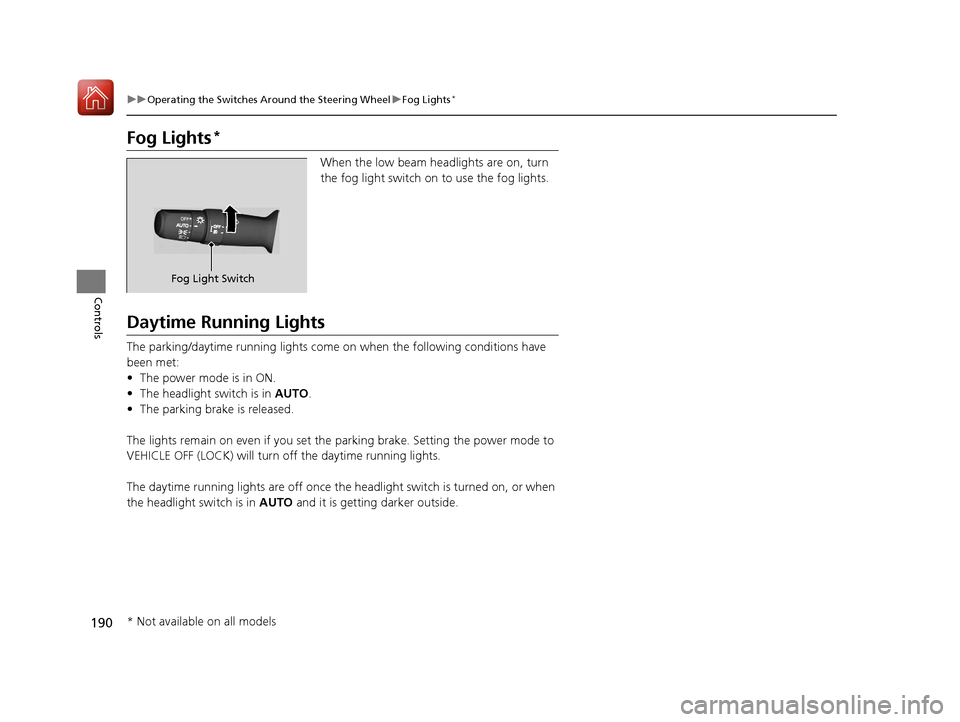
When the low beam headlights are on, turn
the fog light switch on to use the fog lights.
Daytime Running Lights
The parking/daytime running lights come on when the following conditions have
been met:
• The power mode is in ON.
• The headlight switch is in AUTO.
• The parking brake is released.
The lights remain on even if you set the parking brake. Setting the power mode to
VEHICLE OFF (LOCK) will turn off the daytime running lights.
The daytime running lights are off once the headlight switch is turned on, or when
the headlight switch is in AUTO and it is getting darker outside.
Fog Light Switch
* Not available on all models
20 ACURA RDX-31TJB6111.book 190 ページ 2020年2月11日 火曜日 午後2時6分
Page 194 of 657
193
uuOperating the Switches Around the Steering Wheel uAuto High-Beam
Controls
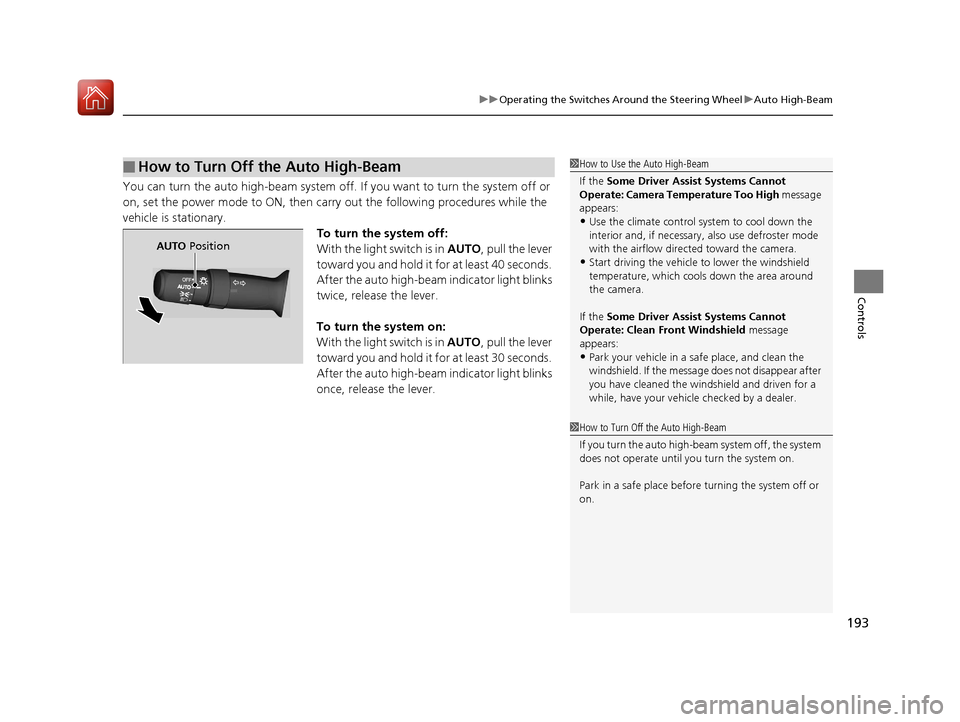
You can turn the auto high-beam system off. If you want to turn the system off or
on, set the power mode to ON, then carry out the following procedures while the
vehicle is stationary. To turn the system off:
With the light switch is in AUTO, pull the lever
toward you and hold it for at least 40 seconds.
After the auto high-beam indicator light blinks
twice, release the lever.
To turn the system on:
With the light switch is in AUTO, pull the lever
toward you and hold it for at least 30 seconds.
After the auto high-beam indicator light blinks
once, release the lever.
■How to Turn Off the Auto High-Beam1 How to Use the Auto High-Beam
If the Some Driver Assist Systems Cannot
Operate: Camera Temperature Too High message
appears:
•Use the climate control system to cool down the
interior and, if necessary, also use defroster mode
with the airflow directed toward the camera.
•Start driving the vehicle to lower the windshield
temperature, which cool s down the area around
the camera.
If the Some Driver Assist Systems Cannot
Operate: Clean Front Windshield message
appears:
•Park your vehicle in a sa fe place, and clean the
windshield. If the message does not disappear after
you have cleaned the windshield and driven for a
while, have your vehicle checked by a dealer.
1 How to Turn Off the Auto High-Beam
If you turn the auto high-beam system off, the system
does not operate until you turn the system on.
Park in a safe place before turning the system off or
on.
AUTO Position
20 ACURA RDX-31TJB6111.book 193 ページ 2020年2月11日 火曜日 午後2時6分
Page 199 of 657
198
uuOperating the Switches Around the Steering Wheel uBrightness Control
Controls
Brightness Control
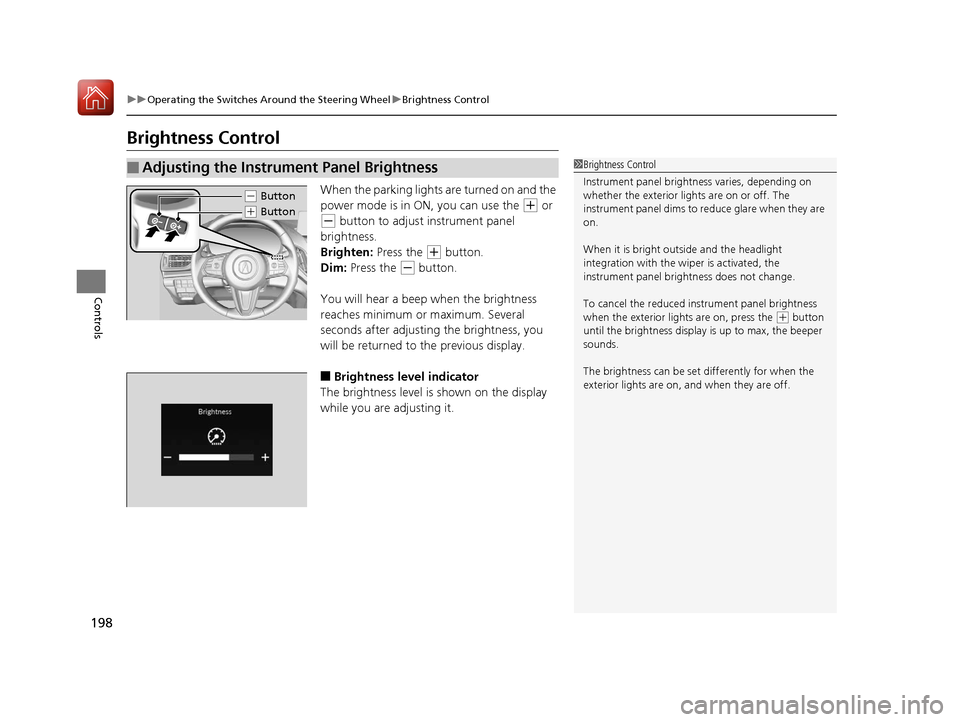
When the parking lights are turned on and the
power mode is in ON, you can use the
(+ or
(- button to adjust instrument panel
brightness.
Brighten: Press the
(+ button.
Dim: Press the
(- button.
You will hear a beep when the brightness
reaches minimum or maximum. Several
seconds after adjusting the brightness, you
will be returned to the previous display.
■Brightness level indicator
The brightness level is shown on the display
while you are adjusting it.
■Adjusting the Instrument Panel Brightness1 Brightness Control
Instrument panel brightne ss varies, depending on
whether the exterior lights are on or off. The
instrument panel dims to reduce glare when they are
on.
When it is bright out side and the headlight
integration with the wi per is activated, the
instrument panel bri ghtness does not change.
To cancel the reduced in strument panel brightness
when the exterior lights are on, press the
( + button
until the brightness display is up to max, the beeper
sounds.
The brightness can be set differently for when the
exterior lights are on, and when they are off.
( - Button
(+ Button
20 ACURA RDX-31TJB6111.book 198 ページ 2020年2月11日 火曜日 午後2時6分
Page 201 of 657
200
uuOperating the Switches Around the Steering Wheel uRear Defogger/Heated Door Mirror Button
Controls
Rear Defogger/Heated Door Mirror Button
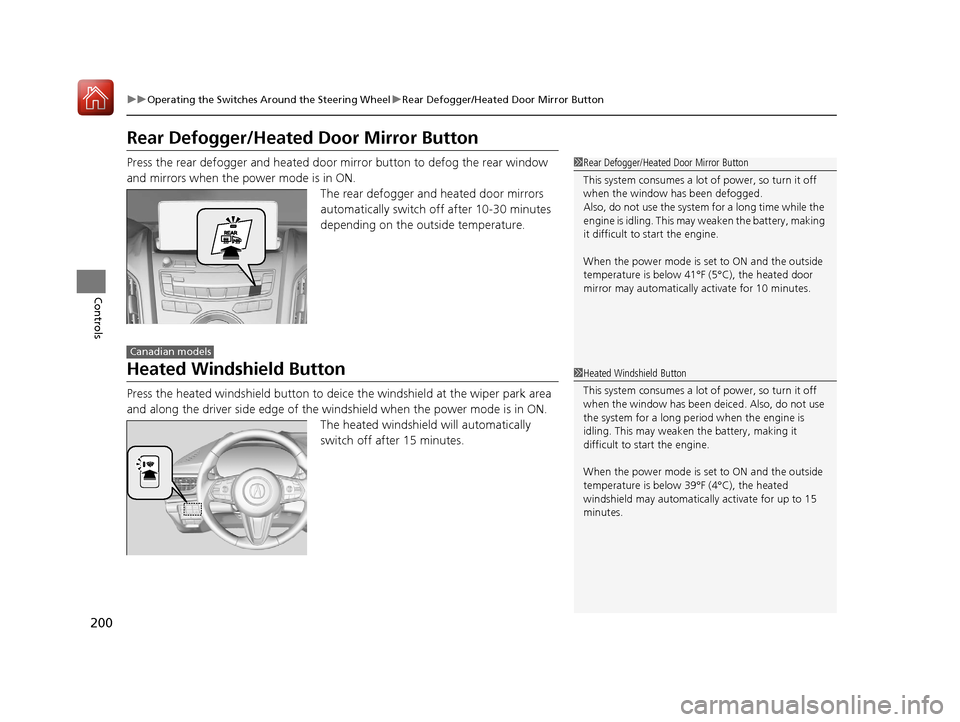
Press the rear defogger and heated door mirror button to defog the rear window
and mirrors when the power mode is in ON.
The rear defogger and heated door mirrors
automatically switch off after 10-30 minutes
depending on the outside temperature.
Heated Windshield Button
Press the heated windshield button to deic e the windshield at the wiper park area
and along the driver side edge of the wi ndshield when the power mode is in ON.
The heated windshield will automatically
switch off after 15 minutes.
1 Rear Defogger/Heated Door Mirror Button
This system consumes a lot of power, so turn it off
when the window has been defogged.
Also, do not use the system for a long time while the
engine is idling. This may weaken the battery, making
it difficult to start the engine.
When the power mode is se t to ON and the outside
temperature is below 41°F (5°C), the heated door
mirror may automatically activate for 10 minutes.
Canadian models
1 Heated Windshield Button
This system consumes a lot of power, so turn it off
when the window has been deiced. Also, do not use
the system for a long peri od when the engine is
idling. This may weaken the battery, making it
difficult to start the engine.
When the power mode is se t to ON and the outside
temperature is below 39°F (4°C), the heated
windshield may automatically activate for up to 15
minutes.
20 ACURA RDX-31TJB6111.book 200 ページ 2020年2月11日 火曜日 午後2時6分
Page 203 of 657
uuOperating the Switches Around the Steering Wheel uDriving Position Memory System
202
Controls
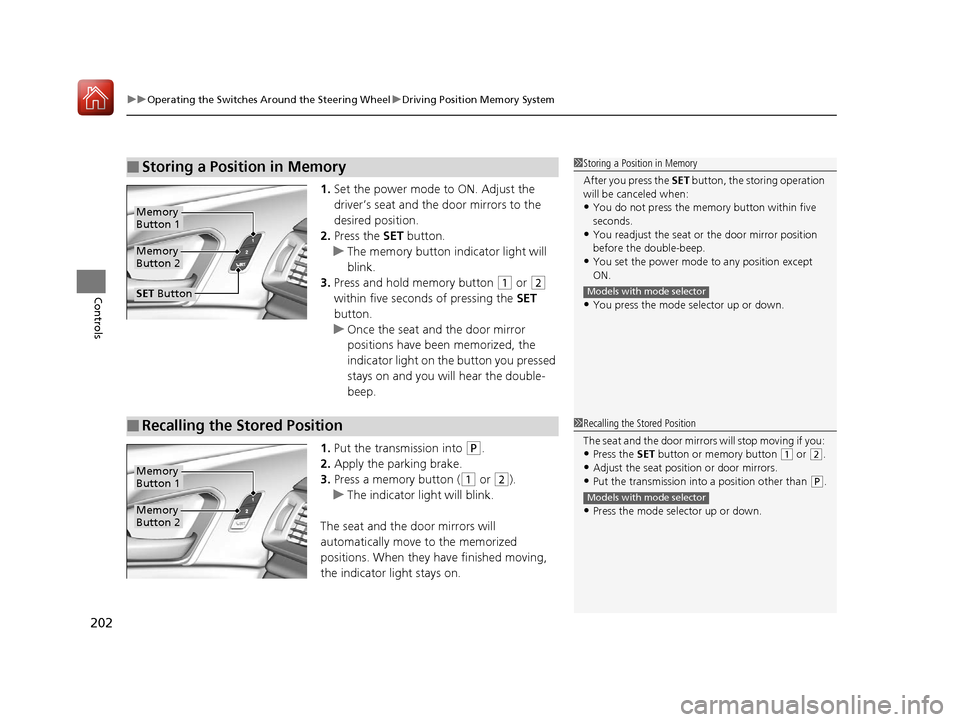
1. Set the power mode to ON. Adjust the
driver’s seat and th e door mirrors to the
desired position.
2. Press the SET button.
u The memory button i ndicator light will
blink.
3. Press and hold memory button
(1 or (2
within five seconds of pressing the SET
button.
u Once the seat and the door mirror
positions have been memorized, the
indicator light on the button you pressed
stays on and you will hear the double-
beep.
1. Put the transmission into
(P.
2. Apply the parking brake.
3. Press a memory button (
(1 or (2).
u The indicator light will blink.
The seat and the door mirrors will
automatically move to the memorized
positions. When they have finished moving,
the indicator light stays on.
■Storing a Position in Memory1 Storing a Position in Memory
After you press the SET button, the storing operation
will be canceled when:
•You do not press the memory button within five
seconds.
•You readjust the seat or the door mirror position
before the double-beep.
•You set the power mode to any position except
ON.
•You press the mode selector up or down.
Models with mode selector
Memory
Button 1
Memory
Button 2
SET Button
■Recalling the Stored Position1 Recalling the Stored Position
The seat and the door mirror s will stop moving if you:
•Press the SET button or memory button (1 or (2.
•Adjust the seat position or door mirrors.
•Put the transmission into a position other than (P.
•Press the mode selector up or down.
Models with mode selector
Memory
Button 1
Memory
Button 2
20 ACURA RDX-31TJB6111.book 202 ページ 2020年2月11日 火曜日 午後2時6分
Page 216 of 657

215
uuAdjusting the Seats uMaintain a Proper Sitting Position
Controls
Maintain a Proper Sitting Position
After all occupants have adjusted their s eats and head restraints, and put on their
seat belts, it is very important that they continue to sit upright, well back in their
seats, with their feet on the floor, until the vehicle is safe ly parked and the engine is
off.
Sitting improperly can increase the chance of injury during a crash. For example, if
an occupant slouches, lies down, turns si deways, sits forward, leans forward or
sideways, or puts one or both feet up, the chance of injury during a crash is greatly
increased.
In addition, an occupant who is out of posi tion in the front seat can be seriously or
fatally injured in a crash by striking interior parts of the vehicle or being struck by an
inflating front airbag.1 Maintain a Proper Sitting Position
3WARNING
Sitting improperly or out of position can
result in serious injury or death in a crash.
Always sit upright, well back in the seat,
with your feet on the floor.
20 ACURA RDX-31TJB6111.book 215 ページ 2020年2月11日 火曜日 午後2時6分
Page 222 of 657
221
uuInterior Lights/Interior Convenience Items uInterior Convenience Items
Continued
Controls
Interior Convenience Items
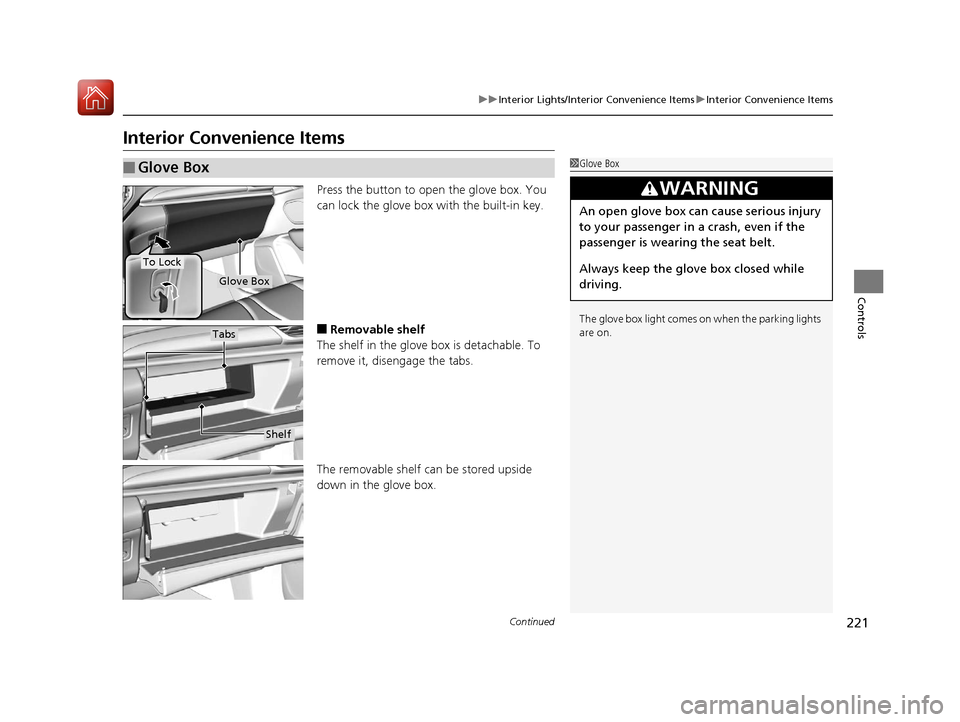
Press the button to open the glove box. You
can lock the glove box with the built-in key.
■Removable shelf
The shelf in the glove box is detachable. To
remove it, disengage the tabs.
The removable shelf can be stored upside
down in the glove box.
■Glove Box1 Glove Box
The glove box light comes on when the parking lights
are on.
3WARNING
An open glove box can cause serious injury
to your passenger in a crash, even if the
passenger is wearing the seat belt.
Always keep the glove box closed while
driving.
Glove Box
To Lock
Shelf
Tabs
20 ACURA RDX-31TJB6111.book 221 ページ 2020年2月11日 火曜日 午後2時6分