Rain Acura RDX 2020 Owner's Guide
[x] Cancel search | Manufacturer: ACURA, Model Year: 2020, Model line: RDX, Model: Acura RDX 2020Pages: 657, PDF Size: 33.2 MB
Page 193 of 657
uuOperating the Switches Around the Steering Wheel uAuto High-Beam
192
Controls
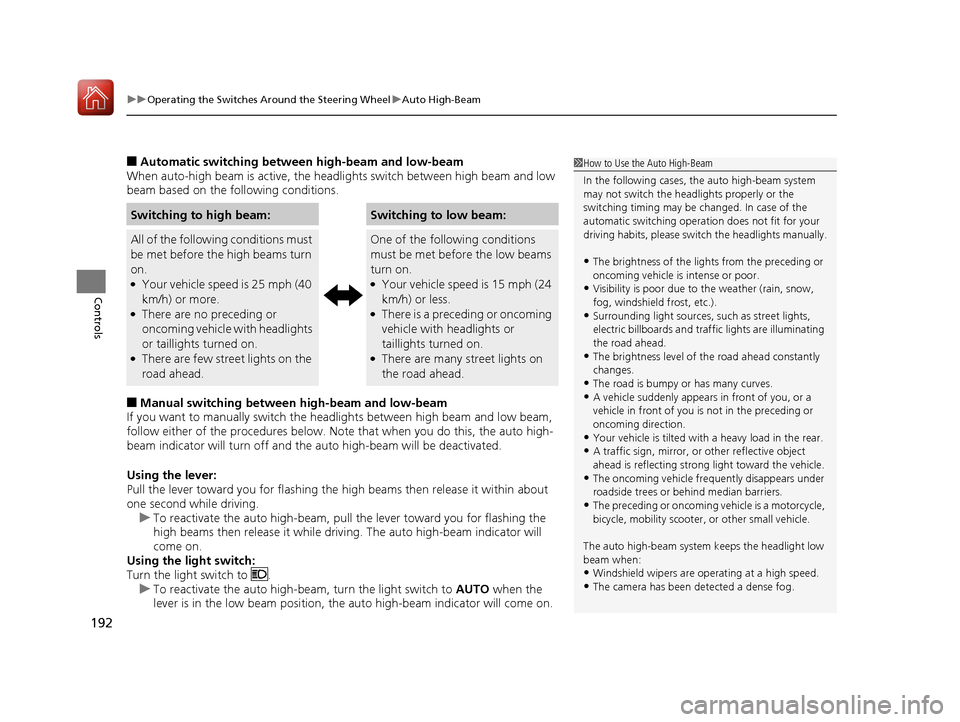
■Automatic switching between high-beam and low-beam
When auto-high beam is active, the head lights switch between high beam and low
beam based on the following conditions.
■Manual switching between high-beam and low-beam
If you want to manually switch the headlights between high beam and low beam,
follow either of the proced ures below. Note that when you do this, the auto high-
beam indicator will turn off and the auto high-beam will be deactivated.
Using the lever:
Pull the lever toward you fo r flashing the high beams then release it within about
one second while driving. u To reactivate the auto high-beam, pull the lever toward you for flashing the
high beams then release it while driving. The auto high-beam indicator will
come on.
Using the light switch:
Turn the light switch to . u To reactivate the auto high-be am, turn the light switch to AUTO when the
lever is in the low beam position, the auto high-beam indicator will come on.
Switching to high beam:Switching to low beam:
All of the following conditions must
be met before the high beams turn
on.
●Your vehicle speed is 25 mph (40
km/h) or more.
●There are no preceding or
oncoming vehicle with headlights
or taillights turned on.
●There are few street lights on the
road ahead.
One of the following conditions
must be met before the low beams
turn on.
●Your vehicle speed is 15 mph (24
km/h) or less.
●There is a preceding or oncoming
vehicle with headlights or
taillights turned on.
●There are many street lights on
the road ahead.
1 How to Use the Auto High-Beam
In the following cases, th e auto high-beam system
may not switch the head lights properly or the
switching timing may be ch anged. In case of the
automatic switching operati on does not fit for your
driving habits, please swit ch the headlights manually.
•The brightness of the lights from the preceding or
oncoming vehicle is intense or poor.
•Visibility is poor due to the weather (rain, snow,
fog, windshield frost, etc.).
•Surrounding light sources, such as street lights,
electric billboards and traf fic lights are illuminating
the road ahead.
•The brightness level of th e road ahead constantly
changes.
•The road is bumpy or has many curves.•A vehicle suddenly appears in front of you, or a
vehicle in front of you is not in the preceding or
oncoming direction.
•Your vehicle is tilted with a heavy load in the rear.•A traffic sign, mirror, or other reflective object
ahead is reflecting strong light toward the vehicle.
•The oncoming vehicle freq uently disappears under
roadside trees or be hind median barriers.
•The preceding or oncoming vehicle is a motorcycle,
bicycle, mobility scooter, or other small vehicle.
The auto high-beam system keeps the headlight low
beam when:
•Windshield wipers are op erating at a high speed.
•The camera has been detected a dense fog.
20 ACURA RDX-31TJB6111.book 192 ページ 2020年2月11日 火曜日 午後2時6分
Page 196 of 657
Continued195
uuOperating the Switches Around the Steering Wheel uWipers and Washers
Controls
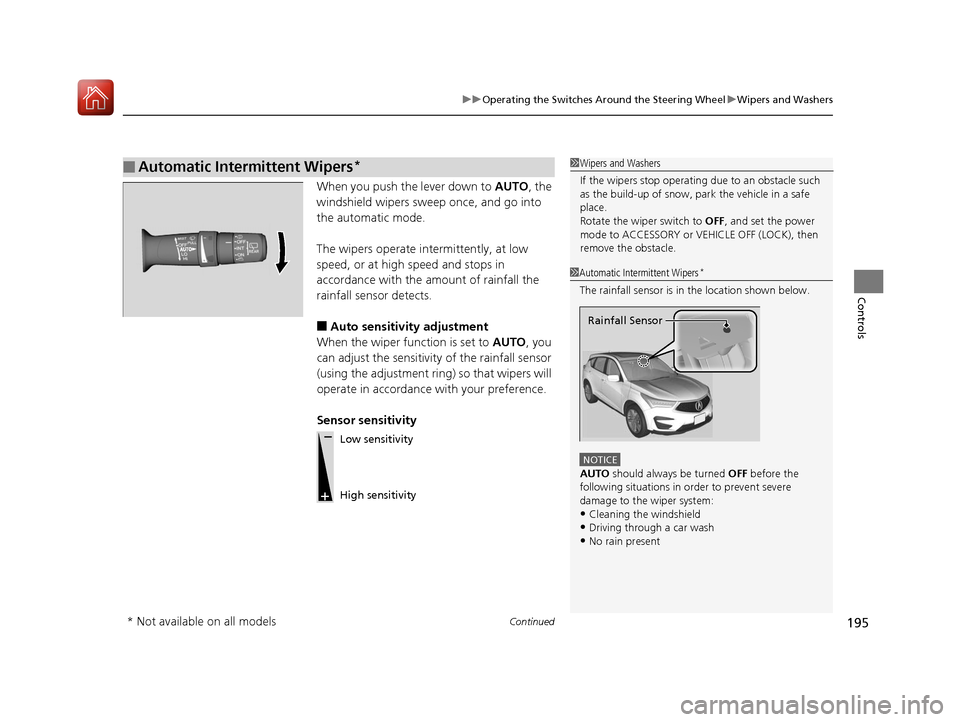
When you push the lever down to AUTO, the
windshield wipers sweep once, and go into
the automatic mode.
The wipers operate intermittently, at low
speed, or at high speed and stops in
accordance with the amount of rainfall the
rainfall sensor detects.
■Auto sensitivity adjustment
When the wiper function is set to AUTO, you
can adjust the sensitivity of the rainfall sensor
(using the adjustment ring) so that wipers will
operate in accordance with your preference.
Sensor sensitivity
■Automatic Intermittent Wipers*1 Wipers and Washers
If the wipers st op operating due to an obstacle such
as the build-up of snow, pa rk the vehicle in a safe
place.
Rotate the wiper switch to OFF, and set the power
mode to ACCESSORY or VEHICLE OFF (LOCK), then
remove the obstacle.
1 Automatic Intermittent Wipers*
The rainfall sensor is in the location shown below.
NOTICE
AUTO should always be turned OFF before the
following situations in order to prevent severe
damage to the wiper system:
•Cleaning the windshield
•Driving through a car wash•No rain present
Rainfall Sensor
Low sensitivity
High sensitivity
* Not available on all models
20 ACURA RDX-31TJB6111.book 195 ページ 2020年2月11日 火曜日 午後2時6分
Page 197 of 657
196
uuOperating the Switches Around the Steering Wheel uWipers and Washers
Controls
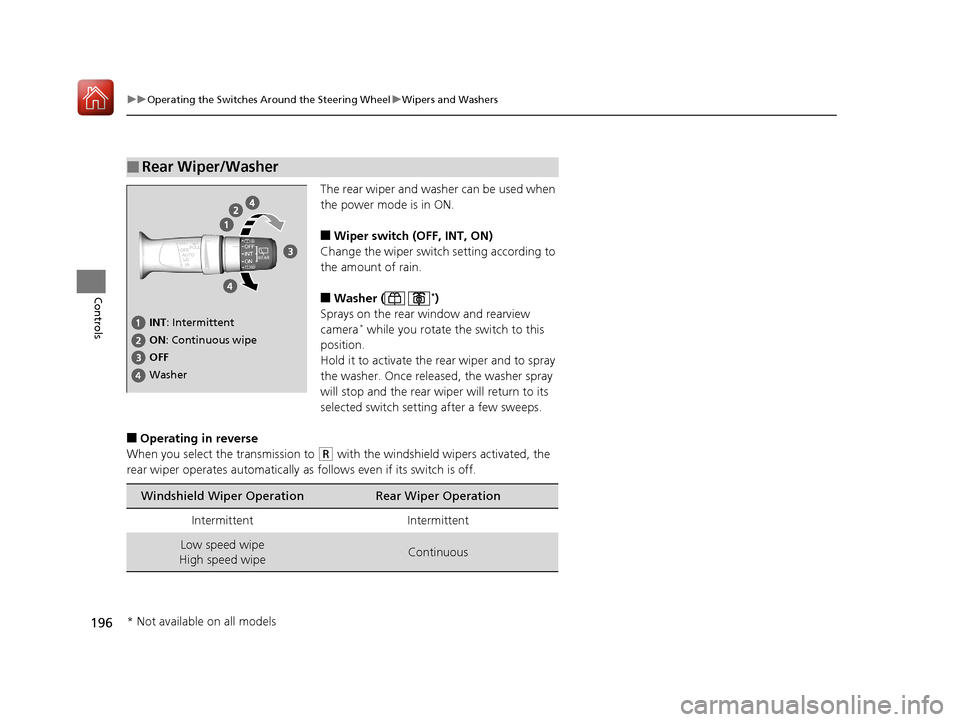
The rear wiper and washer can be used when
the power mode is in ON.
■Wiper switch (OFF, INT, ON)
Change the wiper switch setting according to
the amount of rain.
■Washer ( *)
Sprays on the rear window and rearview
camera
* while you rotate the switch to this
position.
Hold it to activate the rear wiper and to spray
the washer. Once released, the washer spray
will stop and the rear wi per will return to its
selected switch setting after a few sweeps.
■Operating in reverse
When you select the transmission to
(R with the windshield wipers activated, the
rear wiper operates automatically as follows even if its switch is off.
■Rear Wiper/Washer
INT : Intermittent
OFF ON : Continuous wipe
Washer
Windshield Wiper OperationRear Wiper Operation
IntermittentIntermittent
Low speed wipe
High speed wipeContinuous
* Not available on all models
20 ACURA RDX-31TJB6111.book 196 ページ 2020年2月11日 火曜日 午後2時6分
Page 213 of 657
212
uuAdjusting the Seats uHead Restraints
Controls
Head Restraints
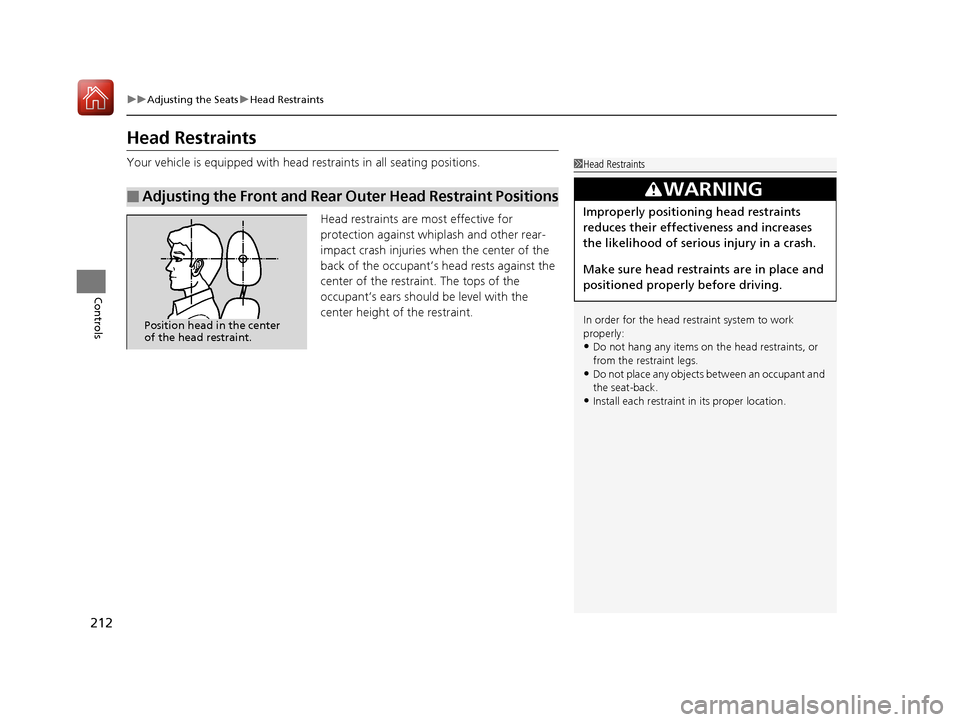
Your vehicle is equipped with head restraints in all seating positions.
Head restraints are most effective for
protection against whiplash and other rear-
impact crash injuries when the center of the
back of the occupant’s head rests against the
center of the restraint. The tops of the
occupant’s ears should be level with the
center height of the restraint.
■Adjusting the Front and Rear Outer Head Restraint Positions
1Head Restraints
In order for the head restraint system to work
properly:
•Do not hang any items on the head restraints, or
from the restraint legs.
•Do not place any objects between an occupant and
the seat-back.
•Install each restraint in its proper location.
3WARNING
Improperly positioning head restraints
reduces their effectiveness and increases
the likelihood of serious injury in a crash.
Make sure head restraints are in place and
positioned properly before driving.
Position head in the center
of the head restraint.
20 ACURA RDX-31TJB6111.book 212 ページ 2020年2月11日 火曜日 午後2時6分
Page 214 of 657
213
uuAdjusting the Seats uHead Restraints
Continued
Controls
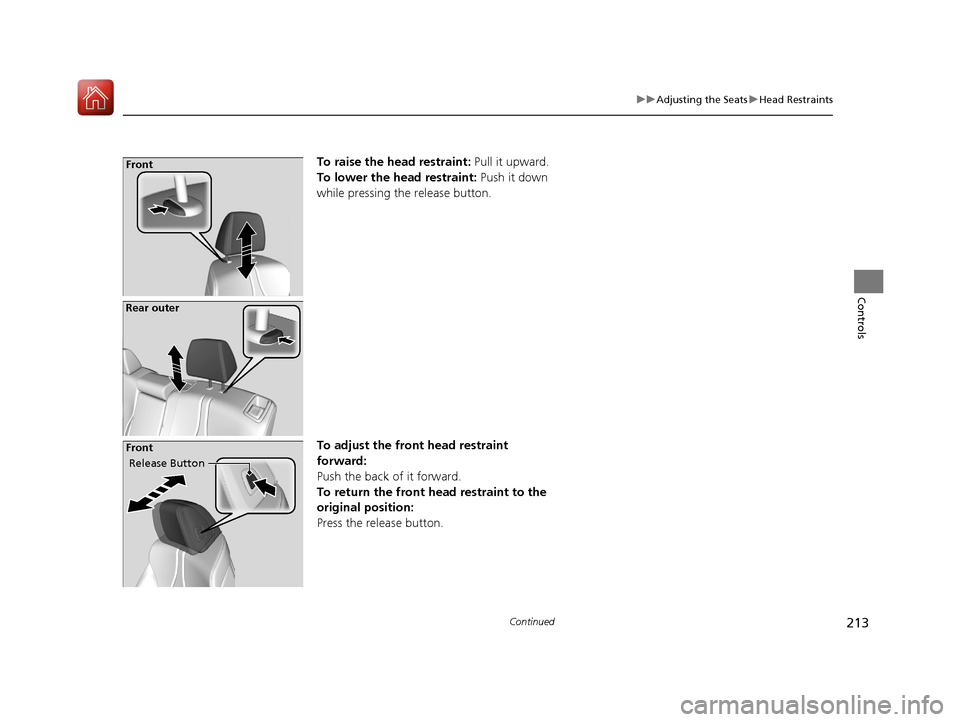
To raise the head restraint: Pull it upward.
To lower the head restraint: Push it down
while pressing the release button.
To adjust the front head restraint
forward:
Push the back of it forward.
To return the front head restraint to the
original position:
Press the release button.Front
Rear outer
Release Button
Front
20 ACURA RDX-31TJB6111.book 213 ページ 2020年2月11日 火曜日 午後2時6分
Page 215 of 657
uuAdjusting the Seats uHead Restraints
214
Controls
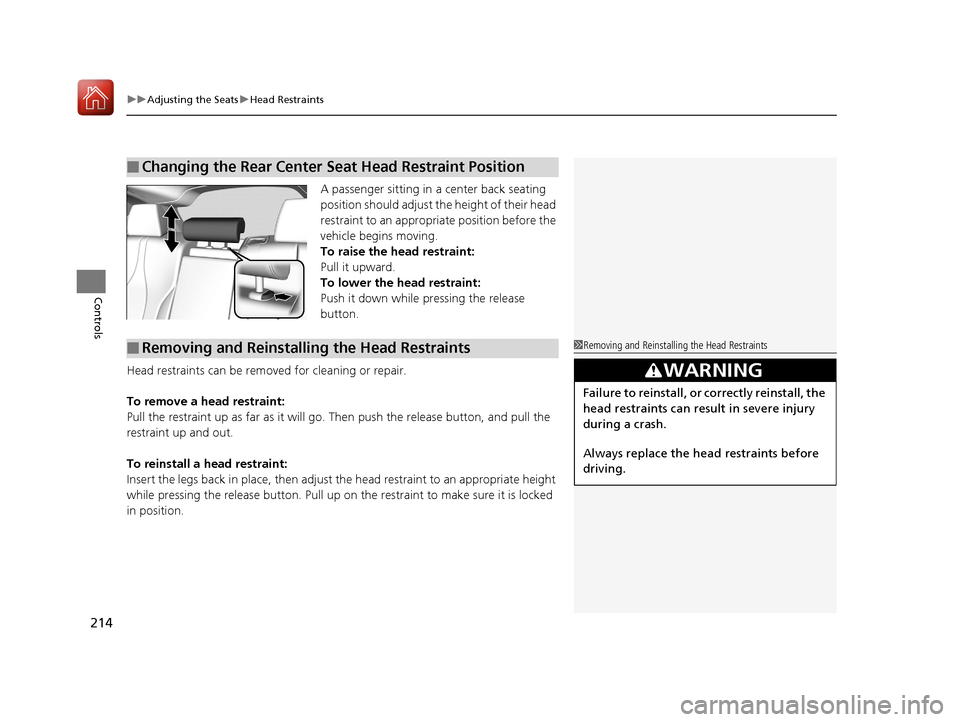
A passenger sitting in a center back seating
position should adjust the height of their head
restraint to an appropriate position before the
vehicle begins moving.
To raise the head restraint:
Pull it upward.
To lower the head restraint:
Push it down while pressing the release
button.
Head restraints can be removed for cleaning or repair.
To remove a head restraint:
Pull the restraint up as far as it will go. Then push the release button, and pull the
restraint up and out.
To reinstall a head restraint:
Insert the legs back in place, then adjust the head restraint to an appropriate height
while pressing the release button. Pull up on the restraint to make sure it is locked
in position.
■Changing the Rear Center Seat Head Restraint Position
■Removing and Reinstalling the Head Restraints1 Removing and Reinstalling the Head Restraints
3WARNING
Failure to reinstall, or correctly reinstall, the
head restraints can result in severe injury
during a crash.
Always replace the he ad restraints before
driving.
20 ACURA RDX-31TJB6111.book 214 ページ 2020年2月11日 火曜日 午後2時6分
Page 216 of 657

215
uuAdjusting the Seats uMaintain a Proper Sitting Position
Controls
Maintain a Proper Sitting Position
After all occupants have adjusted their s eats and head restraints, and put on their
seat belts, it is very important that they continue to sit upright, well back in their
seats, with their feet on the floor, until the vehicle is safe ly parked and the engine is
off.
Sitting improperly can increase the chance of injury during a crash. For example, if
an occupant slouches, lies down, turns si deways, sits forward, leans forward or
sideways, or puts one or both feet up, the chance of injury during a crash is greatly
increased.
In addition, an occupant who is out of posi tion in the front seat can be seriously or
fatally injured in a crash by striking interior parts of the vehicle or being struck by an
inflating front airbag.1 Maintain a Proper Sitting Position
3WARNING
Sitting improperly or out of position can
result in serious injury or death in a crash.
Always sit upright, well back in the seat,
with your feet on the floor.
20 ACURA RDX-31TJB6111.book 215 ページ 2020年2月11日 火曜日 午後2時6分
Page 217 of 657
216
uuAdjusting the Seats uRear Seats
Controls
Rear Seats
Separately fold down the left and right halv es of the rear seat to make room for
cargo.
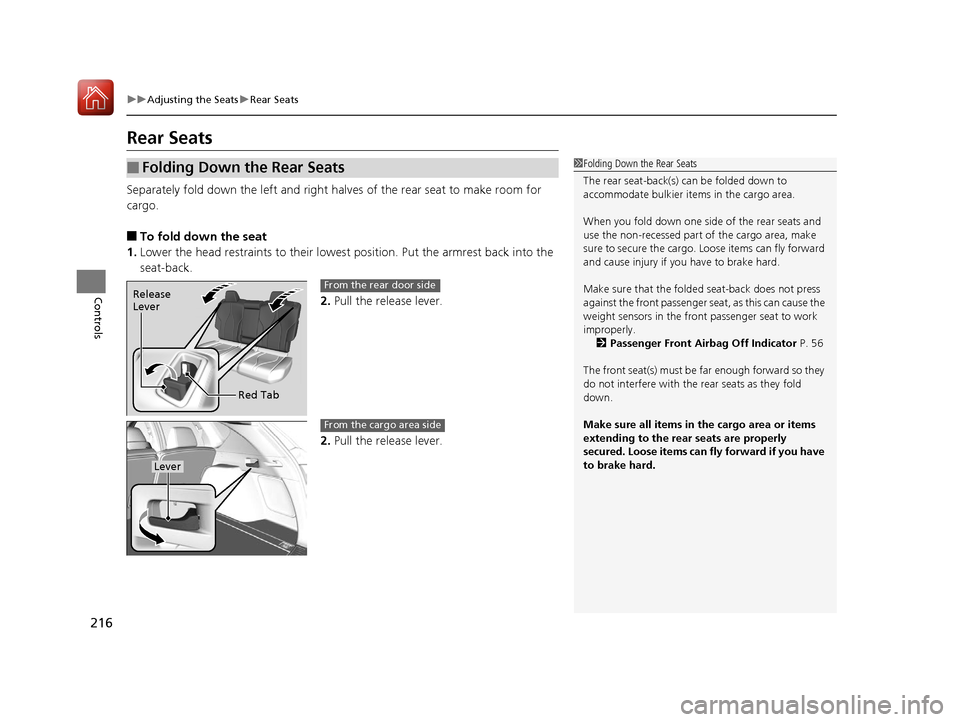
■To fold down the seat
1. Lower the head restraints to their lowest position. Put the armrest back into the
seat-back.
2.Pull the release lever.
2. Pull the release lever.
■Folding Down the Rear Seats1Folding Down the Rear Seats
The rear seat-back(s) can be folded down to
accommodate bulkier items in the cargo area.
When you fold down one side of the rear seats and
use the non-recessed part of the cargo area, make
sure to secure the cargo. Loose items can fly forward
and cause injury if you have to brake hard.
Make sure that the folded seat-back does not press
against the front passenger se at, as this can cause the
weight sensors in the front passenger seat to work
improperly.
2 Passenger Front Airbag Off Indicator P. 56
The front seat(s) must be far enough forward so they
do not interfere with the rear seats as they fold
down.
Make sure all items in the cargo area or items
extending to the rear seats are properly
secured. Loose items can fly forward if you have
to brake hard.
Release
Lever
Red TabFrom the rear door side
Lever
From the cargo area side
20 ACURA RDX-31TJB6111.book 216 ページ 2020年2月11日 火曜日 午後2時6分
Page 218 of 657
217
uuAdjusting the Seats uRear Seats
Controls
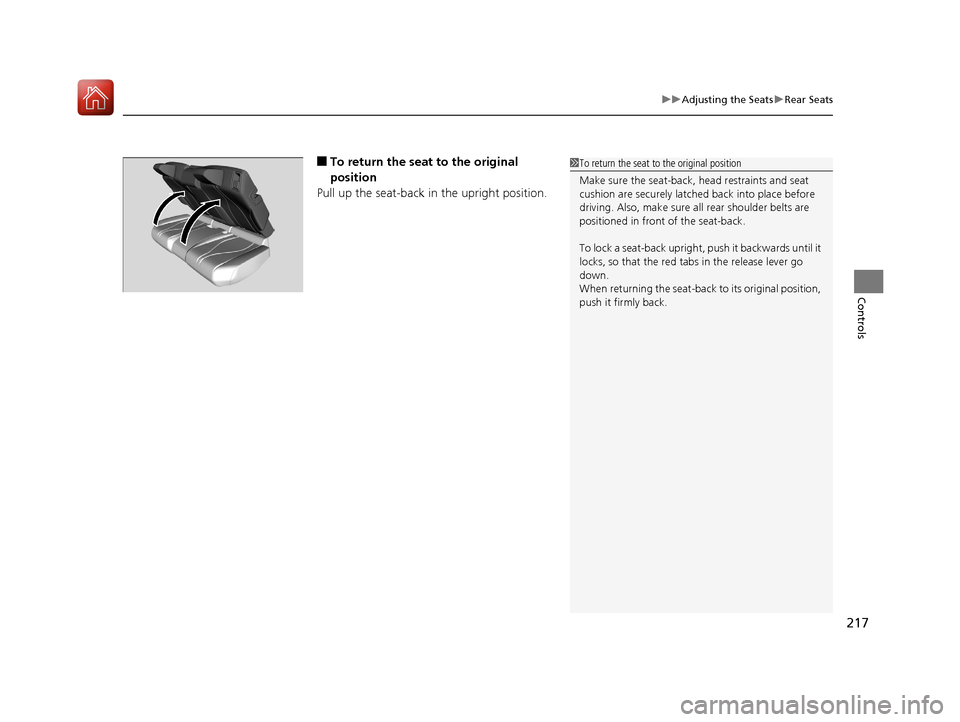
■To return the seat to the original
position
Pull up the seat-back in the upright position.1 To return the seat to the original position
Make sure the seat-back, head restraints and seat
cushion are securely latche d back into place before
driving. Also, make sure all rear shoulder belts are
positioned in front of the seat-back.
To lock a seat-back upright, push it backwards until it
locks, so that the red tabs in the release lever go
down.
When returning the seat-back to its original position,
push it firmly back.
20 ACURA RDX-31TJB6111.book 217 ページ 2020年2月11日 火曜日 午後2時6分
Page 220 of 657
219Continued
Controls
Interior Lights/Interior Convenience Items
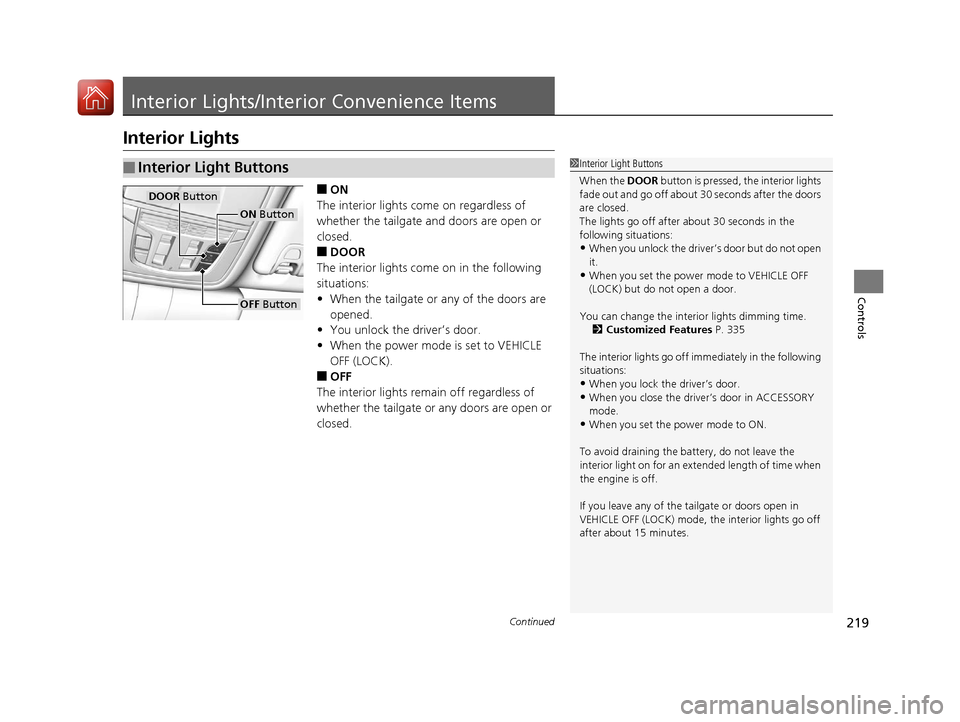
Interior Lights
■ON
The interior lights come on regardless of
whether the tailgate and doors are open or
closed.
■DOOR
The interior lights come on in the following
situations:
• When the tailgate or any of the doors are
opened.
• You unlock the driver’s door.
• When the power mode is set to VEHICLE
OFF (LOCK).
■OFF
The interior lights remain off regardless of
whether the tailgate or any doors are open or
closed.
■Interior Light Buttons1 Interior Light Buttons
When the DOOR button is pressed, the interior lights
fade out and go off about 30 seconds after the doors
are closed.
The lights go off after about 30 seconds in the
following situations:
•When you unlock the driver’s door but do not open
it.
•When you set the power mode to VEHICLE OFF
(LOCK) but do not open a door.
You can change the interi or lights dimming time.
2 Customized Features P. 335
The interior lights go off i mmediately in the following
situations:
•When you lock the driver’s door.
•When you close the driver’s door in ACCESSORY
mode.
•When you set the power mode to ON.
To avoid draining the ba ttery, do not leave the
interior light on for an extended length of time when
the engine is off.
If you leave any of the tailgate or doors open in
VEHICLE OFF (LOCK) mode, th e interior lights go off
after about 15 minutes.
DOOR Button
OFF Button
ON Button
20 ACURA RDX-31TJB6111.book 219 ページ 2020年2月11日 火曜日 午後2時6分