warning ACURA RDX 2022 Owner's Manual
[x] Cancel search | Manufacturer: ACURA, Model Year: 2022, Model line: RDX, Model: ACURA RDX 2022Pages: 709, PDF Size: 25.22 MB
Page 102 of 709

100
uuIndicators u
Instrument Panel
IndicatorNameOn/BlinkingExplanationMessage
System
Message
Indicator
•Comes on along with a beep when
a problem is detected. A system
message on the multi-information
display appears at the same time.• While the indicator is on, roll the right
selector wheel to see the message again.
2 Switching the Display P. 139
•Refer to the Indicators information in this
chapter when a system message appears
on the multi-information display. Take the
appropriate action for the message.
• The multi-information display does not
return to the normal screen unless the
warning is canceled, or the right selector
wheel is pressed.
—
22 ACURA RDX-31TJB6300.book 100 ページ 2021年8月2日 月曜日 午前11時0分
Page 109 of 709
107
uuIndicators uMulti-Information Display Warning and Information Messages
Continued
Instrument Panel
Multi-Information Display Warn ing and Information Messages
The following messages appear only on the multi-information display. Roll the right selector wheel to see the message again with the
system message indicator on.
2 Switching the Display P. 139
MessageConditionExplanation
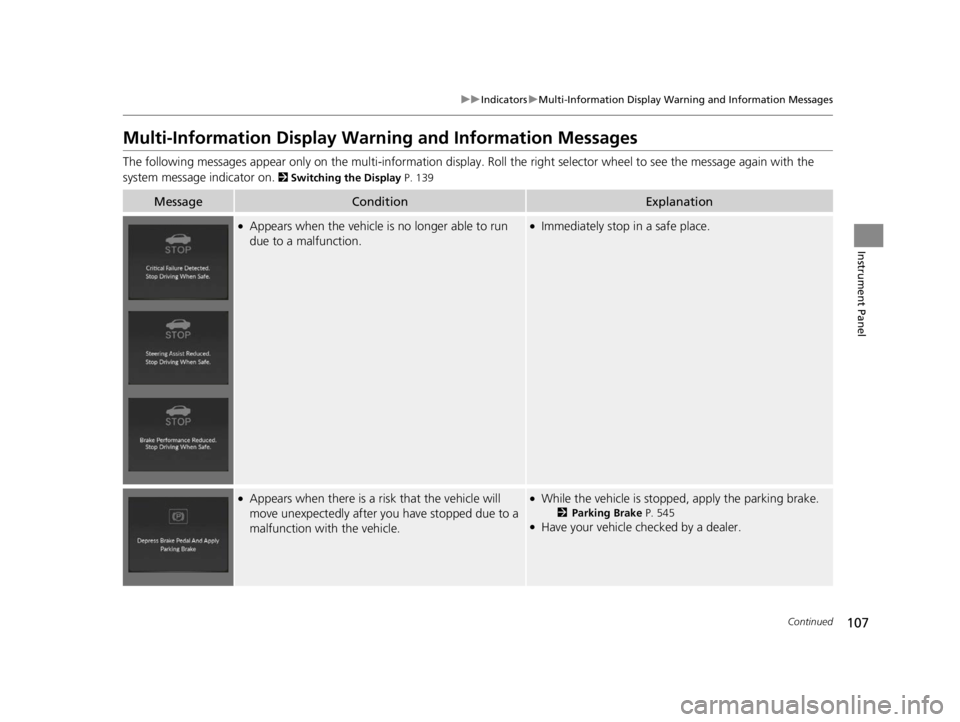
●Appears when the vehicle is no longer able to run
due to a malfunction.●Immediately stop in a safe place.
●Appears when there is a ri sk that the vehicle will
move unexpectedly after you have stopped due to a
malfunction with the vehicle.●While the vehicle is stoppe d, apply the parking brake.
2Parking Brake P. 545●Have your vehicle checked by a dealer.
22 ACURA RDX-31TJB6300.book 107 ページ 2021年8月2日 月曜日 午前11時0分
Page 111 of 709
109
uuIndicators uMulti-Information Display Warning and Information Messages
Continued
Instrument Panel
MessageConditionExplanation
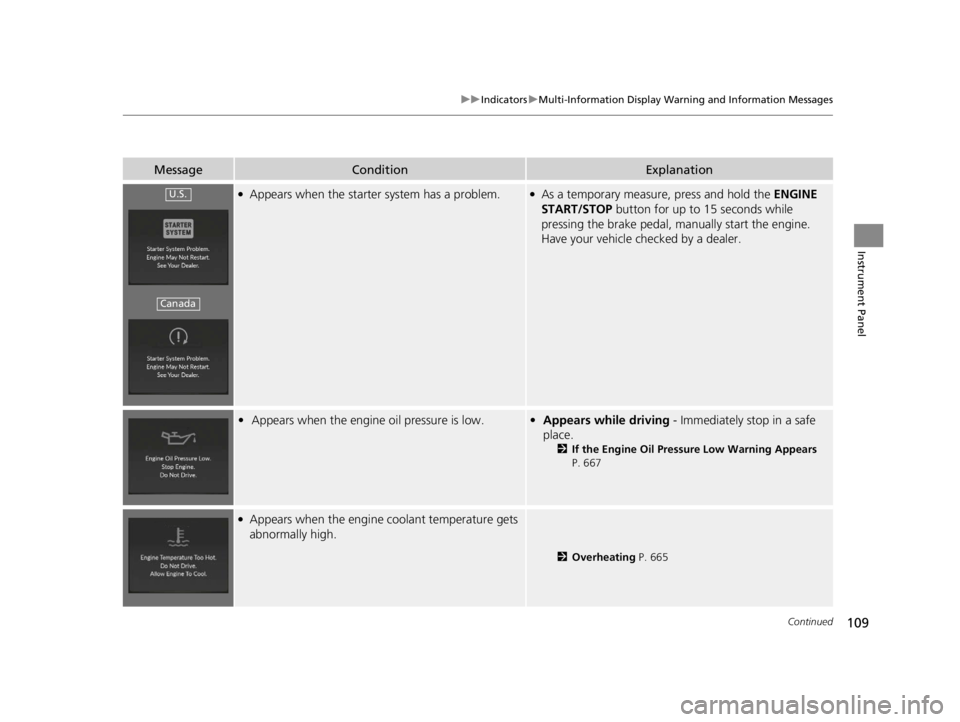
●Appears when the starter system has a problem.●As a temporary measure, press and hold the ENGINE
START/STOP button for up to 15 seconds while
pressing the brake pedal, manually start the engine.
Have your vehicle checked by a dealer.
• Appears when the engine oil pressure is low.•Appears while driving - Immediately stop in a safe
place.
2 If the Engine Oil Pressure Low Warning Appears
P. 667
●Appears when the engine coolant temperature gets
abnormally high.
2 Overheating P. 665
U.S.
Canada
22 ACURA RDX-31TJB6300.book 109 ページ 2021年8月2日 月曜日 午前11時0分
Page 113 of 709
111
uuIndicators uMulti-Information Display Warning and Information Messages
Continued
Instrument Panel
MessageConditionExplanation
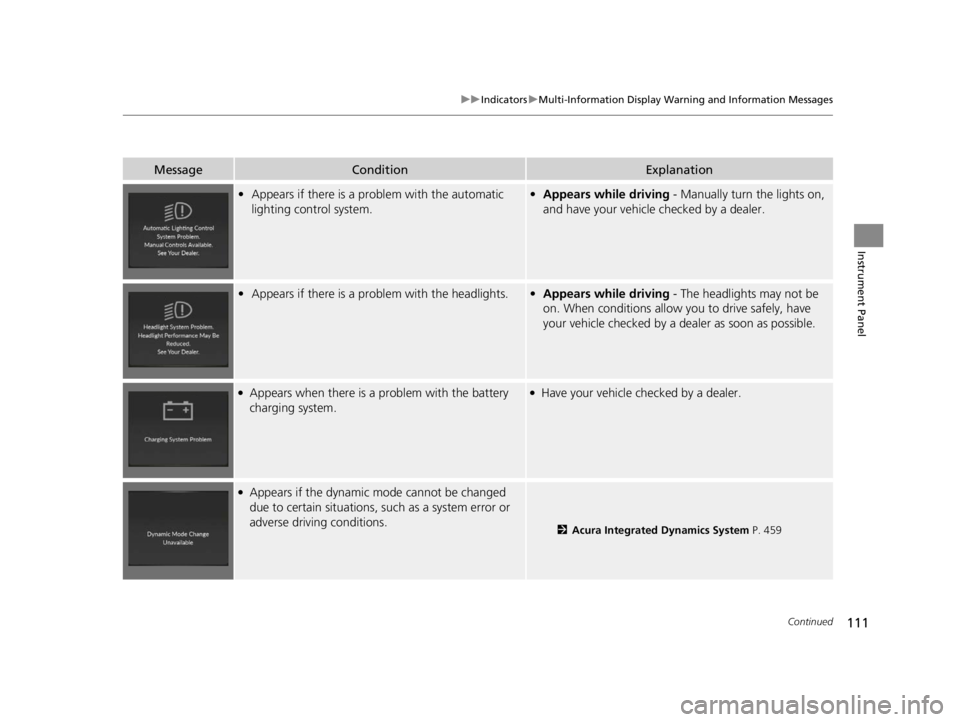
• Appears if there is a pr oblem with the automatic
lighting control system.• Appears while driving - Manually turn the lights on,
and have your vehicle checked by a dealer.
• Appears if there is a pr oblem with the headlights.•Appears while driving - The headlights may not be
on. When conditions allow you to drive safely, have
your vehicle checked by a d ealer as soon as possible.
●Appears when there is a problem with the battery
charging system.●Have your vehicle checked by a dealer.
●Appears if the dynamic mode cannot be changed
due to certain situations, su ch as a system error or
adverse driving conditions.
2 Acura Integrated Dynamics System P. 459
22 ACURA RDX-31TJB6300.book 111 ページ 2021年8月2日 月曜日 午前11時0分
Page 115 of 709

113
uuIndicators uMulti-Information Display Warning and Information Messages
Continued
Instrument Panel
MessageConditionExplanation
●Appears if the automatic br ake hold is automatically
canceled while it is in operation.●Immediately depress the brake pedal.
●Appears when the electric parking brake switch is
pulled without depressing the brake pedal while the
electric parking brake is in operation.●Pull the electric parking brake switch with the brake
pedal depressed.
2 Parking Brake P. 545
●Appears when you set the power mode to VEHICLE
OFF, if the rear doors were opened shortly before or
after the vehicle was powered on.●Check the rear seat for passengers or items before
exiting the vehicle.
2 Rear Seat Reminder P. 224
●Appears as soon as a probl em is detected in the
keyless access system or keyless starting system.●Appears constantly - Have your vehicle checked by a
dealer.
22 ACURA RDX-31TJB6300.book 113 ページ 2021年8月2日 月曜日 午前11時0分
Page 117 of 709

115
uuIndicators uMulti-Information Display Warning and Information Messages
Continued
Instrument Panel
MessageConditionExplanation
●Appears after the driver’s door is opened when the
power mode is in ACCESSORY.●Change the power mode to VEHICLE OFF.
2 ENGINE START/STOP Button P. 193
●Appears when the power mode is in ACCESSORY.
—
●Appears if the keyless remote’s battery is too weak
to start the engine or the key is not within operating
range to start the engine.
The beeper sounds six times.●Bring the back of the keyless remote into contact with
the ENGINE START/STOP button.
2If the Keyless Remote Battery is Weak P. 661
22 ACURA RDX-31TJB6300.book 115 ページ 2021年8月2日 月曜日 午前11時0分
Page 119 of 709

117
uuIndicators uMulti-Information Display Warning and Information Messages
Continued
Instrument Panel
MessageConditionExplanation
• Appears when you try to change the transmission
without depressing the brake pedal.• Depress the brake pedal, then change the transmission.
• Appears when you try to change the transmission
without releasing your foot off the accelerator pedal.• Release your foot off the accelerator pedal, then
change the transmission.
• Appears when you try to change the shift position
after the position has automa tically been changed to
(P with the driver’s door open and the driver’s seat
belt unfastened.
●Press the (P button if you leave the vehicle.
U.S.
Canada
22 ACURA RDX-31TJB6300.book 117 ページ 2021年8月2日 月曜日 午前11時0分
Page 121 of 709

119
uuIndicators uMulti-Information Display Warning and Information Messages
Continued
Instrument Panel
MessageConditionExplanation
• Appears when you press the (P button but it is not
engaged due to low ATF temperature.• Depress the brake pedal until this message disappear.
• Appears when the temperature of the transmission
is starting to get too hot.
• The performance of the vehicle may be reduced.•Until the message disappears, reduce your speed and
allow the system to cool down.
• Appears when you repeat edly change the shift
position between
(P and other positions in short
period.
• Take some time before chan ging the shift position.
•Appears when you try to take the transmission out
of
(P immediately after you start engine.
• Try to take the transmission out of (P again.
• Appears when you depress the accelerator pedal
when the transmission is in
(N.
•Remove your foot off the accelerator pedal. When
driving, depress the brake pedal and operate the shift
position.
22 ACURA RDX-31TJB6300.book 119 ページ 2021年8月2日 月曜日 午前11時0分
Page 123 of 709

121
uuIndicators uMulti-Information Display Warning and Information Messages
Continued
Instrument Panel
MessageConditionExplanation
●Appears when ACC has been automatically
canceled.●You can resume the set speed after the condition that
caused ACC to cancel improves. Press the RES/+
button.
2 Adaptive Cruise Control (ACC) with Low Speed
Follow P. 502
●Flashes when the system senses a likely collision with
a vehicle in front of yo u. The beeper sounds.●Take appropriate action to pr event a collision (apply the
brakes, change lanes, etc.)
2 Collision Mitigation Braking SystemTM (CMBSTM)
P. 486
2 Adaptive Cruise Control (ACC) with Low Speed
Follow P. 502
2 Low Speed Braking Control
* P. 497
●Appears when the low speed braking control system
is activated.
—
Models with Low Speed Braking Control
Models with Low
Speed Braking
Control
* Not available on all models
22 ACURA RDX-31TJB6300.book 121 ページ 2021年8月2日 月曜日 午前11時0分
Page 125 of 709

123
uuIndicators uMulti-Information Display Warning and Information Messages
Continued
Instrument Panel
MessageConditionExplanation
●Appears when the distance between your vehicle
and the vehicle ahead of you is too close while ACC
is in operation.●ACC has been automatically canceled.
2 Adaptive Cruise Control (ACC) with Low Speed
Follow P. 502
●Appears when pressing the RES/+ or SET/– button
while the distance between your vehicle and the
vehicle ahead of you is too close.●ACC cannot be set.
2 Adaptive Cruise Control (ACC) with Low Speed
Follow P. 502
●Appears when the park ing brake is applied
automatically while ACC is in operation.●ACC has been automatically canceled.
2 Adaptive Cruise Control (ACC) with Low Speed
Follow P. 502
2 Parking Brake P. 545
●Appears when pressing the RES/+ or SET/– button
while the parking brake is applied.●ACC cannot be set.
2 Adaptive Cruise Control (ACC) with Low Speed
Follow P. 502
2 Parking Brake P. 545
22 ACURA RDX-31TJB6300.book 123 ページ 2021年8月2日 月曜日 午前11時0分