cruise control ACURA RDX 2023 User Guide
[x] Cancel search | Manufacturer: ACURA, Model Year: 2023, Model line: RDX, Model: ACURA RDX 2023Pages: 713, PDF Size: 21.99 MB
Page 128 of 713

126
uuIndicators uMulti-Information Display Warn ing and Information Messages
Instrument Panel
MessageConditionExplanation
●Appears when SET/–, RES/+, CANCEL , or interval
button is pressed while ACC is off.●After pressing the button, press the SET/–, RES/+ ,
CANCEL , or interval button.
2Adaptive Cruise Control (ACC) with Low Speed
Follow P. 502
●Appears when interval button is pressed while Cruise
mode is selected.●After selecting ACC, press the interval button.
2Adaptive Cruise Control (ACC) with Low Speed
Follow P. 502
•Appears when the vehicle ahead of you resumes
driving, after your vehicle has been stopped
automatically by ACC.●Press the RES/+ or SET/– button or depress the
accelerator pedal to resume.
2 Adaptive Cruise Control (ACC) with Low Speed
Follow P. 502
23 ACURA RDX-31TJB6400.book 126 ページ 2022年8月4日 木曜日 午後1時51分
Page 129 of 713
127
uuIndicators uMulti-Information Display Warning and Information Messages
Continued
Instrument Panel
MessageConditionExplanation
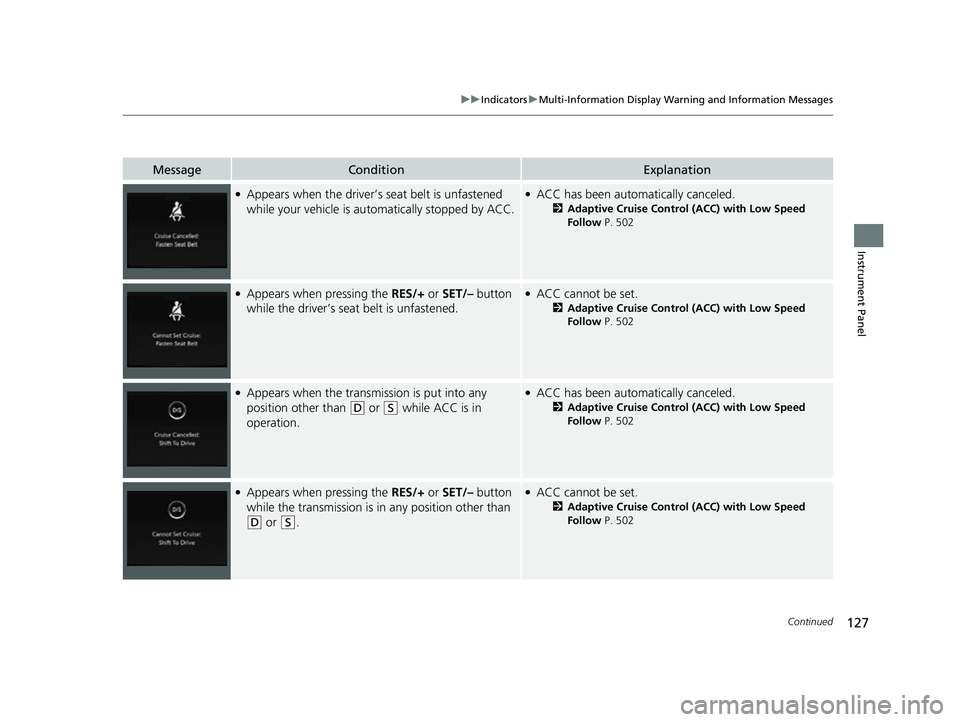
●Appears when the driver’s seat belt is unfastened
while your vehicle is au tomatically stopped by ACC.●ACC has been automatically canceled.
2Adaptive Cruise Control (ACC) with Low Speed
Follow P. 502
●Appears when pressing the RES/+ or SET/– button
while the driver’s seat belt is unfastened.●ACC cannot be set.
2 Adaptive Cruise Control (ACC) with Low Speed
Follow P. 502
●Appears when the transmi ssion is put into any
position other than
(D or (S while ACC is in
operation.
●ACC has been automatically canceled.
2 Adaptive Cruise Control (ACC) with Low Speed
Follow P. 502
●Appears when pressing the RES/+ or SET/– button
while the transmission is in any position other than
(D or (S.
●ACC cannot be set.
2Adaptive Cruise Control (ACC) with Low Speed
Follow P. 502
23 ACURA RDX-31TJB6400.book 127 ページ 2022年8月4日 木曜日 午後1時51分
Page 130 of 713

128
uuIndicators uMulti-Information Display Warn ing and Information Messages
Instrument Panel
MessageConditionExplanation
●Appears when the vehicle is stopped on a very steep
slope while ACC is in operation.●ACC has been automatically canceled.
2Adaptive Cruise Control (ACC) with Low Speed
Follow P. 502
●Appears when pressing the RES/+ or SET/– button
while the vehicle is stopped on a very steep slope.●ACC cannot be set.
2 Adaptive Cruise Control (ACC) with Low Speed
Follow P. 502
23 ACURA RDX-31TJB6400.book 128 ページ 2022年8月4日 木曜日 午後1時51分
Page 140 of 713
uuGauges and Displays uMulti-Information Display
138
Instrument Panel
Shows the current traveling direction of the vehicle.
Shows the current dynamic mode.
2 Acura Integrated Dynamics System P. 459
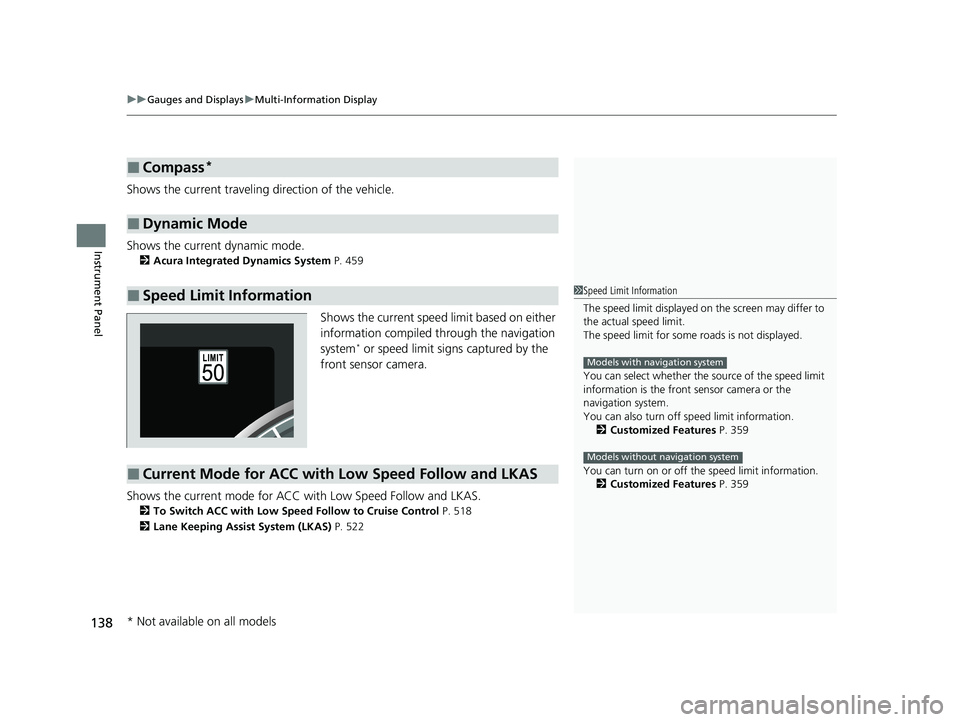
Shows the current speed limit based on either
information compiled through the navigation
system
* or speed limit signs captured by the
front sensor camera.
Shows the current mode for ACC wi th Low Speed Follow and LKAS.
2To Switch ACC with Low Speed Follow to Cruise Control P. 518
2 Lane Keeping Assist System (LKAS) P. 522
■Compass*
■Dynamic Mode
■Speed Limit Information1Speed Limit Information
The speed limit disp layed on the screen may differ to
the actual speed limit.
The speed limit for some roads is not displayed.
You can select whether the source of the speed limit
information is the front sensor camera or the
navigation system.
You can also turn off speed limit information.
2 Customized Features P. 359
You can turn on or off the speed limit information. 2 Customized Features P. 359
Models with navigation system
Models without navigation system
■Current Mode for ACC with Low Speed Follow and LKAS
* Not available on all models
23 ACURA RDX-31TJB6400.book 138 ページ 2022年8月4日 木曜日 午後1時51分
Page 151 of 713

149
uuGauges and Displays uHead-Up Display*
Continued
Instrument Panel
The display also shows the following
warnings.
• Lane Departure Warning: When your
vehicle is too close to the traffic lane lines,
the lane departure warning appears.
2 Lane Keeping Assist System (LKAS)
P. 522
• Head-Up Warning Lights:
Flash when the BRAKE message appears
on the multi-information display.
2 Collision Mitigation Braking SystemTM
(CMBSTM) P. 486
2 Low Speed Braking Control
* P. 497
2 Adaptive Cruise Control (ACC) with
Low Speed Follow P. 502
Lane Departure Warning
* Not available on all models
23 ACURA RDX-31TJB6400.book 149 ページ 2022年8月4日 木曜日 午後1時51分
Page 153 of 713
151
uuGauges and Displays uHead-Up Display*
Instrument Panel
Shows your driving speed in mph or km/h.
Shows the current mode for ACC with Low Speed Follow and the LKAS.
2 Adaptive Cruise Control (ACC) with Low Speed Follow P. 502
2 Lane Keeping Assist System (LKAS) P. 522
Shows you turn-by-turn driv ing directions to your destination linked with the
navigation system or Android Auto.
2 Refer to the Navigation System Manual
2 Android AutoTM P. 327
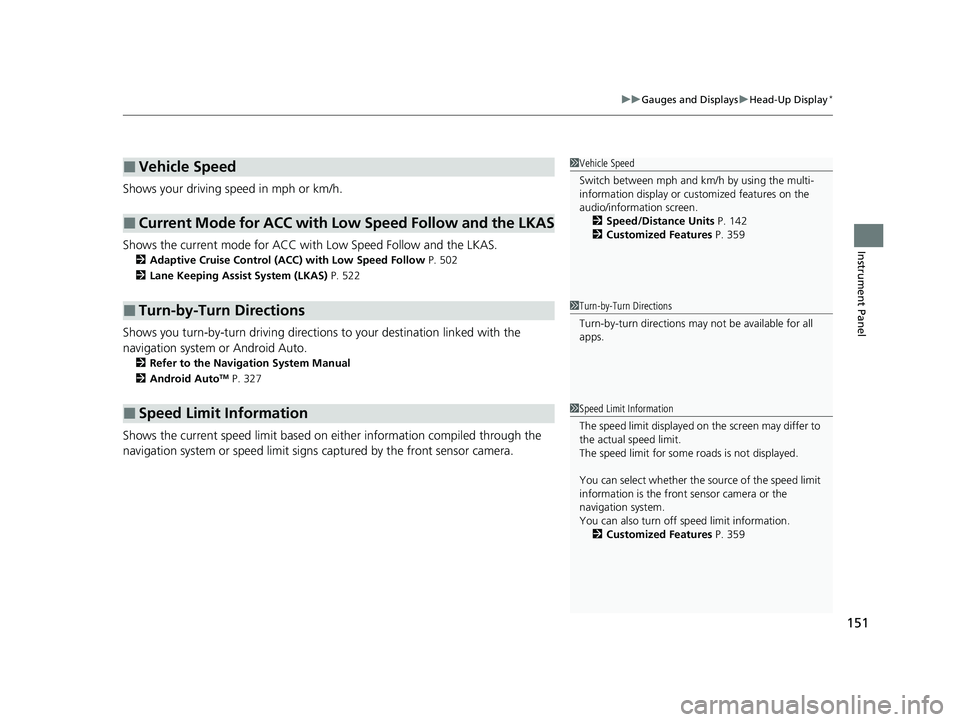
Shows the current speed limit based on either information compiled through the
navigation system or speed limit signs captured by the front sensor camera.
■Vehicle Speed
■Current Mode for ACC with Low Speed Follow and the LKAS
■Turn-by-Turn Directions
■Speed Limit Information
1Vehicle Speed
Switch between mph and km/h by using the multi-
information display or customized features on the
audio/information screen.
2 Speed/Distance Units P. 142
2 Customized Features P. 359
1Turn-by-Turn Directions
Turn-by-turn directions may not be available for all
apps.
1Speed Limit Information
The speed limit disp layed on the screen may differ to
the actual speed limit.
The speed limit for some roads is not displayed.
You can select whether the source of the speed limit
information is the front sensor camera or the
navigation system.
You can also turn off speed limit information. 2 Customized Features P. 359
23 ACURA RDX-31TJB6400.book 151 ページ 2022年8月4日 木曜日 午後1時51分
Page 431 of 713

429
Driving
This chapter discusses driving and refueling.
Before Driving................................... 430
Towing a Trailer ................................ 435
Off-Highway Driving Guidelines ..... 441
When Driving Starting the Engine .......................... 443
Precautions While Driving................. 449
Automatic Transmission ................... 450
Shifting ............................................ 451
Acura Integrated Dynamics System... 459
Auto Idle Stop .................................. 464
Vehicle Stability AssistTM (VSA®), aka Electronic
Stability Control (ESC), System ................. 471
Agile Handling Assist ....................... 473 Super Handling-All Wheel Drive
TM (SH-
AWD® )*......................................... 474
Tire Pressure Monitoring System (TPMS)
with Tire Fill Assist .......................... 475
Tire Pressure Monitoring System (TPMS) - Required Federal Explanation ......... 477
Blind Spot Information System ......... 479
AcuraWatch
TM................................... 483
Collision Mitigati on Braking SystemTM
(CMBSTM) ....................................... 486
Low Speed Braking Control*............ 497
Adaptive Cruise Control (ACC) with Low
Speed Follow ................................. 502 Lane Keeping Assist System (LKAS) .. 522
Road Departure Miti
gation System... 530
Traffic Sign Recognition System ....... 535
Front Sensor Camera ....................... 541
Radar Sensor ................................... 543
Sonar Sensors
*................................ 544
Braking .............................................. 545
Parking Your Vehicle ........................ 555
Multi-View Rear Camera
*................ 565
Surround View Camera System*..... 567
Refueling ........................................... 575
Fuel Economy and CO
2 Emissions .... 578
Turbo Engine Vehicle ....................... 579
* Not available on all models
23 ACURA RDX-31TJB6400.book 429 ページ 2022年8月4日 木曜日 午後1時51分
Page 485 of 713

483Continued
Driving
AcuraWatchTM
AcuraWatchTM is a driver support system which employs the use of two distinctly
different kinds of sensors, a radar sensor located behind the emblem, and a front
sensor camera mounted to the interior side of the windshield, behind the rearview
mirror.
AcuraWatch
TM is a driver support sy stem which employs the us e of three distinctly
different kinds of sensors, a radar sensor located behind the emblem, a front sensor
camera mounted to the interior side of the windshield, behind the rearview mirror,
and the sonar sensors located in the front and rear bumpers.
AcuraWatch
TM has the following functions.
■The functions which do not requir e switch operations to activate
• Collision Mitigation Braking SystemTM (CMBSTM) 2 P. 486
• Low Speed Braking Control* 2 P. 497
• Road Departure Mitigation System 2 P. 530
• Traffic Sign Recognition System 2 P. 535
■The functions wh ich require switch operations to activate
• Adaptive Cruise Control ( ACC) with Low Speed Follow
2 P. 502
• Lane Keeping Assist System (LKAS) 2 P. 522
Models without Low Speed Braking Control
Models with Low Speed Braking Control
* Not available on all models
23 ACURA RDX-31TJB6400.book 483 ページ 2022年8月4日 木曜日 午後1時51分
Page 504 of 713
502
uuAcuraWatchTMuAdaptive Cruise Control (ACC) with Low Speed Follow
Driving
Adaptive Cruise Control (ACC) with Low Speed
Follow
Helps maintain a constant vehicle speed a nd a set following-interval behind a vehicle
detected ahead of yours and, if the detect ed vehicle comes to a stop, can decelerate
and stop your vehicle, without you having to keep your foot on the brake or the
accelerator.
When ACC with Low Speed Follow slows y our vehicle by applying the brakes, your
vehicle’s brake lights will illuminate.
1 Adaptive Cruise Control (ACC) with Low Speed Follow
Important Reminder
As with any system, there are limits to ACC with Low
Speed Follow. Use the brake pedal whenever
necessary, and always keep a safe interval between
your vehicle and other vehicles.
ACC with Low Speed Follow cannot be activated if
Intelligent Dynamics System setting is SNOW.
3WARNING
Improper use of ACC with Low Speed
Follow can lead to a crash.
Use ACC with Low Speed Follow only when
driving on expressways or freeways and in
good road and weather conditions.
3WARNING
ACC with Low Speed Follow has limited
braking capability and may not stop your
vehicle in time to avoid a collision with a
vehicle that quickly stops in front of you.
Always be prepared to apply the brake
pedal if the conditions require.
When to use
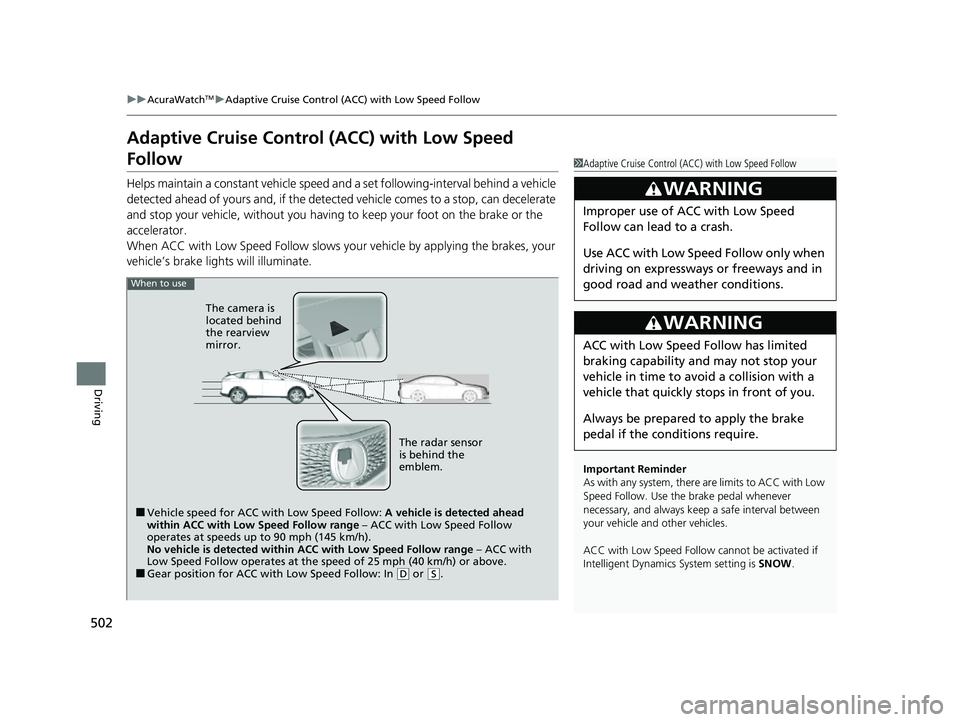
■Vehicle speed for ACC with Low Speed Follow: A vehicle is detected ahead
within ACC with Low Speed Follow range – ACC with Low Speed Follow
operates at speeds up to 90 mph (145 km/h).
No vehicle is detected within ACC with Low Speed Follow range – ACC with
Low Speed Follow operates at the speed of 25 mph (40 km/h) or above.
■Gear position for ACC with Low Speed Follow: In ( D or ( S.
The radar sensor
is behind the
emblem.
The camera is
located behind
the rearview
mirror.
23 ACURA RDX-31TJB6400.book 502 ページ 2022年8月4日 木曜日 午後1時51分
Page 505 of 713
Continued503
uuAcuraWatchTMuAdaptive Cruise Control (ACC) with Low Speed Follow
Driving
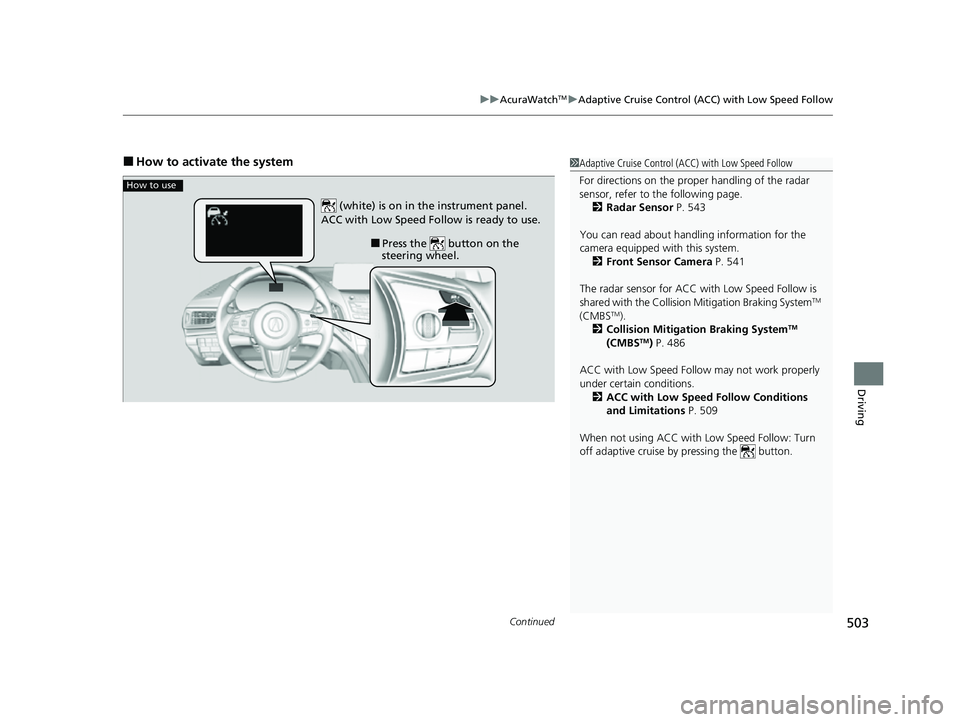
■How to activate the system1Adaptive Cruise Control (ACC) with Low Speed Follow
For directions on the prop er handling of the radar
sensor, refer to the following page.
2 Radar Sensor P. 543
You can read about handling information for the
camera equipped with this system. 2 Front Sensor Camera P. 541
The radar sensor for ACC with Low Speed Follow is
shared with the Collision Mitigation Braking System
TM
(CMBSTM).
2 Collision Mitigation Braking SystemTM
(CMBSTM) P. 486
ACC with Low Speed Follow may not work properly
under certain conditions.
2 ACC with Low Speed Follow Conditions
and Limitations P. 509
When not using ACC with Low Speed Follow: Turn
off adaptive cruise by pressing the button.
How to use
■Press the button on the
steering wheel.
(white) is on in the instrument panel.
ACC with Low Speed Follow is ready to use.
23 ACURA RDX-31TJB6400.book 503 ページ 2022年8月4日 木曜日 午後1時51分