radio ACURA RDX 2023 User Guide
[x] Cancel search | Manufacturer: ACURA, Model Year: 2023, Model line: RDX, Model: ACURA RDX 2023Pages: 713, PDF Size: 21.99 MB
Page 261 of 713
259
uuAudio System uAudio Remote Controls
Features
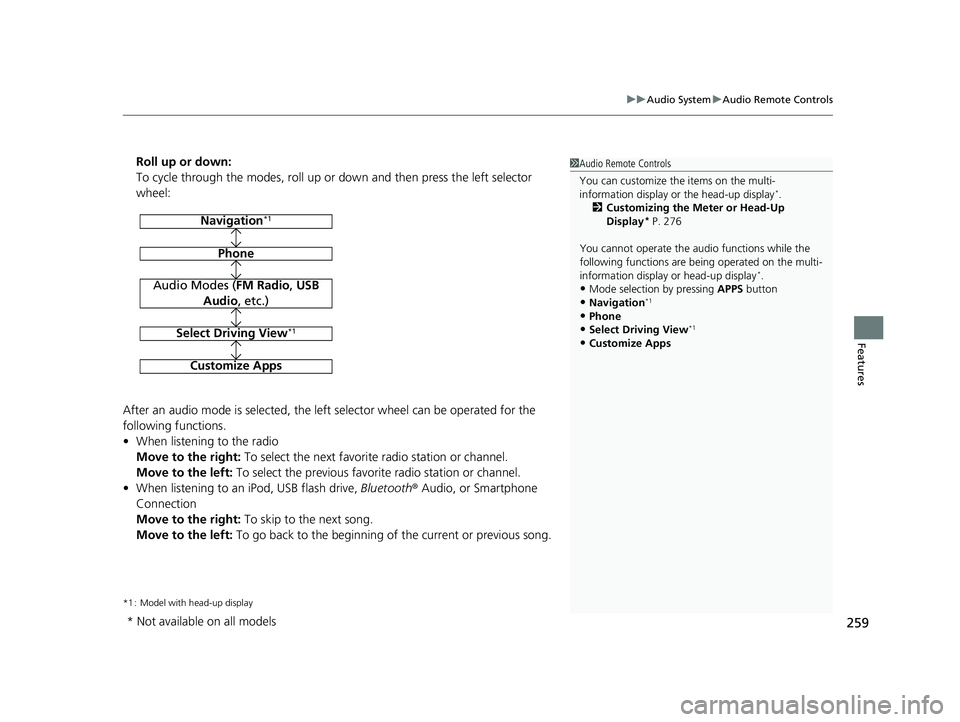
Roll up or down:
To cycle through the modes, roll up or down and then press the left selector
wheel:
After an audio mode is selected, the left selector wheel can be operated for the
following functions.
• When listening to the radio
Move to the right: To select the next favorite radio station or channel.
Move to the left: To select the previous favorite radio station or channel.
• When listening to an iPod, USB flash drive, Bluetooth® Audio, or Smartphone
Connection
Move to the right: To skip to the next song.
Move to the left: To go back to the beginning of the current or previous song.
*1 : Model with head-up display
1Audio Remote Controls
You can customize the items on the multi-
information display or the head-up display
*.
2 Customizing the Meter or Head-Up
Display
* P. 276
You cannot operate the a udio functions while the
following functions are be ing operated on the multi-
information display or head-up display
*.•Mode selection by pressing APPS button
•Navigation*1
•Phone
•Select Driving View*1
•Customize Apps
Navigation*1
Phone
Audio Modes (FM Radio, USB
Audio , etc.)
Select Driving View*1
Customize Apps
* Not available on all models
23 ACURA RDX-31TJB6400.book 259 ページ 2022年8月4日 木曜日 午後1時51分
Page 266 of 713
264
uuAudio System Basic Operation uAudio/Information Screen
Features
Audio/Information Screen
Displays each mode status. From this display, you can go to various setup options.
■Switching the display
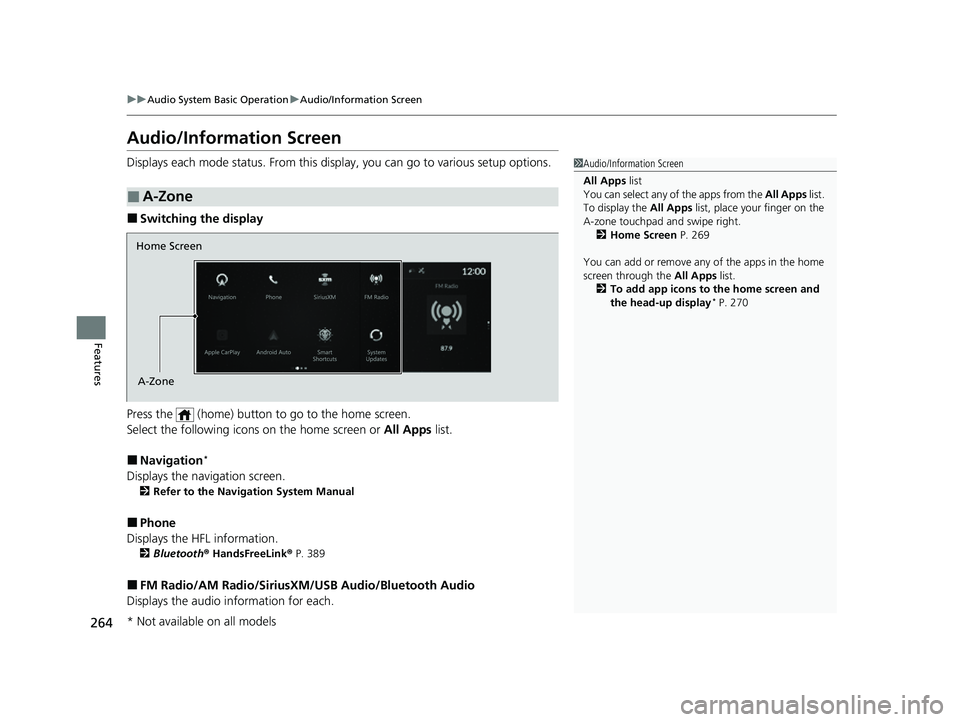
Press the (home) button to go to the home screen.
Select the following icon s on the home screen or All Apps list.
■Navigation*
Displays the navigation screen.
2Refer to the Navigation System Manual
■Phone
Displays the HFL information.
2 Bluetooth ® HandsFreeLink ® P. 389
■FM Radio/AM Radio/SiriusXM /USB Audio/Bluetooth Audio
Displays the audio information for each.
■A-Zone
1Audio/Information Screen
All Apps list
You can select any of the apps from the All Apps list.
To display the All Apps list, place your finger on the
A-zone touchpad and swipe right. 2 Home Screen P. 269
You can add or remove any of the apps in the home
screen through the All Apps list.
2 To add app icons to the home screen and
the head-up display
* P. 270
Home Screen
A-Zone
* Not available on all models
23 ACURA RDX-31TJB6400.book 264 ページ 2022年8月4日 木曜日 午後1時51分
Page 269 of 713
Continued267
uuAudio System Basic Operation uAudio/Information Screen
Features
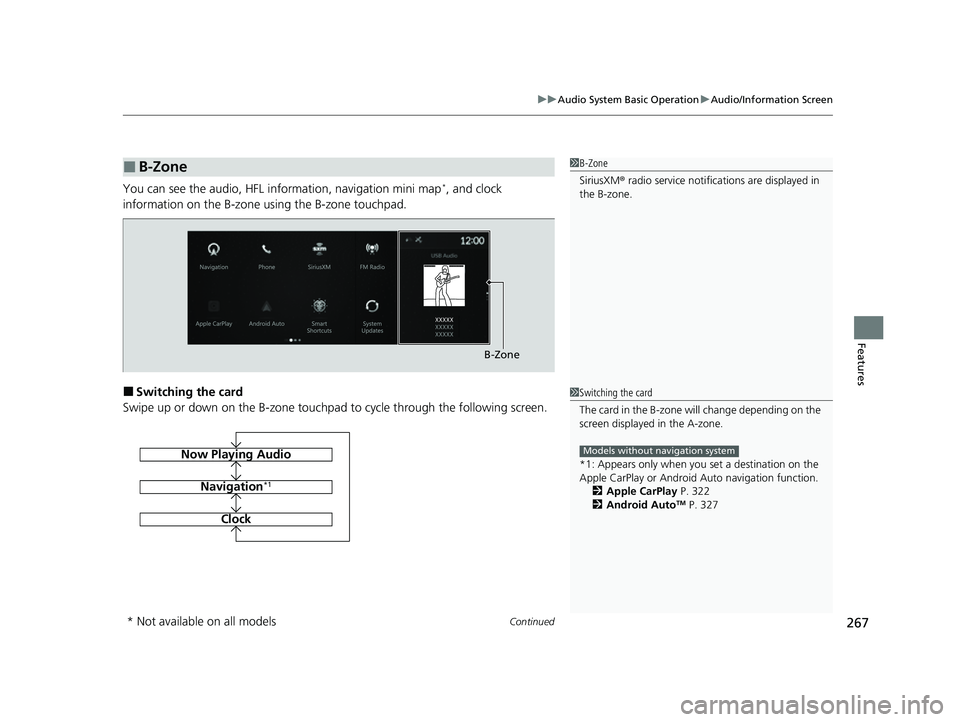
You can see the audio, HFL information, navigation mini map*, and clock
information on the B-zone using the B-zone touchpad.
■Switching the card
Swipe up or down on the B-zone touchpad to cycle through the following screen.
■B-Zone1 B-Zone
SiriusXM ® radio service notifications are displayed in
the B-zone.
B-Zone
1 Switching the card
The card in the B-zone wi ll change depending on the
screen displayed in the A-zone.
*1: Appears only when you set a destination on the
Apple CarPlay or Android Auto navigation function.
2 Apple CarPlay P. 322
2 Android Auto
TM P. 327
Models without navigation systemNow Playing Audio
Navigation*1
Clock
* Not available on all models
23 ACURA RDX-31TJB6400.book 267 ページ 2022年8月4日 木曜日 午後1時51分
Page 282 of 713
280
uuAudio System Basic Operation uSmart Shortcuts
Features
• Radio Suggestions: When selected, the corresponding radio app (FM, AM, or
SiriusXM ®) will open and it will start playing the station.
u From radio apps you can receive:
- FM, AM, SiriusXM ®: Most frequently listened stations.
- FM, SiriusXM ®: Genre-based suggestions.
u Considerations:
- FM suggestions will appear only when they are wi thin range, according to
your vehicle’s tuner signal.
- SiriusXM ® suggestions will be avai lable as long as there is an active account in
the vehicle.
23 ACURA RDX-31TJB6400.book 280 ページ 2022年8月4日 木曜日 午後1時51分
Page 289 of 713

287
uuAudio System Basic Operation uAdjusting the Sound
Features
Adjusting the Sound
1. Press the (home) button.
2. Select an audio source icon.
3. Select SOUND.
4. Select the setting you want.
3. Select MENU .
4. Select Sound Settings .
5. Select the setting you want.
Select an item from the following choices:
•Bass / Treble : Treble, Midrange, Bass
• Roof / Center Volume
*: Roof speaker,
center speaker
• Audio Zones & Balance / Fader
*: Driver
Only, Front Only, Rear Only, Full Vehicle,
Balance, Fader
• Balance / Fader
*: Balance, Fader
• Speed Volume Compensation: Sets the
amount of volume increase.
• DTS Neural Surround
*: DTS Neural
SurroundTM
• Compressed Audio Enhancement*:
Enhancement for compressed audio quality
1 Adjusting the Sound
The Speed Volume Compensation (SVC) adjusts the
volume level based on the vehicle speed. As you go
faster, audio volume increa ses. As you slow down,
audio volume decreases.
You can also adjust the sound the following
procedure.
1. Press the (home) button.
2. Select Settings .
3. Select Sound .
Audio Zones & Balance / Fader
You can change where the sound comes from by
selecting one of the speaker options below:
•Full Vehicle: All the speakers emit sound.•Driver Only: Allows driver to listen to the audio
system while maintaini ng a quieter environment
for the other occupants.
•Front Only : Allows front seat occupants to listen
to the audio system while maintaining a quieter
environment for occupants in the rear.
•Rear Only: Allows rear seat o ccupants to listen to
the audio system while maintaining a quieter
environment for occupants in the front.
Reset to Default
Select to reset the followi ng settings from the pop-up
menu to their factory default.
•Bass / Treble
•Roof / Center Volume*
•Audio Zones & Balance / Fader*
•Balance / Fader*
USB Audio mode
FM Radio, AM Radio, Siri usXM, Bluetooth Audio mode
* Not available on all models
23 ACURA RDX-31TJB6400.book 287 ページ 2022年8月4日 木曜日 午後1時51分
Page 293 of 713
291
uuAudio System Basic Operation uVoice Control Operation
Continued
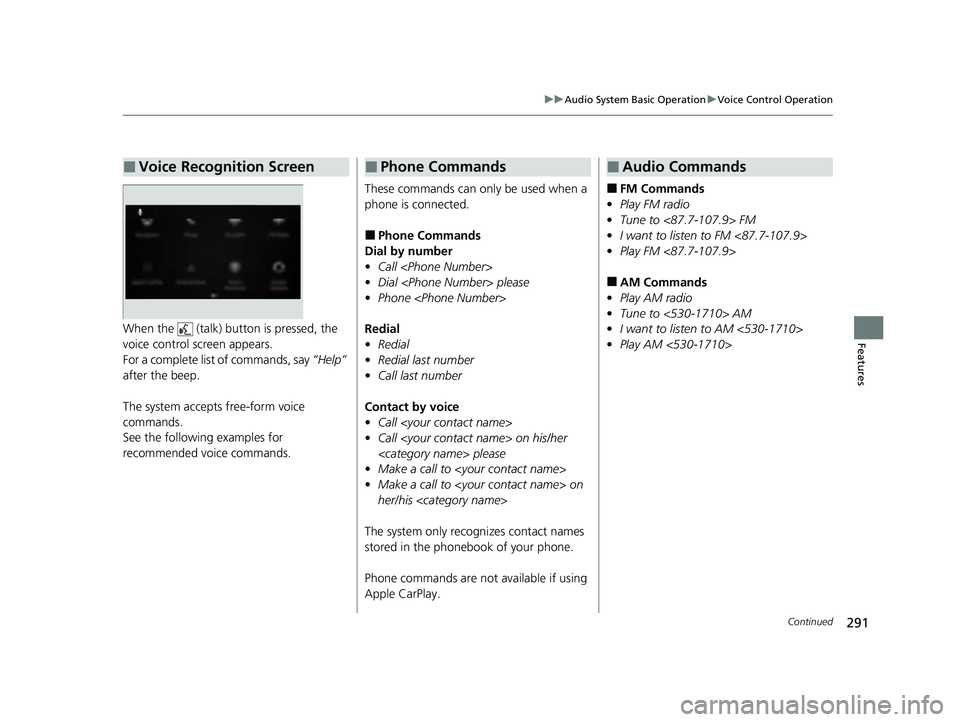
FeaturesWhen the (talk) button is pressed, the
voice control screen appears.
For a complete list of commands, say “Help”
after the beep.
The system accepts free-form voice
commands.
See the following examples for
recommended voice commands.
■Voice Recognition Screen
These commands can only be used when a
phone is connected.
■Phone Commands
Dial by number
• Call
• Dial
• Phone
Redial
• Redial
• Redial last number
• Call last number
Contact by voice
• Call
• Call
• Make a call to
• Make a call to
her/his
The system only recognizes contact names
stored in the phonebook of your phone.
Phone commands are not available if using
Apple CarPlay.
■Phone Commands
■FM Commands
• Play FM radio
• Tune to <87.7-107.9> FM
• I want to listen to FM <87.7-107.9>
• Play FM <87.7-107.9>
■AM Commands
• Play AM radio
• Tune to <530-1710> AM
• I want to listen to AM <530-1710>
• Play AM <530-1710>
■Audio Commands
23 ACURA RDX-31TJB6400.book 291 ページ 2022年8月4日 木曜日 午後1時51分
Page 294 of 713
292
uuAudio System Basic Operation uVoice Control Operation
Features
■Sirius XM Commands
• Play XM radio
• Play XM
• Listen to
• Play XM Channel
• Tune to
• Listen to
satellite radio
■USB Commands
• Play USB
• Play iPod
• Play genre
• Play
• Play
• Play
• Play
■Bluetooth ® Audio Commands
• Play Bluetooth
2 Refer to the Navigation System Manual
•Help
• Cancel
• Repeat
Help provides guidance for the current
screen.
You can search for the desired item on each
search screen with your voice.
• Next Page
• Previous Page
• Back
• Go to
• Select
*1: Models with navigation system
■Navigation Commands*1
■Standard Commands
■Letter Input Commands
■List Commands
2 Alexa Built-In* P. 289
2 Apple CarPlay P. 322
2 Android Auto
TM P. 327
■Amazon Alexa Commands
■Apple CarPlay Commands
■Android Auto Commands
* Not available on all models
23 ACURA RDX-31TJB6400.book 292 ページ 2022年8月4日 木曜日 午後1時51分
Page 295 of 713
293
uuAudio System Basic Operation uPlaying AM/FM Radio
Continued
Features
Playing AM/FM Radio
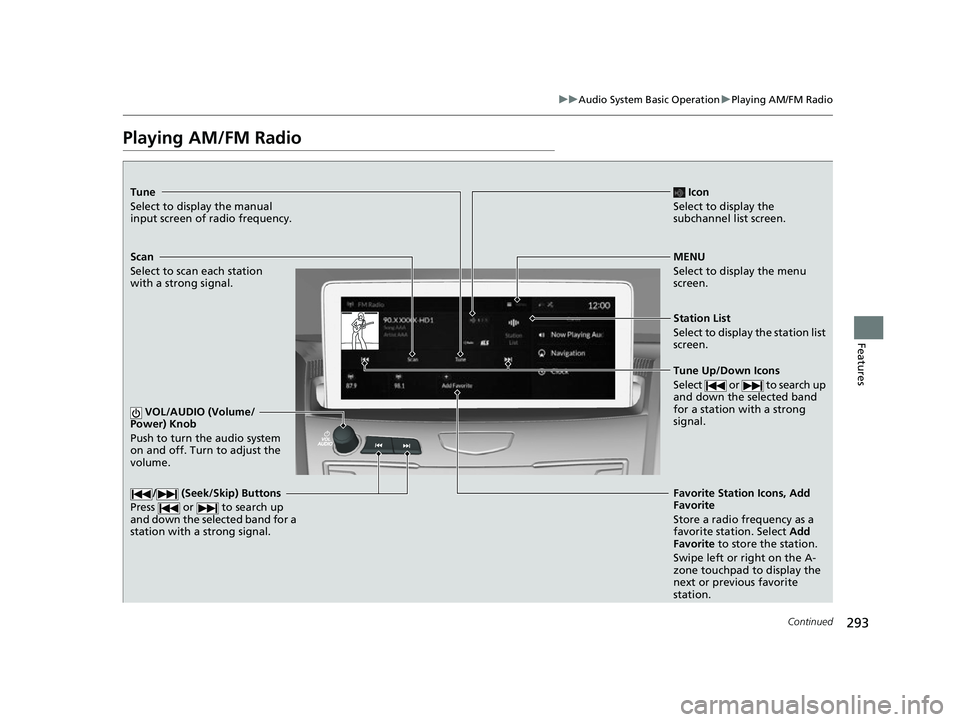
Tune
Select to display the manual
input screen of radio frequency.
MENU
Select to display the menu
screen.
Station List
Select to display the station list
screen.
Tune Up/Down Icons
Select or to search up
and down the selected band
for a station with a strong
signal.
Favorite Station Icons, Add
Favorite
Store a radio frequency as a
favorite station. Select Add
Favorite to store the station.
Swipe left or right on the A-
zone touchpad to display the
next or previous favorite
station.
VOL/AUDIO (Volume/
Power) Knob
Push to turn the audio system
on and off. Turn to adjust the
volume./ (Seek/Skip) Buttons
Press or to search up
and down the selected band for a
station with a strong signal.
Scan
Select to scan each station
with a strong signal.
Icon
Select to display the
subchannel list screen.
23 ACURA RDX-31TJB6400.book 293 ページ 2022年8月4日 木曜日 午後1時51分
Page 296 of 713
uuAudio System Basic Operation uPlaying AM/FM Radio
294
Features
To add a favorite station:
1. Tune to the selected station.
2. Select Add Favorite , then select Current Station.
u When you select From Station List , you can store a station from the station
list.
■Editing a favorite station
Select and hold to desire d favorite station icon.
The following items are available:
• Remove Favorite : Delete the favorite station icon from the favorite station list.
• Replace with (number): Replace the stor ed favorite station icon.
• Add to Home Page : Add the shortcut icon of the stored favorite station to the
home screen.
• Add to Heads-Up Display
*: Add the shortcut item of the stored favorite station
to the head-up display menu.
■Favorite Station1 Favorite Station
The ST indicator appears on the display indicating
stereo FM broadcasts.
Stereo reproduction in AM is not available.
Switching the Audio Mode
Press the APPS button on the steering wheel, then
select an item or select the audio source icon on the
home screen.
2 Audio Remote Controls P. 258
You can store 12 AM/FM stati ons as favorite stations.
HD Radio Technology manufactured under license
from iBiquity Digi tal Corporation. U.S. and Foreign
Patents. For patents see http://dts.com/patents. HD
Radio, Artist Experience, and the HD, HD Radio, and
“ARC” logos are registered trademarks or
trademarks of iBiquity Di gital Corporation in the
United States and/ or other countries.
* Not available on all models
23 ACURA RDX-31TJB6400.book 294 ページ 2022年8月4日 木曜日 午後1時51分
Page 297 of 713
Continued295
uuAudio System Basic Operation uPlaying AM/FM Radio
Features
Lists the strongest stations on the selected band.
1. Select Station List to display a list.
2. Select the station.
■Manual update
Updates your available st ation list at any time.
1. Select Station List to display a list.
2. Select Refresh .
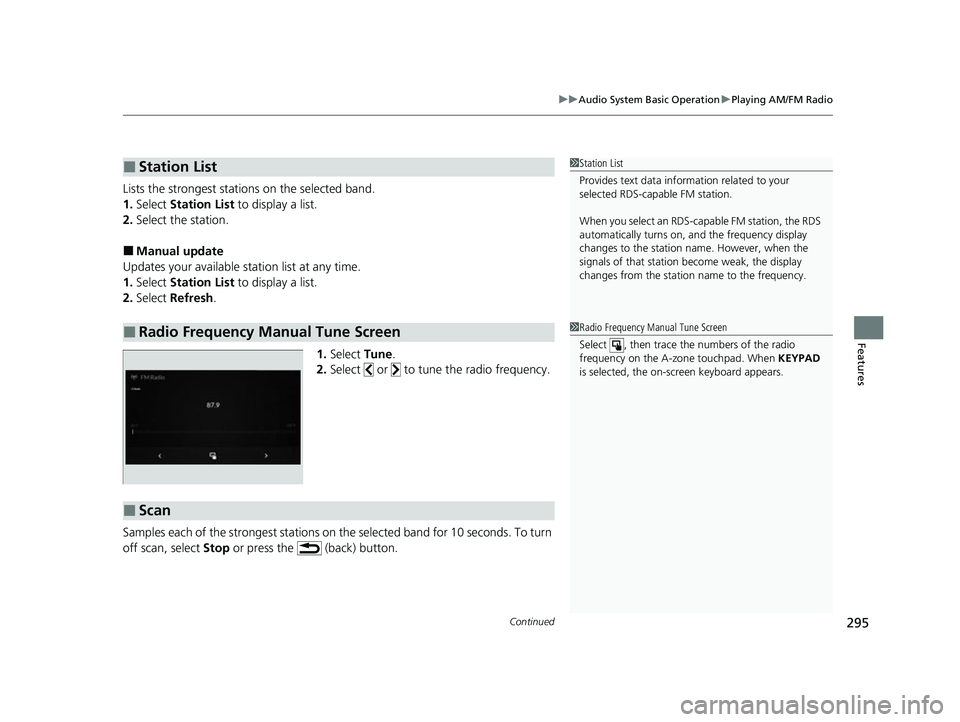
1.Select Tune.
2. Select or to tune the radio frequency.
Samples each of the strongest stations on th e selected band for 10 seconds. To turn
off scan, select Stop or press the (back) button.
■Station List
■Radio Frequency Manual Tune Screen
1Station List
Provides text data info rmation related to your
selected RDS-capable FM station.
When you select an RDS-capable FM station, the RDS
automatically turns on, and the frequency display
changes to the station name. However, when the
signals of that station become weak, the display
changes from the statio n name to the frequency.
1Radio Frequency Manual Tune Screen
Select , then trace the numbers of the radio
frequency on the A-zone touchpad. When KEYPAD
is selected, the on-screen keyboard appears.
■Scan
23 ACURA RDX-31TJB6400.book 295 ページ 2022年8月4日 木曜日 午後1時51分