stop ACURA RDX 2023 Manual PDF
[x] Cancel search | Manufacturer: ACURA, Model Year: 2023, Model line: RDX, Model: ACURA RDX 2023Pages: 713, PDF Size: 21.99 MB
Page 330 of 713
uuAudio System Basic Operation uAndroid AutoTM
328
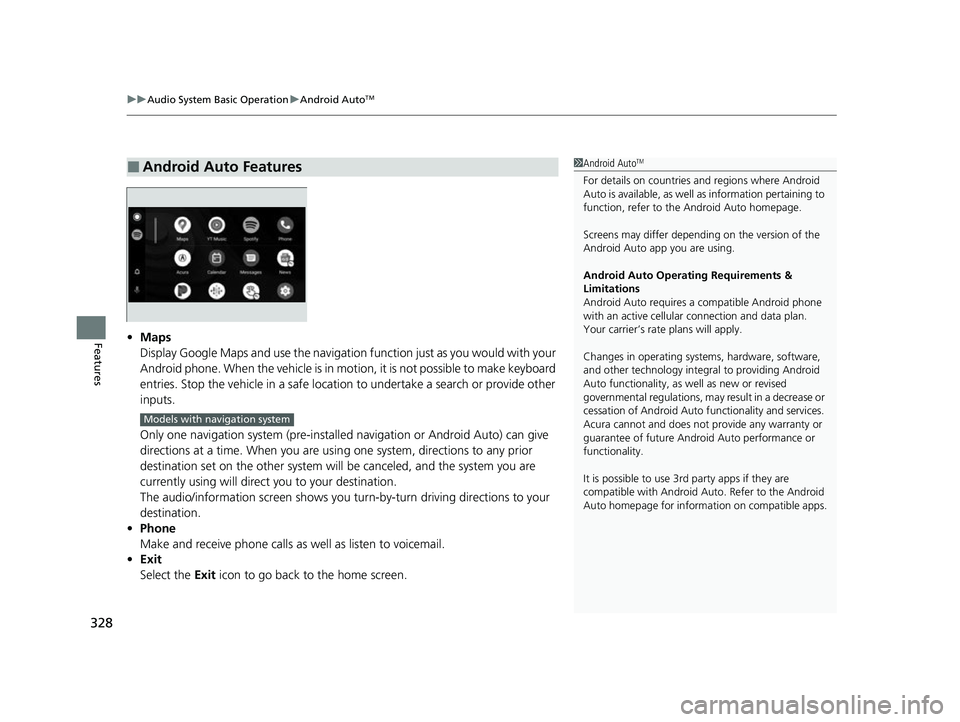
Features• Maps
Display Google Maps and use the navigation function just as you would with your
Android phone. When the vehicle is in motion, it is not possible to make keyboard
entries. Stop the vehicle in a safe location to undertake a search or provide other
inputs.
Only one navigation system (pre-installed navigation or Android Auto) can give
directions at a time. When you are usin g one system, directions to any prior
destination set on the other system will be canceled, and the system you are
currently using will direct you to your destination.
The audio/information screen shows you turn-by-turn driving directions to your
destination.
• Phone
Make and receive phone calls as well as listen to voicemail.
• Exit
Select the Exit icon to go back to the home screen.
■Android Auto Features1Android AutoTM
For details on c ountries and regions where Android
Auto is available, as well as information pertaining to
function, refer to the Android Auto homepage.
Screens may differ depending on the version of the
Android Auto app you are using.
Android Auto Operating Requirements &
Limitations
Android Auto requires a compatible Android phone
with an active cellular connection and data plan.
Your carrier’s rate plans will apply.
Changes in operating systems, hardware, software,
and other technology integral to providing Android
Auto functionality, as well as new or revised
governmental regulations, may result in a decrease or
cessation of Android Auto functionality and services.
Acura cannot and does not provide any warranty or
guarantee of future Android Auto performance or
functionality.
It is possible to use 3r d party apps if they are
compatible with Android Auto. Refer to the Android
Auto homepage for informat ion on compatible apps.
Models with navigation system
23 ACURA RDX-31TJB6400.book 328 ページ 2022年8月4日 木曜日 午後1時51分
Page 335 of 713
333
uuAudio Error Messages uAndroid/Apps
Features
Android/Apps
If an error occurs while using the audio system or apps, you may see the following
error messages. If you cannot clear the error message, contact a dealer.
*1:****part is variable characters, and will change depending upon where an error
occurs.
Error MessageSolution
Unfortunately, **** has
stopped.*1Error has occurred within app, select OK on the screen to close the app.
**** isn't responding. Do
you want to close it?*1
App is not responding.
Select Wait if you can wait for a response from app a little longer. If it does not respond even if you keep
waiting, select OK to close the app and start it up. If the error message continues, perform Factory Data
Reset .
2Defaulting All the Settings P. 385
23 ACURA RDX-31TJB6400.book 333 ページ 2022年8月4日 木曜日 午後1時51分
Page 346 of 713

344
uuGeneral Information on the Audio System uHonda App License Agreement
Features
2. Potential Map Inaccuracy and Route Safety. Maps used by this system may be inaccurate because of changes in roads, traffic controls,
routing, or driving conditions. Always use good judgment and co mmon sense when following suggested routes. Do not follow the ro ute
suggestions if doing so would result in an un safe or illegal driving maneuver, if you would be placed in an unsafe situation, o r if you would
be directed into an area that you consider unsafe. Do not rely on any navigation feat ures included in the system to route you to emergency
services. Not all emergency services such as police, fire stations, hospitals, or clinics are likely to be contained in the map database for such
navigation features. Ask local authorities or an emergency services operator for such locations and routes. The driver is ultimately
responsible for the safe operation of the ve hicle and therefore, must evaluate whether it is safe to follow the suggested directions. Any
navigation features are provided only as an aid. Make your driving decisions based on your observations of local conditions and existing
traffic regulations. Navigation features are not a substitute for your personal judgmen t. Any route suggestions made by the SOFTWARE or
SERVICES should never replace any local traffic regulations or yo ur personal judgment or knowledge of safe driving practices.
3. Speech Recognition:
You acknowledge and understand that HONDA and PROVIDERS may reco rd, retain, and use voices commands
when you use the speech recognition components of the SOFTWARE or SERVICES. You and all VEHICLE operators and passengers (a)
consent to the recording and retention of voice commands in su pport of providing speech recognition components and (b) release HONDA
and PROVIDERS from all claims, liabilities, and losses that may result from any use of such recorded voice commands. Recognitio n errors
are inherent in speech recognition. It is your responsibility to monitor any speech recognition functions included in the syste m and address
any errors. Neither HONDA nor PROVIDERS will be liable for any damages arising out of errors in the speech recognition process.
4. Distraction Hazards.
Navigation features may require manua l (non-verbal) input or setup. Attempting to perform such set-up or insert
data while driving can seriously distract your attention and could cause a crash or other serious consequences; the ability to undertake such
interactions may also be limited by state or local law, which la ws you are responsible to know and follow. Even occasional shor t scans of
the screen may be hazardous if your attention has been diverted away from your driving at a crit ical time. Pull over and stop the vehicle in
a safe and legal manner before attempting to access a function of the system requiring prolonged attention. Do not raise the vo lume
excessively. Keep the volume at a level wh ere you can still hear outside traffic and em ergency signals while driving. Driving while unable
to hear these sounds could result in a crash.
23 ACURA RDX-31TJB6400.book 344 ページ 2022年8月4日 木曜日 午後1時51分
Page 361 of 713
359Continued
Features
Customized Features
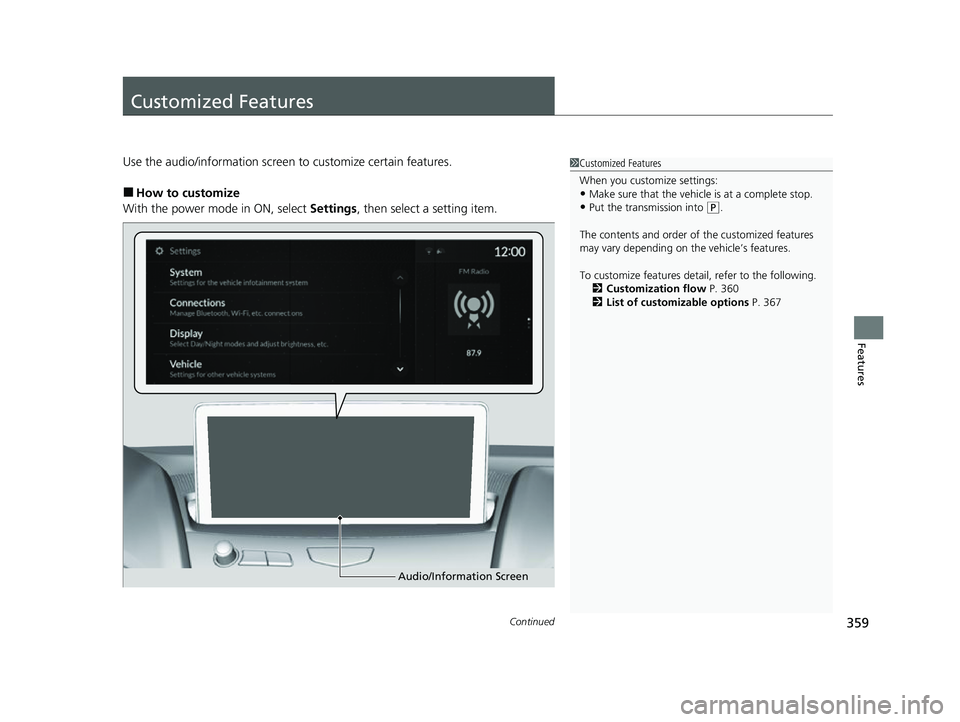
Use the audio/information screen to customize certain features.
■How to customize
With the power mode in ON, select Settings, then select a setting item.
1Customized Features
When you customize settings:
•Make sure that the vehicle is at a complete stop.
•Put the transmission into (P.
The contents and order of the customized features
may vary depending on th e vehicle’s features.
To customize features detail, refer to the following. 2 Customization flow P. 360
2 List of customizable options P. 367
Audio/Information Screen
23 ACURA RDX-31TJB6400.book 359 ページ 2022年8月4日 木曜日 午後1時51分
Page 388 of 713
386
Features
HomeLink® Universal Transceiver
The HomeLink ® Universal Transceiver can be pr ogrammed to operate up to three
remote controlled devices around your home , such as garage doors, lighting, or
home security systems.
Refer to the safety information that came wi th your garage door opener to test that
the safety features are functioning properly. If you do not have the safety
information, contac t the manufacturer.
Before programming HomeLink, make sure th at people and objects are out of the
way of the garage or gate to prevent potential injury or damage.
When programming a garage door opener, park just outside the garage door’s path.
■Important Safety Precautions
1HomeLink ® Universal Transceiver
Before programming HomeLi nk to operate a garage
door opener, confirm that the opener has an external
entrapment protection system , such as an “electronic
eye,” or other safety and reverse stop features. If it
does not, HomeLink may not be able to operate it.
NOTE:
Some LED lightbulbs instal led in the garage door
opener can interfere with th e training and consistent
operation of your HomeLink device. Please consider
use of Low RF interference bulbs in your garage door
opener.
23 ACURA RDX-31TJB6400.book 386 ページ 2022年8月4日 木曜日 午後1時51分
Page 394 of 713

392
uuBluetooth ® HandsFreeLink ®u Using HFL
Features
Certain manual functions are disabled or i noperable while the vehicle is in motion.
You cannot select a grayed-out option until the vehicle is stopped.
■Limitations for Manual Operation*
* Not available on all models
23 ACURA RDX-31TJB6400.book 392 ページ 2022年8月4日 木曜日 午後1時51分
Page 412 of 713

uuBluetooth ® HandsFreeLink ®u Text Message
410
Features
HFL can display newly received text messa ges as well as the last 20 messages
received on a linked cell phone. Each received message can be read aloud and
replied to using a fixed common phrase. 1.A pop-up appears and notifies you of a new
text message.
2. Select Open.
3. Select to listen to the message. To stop
listening to the message, select .
u Select to hear the message from the
beginning.
■Receiving a Text Message1Receiving a Text Message
Some cell phones might not be able to read the
transmission log of data sent and data received.
The system does not display any received messages
while you are driving. You can only hear them read
aloud.
The system can only receive messages that are sent as
text (SMS) messages. Messages sent using the data
services will not be displayed in the list.
With some phones, you may be able to display up to
20 of the last text messages received.
State or local laws may limit your use of the HFL text
message feature. Only use the text message feature
when conditions allow you to do so safely.
Depending on the status of the A-zone, the received
message screen may be displayed on the B-zone.
23 ACURA RDX-31TJB6400.book 410 ページ 2022年8月4日 木曜日 午後1時51分
Page 415 of 713

413
uuBluetooth ® HandsFreeLink ®u Text Message
Continued
Features
■Read or Stop reading a message
1. Display the message information.
2. Select .
u The system starts reading the message
aloud.
3. Select to stop reading.
Select again to start reading the
message.
u While listening to the message, select
to start reading the message from
the beginning.
23 ACURA RDX-31TJB6400.book 413 ページ 2022年8月4日 木曜日 午後1時51分
Page 428 of 713
uuAcuraLink ®u
426
Features
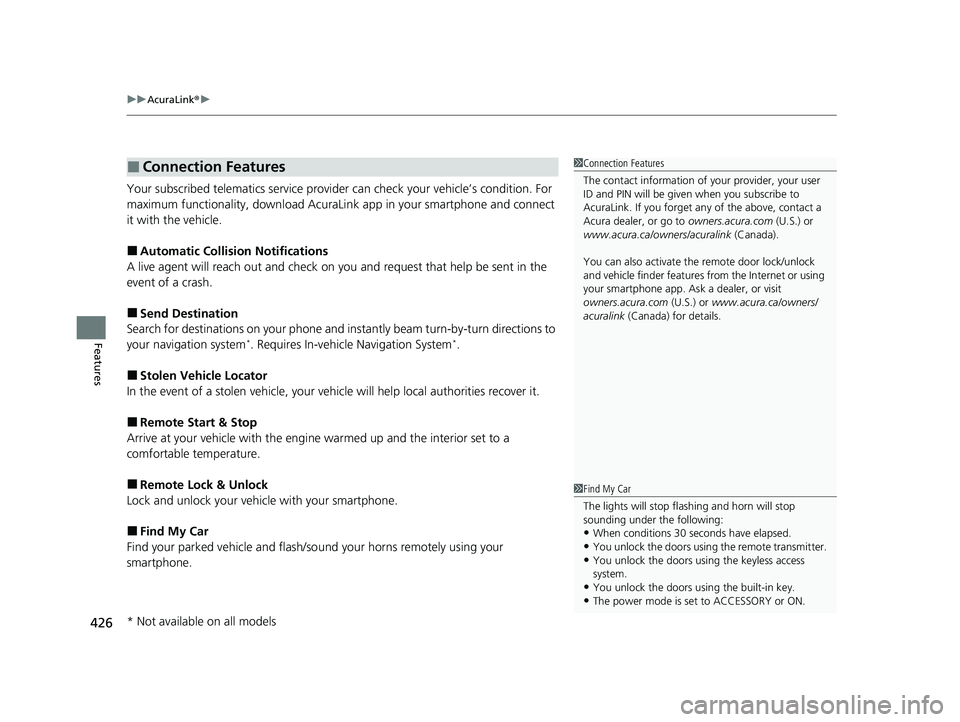
Your subscribed telematics service provider can check your vehicle’s condition. For
maximum functionality, download AcuraLin k app in your smartphone and connect
it with the vehicle.
■Automatic Collision Notifications
A live agent will reach out and check on you and request that help be sent in the
event of a crash.
■Send Destination
Search for destinations on your phone and instantly beam turn-by-turn directions to
your navigation system
*. Requires In-vehicle Navigation System*.
■Stolen Vehicle Locator
In the event of a stolen vehicle, your vehi cle will help local authorities recover it.
■Remote Start & Stop
Arrive at your vehicle with the engine warmed up and the interior set to a
comfortable temperature.
■Remote Lock & Unlock
Lock and unlock your vehicle with your smartphone.
■Find My Car
Find your parked vehicle and flash/so und your horns remotely using your
smartphone.
■Connection Features1 Connection Features
The contact information of your provider, your user
ID and PIN will be given when you subscribe to
AcuraLink. If you forget any of the above, contact a
Acura dealer, or go to owners.acura.com (U.S.) or
www.acura.ca/owners/acuralink (Canada).
You can also activate the remote door lock/unlock
and vehicle finder features from the Internet or using
your smartphone app. As k a dealer, or visit
owners.acura.com (U.S.) or www.acura.ca/owners/
acuralink (Canada) for details.
1Find My Car
The lights will stop flas hing and horn will stop
sounding under the following:
•When conditions 30 seconds have elapsed.
•You unlock the doors using the remote transmitter.
•You unlock the doors using the keyless access
system.
•You unlock the doors us ing the built-in key.
•The power mode is set to ACCESSORY or ON.
* Not available on all models
23 ACURA RDX-31TJB6400.book 426 ページ 2022年8月4日 木曜日 午後1時51分
Page 431 of 713

429
Driving
This chapter discusses driving and refueling.
Before Driving................................... 430
Towing a Trailer ................................ 435
Off-Highway Driving Guidelines ..... 441
When Driving Starting the Engine .......................... 443
Precautions While Driving................. 449
Automatic Transmission ................... 450
Shifting ............................................ 451
Acura Integrated Dynamics System... 459
Auto Idle Stop .................................. 464
Vehicle Stability AssistTM (VSA®), aka Electronic
Stability Control (ESC), System ................. 471
Agile Handling Assist ....................... 473 Super Handling-All Wheel Drive
TM (SH-
AWD® )*......................................... 474
Tire Pressure Monitoring System (TPMS)
with Tire Fill Assist .......................... 475
Tire Pressure Monitoring System (TPMS) - Required Federal Explanation ......... 477
Blind Spot Information System ......... 479
AcuraWatch
TM................................... 483
Collision Mitigati on Braking SystemTM
(CMBSTM) ....................................... 486
Low Speed Braking Control*............ 497
Adaptive Cruise Control (ACC) with Low
Speed Follow ................................. 502 Lane Keeping Assist System (LKAS) .. 522
Road Departure Miti
gation System... 530
Traffic Sign Recognition System ....... 535
Front Sensor Camera ....................... 541
Radar Sensor ................................... 543
Sonar Sensors
*................................ 544
Braking .............................................. 545
Parking Your Vehicle ........................ 555
Multi-View Rear Camera
*................ 565
Surround View Camera System*..... 567
Refueling ........................................... 575
Fuel Economy and CO
2 Emissions .... 578
Turbo Engine Vehicle ....................... 579
* Not available on all models
23 ACURA RDX-31TJB6400.book 429 ページ 2022年8月4日 木曜日 午後1時51分