ad blue Acura TL 2009 Navigation Manua
[x] Cancel search | Manufacturer: ACURA, Model Year: 2009, Model line: TL, Model: Acura TL 2009Pages: 172, PDF Size: 16.82 MB
Page 153 of 172
Glossary
Navigation System153
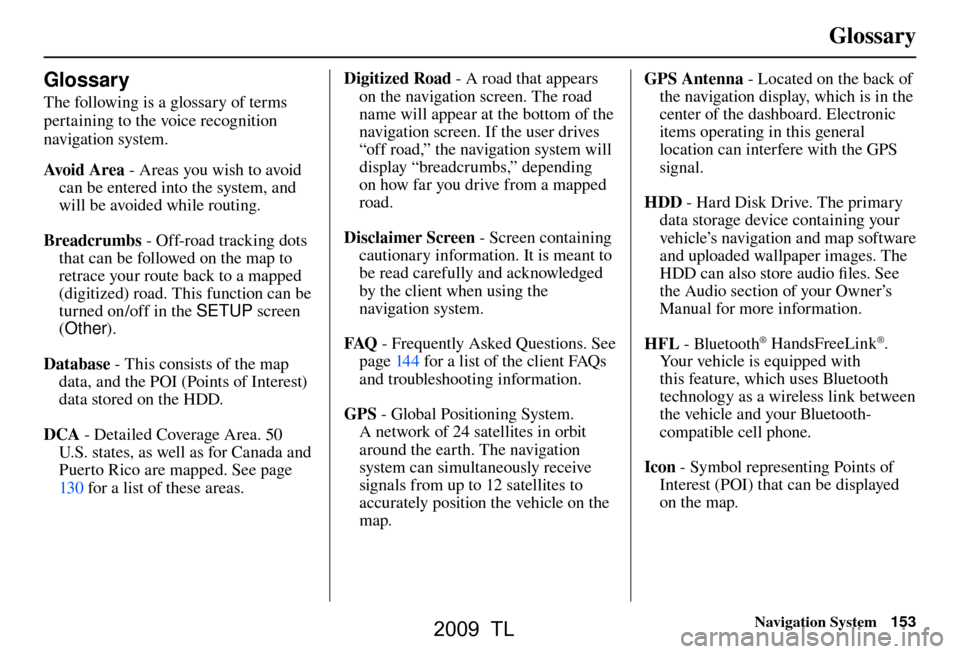
Glossary
The following is a glossary of terms
pertaining to the voice recognition
navigation system.
Avo i d A r e a - Areas you wish to avoid
can be entered into the system, and
will be avoided while routing.
Breadcrumbs - Off-road tracking dots
that can be followed on the map to
retrace your route back to a mapped
(digitized) road. This function can be
turned on/off in the SETUP screen
( Other ).
Database - This consists of the map
data, and the POI (Points of Interest)
data stored on the HDD.
DCA - Detailed Coverage Area. 50
U.S. states, as well as for Canada and
Puerto Rico are mapped. See page
130 f or a list of these areas. Digitized Road
- A road that appears
on the navigation screen. The road
name will appear at the bottom of the
navigation screen. If the user drives
“off road,” the navigation system will
display “breadcrumbs,” depending
on how far you drive from a mapped
road.
Disclaimer Screen - Screen containing
cautionary information. It is meant to
be read carefully and acknowledged
by the client when using the
navigation system.
FAQ - Frequently Asked Questions. See
pag e 144 f or a list of the client FAQs
and troubleshooting information.
GPS - Global Positioning System.
A network of 24 satellites in orbit
around the earth. The navigation
system can simultaneously receive
signals from up to 12 satellites to
accurately position the vehicle on the
map. GPS Antenna
- Located on the back of
the navigation display, which is in the
center of the dashboard. Electronic
items operating in this general
location can interfere with the GPS
signal.
HDD - Hard Disk Drive. The primary
data storage device containing your
vehicle’s navigation and map software
and uploaded wallpaper images. The
HDD can also store audio fi les. See
the Audio section of your Owner’s
Manual for more infor mation.
HFL - Bluetooth
® HandsFreeLink®.
Your vehicle is equipped with
this feature, which uses Bluetooth
technology as a wireless link between
the vehicle and your Bluetooth-
compatible cell phone.
Icon - Symbol representing Points of
Interest (POI) that can be displayed
on the map.
2009 TL
Page 162 of 172
Voice Command Index
162 Navigation System
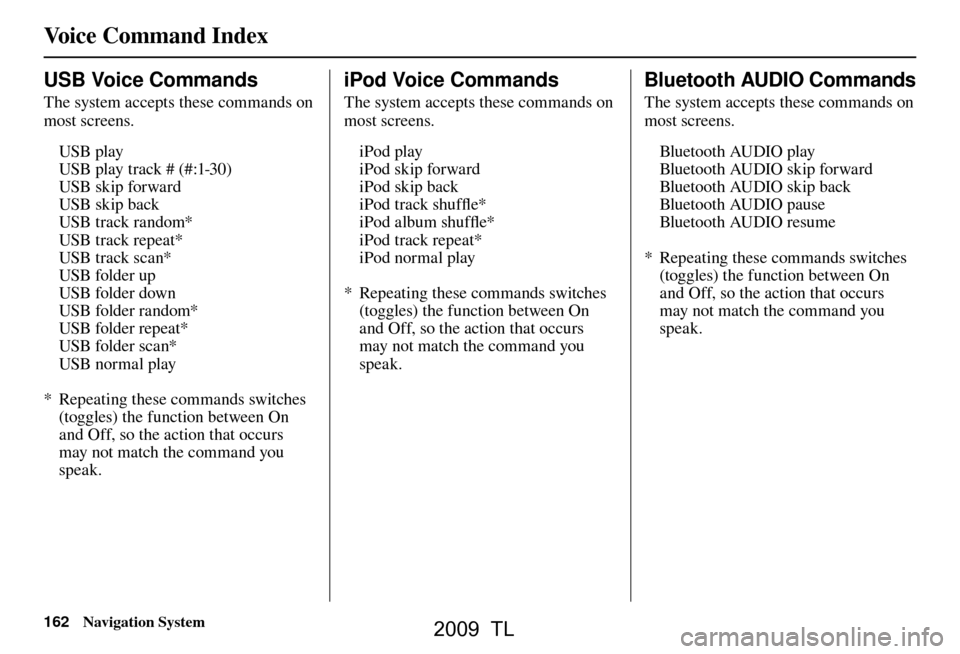
USB Voice Commands
The system accepts these commands on
most screens.
USB play
USB play track # (#:1-30)
USB skip forward
USB skip back
USB track random*
USB track repeat*
USB track scan*
USB folder up
USB folder down
USB folder random*
USB folder repeat*
USB folder scan*
USB normal play
* Repeating these commands switches (toggles) the function between On
and Off, so the action that occurs
may not match the command you
speak.
iPod Voice Commands
The system accepts these commands on
most screens.
iPod play
iPod skip forward
iPod skip back
iPod track shuffl e*
iPod album shuffl e*
iPod track repeat*
iPod normal play
* Repeating these commands switches (toggles) the function between On
and Off, so the action that occurs
may not match the command you
speak.
Bluetooth AUDIO Commands
The system accepts these commands on
most screens.
Bluetooth AUDIO play
Bluetooth AUDIO skip forward
Bluetooth AUDIO skip back
Bluetooth AUDIO pause
Bluetooth AUDIO resume
* Repeating these commands switches (toggles) the function between On
and Off, so the action that occurs
may not match the command you
speak.
2009 TL
Page 168 of 172
INDEX
168 Navigation System
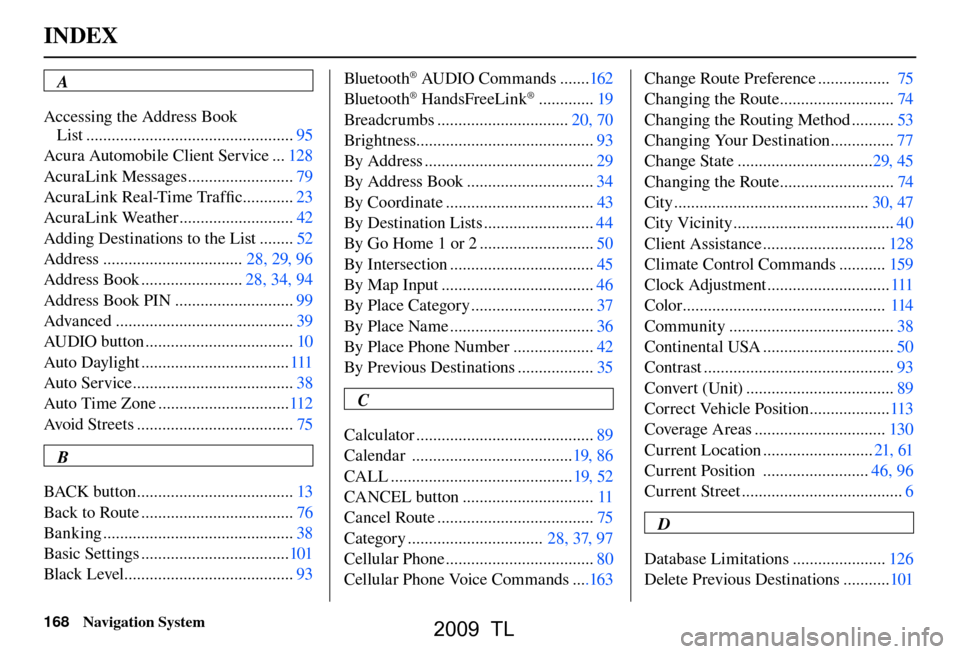
A
Accessing the Address Book
List ................................................. 95
Acura Automobile Client Service ... 128
AcuraLink Messages ......................... 79
AcuraLink Real-Time Traffi c ............23
AcuraLink Weather ........................... 42
Adding Destinations to the List ........ 52
Address ................................. 28, 29, 96
Address Book ........................ 28, 34, 94
Address Book PIN ............................ 99
Advanced .......................................... 39
AUDIO button ................................... 10
Auto Daylight ................................... 111
Auto Service ...................................... 38
Auto Time Zone ............................... 112
Avoid Streets ..................................... 75
B
BACK button ..................................... 13
Back to Route .................................... 76
Banking ............................................. 38
Basic Settings ................................... 101
Black Level ........................................ 93Bluetooth
® AUDIO Commands .......
162
Bluetooth® HandsFreeLink® ............. 19
Breadcrumbs ............................... 20, 70
Brightness.......................................... 93
By Address ........................................ 29
By Address Book .............................. 34
By Coordinate ................................... 43
By Destination Lists .......................... 44
By Go Home 1 or 2 ........................... 50
By Intersection .................................. 45
By Map Input .................................... 46
By Place Category ............................. 37
By Place Name .................................. 36
By Place Phone Number ................... 42
By Previous Destinations .................. 35
C
Calculator .......................................... 89
Calendar ...................................... 19, 86
CALL ........................................... 19, 52
CANCEL button ............................... 11
Cancel Route ..................................... 75
Category ................................ 28, 37, 97
Cellular Phone ................................... 80
Cellular Phone Voice Commands ....163Change Route Preference .................
75
Changing the Route ........................... 74
Changing the Routing Method .......... 53
Changing Your Destination ............... 77
Change State ................................ 29, 45
Changing the Route ........................... 74
City .............................................. 30, 47
City Vicinity ...................................... 40
Client Assistance ............................. 128
Climate Control Commands ........... 159
Clock Adjustment ............................. 111
Color ................................................ 114
Community ....................................... 38
Continental USA ............................... 50
Contrast ............................................. 93
Convert (Unit) ................................... 89
Correct Vehicle Position ................... 113
Coverage Areas ............................... 130
Current Location .......................... 21, 61
Current Position ......................... 46, 96
Current Street ...................................... 6
D
Database Limitations ...................... 126
Delete Previous Destinations ........... 101
2009 TL