parking Acura TLX 2015 User Guide
[x] Cancel search | Manufacturer: ACURA, Model Year: 2015, Model line: TLX, Model: Acura TLX 2015Pages: 545, PDF Size: 19.64 MB
Page 101 of 545
100
uuIndicators uMulti-Information Display Warn ing and Information Messages
Instrument Panel
*1:On the left: Models with full color display
On the right: Models without full color display
Message
*1
Condition
Explanation
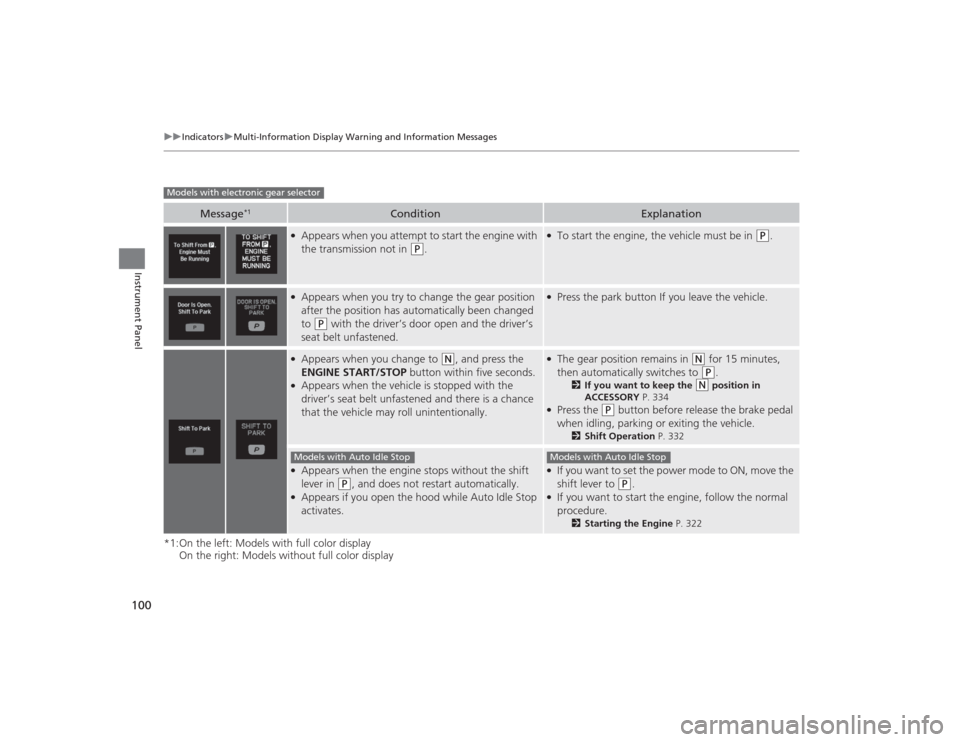
●Appears when you attempt to start the engine with
the transmission not in
(P
.
●To start the engine, the vehicle must be in
(P
.
●Appears when you try to change the gear position
after the position has automatically been changed
to
(P
with the driver’s door open and the driver’s
seat belt unfastened.
●Press the park button If you leave the vehicle.
●Appears when you change to
(N
, and press the
ENGINE START/STOP button within five seconds.
●Appears when the vehicle is stopped with the
driver’s seat belt unfastened and there is a chance
that the vehicle may roll unintentionally.
●The gear position remains in
(N
for 15 minutes,
then automatically switches to (P
.
2 If you want to keep the
(N
position in
ACCESSORY P. 334
●Press the
(P
button before release the brake pedal
when idling, parking or exiting the vehicle.
2 Shift Operation P. 332
●Appears when the engine stops without the shift
lever in
(P
, and does not restart automatically.
●Appears if you open the hood while Auto Idle Stop
activates.
●If you want to set the power mode to ON, move the
shift lever to
(P
.
●If you want to start the engine, follow the normal
procedure.
2Starting the Engine P. 322
Models with electronic gear selector
Models with Auto Idle Stop
Models with Auto Idle Stop
Page 106 of 545
105
uuIndicators uMulti-Information Display Warning and Information Messages
Continued
Instrument Panel
*1:On the left: Models with full color display
On the right: Models without full color display
Message
*1
Condition
Explanation
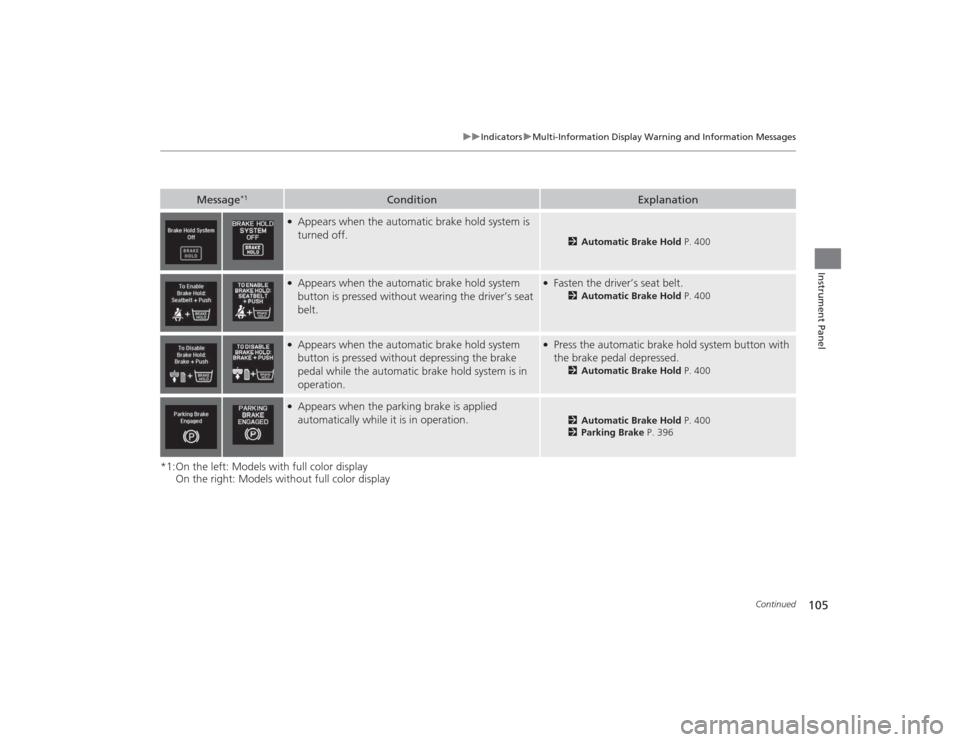
●Appears when the automatic brake hold system is
turned off.
2Automatic Brake Hold P. 400
●Appears when the automatic brake hold system
button is pressed without wearing the driver’s seat
belt.
●Fasten the driver’s seat belt.
2Automatic Brake Hold P. 400
●Appears when the automatic brake hold system
button is pressed without depressing the brake
pedal while the automatic brake hold system is in
operation.
●Press the automatic brake hold system button with
the brake pedal depressed.
2Automatic Brake Hold P. 400
●Appears when the parking brake is applied
automatically while it is in operation.
2Automatic Brake Hold P. 400
2 Parking Brake P. 396
Page 107 of 545

106
uuIndicators uMulti-Information Display Warn ing and Information Messages
Instrument Panel
Message
Condition
Explanation
●Appears if there is a problem with the parking sensor
system.
●Check if the area around the sensor(s) is covered with
mud, ice, snow, etc. If the indicator(s) stays on even
after you clean the area, have the system checked by a
dealer.
Models with parking sensor system
Page 111 of 545
110
uuIndicators uMulti-Information Display Warn ing and Information Messages
Instrument Panel
Message
Condition
Explanation
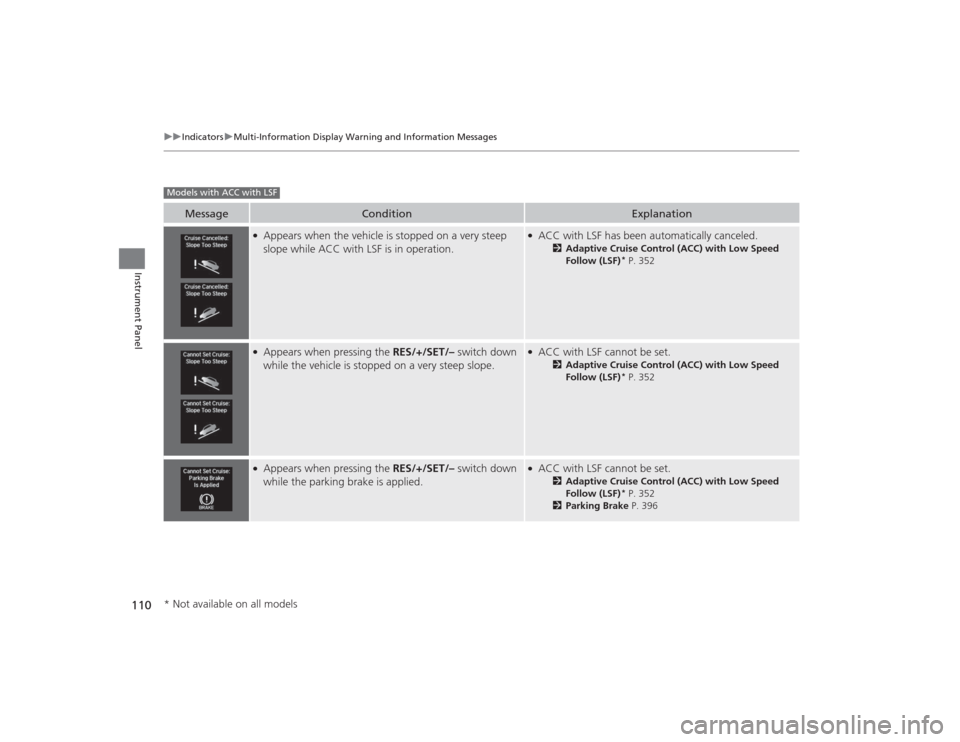
●Appears when the vehicle is stopped on a very steep
slope while ACC with LSF is in operation.
●ACC with LSF has been automatically canceled.
2Adaptive Cruise Control (ACC) with Low Speed
Follow (LSF)
* P. 352
●Appears when pressing the RES/+/SET/– switch down
while the vehicle is stopped on a very steep slope.
●ACC with LSF cannot be set.
2 Adaptive Cruise Control (ACC) with Low Speed
Follow (LSF)
* P. 352
●Appears when pressing the RES/+/SET/– switch down
while the parking brake is applied.
●ACC with LSF cannot be set.
2 Adaptive Cruise Control (ACC) with Low Speed
Follow (LSF)
* P. 352
2 Parking Brake P. 396
Models with ACC with LSF* Not available on all models
Page 166 of 545
165
uuOperating the Switches Around the Steering Wheel uLight Switches
Continued
Controls
Light Switches
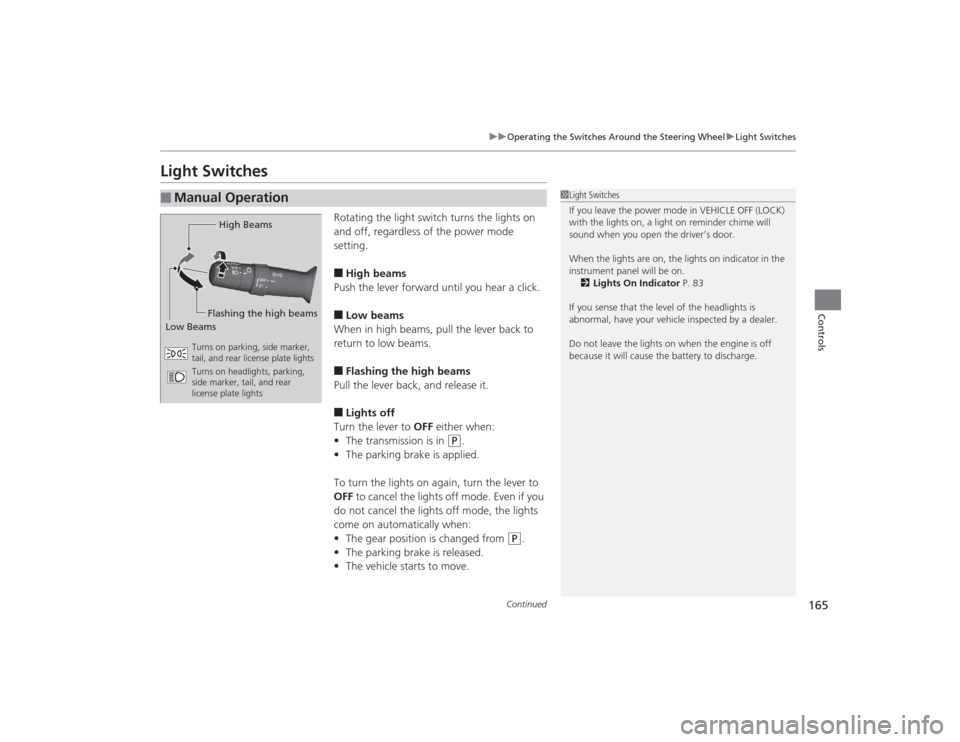
Rotating the light switch turns the lights on
and off, regardless of the power mode
setting.■High beams
Push the lever forward until you hear a click.■Low beams
When in high beams, pull the lever back to
return to low beams.■Flashing the high beams
Pull the lever back, and release it.■Lights off
Turn the lever to OFF either when:
• The transmission is in
(P
.
• The parking brake is applied.
To turn the lights on again, turn the lever to
OFF to cancel the lights off mode. Even if you
do not cancel the lights off mode, the lights
come on automatically when:
• The gear position is changed from
(P
.
• The parking brake is released.
• The vehicle starts to move.
■
Manual Operation
1Light Switches
If you leave the power mode in VEHICLE OFF (LOCK)
with the lights on, a light on reminder chime will
sound when you open the driver’s door.
When the lights are on, the lights on indicator in the
instrument panel will be on. 2 Lights On Indicator P. 83
If you sense that the level of the headlights is
abnormal, have your vehicle inspected by a dealer.
Do not leave the lights on when the engine is off
because it will cause the battery to discharge.
High Beams
Flashing the high beams
Low Beams
Turns on parking, side marker,
tail, and rear license plate lights
Turns on headlights, parking,
side marker, tail, and rear
license plate lights
Page 167 of 545
uuOperating the Switches Around the Steering Wheel uLight Switches
166Controls
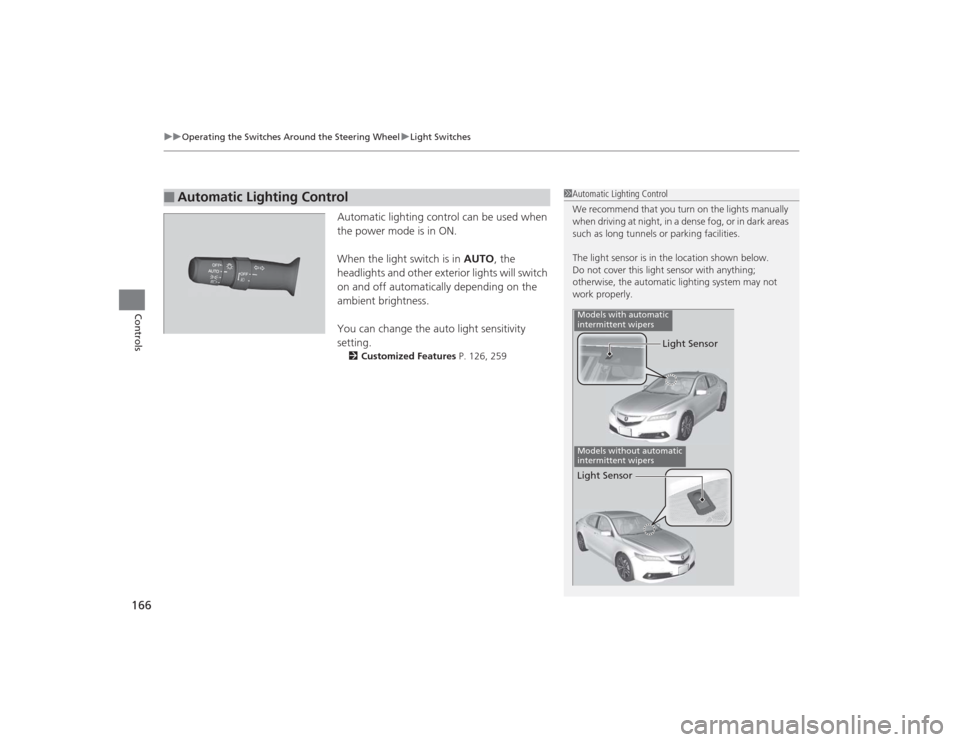
Automatic lighting control can be used when
the power mode is in ON.
When the light switch is in AUTO , the
headlights and other exterior lights will switch
on and off automatically depending on the
ambient brightness.
You can change the auto light sensitivity
setting.2 Customized Features P. 126, 259
■
Automatic Lighting Control
1Automatic Lighting Control
We recommend that you turn on the lights manually
when driving at night, in a dense fog, or in dark areas
such as long tunnels or parking facilities.
The light sensor is in the location shown below.
Do not cover this light sensor with anything;
otherwise, the automatic lighting system may not
work properly.
Light Sensor
Models with automatic
intermittent wipersModels without automatic
intermittent wipersLight Sensor
Page 169 of 545
168
uuOperating the Switches Around the Steering Wheel uFog Lights
*
Controls
Fog Lights
*
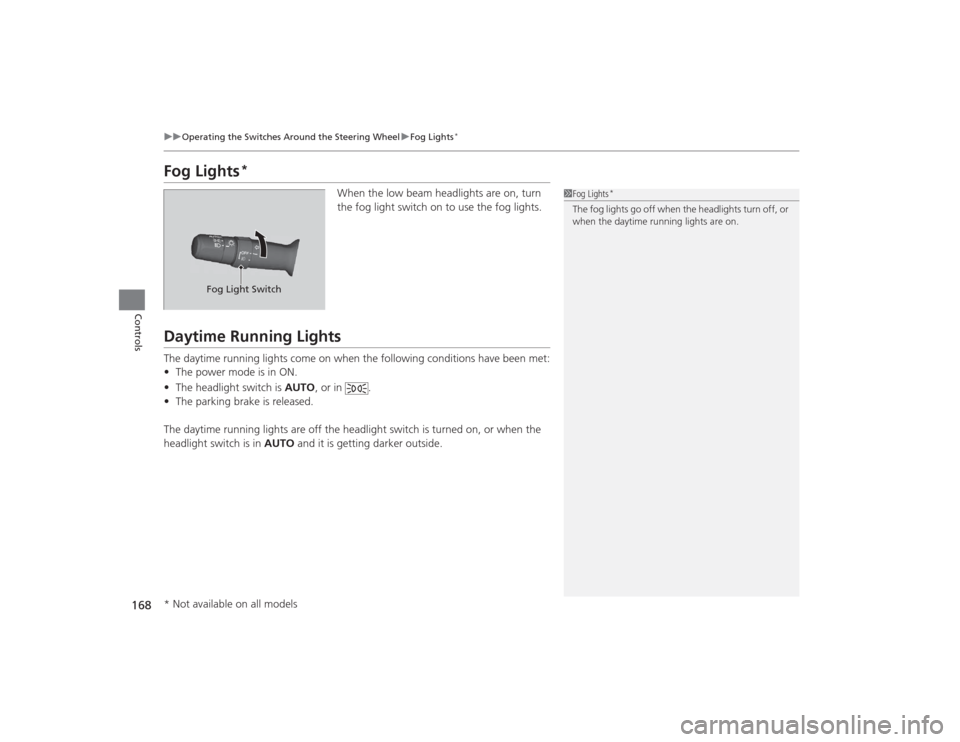
When the low beam headlights are on, turn
the fog light switch on to use the fog lights.
Daytime Running LightsThe daytime running lights come on when the following conditions have been met:
• The power mode is in ON.
• The headlight switch is AUTO, or in .
• The parking brake is released.
The daytime running lights are off the headlight switch is turned on, or when the
headlight switch is in AUTO and it is getting darker outside.
1Fog Lights
*
The fog lights go off when the headlights turn off, or
when the daytime running lights are on.
Fog Light Switch
* Not available on all models
Page 173 of 545
172
uuOperating the Switches Around the Steering Wheel uBrightness Control
Controls
Brightness Control
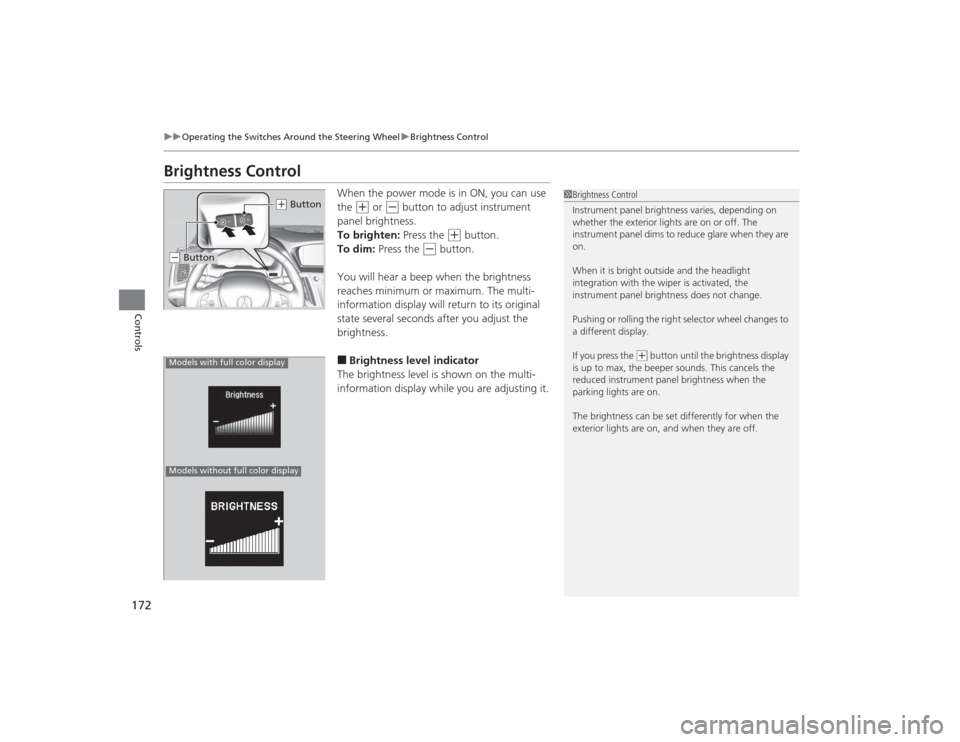
When the power mode is in ON, you can use
the
(+
or
(-
button to adjust instrument
panel brightness.
To brighten: Press the
(+
button.
To dim: Press the
(-
button.
You will hear a beep when the brightness
reaches minimum or maximum. The multi-
information display will return to its original
state several seconds after you adjust the
brightness.
■Brightness level indicator
The brightness level is shown on the multi-
information display while you are adjusting it.
1 Brightness Control
Instrument panel brightness varies, depending on
whether the exterior lights are on or off. The
instrument panel dims to reduce glare when they are
on.
When it is bright outside and the headlight
integration with the wiper is activated, the
instrument panel brightness does not change.
Pushing or rolling the right selector wheel changes to
a different display.
If you press the
(+ button until the brightness display
is up to max, the beeper sounds. This cancels the
reduced instrument panel brightness when the
parking lights are on.
The brightness can be set differently for when the
exterior lights are on, and when they are off.
( + Button
(- ButtonModels with full color displayModels without full color display
Page 176 of 545
175
uuOperating the Switches Around the Steering Wheel uDriving Position Memory System
Controls
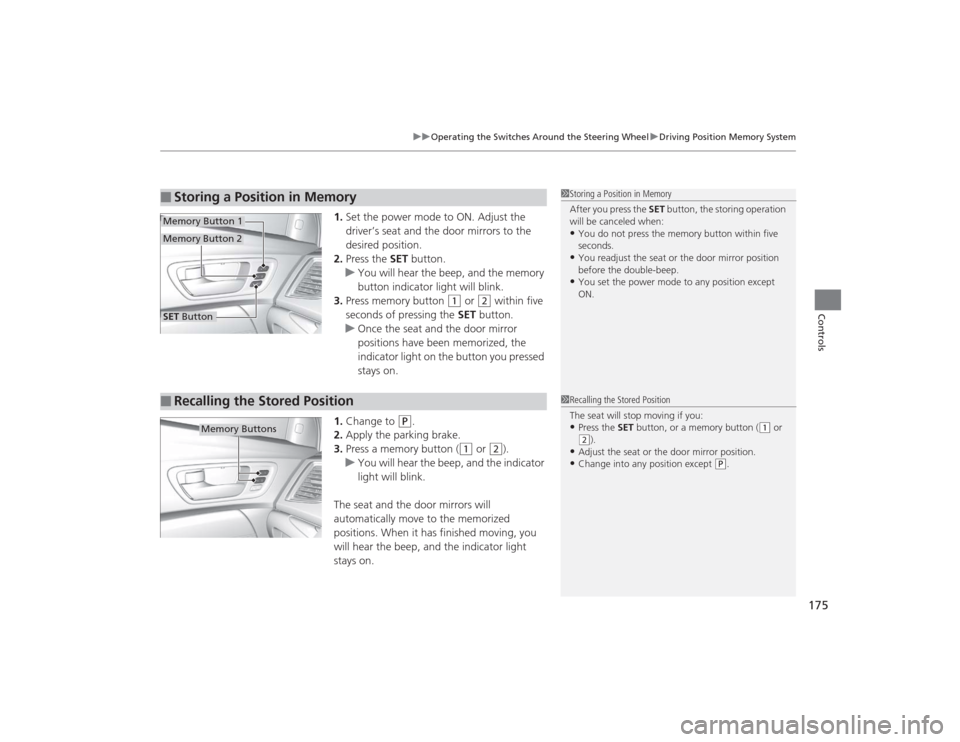
1. Set the power mode to ON. Adjust the
driver’s seat and the door mirrors to the
desired position.
2. Press the SET button.
u You will hear the beep, and the memory
button indicator light will blink.
3. Press memory button
(1
or
(2
within five
seconds of pressing the SET button.
u Once the seat and the door mirror
positions have been memorized, the
indicator light on the button you pressed
stays on.
1. Change to
(P
.
2. Apply the parking brake.
3. Press a memory button (
(1
or
(2
).
u You will hear the beep, and the indicator
light will blink.
The seat and the door mirrors will
automatically move to the memorized
positions. When it has finished moving, you
will hear the beep, and the indicator light
stays on.
■
Storing a Position in Memory
1 Storing a Position in Memory
After you press the SET button, the storing operation
will be canceled when:•You do not press the memory button within five
seconds.•You readjust the seat or the door mirror position
before the double-beep.•You set the power mode to any position except
ON.
SET ButtonMemory Button 1Memory Button 2■
Recalling the Stored Position
1 Recalling the Stored Position
The seat will stop moving if you:•Press the SET button, or a memory button (
(1 or
(2).
•Adjust the seat or the door mirror position.•Change into any position except
(P.
Memory Buttons
Page 191 of 545
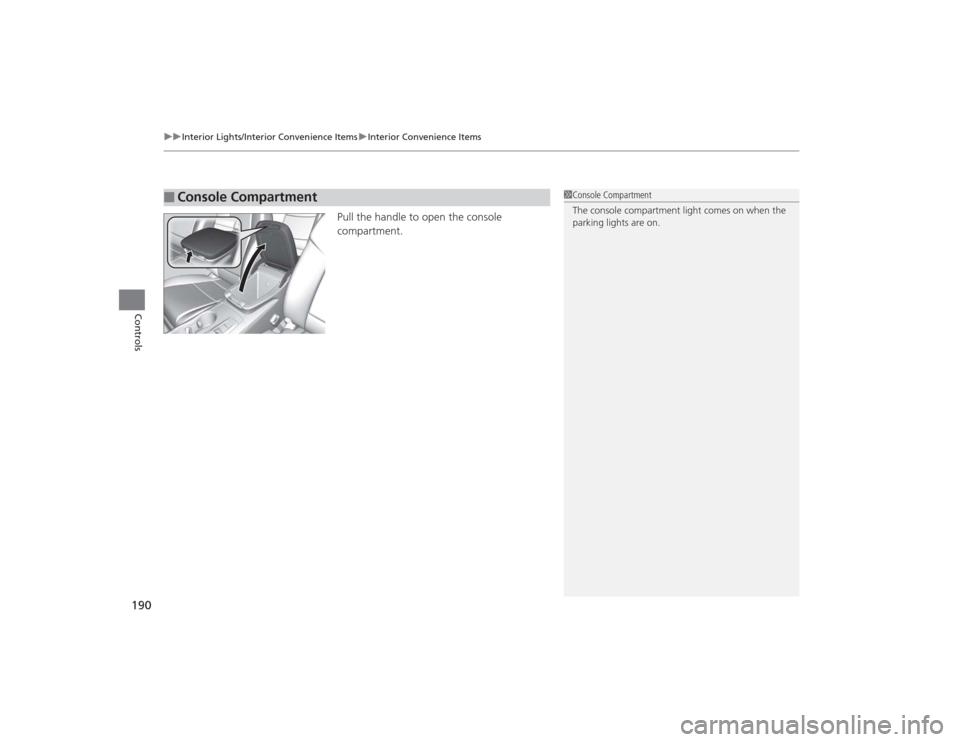
uuInterior Lights/Interior Convenience Items uInterior Convenience Items
190Controls
Pull the handle to open the console
compartment.
■
Console Compartment
1Console Compartment
The console compartment light comes on when the
parking lights are on.