speed Acura TLX 2015 Manual PDF
[x] Cancel search | Manufacturer: ACURA, Model Year: 2015, Model line: TLX, Model: Acura TLX 2015Pages: 545, PDF Size: 19.64 MB
Page 356 of 545

Continued
355
uuWhen Driving uAdaptive Cruise Control (ACC) with Low Speed Follow (LSF)
*
Driving
■There is a vehicle ahead
ACC with LSF monitors if a vehicle ahead of you enters the ACC with LSF range. If a
vehicle is detected doing so, the ACC with LSF system maintains or decelerates your
vehicle’s set speed in order to keep the vehicle’s set following-distance from the
vehicle ahead.2 To Set or Change Following-distance P. 360
When a vehicle whose speed is slower than
you r se t spe e d c om e s in or cu t s in f r on t of yo u
and is detected by the radar and the camera,
your vehicle starts to slow down.
■
When in Operation
1When in Operation
If the vehicle detected ahead of you slows down
abruptly, or if another vehicle is detected cutting in
front of you, the beeper sounds and a message
appears on the multi-information display.
Depress the brake pedal, and keep an appropriate
distance from the vehicle ahead.
Even if the distance between your vehicle and the
vehicle detected ahead is short, ACC with LSF may
start accelerating your vehicle under the following
circumstances:•The vehicle ahead of you is going at almost the
same speed as, or faster than, your vehicle.•A vehicle that cuts in front of you is going faster
than your vehicle, gradually increasing the distance
between the vehicles.
You can also set the system to beep when a vehicle
detected in front of you comes in and goes out of the
ACC with LSF detecting range. Change the ACC
Forward Vehicle Detect Beep
* setting.
2 Customized Features P. 126, 259Beep
ACC with LSF Range: 394 ft. (120 m)
A vehicle icon appears on the
multi-information display
* Not available on all models
Page 357 of 545

uuWhen Driving uAdaptive Cruise Control (ACC) with Low Speed Follow (LSF)
*
356Driving
■There is no vehicle ahead
Your vehicle maintains the set speed without
having to keep your foot on the brake or
accelerator pedal.
If there previously was a vehicle detected
ahead that kept your vehicle from traveling at
the set speed, ACC with LSF accelerates your
vehicle to the set speed, and then maintains it.■When you depress the accelerator pedal
You can temporarily increase the vehicle speed. In this case, there is no audible or
visual alert even if a vehicle is in the ACC with LSF range.
ACC with LSF stays on unless you cancel it. Once you release the accelerator pedal,
the system resumes the set speed.■A vehicle detected ahead is within ACC with LSF range and slows to a stop
Your vehicle also stops, automatically. The
Stopped message appears on the multi-
information display.
When the vehicle ahead of you starts again,
the vehicle icon on the multi-information
display blinks. If you press the RES/+/SET/–
switch up or down, or depress the accelerator
pedal, ACC with LSF operates again within the
previously set speed.A vehicle icon with dotted-line
contour appears on the multi-
information display
1 When in Operation
Limitations
You may need to use the brake to maintain a safe
distance when using ACC with LSF. Additionally,
ACC with LSF may not work properly under certain
conditions.
2 ACC with LSF Conditions and Limitations
P. 357
When your vehicle stops automatically because a
vehicle detected ahead of you has stopped, the
distance between the two vehicles will vary based on
the ACC with LSF following-distance setting, as
follows:
Short: 8.2 ft (2.5 m)
Middle: 9.8 ft (3.0 m)
Long: 13.1 ft (4.0 m)
Extra Long: 16.4 ft (5.0 m) 2 To Set or Change Following-distance P. 360
Page 358 of 545
357
uuWhen Driving uAdaptive Cruise Control (ACC) with Low Speed Follow (LSF)
*
Continued
Driving
The system may automatically shut off and the ACC indicator will come on under
certain conditions. Some examples of these conditions are listed below. Other
conditions may reduce some of the ACC functions.2 Front Sensor Camera
* P. 351
■Environmental conditions
• Driving in bad weather (rain, fog, snow, etc.).■Roadway conditions
• Driving on a snowy or wet roadway (obscured lane marking, vehicle tracks,
reflected lights, road spray, high contrast).■Vehicle conditions
• The outside of the windshield is blocked by dirt, mud, leaves, wet snow, etc.
• An abnormal tire or wheel condition (Wrong sized, varied size or construction,
improperly inflated, compact spare tire
*, etc.).
• The camera temperature gets too hot.
• The parking brake is applied.
■
ACC with LSF Conditions and Limitations* Not available on all models
Page 359 of 545
358
uuWhen Driving uAdaptive Cruise Control (ACC) with Low Speed Follow (LSF)
*
Driving
■Detection limitations
• A vehicle or pedestrian suddenly crosses in front of you.
• The distance between your vehicle and the vehicle or pedestrian ahead of you is
too short.
• A vehicle or pedestrian cuts in front of you at a slow speed, and it brakes
suddenly.
• When you accelerate rapidly and approach the vehicle or pedestrian ahead of you
at high speed.
• The vehicle ahead of you is a motorcycle, bicycle, mobility scooter, or other small
vehicle.
• When there are animals in front of your vehicle.
• When you drive on a curved or winding or undulating road that makes it difficult
for the sensor to properly detect a vehicle or a pedestrian in front of you.
• The speed difference between your vehicle and a vehicle in front of you is
significantly large.
• An oncoming vehicle suddenly comes in front of you.
• Your vehicle abruptly crosses over in front of an oncoming vehicle.
• When driving through a narrow iron bridge.
Page 360 of 545
Continued
359
uuWhen Driving uAdaptive Cruise Control (ACC) with Low Speed Follow (LSF)
*
Driving
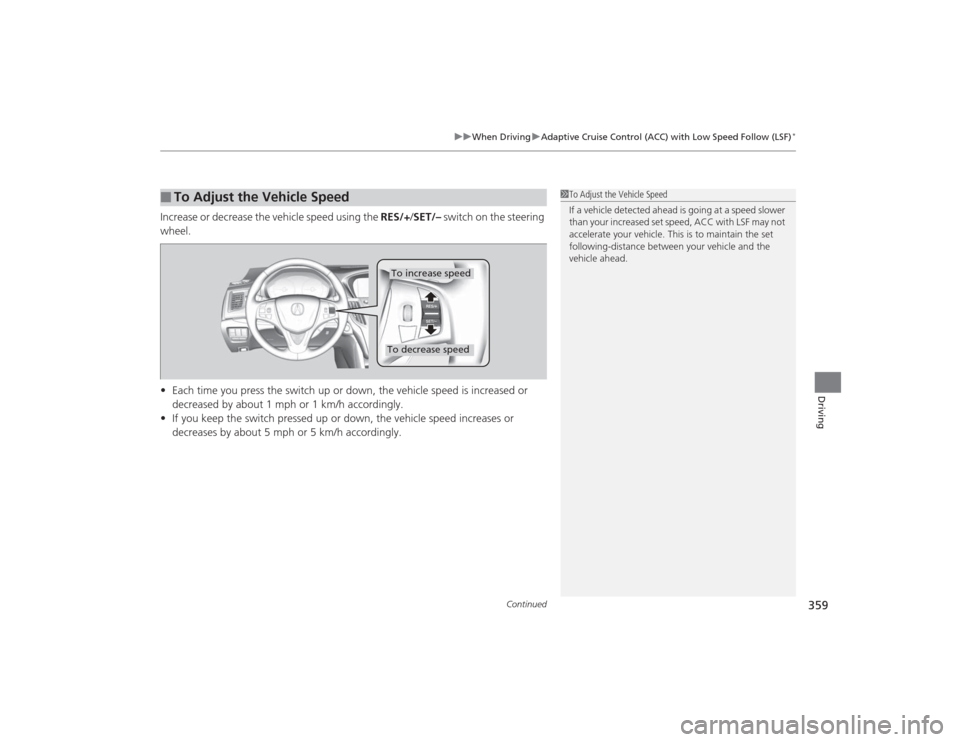
Increase or decrease the vehicle speed using the RES/+/SET/– switch on the steering
wheel.
• Each time you press the switch up or down, the vehicle speed is increased or
decreased by about 1 mph or 1 km/h accordingly.
• If you keep the switch pressed up or down, the vehicle speed increases or
decreases by about 5 mph or 5 km/h accordingly.■
To Adjust the Vehicle Speed
1To Adjust the Vehicle Speed
If a vehicle detected ahead is going at a speed slower
than your increased set speed, ACC with LSF may not
accelerate your vehicle. This is to maintain the set
following-distance between your vehicle and the
vehicle ahead.
To increase speedTo decrease speed
Page 361 of 545
360
uuWhen Driving uAdaptive Cruise Control (ACC) with Low Speed Follow (LSF)
*
Driving
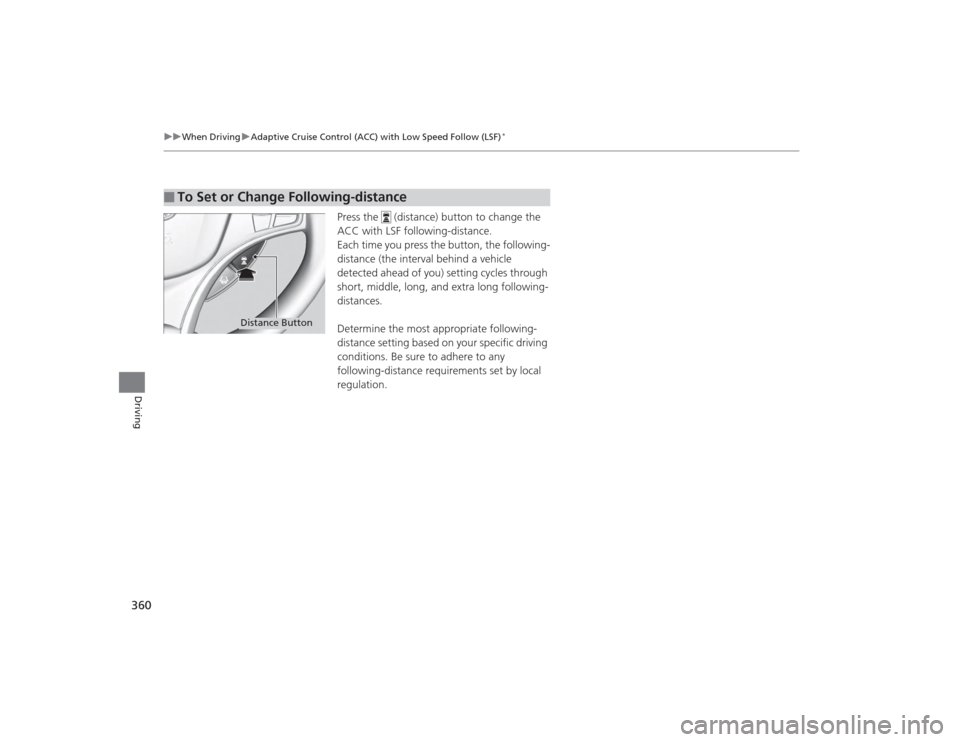
Press the (distance) button to change the
ACC with LSF following-distance.
Each time you press the button, the following-
distance (the interval behind a vehicle
detected ahead of you) setting cycles through
short, middle, long, and extra long following-
distances.
Determine the most appropriate following-
distance setting based on your specific driving
conditions. Be sure to adhere to any
following-distance requirements set by local
regulation.
■
To Set or Change Following-distance
Distance Button
Page 362 of 545
361
uuWhen Driving uAdaptive Cruise Control (ACC) with Low Speed Follow (LSF)
*
Continued
Driving
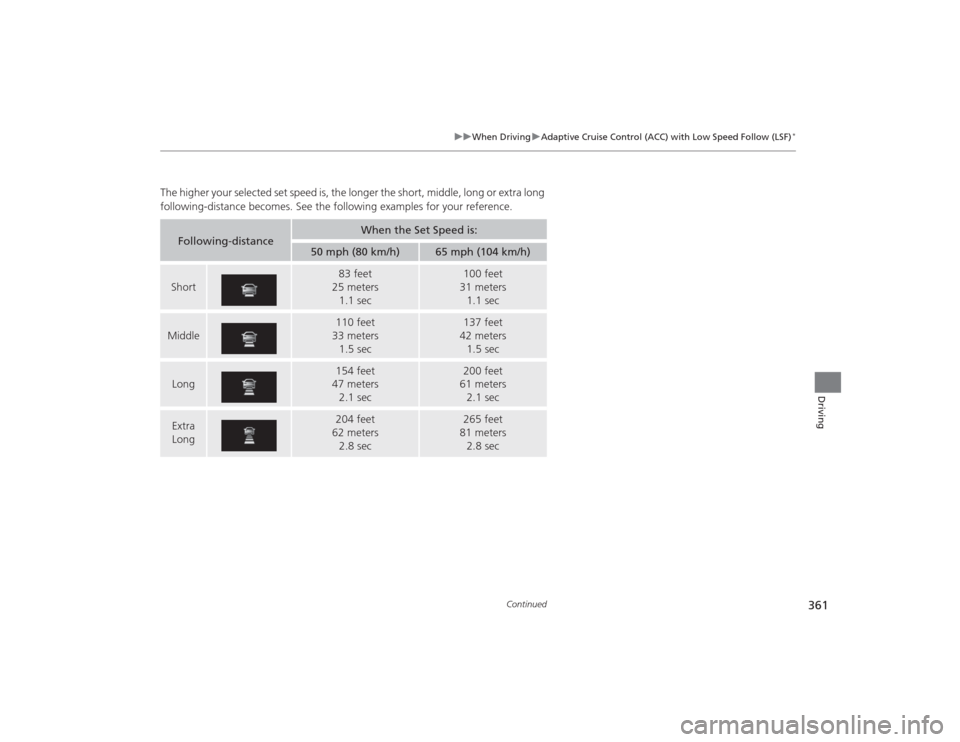
The higher your selected set speed is, the longer the short, middle, long or extra long
following-distance becomes. See the following examples for your reference.
Following-distance
When the Set Speed is:
50 mph (80 km/h)
65 mph (104 km/h)
Short
83 feet
25 meters 1.1 sec
100 feet
31 meters 1.1 sec
Middle
110 feet
33 meters 1.5 sec
137 feet
42 meters 1.5 sec
Long
154 feet
47 meters
2.1 sec
200 feet
61 meters
2.1 sec
Extra
Long
204 feet
62 meters 2.8 sec
265 feet
81 meters 2.8 sec
Page 363 of 545

uuWhen Driving uAdaptive Cruise Control (ACC) with Low Speed Follow (LSF)
*
362Driving
To cancel ACC with LSF, do any of the
following:
• Press the CANCEL button.
• Press the MAIN button.
u ACC with LSF indicator goes off.
• Depress the brake pedal.
u When the LSF function has stopped the
vehicle, you cannot cancel ACC with LSF
by depressing the brake pedal.
■
To Cancel
1To Cancel
Resuming the prior set speed: After you have
canceled ACC with LSF, you can resume the prior set
speed while it is still displayed. Press the RES/+/SET/
– switch up.
The set speed cannot be set or resumed when the
MAIN button is turned off.
CANCEL
ButtonMAIN
Button
Page 364 of 545
Continued
363
uuWhen Driving uAdaptive Cruise Control (ACC) with Low Speed Follow (LSF)
*
Driving
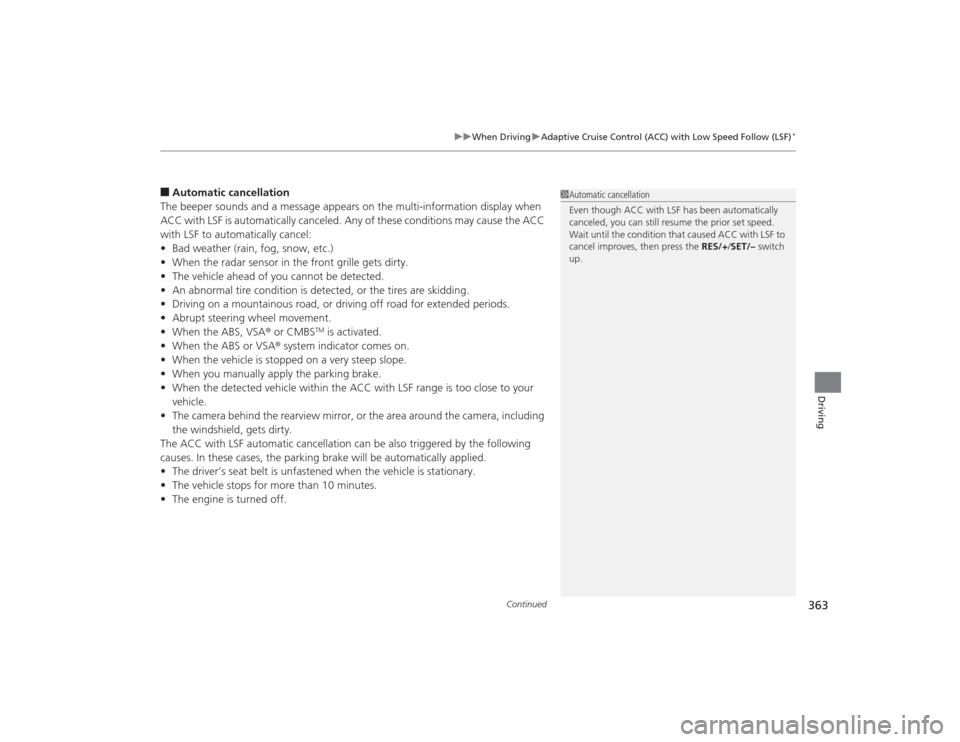
■Automatic cancellation
The beeper sounds and a message appears on the multi-information display when
ACC with LSF is automatically canceled. Any of these conditions may cause the ACC
with LSF to automatically cancel:
• Bad weather (rain, fog, snow, etc.)
• When the radar sensor in the front grille gets dirty.
• The vehicle ahead of you cannot be detected.
• An abnormal tire condition is detected, or the tires are skidding.
• Driving on a mountainous road, or driving off road for extended periods.
• Abrupt steering wheel movement.
• When the ABS, VSA ® or CMBS
TM is activated.
• When the ABS or VSA ® system indicator comes on.
• When the vehicle is stopped on a very steep slope.
• When you manually apply the parking brake.
• When the detected vehicle within the ACC with LSF range is too close to your
vehicle.
• The camera behind the rearview mirror, or the area around the camera, including
the windshield, gets dirty.
The ACC with LSF automatic cancellation can be also triggered by the following
causes. In these cases, the parking brake will be automatically applied.
• The driver’s seat belt is unfastened when the vehicle is stationary.
• The vehicle stops for more than 10 minutes.
• The engine is turned off.
1Automatic cancellation
Even though ACC with LSF has been automatically
canceled, you can still resume the prior set speed.
Wait until the condition that caused ACC with LSF to
cancel improves, then press the RES/+/SET/– switch
up.
Page 365 of 545

uuWhen Driving uAdaptive Cruise Control (ACC) with Low Speed Follow (LSF)
*
364Driving
Press and hold the (distance) button for one second.
Cruise Mode Selected appears on the multi-information display for two seconds,
and then the mode switches to Cruise.
To switch back to ACC with LSF, press and hold the button again for one second.■
To Switch ACC with LSF to Cruise Control
1 To Switch ACC with LSF to Cruise Control
Always be aware which mode you are in. When you
are driving in Cruise mode, the system will not assist
you to maintain a following-distance from a vehicle
ahead of you.
ACC with
LSF ON Cruise
Control ON
Distance Button