Tire Acura TLX 2016 Owner's Manual
[x] Cancel search | Manufacturer: ACURA, Model Year: 2016, Model line: TLX, Model: Acura TLX 2016Pages: 553, PDF Size: 31.29 MB
Page 2 of 553
A Few Words About Safety
Your safety, and the safety of others, is very important. And
operating this vehicle safely is an important responsibility.
To help you make informed decisions about safety, we have
provided operating procedures and other information on labels and
in this manual. This information alerts you to potential hazards that
could hurt you or others.
Of course, it is not practical or possible to warn you about all the
hazards associated with operating or maintaining your vehicle. You
must use your own good judgment. You will find this impo
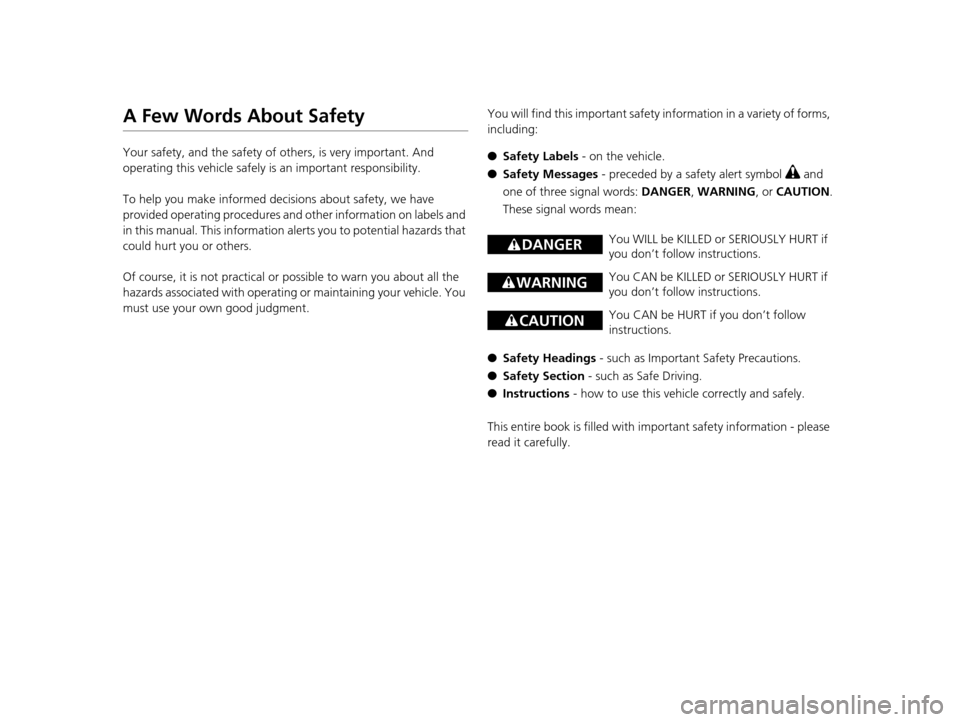
rtant safety information in a variety of forms,
including:
● Safety Labels - on the vehicle.
● Safety Messages - preceded by a safety alert symbol
3 and
one of three signal words: DANGER, WARNING , or CAUTION .
These signal words mean:
● Safety Headings - such as Important Safety Precautions.
● Safety Section - such as Safe Driving.
● Instructions - how to use this vehi cle correctly and safely.
This entire book is filled with important safety information - please
read it carefully.
3 DANGERYou WILL be KILLED or SERIOUSLY HURT if
you don’t follow instructions.
3 WARNINGYou CAN be KILLED or SERIOUSLY HURT if
you don’t follow instructions.
3CAUTIONYou CAN be HURT if you don’t follow
instructions.
16 ACURA TLX-31TZ36100.book 1 ページ 2015年8月26日 水曜日 午後1時54分
Page 3 of 553
Contents
This owner’s manual should be considered a permanent part of the
vehicle and should remain with the vehicle when it is sold.
This owner’s manual covers all models of your vehicle. You may find
descriptions of equipment and features that are not on your
particular model.
Images throughout this owner’s manu al (including the front cover)
represent features and equipment that are available on some, but
not all, models. Your particular mo del may not have some of these
features.
This owner’s manual is for vehicles sold in the United States and
Canada.
The information and specifications in cluded in this publication were
in effect at the time of approval for printing. Honda Motor Co., Ltd.
reserves the right, however, to discontinue or change specifications
or design at any time without notice and without incurring any
obligation.2 Safe Driving P. 27
For Safe Driving P. 28 Seat Belts P. 32 Airbags P. 39
2Instrument Panel P. 69
Indicators P. 70 Gauges and Multi-Information Display P. 117
2Controls P. 137
Clock P. 138 Locking and Unlocking the Doors P. 139
Opening and Closing the Moonroof P. 160
Adjusting the Seats P. 180
2 Features P. 209
Audio System P. 210 Audio System Basic Operation P. 215
Customized Features P. 259 HomeLink® Universal Transceiver P. 277
2 Driving P. 317
Before Driving P. 318 Towing a Trailer P. 323
Multi-View Rear Camera P. 425 Refueling P. 426
2 Maintenance P. 431
Before Performing Maintenance P. 432 Maintenance MinderTM P. 435
Checking and Maintaining Wiper Blades P. 460
Climate Control System Maintenance P. 475
2Handling the Unexpected P. 481
Tools P. 482 If a Tire Goes Flat P. 483
Overheating P. 510 Indicator, Coming On/Blinking P. 512
When You Cannot Open the Trunk P. 524
2 Information P. 527
Specifications P. 528 Identification Numbers P. 532
Emissions Testing P. 535 Warranty Coverages P. 537
16 ACURA TLX-31TZ36100.book 2 ページ 2015年8月26日 水曜日 午後1時54分
Page 4 of 553
Contents
Child Safety P. 54Exhaust Gas Hazard P. 66Safety Labels P. 67
Opening and Closing the Trunk P. 152 Security System P. 155 Opening and Closing the Windows P. 158
Operating the Switches Around the Steering Wheel P. 161 Adjusting the Mirrors P. 177
Interior Lights/Interior Convenience It ems P. 187 Climate Control System P. 199
Audio Error Messages P. 250General Information on the Audio System P. 255
Bluetooth® HandsFreeLink ® P. 280 Compass* P. 314
When Driving P. 324 Braking P. 401Parking Your Vehicle P. 417
Fuel Economy P. 429 Accessories and Modifications P. 430
Maintenance Under the Hood P. 440 Replacing Light Bulbs P. 453
Checking and Maintaining Tires P. 462 Battery P. 471 Remote Transmitter Care P. 473
Cleaning P. 476
Engine Does Not Start P. 502Jump Starting P. 505 Shift Lever Does Not Move P. 509
Fuses P. 517 Emergency Towing P. 522 When You Cannot Unlock the Fuel Fill Door P. 523
Refueling P. 525
Devices that Emit Radio Waves P. 533 Reporting Safety Defects P. 534
Authorized Manuals P. 539 Client Service Information P. 540
Quick Reference GuideP. 4
Safe DrivingP. 27
Instrument PanelP. 69
ControlsP. 137
FeaturesP. 209
DrivingP. 317
MaintenanceP. 431
Handling the UnexpectedP. 481
InformationP. 527
IndexP. 542
16 ACURA TLX-31TZ36100.book 3 ページ 2015年8月26日 水曜日 午後1時54分
Page 9 of 553
Visual Index
8
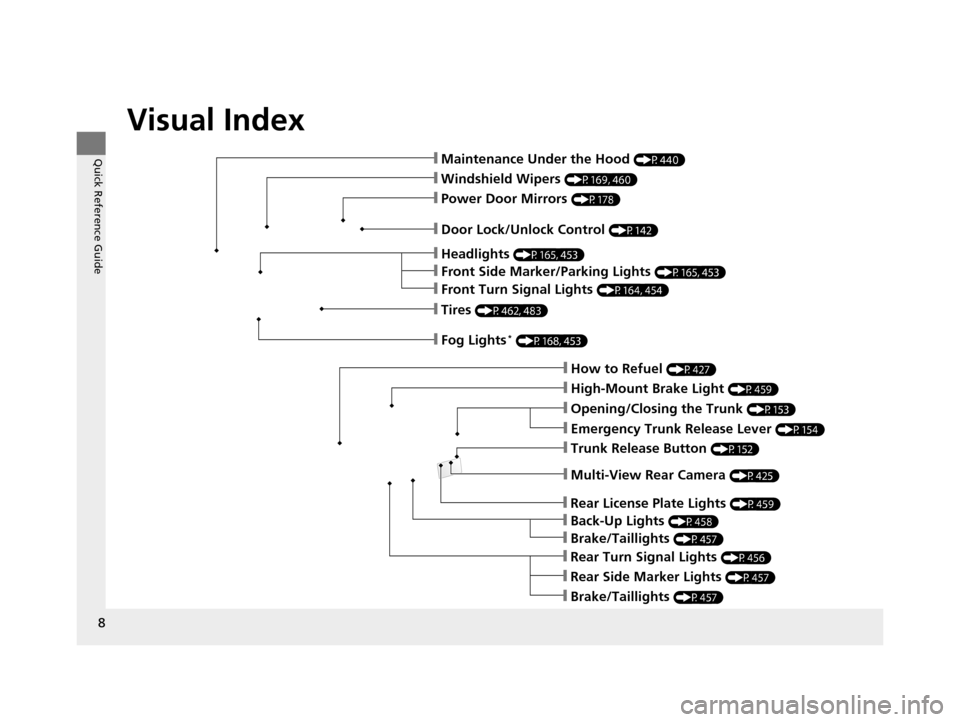
Quick Reference Guide❙Maintenance Under the Hood (P440)
❙Windshield Wipers (P169, 460)
❙Tires (P462, 483)
❙Door Lock/Unlock Control (P142)
❙Power Door Mirrors (P178)
❙Headlights (P165, 453)
❙How to Refuel (P427)
❙High-Mount Brake Light (P459)
❙Emergency Trunk Release Lever (P154)
❙Opening/Closing the Trunk (P153)
❙Multi-View Rear Camera (P425)
❙Rear Side Marker Lights (P457)
❙Brake/Taillights (P457)
❙Rear Turn Signal Lights (P456)
❙Back-Up Lights (P458)
❙Rear License Plate Lights (P459)
❙Brake/Taillights (P457)
❙Fog Lights* (P168, 453)
❙Trunk Release Button (P152)
❙Front Turn Signal Lights (P164, 454)
❙Front Side Marker/Parking Lights (P165, 453)
16 ACURA TLX-31TZ36100.book 8 ページ 2015年8月26日 水曜日 午後1時54分
Page 12 of 553
11
Quick Reference Guide
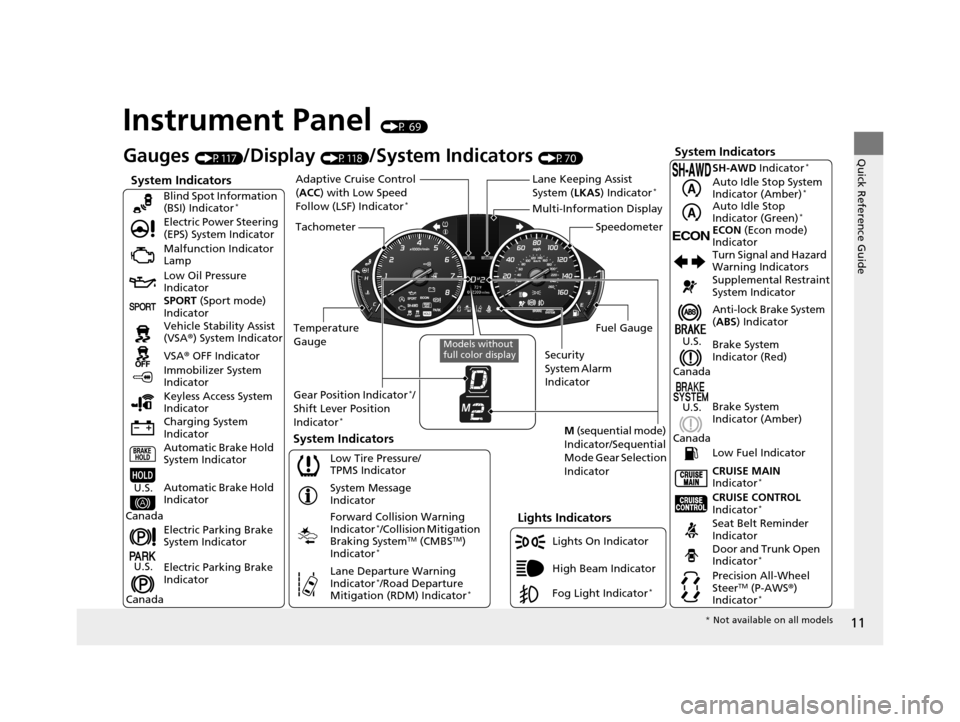
Instrument Panel (P 69)
System Indicators
Malfunction Indicator
Lamp
Low Oil Pressure
Indicator
Charging System
Indicator Vehicle Stability Assist
(VSA®) System Indicator
VSA ® OFF Indicator
Electric Power Steering
(EPS) System Indicator
Lights Indicators
Lights On Indicator
High Beam Indicator
Immobilizer System
Indicator
System Indicators
System Message
Indicator
Gauges (P117)/Display (P118)/System Indicators (P70)
Low Tire Pressure/
TPMS Indicator
Keyless Access System
Indicator
Electric Parking Brake
System Indicator
Electric Parking Brake
Indicator Automatic Brake Hold
System Indicator SPORT
(Sport mode)
Indicator Blind Spot Information
(BSI) Indicator
*
Forward Collision Warning
Indicator*/Collision Mitigation
Braking SystemTM (CMBSTM)
Indicator*
Lane Departure Warning
Indicator*/Road Departure
Mitigation (RDM) Indicator*
Automatic Brake Hold
IndicatorU.S.
Canada
U.S.
Canada
Fog Light Indicator*
Temperature
Gauge Security
System Alarm
IndicatorFuel Gauge
Tachometer
Multi-Information Display
Speedometer
Gear Position Indicator
*/
Shift Lever Position
Indicator
*M (sequential mode)
Indicator/Sequential
Mode Gear Selection
IndicatorSystem Indicators
Lane Keeping Assist
System ( LKAS) Indicator*Adaptive Cruise Control
(ACC ) with Low Speed
Follow (LSF) Indicator
*
Models without
full color display
Anti-lock Brake System
( ABS ) Indicator
Seat Belt Reminder
Indicator CRUISE CONTROL
Indicator
*
Brake System
Indicator (Red) Supplemental Restraint
System Indicator
CRUISE MAIN
Indicator
*
Low Fuel Indicator Turn Signal and Hazard
Warning Indicators
Brake System
Indicator (Amber)
U.S.
Canada
U.S.
Canada
Door and Trunk Open
Indicator*
Precision All-Wheel
SteerTM (P-AWS ®)
Indicator*
ECONECON (Econ mode)
Indicator SH-AWD Indicator
*
Auto Idle Stop System
Indicator (Amber)*
Auto Idle Stop
Indicator (Green)*
* Not available on all models
16 ACURA TLX-31TZ36100.book 11 ページ 2015年8月26日 水曜日 午後1時54分
Page 22 of 553
21
Quick Reference Guide
VSA® OFF Button (P392)
● The vehicle stability assist (VSA® ) system
helps stabilize the vehicle during
cornering, and helps maintain traction
while accelerating on loose or slippery
road surfaces.
● VSA ® comes on automatically every time
you start the engine.
● To turn VSA ® on or off, press and hold
the button until you hear a beep.
Cruise Control* (P350)
● Cruise control allows you to maintain a
set speed without keeping your foot on
the accelerator pedal.
● To use cruise control, press the CRUISE
button, then press the RES/+/SET/– switch
down once you have achieved the desired
speed (above 25 mph or 40 km/h).
Collision Mitigation
Braking System
TM
(CMBS
TM) OFF Button*
(P412)
● When a possible collision is likely
unavoidable, the CMBS
TM can help you to
reduce the vehicle speed and the severity
of the collision.
● To turn the CMBS
TM on or off, press and
hold the button until you hear a beep.
Tire Pressure Monitoring System (TPMS) (P397, 515)
● The TPMS monitors tire pressure.
● TPMS is turned on automatically every time you start the engine.
● TPMS fill assist provides audible and visual guidance during tire pressure adjustment.
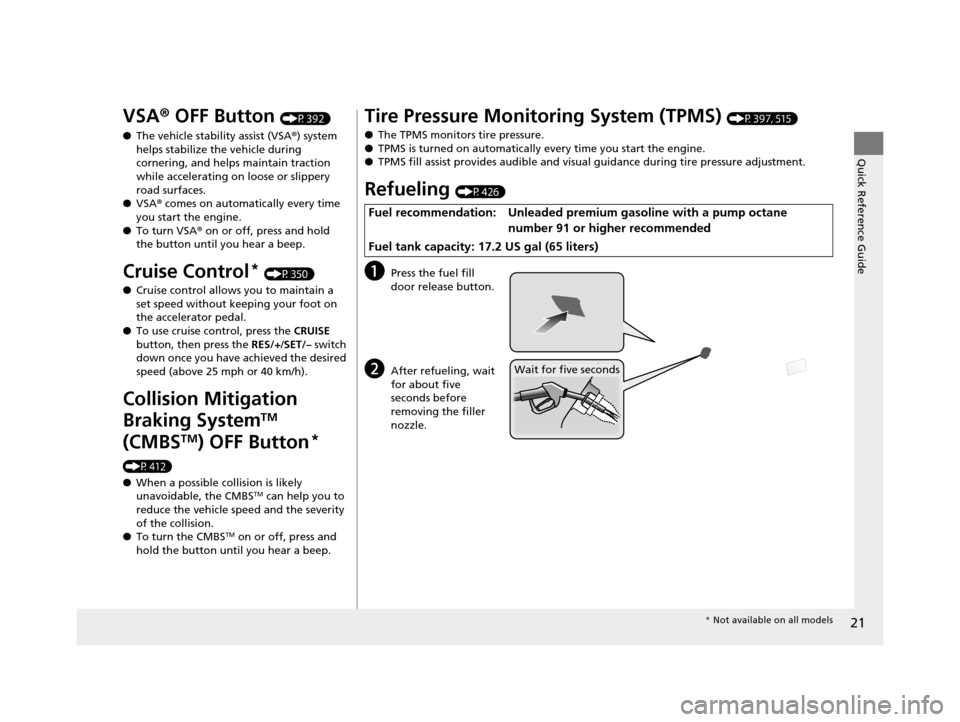
Refueling (P426)
aPress the fuel fill
door release button.
bAfter refueling, wait
for about five
seconds before
removing the filler
nozzle.
Fuel recommendation: Unleaded premiu m gasoline with a pump octane
number 91 or higher recommended
Fuel tank capacity: 17.2 US gal (65 liters)
Wait for five seconds
* Not available on all models
16 ACURA TLX-31TZ36100.book 21 ページ 2015年8月26日 水曜日 午後1時54分
Page 23 of 553
22
Quick Reference Guide
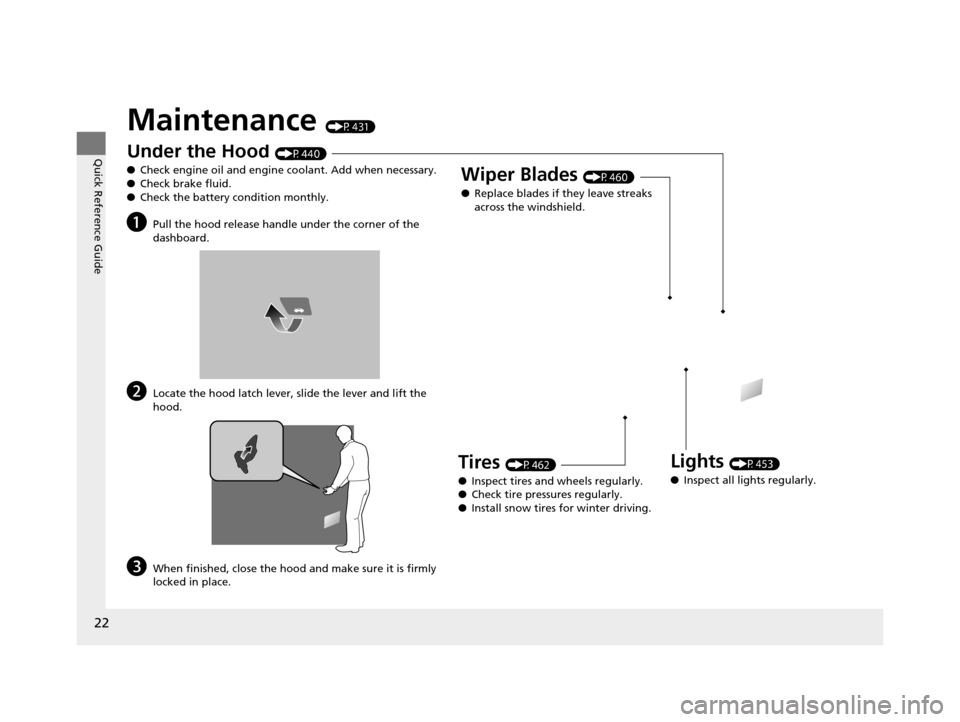
Maintenance (P431)
Under the Hood (P440)
● Check engine oil and engine coolant. Add when necessary.
● Check brake fluid.
● Check the battery condition monthly.
aPull the hood release handle under the corner of the
dashboard.
bLocate the hood latch lever, slide the lever and lift the
hood.
cWhen finished, close the hood and make sure it is firmly
locked in place.
Lights (P453)
● Inspect all lights regularly.
Wiper Blades (P460)
● Replace blades if they leave streaks
across the windshield.
Tires (P462)
● Inspect tires and wheels regularly.
● Check tire pressures regularly.
● Install snow tires for winter driving.
16 ACURA TLX-31TZ36100.book 22 ページ 2015年8月26日 水曜日 午後1時54分
Page 24 of 553
Quick Reference Guide
23
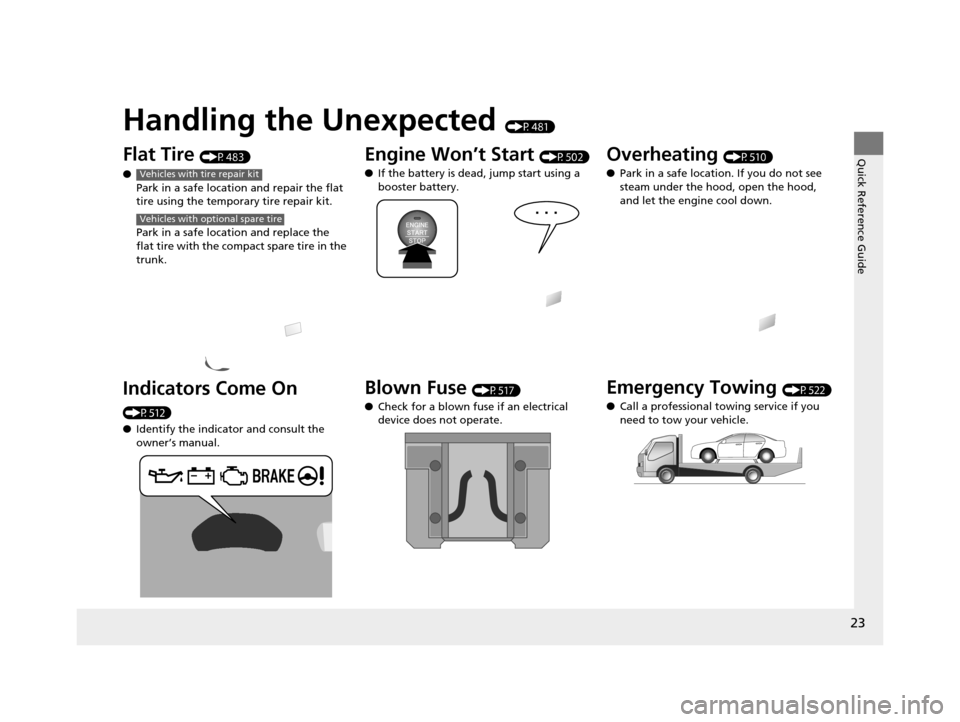
Handling the Unexpected (P481)
Flat Tire (P483)
● Park in a safe location and repair the flat
tire using the temporary tire repair kit.
Park in a safe location and replace the
flat tire with the comp act spare tire in the
trunk.
Indicators Come On
(P512)
● Identify the indica tor and consult the
owner’s manual.
Vehicles with tire repair kit
Vehicles with optional spare tire
Engine Won’t Start (P502)
● If the battery is dead, jump start using a
booster battery.
Blown Fuse (P517)
● Check for a blown fuse if an electrical
device does not operate.
Overheating (P510)
● Park in a safe location. If you do not see
steam under the hood, open the hood,
and let the engine cool down.
Emergency Towing (P522)
● Call a professional towing service if you
need to tow your vehicle.
16 ACURA TLX-31TZ36100.book 23 ページ 2015年8月26日 水曜日 午後1時54分
Page 30 of 553
29
uuFor Safe Driving uImportant Safety Precautions
Safe Driving
■Pay appropriate attention to the task of driving safely
Engaging in cell phone conversation or other activities that keep you from paying
close attention to the road, other vehicles , and pedestrians could lead to a crash.
Remember, situations can change quickly, and only you can decide when it is safe to
divert some attention away from driving.
■Control your speed
Excessive speed is a major factor in crash injuries and deaths. Generally, the higher
the speed, the greater the risk, but serious injuries can also occur at lower speeds.
Never drive faster than is safe for current conditions, regardless of the maximum
speed posted.
■Keep your vehicle in safe condition
Having a tire blowout or a mechanical failure can be extremely hazardous.
To reduce the possibility of such problems, check your tire pressures and condition
frequently, and perform all re gularly scheduled maintenance.
16 ACURA TLX-31TZ36100.book 29 ページ 2015年8月26日 水曜日 午後1時54分
Page 83 of 553
82
uuIndicators u
Instrument Panel
*1:On the left: Models with full color display
On the right: Models wi thout full color display
IndicatorNameOn/BlinkingExplanationMessage*1
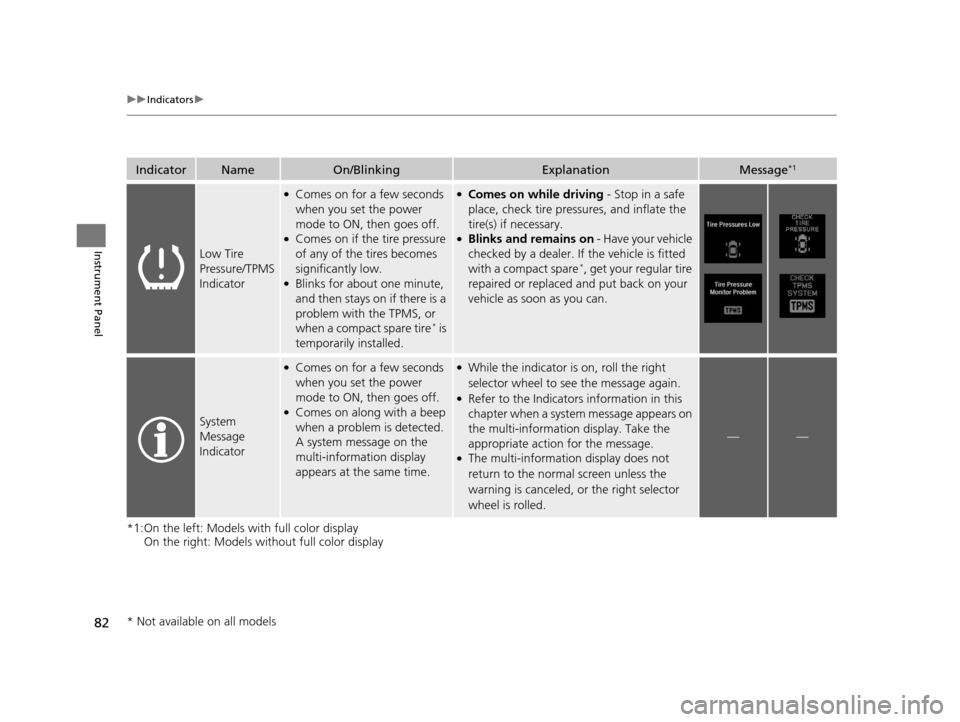
Low Tire
Pressure/TPMS
Indicator
●Comes on for a few seconds
when you set the power
mode to ON, then goes off.
●Comes on if the tire pressure
of any of the tires becomes
significantly low.
●Blinks for about one minute,
and then stays on if there is a
problem with the TPMS, or
when a compact spare tire
* is
temporarily installed.
●Comes on while driving - Stop in a safe
place, check tire pres sures, and inflate the
tire(s) if necessary.
●Blinks and remains on - Have your vehicle
checked by a dealer. If the vehicle is fitted
with a compact spare
*, get your regular tire
repaired or replaced and put back on your
vehicle as soon as you can.
System
Message
Indicator
●Comes on for a few seconds
when you set the power
mode to ON, then goes off.
●Comes on along with a beep
when a problem is detected.
A system message on the
multi-information display
appears at the same time.
●While the indicator is on, roll the right
selector wheel to see the message again.
●Refer to the Indicators information in this
chapter when a system message appears on
the multi-information display. Take the
appropriate action for the message.
●The multi-informatio n display does not
return to the normal screen unless the
warning is canceled, or the right selector
wheel is rolled.
——
* Not available on all models
16 ACURA TLX-31TZ36100.book 82 ページ 2015年8月26日 水曜日 午後1時54分