warning Acura TLX 2017 Workshop Manual
[x] Cancel search | Manufacturer: ACURA, Model Year: 2017, Model line: TLX, Model: Acura TLX 2017Pages: 553, PDF Size: 33.77 MB
Page 266 of 553
265
uuCustomized Features u
Continued
Features
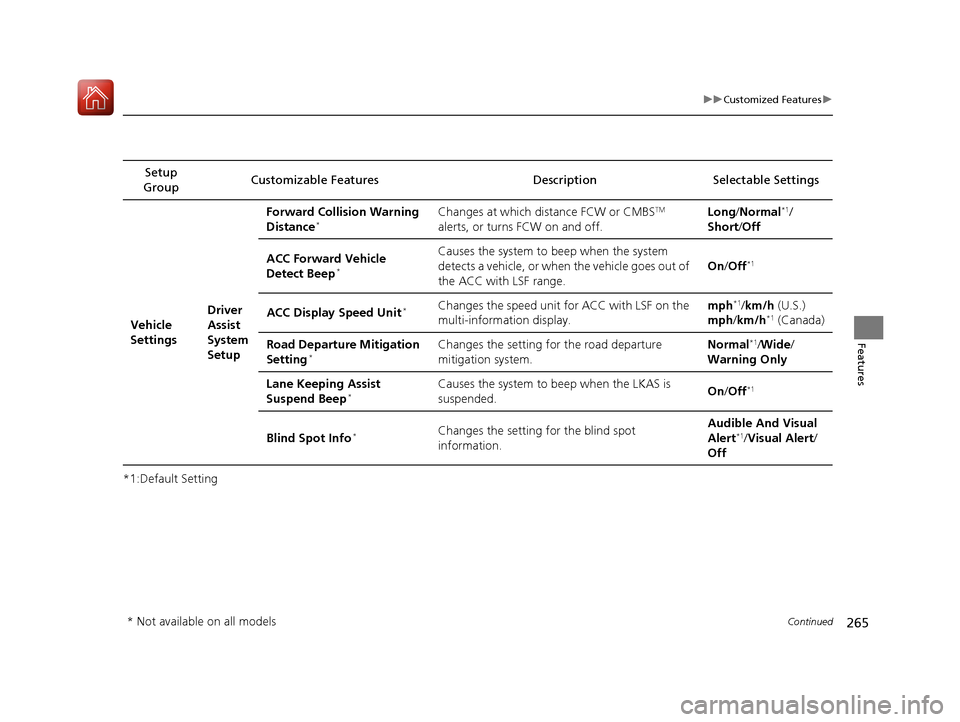
*1:Default SettingSetup
Group Customizable Features Description Selectable Settings
Vehicle
Settings Driver
Assist
System
SetupForward Collision Warning
Distance
*Changes at which distance FCW or CMBSTM
alerts, or turns FCW on and off. Long
/Normal*1/
Short/ Off
ACC Forward Vehicle
Detect Beep
*
Causes the system to beep when the system
detects a vehicle, or when the vehicle goes out of
the ACC with LSF range. On
/Off*1
ACC Display Speed Unit*Changes the speed unit for ACC with LSF on the
multi-information display. mph*1/
km/h (U.S.)
mph /km/h*1 (Canada)
Road Departure Mitigation
Setting
*Changes the setting for the road departure
mitigation system. Normal*1/
Wide /
Warning Only
Lane Keeping Assist
Suspend Beep
*Causes the system to be ep when the LKAS is
suspended. On
/Off*1
Blind Spot Info*Changes the setting for the blind spot
information. Audible And Visual
Alert*1/
Visual Alert /
Off
* Not available on all models
17 ACURA TLX-31TZ36200.book 265 ページ 2016年6月10日 金曜日 午後6時39分
Page 316 of 553
315
Driving
This chapter discusses driving, refueling, and information on items such as accessories.
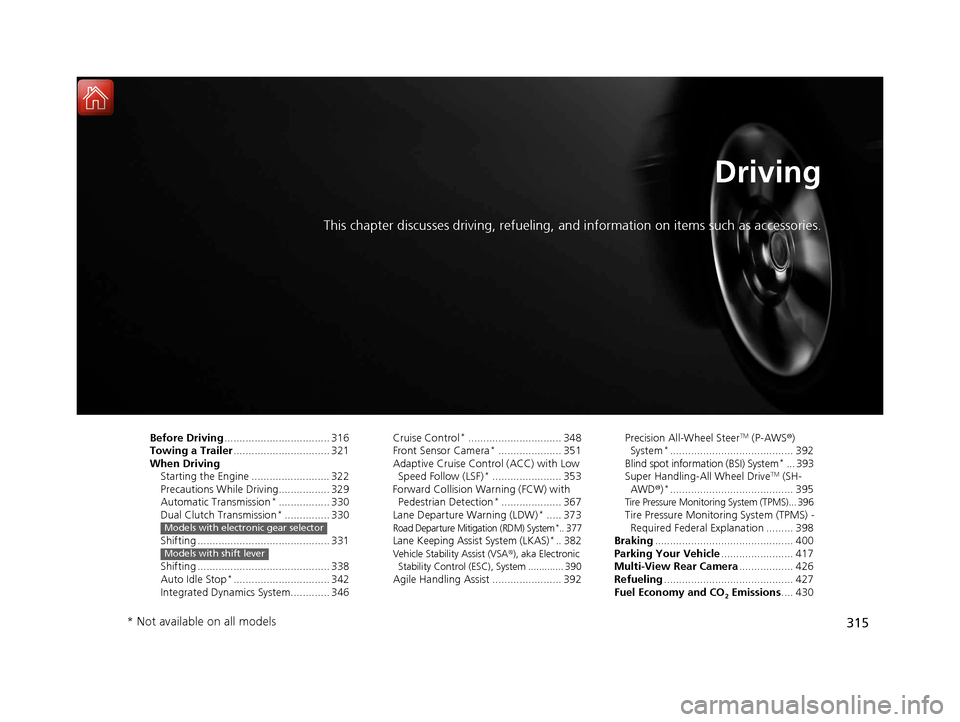
Before Driving................................... 316
Towing a Trailer ................................ 321
When Driving
Starting the Engine .......................... 322
Precautions While Driving................. 329
Automatic Transmission
*................. 330
Dual Clutch Transmission*............... 330
Shifting ............................................ 331
Shifting ............................................ 338
Auto Idle Stop
*................................ 342
Integrated Dynamics System............. 346
Models with electronic gear selector
Models with shift lever
Cruise Control*............................... 348
Front Sensor Camera*..................... 351
Adaptive Cruise Control (ACC) with Low
Speed Follow (LSF)
*....................... 353
Forward Collision Warning (FCW) with Pedestrian Detection
*.................... 367
Lane Departure Warning (LDW)*..... 373Road Departure Mitigation (RDM) System*.. 377Lane Keeping Assist System (LKAS)*.. 382Vehicle Stability Assist (VSA ®), aka Electronic
Stability Control (ESC), System ............. 390
Agile Handling Assist ....................... 392 Precision All-Wheel Steer
TM (P-AWS
®)
System*......................................... 392
Blind spot information (BSI) System*... 393
Super Handling-All Wheel DriveTM (SH-
AWD® )*......................................... 395Tire Pressure Monitoring System (TPMS)... 396Tire Pressure Monitoring System (TPMS) -
Required Federal Explanation ......... 398
Braking .............................................. 400
Parking Your Vehicle ........................ 417
Multi-View Rear Camera .................. 426
Refueling ........................................... 427
Fuel Economy and CO
2 Emissions .... 430
* Not available on all models
17 ACURA TLX-31TZ36200.book 315 ページ 2016年6月10日 金曜日 午後6時39分
Page 320 of 553
319
uuBefore Driving uMaximum Load Limit
Continued
Driving
Maximum Load Limit
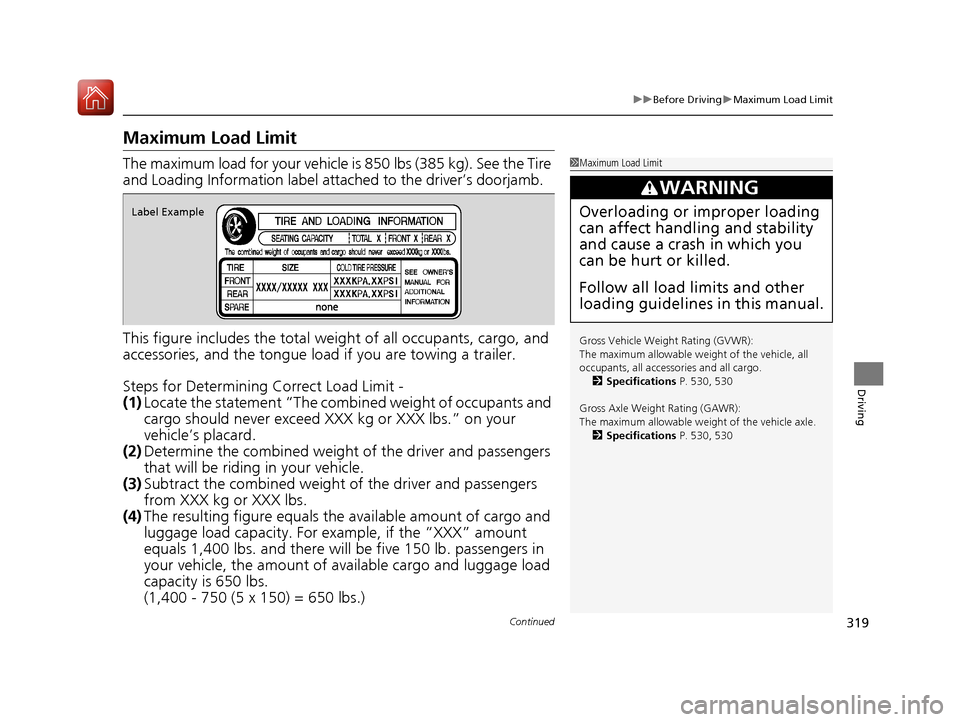
The maximum load for your vehicle is 850 lbs (385 kg). See the Tire
and Loading Information label atta ched to the driver’s doorjamb.
This figure includes the total weig ht of all occupants, cargo, and
accessories, and the tongue load if you are towing a trailer.
Steps for Determining Correct Load Limit -
(1) Locate the statement “The comb ined weight of occupants and
cargo should never exceed XXX kg or XXX lbs.” on your
vehicle’s placard.
(2) Determine the combined weight of the driver and passengers
that will be riding in your vehicle.
(3) Subtract the combined weight of the driver and passengers
from XXX kg or XXX lbs.
(4) The resulting figure equals the available amount of cargo and
luggage load capacity. For example, if the “XXX” amount
equals 1,400 lbs. and there will be five 150 lb. passengers in
your vehicle, the am ount of available cargo and luggage load
capacity is 650 lbs.
(1,400 - 750 (5 x 150) = 650 lbs.)1 Maximum Load Limit
Gross Vehicle Weight Rating (GVWR):
The maximum allowable weight of the vehicle, all
occupants, all accesso ries and all cargo.
2 Specifications P. 530, 530
Gross Axle Weight Rating (GAWR):
The maximum allowable weight of the vehicle axle. 2 Specifications P. 530, 530
3WARNING
Overloading or improper loading
can affect handling and stability
and cause a crash in which you
can be hurt or killed.
Follow all load limits and other
loading guidelines in this manual.Label Example
17 ACURA TLX-31TZ36200.book 319 ページ 2016年6月10日 金曜日 午後6時39分
Page 326 of 553
Continued325
uuWhen Driving uStarting the Engine
Driving
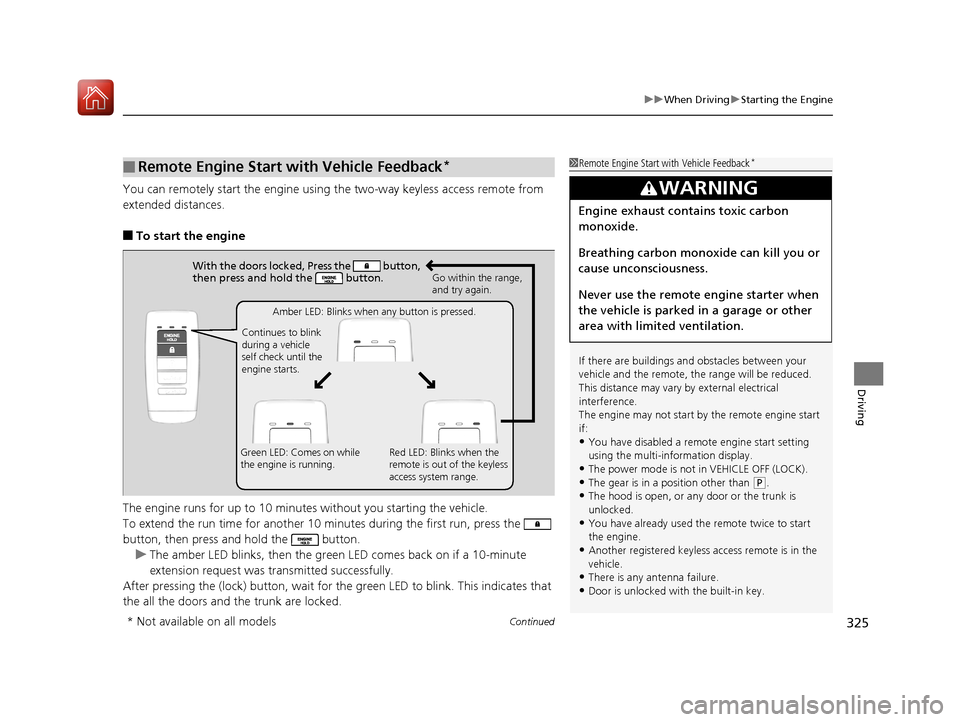
You can remotely start the engine usin g the two-way keyless access remote from
extended distances.
■To start the engine
The engine runs for up to 10 minu tes without you starting the vehicle.
To extend the run time for another 10 mi nutes during the first run, press the
button, then press an d hold the button.
u The amber LED blinks, then the green LED comes back on if a 10-minute
extension request was transmitted successfully.
After pressing the (lock) button, wait for the green LED to blink. This indicates that
the all the doors and the trunk are locked.
■Remote Engine Start with Vehicle Feedback*1 Remote Engine Start with Vehicle Feedback*
If there are buildings an d obstacles between your
vehicle and the remote, th e range will be reduced.
This distance may vary by external electrical
interference.
The engine may not start by the remote engine start
if:
•You have disabled a remo te engine start setting
using the multi-information display.
•The power mode is not in VEHICLE OFF (LOCK).
•The gear is in a position other than ( P.
•The hood is open, or any door or the trunk is
unlocked.
•You have already used the remote twice to start
the engine.
•Another registered keyless access remote is in the
vehicle.
•There is any antenna failure.•Door is unlocked with the built-in key.
3WARNING
Engine exhaust contains toxic carbon
monoxide.
Breathing carbon monoxide can kill you or
cause unconsciousness.
Never use the remote engine starter when
the vehicle is parked in a garage or other
area with limited ventilation.
With the doors locked, Press the button,
then press and hold the button.
Amber LED: Blinks when any button is pressed.
Continues to blink
during a vehicle
self check until the
engine starts. Go within the range,
and try again.
Green LED: Comes on while
the engine is running. Red LED: Blinks when the
remote is out of the keyless
access system range.
* Not available on all models
17 ACURA TLX-31TZ36200.book 325 ページ 2016年6月10日 金曜日 午後6時39分
Page 332 of 553
331
uuWhen Driving uShifting
Continued
Driving
Shifting
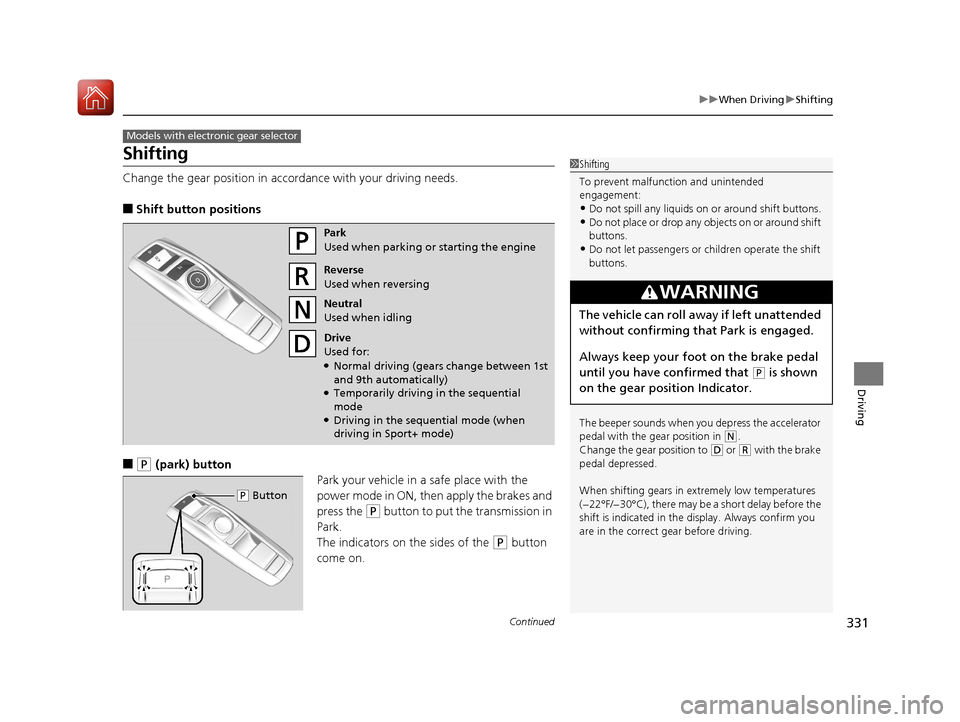
Change the gear position in accordance with your driving needs.
■Shift button positions
■(P (park) button
Park your vehicle in a safe place with the
power mode in ON, then apply the brakes and
press the
(P button to put the transmission in
Park.
The indicators on the sides of the
(P button
come on.
Models with electronic gear selector
1 Shifting
To prevent malfunc tion and unintended
engagement:
•Do not spill any liquids on or around shift buttons.
•Do not place or drop any objects on or around shift
buttons.
•Do not let passengers or ch ildren operate the shift
buttons.
The beeper sounds when you depress the accelerator
pedal with the gear position in
( N.
Change the gear position to ( D or (R with the brake
pedal depressed.
When shifting gears in extremely low temperatures
(−22°F/−30°C), there may be a short delay before the
shift is indicated in the di splay. Always confirm you
are in the correct gear before driving.
3WARNING
The vehicle can roll aw ay if left unattended
without confirming th at Park is engaged.
Always keep your foot on the brake pedal
until you have confirmed that
( P is shown
on the gear position Indicator.
Park
Used when parking or starting the engine
Reverse
Used when reversing
Neutral
Used when idling
Drive
Used for:
●Normal driving (gears change between 1st
and 9th automatically)
●Temporarily driving in the sequential
mode
●Driving in the sequential mode (when
driving in Sport+ mode)
( P Button
17 ACURA TLX-31TZ36200.book 331 ページ 2016年6月10日 金曜日 午後6時39分
Page 349 of 553
348
uuWhen Driving uCruise Control*
Driving
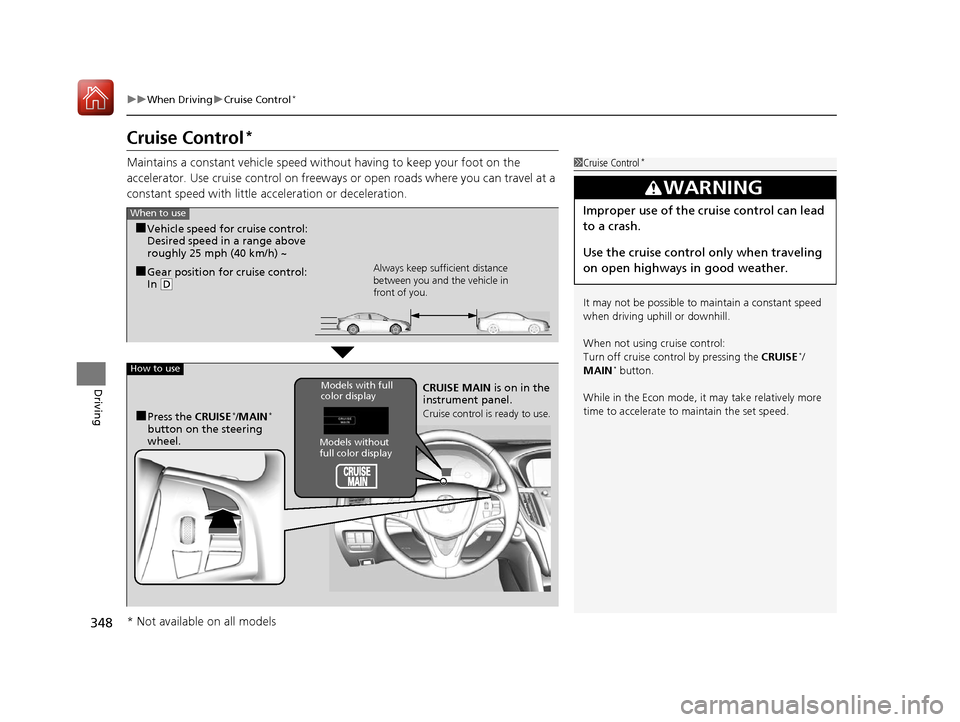
Cruise Control*
Maintains a constant vehicle speed without having to keep your foot on the
accelerator. Use cruise control on freeways or open roads where you can travel at a
constant speed with little acceleration or deceleration.1Cruise Control*
It may not be possible to maintain a constant speed
when driving uphill or downhill.
When not using cruise control:
Turn off cruise control by pressing the CRUISE
*/
MAIN* button.
While in the Econ mode, it may take relatively more
time to accelerate to maintain the set speed.
3WARNING
Improper use of the cruise control can lead
to a crash.
Use the cruise control only when traveling
on open highways in good weather.When to use
■Gear position for cruise control:
In ( D Always keep sufficient distance
between you and the vehicle in
front of you.
■Vehicle speed for cruise control:
Desired speed in a range above
roughly 25 mph (40 km/h) ~
How to use
CRUISE MAIN
is on in the
instrument panel.
Cruise control is ready to use.■Press the CRUISE*/MAIN*
button on the steering
wheel.
Models without
full color display
Models with full
color display
* Not available on all models
17 ACURA TLX-31TZ36200.book 348 ページ 2016年6月10日 金曜日 午後6時39分
Page 354 of 553
353
uuWhen Driving uAdaptive Cruise Control (ACC) with Low Speed Follow (LSF)*
Continued
Driving
Adaptive Cruise Control (ACC) with Low Speed
Follow (LSF)*
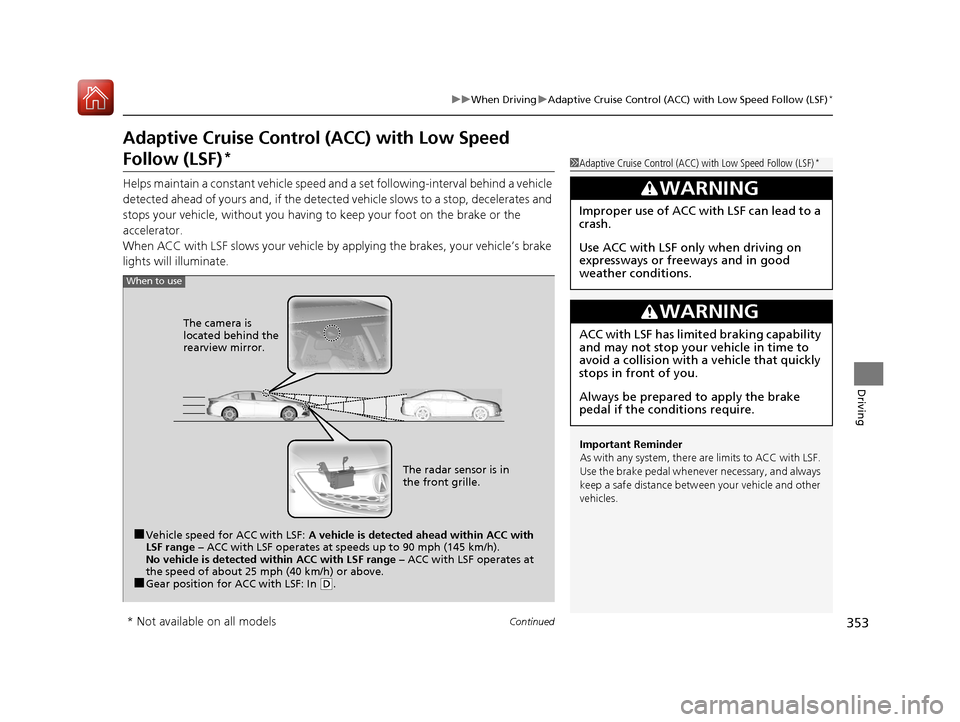
Helps maintain a constant vehicle speed an d a set following-interval behind a vehicle
detected ahead of yours and, if the detect ed vehicle slows to a stop, decelerates and
stops your vehicle, without you having to keep your foot on the brake or the
accelerator.
When ACC with LSF slows your vehicle by applying the brakes, your vehicle’s brake
lights will illuminate.
1 Adaptive Cruise Control (ACC) with Low Speed Follow (LSF)*
Important Reminder
As with any system, there are limits to ACC with LSF.
Use the brake pedal whenever necessary, and always
keep a safe distance between your vehicle and other
vehicles.
3WARNING
Improper use of ACC wi th LSF can lead to a
crash.
Use ACC with LSF only when driving on
expressways or freeways and in good
weather conditions.
3WARNING
ACC with LSF has limited braking capability
and may not stop your vehicle in time to
avoid a collision with a vehicle that quickly
stops in front of you.
Always be prepared to apply the brake
pedal if the conditions require.
When to use
■Vehicle speed for ACC with LSF: A vehicle is detected ahead within ACC with
LSF range – ACC with LSF operates at speeds up to 90 mph (145 km/h).
No vehicle is detected within ACC with LSF range – ACC with LSF operates at
the speed of about 25 mph (40 km/h) or above.
■Gear position for ACC with LSF: In ( D. The radar sensor is in
the front grille.
The camera is
located behind the
rearview mirror.
* Not available on all models
17 ACURA TLX-31TZ36200.book 353 ページ 2016年6月10日 金曜日 午後6時39分
Page 358 of 553
Continued357
uuWhen Driving uAdaptive Cruise Control (ACC) with Low Speed Follow (LSF)*
Driving
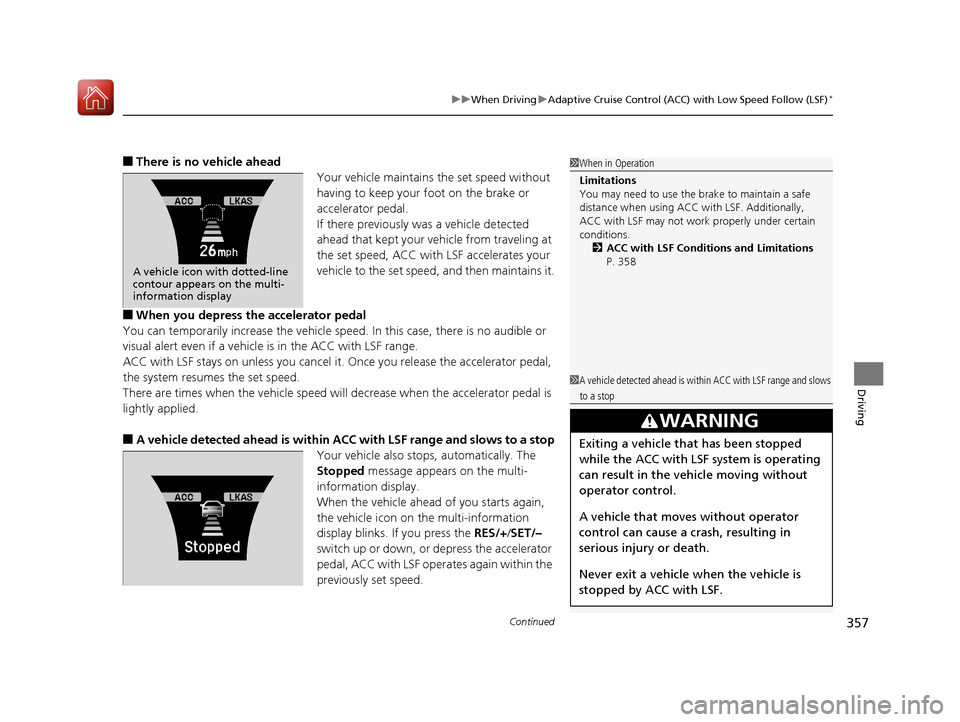
■There is no vehicle ahead
Your vehicle maintains the set speed without
having to keep your foot on the brake or
accelerator pedal.
If there previously was a vehicle detected
ahead that kept your vehicle from traveling at
the set speed, ACC with LSF accelerates your
vehicle to the set speed, and then maintains it.
■When you depress the accelerator pedal
You can temporarily increase the vehicle speed . In this case, there is no audible or
visual alert even if a vehicl e is in the ACC with LSF range.
ACC with LSF stays on unless you cancel it . Once you release the accelerator pedal,
the system resumes the set speed.
There are times when the vehicle speed will decrease when the accelerator pedal is
lightly applied.
■A vehicle detected ahead is within ACC with LSF range and slows to a stop
Your vehicle also stops, automatically. The
Stopped message appears on the multi-
information display.
When the vehicle ahead of you starts again,
the vehicle icon on the multi-information
display blinks. If you press the RES/+/SET/–
switch up or down, or depress the accelerator
pedal, ACC with LSF operates again within the
previously set speed.
A vehicle icon with dotted-line
contour appears on the multi-
information display
1 When in Operation
Limitations
You may need to use the brake to maintain a safe
distance when using ACC with LSF. Additionally,
ACC with LSF may not work properly under certain
conditions.
2 ACC with LSF Conditions and Limitations
P. 358
1 A vehicle detected ahead is with in ACC with LSF range and slows
to a stop
3WARNING
Exiting a vehicle that has been stopped
while the ACC with LSF system is operating
can result in the vehicle moving without
operator control.
A vehicle that moves without operator
control can cause a crash, resulting in
serious injury or death.
Never exit a vehicle when the vehicle is
stopped by ACC with LSF.
17 ACURA TLX-31TZ36200.book 357 ページ 2016年6月10日 金曜日 午後6時39分
Page 368 of 553
367
uuWhen Driving uForward Collision Warning (FCW ) with Pedestrian Detection*
Continued
Driving
Forward Collision Warning (FCW) with Pedestrian
Detection*
Alerts you when it determines the possibility of your vehicle colliding with a vehicle
or pedestrian detected in front of you.
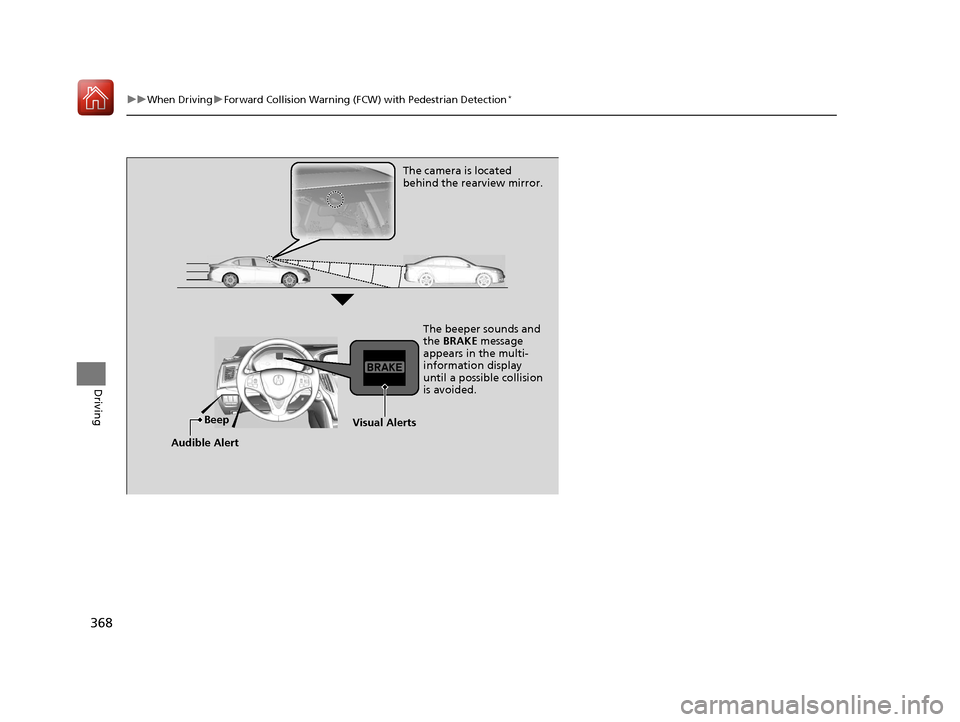
If the system determines a collision is possible, it gives visual and audible alerts.
u Take appropriate action to prevent a coll ision (apply the brakes, change lanes,
etc.).
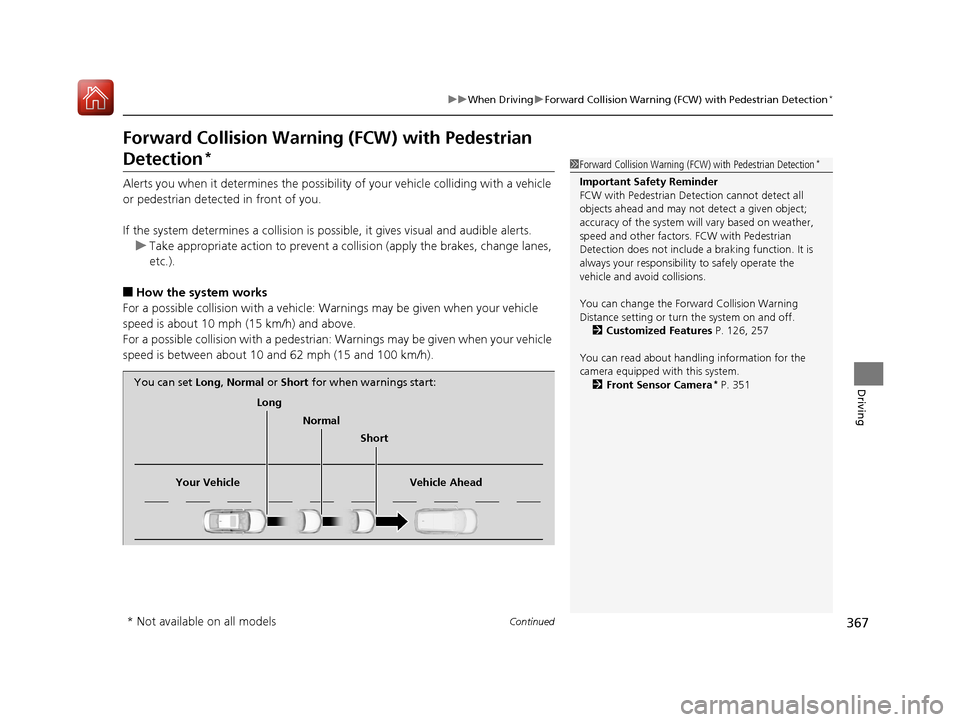
■How the system works
For a possible collision with a vehicle: Warnings may be given when your vehicle
speed is about 10 mph (15 km/h) and above.
For a possible collision with a pedestrian: Warnings may be given when your vehicle
speed is between about 10 and 62 mph (15 and 100 km/h).
1 Forward Collision Warning (FCW) with Pedestrian Detection*
Important Safety Reminder
FCW with Pedestrian Detection cannot detect all
objects ahead and may not detect a given object;
accuracy of the system will vary based on weather,
speed and other factors. FCW with Pedestrian
Detection does not include a braking function. It is
always your responsibilit y to safely operate the
vehicle and avoid collisions.
You can change the Forward Collision Warning
Distance setting or turn the system on and off. 2 Customized Features P. 126, 257
You can read about handling information for the
camera equipped with this system. 2 Front Sensor Camera
* P. 351
Long
Normal Short
Your Vehicle Vehicle Ahead
You can set
Long, Normal or Short for when warnings start:
* Not available on all models
17 ACURA TLX-31TZ36200.book 367 ページ 2016年6月10日 金曜日 午後6時39分
Page 369 of 553
368
uuWhen Driving uForward Collision Warning (FCW ) with Pedestrian Detection*
Driving
The camera is located
behind the rearview mirror.
The beeper sounds and
the BRAKE message
appears in the multi-
information display
until a possible collision
is avoided.
Beep
Audible AlertVisual Alerts
17 ACURA TLX-31TZ36200.book 368 ページ 2016年6月10日 金曜日 午後6時39分