warning Acura TLX 2017 Repair Manual
[x] Cancel search | Manufacturer: ACURA, Model Year: 2017, Model line: TLX, Model: Acura TLX 2017Pages: 553, PDF Size: 33.77 MB
Page 370 of 553
369
uuWhen Driving uForward Collision Warning (FCW ) with Pedestrian Detection*
Continued
Driving
■Automatic shutoff
FCW with Pedestrian Detection may automati cally shut itself off and the FCW with
Pedestrian Detection indicato r comes and stays on when:
• The temperature inside the system is high.
• You drive off-road or on a mountain road, or curved and winding road for an
extended period.
• An abnormal tire condition is detected (wrong tire size, flat tire, etc.).
• The camera behind the rearview mirror, or the area around the camera, including
the windshield, gets dirty.
Once the conditions that caused FCW with Pedestrian Detection to shut off improve
or are addressed (e.g., cleaning), the system comes back on.
17 ACURA TLX-31TZ36200.book 369 ページ 2016年6月10日 金曜日 午後6時39分
Page 371 of 553
370
uuWhen Driving uForward Collision Warning (FCW ) with Pedestrian Detection*
Driving
In certain conditions FCW with pedestrian Detection may:
•Not activate, or may not detect a vehicle or pedestrian in front of your vehicle.
• Activate even when you are aware of a ve hicle or pedestrian ahead of you, or
when there is no vehicle or pedestrian ahead.
Some examples of these co nditions are listed below.
■Environmental conditions
• Driving in bad weather (rain, fog, snow, etc.).
• Sudden changes between light and dark, such as an entrance or exit of a tunnel.
• There is little contrast between objects and the background.
• Driving into low sunlight (e.g., at dawn or dusk).
• Strong light is reflected onto the roadway.
• Driving in the shadows of trees, buildings, etc.
• Roadway objects or structures are misint erpreted as vehicles or pedestrians.
• Reflections on the interior of the front windshield.
• The road is hilly or the vehicle is approaching the crest of a hill.
• Driving over bumps.
■FCW with Pedestrian Detection Conditions and Limitations
17 ACURA TLX-31TZ36200.book 370 ページ 2016年6月10日 金曜日 午後6時39分
Page 372 of 553
371
uuWhen Driving uForward Collision Warning (FCW ) with Pedestrian Detection*
Continued
Driving
■Roadway conditions
• Driving on a snowy or wet roadway (obs cured lane marking, vehicle tracks,
reflected lights, road spray, high contrast).
■Vehicle conditions
• Headlight lenses are dirty or the h eadlights are not properly adjusted.
• The outside of the windshield is blocked by dirt, mud, leaves, wet snow, etc.
• The inside of the windshield is fogged.
• The camera temperature gets too hot.
• An abnormal tire or wheel condition (wro ng sized, varied size or construction,
improperly inflated, compact spare tire
*, etc.).
• The vehicle is tilted due to a heavy load or suspension modifications.
* Not available on all models
17 ACURA TLX-31TZ36200.book 371 ページ 2016年6月10日 金曜日 午後6時39分
Page 373 of 553
372
uuWhen Driving uForward Collision Warning (FCW ) with Pedestrian Detection*
Driving
■Detection limitations
• A vehicle or pedestrian suddenly crosses in front of you.
• The distance between your vehicle and the vehicle or pedestrian ahead of you is
too short.
• A vehicle cuts in front of you at a slow speed, and it brakes suddenly.
• When you accelerate rapidly and approach the vehicle or pedestrian ahead of you
at high speed.
• The vehicle ahead of you is a motorcycle, bicycle, mobility scooter or other small
vehicle.
• When there are animals in front of your vehicle.
• When you drive on a curved winding or undulating road th at makes it difficult for
the sensor to properly detect a vehicle in front of you.
• The speed difference between your vehicl e and a vehicle in front of you is
significantly large.
• When there is a group of people in front of your vehicle walking together side by
side.
• Surrounding conditions or belongings of the pedestrian alter the pedestrian’s
shape, preventing the system from recogn izing that the person is a pedestrian.
• When the pedestrian is squatting.
• When the pedestrian is shorter than about 3.3 feet (1 meter) or taller than about
6.6 feet (2 meters) in height.
Limitations applicable to pedestrian detection only
17 ACURA TLX-31TZ36200.book 372 ページ 2016年6月10日 金曜日 午後6時39分
Page 374 of 553

373
uuWhen Driving uLane Departure Warning (LDW)*
Continued
Driving
Lane Departure Warning (LDW)*
Alerts you when the system determines a possibility of your vehicle unintentionally
crossing over detected lane markings.
If your vehicle is getting too close to detected
left or right side lane markings without a turn
signal activated, LDW will give audible and
visual alerts.
The beeper sounds and the Lane Departure
message appears on the multi-information
display, letting you know that you need to
take appropriate action.
The system begins to search for lane mark ings when all the following conditions are
met:
• The vehicle is traveling between 45 and 90 mph (72 and 145 km/h).
• The vehicle is on a straight or slightly curved road.
• The turn signals are off.
• The brake pedal is not depressed.
• The wipers are not in continuous operation.
■How the System Works
1Lane Departure Warning (LDW)*
Important Safety Reminder
Like all assistance systems, LDW has limitations.
Over-reliance on LDW may result in a collision. It is
always your respons ibility to keep the vehicle within
your driving lane.
LDW only alerts you when lane drift is detected
without a turn signal in us e. LDW may not detect all
lane markings or lane departures; a ccuracy will vary
based on weather, speed and lane marker condition.
It is always your responsibility to safely operate the
vehicle and avoid collisions.
You can read about handling information for the
camera equipped with this system. 2 Front Sensor Camera
* P. 351
■How the System Activates1How the System Activates
LDW may automatically shut off and the LDW
indicator comes and stays on.
2 Indicators P. 86
* Not available on all models
17 ACURA TLX-31TZ36200.book 373 ページ 2016年6月10日 金曜日 午後6時39分
Page 375 of 553
374
uuWhen Driving uLane Departure Warning (LDW)*
Driving
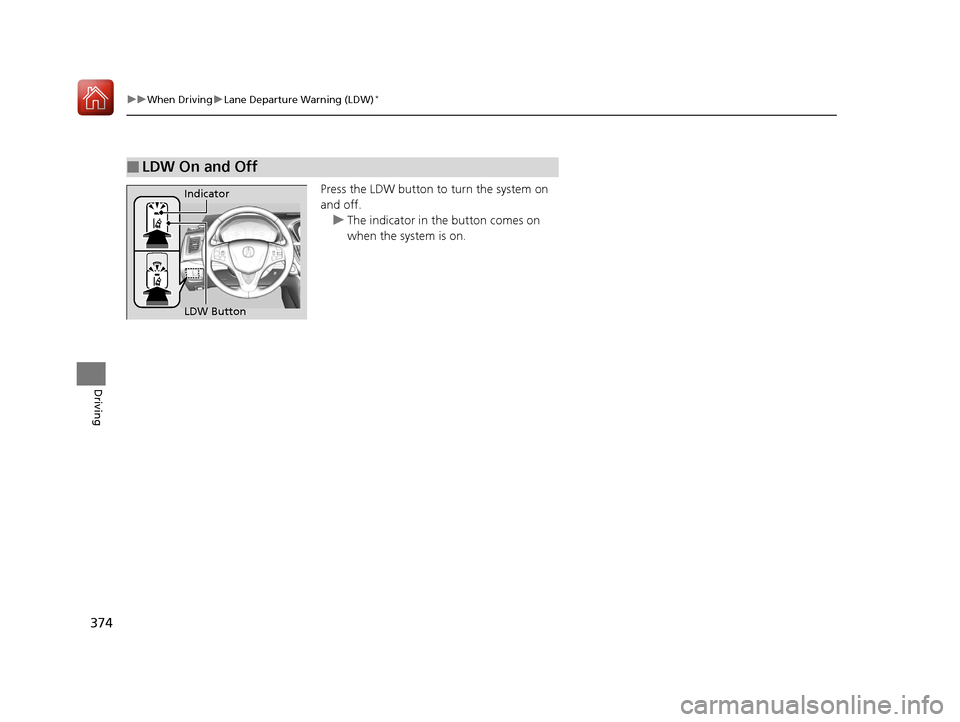
Press the LDW button to turn the system on
and off. u The indicator in the button comes on
when the system is on.
■LDW On and Off
LDW Button Indicator
17 ACURA TLX-31TZ36200.book 374 ページ 2016年6月10日 金曜日 午後6時39分
Page 376 of 553
375
uuWhen Driving uLane Departure Warning (LDW)*
Continued
Driving
LDW may not activate or may not recognize lanes, and may activate even when
keeping in the middle of a lane, under ce rtain conditions. Some examples of these
conditions are listed below.
■Environmental conditions
• Driving in bad weather (rain, fog, snow, etc.).
• Sudden changes between light and dark, such as an entrance or exit of a tunnel.
• There is little contrast between lane lines and the roadway surface.
• Driving into low sunlight (e.g., at dawn or dusk).
• Strong light is reflec ted onto the roadway.
• Driving in the shadows of trees, buildings, etc.
• Shadows of adjacent objects are parallel to lane markings.
• Roadway objects or structures are misinterpreted as lane markers.
• Reflections on the interior of the front windshield.
■Roadway conditions
• Driving on a snowy or wet roadway (obs cured lane marking, vehicle tracks,
reflected lights, road spray, high contrast).
• Driving on a road with temporary lane markings.
• Faint, multiple, or varied lane markings are visible on the roadway due to road
repairs or old lane markings.
• The roadway has merging, split, or crossing lines (e.g., such as at an intersection
or crosswalk).
• The lane markings are extremel y narrow, wide, or changing.
• The vehicle in front of you is driving near the lane lines.
• The road is hilly or the vehicle is approaching the crest of a hill.
• Driving over bumps.
■LDW Conditions and Limitations
17 ACURA TLX-31TZ36200.book 375 ページ 2016年6月10日 金曜日 午後6時39分
Page 377 of 553
376
uuWhen Driving uLane Departure Warning (LDW)*
Driving
■Vehicle conditions
• Headlight lenses are dirty or the headlights are not properly adjusted.
• The outside of the windshie ld is blocked by dirt, mud, leaves, wet snow, etc.
• The inside of the windshield is fogged.
• The camera temperature gets too hot.
• An abnormal tire or wheel condition (wrong sized, varied size or construction,
improperly inflated, compact spare tire
*, etc.).
• The vehicle is tilted due to a heav y load or suspension modifications.
* Not available on all models
17 ACURA TLX-31TZ36200.book 376 ページ 2016年6月10日 金曜日 午後6時39分
Page 380 of 553
Continued379
uuWhen Driving uRoad Departure Mitigation (RDM) System*
Driving
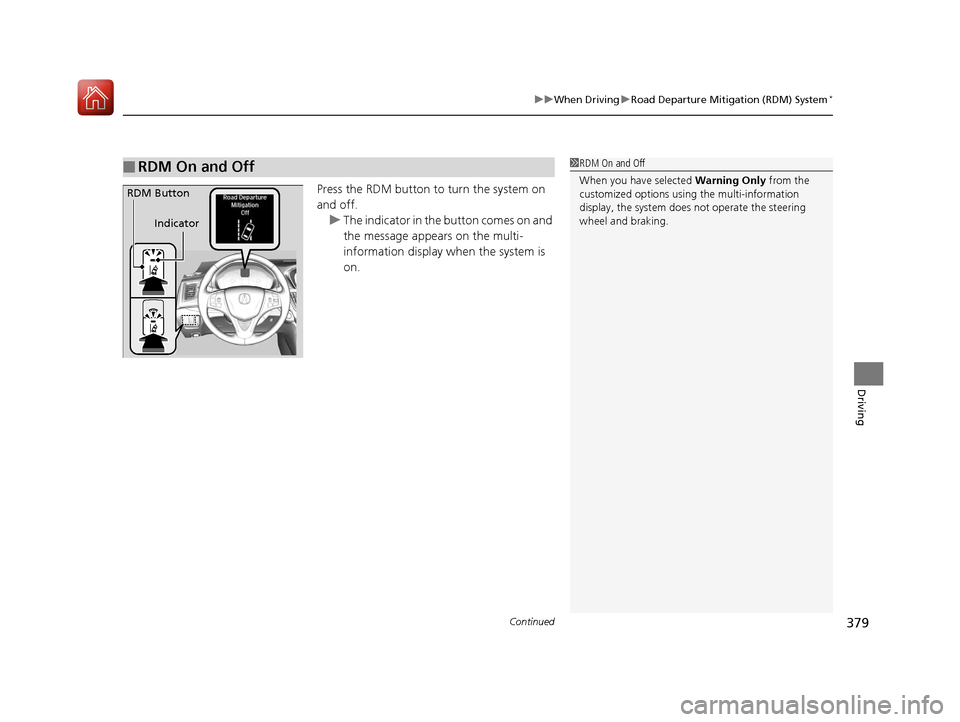
Press the RDM button to turn the system on
and off.
u The indicator in the button comes on and
the message appears on the multi-
information display when the system is
on.
■RDM On and Off1 RDM On and Off
When you have selected Warning Only from the
customized options usi ng the multi-information
display, the system does not operate the steering
wheel and braking.
RDM Button
Indicator
17 ACURA TLX-31TZ36200.book 379 ページ 2016年6月10日 金曜日 午後6時39分
Page 383 of 553
382
uuWhen Driving uLane Keeping Assist System (LKAS)*
Driving
Lane Keeping Assist System (LKAS)*
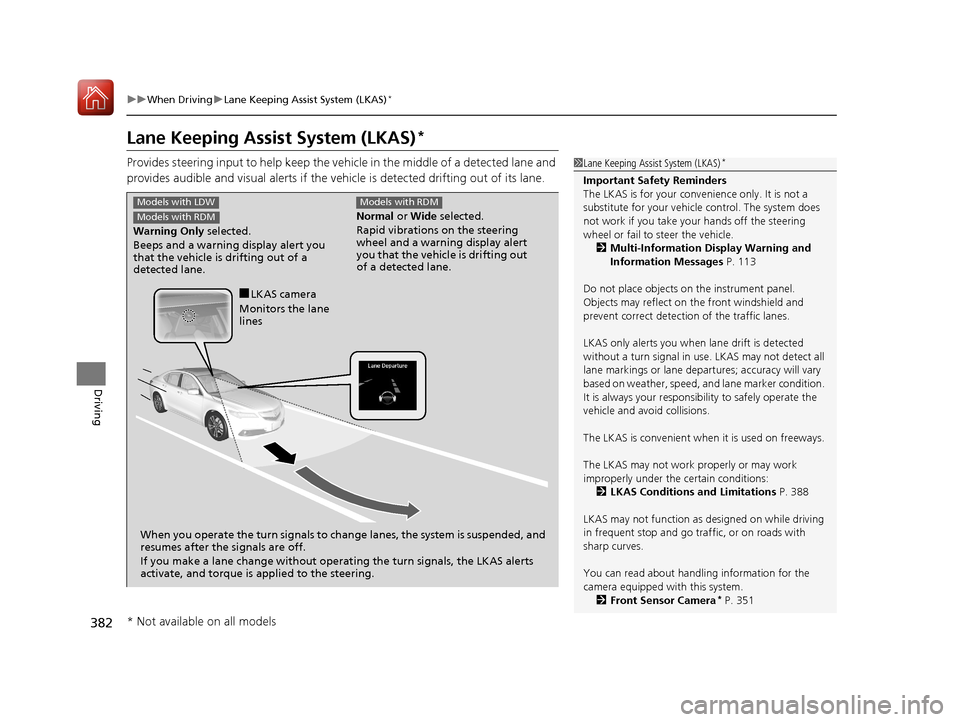
Provides steering input to help keep the vehicle in the middle of a detected lane and
provides audible and visual alerts if the vehicle is detected drifting out of its lane.1Lane Keeping Assist System (LKAS)*
Important Safety Reminders
The LKAS is for your convenience only. It is not a
substitute for your vehicl e control. The system does
not work if you take y our hands off the steering
wheel or fail to steer the vehicle.
2 Multi-Information Display Warning and
Information Messages P. 113
Do not place objects on the instrument panel.
Objects may reflect on th e front windshield and
prevent correct detectio n of the traffic lanes.
LKAS only alerts you when lane drift is detected
without a turn signal in use. LKAS may not detect all
lane markings or lane departures; a ccuracy will vary
based on weather, speed, an d lane marker condition.
It is always your responsibility to safely operate the
vehicle and avoid collisions.
The LKAS is convenient when it is used on freeways.
The LKAS may not work properly or may work
improperly under the certain conditions: 2 LKAS Conditions and Limitations P. 388
LKAS may not function as designed on while driving
in frequent stop and go traf fic, or on roads with
sharp curves.
You can read about handling information for the
camera equipped with this system. 2 Front Sensor Camera
* P. 351
Normal or Wide selected.
Rapid vibrations on the steering
wheel and a warning display alert
you that the vehicle is drifting out
of a detected lane.
Models with RDM
Warning Only selected.
Beeps and a warning display alert you
that the vehicle is drifting out of a
detected lane.
Models with LDW
Models with RDM
When you operate the turn signals to chan ge lanes, the system is suspended, and
resumes after the signals are off.
If you make a lane change without operat ing the turn signals, the LKAS alerts
activate, and torque is applied to the steering.
■LKAS camera
Monitors the lane
lines
* Not available on all models
17 ACURA TLX-31TZ36200.book 382 ページ 2016年6月10日 金曜日 午後6時39分