key Acura TLX 2018 Owner's Guide
[x] Cancel search | Manufacturer: ACURA, Model Year: 2018, Model line: TLX, Model: Acura TLX 2018Pages: 589, PDF Size: 35.45 MB
Page 160 of 589
159
uuOperating the Switches Around the Steering Wheel uENGINE START/STOP Button
Controls
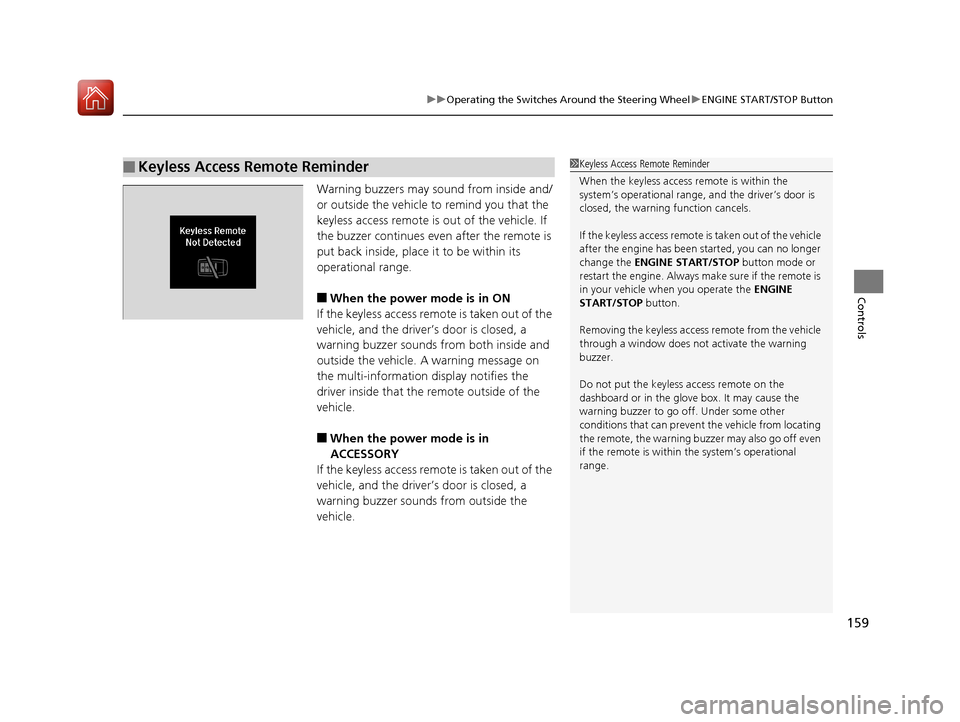
Warning buzzers may sound from inside and/
or outside the vehicle to remind you that the
keyless access remote is out of the vehicle. If
the buzzer continues even after the remote is
put back inside, place it to be within its
operational range.
■When the power mode is in ON
If the keyless access remote is taken out of the
vehicle, and the driver’s door is closed, a
warning buzzer sounds from both inside and
outside the vehicle. A warning message on
the multi-information display notifies the
driver inside that the remote outside of the
vehicle.
■When the power mode is in
ACCESSORY
If the keyless access remote is taken out of the
vehicle, and the driver’s door is closed, a
warning buzzer sounds from outside the
vehicle.
■Keyless Access Remote Reminder1 Keyless Access Remote Reminder
When the keyless access remote is within the
system’s operational range, and the driver’s door is
closed, the warni ng function cancels.
If the keyless access remote is taken out of the vehicle
after the engine has been started, you can no longer
change the ENGINE START/STOP button mode or
restart the engine. Always make sure if the remote is
in your vehicle when you operate the ENGINE
START/STOP button.
Removing the keyless access remote from the vehicle
through a window does not activate the warning
buzzer.
Do not put the keyless access remote on the
dashboard or in the glove box. It may cause the
warning buzzer to go of f. Under some other
conditions that can prevent the vehicle from locating
the remote, the warning buzzer may also go off even
if the remote is within the system’s operational
range.
18 ACURA TLX-31TZ36300.book 159 ページ 2017年2月21日 火曜日 午後2時32分
Page 174 of 589
173
uuOperating the Switches Around the Steering Wheel uDriving Position Memory System
Continued
Controls
Driving Position Memory System
You can store two driver’s seat (exc ept for power lumbar and thigh support*) and
door mirror positions with the dr iving position memory system.
When you unlock and open the driver’s door with a remote transmitter, or keyless
access system, the seat and door mirrors adjust automatically to one of the two
preset positions.
When you enter the vehicle, the multi-in formation display briefly shows you which
remote transmitter you used to unlock the vehicle.
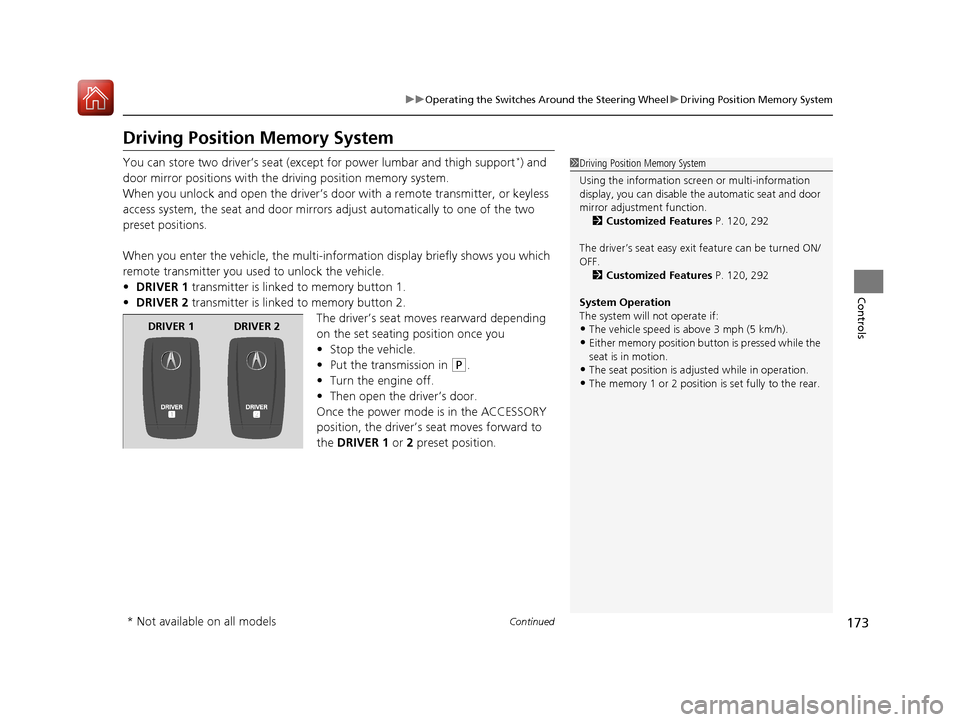
• DRIVER 1 transmitter is linked to memory button 1.
• DRIVER 2 transmitter is linked to memory button 2.
The driver’s seat moves rearward depending
on the set seating position once you
•Stop the vehicle.
• Put the transmission in
(P.
• Turn the engine off.
• Then open the driver’s door.
Once the power mode is in the ACCESSORY
position, the driver’s seat moves forward to
the DRIVER 1 or 2 preset position.
1 Driving Position Memory System
Using the information scr een or multi-information
display, you can disable th e automatic seat and door
mirror adjust ment function.
2 Customized Features P. 120, 292
The driver’s seat easy exit feature can be turned ON/
OFF. 2 Customized Features P. 120, 292
System Operation
The system will not operate if:
•The vehicle speed is above 3 mph (5 km/h).
•Either memory position button is pressed while the
seat is in motion.
•The seat position is adju sted while in operation.
•The memory 1 or 2 position is set fully to the rear.
DRIVER 1 DRIVER 2
* Not available on all models
18 ACURA TLX-31TZ36300.book 173 ページ 2017年2月21日 火曜日 午後2時32分
Page 179 of 589

uuAdjusting the Mirrors uPower Door Mirrors
178
Controls
■Folding in the door mirrors
Press the lock button on the remote transmitter, or press the door lock button on
any door. u The mirrors start folding in automatically.
■Folding out the door mirrors
Unlock the driver’s door using the remo te transmitter or keyless access system.
u The mirrors start folding out automatically.
■Automatic Folding Door Mirror Function*1Automatic Folding Door Mirror Function*
You can turn the automa tic folding door mirror
function on and off.
2 Customized Features P. 120, 292
You cannot turn the automatic folding out
automatically if they have been folded in using the
folding button.
Door mirrors will not fold automatically when locking
from inside the vehicle usi ng lock tab or master door
lock switch.
* Not available on all models
18 ACURA TLX-31TZ36300.book 178 ページ 2017年2月21日 火曜日 午後2時32分
Page 192 of 589
191
uuInterior Lights/Interior Convenience Items uInterior Convenience Items
Continued
Controls
Interior Convenience Items
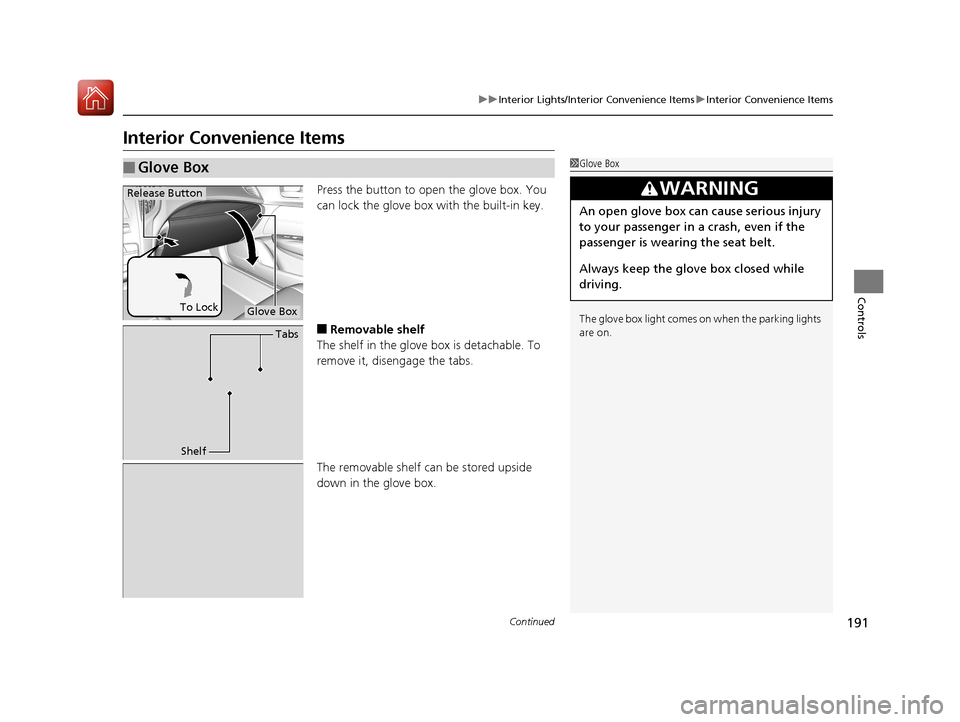
Press the button to open the glove box. You
can lock the glove box with the built-in key.
■Removable shelf
The shelf in the glove box is detachable. To
remove it, disengage the tabs.
The removable shelf can be stored upside
down in the glove box.
■Glove Box1 Glove Box
The glove box light comes on when the parking lights
are on.
3WARNING
An open glove box can cause serious injury
to your passenger in a crash, even if the
passenger is wearing the seat belt.
Always keep the glove box closed while
driving.
Glove Box
Release Button
To Lock
Tabs
Shelf
18 ACURA TLX-31TZ36300.book 191 ページ 2017年2月21日 火曜日 午後2時32分
Page 199 of 589

uuInterior Lights/Interior Convenience Items uInterior Convenience Items
198
Controls
1Wireless Charger*
In the following cases, ch arging may stop or not start:•The device is already fully charged.
•The temperature of the device is extremely high
while charging.
•You are at a place that emits strong
electromagnetic waves or noises, such as TV
station, electric power plant, or gas station.
A device may not charge if the size or shape of its
chargeable side is not appropriate for use with the
charging area.
Not all devices are compatible with the system.
During the charging phase, it is normal for the
charging area and de vice to heat up.
Charging may be briefl y interrupted when:
•All the doors or the trunk are closed
- to avoid interference with the proper functioning
of the keyless access system.
•The position of the device is altered.
•The radio is scanning for AM stations.
Do not charge more than one device at a time on a
charging area.
* Not available on all models
18 ACURA TLX-31TZ36300.book 198 ページ 2017年2月21日 火曜日 午後2時32分
Page 223 of 589

uuAudio System Basic Operation uOn Demand Multi-Use DisplayTM
222
Features
1. Select Audio Menu , then select Screen
Settings .
2. Use
(+, (- or other icons to adjust the
setting.
■Changing the Screen Settings1 Changing the Screen Settings
The following are adjustable screen settings:
•Sync Display Brightness
Selects whether the screen brightness synchronizes
with the instruments panel brightness.
•Brightness
•Contrast
•Black Level•Beep
Mutes a beep that sounds every time you touch the
screen.
•Keyboard
Changes the on-screen keyboard from the
alphabetical order to the qwerty type.
Instead of using
( +, (- or icons, you can also touch
the point where your desired setting is.
18 ACURA TLX-31TZ36300.book 222 ページ 2017年2月21日 火曜日 午後2時32分
Page 233 of 589
uuAudio System Basic Operation uPlaying AM/FM Radio
232
Features
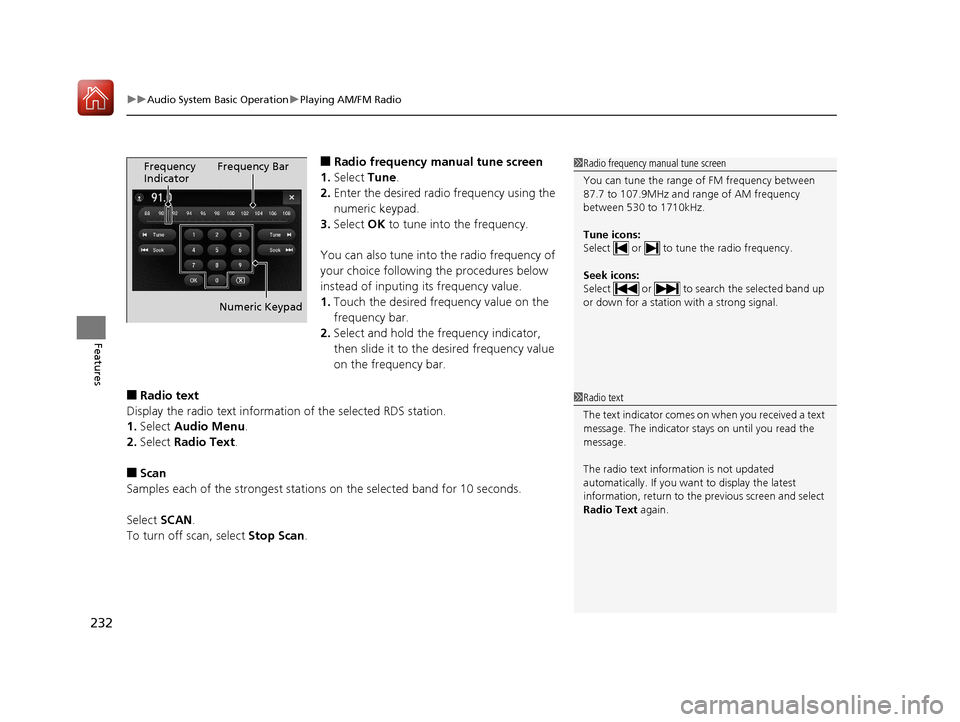
■Radio frequency manual tune screen
1. Select Tune.
2. Enter the desired radio frequency using the
numeric keypad.
3. Select OK to tune into the frequency.
You can also tune into the radio frequency of
your choice following the procedures below
instead of inputing its frequency value.
1. Touch the desired frequency value on the
frequency bar.
2. Select and hold the fre quency indicator,
then slide it to the desired frequency value
on the frequency bar.
■Radio text
Display the radio text information of the selected RDS station.
1. Select Audio Menu .
2. Select Radio Text .
■Scan
Samples each of the strongest stations on the selected band for 10 seconds.
Select SCAN.
To turn off scan, select Stop Scan.
1Radio frequency manual tune screen
You can tune the range of FM frequency between
87.7 to 107.9MHz and range of AM frequency
between 530 to 1710kHz.
Tune icons:
Select or to tune the radio frequency.
Seek icons:
Select or to search the selected band up
or down for a station with a strong signal.Frequency
Indicator Frequency Bar
Numeric Keypad
1 Radio text
The text indicator comes on when you received a text
message. The indicator stays on until you read the
message.
The radio text inform ation is not updated
automatically. If you want to display the latest
information, return to the previous screen and select
Radio Text again.
18 ACURA TLX-31TZ36300.book 232 ページ 2017年2月21日 火曜日 午後2時32分
Page 235 of 589
uuAudio System Basic Operation uPlaying SiriusXM ® Radio
234
Features
1. Select the SiriusXM® mode.
2 Audio Remote Controls P. 217
2 On Demand Multi-Use DisplayTM P. 220
2.Select a channel using the , ic ons or the preset numbers (1-12 ) on the preset
mode screen.
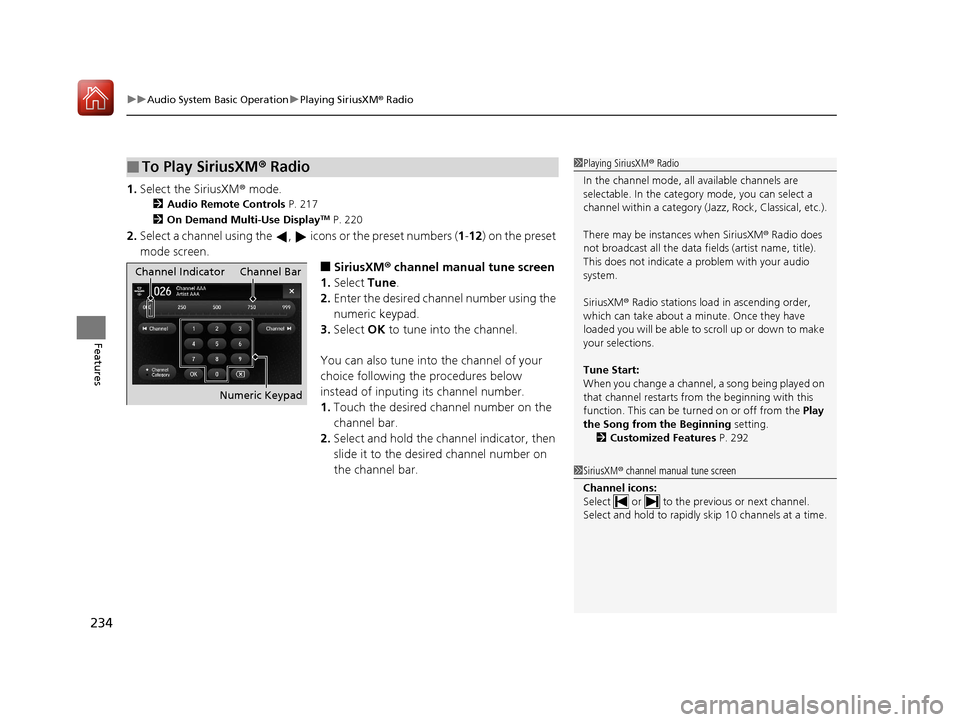
■SiriusXM ® channel manual tune screen
1. Select Tune.
2. Enter the desired channel number using the
numeric keypad.
3. Select OK to tune into the channel.
You can also tune into the channel of your
choice following the procedures below
instead of inputing its channel number.
1. Touch the desired channel number on the
channel bar.
2. Select and hold the channel indicator, then
slide it to the desired channel number on
the channel bar.
■To Play SiriusXM ® Radio1 Playing SiriusXM ® Radio
In the channel mode, all available channels are
selectable. In the categor y mode, you can select a
channel within a ca tegory (Jazz, Rock, Classical, etc.).
There may be instances when SiriusXM ® Radio does
not broadcast all the data fi elds (artist name, title).
This does not indicate a problem with your audio
system.
SiriusXM ® Radio stations load in ascending order,
which can take about a minute. Once they have
loaded you will be able to scroll up or down to make
your selections.
Tune Start:
When you change a channel, a song being played on
that channel restarts from the beginning with this
function. This can be turned on or off from the Play
the Song from the Beginning setting.
2 Customized Features P. 292
1SiriusXM ® channel manual tune screen
Channel icons:
Select or to the prev ious or next channel.
Select and hold to rapidly sk ip 10 channels at a time.
Channel Indicator Channel Bar
Numeric Keypad
18 ACURA TLX-31TZ36300.book 234 ページ 2017年2月21日 火曜日 午後2時32分
Page 265 of 589
264
uuAudio System Basic Operation uAndroid Auto
Features
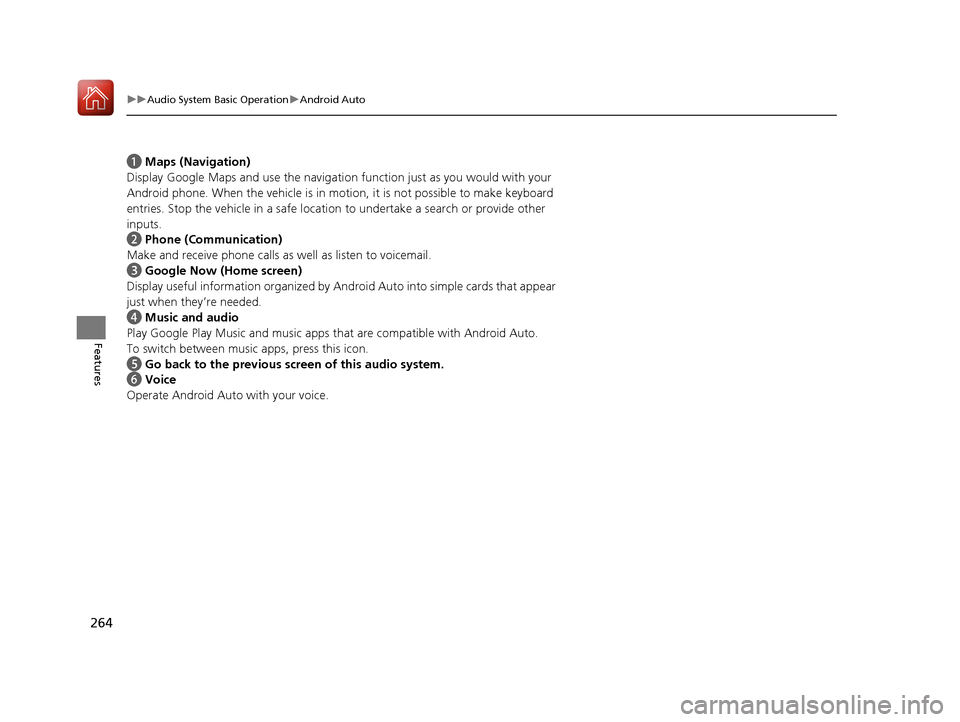
a Maps (Navigation)
Display Google Maps and use the navigation function just as you would with your
Android phone. When the vehicle is in mo tion, it is not possible to make keyboard
entries. Stop the vehicle in a safe location to undertake a search or provide other
inputs.
b Phone (Communication)
Make and receive phone calls as well as listen to voicemail.
c Google Now (Home screen)
Display useful information organized by Andr oid Auto into simple cards that appear
just when they’re needed.
d Music and audio
Play Google Play Music and music apps that are compatible with Android Auto.
To switch between music apps, press this icon.
e Go back to the previous screen of this audio system.
f Voice
Operate Android Auto with your voice.
18 ACURA TLX-31TZ36300.book 264 ページ 2017年2月21日 火曜日 午後2時32分
Page 296 of 589

295
uuCustomized Features u
Continued
Features
Maintenance ResetMaintenance Info.
Preferred Dynamic ModeDynamic
Mode
Key And Remote Unlock Mode
Keyless Lock Answer Back
Security Relock Timer
Auto Door Lock
Auto Door Unlock Door
Wireless ChargingWireless Charger*
Auto Folding Door Mirror*
Door Unlock Mode
Keyless Access Beep
Interior Light Dimming Time
Headlight Auto Off Timer
Auto Light Sensitivity
Remote Start System On/Off*
Walk Away Auto Lock
Lighting
Keyless Access
Keyless Access Light Flash
* Not available on all models
18 ACURA TLX-31TZ36300.book 295 ページ 2017年2月21日 火曜日 午後2時32分