ECO mode ACURA TLX 2022 User Guide
[x] Cancel search | Manufacturer: ACURA, Model Year: 2022, Model line: TLX, Model: ACURA TLX 2022Pages: 656, PDF Size: 26.43 MB
Page 82 of 656
80
uuIndicators u
Instrument Panel
IndicatorNameOn/BlinkingExplanation
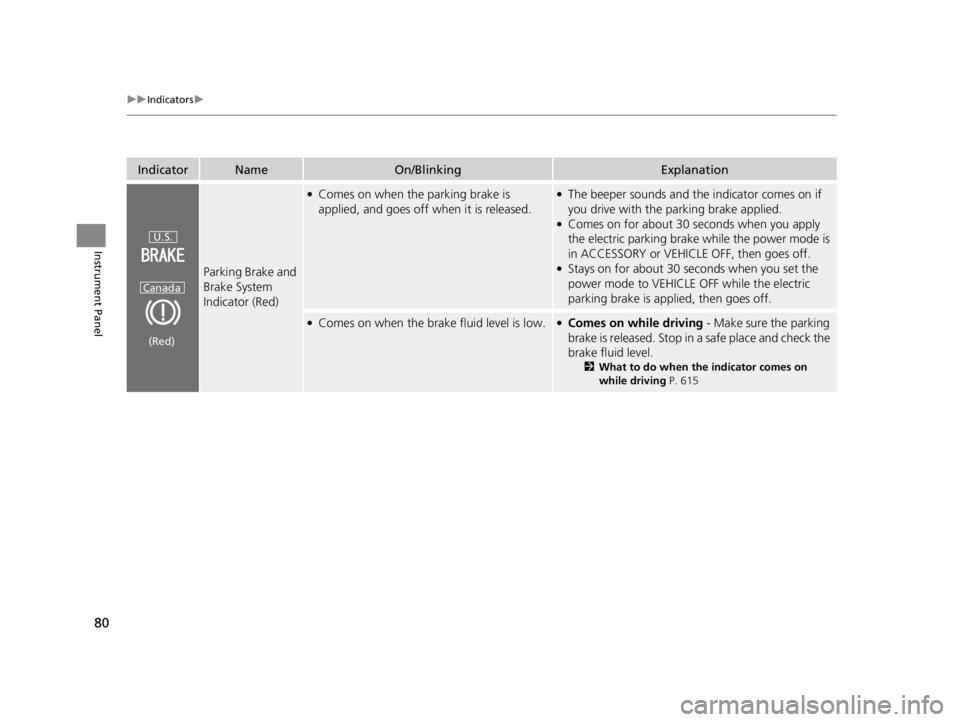
Parking Brake and
Brake System
Indicator (Red)
●Comes on when the parking brake is
applied, and goes off when it is released.●The beeper sounds and th e indicator comes on if
you drive with the parking brake applied.
●Comes on for about 30 seconds when you apply
the electric parking brake while the power mode is
in ACCESSORY or VEHICLE OFF, then goes off.
●Stays on for about 30 seconds when you set the
power mode to VEHICLE OFF while the electric
parking brake is applied, then goes off.
●Comes on when the brake fluid level is low.●Comes on while driving - Make sure the parking
brake is released. Stop in a safe place and check the
brake fluid level.
2 What to do when th e indicator comes on
while driving P. 615
U.S.
Canada
(Red)
22 ACURA TLX-31TGV6100.book 80 \b
Page 89 of 656

87
uuIndicators u
Continued
Instrument Panel
IndicatorNameOn/BlinkingExplanation
Seat Belt
Reminder
Indicator
•Blinks and the beeper sounds for a few
seconds if you are not wearing a seat belt
when you set the power mode to ON, then
the indicator comes on.
• If the front passenger is not wearing a seat
belt, the indicator comes on a few seconds
later.
• Blinks while driving if you and/or the front
passenger has not fastened a seat belt. The
beeper sounds and the indicator blinks at
regular intervals.• The beeper stops and the indicator goes off when
you and the front passenger fasten their seat belts.
• Stays on after you and/or the front passenger
has fastened the seat belt(s) - A detection error
may have occurred in the sensor. Have your vehicle
checked by a dealer.
2 Seat Belt Reminder P. 37
Low Fuel Indicator
(Amber)
•Comes on when the fuel reserve is running
low (approximately 2.38 U.S. gal./9.0 Liter
left).• Comes on - Refuel your vehicle as soon as
possible.
●Blinks if there is a problem with the fuel
gauge.•Blinks - Have your vehicle checked by a dealer.
22 ACURA TLX-31TGV6100.book 87 \b
Page 93 of 656

91
uuIndicators u
Continued
Instrument Panel
IndicatorNameOn/BlinkingExplanation
Immobilizer
System Indicator
●Blinks if the immobilizer system cannot
recognize the key information.•Blinks - You cannot start the engine. Set the
power mode to VEHICLE OFF, then select the ON
mode again.
Depress and hold the brake pedal before setting
the power mode to ON.
• Repeatedly blinks - The system may be
malfunctioning. Have your vehicle checked by a
dealer.
• Do not attempt to alter this system or add other
devices to it. Electrical problems can occur.
Security System
Alarm Indicator
●Blinks when the security system alarm has
been set.
2 Security System Alarm P. 139
IndicatorCanadian models
Indicator
22 ACURA TLX-31TGV6100.book 91 \b
Page 100 of 656
98
uuGauges and Multi-Information Display uMulti-Information Display
Instrument Panel
Multi-Information Display
The multi-information display shows info rmation such as the estimated travelable
distance and fuel economy of the vehicle. It also displays messages such as warnings
and other helpful information.
When a warning message displays, please check the message and contact a dealer
and have the vehicle inspected if necessary . Please refer to the pages below if the
Engine Oil Pressure Low , Engine Temperature Too Hot or Slow Down!
Reduced Stopping Power message is displayed.
2If the Engine Oil Pressure Low Warning Appears P. 612
2 Overheating P. 609
2 If the Slow Down! Reduced Stopping Power Warning Appears P. 613
Shows the total number of miles or kilometers that your vehicle has accumulated.
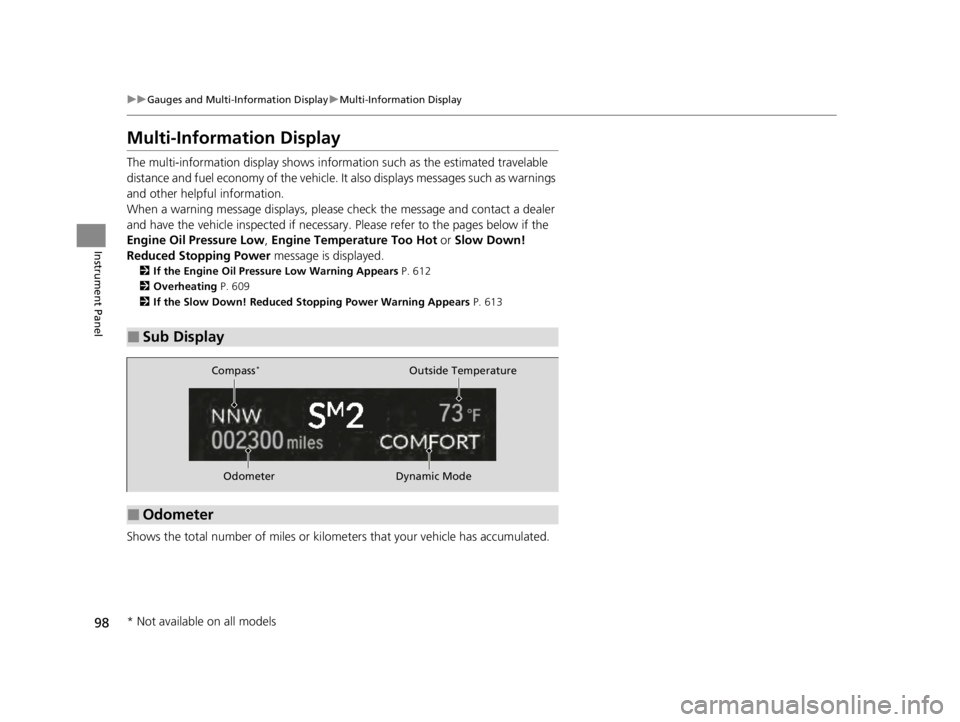
■Sub Display
■Odometer
OdometerOutside Temperature
Compass
*
Dynamic Mode
* Not available on all models
22 ACURA TLX-31TGV6100.book 98 \b
Page 105 of 656
Continued103
uuGauges and Multi-Information Display uMulti-Information Display
Instrument Panel
■Average fuel economy
Shows the estimated average fuel economy of each trip meter in mpg or l/100 km.
The display is updated at set intervals. Wh en a trip meter is reset, the average fuel
economy is also reset.
■Instant fuel economy
Shows the instant fuel economy as a bar graph in mpg or l/100 km.
■Range
Shows the estimated distance you can trave l on the remaining fuel. This estimated
distance is based on the vehicle’s current fuel economy.
■Compass*
Shows the compass screen.
■Turn-by-Turn Directions
When driving guidance is provided by the navigation system* or Android Auto, turn-
by-turn directions to your destination appear.
2 Refer to the Navigation System Manual
2 Android Auto P. 272
■Navigation
1Average fuel economy
You can change when to reset the average fuel
economy.
2 Customized Features P. 302
1Navigation
You can cancel the drivin g guidance by pressing and
holding the right selector wheel.
A confirmation screen appe ars when Apple CarPlay
navigation route is active.
You can select whether to have the turn-by-turn
display come on or not dur ing the route guidance.
2 Customized Features P. 302
2 To Change Head-Up Display Content P. 114
Turn-by-turn directions may not be available for all
apps.
* Not available on all models
22 ACURA TLX-31TGV6100.book 103 \b
Page 106 of 656
uuGauges and Multi-Information Display uMulti-Information Display
104
Instrument Panel
You can check if there are any active warning messages.
Shows the remaining oil life and Maintenance Minder
TM.
2 Maintenance MinderTM P. 525
Shows each tire’s pressure.
2Tire Pressure Monitoring System (TPMS) with Tire Fill Assist P. 409
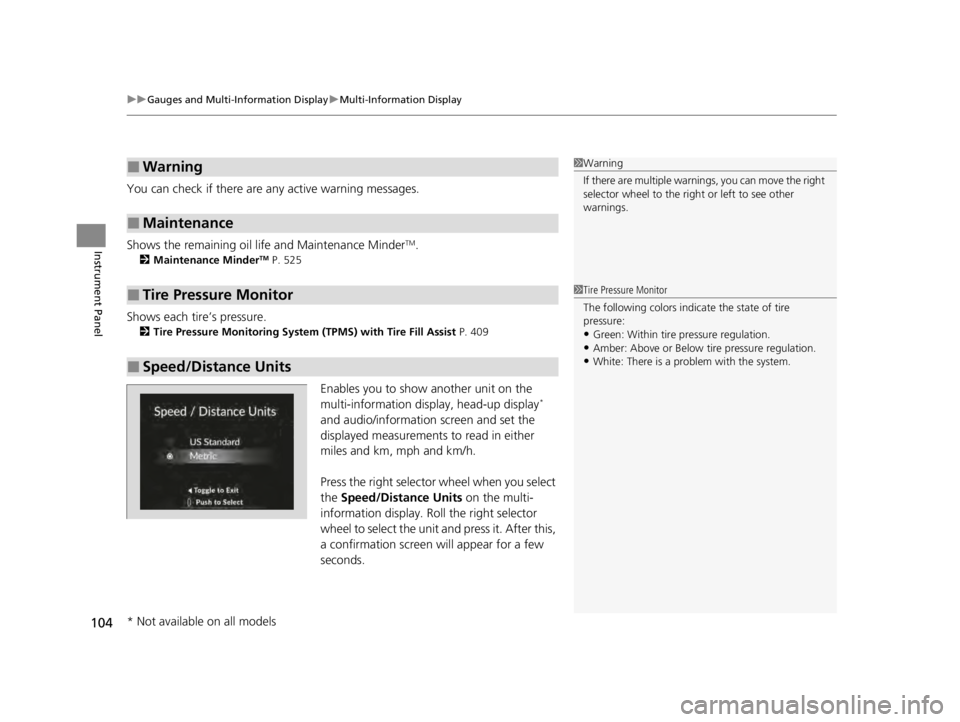
Enables you to show another unit on the
multi-information display, head-up display*
and audio/information screen and set the
displayed measurements to read in either
miles and km, mph and km/h.
Press the right selector wheel when you select
the Speed/Distance Units on the multi-
information display. Roll the right selector
wheel to select the unit and press it. After this,
a confirmation screen will appear for a few
seconds.
■Warning
■Maintenance
■Tire Pressure Monitor
■Speed/Distance Units
1 Warning
If there are multiple warnings, you can move the right
selector wheel to the right or left to see other
warnings.
1 Tire Pressure Monitor
The following colors indicate the state of tire
pressure:
•Green: Within tire pressure regulation.
•Amber: Above or Below tire pressure regulation.•White: There is a problem with the system.
* Not available on all models
22 ACURA TLX-31TGV6100.book 104 \b
Page 114 of 656
112
uuGauges and Multi-Information Display uHead-Up Display*
Instrument Panel
Head-Up Display*
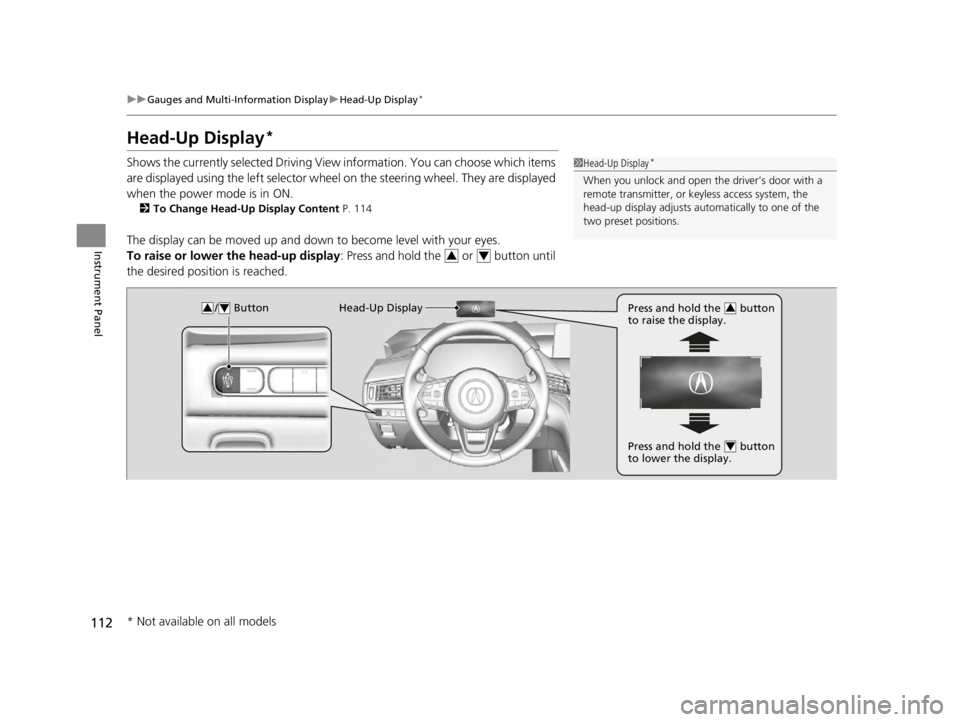
Shows the currently selected Driving View information. You can choose which items
are displayed using the left selector wheel on the steering wheel. They are displayed
when the power mode is in ON.
2 To Change Head-Up Display Content P. 114
The display can be moved up and down to become level with your eyes.
To raise or lower the head-up display : Press and hold the or button until
the desired position is reached.
1 Head-Up Display*
When you unlock and open the driver’s door with a
remote transmitter, or keyless access system, the
head-up display adjusts auto matically to one of the
two preset positions.
34
/ Button34Head-Up Display Press and hold the button
to raise the display.3
Press and hold the button
to lower the display.4
* Not available on all models
22 ACURA TLX-31TGV6100.book 112 \b
Page 123 of 656
121
uuLocking and Unlocking the Doors uKey
Continued
Controls
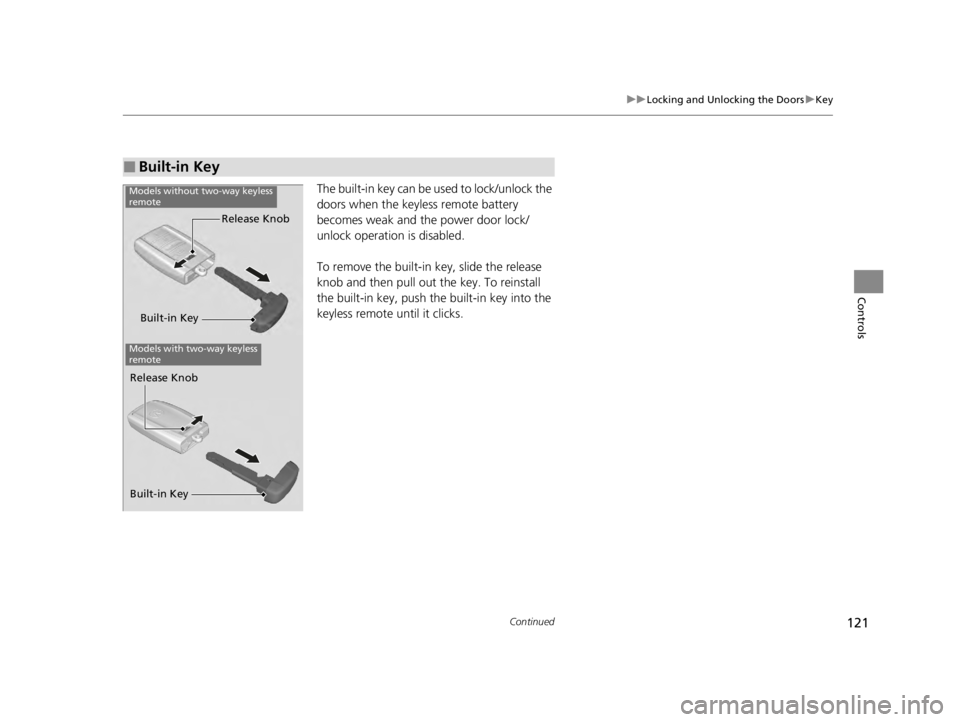
The built-in key can be used to lock/unlock the
doors when the keyles s remote battery
becomes weak and the power door lock/
unlock operation is disabled.
To remove the built-in key, slide the release
knob and then pull out the key. To reinstall
the built-in key, push the built-in key into the
keyless remote until it clicks.
■Built-in Key
Built-in Key Release Knob
Models without two-way keyless
remote
Models with two-way keyless
remote
Built-in Key Release Knob
22 ACURA TLX-31TGV6100.book 121 \b
Page 125 of 656

123
uuLocking and Unlocking the Doors uLocking/Unlocking the Doors from the Outside
Continued
Controls
Locking/Unlocking the Doors from the Outside
When you carry the keyless remote, you can
lock/unlock the doors, fuel fill door and open
the trunk.
You can lock/unlock the doors, fuel fill door
and trunk within a radius of about 32 inches
(80 cm) of the outside door handle or trunk
release button.
■Using the Keyless Access System1Locking/Unlocking the Doors from the Outside
If the interior light switch is in the door activated
position, the interior light comes on when you unlock
the doors.
No doors opened: The li ght fades out after 30
seconds.
Doors relocked: The light goes off immediately.
2 Interior Lights P. 180
Models without rear door touch sensor
Models with rear door touch sensor
1Using the Keyless Access System
If you do not open a door within 30 seconds of
unlocking the vehicle with the keyless access system,
the doors, fuel fill door a nd trunk will automatically
relock. 2 Customized Features P. 302
You can lock or unlock doors, fuel fill door and trunk
using the keyless access system only when the power
mode is in VEHICLE OFF.
The keyless access system will not lock the vehicle
when a door is open.
22 ACURA TLX-31TGV6100.book 123 \b
Page 126 of 656

uuLocking and Unlocking the Doors uLocking/Unlocking the Doors from the Outside
124
Controls
■Locking the doors and trunk
Touch the door lock sensor on the front or
rear
* door.
u Some exterior lights flash; the beeper
sounds; all the doors, fuel fill door and
trunk lock; and the security system sets.
1Using the Keyless Access System
•Do not leave the keyless remote in the vehicle
when you get out. Carry it with you.
•Even if you are not carrying the keyless remote, you
can lock/unlock the doors while someone else with
the remote is within range.
•The door may be unlocked if the door handle is
covered with water in heavy rain or in a car wash if
the keyless remote is within range.
•If you grip a front or rear* door handle or touch a
door lock sensor wearing gloves, the door sensor
may be slow to respon d or may not respond by
unlocking the doors.
•After locking the door, you have up to 2 seconds
during which you can pull the door handle to
confirm whether the door is locked. If you need to
unlock the door immediately after locking it, wait
at least 2 seconds befo re gripping the handle,
otherwise the door will not unlock.
•The door may not open if you pull it immediately
after gripping the door handle. Grip the handle
again and confirm that th e door is unlocked before
pulling the handle.
•Even within the 32 inches (80 cm) radius, you may
not be able to lock/unl ock the doors with the
keyless remote if it is above or below the outside
handle.
•The keyless remote may not operate if it is too close
to the door and door glass.
Door Lock Sensor
* Not available on all models
22 ACURA TLX-31TGV6100.book 124 \b