transmission ACURA TLX 2022 Repair Manual
[x] Cancel search | Manufacturer: ACURA, Model Year: 2022, Model line: TLX, Model: ACURA TLX 2022Pages: 656, PDF Size: 26.43 MB
Page 583 of 656

581Continued
Handling the Unexpected
If a Tire Goes Flat
Temporarily Repairing a Flat Tire
If the tire has a large cut or is otherwise severely damaged, you will need to have the
vehicle towed. If the tire only has a small puncture, from a nail for instance, you can
use the temporary tire repair kit so that you can drive to the nearest service station
for a more permanent repair.
If a tire goes flat while driving, grasp the steering wheel firmly, and brake gradually
to reduce speed. Then, stop in a safe place.
1. Park the vehicle on a firm, level, non-slippery surface and apply the parking brake.
2. Put the transmission into
(P.
3. Turn on the hazard warning lights an d set the power mode to VEHICLE OFF
(LOCK).
1 Temporarily Repairing a Flat Tire
The kit should not be used in the following situations.
Instead, contact a dealer or roadside assistance to
have the vehicle towed.
•The tire sealant has expired.
•More than one tire is punctured.•The puncture or cut is larger than 3/16 inch (4.8 mm).
•The tire side wall is damaged or the puncture is
outside the contact area.
•Damage has been caused by driving with the tire
extremely under inflated.
•The tire bead is no longer seated.
•The rim is damaged.
Do not remove a nail or screw that punctured the
tire. If you remove it from the tire, you may not be
able to repair the puncture using the kit.
NOTICE
Do not use a puncture-repairing agent other than the
one provided in the kit that came with your vehicle. If
a different agent is used, you may permanently
damage the tire pressure sensor.
When the puncture isYUse Kit
Smaller than 3/16 inch (4.8 mm)Yes
Larger than 3/16 inch (4.8 mm)No
Contact
Area
22 ACURA TLX-31TGV6100.book 581 \b
Page 598 of 656

596
uuIf a Tire Goes Flat uChanging a Flat Tire
Handling the Unexpected
Changing a Flat Tire
If a tire goes flat while driving, grasp the steering wheel firmly, and brake gradually
to reduce speed. Then, stop in a safe place. Replace the flat tire with a compact
spare tire. Go to a dealer as soon as possibl e to have the full-size tire repaired or
replaced.
1. Park the vehicle on a firm, level, non-slippery surface and apply the parking brake.
2. Put the transmission into
(P.
3. Turn on the hazard warning lights an d set the power mode to VEHICLE OFF
(LOCK).
Models with optional spare tire
1 Changing a Flat Tire
Follow compact spare precautions:
Periodically check the tire pressure of the compact
spare. It should be set to the specified pressure.
Specified Pressure: 60 psi (420 kPa, 4.2 kgf/cm
2)
When driving with the compact spare tire, keep the
vehicle speed under 50 mph (80 km/h). Replace with
a full-size tire as soon as possible.
The compact spare tire and wheel in your vehicle are
specifically for this model. Do not use them with
another vehicle. Do not us e another type of compact
spare tire or wheel with your vehicle.
Do not mount tire chains on a compact spare tire.
If a chain-mounted front tire goes flat, remove one of
the full-size rear tires and replace it with the compact
spare tire. Remove the flat front tire and replace it
with the full-size tire that was removed from the rear.
Mount the tire chains on the front tire.
Do not use a puncture-repairing agent other than the
Tire Repair Ki t provided with your vehicle, as some
tire repair agents can caus e damage to the pressure
sensors.
NOTICE
Do not use the jack if it doesn
Page 617 of 656

615
uuIndicator, Coming On/BlinkinguIf the Brake System Indicator (Red) Comes On or Blinks
Handling the Unexpected
If the Brake System Indicator (Red) Comes On or
Blinks
■Reasons for the indicator to come on
• The brake fluid is low.
• There is a malfunction in the brake system.
■What to do when the indicator comes on while driving
Depress the brake pedal lightly to check pedal pressure.
• If normal, check the brake fluid level the next time you stop.
• If abnormal, take immediate acti on. If necessary, downshift the
transmission to slow the vehicle using engine braking.
■Reasons for the indicator to blink
• There is a problem with the electric parking brake system.
■What to do when the indicator blinks
• Avoid using the parking brake and have your vehicle checked by a
dealer immediately.
1If the Brake System Indicator (Red) Comes On or Blinks
Have your vehicle re paired immediately.
It is dangerous to drive with low brake fluid. If there
is no resistance from the brake pedal, stop
immediately in a safe plac e. If necessary downshift
the gears.
If the brake system indicator (red) and ABS indicator
come on simultaneously , the electronic brake
distribution system is not wo rking. This can result in
vehicle instability under sudden braking.
Have your vehicle inspecte d by a dealer immediately.
If the Brake System Indicator (Red) blinks at the same
time when the Brake System Indicator (Amber) comes
on, the parking br ake may not work.
Avoid using the parking brak e and have your vehicle
checked by a dealer immediately. 2 If the Brake System Indicator (Red) Comes
On or Blinks at the Same Time When the
Brake System Indicator (Amber) Comes On
P. 617
U.S.
Canada
22 ACURA TLX-31TGV6100.book 615 \b
Page 621 of 656

619
uuIndicator, Coming On/BlinkinguIf the Transmission System Indicator Blinks along with the Warning Message
Handling the Unexpected
If the Transmission System Indicator Blinks along
with the Warning Message
■Reasons for the indicator to blink
The transmission is malfunctioning.
■What to do when the indicator blinks
• Immediately have your vehicle inspected by
a dealer.
• Put the transmission into
(N after starting
the engine.
u Check if the
(N position in the
instrument panel and the indicator on
the
(N button light/blink.
u The engine cannot be turned on unless
the parking brake is set.
2 Starting the Engine P. 374
1If the Transmission System In dicator Blinks along with the
Warning Message
You may not be able to start the engine.
Make sure to set the pa rking brake when parking
your vehicle.
Call a professional towing service if you need to tow
your vehicle. 2 Emergency Towing P. 627
22 ACURA TLX-31TGV6100.book 619 \b
Page 629 of 656
627
Handling the Unexpected
Emergency Towing
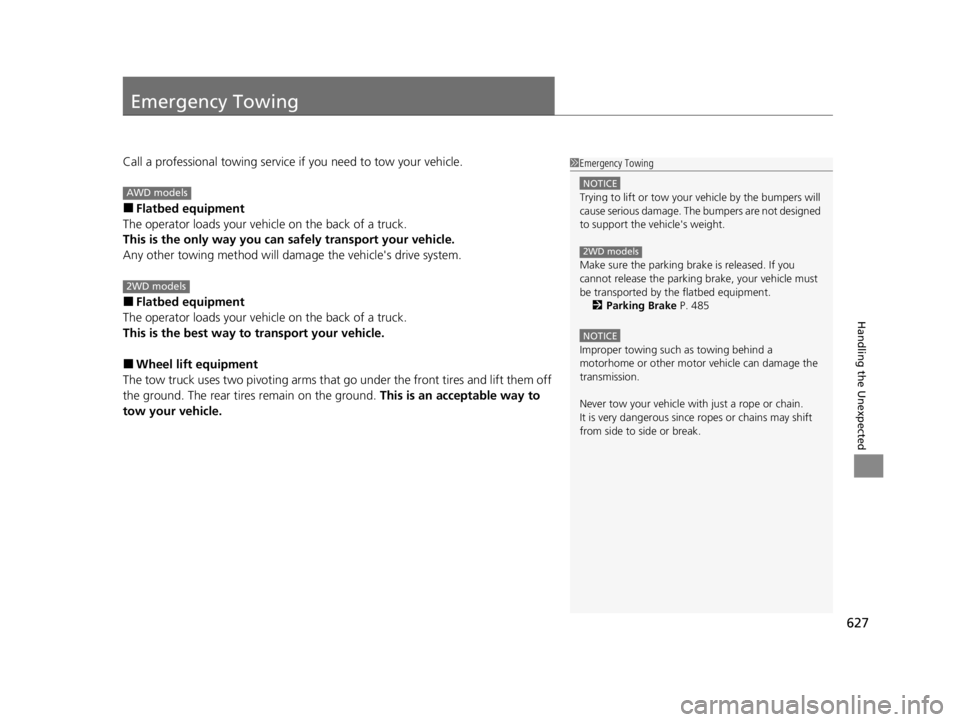
Call a professional towing service if you need to tow your vehicle.
■Flatbed equipment
The operator loads your vehicle on the back of a truck.
This is the only way you can safely transport your vehicle.
Any other towing method will dama ge the vehicle's drive system.
■Flatbed equipment
The operator loads your vehicle on the back of a truck.
This is the best way to transport your vehicle.
■Wheel lift equipment
The tow truck uses two pivoti ng arms that go under the front tires and lift them off
the ground. The rear tires remain on the ground. This is an acceptable way to
tow your vehicle.
1 Emergency Towing
NOTICE
Trying to lift or tow your vehicle by the bumpers will
cause serious damage. The bumpers are not designed
to support the vehicle's weight.
Make sure the parking brake is released. If you
cannot release the parking brake, your vehicle must
be transported by the flatbed equipment.
2 Parking Brake P. 485
NOTICE
Improper towing such as towing behind a
motorhome or other motor vehicle can damage the
transmission.
Never tow your vehicle with just a rope or chain.
It is very dangerous since ropes or chains may shift
from side to side or break.
2WD models
AWD models
2WD models
22 ACURA TLX-31TGV6100.book 627 \b
Page 633 of 656

631
Information
This chapter includes your vehicle’s specifications, locations of identification numbers, and other
information required by regulation.
Specifications .................................... 632
Identification Numbers Vehicle Identification Number (VIN), Engine Number, and Transmission
Number ......................................... 634
Devices that Emit Radio Waves ....... 635
Reporting Safety Defects ................. 636Emissions Testing
Testing of Readiness Codes.............. 637
Warranty Coverages ........................ 640
Authorized Manuals ......................... 643
Client Service Information ............... 644
22 ACURA TLX-31TGV6100.book 631 \b
Page 636 of 656

634
Information
Identification Numbers
Vehicle Identification Number (VIN), Engine Number,
and Transmission Number
Your vehicle has a 17-digit vehicle identifi cation number (VIN) used to register your
vehicle for warranty purposes, and for licensing and insuring your vehicle.
The locations of your vehicle’s VIN, engine number, and transmission number are
shown as follows.
1 Vehicle Identification Number (VIN), Engine Number, and
Transmission Number
The interior vehicle identification number (VIN) is
located under the cover.
Cover*
Vehicle Identification Numbers
Engine Number
Automatic
Transmission
Number Certification Label/Vehicle Identification Number2.0 L engine models
Vehicle Identification Numbers
Certification Label/Vehicle Identification Number
3.0 L engine models
Engine Number
Automatic
Transmission
Number
* Not available on all models
22 ACURA TLX-31TGV6100.book 634 \b
Page 646 of 656
644
Information
Client Service Information
Acura dealership personnel are trained professionals who should be able to deal
with any problems you may encounter with your vehicle. If, however, you are faced
with a problem that they cannot resolve to your satisfaction, contact Acura Client
Relations/Services.
U.S. Owners
American Honda Motor Co., Inc.
Acura Client Relations
Mail Stop CHI-4
1919 Torrance Blvd.
Torrance, CA 90501-2746
Tel: 1 (800) 382-2238 Canadian Owners
Honda Canada Inc.
Acura Client Services
180 Honda Boulevard Markham, ON
L6C 0H9
Tel: 1-888-9-ACURA-9
Fax: 1-877-939-0909
E-mail: [email protected]
In Puerto Rico and the U.S. Virgin Islands
Bella International
P.O. Box 190816
San Juan, PR 00919-0816
Tel: 1 (787) 620-75461 Client Service Information
When you call or write, please give us the following
information:
•Vehicle Identification Number
2Vehicle Identification Number (VIN),
Engine Number, and Transmission
Number P. 634
•Date of purchase•Odometer reading of your vehicle
•Your name, address, and telephone number
•A detailed description of the problem•Name of the dealer who sold the vehicle to you
22 ACURA TLX-31TGV6100.book 644 \b
Page 647 of 656

Index
645
Index
Index
A
ABS (Anti-lock Brake System).................. 492
Accessories and Modifications ................ 576
Accessory Power Sockets ......................... 189
AcuraLink® .............................................. 358
AcuraWatch
TM.................................... 23, 416
Adaptive Cruise Control (ACC) with Low Speed Follow ............................ 93, 431
Adding the Coolant ................................. 547
Additives Coolant .......................................... 544, 546
Engine Oil ............................................... 536
Washer ................................................... 549
Additives, Engine Oil ............................... 536
Adjusting Armrest .................................................. 179
Front Seats.............................................. 168
Head Restraints ....................................... 174
Mirrors.................................................... 165
Steering Wheel ....................................... 164
Agile Handling Assist ............................... 407
Air Conditioning System (Climate Control
System) .................................................... 197
Defrosting the Windshield and Windows .............................................. 199
Dust and Pollen Filter .............................. 570
Sensors ................................................... 201
Synchronized Mode ................................ 200
Air Pressure ...................................... 556, 633
Airbags ....................................................... 43
Advanced Airbags ..................................... 49 Airbag Care ............................................... 60
Driver’s Knee Airbag .................................. 51
Event Data Recorder .................................... 0
Front Airbags (SRS) .................................... 46
Indicator .............................................. 57, 88
Passenger Airbag Off Indicator .................. 58
Sensors ...................................................... 43
Side Airbags .............................................. 54
Side Curtain Airbags .................................. 56
AM/FM Radio ............................................ 238
Android Auto ............................................ 272
Anti-lock Brake System (ABS) .................. 492
Indicator .................................................... 88
Apple CarPlay ........................................... 268
Armrest ..................................................... 179
AT&T Hotspot ........................................... 266
Audio Remote Controls ............................ 208
Audio System ............................................ 204
Adjusting the Sound ................................ 233
Audio/Information Screen ........................ 214
Auxiliary Input Jack .................................. 206
Display Setup ........................................... 234
Error Messages ........................................ 276
General Information ................................ 279
Home Screen ........................................... 218
How to Update Wirelessly ........................ 227
How to Update with a USB Device ........... 231
How to use Siri Eyes Free ......................... 267
iPod ......................................................... 255
Limitations for Manua l Operation ............ 234
MP3/WMA/AAC ...................................... 258 Reactivating ............................................ 207
Remote Controls ..................................... 208
Security Code .......................................... 207
Status Area ............................................. 223
System Updates....................................... 227
Theft Protection ...................................... 207
True Touchpad Interface.......................... 211
USB Flash Drives .............................. 258, 281
USB Ports ................................................ 205
Audio/Information Screen ....................... 214
Authorized Manuals ................................ 643
Auto Door Locking/Unlocking ................. 135
Auto High-Beam ....................................... 154
Indicator.................................................... 90
Auto Idle Stop .......................................... 398
OFF Button .............................................. 400
Automatic Brake Hold ............................. 490
Indicator............................................ 82, 490
Automatic Folding Door Mirror .............. 167
Automatic Lighting .................................. 151
Automatic Transmission ........................... 381
Creeping ................................................. 381
Kickdown ................................................ 381
Operating the Shift Button ................ 20, 384
Shifting ................................................... 382
Auxiliary Input Jack .................................. 206
Average Fuel Economy ............................ 103
22 ACURA TLX-31TGV6100.book 645 \b
Page 648 of 656

646
Index
B
BatteryCharging (Battery) ................................... 567
Charging System Indicator ................. 83, 613
If the Battery Is Dead ............................... 606
Maintenance (Checking the Battery) ........ 564
Belts (Seat) .................................................. 36
Beverage Holders ...................................... 184
Blind spot information System ................ 413
Bluetooth ® Audio ..................................... 261
Bluetooth ® HandsFreeLink ®................... 329
Booster Seats (For Children) ....................... 74
Brake System ............................................. 485
Anti-lock Brake System (ABS) ................... 492
Automatic Brake Hold.............................. 490
Brake Assist System ................................. 493
Fluid ........................................................ 549
Foot Brake ............................................... 489
Indicator ................................ 80, 81, 82, 615
Indicator (Red) ......................................... 617
Parking Brake .......................................... 485
Brightness Control (Instrument Panel) .... 159
Built-in Key ................................................ 121
Bulb Replacement ..................................... 550
Brake, Rear Turn Si gnal and Taillight/Rear
Side Marker Lights ................................. 551
Fog Lights ................................................ 550
Front Turn Signal, Parking/Daytime
Running and Front Side Marker Lights.... 550
Headlights ............................................... 550
High-Mount Brake Light .......................... 551 Puddle Lights........................................... 551
Rear License Plate Light ........................... 551
Side Turn Signal/Emergency Indicator
Lights .................................................... 550
Taillights and Back-Up Lights ................... 551
Bulb Specifications ................................... 632
C
CAMERA Button....................................... 508
Carbon Monoxide Gas ............................... 75
Carrying Cargo ................................. 369, 371
Certification Label .................................... 634
Changing Bulbs ........................................ 550
Charging System Indicator ................. 83, 613
Child Safety ................................................. 61
Childproof Door Locks............................. 134
Child Seat .................................................... 61
Booster Seats ............................................ 74
Child Seat for Infants................................. 63
Child Seat for Small Children ..................... 64
Installing a Child Seat with a Lap/Shoulder Seat Belt .................................................. 69
Larger Children ......................................... 73
Rear-facing Child Seat ............................... 63
Selecting a Child Seat ................................ 65
Using a Tether ........................................... 71
Childproof Door Locks ............................. 134
Cleaning the Exterior ............................... 573
Cleaning the Interior ................................ 571
Client Service Information ....................... 644Climate Control System
........................... 197
Defrosting the Windshield and
Windows .............................................. 199
Dust and Pollen Filter .............................. 570
Sensors ................................................... 201
Synchronized Mode ................................ 200
Clock ......................................................... 118
CMBS
TM (Collision Mitigation Braking
SystemTM) ................................................ 420
Coat Hooks ............................................... 186
Collision Mitigation Braking System
TM
(CMBSTM) ................................................. 420
Compact Spare Tire (Optional) ....... 596, 633
Console Compartment ............................. 183
Controls .................................................... 117
Coolant (Engine) .............................. 544, 546
Adding the Coolant ................................ 547
Adding to the Radiator ........................... 545
Adding to the Reserve Tank .................... 544
Overheating ............................................ 609
Creeping (Automatic Transmission) ........ 381
Cross Traffic Monitor ............................... 500
Cup Holders .............................................. 184
Customized Features ............................... 302
D
Daytime Running Lights .......................... 153
Dead Battery ............................................ 606
Defaulting All the Settings ...................... 325
22 ACURA TLX-31TGV6100.book 646 \b