light ACURA TLX 2022 Manual PDF
[x] Cancel search | Manufacturer: ACURA, Model Year: 2022, Model line: TLX, Model: ACURA TLX 2022Pages: 656, PDF Size: 26.43 MB
Page 399 of 656

397
uuWhen Driving uIntegrated Dynamics System
Driving
*1:Interior accent light only available if equipped. Interior accent light changes with Dynamic Mode only when Accent Light Theme is
set to Dynamic Mode .
2Customized Features P. 302
2 Lighting area of the accent light P. 395
CategoryDescription
EngineSelect COMFORT , NORMAL , or SPORT for the engine throttle response and transmission shift response
SteeringSelect COMFORT , NORMAL , or SPORT for the steering effort
SuspensionSelect COMFORT , NORMAL , or SPORT for ride and/or handling:●The suspension stiffness with the Ac tive Damper System (if equipped)●The power distribution to the wheels with SH-AWD ® (if equipped)
Idle StopSet the Auto Idle Stop system to Enabled or Disabled. While Idle Stop is Disabled in INDIVIDUAL mode,
the Auto Idle Stop System will stay disabl ed regardless of the Auto Idle Stop OFF button
2 Auto Idle Stop P. 398
Lighting*1Set the interior accent lighting. COMFORT for blue, NORMAL for white, and SPORT for red
Reset to DefaultEngine , Steering , Suspension and Lighting is set to Normal, and Idle Stop is set to Enabled
22 ACURA TLX-31TGV6100.book 397 \b
Page 409 of 656

407
uuWhen Driving uAgile Handling Assist
Driving
Agile Handling Assist
Lightly brakes each of the front and rear wheels, as needed, when you turn the
steering wheel, and helps support the vehicle’s stability and performance during
cornering.1 Agile Handling Assist
The agile handling assist ca nnot enhance stability in
all driving situations. You still need to drive and
corner at speeds appropriate for the conditions and
always leave a sufficient margin of safety.
When the VSA ® system indicator comes on and stays
on while driving, the agil e handling assist does not
activate.
You may hear a sound coming from the engine
compartment while the agile handling assist is
activated. This is normal.
22 ACURA TLX-31TGV6100.book 407 \b
Page 411 of 656

409
uuWhen Driving uTire Pressure Monitoring System (TPMS) with Tire Fill Assist
Continued
Driving
Tire Pressure Monitoring System (TPMS) with Tire
Fill Assist
Monitors the tire pr essure while you are
driving. If your vehicle’s tire pressure becomes
significantly low, the low tire pressure/TPMS
indicator comes on and a message appears on
the multi-information display.
1 Tire Pressure Monitoring System (TPMS) with Tire Fill Assist
Conditions such as low ambient temperature and
altitude change directly affect tire pressure and can
trigger the low tire pressure/TPMS indicator to come
on. 2 If the Low Tire Pressure/TPMS Indicator
Comes On or Blinks P. 618
Tire pressure checked and inflated in:
•Warm weather can beco me under-inflated in
colder weather.
•Cold weather can become overinflated in warmer
weather.
The low tire pressure/TPMS indicator will not come
on as a result of overinflation.
The TPMS audibly and visually informs you of
changes in tire pressure of the individual tire that you
are adjusting using audibl e and visual indications.
If a change in tire pressure has been significant, the
system beeps and the hazard lights flash continuously
for five seconds when the specified tire pressure is
reached. Stop filling the tire.Low Tire Pressure/
TPMS Indicator
22 ACURA TLX-31TGV6100.book 409 \b
Page 412 of 656
uuWhen Driving uTire Pressure Monitoring System (TPMS) with Tire Fill Assist
410
Driving
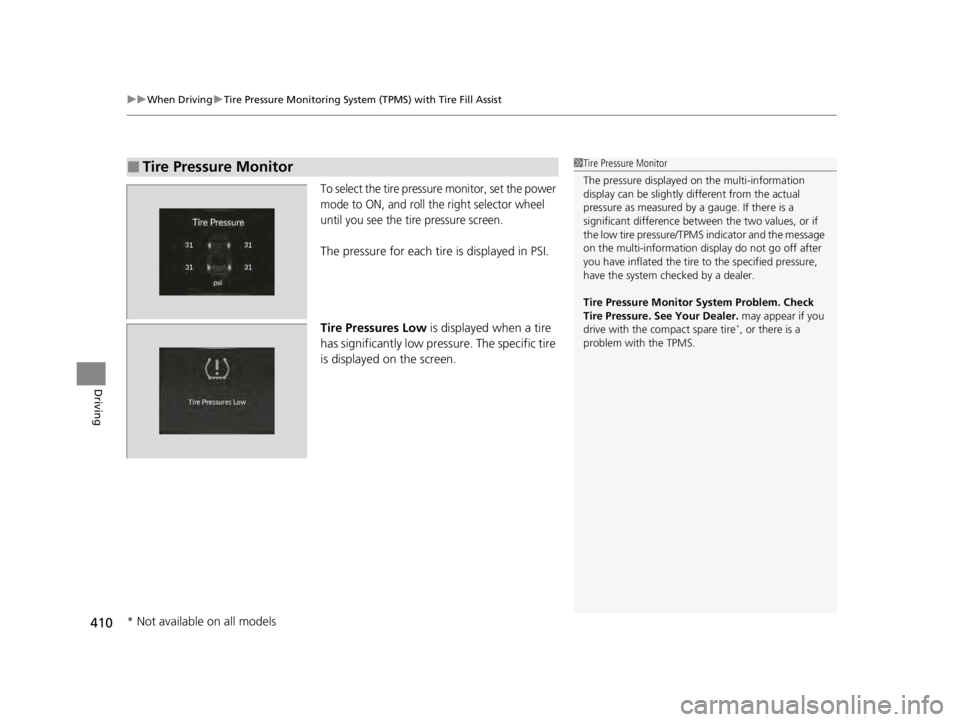
To select the tire pressure monitor, set the power
mode to ON, and roll the right selector wheel
until you see the tire pressure screen.
The pressure for each tire is displayed in PSI.
Tire Pressures Low is displayed when a tire
has significantly low pressure. The specific tire
is displayed on the screen.
■Tire Pressure Monitor1Tire Pressure Monitor
The pressure displayed on the multi-information
display can be slightly different from the actual
pressure as measured by a gauge. If there is a
significant di fference between the two values, or if
the low tire pressure/TPMS indicator and the message
on the multi-information di splay do not go off after
you have inflated the tire to the specified pressure,
have the system checked by a dealer.
Tire Pressure Monitor System Problem. Check
Tire Pressure. See Your Dealer. may appear if you
drive with the compact spare tire
*, or there is a
problem with the TPMS.
* Not available on all models
22 ACURA TLX-31TGV6100.book 410 \b
Page 417 of 656

415
uuWhen Driving uBlind spot information System*
Driving
■Blind spot information System On and Off
When you turn the blind spot information
system on and off, do the following.
1.Press the safety support switch.
2. Roll the right selector wheel to the
symbol and push it.
u The message appears on the multi-
information display when the system
turns on or off.
u A check mark appears in the box and the
color of the symbol changes green
when the system is on. The check mark
disappears and the color of the
symbol changes gray when the system is
off.
The blind spot information system is in the
previously selected on (checked) or off
(unchecked) setting eac h time you start the
engine.1 Blind spot information System*
Blind spot information sy stem may be adversely
affected when:
•Objects (guard rails, poles, trees, etc.) are detected.
•An object that does not re flect radio waves well,
such as a motorcycle, is in the alert zone.
•Driving on a curved road.
•A vehicle is moving from a far lane to the adjacent
lane.
•The system picks up external electrical interference.
•The rear bumper or the sensors have been
improperly repaired or the rear bumper has been
deformed.
•The orientation of the sensors has been changed.•In bad weather (Heavy rain, snow, and fog).
•Making a turn at an intersection.
•Driving on a bumpy road.•Making a short turn that slightly tilts the vehicle.
For a proper blind spot in formation system operation:
•Always keep the rear bumper corner area clean.•Do not cover the rear bumper corner area with
labels or stickers of any kind.
•Take your vehicle to a dealer if you need the rear
bumper corner area or the radar sensors to be
repaired, or the re ar bumper corner area is strongly
impacted.
Right Selector Wheel
Safety Support Switch
* Not available on all models
22 ACURA TLX-31TGV6100.book 415 \b
Page 424 of 656

uuAcuraWatchTMuCollision Mitigation Braking SystemTM (CMBSTM)
422
Driving
■When the system activates
You can change the distance ( Long/Normal /Short ) between vehicles at which the
system’s earliest collision alert will co me on through audio/information screen
setting options.
2 Customized Features P. 302
1When the system activates
The camera in the CMBS
TM is also designed to detect
pedestrians.
However, this pedestrian detection feature may not
activate or may not detect a pedestrian in front of
your vehicle under certain conditions.
Refer to the ones indicating the pedestrian detection
limitations from the list. 2 CMBS
TM Conditions and Limitations P. 425
The head-up warning uses a lens located at the front
end of the dashboard.
Do not cover the lens or spill any liquid on it.
Models with Head-up display
Lens
The system provides visual and audible al erts of a possible collision, and stops if
the collision is avoided.
u Take appropriate action to prevent a collision (apply the brakes, change
lanes, etc.)
Beep
Head-up Warning Lights
*
Visual Alerts
Audible Alert
* Not available on all models
22 ACURA TLX-31TGV6100.book 422 \b
Page 425 of 656

423
uuAcuraWatchTMuCollision Mitigation Braking SystemTM (CMBSTM)
Continued
Driving
The system has three alert stages for a possible collis ion. However, depending on circumstances, the CMBSTM may not go through all of
the stages before initiating the last stage.
■Collision Alert Stages
Distance between vehicles
CMBSTM
The radar sensor detects a vehicleAudible & Visual WARNINGSBraking
Stage oneThere is a risk of a collision
with the vehicle ahead of you.
When in Long, visual and audible alerts
come on at a longer distance from a
vehicle ahead than in Normal setting, and
in Short, at a shorter distance than in
Normal .
—
Stage two
The risk of a collision has
increased, time to respond is
reduced.
Visual and audible alerts.
Lightly applied
Stage three The CMBSTM determines that a
collision is unavoidable.Forcefully applied
Your Vehicle Vehicle
Ahead
Normal
Short
Long
Your
Vehicle Vehicle
Ahead
Your
Vehicle
Vehicle
Ahead
22 ACURA TLX-31TGV6100.book 423 \b
Page 427 of 656

Continued425
uuAcuraWatchTMuCollision Mitigation Braking SystemTM (CMBSTM)
Driving
The system may automatically shut off and the safety support indicator (amber) will
come on under certain conditions. Some examples of these conditions are listed
below. Other conditions may reduce some of the CMBS
TM functions.
2 Front Sensor Camera P. 482
2 Radar Sensor P. 484
■Environmental conditions
• Driving in bad weather (rain, fog, snow, etc.).
• Sudden changes between light and dark, such as an entrance or exit of a tunnel.
• There is little contrast between objects and the background.
• Driving into low sunlight (e.g., at dawn or dusk).
• Strong light is reflec ted onto the roadway.
• Driving in the shadows of trees, buildings, etc.
• Roadway objects or structures are misinterpreted as vehicles and pedestrians.
• Reflections on the interi or of the windshield.
• Driving at night or in a dark condition such as a tunnel.
■Roadway conditions
• Driving on a snowy or wet roadway (obs cured lane marking, vehicle tracks,
reflected lights, road spray, high contrast).
• Driving on curvy, winding, or undulating roads.
• The road is hilly or the vehicle is approaching the crest of a hill.
■CMBSTM Conditions and Limitations1CMBSTM Conditions and Limitations
Have your vehicle checked by a dealer if you find any
unusual behavior of the system (e.g., the warning
message appears too frequently).
22 ACURA TLX-31TGV6100.book 425 \b
Page 428 of 656

426
uuAcuraWatchTMuCollision Mitigation Braking SystemTM (CMBSTM)
Driving
■Vehicle conditions
• Headlight lenses are dirty or the headlights are not properly adjusted.
• The outside of the windshie ld is blocked by dirt, mud, leaves, wet snow, etc.
• The inside of the windshield is fogged.
• An abnormal tire or wheel condition (incorre ct sizes, varied sizes or construction,
improperly inflated, compact spare tire
*, etc.).
• When tire chains are installed.
• The vehicle is tilted due to a heav y load or suspension modifications.
• The camera temperature gets too high.
• Driving with the parking brake applied.
• When the radar sensor behind the emblem gets dirty.
* Not available on all models
22 ACURA TLX-31TGV6100.book 426 \b
Page 433 of 656

431
uuAcuraWatchTMuAdaptive Cruise Control (ACC) with Low Speed Follow
Continued
Driving
Adaptive Cruise Control (ACC) with Low Speed
Follow
Helps maintain a constant vehicle speed and a set following-interval behind a vehicle
detected ahead of yours and, if the detect ed vehicle comes to a stop, can decelerate
and stop your ve hicle, without you having to keep your foot on the brake or the
accelerator.
When ACC with Low Speed Follo w slows your vehicle by applying the brakes, your
vehicle’s brake lights will illuminate.
1 Adaptive Cruise Control (ACC) with Low Speed Follow
Important Reminder
As with any system, there are limits to ACC with Low
Speed Follow. Use the brake pedal whenever
necessary, and always keep a safe interval between
your vehicle and other vehicles.
For directions on the prop er handling of the radar
sensor, refer to the following page.
2 Radar Sensor P. 484
3WARNING
Improper use of ACC with Low Speed
Follow can lead to a crash.
Use ACC with Low Speed Follow only when
driving on expressways or freeways and in
good road and weather conditions.
3WARNING
ACC with Low Speed Follow has limited
braking capability and may not stop your
vehicle in time to avoid a collision with a
vehicle that quickly stops in front of you.
Always be prepared to apply the brake
pedal if the conditions require.
■Vehicle speed for ACC wi th Low Speed Follow: A vehicle is detected ahead
within ACC with Low Speed Follow range – ACC with Low Speed Follow
operates at speeds up to 90 mph (145 km/h).
No vehicle is detected within ACC with Low Speed Follow range – ACC with
Low Speed Follow operates at the speed of about 25 mph (40 km/h) or above.
■Gear position for ACC wi th Low Speed Follow: In (D or (S.
The radar sensor is
behind the emblem.
The camera is
located behind the
rearview mirror.
When to use
22 ACURA TLX-31TGV6100.book 431 \b