instrument panel Acura ZDX 2012 Owner's Guide
[x] Cancel search | Manufacturer: ACURA, Model Year: 2012, Model line: ZDX, Model: Acura ZDX 2012Pages: 370, PDF Size: 10.06 MB
Page 84 of 370
82
uuIndicators uMulti-Information Display Warning and Information Messages
Instrument Panel
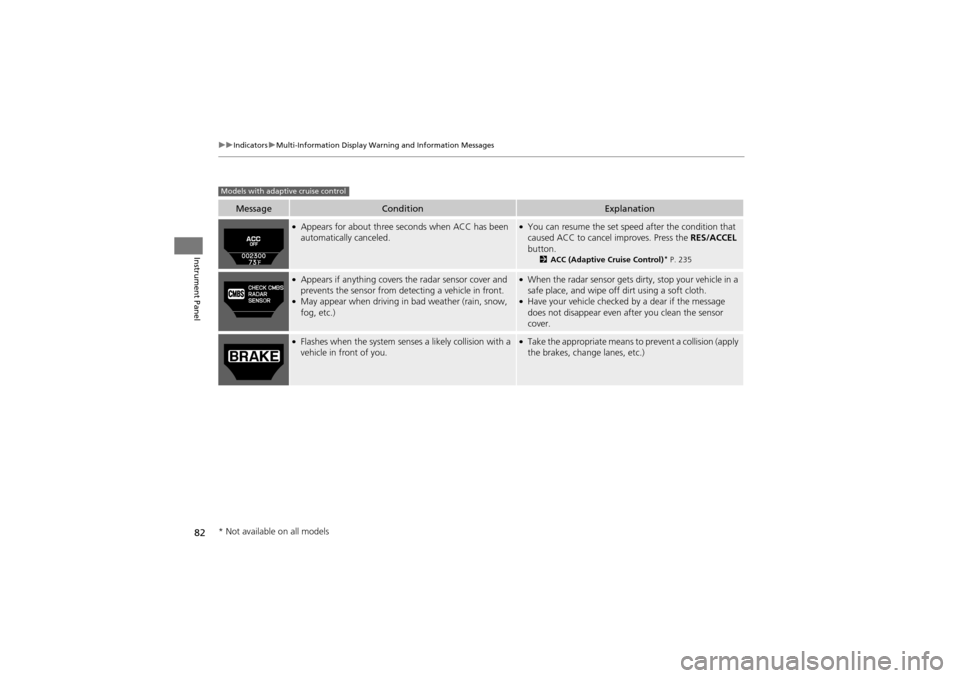
MessageConditionExplanation
●Appears for about three seconds when ACC has been
automatically canceled.●You can resume the set speed after the condition that
caused ACC to cancel improves. Press the RES/ACCEL
button.
2 ACC (Adaptive Cruise Control)* P. 235
●Appears if anything covers the radar sensor cover and
prevents the sensor from de tecting a vehicle in front.
●May appear when driving in bad weather (rain, snow,
fog, etc.)
●When the radar sensor gets dirty, stop your vehicle in a
safe place, and wipe off dirt using a soft cloth.
●Have your vehicle checked by a dear if the message
does not disappear even a fter you clean the sensor
cover.
●Flashes when the system senses a likely collision with a
vehicle in front of you.●Take the appropriate means to prevent a collision (apply
the brakes, change lanes, etc.)
Models with adaptive cruise control
* Not available on all models
Page 85 of 370
83
uuIndicators uMulti-Information Display Warning and Information Messages
Continued
Instrument Panel
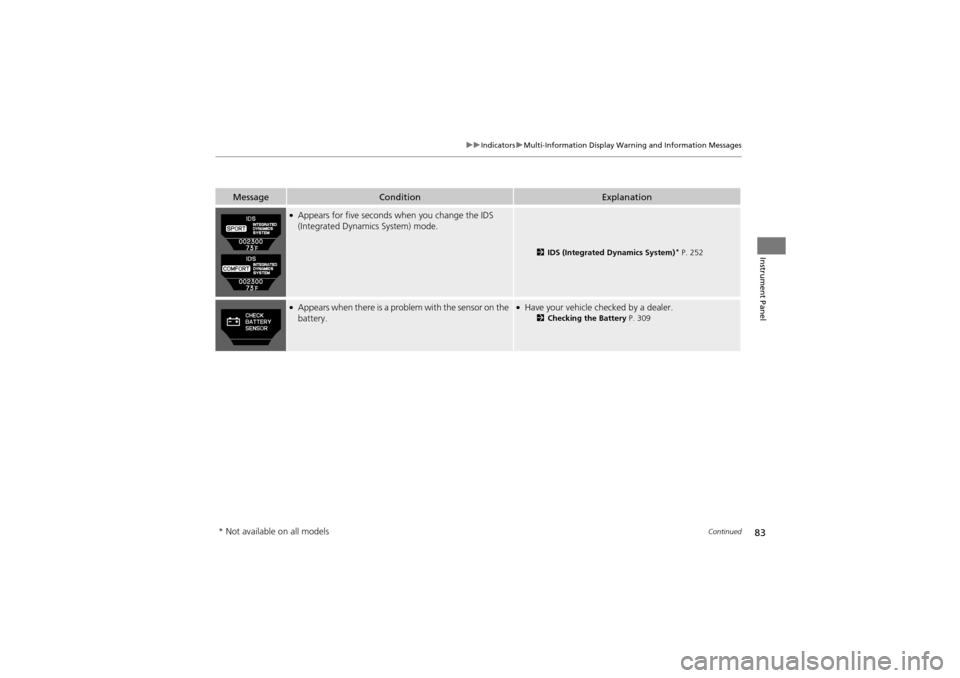
MessageConditionExplanation
●Appears for five seconds when you change the IDS
(Integrated Dynamics System) mode.
2 IDS (Integrated Dynamics System)* P. 252
●Appears when there is a prob lem with the sensor on the
battery.●Have your vehicle checked by a dealer.2 Checking the Battery P. 309
* Not available on all models
Page 86 of 370
84
uuIndicators uMulti-Information Display Warning and Information Messages
Instrument Panel
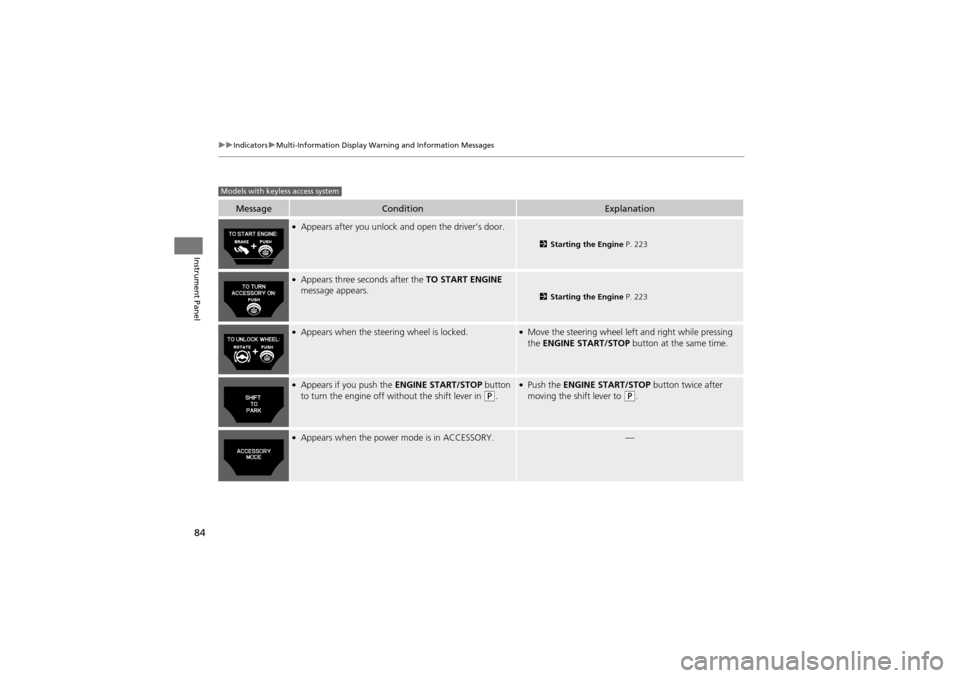
MessageConditionExplanation
●Appears after you unlock and open the driver’s door.
2 Starting the Engine P. 223
●Appears three seconds after the TO START ENGINE
message appears.
2 Starting the Engine P. 223
●Appears when the steering wheel is locked.●Move the steering wheel left and right while pressing
the ENGINE START/STOP button at the same time.
●Appears if you push the ENGINE START/STOP button
to turn the engine off without the shift lever in (P.
●Push the ENGINE START/STOP button twice after
moving the shift lever to (P.
●Appears when the power mode is in ACCESSORY.—
Models with keyless access system
Page 87 of 370
85
uuIndicators uMulti-Information Display Warning and Information Messages
Continued
Instrument Panel
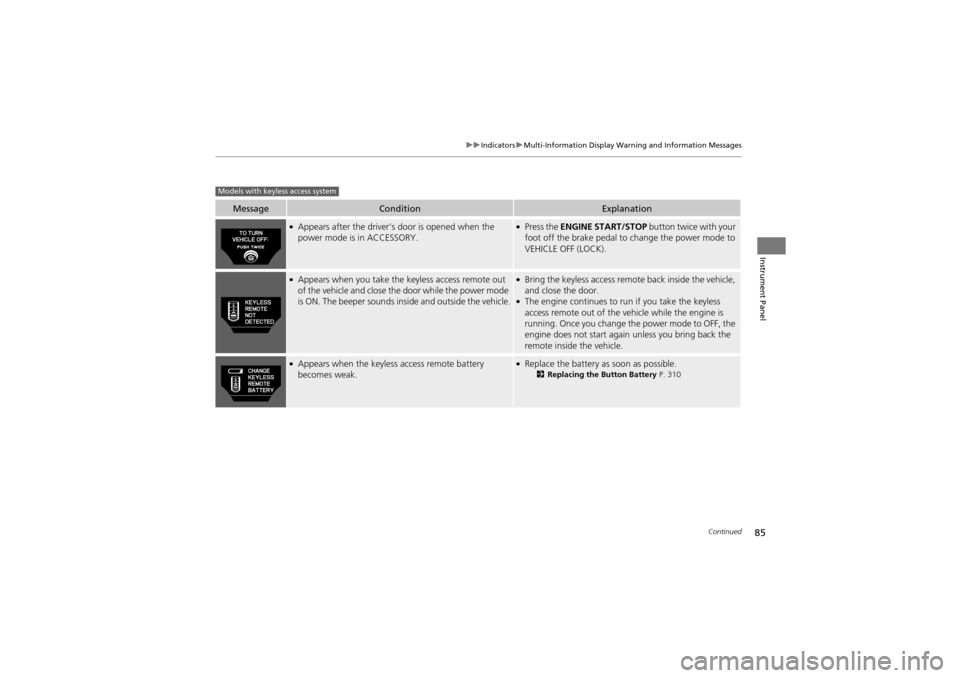
MessageConditionExplanation
●Appears after the driver’s door is opened when the
power mode is in ACCESSORY.●Press the ENGINE START/STOP button twice with your
foot off the brake pedal to change the power mode to
VEHICLE OFF (LOCK).
●Appears when you take the keyless access remote out
of the vehicle and close the door while the power mode
is ON. The beeper sounds inside and outside the vehicle.●Bring the keyless access remote back inside the vehicle,
and close the door.
●The engine continues to run if you take the keyless
access remote out of the vehicle while the engine is
running. Once you change the power mode to OFF, the
engine does not start again unless you bring back the
remote inside the vehicle.
●Appears when the keyless access remote battery
becomes weak.●Replace the battery as soon as possible.2Replacing the Button Battery P. 310
Models with keyless access system
Page 88 of 370
86
uuIndicators uMulti-Information Display Warning and Information Messages
Instrument Panel
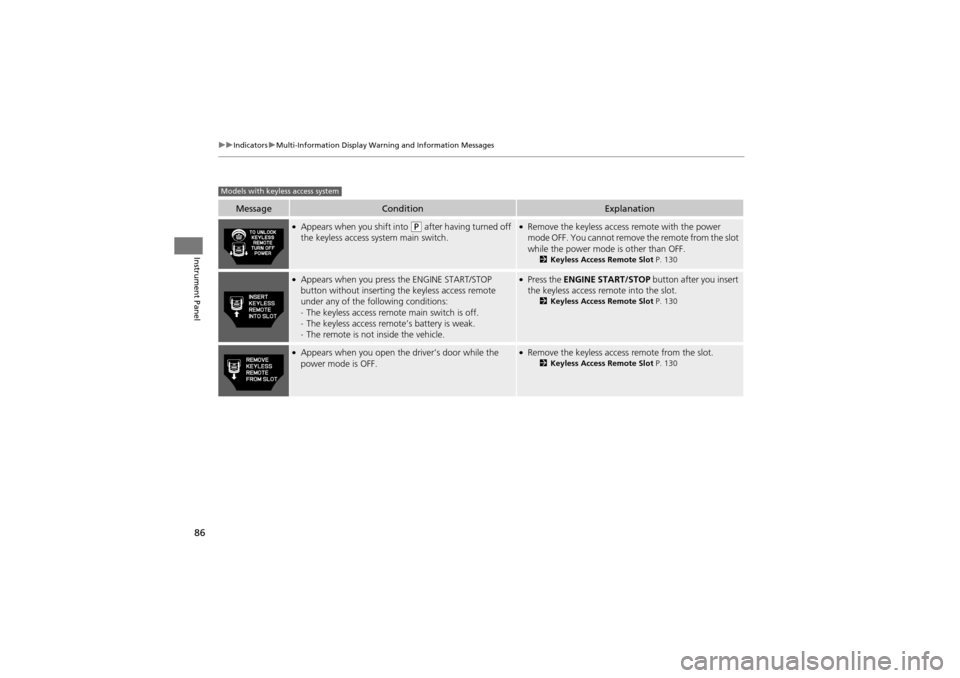
MessageConditionExplanation
●Appears when you shift into (P after having turned off
the keyless access system main switch.●Remove the keyless access remote with the power
mode OFF. You cannot remove the remote from the slot
while the power mode is other than OFF.
2 Keyless Access Remote Slot P. 130
●Appears when you press the ENGINE START/STOP
button without inse rting the keyless access remote
under any of the following conditions:
- The keyless access remote main switch is off.
- The keyless access remo te’s battery is weak.
- The remote is not inside the vehicle.●Press the ENGINE START/STOP button after you insert
the keyless access remote into the slot.
2 Keyless Access Remote Slot P. 130
●Appears when you open the driver’s door while the
power mode is OFF.●Remove the keyless access remote from the slot.2 Keyless Access Remote Slot P. 130
Models with keyless access system
Page 89 of 370
87
Instrument Panel
Gauges and Multi-Information Display
Gauges
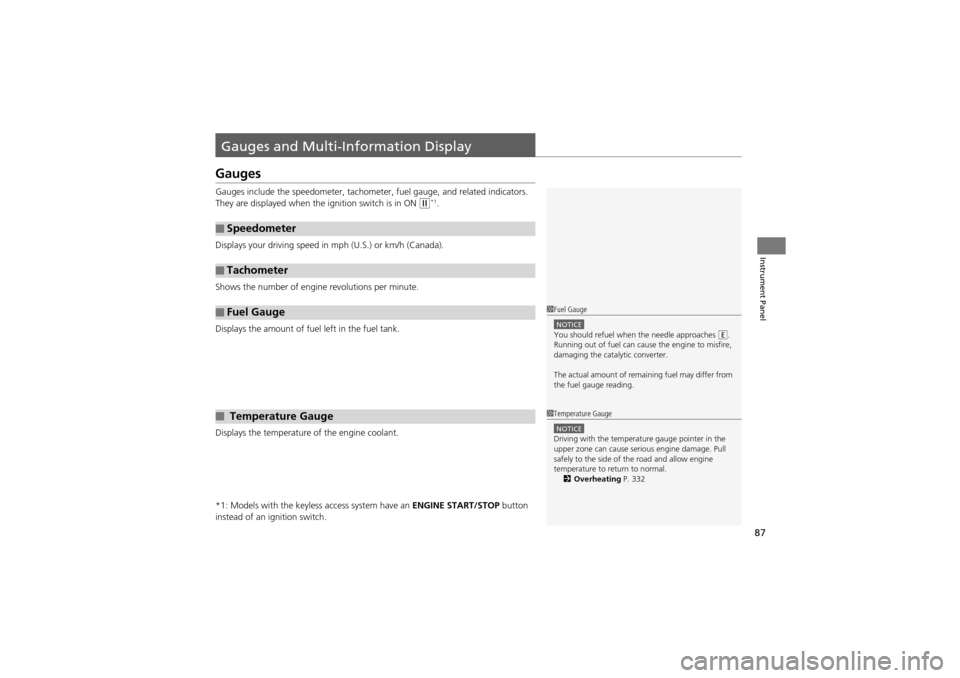
Gauges include the speedometer, tachometer, fuel gauge, and related indicators.
They are displayed when the ignition switch is in ON
w*1.
Displays your driving speed in mph (U.S.) or km/h (Canada).
Shows the number of engine revolutions per minute.
Displays the amount of fuel left in the fuel tank.
Displays the temperature of the engine coolant.
*1: Models with the keyless access system have an ENGINE START/STOP button
instead of an ig nition switch.
■Speedometer
■Tachometer
■Fuel Gauge
■ Temperature Gauge
1Fuel Gauge
NOTICEYou should refuel when the needle approaches .
Running out of fuel can cause the engine to misfire,
damaging the catalytic converter.
The actual amount of rema ining fuel may differ from
the fuel gauge reading.E
1 Temperature Gauge
NOTICEDriving with the temperature gauge pointer in the
upper zone can cause serious engine damage. Pull
safely to the side of the road and allow engine
temperature to return to normal.
2 Overheating P. 332
Page 90 of 370
88
uuGauges and Multi-Information Display uMulti-Information Display
Instrument Panel
Multi-Information Display
The multi-information display shows the odom eter, trip meter, outside temperature
indicator, and other gauges.
It also displays important messages such as warnings and other helpful information.
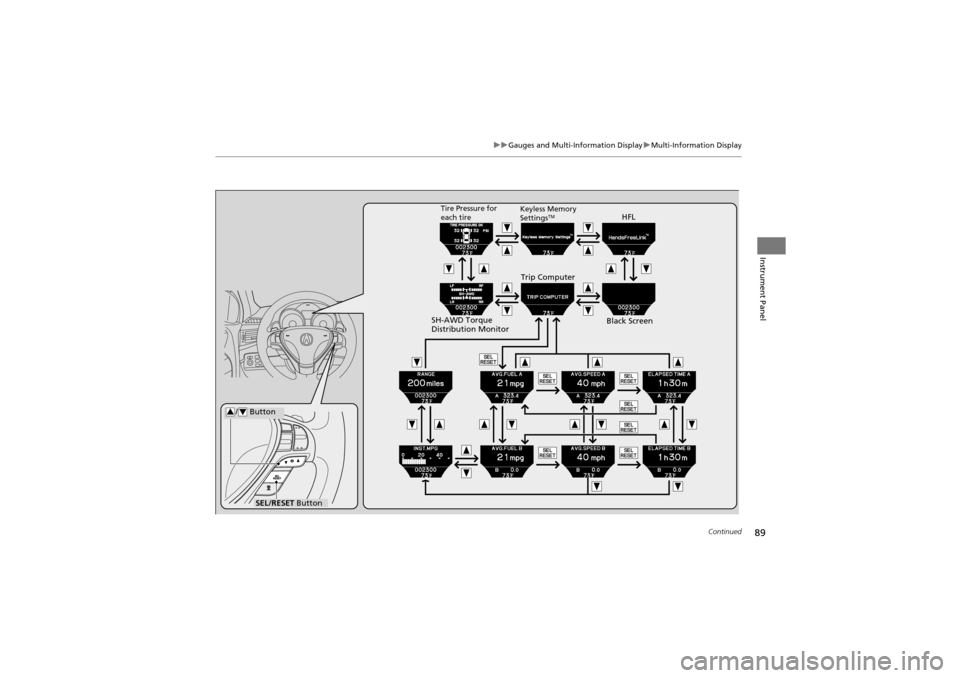
Press the ( / information) button or the SEL/RESET button to change the
display.
■Switching the Display
34
Page 91 of 370
89
uuGauges and Multi-Information Display uMulti-Information Display
Continued
Instrument Panel
SEL/RESET Button
/ Button34
HFL
Black ScreenTire Pressure for
each tire
Trip Computer
Keyless Memory
SettingsTM
SH-AWD Torque
Distribution Monitor
Page 92 of 370
90
uuGauges and Multi-Information Display uMulti-Information Display
Instrument Panel
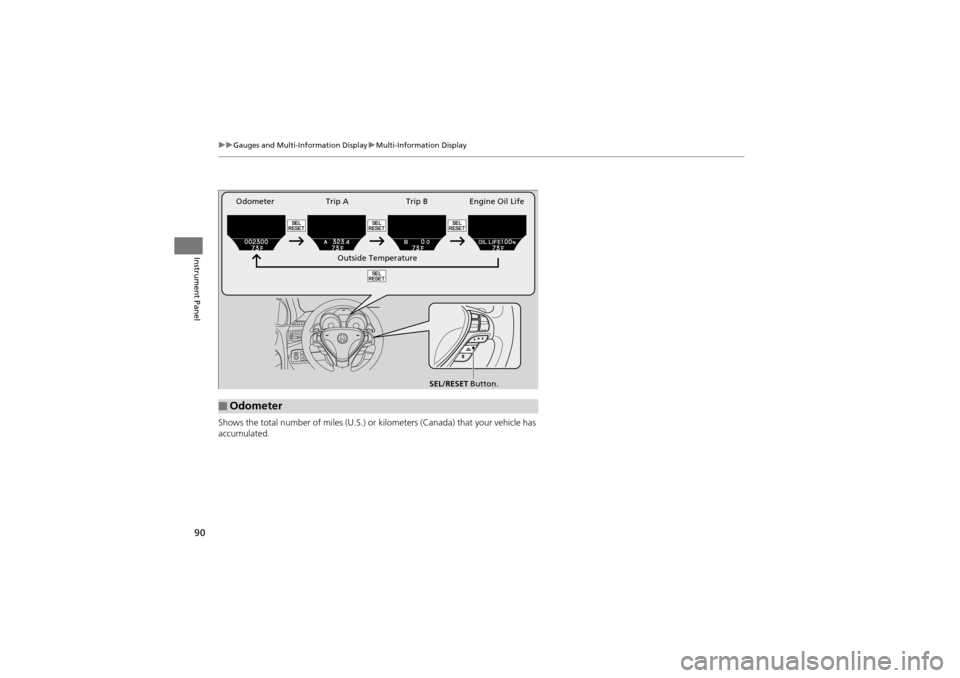
Shows the total number of miles (U.S.) or ki lometers (Canada) that your vehicle has
accumulated.
■Odometer
SEL/RESET Button.
Outside Temperature
Trip A Trip B Engine Oil Life
Odometer
Page 93 of 370
Continued91
uuGauges and Multi-Information Display uMulti-Information Display
Instrument Panel
Shows the total number of miles (U.S.) or kilometers (Canada) driven since the last
reset. Meters A and B can be used to measure two separate trips.
■Resetting a trip meter
To reset a trip meter, display it, then press and hold the SEL/RESET button. The trip
meter is reset to 0.0.
Shows the outside temperature in Fahr enheit (U.S.) or Celsius (Canada).
■Adjusting the outside temperature display
Adjust the temperature reading up to ±5°F or ±3°C if the temperature reading
seems incorrect.
Shows the remaining oil life and Maintenance Minder
TM.2 Maintenance MinderTM P. 273
Shows the estimated average fuel economy of each trip meter in mpg (U.S.) or l/
100 km (Canada). The display is updated at set intervals. When a trip meter is reset,
the average fuel econ omy is also reset.
■Trip Meter
■Outside Temperature
■Engine Oil Life
■Average Fuel Economy
1Trip Meter
Switch between trip meter A and trip meter B by
pressing the SEL/RESET button.
1Outside Temperature
The temperature sensor is in the front bumper.
Road heat and exhaust fr om another vehicle can
affect the temperature reading when your vehicle
speed is less than 19 mph (30 km/h).
It may take several minutes for the display to be
updated after the temperature reading has stabilized.
Use the multi-information display’s customized
features to correct the temperature. 2 Customized Features P. 94
1Average Fuel Economy
You can choose to reset Trip A information when you
refuel.
2 Customized Features P. 94