warning Acura ZDX 2012 Owner's Guide
[x] Cancel search | Manufacturer: ACURA, Model Year: 2012, Model line: ZDX, Model: Acura ZDX 2012Pages: 370, PDF Size: 10.06 MB
Page 84 of 370
82
uuIndicators uMulti-Information Display Warning and Information Messages
Instrument Panel
MessageConditionExplanation
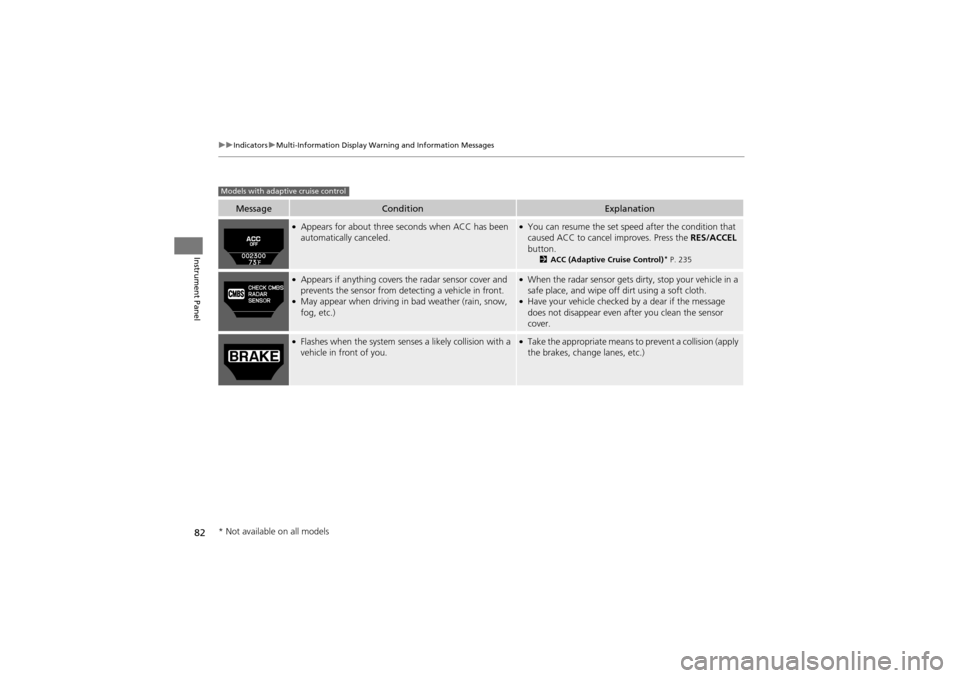
●Appears for about three seconds when ACC has been
automatically canceled.●You can resume the set speed after the condition that
caused ACC to cancel improves. Press the RES/ACCEL
button.
2 ACC (Adaptive Cruise Control)* P. 235
●Appears if anything covers the radar sensor cover and
prevents the sensor from de tecting a vehicle in front.
●May appear when driving in bad weather (rain, snow,
fog, etc.)
●When the radar sensor gets dirty, stop your vehicle in a
safe place, and wipe off dirt using a soft cloth.
●Have your vehicle checked by a dear if the message
does not disappear even a fter you clean the sensor
cover.
●Flashes when the system senses a likely collision with a
vehicle in front of you.●Take the appropriate means to prevent a collision (apply
the brakes, change lanes, etc.)
Models with adaptive cruise control
* Not available on all models
Page 85 of 370
83
uuIndicators uMulti-Information Display Warning and Information Messages
Continued
Instrument Panel
MessageConditionExplanation
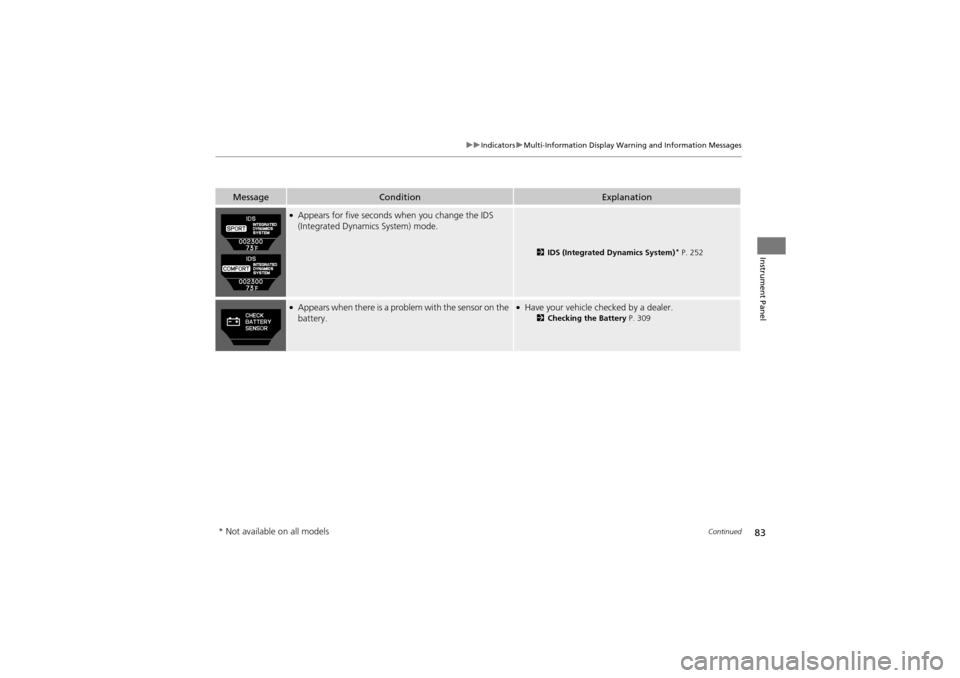
●Appears for five seconds when you change the IDS
(Integrated Dynamics System) mode.
2 IDS (Integrated Dynamics System)* P. 252
●Appears when there is a prob lem with the sensor on the
battery.●Have your vehicle checked by a dealer.2 Checking the Battery P. 309
* Not available on all models
Page 86 of 370
84
uuIndicators uMulti-Information Display Warning and Information Messages
Instrument Panel
MessageConditionExplanation
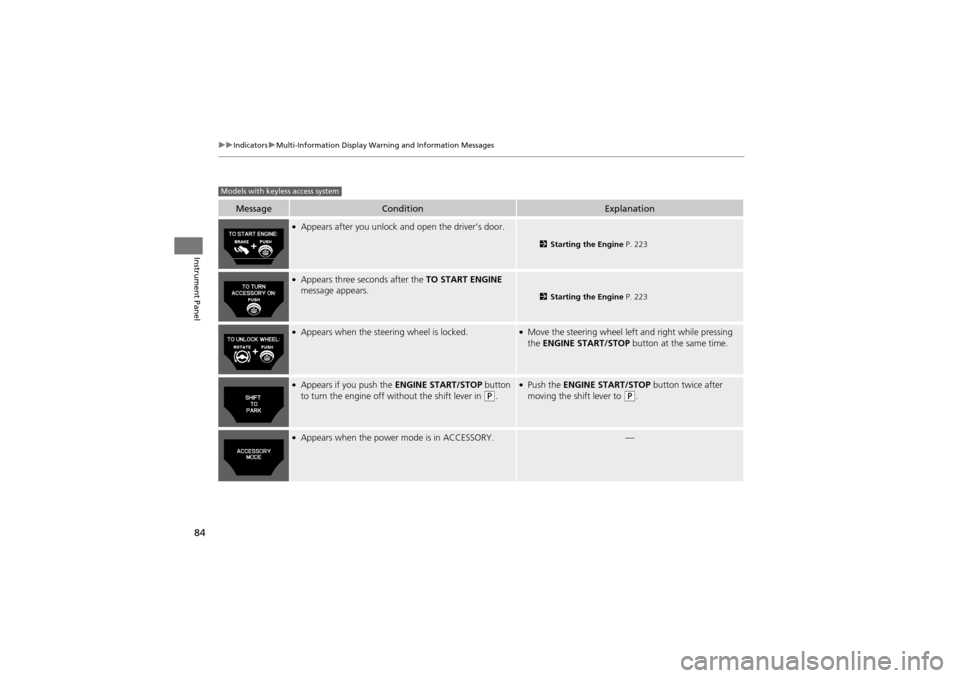
●Appears after you unlock and open the driver’s door.
2 Starting the Engine P. 223
●Appears three seconds after the TO START ENGINE
message appears.
2 Starting the Engine P. 223
●Appears when the steering wheel is locked.●Move the steering wheel left and right while pressing
the ENGINE START/STOP button at the same time.
●Appears if you push the ENGINE START/STOP button
to turn the engine off without the shift lever in (P.
●Push the ENGINE START/STOP button twice after
moving the shift lever to (P.
●Appears when the power mode is in ACCESSORY.—
Models with keyless access system
Page 87 of 370
85
uuIndicators uMulti-Information Display Warning and Information Messages
Continued
Instrument Panel
MessageConditionExplanation
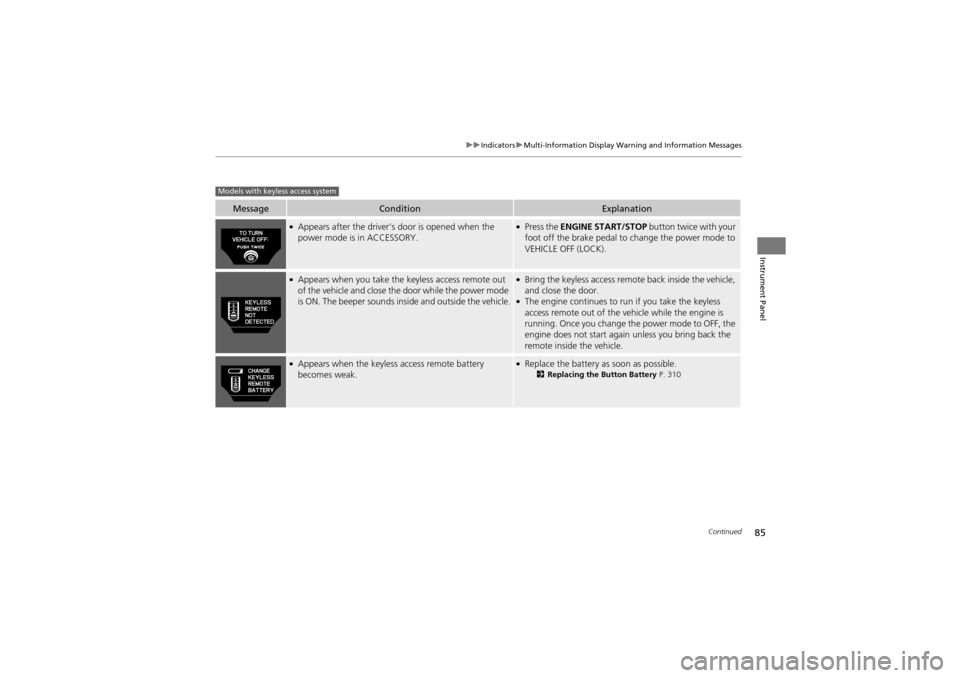
●Appears after the driver’s door is opened when the
power mode is in ACCESSORY.●Press the ENGINE START/STOP button twice with your
foot off the brake pedal to change the power mode to
VEHICLE OFF (LOCK).
●Appears when you take the keyless access remote out
of the vehicle and close the door while the power mode
is ON. The beeper sounds inside and outside the vehicle.●Bring the keyless access remote back inside the vehicle,
and close the door.
●The engine continues to run if you take the keyless
access remote out of the vehicle while the engine is
running. Once you change the power mode to OFF, the
engine does not start again unless you bring back the
remote inside the vehicle.
●Appears when the keyless access remote battery
becomes weak.●Replace the battery as soon as possible.2Replacing the Button Battery P. 310
Models with keyless access system
Page 88 of 370
86
uuIndicators uMulti-Information Display Warning and Information Messages
Instrument Panel
MessageConditionExplanation
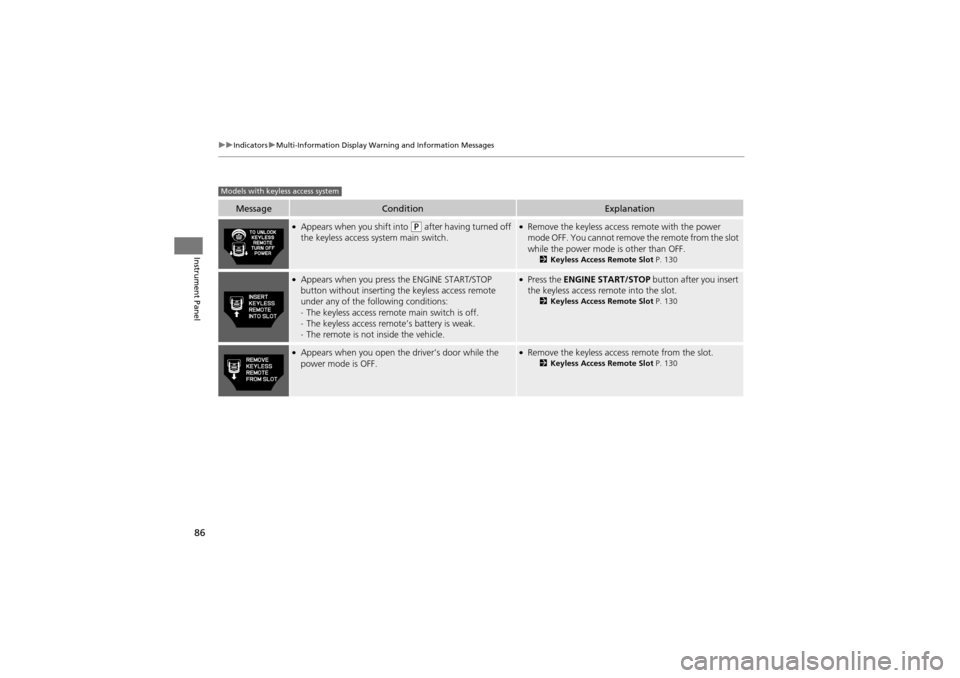
●Appears when you shift into (P after having turned off
the keyless access system main switch.●Remove the keyless access remote with the power
mode OFF. You cannot remove the remote from the slot
while the power mode is other than OFF.
2 Keyless Access Remote Slot P. 130
●Appears when you press the ENGINE START/STOP
button without inse rting the keyless access remote
under any of the following conditions:
- The keyless access remote main switch is off.
- The keyless access remo te’s battery is weak.
- The remote is not inside the vehicle.●Press the ENGINE START/STOP button after you insert
the keyless access remote into the slot.
2 Keyless Access Remote Slot P. 130
●Appears when you open the driver’s door while the
power mode is OFF.●Remove the keyless access remote from the slot.2 Keyless Access Remote Slot P. 130
Models with keyless access system
Page 90 of 370
88
uuGauges and Multi-Information Display uMulti-Information Display
Instrument Panel
Multi-Information Display
The multi-information display shows the odom eter, trip meter, outside temperature
indicator, and other gauges.
It also displays important messages such as warnings and other helpful information.
Press the ( / information) button or the SEL/RESET button to change the
display.
■Switching the Display
34
Page 116 of 370
114
Controls
Opening and Closing the Tailgate
Precautions for Opening/Closing the Tailgate
Always make sure individuals and objects are clear of the tailgate before opening or
closing it.
■Opening the tailgate
• Open the tailgate all the way.
u If it is not fully opened, the tailgate may begin to close under its own weight.
• Be careful when it is windy. The wind may cause the tailgate to close.
■Closing the tailgate
Keep the tailgate closed while driving to: uAvoid possible damage.
u Prevent exhaust gas from leaking into the vehicle.
2 Carbon Monoxide Gas P. 64
1Precautions for Openin g/Closing the Tailgate
Be careful not to hit your head on the tailgate or to
put your hands between the tailgate and the cargo
area when closing the gate.
When operating the power tailgate, make sure there
is enough space around your vehicle. People near the
tailgate may be seriously hurt if the tailgate hits their
head or closes on their hand s. Be especially cautious
if children are around.
When you are storing or picking up luggage from the
cargo area while the engine is idling, do not stand in
front of the exhaust pipe. You may get burned.
Do not allow any passenger in the cargo space.
They may get hurt during hard braking, a sudden
acceleration, or a crash.
3WARNING
Closing a power tailgate while anyone is
in the path of the tailgate can cause
serious injury.
Make sure everyone is clear before
closing the tailgate.
Page 125 of 370
123Continued
Controls
Opening and Closing the Windows
Opening/Closing the Power Windows
The power windows can be opened and closed when the ignition switch is in ON
w*1, using the switches on the doors. The driver side switches can be used to open
and close all of the windows.
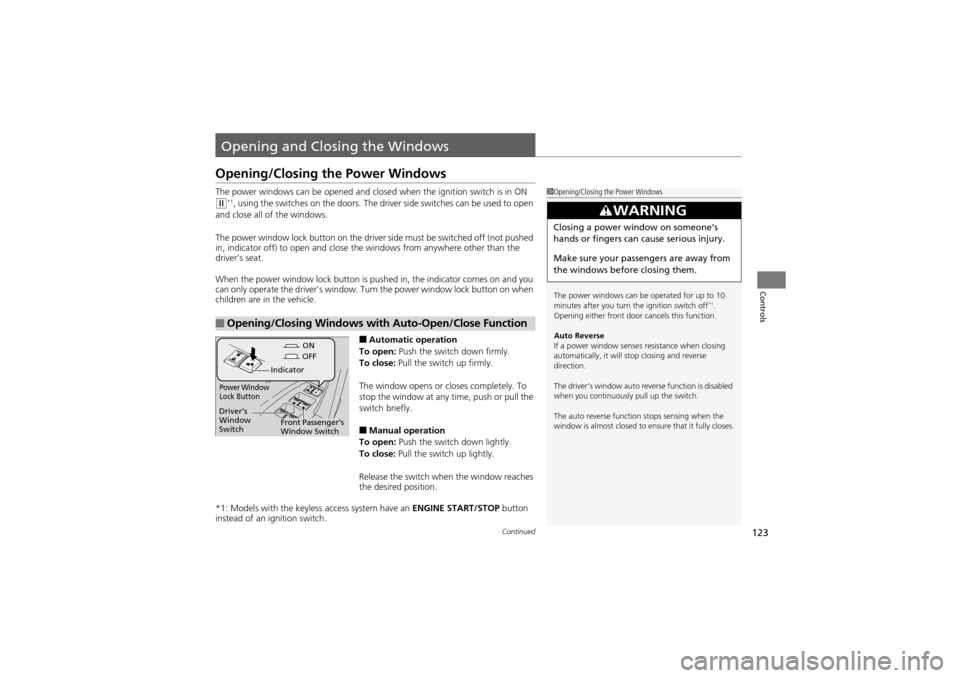
The power window lock button on the driver side must be switched off (not pushed
in, indicator off) to open and close th e windows from anywhere other than the
driver’s seat.
When the power window lock button is pushed in, the indicator comes on and you
can only operate the driver’s window. Turn the power window lock button on when
children are in the vehicle.
■Automatic operation
To open: Push the switch down firmly.
To close: Pull the switch up firmly.
The window opens or closes completely. To
stop the window at any time, push or pull the
switch briefly.
■Manual operation
To open: Push the switch down lightly.
To close: Pull the switch up lightly.
Release the switch when the window reaches
the desired position.
*1: Models with the keyless access system have an ENGINE START/STOP button
instead of an ig nition switch.
■Opening/Closing Windows with Auto-Open/Close Function
1Opening/Closing the Power Windows
The power windows can be operated for up to 10
minutes after you turn the ignition switch off
*1.
Opening either front door cancels this function.
Auto Reverse
If a power window senses resistance when closing
automatically, it will stop closing and reverse
direction.
The driver’s window auto reverse function is disabled
when you continuously pull up the switch.
The auto reverse function stops sensing when the
window is almost closed to ensure that it fully closes.
3WARNING
Closing a power window on someone’s
hands or fingers can cause serious injury.
Make sure your passengers are away from
the windows before closing them.
ON
OFF
Power Window
Lock Button
Indicator
Driver’s
Window
Switch
Front Passenger’s
Window Switch
Page 128 of 370
126
Controls
Opening and Closing the Panoramic Glass Roof
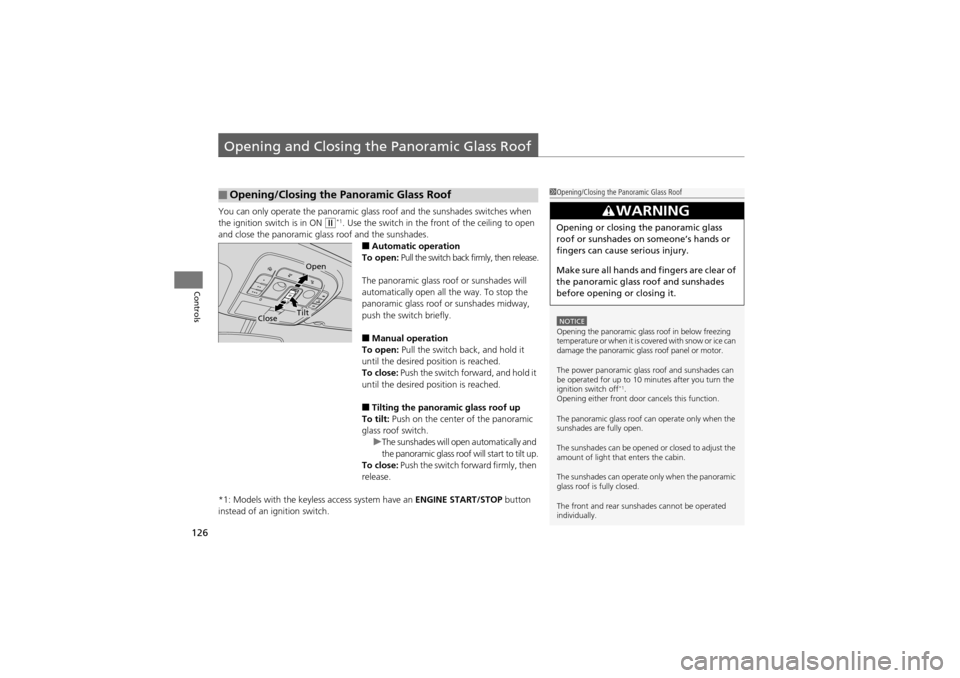
You can only operate the panoramic glass roof and the sunshades switches when
the ignition switch is in ON
w*1. Use the switch in the front of the ceiling to open
and close the panoramic glass roof and the sunshades.
■Automatic operation
To open: Pull the switch back firmly, then release.
The panoramic glass roof or sunshades will
automatically open all the way. To stop the
panoramic glass roof or sunshades midway,
push the switch briefly.
■Manual operation
To open: Pull the switch back, and hold it
until the desired position is reached.
To close: Push the switch forward, and hold it
until the desired position is reached.
■Tilting the panoramic glass roof up
To tilt: Push on the center of the panoramic
glass roof switch. uThe sunshades will open automatically and
the panoramic glass roof will start to tilt up.
To close: Push the switch fo rward firmly, then
release.
*1: Models with the keyless access system have an ENGINE START/STOP button
instead of an ignition switch.
■Opening/Closing the Panoramic Glass Roof1 Opening/Closing the Panoramic Glass Roof
NOTICEOpening the panoramic glas s roof in below freezing
temperature or when it is covered with snow or ice can
damage the panoramic glas s roof panel or motor.
The power panoramic glass roof and sunshades can
be operated for up to 10 minutes after you turn the
ignition switch off
*1.
Opening either front door cancels this function.
The panoramic glass roof can operate only when the
sunshades are fully open.
The sunshades can be opened or closed to adjust the
amount of light that enters the cabin.
The sunshades can operate only when the panoramic
glass roof is fully closed.
The front and rear sunshades cannot be operated
individually.
3WARNING
Opening or closing the panoramic glass
roof or sunshades on someone’s hands or
fingers can cause serious injury.
Make sure all hands and fingers are clear of
the panoramic glass roof and sunshades
before opening or closing it.
Open
CloseTilt
Page 129 of 370
127
Controls
Operating the Switches Around the Steering Wheel
Ignition Switch
1Ignition Switch
You cannot take the key out unless the shift lever is
in
(P.
If you open the driver’s door when the key is in LOCK
(0 or ACCESSORY (q, a warning buzzer will sound
to remind you to take the key out.
When this happens, the following messages appear
on the multi-information display:
•In LOCK (0: REMOVE KEY.•In ACCESSORY (q: REMOVE KEY
The buzzer will stop when you take the key out.
If the key won’t turn from LOCK
(0 to ACCESSORY (q, turn the key while moving the steering wheel left
and right. The steering wheel will unlock, allowing
the key to turn.
Models without keyless access remote
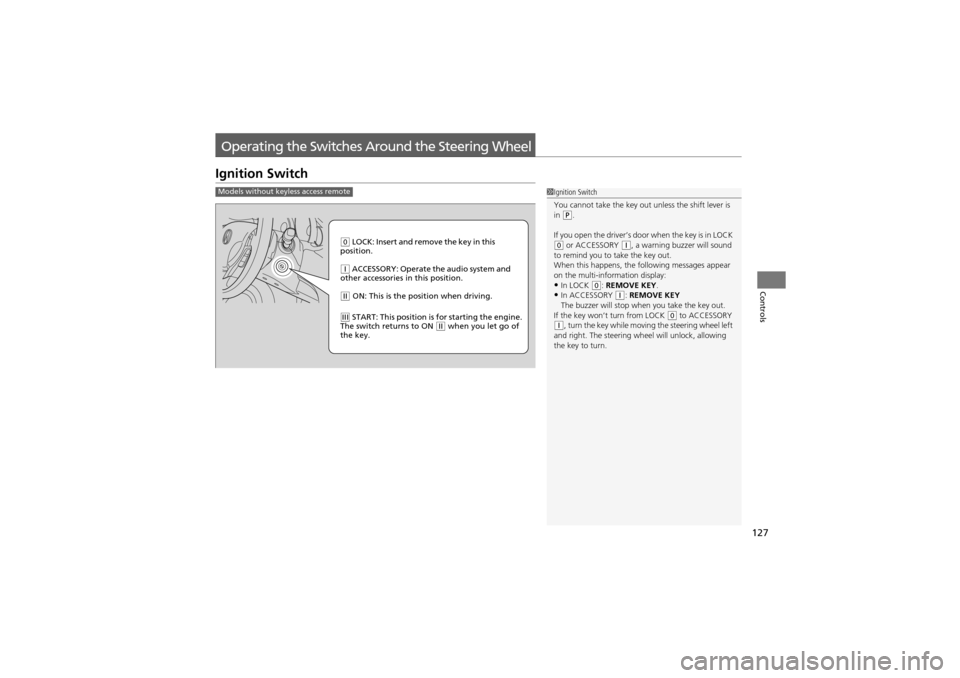
0 LOCK: Insert and remove the key in this
position.
q ACCESSORY: Operate the audio system and
other accessories in this position.
w ON: This is the position when driving.
e START: This position is for starting the engine.
The switch returns to ON w when you let go of
the key.