warning Acura ZDX 2012 Service Manual
[x] Cancel search | Manufacturer: ACURA, Model Year: 2012, Model line: ZDX, Model: Acura ZDX 2012Pages: 370, PDF Size: 10.06 MB
Page 164 of 370
uuInterior Lights/Interior Convenience Items uInterior Convenience Items
162
Controls
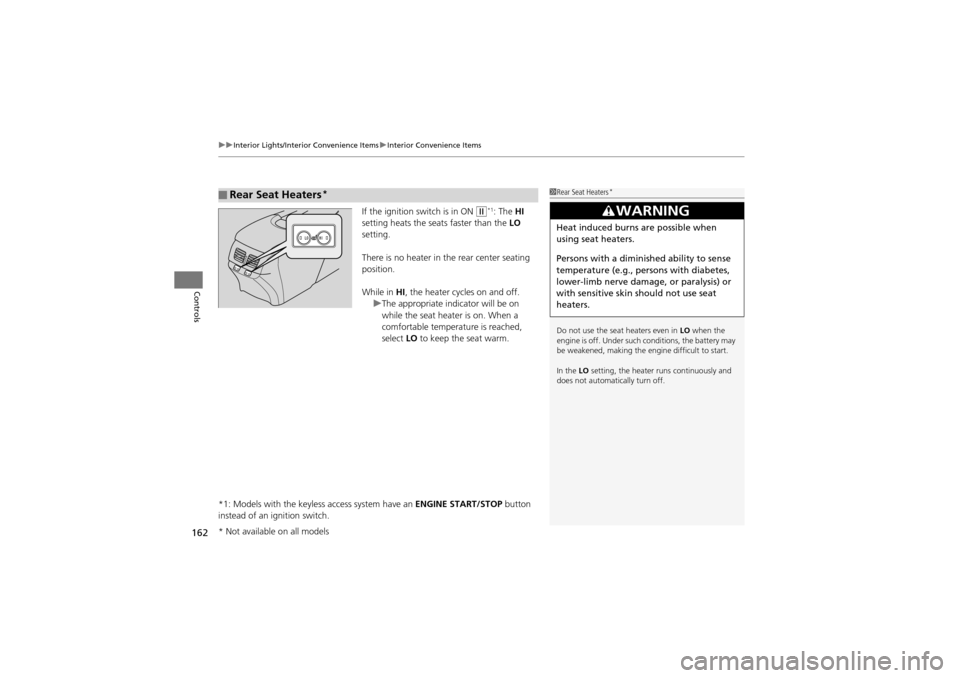
If the ignition switch is in ON w*1: The HI
setting heats the seats faster than the LO
setting.
There is no heater in the rear center seating
position.
While in HI, the heater cycles on and off.
u The appropriate indicator will be on
while the seat heater is on. When a
comfortable temperature is reached,
select LO to keep the seat warm.
*1: Models with the keyless access system have an ENGINE START/STOP button
instead of an ignition switch.
■Rear Seat Heaters*1 Rear Seat Heaters*
Do not use the seat heaters even in LO when the
engine is off. Under such conditions, the battery may
be weakened, making the engine difficult to start.
In the LO setting, the heater runs continuously and
does not automatically turn off.
3WARNING
Heat induced burns are possible when
using seat heaters.
Persons with a diminished ability to sense
temperature (e.g., persons with diabetes,
lower-limb nerve damage, or paralysis) or
with sensitive skin should not use seat
heaters.
* Not available on all models
Page 215 of 370
213
uuBefore Driving uMaximum Load Limit
Continued
Driving
Maximum Load Limit
The maximum load for your vehicle is 830 lbs (380 kg).
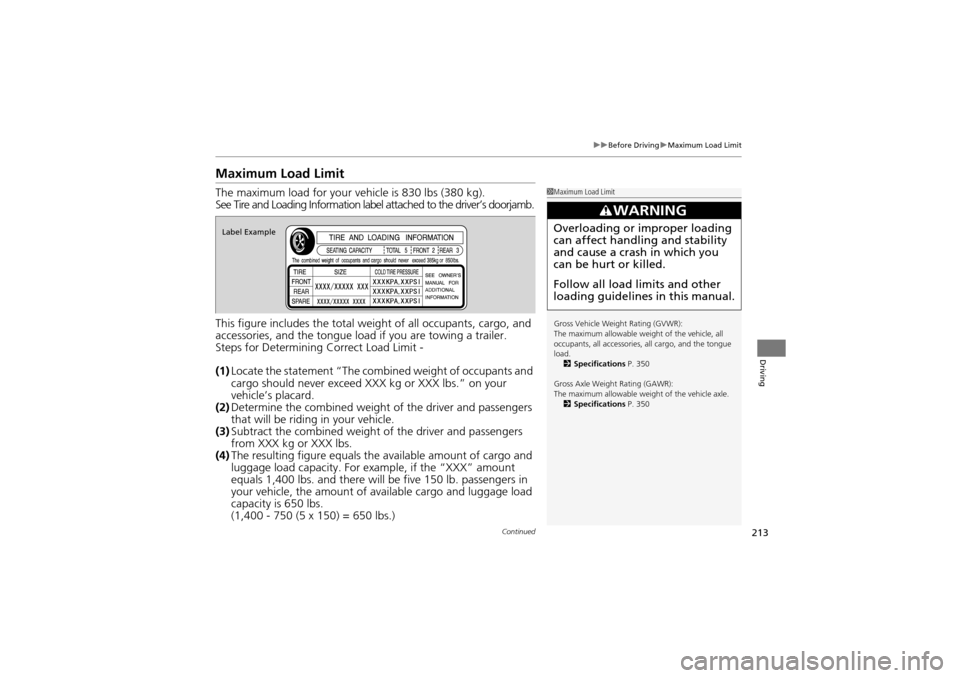
See Tire and Loading Information label attached to the driver’s doorjamb.
This figure includes the total weight of all occupants, cargo, and
accessories, and the tongue load if you are towing a trailer.
Steps for Determining Correct Load Limit -
(1) Locate the statement “The combined weight of occupants and
cargo should never exceed XXX kg or XXX lbs.” on your
vehicle’s placard.
(2) Determine the combined weight of the driver and passengers
that will be riding in your vehicle.
(3) Subtract the combined weight of the driver and passengers
from XXX kg or XXX lbs.
(4) The resulting figure equals the available amount of cargo and
luggage load capaci ty. For example, if the “XXX” amount
equals 1,400 lbs. and there will be five 150 lb. passengers in
your vehicle, the amount of available cargo and luggage load
capacity is 650 lbs.
(1,400 - 750 (5 x 150) = 650 lbs.)1 Maximum Load Limit
Gross Vehicle Weight Rating (GVWR):
The maximum allowable weight of the vehicle, all
occupants, all accessories, all cargo, and the tongue
load.
2 Specifications P. 350
Gross Axle Weight Rating (GAWR):
The maximum allowable weig ht of the vehicle axle.
2 Specifications P. 350
3WARNING
Overloading or improper loading
can affect hand ling and stability
and cause a crash in which you
can be hurt or killed.
Follow all load limits and other
loading guidelines in this manual.Label Example
Page 217 of 370
215Continued
Driving
Towing a Trailer
Towing Preparation
Your vehicle can tow a trailer if you carefully observe the load limits, use the proper
equipment, and follow the towing guidelin es. Check the load limits before driving.
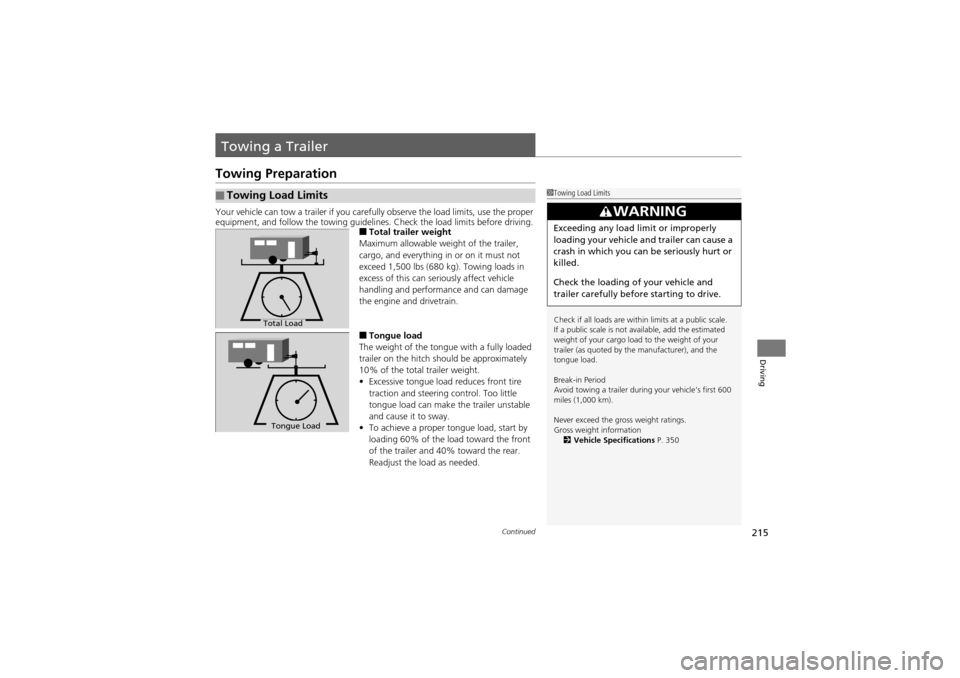
■Total trailer weight
Maximum allowable weight of the trailer,
cargo, and everything in or on it must not
exceed 1,500 lbs (680 kg). Towing loads in
excess of this can seriously affect vehicle
handling and performance and can damage
the engine and drivetrain.
■Tongue load
The weight of the tongue with a fully loaded
trailer on the hitch should be approximately
10% of the total trailer weight.
• Excessive tongue load reduces front tire
traction and steering control. Too little
tongue load can make the trailer unstable
and cause it to sway.
• To achieve a proper tongue load, start by
loading 60% of the lo ad toward the front
of the trailer and 40 % toward the rear.
Readjust the load as needed.
■Towing Load Limits1 Towing Load Limits
Check if all loads are within limits at a public scale.
If a public scale is not available, add the estimated
weight of your cargo load to the weight of your
trailer (as quoted by the manufacturer), and the
tongue load.
Break-in Period
Avoid towing a trailer during your vehicle’s first 600
miles (1,000 km).
Never exceed the gr oss weight ratings.
Gross weight information 2 Vehicle Specifications P. 350
3WARNING
Exceeding any load limit or improperly
loading your vehicle and trailer can cause a
crash in which you can be seriously hurt or
killed.
Check the loading of your vehicle and
trailer carefully before starting to drive.
Total Load
Tongue Load
Page 222 of 370
220
Driving
Off-Highway Driving Guidelines
General Information
Your vehicle has been designed primarily for use on pavement, however, its higher
ground clearance allows you to occasionally travel on unpaved roads.
It is not designed for tra il-blazing, or other challe nging off-road activities.
If you decide to drive on unpaved roads, you will find that it requires somewhat
different driving skills and that your vehicle will handle somewhat differently than it
does on pavement. Pay attention to the precautions and tips in this section, and get
acquainted with your vehicle before leaving the pavement.
Important Safety Precautions
To avoid loss of control or rollover, be sure to follow all precautions and
recommendations:
• Be sure to store cargo properly and do not exceed your cargo load limits.
2 Maximum Load Limit P. 213
•Whenever you drive, make sure you and your passengers always wear seat belts.
• Keep your speed low, and never go faster than the conditions allow.
• It’s up to you to continually assess the situation and drive within the limits.
1Off-Highway Driving Guidelines
Failure to operate your vehi cle correctly might result
in a crash or a roll over.
2 Important Handling Information P. 24
2 Precautions While Driving P. 226
3WARNING
Improperly operating this vehicle on or
off-pavement can cause a crash or
rollover in which you and your
passengers can be seriously injured or
killed.
•Follow all instructions and guidelines
in this owner’s manual.
• Keep your speed low, and don’t drive
faster than conditions permit.
Page 234 of 370
232
uuWhen Driving uCruise Control*
Driving
Cruise Control*
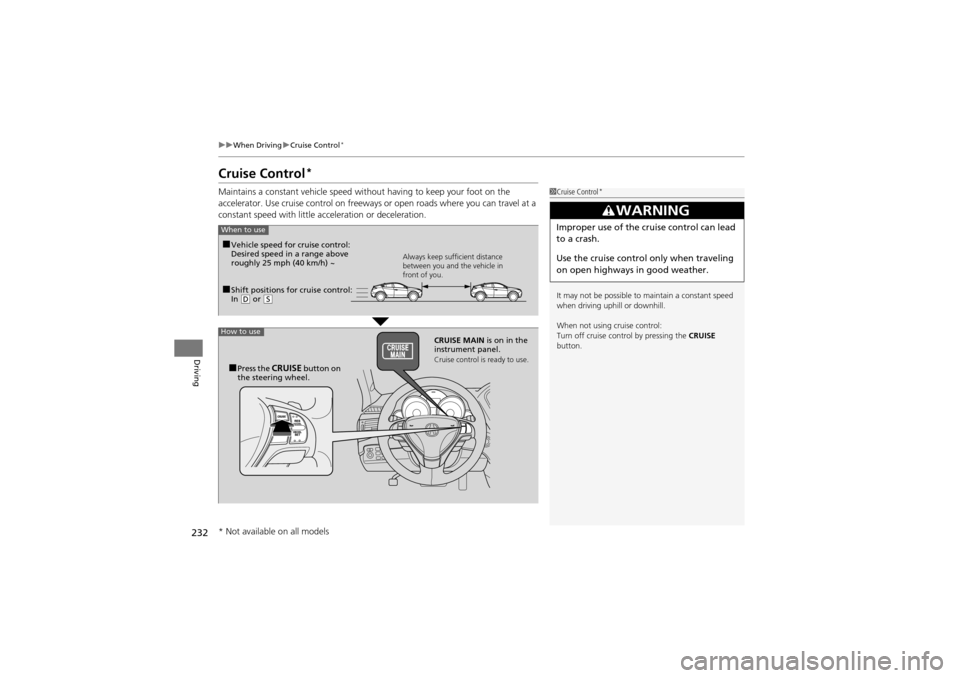
Maintains a constant vehicle speed with out having to keep your foot on the
accelerator. Use cruise control on freeways or open roads where you can travel at a
constant speed with little ac celeration or deceleration.1Cruise Control*
It may not be possible to maintain a constant speed
when driving uphill or downhill.
When not using cruise control:
Turn off cruise control by pressing the CRUISE
button.
3WARNING
Improper use of the cruise control can lead
to a crash.
Use the cruise control only when traveling
on open highways in good weather.
■Shift positions for cruise control:
In ( D or (S Always keep sufficient distance
between you and the vehicle in
front of you.
■Vehicle speed for cruise control:
Desired speed in a range above
roughly 25 mph (40 km/h) ~
CRUISE MAIN is on in the
instrument panel.
Cruise control is ready to use.■Press the CRUISE button on
the steering wheel.
How to use
When to use
* Not available on all models
Page 237 of 370
235
uuWhen Driving uACC (Adaptive Cruise Control)*
Continued
Driving
ACC (Adaptive Cruise Control)*
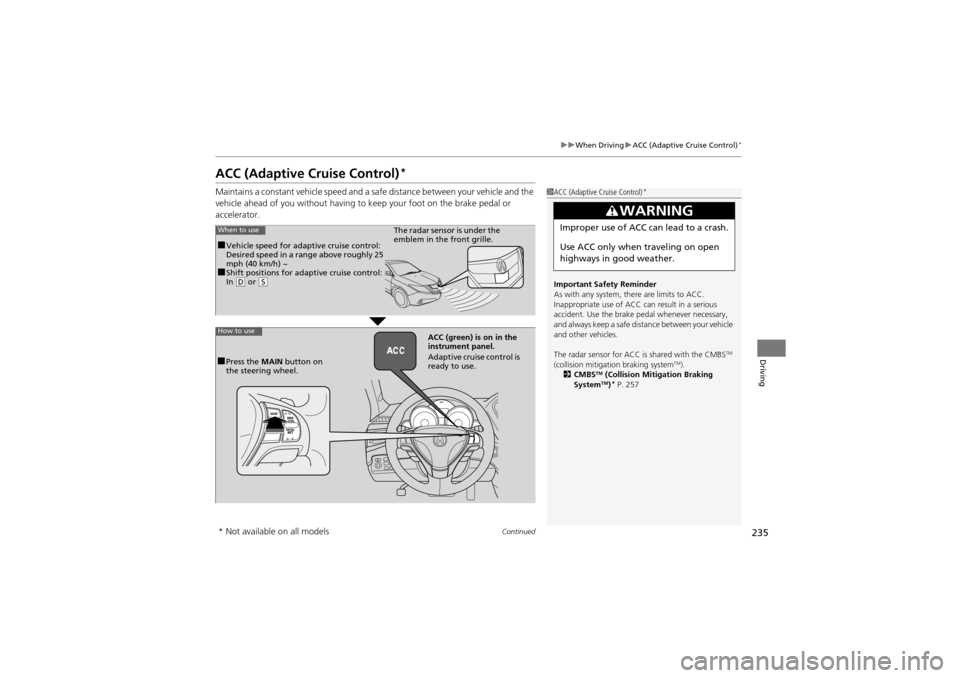
Maintains a constant vehicle speed and a safe distance between your vehicle and the
vehicle ahead of you without having to keep your foot on the brake pedal or
accelerator.1 ACC (Adaptive Cruise Control)*
Important Safety Reminder
As with any system, th ere are limits to ACC.
Inappropriate use of ACC can result in a serious
accident. Use the brake pedal whenever necessary,
and always keep a safe distance between your vehicle
and other vehicles.
The radar sensor for ACC is shared with the CMBS
TM
(collision mitigation braking systemTM).
2 CMBSTM (Collision Mitigation Braking
SystemTM)* P. 257
3WARNING
Improper use of ACC can lead to a crash.
Use ACC only when traveling on open
highways in good weather.When to use
■Vehicle speed for adaptive cruise control:
Desired speed in a range above roughly 25
mph (40 km/h) ~
■Shift positions for adaptive cruise control:
In ( D or (S
The radar sensor is under the
emblem in the front grille.
How to use
■Press the MAIN button on
the steering wheel. ACC (green) is
on in the
instrument panel.
Adaptive cruise control is
ready to use.
* Not available on all models
Page 248 of 370
246
uuWhen Driving uBSI (Blind Spot Information)*
Driving
BSI (Blind Spot Information)*
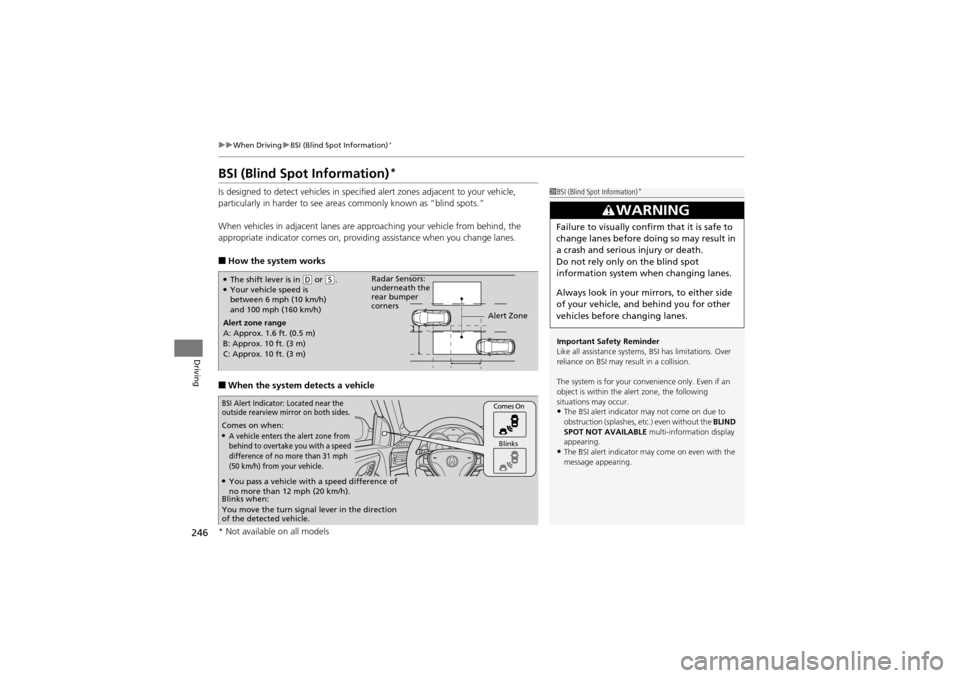
Is designed to detect vehicles in specified alert zones adjacent to your vehicle,
particularly in harder to see areas commonly known as “blind spots.”
When vehicles in adjacent lanes are approaching your vehicle from behind, the
appropriate indicator comes on, providing assistance when you change lanes.
■How the system works
■When the system detects a vehicle
1BSI (Blind Spot Information)*
Important Safety Reminder
Like all assistance systems, BSI has limitations. Over
reliance on BSI may result in a collision.
The system is for your convenience only. Even if an
object is within the alert zone, the following
situations may occur.
•The BSI alert indicator may not come on due to
obstruction (splashes, etc.) even without the BLIND
SPOT NOT AVAILABLE multi-information display
appearing.
•The BSI alert indicator may come on even with the
message appearing.
3WARNING
Failure to visually confirm that it is safe to
change lanes before doing so may result in
a crash and serious injury or death.
Do not rely only on the blind spot
information system when changing lanes.
Always look in your mirrors, to either side
of your vehicle, and behind you for other
vehicles before changing lanes.
●The shift lever is in ( D or (S.●Your vehicle speed is
between 6 mph (10 km/h)
and 100 mph (160 km/h)
Alert zone range
A: Approx. 1.6 ft. (0.5 m)
B: Approx. 10 ft. (3 m)
C: Approx. 10 ft. (3 m) Radar Sensors:
underneath the
rear bumper
corners
Alert Zone
Comes on when:●A vehicle enters the alert zone from
behind to overtake you with a speed
difference of no more than 31 mph
(50 km/h) from your vehicle.
Comes On
Blinks
BSI Alert Indicator: Located near the
outside rearview mirror on both sides.
Blinks when:
You move the turn signal lever in the direction
of the detected vehicle.
●You pass a vehicle with a speed difference of
no more than 12 mph (20 km/h).
* Not available on all models
Page 255 of 370
253Continued
Driving
Braking
Brake System
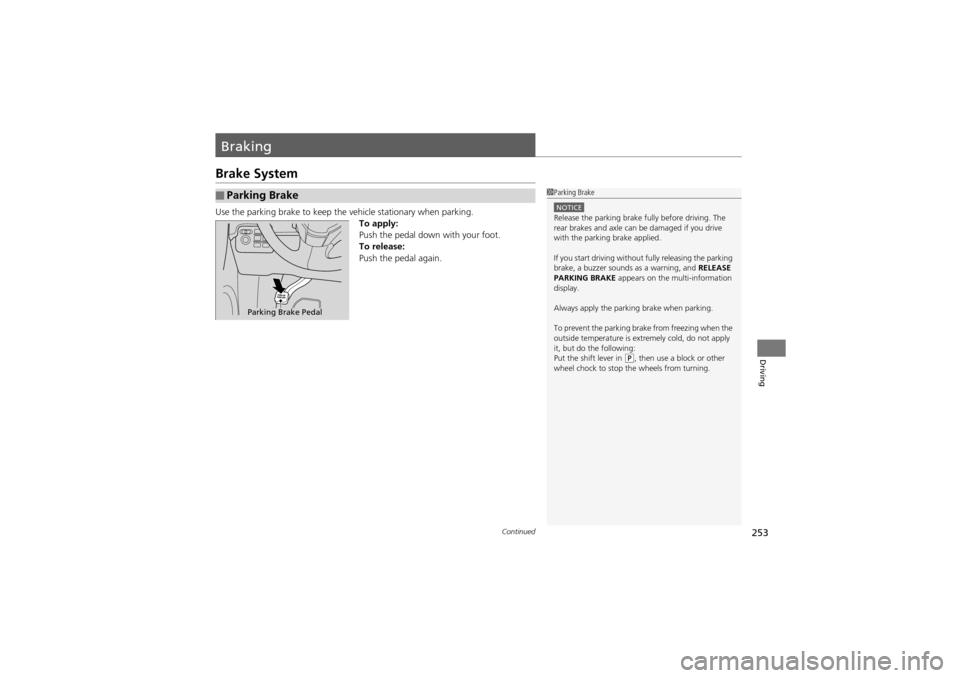
Use the parking brake to keep the vehicle stationary when parking.
To apply:
Push the pedal down with your foot.
To release:
Push the pedal again.
■Parking Brake1 Parking Brake
NOTICERelease the parking brake fully before driving. The
rear brakes and axle can be damaged if you drive
with the parking brake applied.
If you start driving without fully releasing the parking
brake, a buzzer sounds as a warning, and RELEASE
PARKING BRAKE appears on the multi-information
display.
Always apply the parking brake when parking.
To prevent the parking brake from freezing when the
outside temperature is extremely cold, do not apply
it, but do the following:
Put the shift lever in
( P, then use a block or other
wheel chock to stop the wheels from turning.
Parking Brake Pedal
Page 260 of 370
258
uuBraking uCMBSTM (Collision Mitigation Braking SystemTM)*
Driving
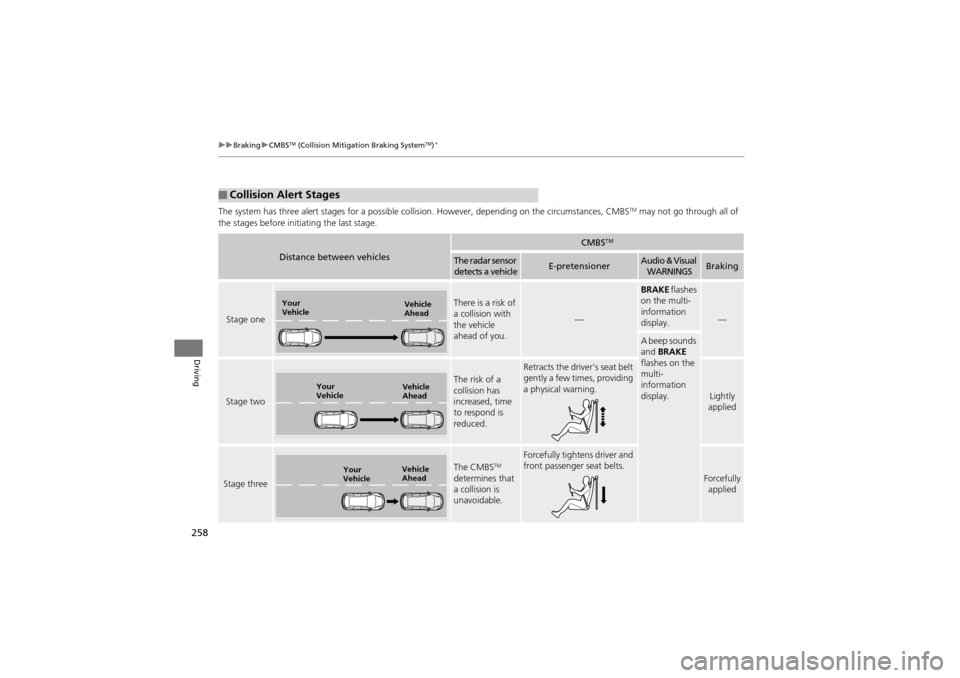
The system has three alert stages for a possible collis ion. However, depending on the circumstances, CMBSTM may not go through all of
the stages before init iating the last stage.
■Collision Alert Stages
Distance between vehicles
CMBSTM
The radar sensor
detects a vehicleE-pretensionerAudio & Visual WARNINGSBraking
Stage one
There is a risk of
a collision with
the vehicle
ahead of you.
—
BRAKE flashes
on the multi-
information
display.
—
A beep sounds
and BRAKE
flashes on the
multi-
information
display.
Stage two
The risk of a
collision has
increased, time
to respond is
reduced.
Retracts the driver’s seat belt
gently a few times, providing
a physical warning.
Lightly
applied
Stage three
The CMBSTM
determines that
a collision is
unavoidable.
Forcefully tightens driver and
front passenger seat belts.
Forcefully applied
Your
Vehicle Vehicle
Ahead
Your
VehicleVehicle
Ahead
Your
VehicleVehicle
Ahead
Page 266 of 370
uuRefueling uHow to Refuel
264
Driving
Qualifying gasoline retailers will, in most ca ses, identify their gasoline as having met
“TOP TIER Detergent Gasolin e” standards at the retail location. This fuel is
guaranteed to contain the proper level of detergent additives and be free of metallic
additives. The proper level of detergent additives, and absence of harmful metallic
additives in gasoline, help avoid build-up of deposits in your engine and emission
control system.
For further important fuel-related information for your vehicle, or on information on
gasoline that does not contain MMT, visit My Acura at owners.acura.com. In
Canada, visit www.acura.ca for additional information on gasoline. For more
information on top tier gasoline, visit www.toptiergas.com.
■Fuel tank capacity: 21.00 US gal (79.5 liters)
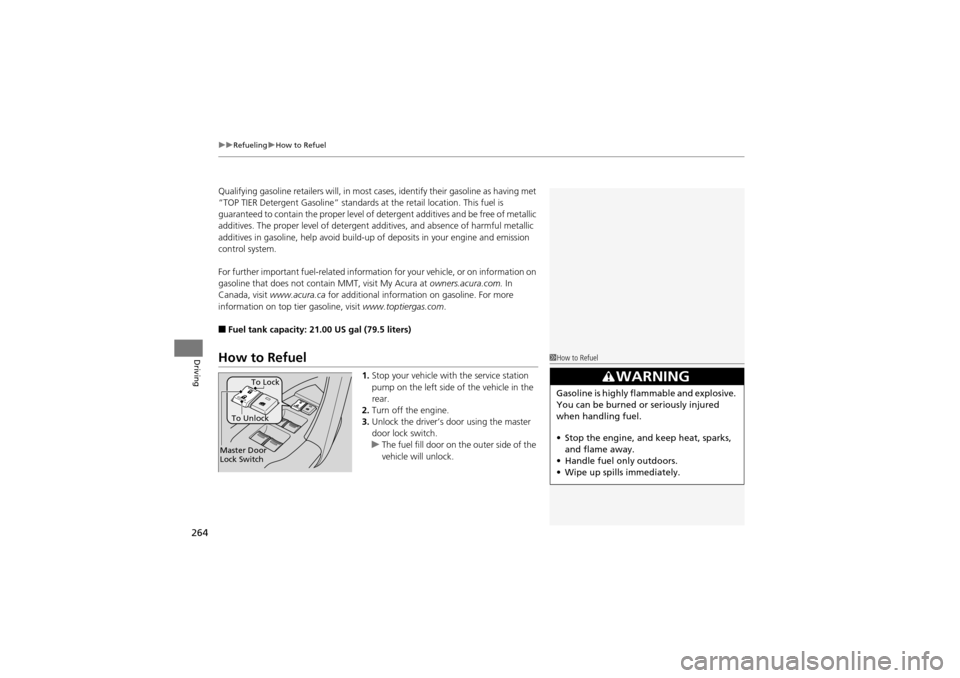
How to Refuel
1.Stop your vehicle with the service station
pump on the left side of the vehicle in the
rear.
2. Turn off the engine.
3. Unlock the driver’s door using the master
door lock switch.
u The fuel fill door on the outer side of the
vehicle will unlock.
1How to Refuel
3WARNING
Gasoline is highly flammable and explosive.
You can be burned or seriously injured
when handling fuel.
• Stop the engine, and keep heat, sparks,
and flame away.
• Handle fuel only outdoors.
• Wipe up spills immediately.
Master Door
Lock Switch To Unlock
To Lock