interior lights Acura ZDX 2013 User Guide
[x] Cancel search | Manufacturer: ACURA, Model Year: 2013, Model line: ZDX, Model: Acura ZDX 2013Pages: 324, PDF Size: 8.58 MB
Page 156 of 324
Continued
155
uuInterior Lights/Interior Convenience ItemsuInterior Convenience Items
Controls
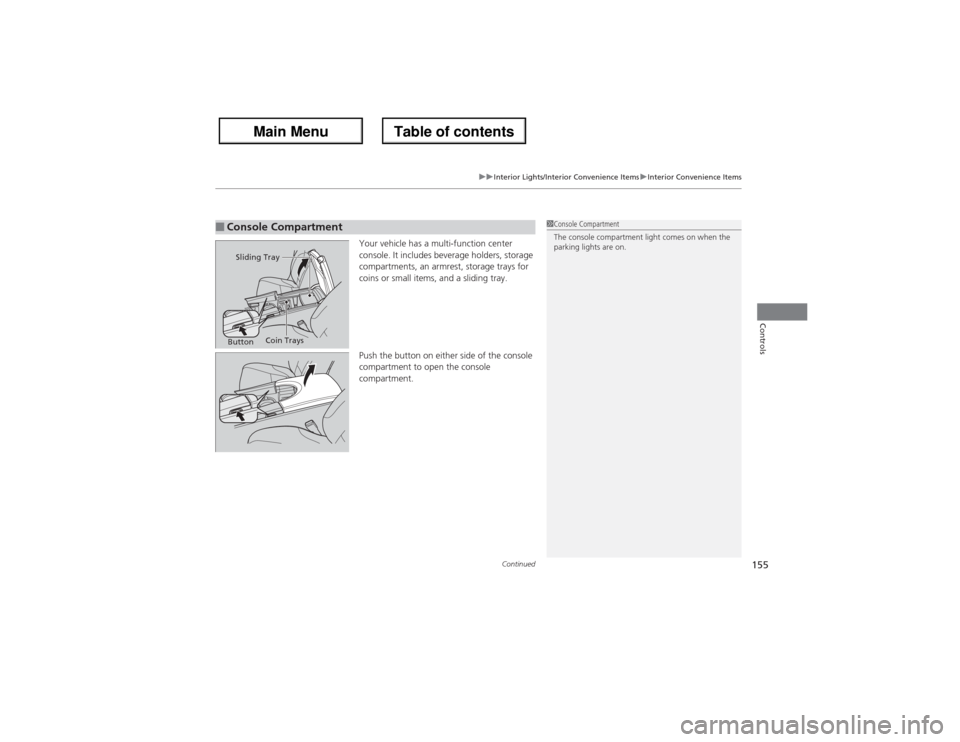
Your vehicle has a multi-function center
console. It includes beverage holders, storage
compartments, an armrest, storage trays for
coins or small items, and a sliding tray.
Push the button on either side of the console
compartment to open the console
compartment.
■Console Compartment
1Console Compartment
The console compartment light comes on when the
parking lights are on.
Sliding Tray
ButtonCoin Trays
Page 157 of 324
156
uuInterior Lights/Interior Convenience ItemsuInterior Convenience Items
Controls
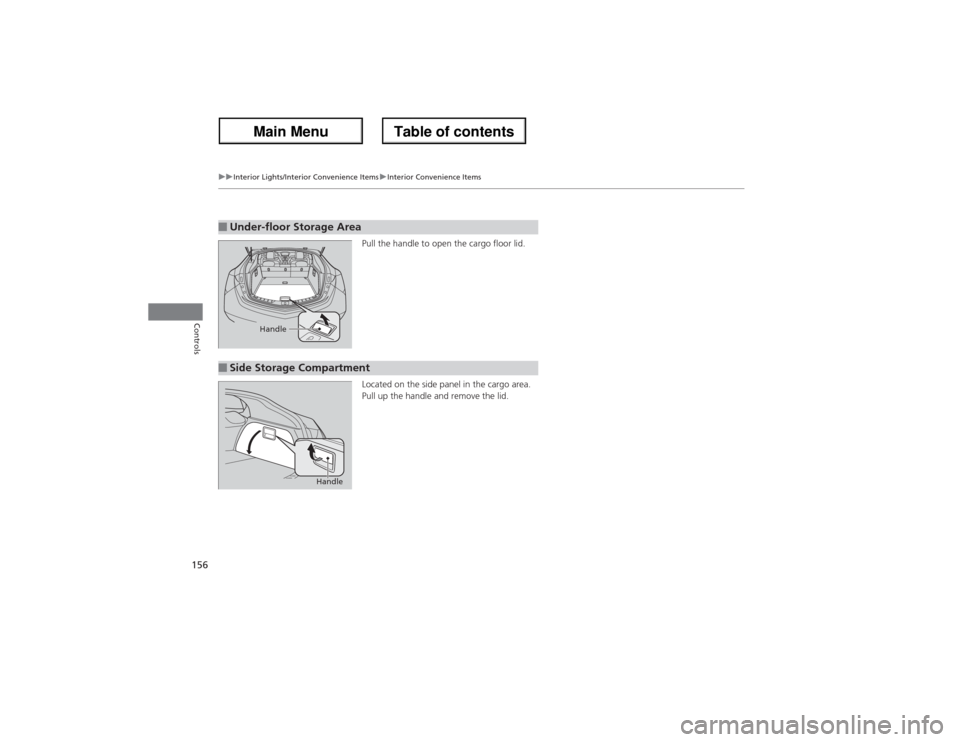
Pull the handle to open the cargo floor lid.
Located on the side panel in the cargo area.
Pull up the handle and remove the lid.
■Under-floor Storage Area
Handle
■Side Storage Compartment
Handle
Page 158 of 324
Continued
157
uuInterior Lights/Interior Convenience ItemsuInterior Convenience Items
Controls
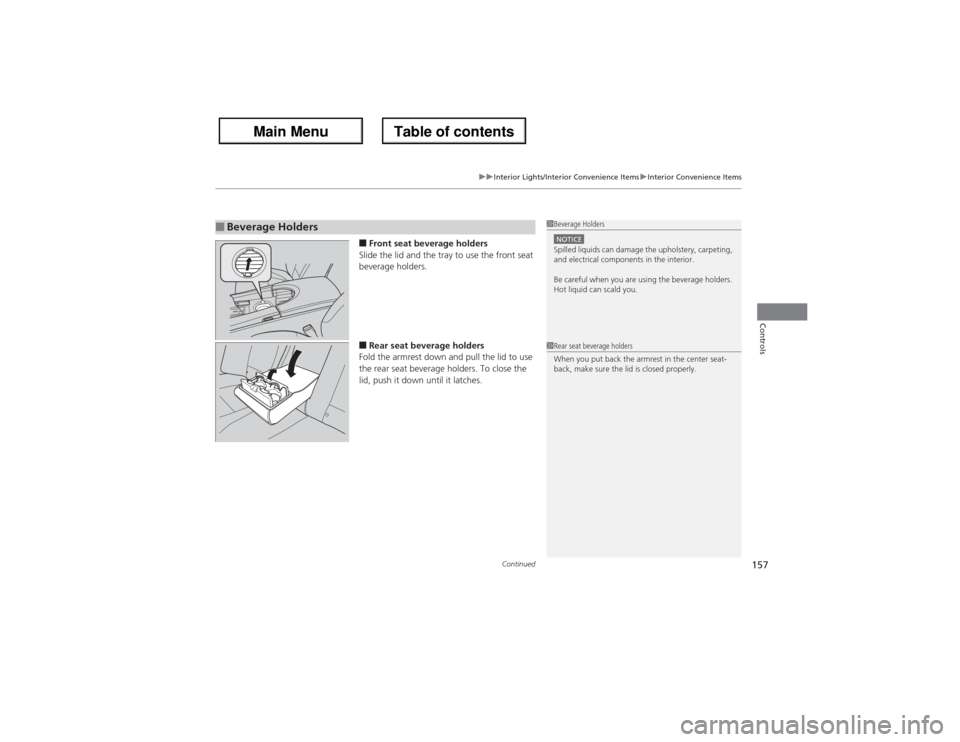
■Front seat beverage holders
Slide the lid and the tray to use the front seat
beverage holders.■Rear seat beverage holders
Fold the armrest down and pull the lid to use
the rear seat beverage holders. To close the
lid, push it down until it latches.
■Beverage Holders
1Beverage HoldersNOTICESpilled liquids can damage the upholstery, carpeting,
and electrical components in the interior.
Be careful when you are using the beverage holders.
Hot liquid can scald you.1Rear seat beverage holders
When you put back the armrest in the center seat-
back, make sure the lid is closed properly.
Page 159 of 324
uuInterior Lights/Interior Convenience ItemsuInterior Convenience Items
158Controls
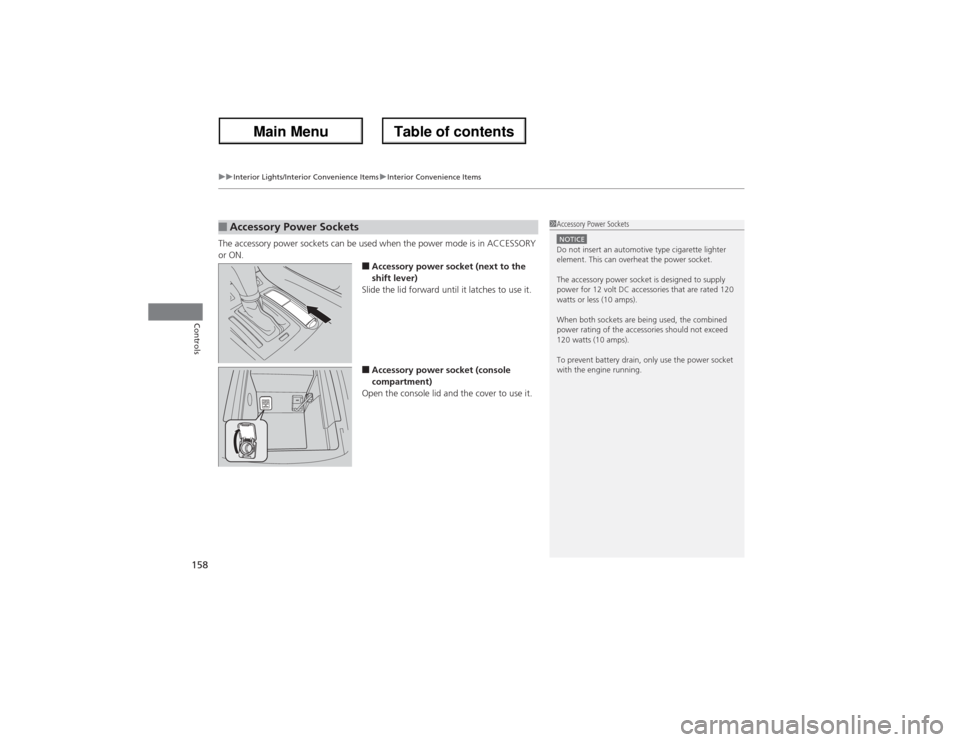
The accessory power sockets can be used when the power mode is in ACCESSORY
or ON.
■Accessory power socket (next to the
shift lever)
Slide the lid forward until it latches to use it.■Accessory power socket (console
compartment)
Open the console lid and the cover to use it.
■Accessory Power Sockets
1Accessory Power SocketsNOTICEDo not insert an automotive type cigarette lighter
element. This can overheat the power socket.
The accessory power socket is designed to supply
power for 12 volt DC accessories that are rated 120
watts or less (10 amps).
When both sockets are being used, the combined
power rating of the accessories should not exceed
120 watts (10 amps).
To prevent battery drain, only use the power socket
with the engine running.
Page 160 of 324
Continued
159
uuInterior Lights/Interior Convenience ItemsuInterior Convenience Items
Controls
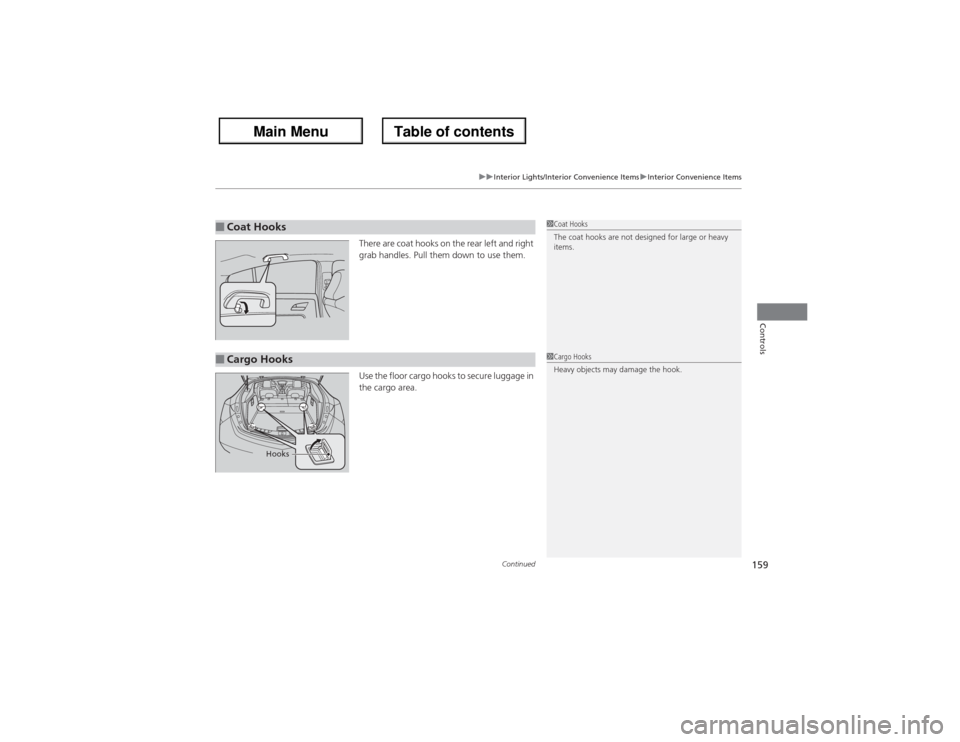
There are coat hooks on the rear left and right
grab handles. Pull them down to use them.
Use the floor cargo hooks to secure luggage in
the cargo area.
■Coat Hooks
1Coat Hooks
The coat hooks are not designed for large or heavy
items.
■Cargo Hooks
1Cargo Hooks
Heavy objects may damage the hook.
Hooks
Page 161 of 324
uuInterior Lights/Interior Convenience ItemsuInterior Convenience Items
160Controls
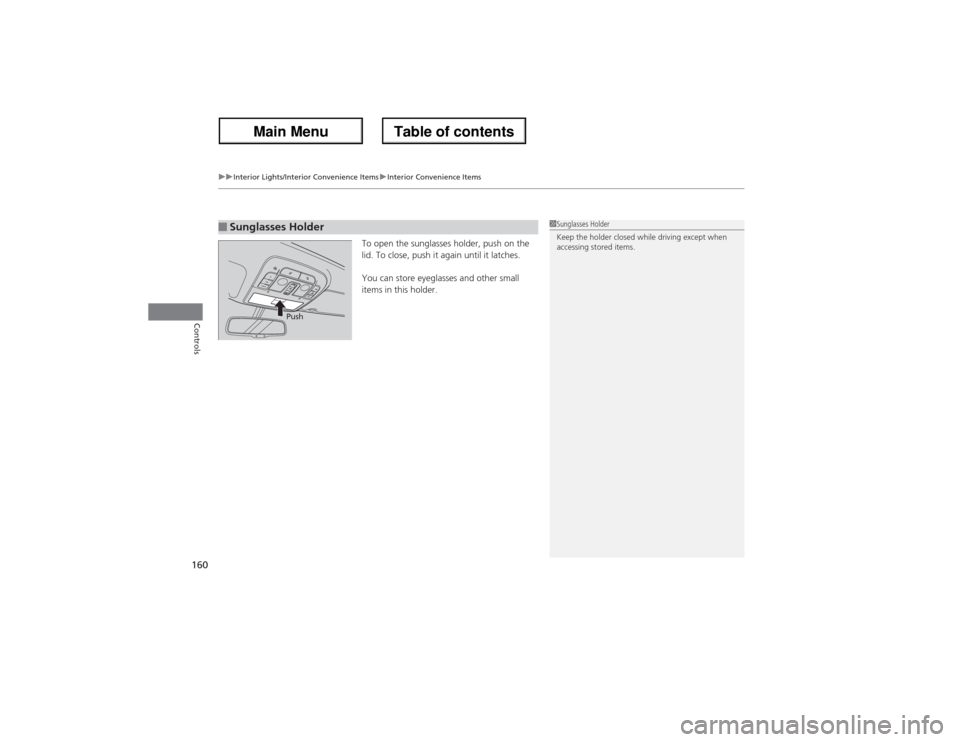
To open the sunglasses holder, push on the
lid. To close, push it again until it latches.
You can store eyeglasses and other small
items in this holder.
■Sunglasses Holder
1Sunglasses Holder
Keep the holder closed while driving except when
accessing stored items.
Push
Page 162 of 324
Continued
161
uuInterior Lights/Interior Convenience ItemsuInterior Convenience Items
Controls
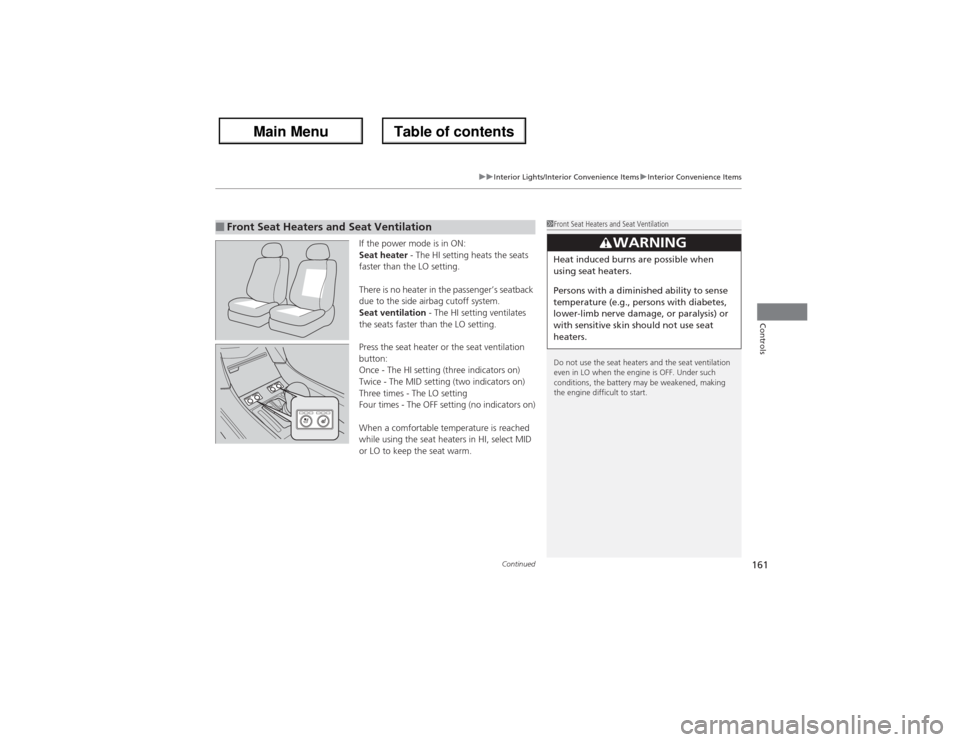
If the power mode is in ON:
Seat heater - The HI setting heats the seats
faster than the LO setting.
There is no heater in the passenger’s seatback
due to the side airbag cutoff system.
Seat ventilation - The HI setting ventilates
the seats faster than the LO setting.
Press the seat heater or the seat ventilation
button:
Once - The HI setting (three indicators on)
Twice - The MID setting (two indicators on)
Three times - The LO setting
Four times - The OFF setting (no indicators on)
When a comfortable temperature is reached
while using the seat heaters in HI, select MID
or LO to keep the seat warm.
■Front Seat Heaters and Seat Ventilation
1Front Seat Heaters and Seat Ventilation
Do not use the seat heaters and the seat ventilation
even in LO when the engine is OFF. Under such
conditions, the battery may be weakened, making
the engine difficult to start.
3
WARNING
Heat induced burns are possible when
using seat heaters.
Persons with a diminished ability to sense
temperature (e.g., persons with diabetes,
lower-limb nerve damage, or paralysis) or
with sensitive skin should not use seat
heaters.
Page 163 of 324
uuInterior Lights/Interior Convenience ItemsuInterior Convenience Items
162Controls
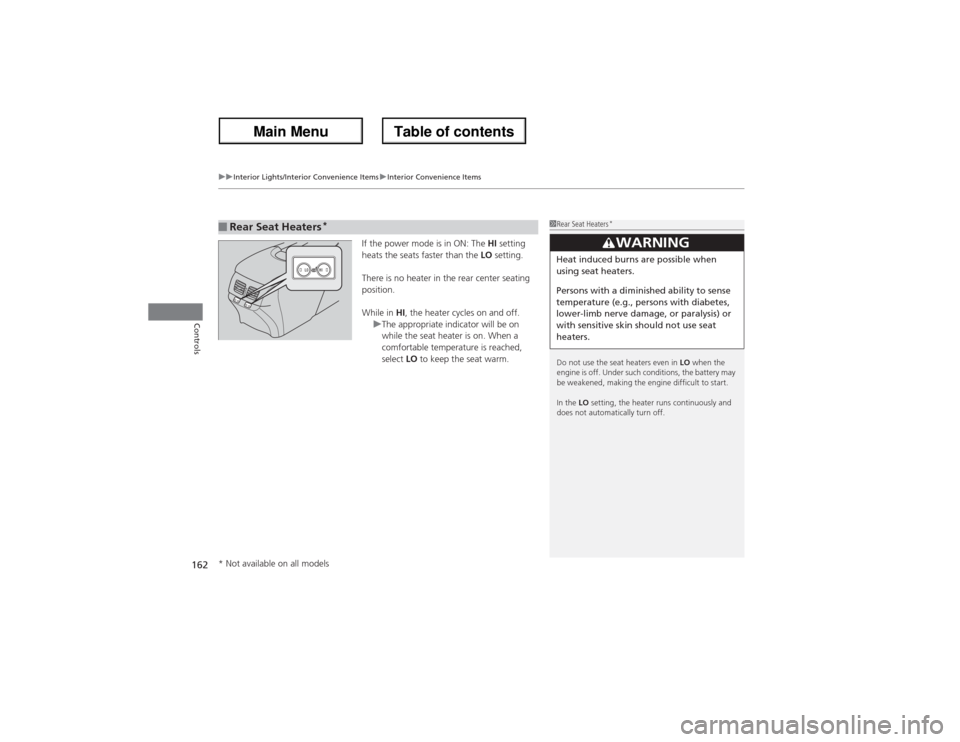
If the power mode is in ON: The HI setting
heats the seats faster than the LO setting.
There is no heater in the rear center seating
position.
While in HI, the heater cycles on and off.
uThe appropriate indicator will be on
while the seat heater is on. When a
comfortable temperature is reached,
select LO to keep the seat warm.
■Rear Seat Heaters
*
1Rear Seat Heaters
*
Do not use the seat heaters even in LO when the
engine is off. Under such conditions, the battery may
be weakened, making the engine difficult to start.
In the LO setting, the heater runs continuously and
does not automatically turn off.
3
WARNING
Heat induced burns are possible when
using seat heaters.
Persons with a diminished ability to sense
temperature (e.g., persons with diabetes,
lower-limb nerve damage, or paralysis) or
with sensitive skin should not use seat
heaters.
* Not available on all models
Page 285 of 324
284Handling the Unexpected
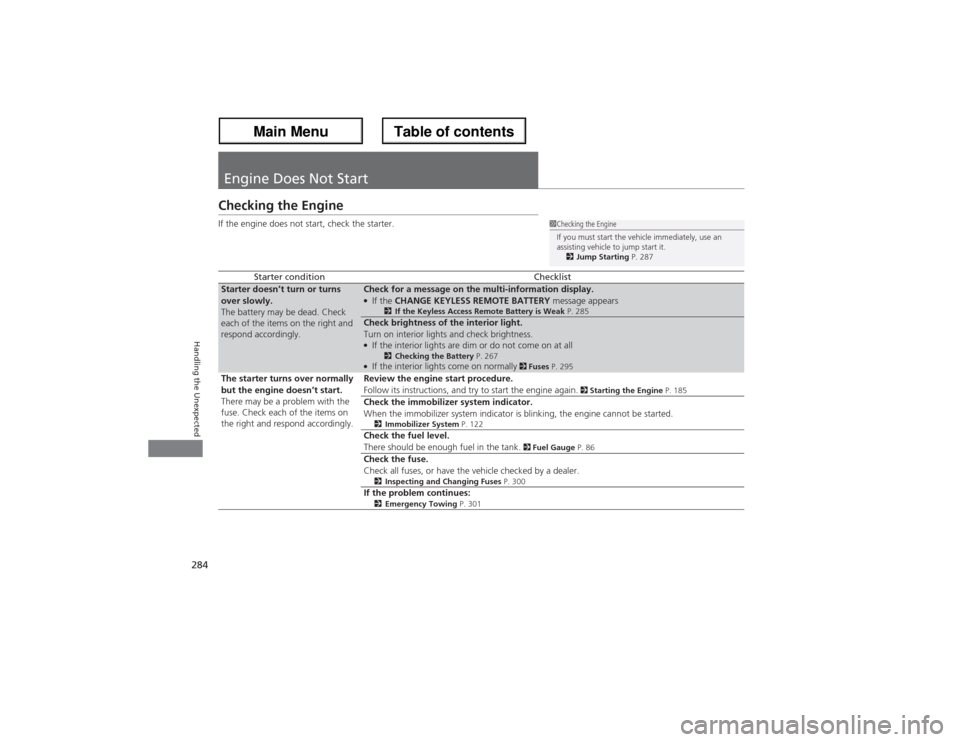
Engine Does Not StartChecking the EngineIf the engine does not start, check the starter.
Starter condition
Checklist
Starter doesn’t turn or turns
over slowly.
The battery may be dead. Check
each of the items on the right and
respond accordingly.
Check for a message on the multi-information display.●If the CHANGE KEYLESS REMOTE BATTERY message appears
2If the Keyless Access Remote Battery is Weak P. 285
Check brightness of the interior light.
Turn on interior lights and check brightness.●If the interior lights are dim or do not come on at all
2Checking the Battery P. 267
●If the interior lights come on normally
2 Fuses P. 295
The starter turns over normally
but the engine doesn’t start.
There may be a problem with the
fuse. Check each of the items on
the right and respond accordingly.Review the engine start procedure.
Follow its instructions, and try to start the engine again.
2 Starting the Engine P. 185
Check the immobilizer system indicator.
When the immobilizer system indicator is blinking, the engine cannot be started.2Immobilizer System P. 122Check the fuel level.
There should be enough fuel in the tank.
2 Fuel Gauge P. 86
Check the fuse.
Check all fuses, or have the vehicle checked by a dealer.2Inspecting and Changing Fuses P. 300If the problem continues:2Emergency Towing P. 301
1Checking the Engine
If you must start the vehicle immediately, use an
assisting vehicle to jump start it.
2Jump Starting P. 287
Page 298 of 324
297
uuFusesuCircuit Protected and Amps for Each Fuse
Continued
Handling the Unexpected
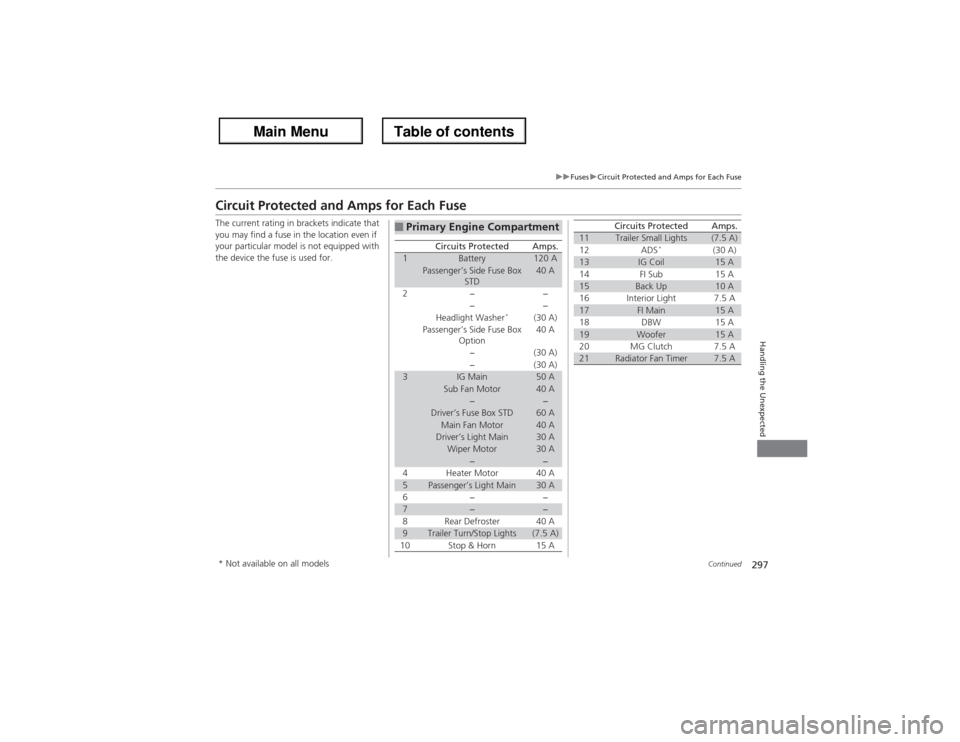
Circuit Protected and Amps for Each FuseThe current rating in brackets indicate that
you may find a fuse in the location even if
your particular model is not equipped with
the device the fuse is used for.
■Primary Engine Compartment
Circuits Protected
Amps.
1
Battery
120 A
Passenger’s Side Fuse Box
STD
40 A
2
−
−
−
−
Headlight Washer
*
(30 A)
Passenger’s Side Fuse Box
Option
40 A
−
(30 A)
−
(30 A)
3
IG Main
50 A
Sub Fan Motor
40 A
−
−
Driver’s Fuse Box STD
60 A
Main Fan Motor
40 A
Driver’s Light Main
30 A
Wiper Motor
30 A
−
−
4
Heater Motor
40 A
5
Passenger’s Light Main
30 A
6
−
−
7
−
−
8
Rear Defroster
40 A
9
Trailer Turn/Stop Lights
(7.5 A)
10
Stop & Horn
15 A
11
Trailer Small Lights
(7.5 A)
12
ADS
*
(30 A)
13
IG Coil
15 A
14
FI Sub
15 A
15
Back Up
10 A
16
Interior Light
7.5 A
17
FI Main
15 A
18
DBW
15 A
19
Woofer
15 A
20
MG Clutch
7.5 A
21
Radiator Fan Timer
7.5 A
Circuits Protected
Amps.
* Not available on all models